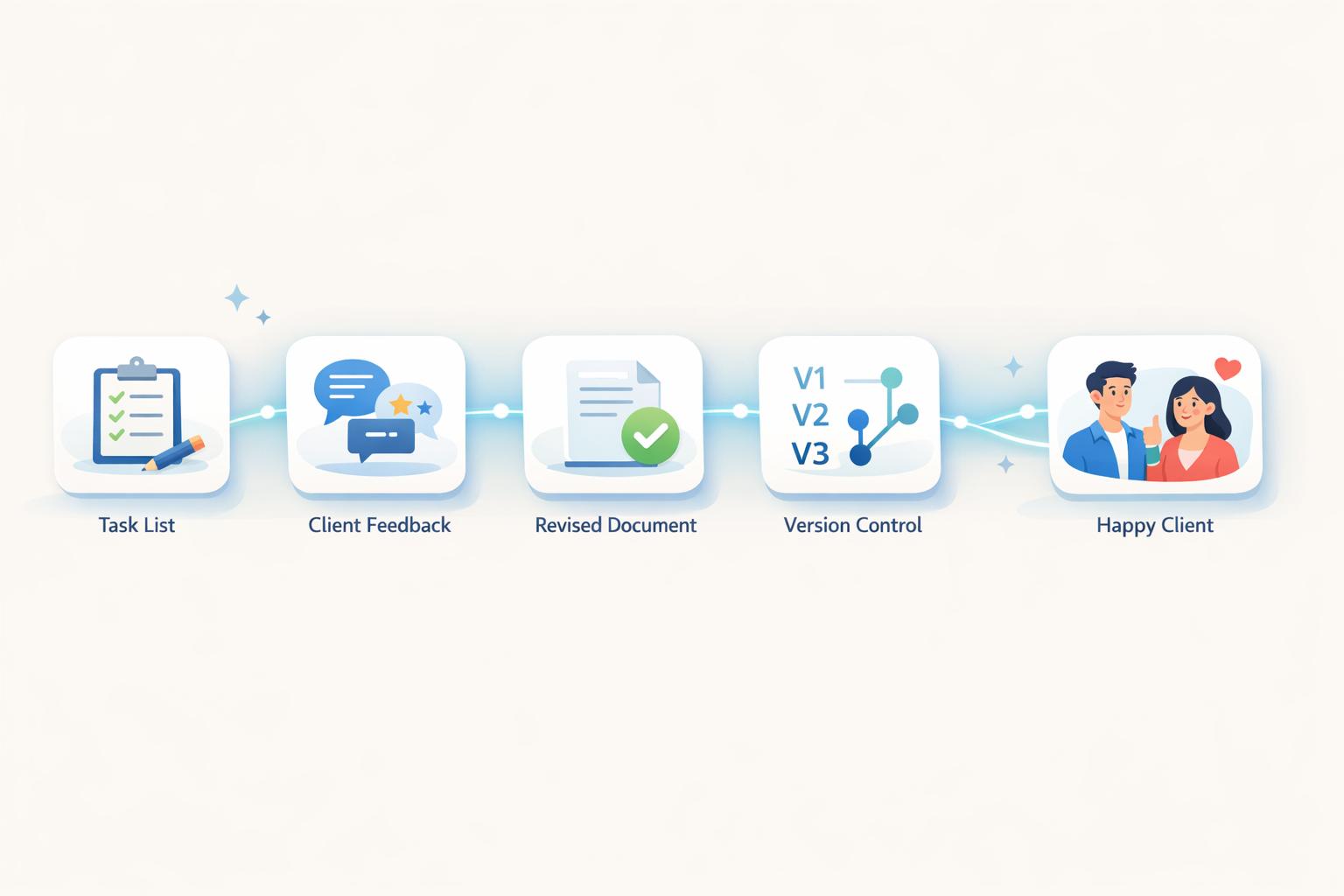
5 Tips for Managing Client Revision Requests
Client revisions can easily disrupt your workflow, delay deadlines, and reduce profitability. But the real issue often lies in unclear expectations and poor communication - not demanding clients. To keep projects on track and maintain good client relationships, follow these five practical strategies:
- Set clear boundaries upfront: Define how many revision rounds are included, what counts as a "round", and how extra revisions will be billed.
- Use effective communication tools: Centralize feedback to avoid scattered emails and vague instructions.
- Clarify feedback before acting: Double-check requests to ensure they align with the project goals and address the root issue.
- Track revisions systematically: Use tools to document changes, label versions, and avoid miscommunication.
- Balance feedback with expertise: Guide clients toward decisions that meet objectives without compromising quality.
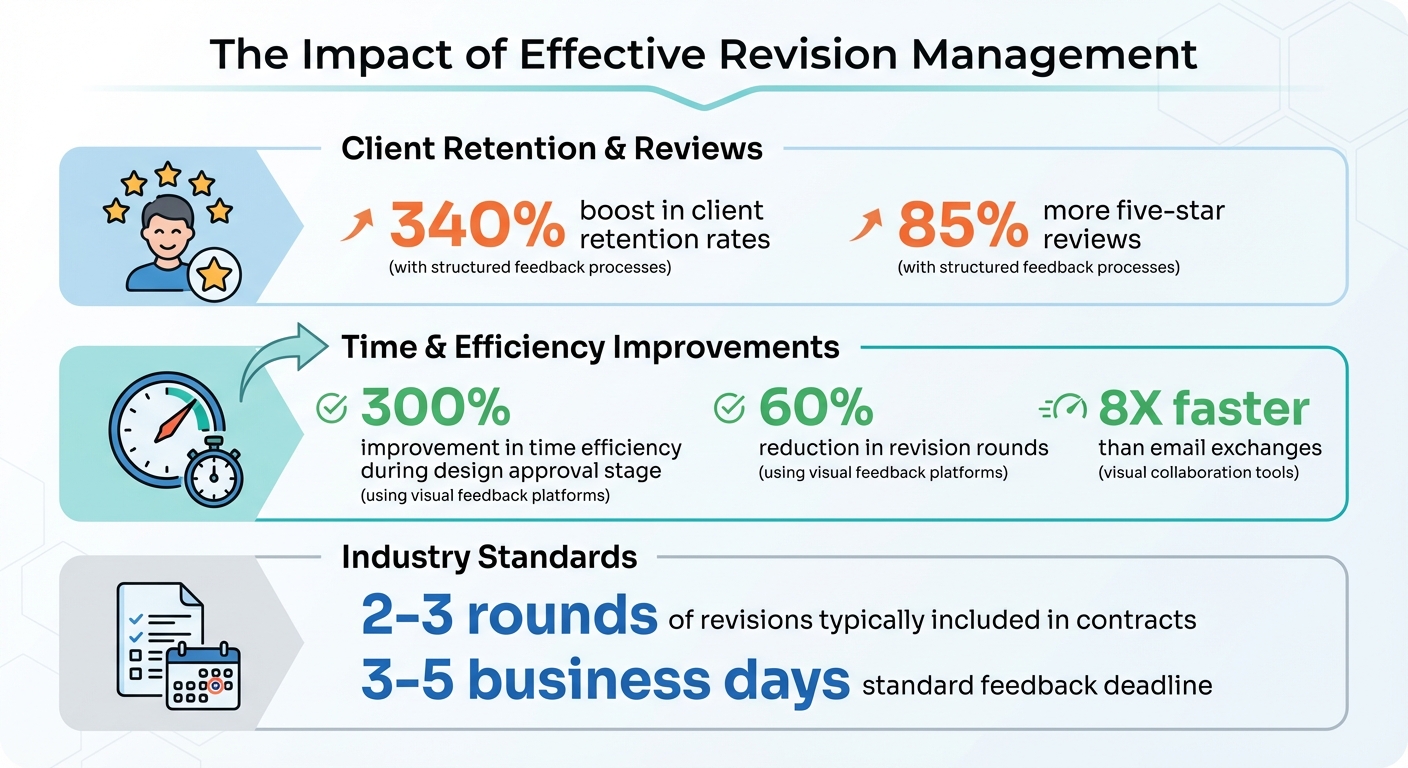
Client Revision Management Statistics: Impact on Efficiency and Retention
Managing The Revision Process: How To Manage Scope And Keep Design Revisions In Check
1. Set Clear Expectations and Boundaries from the Start
One of the best ways to avoid revision overload is to lay out the rules before the project even begins. Your contract or project agreement should clearly state how many revision rounds are included in the base price. In fields like design or copywriting, it's common to include 2 to 3 rounds of revisions. But here's the catch - clients often misunderstand what a "round" actually means.
A revision round should be defined as a full cycle: you deliver a draft, the client provides consolidated feedback, and you implement the changes. This definition helps avoid the frustrating scenario where clients send piecemeal edits - one today, another tomorrow, and so on. To keep things moving smoothly, include specific deadlines for feedback in your contract, typically within 3–5 business days. Setting these expectations upfront creates a clear framework for handling any additional work that might arise outside the agreed-upon rounds.
Make sure to also outline what happens if extra revisions are requested. Specify your hourly rate or a flat fee for revisions beyond the included rounds. This isn’t about being inflexible - it’s about ensuring both the timeline and budget stay on track.
It’s equally important to differentiate between minor tweaks (like changing a font or adjusting a color) and major revisions (such as reworking an entire layout or making significant scope changes).
Use your contract as a guide throughout the project. For instance, when you deliver a draft, remind the client of their remaining revision rounds by saying something like, "This is the second of your three included rounds". This keeps everyone on the same page and minimizes misunderstandings.
2. Use the Right Communication Channels and Processes
Managing revisions effectively starts with clear and organized client communication. Relying on scattered emails, texts, or calls can lead to confusion and missed details. Agencies that adopt structured feedback processes experience a 340% boost in client retention rates and receive 85% more five-star reviews. A well-defined feedback system not only minimizes miscommunication but also lays the groundwork for faster, smoother revisions.
The way clients provide feedback plays a huge role in the revision process. If the tools you use require complicated setups - like account creation, intricate dashboards, or lengthy onboarding - clients are more likely to abandon them and revert to vague emails. On the other hand, visual feedback platforms simplify the process by allowing clients to comment directly on designs, images, or web pages. This eliminates the need for them to navigate complex systems and ensures their input is more specific and timely.
Take BoastImage as an example. It streamlines feedback by letting clients click a link and instantly add comments - no login needed. They can pin their feedback directly onto specific elements of the project, making their requests crystal clear. Meanwhile, your team can use built-in tools like version control and task tracking behind the scenes. This approach helps bridge what experts call the "communication gap", where vague feedback like "make it pop" transforms into actionable suggestions like "increase contrast".
Using the right tools can also significantly cut down on revision rounds - by as much as 60%. Centralizing feedback in a single visual platform ensures that input is clear, avoids contradictory instructions, and eliminates the frustration of hearing, "I thought I mentioned this earlier." Clients can comment directly on the design elements they want adjusted, saving everyone time and keeping all feedback organized and easy to reference.
3. Review and Clarify Revision Requests Before Starting Work
Before diving into revisions, take a moment to pause and ensure you fully understand the feedback. Often, clients may not have the technical language to articulate their requests, which can lead to confusion and wasted effort. For example, if a client says, "make the tab bigger", they could mean the logo, the navigation bar, or even the favicon.
To avoid this kind of miscommunication, compare the feedback against the original creative brief. This helps you determine whether the request aligns with the project's objectives or if it leans more toward personal preferences. As Jennifer Bourn, Brand Strategist, puts it:
"Your job is to be the champion of the design, to keep the conversation focused on the goals of the project, and to gently remind the client that the design shouldn't be about what they like personally, but what will resonate best with their audience".
This approach not only ensures clarity but also keeps the project on track.
If a request seems unclear or conflicts with the agreed strategy, don’t hesitate to ask "why." Sometimes, clients suggest changes that don’t directly address the underlying issue they’re trying to solve. By understanding their concerns, you can offer solutions that stay within the project’s scope while genuinely addressing their needs.
Another crucial step is to confirm that the feedback is comprehensive. Make sure the client has gathered input from all relevant stakeholders and that no additional changes are pending. This avoids situations where you complete revisions only to receive conflicting requests later from someone who wasn’t consulted.
Clear and direct communication can significantly speed up the approval process - by as much as 300%. Tools like BoastImage can make this even easier, allowing clients to annotate directly on designs without needing to create an account. This eliminates guesswork and reduces unnecessary back-and-forth, setting the stage for smoother and more accurate revisions in future rounds.
sbb-itb-32f6eb2
4. Document and Track Each Revision Round
Once changes are clarified, it's essential to centralize all feedback. Keeping feedback scattered across emails, texts, or calls makes it hard to track what’s been done versus what’s still pending. As GAIN App points out, "If you have client feedback scattered across multiple documents and emails, it may be time-consuming, or even impossible, to find and discuss what was said previously".
To stay organized, use a single platform to document and track approved changes. Whether it’s a project management tool, a shared document, or a visual feedback app, having one central source for all feedback significantly reduces miscommunication and ensures you don’t redo work that’s already been finalized. This approach also keeps both you and your client accountable for agreed-upon changes.
Version control is another key factor. Label files by revision round (e.g., "Project_v1", "Project_v2") so each iteration is clearly marked. Tools like Adobe Acrobat can help by allowing you to filter comments based on their status - "resolved" versus "unresolved" - so nothing slips through the cracks before the next proof is sent. For visual projects, using tools that simplify client instructions can make a huge difference.
When it comes to visuals, point-and-click feedback eliminates confusion. Instead of deciphering vague comments like "move the second paragraph", clients can annotate directly on the file. Platforms like BoastImage let clients click a link and leave comments without needing to create an account. Behind the scenes, you can track versions, tasks, and even use Kanban boards, while clients enjoy a seamless process. This streamlined workflow can speed up project completion by as much as 300%.
5. Balance Client Feedback with Your Professional Expertise
While clear communication and structured feedback are vital, your professional expertise is the cornerstone of guiding a project to success. Listening to client feedback doesn’t mean you have to implement every suggestion. Instead, your role is to steer the project toward its goals while maintaining its integrity.
The trick lies in shifting discussions from subjective preferences to objective outcomes. If a client makes a request that isn’t practical or beneficial, explain your reasoning. Don’t just say no - walk them through the design principles or strategic goals behind your original approach. Ask questions to understand what they’re trying to achieve, and work together to find an alternative that maintains the project’s quality and scope.
When presenting your work, provide context, not just files. As Colleen Gratzer, Founder of Gratzer Graphics, explains:
"When you take the step of presenting your work and explaining how it aligns with the creative brief and their objectives, you get less pushback."
This approach establishes you as an expert collaborator rather than simply an order taker, ensuring the project stays on track. It reinforces your role as the professional guiding the process.
Additionally, it’s crucial to warn clients if excessive changes might compromise the quality of the work. Refrens offers this advice:
"If what the client wants does not work, tell them so, but also explain why. Make sure you demonstrate your expertise, as you were employed for it."
Conclusion
Client revisions don’t have to spiral into endless edits or lead to scope creep that eats into your profitability. The five strategies discussed here - setting clear expectations, centralizing communication, clarifying requests before taking action, tracking each round of feedback, and balancing client input with your expertise - can make the revision process smoother and more efficient for everyone involved. Together, these approaches help keep projects on track while reinforcing your role as a trusted professional.
The benefits of these practices go far beyond just saving time. Implementing a streamlined feedback process can lead to a 300% improvement in time efficiency during the design approval stage, while visual collaboration tools can be up to 8X faster than relying on email exchanges. These improvements not only protect your profit margins but also reduce stress and contribute to better project outcomes.
These numbers highlight how crucial it is to have an organized approach to revisions. As Jennifer Bourn, a Brand Strategist and Designer, wisely puts it: "The goal of every service provider should be building strong, healthy, positive client relationships". By guiding the process with your expertise and setting respectful boundaries, you build trust and foster collaboration.
Balancing clear client feedback with your professional judgment reinforces the principles we’ve covered. Your expertise is the driving force behind a project’s success. Leading with confidence, educating clients on how revisions affect timelines and quality, and anchoring discussions in objective project goals - not subjective preferences - positions you as a consultant and problem solver, not just an order-taker.
FAQs
What is a revision round and how can I define it?
A revision round is a structured process where you share a specific version of your work with the client, gather their feedback, and make the requested changes. Each round concludes when the client either approves the work or stops providing feedback. This system helps keep the workflow organized and avoids endless back-and-forth discussions.
To manage revision rounds effectively, it’s essential to set clear guidelines in your project agreement. Here’s what to include:
- Number of rounds: Specify how many revision rounds are included (e.g., three rounds) and outline any additional fees for extra rounds beyond the agreed number.
- Time limits: Set a clear deadline for each round, such as 48 hours, to ensure feedback is provided promptly.
- Scope of changes: Define that a round ends once all feedback for the current version is submitted. Any new requests or out-of-scope changes will initiate a new round.
Tools like BoastImage can make this process even smoother. With BoastImage, clients can leave comments directly on the work without needing to create accounts. Once they mark their feedback as complete, the round automatically closes. This approach eliminates confusion, prevents scope creep, and keeps your project moving forward efficiently.
What’s the best way to streamline client feedback?
Streamlining client feedback works best when you use a tool that lets clients comment directly on your work without jumping through hoops like creating accounts or completing onboarding processes. BoastImage makes this seamless by offering a login-free feedback board for web pages, images, and PDFs. Clients can leave their comments instantly, while your team benefits from features like version tracking and task management to stay on top of revisions.
By keeping all feedback centralized, you can eliminate the chaos of scattered emails and unclear instructions. This straightforward system helps you save time and enhances collaboration with clients, making the revision process smoother and more productive.
How can I balance client feedback with my professional expertise?
Balancing client feedback with your expertise requires a mix of respect for their vision and a commitment to keeping the project on track. Treat feedback as a team effort: listen attentively, then clearly explain how proposed changes might affect the project’s goals, timeline, or overall quality. This approach keeps the conversation productive and prevents endless back-and-forth revisions.
To avoid misunderstandings, establish clear boundaries from the start. For example, limit major revisions to two rounds and define what qualifies as minor adjustments. This keeps the project manageable, protects your time, and helps you avoid burnout. Maintaining a professional yet approachable tone is key - be firm about the agreed scope, transparent about additional costs, and positive in your communication to nurture a strong client relationship.
Tools like BoastImage can make managing feedback a breeze. With this platform, clients can leave comments directly on drafts without needing to create accounts or navigate complicated systems. This streamlines the process, minimizes miscommunication, and ensures their feedback is both clear and actionable, allowing you to align their input with your professional expertise more effectively.