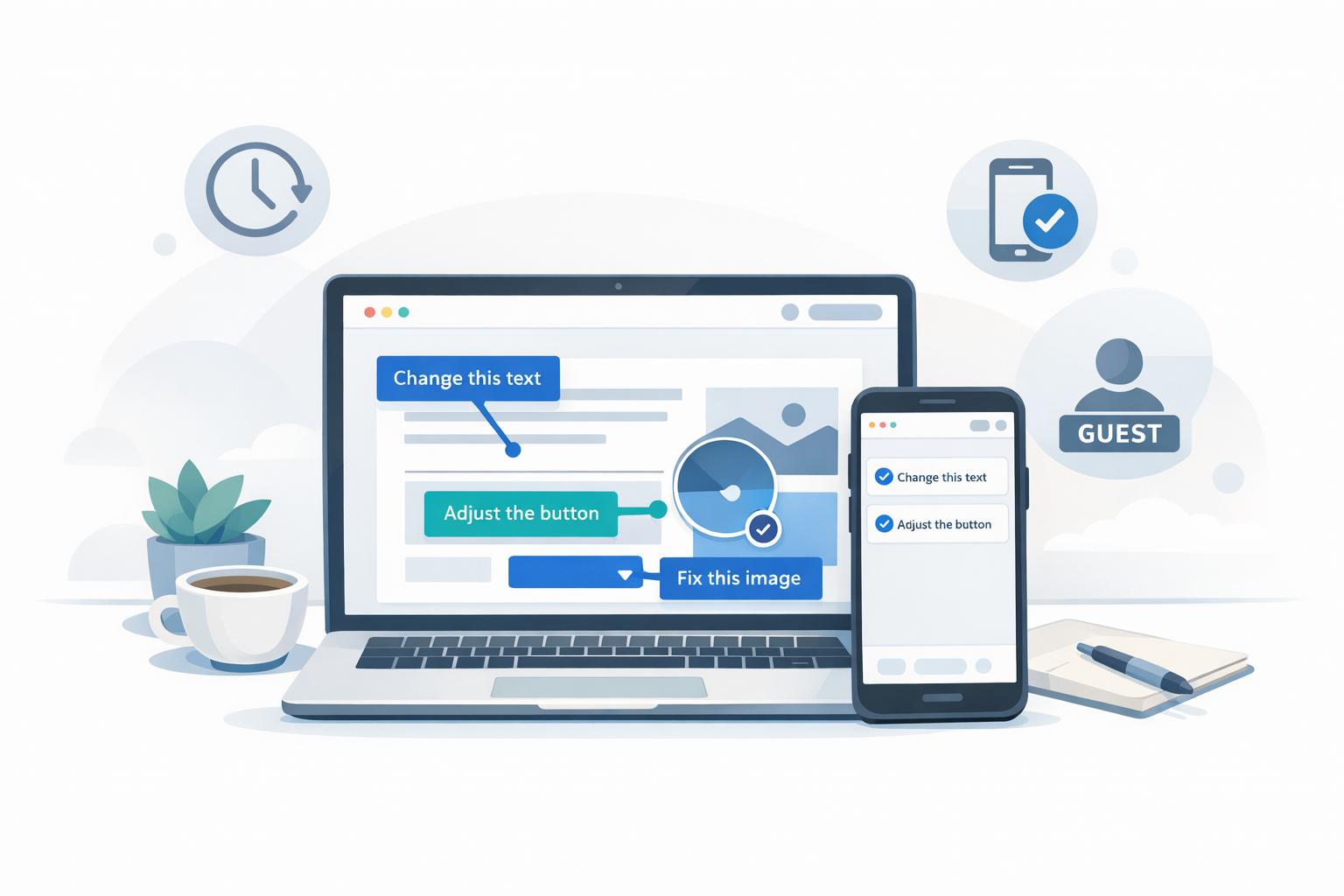
Website Feedback Tool for marketing approvals and client reviews
Website feedback tools solve a common problem: scattered, unclear comments on live sites, staging environments, and landing pages. Reviewers leave annotations on specific design elements, and developers get browser type, OS, and screen resolution with each comment. That beats email chains and static screenshots, where the context disappears.
Why website feedback is different
Reviewing a live site is harder than reviewing a static design. Pages change with user interactions, screen sizes, and browsers. A useful tool has to handle responsive layouts, interactive elements, and version tracking as the site changes.
The client problem with website tools: Many website feedback tools ask clients to install a browser extension, find a staging URL, or create an account just to leave a comment. For a marketing director approving a landing page, or a stakeholder signing off on campaign copy, that extra work is enough to send them back to email.
The result? Clients go back to email with notes like "the button doesn't look right on mobile," or they send marked-up screenshots that lose context. The tool gets in the way.
What to look for in a website feedback tool
Features that matter:
- Point-and-click annotations: Comments tied to a specific design element.
- No-login access: Clients leave feedback without creating an account. That matters for external stakeholders.
- Version tracking: Feedback stays organized by iteration as the site changes.
- Mobile compatibility: Feedback works on phones. Mobile traffic is over 50% of the web.
- Capture-based or live overlay: Pick based on the job (approvals vs. testing).
Common use cases:
- Marketing approvals: Finalizing copy, CTAs, and responsive layouts before launch.
- Landing pages: Comments on the elements that matter before you push live.
- Web app testing: Bugs and workflow issues with comments that include context.
- Stakeholder sign-offs: Approval from non-technical reviewers who need a simple path.
Pick a tool clients can use without training and that fits how your team already works. Clear comments save time and keep the project moving.
Capture-based vs. live overlay: choosing the right approach
Capture-based tools take snapshots of websites and create a static version for review. They work well for approvals, version tracking, and clients who need a simple link. You do not have to set up a staging environment.
Live overlay tools embed a feedback widget on a live or staging site. They fit QA, interactive element testing, and cases where reviewers need to use the site in real time.
The difference shows up in client adoption. Capture-based tools work for people who want "click the link, comment, done." Live overlay tools need access to staging, which is an extra step that non-technical stakeholders often skip.
Detailed feature breakdown
Point-and-click annotation
The better website feedback tools let reviewers click an element and leave a comment right there. They usually capture browser type, operating system, screen resolution, URL, and console logs automatically. Developers get enough context to act without a follow-up thread. Check that it works on phones. More than 50% of web traffic is mobile.
No-login access for clients
A useful feedback tool does not make clients create an account. They open a link and comment. Teams that drop the login step often save 3-4 hours per week. Pair that with shared comment threads so everyone sees the same notes.
Version tracking and team collaboration
Comments should attach to a specific iteration so you can compare versions and keep an approval trail, including when people work across time zones. Some tools turn annotations into tasks. Developers can stay on the work instead of sorting feedback by hand.
sbb-itb-32f6eb2
How teams use website feedback tools
Marketing website approvals
Marketing teams use these tools to lock copy, CTAs, and forms before launch. Reviewers click the element they mean, so you get a specific note instead of a vague suggestion. That cuts the email and Slack loops.
These tools are also useful for checking that copy length does not break responsive layouts and that CTAs stay visible on screens of all sizes.
Landing pages get the same treatment: one thread, comments on the actual page.
Landing page reviews before launch
Headlines, visuals, and how the page behaves on different devices decide whether a landing page works. Feedback tools put designers, copywriters, and executives in one thread. Before that, agencies spent time decoding scribbled screenshots or hunting through email to figure out what was wrong.
Each comment can include browser type, screen resolution, and the page URL, which makes layout bugs easier to fix.
Web app QA and user testing
QA teams pin issues like workflow errors and broken buttons to the UI. Testers can also record their screen when a bug is hard to describe.
These tools also connect to Kanban boards, so a comment becomes a task you can prioritize. For user testing, no-login access lets outside participants comment without an account, which matters for people who are not technical. Some companies say they cut software testing time in half after leaving traditional project management systems.
Capture-based vs. live overlay: two approaches to website feedback
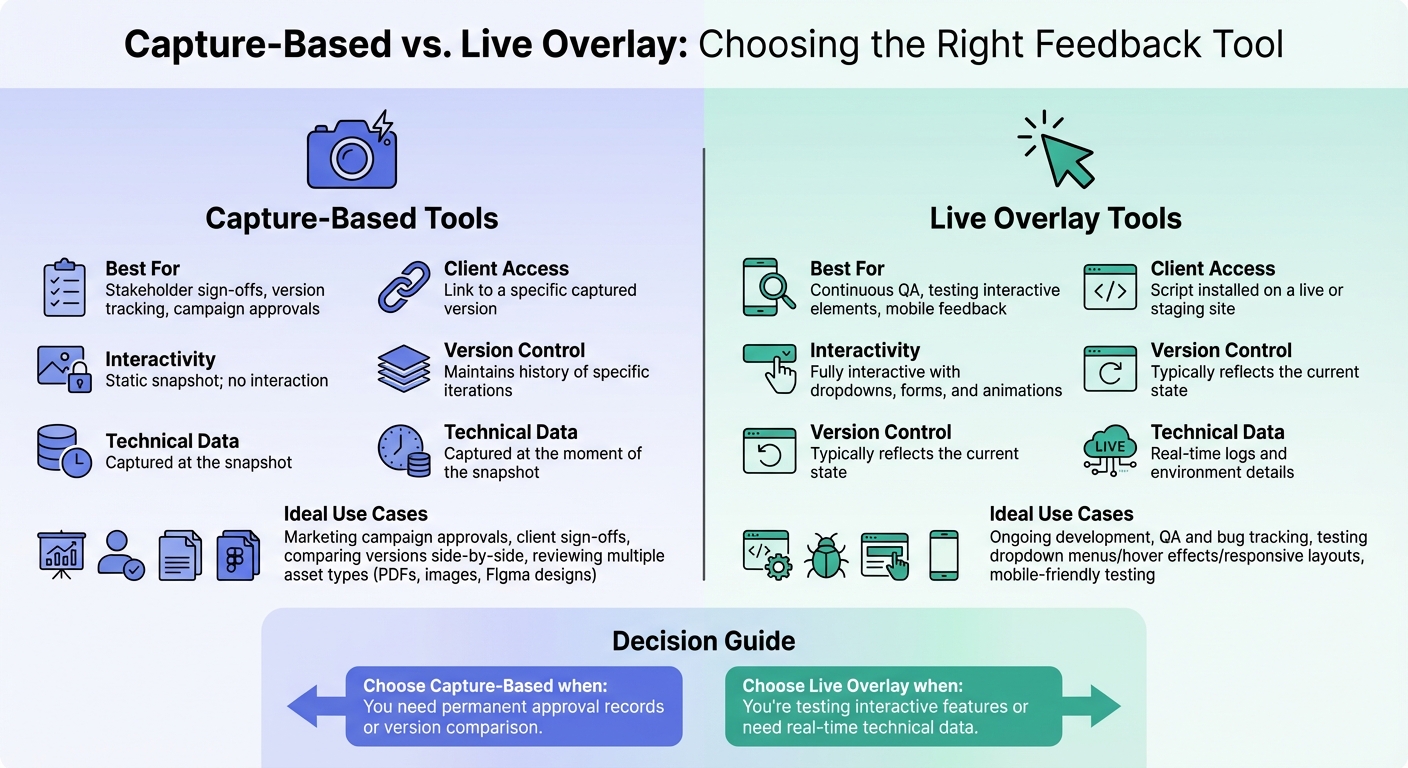
Capture-Based vs Live Overlay Website Feedback Tools Comparison
Website feedback tools usually fall into two groups: capture-based, which create static snapshots, and live overlay, which let you annotate a live or staging site. Each fits a different job. Using the wrong one wastes time.
When capture-based tools make sense
Use a capture-based tool when you need a record that does not change: final marketing campaigns, client sign-off, or comparing versions. A snapshot of a landing page stays put even if the live site updates later.
They also help with version tracking because you can compare iterations side by side. You can review PDFs, static images, Figma designs, and web pages in the same project. You cannot drop a live widget on a PDF, but a capture-based tool lets you annotate the contract and the website screenshots together.
Capture any web page instantly
Get our free Chrome extension to capture full pages, visible areas, or selected regions, all without leaving your browser.
Install Chrome ExtensionWhen live overlay tools are the better choice
Live overlay tools fit ongoing development, especially quality assurance (QA) and bug tracking. If you need to test interactive elements like dropdown menus, hover effects, or responsive layouts, a static image is not enough. You need to use the actual site.
These tools also attach live metadata: browser version, screen resolution, operating system, and console logs. That cuts questions about how someone tested. Testers can annotate on their phones without installing extra software.
Feature comparison: capture-based vs. live overlay
| Feature | Capture-Based | Live Overlay |
|---|---|---|
| Best for | Stakeholder sign-offs, version tracking, campaign approvals | Continuous QA, testing interactive elements, mobile feedback |
| Client Access | Link to a specific captured version | Script installed on a live or staging site |
| Interactivity | Static snapshot; no interaction | Fully interactive with dropdowns, forms, and animations |
| Version Control | Maintains history of specific iterations | Typically reflects the current state |
| Technical Data | Captured at the moment of the snapshot | Real-time logs and environment details |
Use the table to match the tool to the job. For final approval on a landing page about to launch, a capture-based tool gives you a record you can keep. For bugs in a web app that changes daily, a live overlay keeps comments on the current build.
How to choose the right tool for your team
Start with your primary use case
Match the tool to the work you do most. If you run marketing campaigns and need stakeholder approval on landing pages, a capture-based tool locks a version for sign-off and keeps that record after the page updates. If you test interactive elements like dropdown menus, form validations, or hover effects, a live overlay lets you use the site directly.
Design agencies often review more than one asset type, so they need a tool that can hold those together. Development teams debugging web apps need live technical details: browser type, operating system, screen resolution, and the exact URL. Those details speed up troubleshooting.
Match the tool to your clients' technical skills
A strong tool still fails if clients will not use it. Non-technical stakeholders like marketing directors, brand managers, or small business owners usually want a short approval path. If the tool feels hard, they go back to email.
Look for tools with no-login access and a point-and-click interface. Browser extensions and staging logins stop people who only review occasionally. A link they can open and comment on, without an account, is the version they will actually use.
Consider team size and integration needs
Smaller teams can live with a standalone tool. Larger teams often need a connection to Jira or Asana so comments become tickets. The tool should still work as you add clients, and project-level permissions help keep access tidy.
Check that pricing matches how many clients you have, and that it still makes sense if that number grows.
Conclusion
Pick a website feedback tool that is simple enough that clients will use it, and organized enough that your team is not chasing scattered notes and old versions. If it is too complicated, clients send email or unclear screenshots. If it has no structure, you lose hours. A marketing director should be able to leave a comment in seconds, and your team should be able to turn that comment into a task.
Start with the work you do most: campaign pages or web app bugs. Then look at how technical your clients are. Non-technical stakeholders do better with point-and-click comments and no-login access. They should not need a browser extension or a tutorial.
If you add more clients, you will want project-level permissions, a connection to your project management software, and pricing that still works at a higher volume.
The right tool makes review faster because comments are specific and already in one place. That is what keeps projects moving.
FAQs
How do website feedback tools improve collaboration between clients and developers?
Website feedback tools let clients click directly on live pages to leave comments. Each note is tied to an element, a screen size, and a URL, so developers get something they can act on instead of a vague email.
The tools also collect technical details automatically, like browser type, operating system, and screen resolution, which cuts follow-up questions. With all comments in one place, teams can track, prioritize, and turn comments into tasks.
Shared links, live comments, and version control shorten the review cycle and reduce the usual mix-ups around what was approved.
What are the advantages of using live overlay tools for testing web apps?
Live overlay tools let testers comment on a live web app. Each comment sits on the element, state, and URL they were looking at, so you are not debugging from an outdated screenshot.
They also capture technical details like browser type, operating system, and screen resolution, which helps developers reproduce the issue. On dynamic apps they can record interactions or error states. Teams can watch comments across versions and turn them into tasks.
Why is it important for a website feedback tool to allow client access without requiring a login?
If clients can comment without a login, they skip account creation and password resets. For people who are not technical, those steps are often enough to stop. A no-login link lets them click and start.
Skipping signup also gets comments in faster, attached to the right page. That helps on short reviews and small updates, where you cannot afford a half-day delay while someone hunts for a password.