If you build websites, landing pages, or creative assets, the hard part is usually not collecting comments. It is getting people to finish the review.
BoastImage and Ruttl both collect visual feedback. They are built for different reviewers:
- BoastImage is client-first: it removes steps so clients actually leave comments, and approvals finish sooner.
- Ruttl is workflow-rich: it is built for live website feedback, deeper issue workflows, and teams that want a QA or bug-tracking feel.
Choose BoastImage if your main bottleneck is getting clients and non-technical stakeholders to leave feedback. The review loop is short: open a link, click to comment, and leave. Review does not turn into a product onboarding session.
Choose Ruttl if you need feedback directly on live websites/web apps and want a more issue-style workflow for internal teams.
BoastImage is best for…
- Agencies and freelancers who need fast client approvals.
- Non-technical stakeholders who won’t create accounts or learn a new tool.
- Teams that want feedback to turn into tasks without extra systems.
Ruttl is better if…
- You need live URL review for dynamic states and responsive behavior.
- Your reviewers are mostly internal (design/dev/QA) and want issue-style workflows.
Quick takeaway: If client adoption matters most, BoastImage is the safer bet overall.
Side-by-side checklist (quick scan)
| Feature / outcome | BoastImage | Ruttl |
|---|---|---|
| Clients can leave feedback without "learning the tool" | ✅ | ✅ |
| Pinned, contextual comments (click → comment on exact spot) | ✅ | ✅ |
| Threaded discussions to keep context clean | ✅ | ✅ |
| Review images and PDFs | ✅ | ✅ |
| Support multi-round revisions | ✅ | ✅ |
| Web Browser Extension to capture web pages | ✅ | ✅ |
| Website feedback (capture-based review) | ✅ | ✕ |
| Turn feedback into trackable work (tasks + Kanban) | ✅ | ✕ |
| Designed specifically for client completion rate | ✅ | ✕ |
| Capture-only review (no staging access needed) | ✅ | ✕ |
| Optional access codes for external sharing | ✅ | ✕ |
| Website feedback (live URL review) | ✕ | ✅ |
| Live website review for dynamic behavior | ✕ | ✅ |
| 3rd Party Integrations | ✕ | ✅ |
How we are comparing BoastImage vs Ruttl
This is a commissioned comparison page (not an independent review). The goal is to help buyers decide based on outcomes and day-to-day usability, not generic feature checklists.
We compare the tools on the points that decide whether a review actually gets finished:
- Reviewer experience: How quickly a client can get in, comment, and leave.
- Collaboration model: Threads, context, and whether feedback stays tied to the exact location.
- Setup and onboarding: How much setup work is required before review can start.
- Versioning and clarity: How easy it is to avoid feedback on the wrong version.
- Day-to-day usability: Turning comments into execution (tasks, assignments, resolution).
- Fit by workflow: Client-first approvals vs internal QA/live-site issue tracking.
A visual feedback tool only helps if people use it. BoastImage keeps the review short so clients can comment without feeling like they joined another product. Ruttl has a broader feature set, especially for live website feedback and issue workflows. That helps internal teams. It can also add more to learn.
The buyer question is practical:
Which tool will get you clearer feedback and faster approvals, given how you actually work?
BoastImage: built for clients to actually use
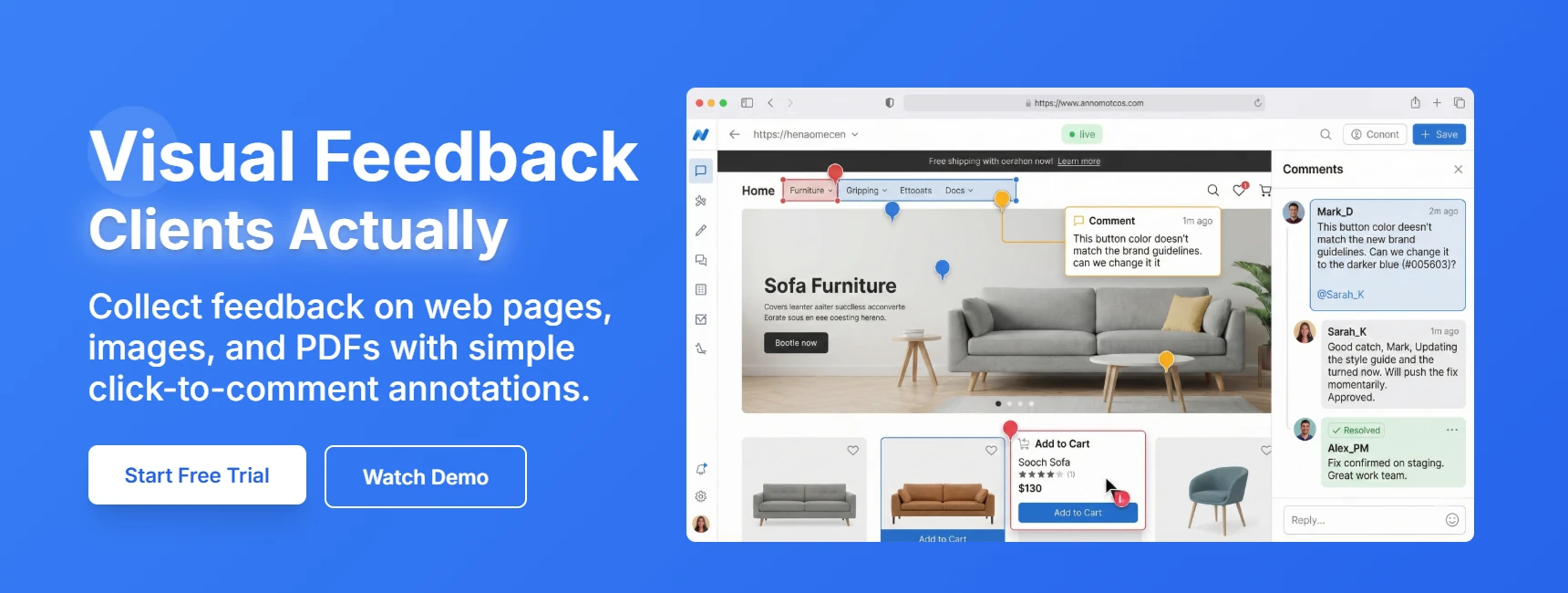
BoastImage is built to cut steps: upload designs or capture a page, share a link, and clients pin comments without training. Threaded discussions keep replies on the same pin, version rounds reduce "wrong file" mistakes, and built-in tasks (including Kanban) turn comments into work without sending clients into a separate project tool.
If your workflow includes clients, stakeholders, or approvers who are short on time and avoid new tools, BoastImage is built for that.
Ruttl: live website feedback
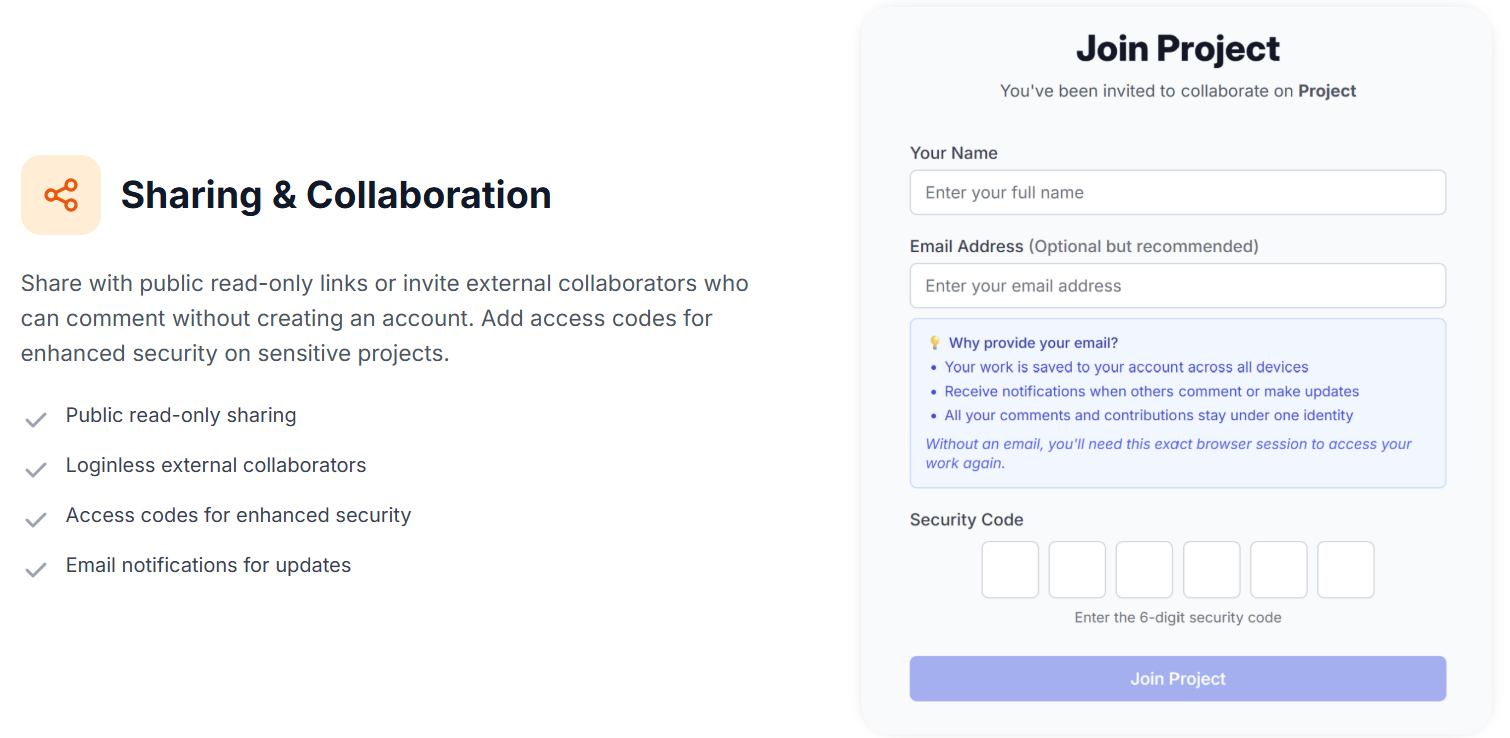
Ruttl supports annotations across websites, PDFs, and images, with workflows that can feel closer to a lightweight QA or issue-tracking system. Its standout use case is commenting directly on live websites/web apps, which is valuable when behavior matters (responsive layout, dynamic states, interactions).
If your reviewers are mostly internal (design, dev, QA) and you want deeper workflows, Ruttl can make sense, especially when the live environment is central to review.
Quick comparison table
| Feature | BoastImage | Ruttl |
|---|---|---|
| Best fit | Agencies, freelancers, and marketing teams who need fast client approvals | Teams reviewing live sites/web apps and managing issues like tickets |
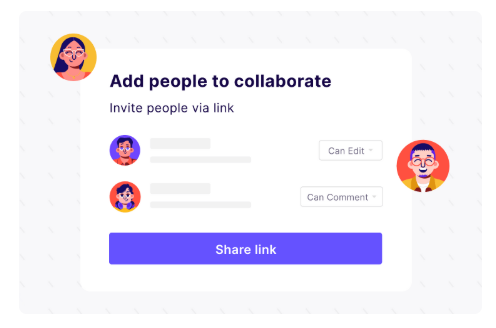
| External reviewer access | Share a link; clients can comment without creating an account | Shareable link supports guest commenting (no signup required) |
| Client friction | Built for "open link → click → comment" with little explanation | Works well for teams; can feel heavier for some external stakeholders |
| Supported asset types | Web page captures, images, PDFs (mixed projects supported) | Web pages, images, PDFs (live website + issue workflows built in) |
| Website feedback | Capture-based website review via browser extension (full page, visible area, or selection) | Comment directly on live websites; supports comment and edit modes |
| Workflow complexity | Client-first by design; simple for reviewers, structured enough for teams | More modes and workflow depth; best when reviewers are internal |
| Tasks & accountability | Built-in tasks (list + Kanban), customizable states, assignable | Issue/ticket workflows with assignment and resolution; strong for bug tracking |
| Versions | Upload new versions and keep history; designed to reduce “which version is this?” | Add versions and keep comments across versions for website feedback projects |
| Integrations | Email notifications; straightforward in-app workflow | Integrates with tools like Slack, Jira, Trello, Asana, ClickUp, Zapier (plan-dependent) |
| Pricing posture | Designed to stay simple and accessible as you scale (clients shouldn’t “cost seats”) | Plan structure varies by team size and workflow needs |
| Security | Public read-only links, loginless external collaborators, optional access codes | Shareability controls; permissions scale for teams (plan-dependent) |
One question usually decides it: When you send the link to a client, will they leave feedback in 5 minutes, or will you still be waiting on Wednesday?
Client-first vs team-first
Most visual feedback tools look the same on a features list. The difference shows up in the first 60 seconds.
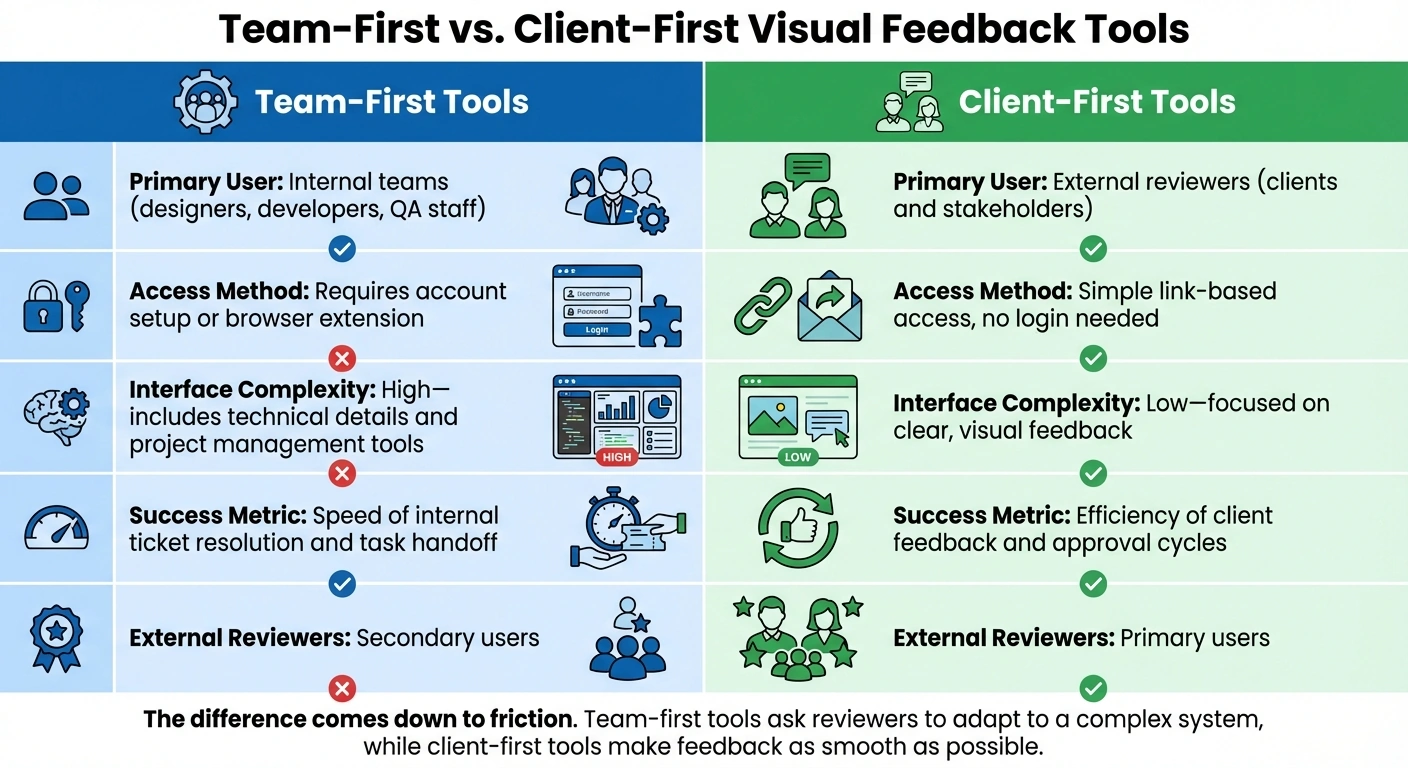
Client-first tools optimize for:
- Zero friction to enter
- Obvious next action (click to comment)
- Minimal UI choices
- Fewer places to “get lost”
- Easy “done” moments (resolve, approve, version history)
Team-first tools optimize for:
- More controls (roles, modes, workflows)
- Deeper issue management (assign, prioritize, ticket boards)
- Integrations into existing stacks
- Richer review types and longer-term project management
BoastImage leans heavily toward client-first. Ruttl leans more team-first (especially with live website review and bug tracking).
Real-world workflows
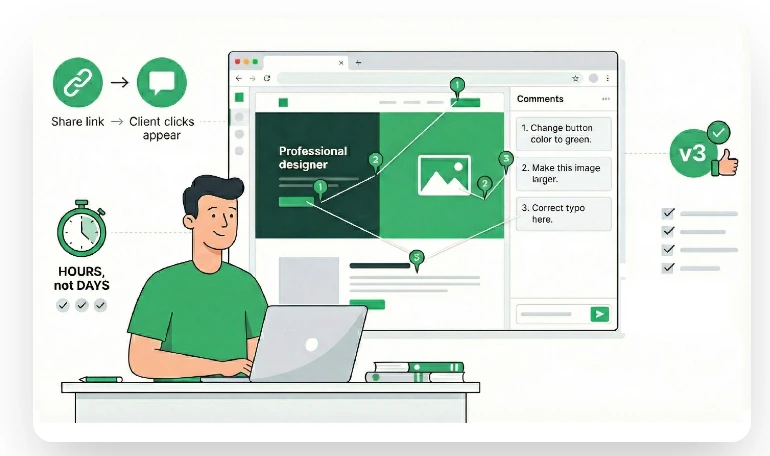
Scenario: “Please review this landing page by Friday.”
BoastImage workflow (capture-first, client-first)
- Capture the page (full page, visible area, or a region) using the browser extension.
- Share one link with stakeholders.
- Reviewers click anywhere to leave pinned comments. Threads keep context in one place.
- Convert key feedback into tasks (so execution is separate from discussion).
- Upload a new version and request approval, without sending new files around.
What this does well:
- Friendly to clients who don’t want another account.
- Keeps feedback anchored to the exact location on the design.
- Turns “notes” into “work” without extra tools.
Ruttl workflow (live-site review, issue-first)
- Create a website feedback project and add the live URL.
- Load the page inside Ruttl and comment directly on the live website/web app.
- Manage issues with workflows (assign, resolve, and track progress).
- Where supported, use visual suggestion/edit-style feedback to reduce back-and-forth.
What this does well:
- Strong when behavior matters (responsive layout, dynamic states, real data).
- Built for teams that think in issues/bugs.
- Can reduce ambiguity when dev/QA need live context.
Reviewer friction
Guest commenting is not the same as clients finishing the review.
Clients drop off for small reasons:
- Unclear next steps (“Where do I click?”)
- Anxiety about making mistakes (“Will everyone see this?”)
- Time pressure (“I’ll do it later”)
- Login fatigue (“Another password? Nope.”)
BoastImage is built to remove those reasons. Share a link, comment, leave. It is aimed at busy external reviewers who did not ask for another tool. Ruttl supports guest commenting too. Because the platform is broader (live websites, issue workflows, integrations), it can feel more like a system than a quick review link. For internal teams, that is useful. For some clients, it is one more reason to postpone.
Feature-by-feature comparison
Website feedback
Live URL vs capture-based review
If your work is mostly marketing pages, design approvals, or static creative, capture-based review can be a feature, not a limitation. You get a stable artifact to comment on, and you avoid the "it looks different on my machine" spiral.
BoastImage supports website reviews via captures with its Chrome extension (full page, visible area, or selected region). That makes it easy to:
- Review one section without loading an entire page
- Capture a state that's hard to reproduce (e.g., a modal)
- Keep feedback consistent across reviewers
Ruttl's headline strength is that you can comment directly on live websites. That's a big deal when you need to review:
- Responsive behavior across breakpoints
- Hover states and animations
- Dynamic UI and logged-in experiences
- Bugs that require "being on the real page"
If your reviews depend on live behavior, Ruttl has the edge. If your reviews depend on fast client approvals, captures often win because they're simpler and more controlled.

Annotations and clarity
Preventing "what do you mean by that?"
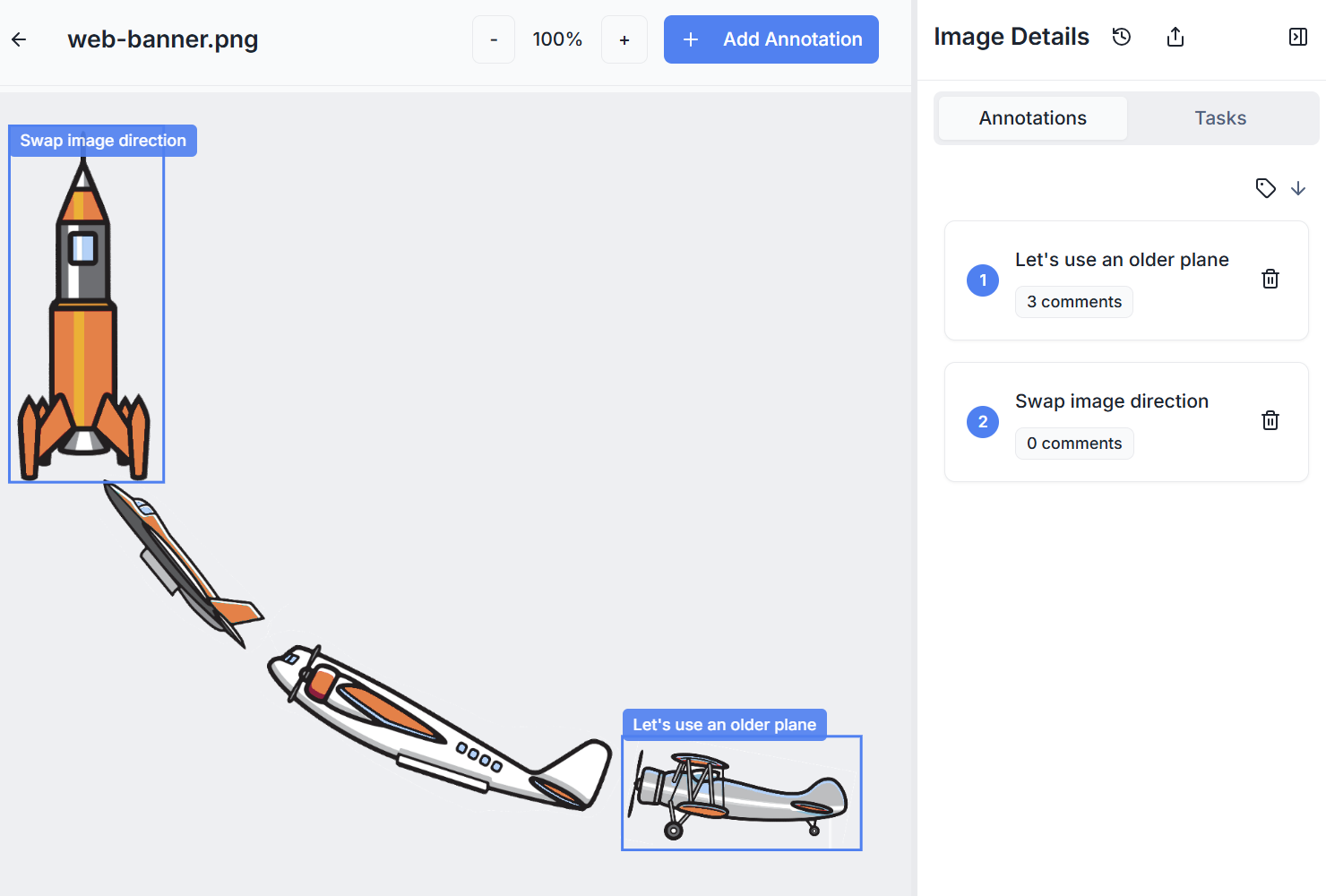
BoastImage's annotation model is simple: click to pin a comment, keep replies in that thread, and keep discussions tied to the exact spot on the asset. It's designed to prevent vague feedback and reduce revision rounds.
Ruttl also supports contextual comments, but it expands into team behaviors: live website feedback plus issue workflows, and (in some modes) visual edit suggestions. For internal teams, this can make feedback more actionable. For clients, simplicity is usually the higher-converting UX.
Tasks and handoff
Turning feedback into execution
Feedback is only useful when it becomes work someone can complete.
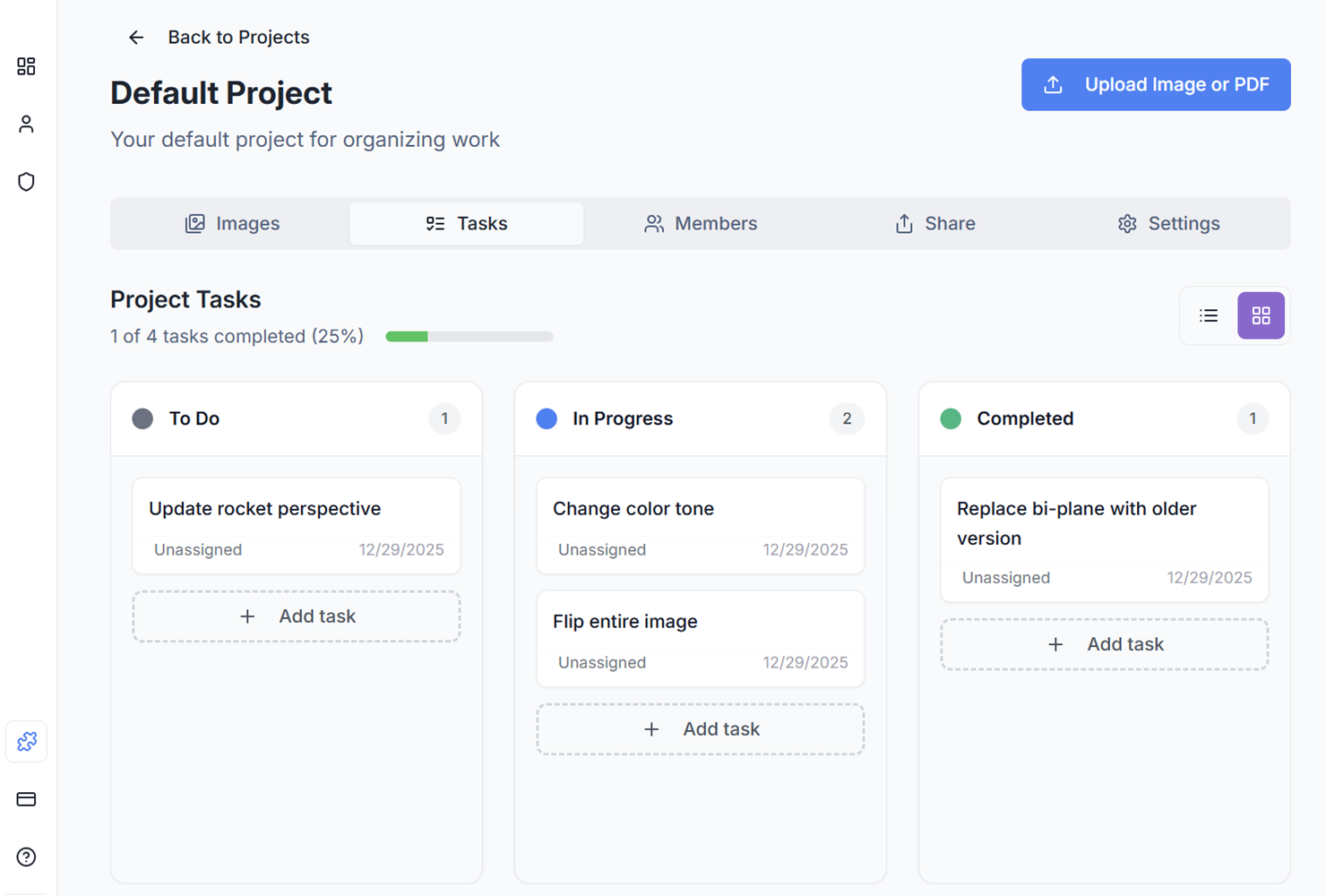
BoastImage includes built-in task management at both the project level and the item level. You can use list view or switch to a Kanban view, customize states, and assign tasks to team members or collaborators.
Why this matters for agencies:
- You can keep the client in the review tool (comments), while the team runs execution (tasks).
- You avoid pushing clients into Asana/Jira "just to approve a header change."
- You create a clean internal "done/not done" picture without forwarding screenshots.
Ruttl takes a more issue-oriented approach. It's comfortable acting like a lightweight bug tracker: capture issues directly on the product and manage them as tickets, with workflows and integrations available. If you already run a QA-style process, Ruttl's approach may feel more natural.

Versions and approvals
Keeping everyone on the same page
The fastest way to burn time is to have reviewers comment on the wrong version.
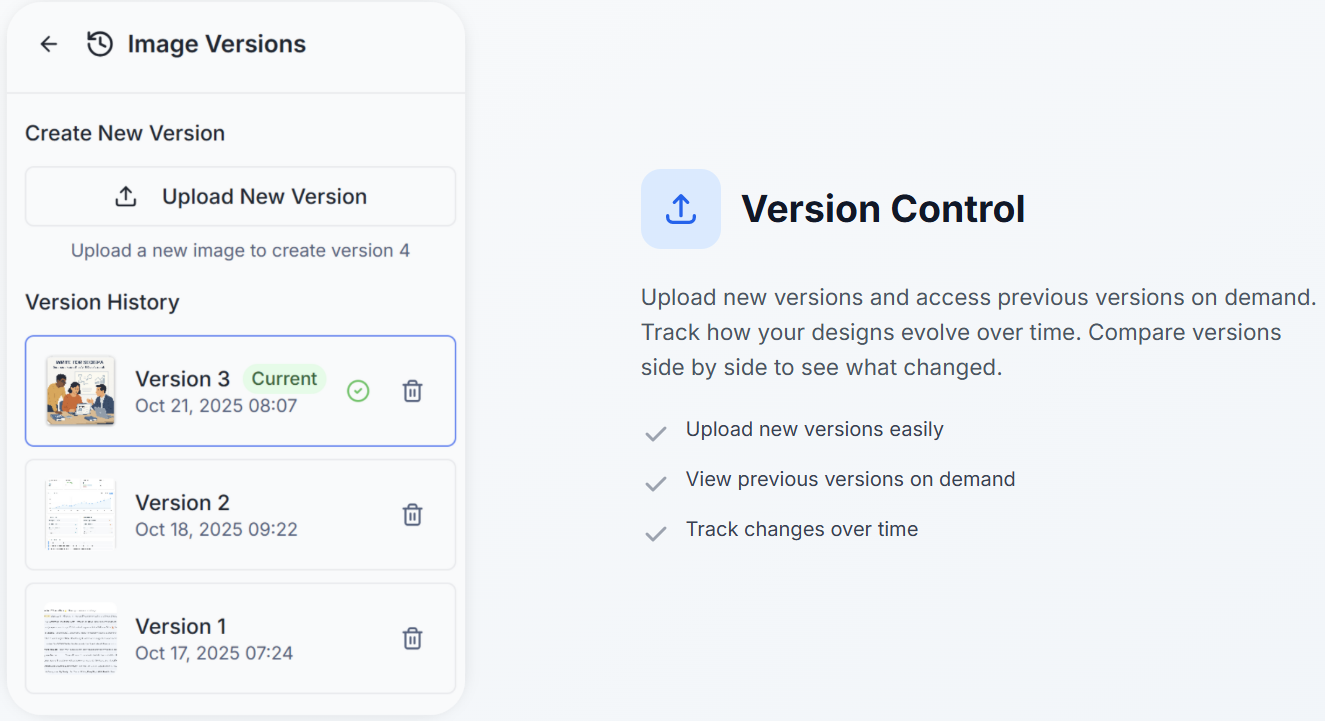
BoastImage's version control lets you upload new versions and access previous versions on demand. The experience is designed to make "current vs previous" obvious, so approvals move forward instead of looping.
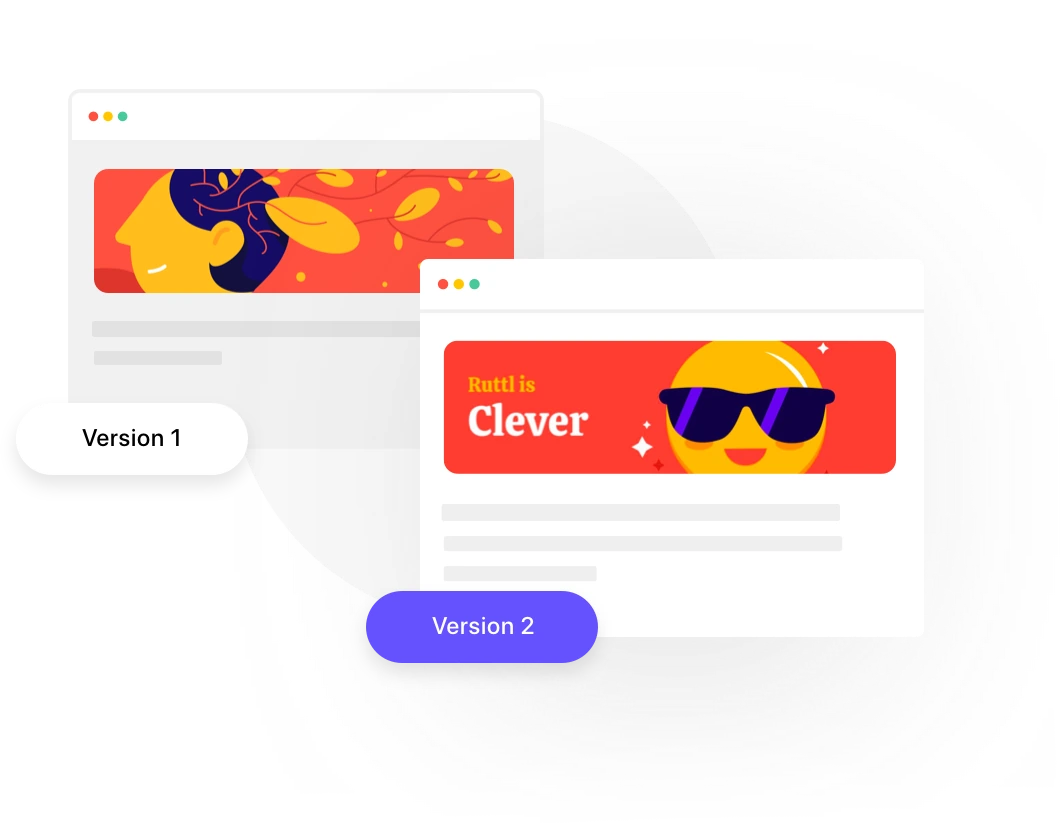
Ruttl also supports adding versions and retaining comments across versions for website feedback projects. If you do ongoing review cycles on live pages, that continuity can be valuable.
Sharing, permissions, and security
Protecting work without slowing clients down
External sharing is always a balancing act: "easy for clients" vs "safe for sensitive work."
BoastImage supports:
- Public read-only sharing
- Loginless external collaborators who can comment without creating an account
- Optional access codes for sensitive projects
Ruttl supports shareability controls and guest access, and it's often adopted by teams that prioritize tighter internal workflows and integrations. If you're operating inside a larger org with established permissions and toolchains, that can matter.
Integrations
Do you need a hub or a fast review loop?
Integrations are only valuable if they match your process.
Ruttl highlights integrations with collaboration and tracking tools such as Slack, Jira, Trello, Asana, ClickUp, and Zapier. That's useful when feedback must flow into existing pipelines.
BoastImage keeps the review loop in the app and cuts down on extra tools. For many agencies, that is the point: less setup, fewer moving pieces, faster approvals.
Where Ruttl wins
Ruttl is often the better choice when:
- You must comment on live websites/web apps (not a captured artifact).
- Your feedback is tightly linked to bug tracking and QA.
- Your team needs more structured issue workflows and integrations.
- Reviewers are mostly internal and willing to learn a more feature-rich platform.
- You want edit-mode style suggestions (moving elements, editing text, replacing images) as part of the review process.
If those are your daily requirements, you are not overthinking it. Ruttl is built for that scenario.
Where BoastImage wins
BoastImage wins when:
- The reviewers are clients, execs, or non-technical stakeholders.
- You need more completed reviews, not more features.
- You want a clean path from feedback to tasks to approval, without sending people into five different tools.
- You work across web page captures, images, and PDFs, and want them organized together.
- You want to keep client collaboration easy without sacrificing control (read-only links, access codes).
If you run a service business, completion rate is the KPI that actually pays you. BoastImage is built around that metric.
Who should choose which?
| Buyer type | Recommended tool | Why |
|---|---|---|
| Agencies (web/design/creative) | BoastImage | Choose BoastImage if client responsiveness is your bottleneck and you need frictionless reviews. |
| Agencies (web/design/creative) | Ruttl | Choose Ruttl if your projects demand live-site QA and your team wants ticket-style issue workflows. |
| Freelancers and solo creators | BoastImage | Choose BoastImage if you want the simplest possible review loop and faster sign-off. |
| Freelancers and solo creators | Ruttl | Choose Ruttl if you review live sites frequently and want more technical feedback patterns. |
| In-house marketing teams | BoastImage | Choose BoastImage if stakeholders are busy, non-technical, and approvals stall. |
| In-house marketing teams | Ruttl | Choose Ruttl if marketing + dev operate together and live-site behavior review is central. |
| Product/QA teams | Ruttl | Ruttl is often a stronger fit when bug tracking and integrations are core. |
| Product/QA teams | BoastImage | BoastImage can still be useful for design approvals, but it's not trying to replace a QA stack. |
Switching to BoastImage
You do not need a full tool swap on day one. Run a simple A/B test on one real project:
- Capture the same page you’d normally review.
- Invite the same stakeholders.
- Measure: time to first comment, % of stakeholders who comment, number of reminder follow-ups, and time to approval.
If BoastImage improves those numbers, you have your answer.
Decision checklist (pick in 60 seconds)
Choose BoastImage if most of these are true:
- Your reviewers are clients/approvers who won’t learn a new tool.
- You review landing pages, images, and PDFs, and want them organized together.
- You want “share link → click → comment” with minimal explanation.
- You prefer built-in tasks (including Kanban) over pushing people into Jira/Asana.
Choose Ruttl if most of these are true:
- You need feedback on live websites/web apps (responsive behavior, dynamic states).
- You manage feedback like bugs: assign, prioritize, resolve, track.
- Integrations to Slack/Jira/etc. are central to your workflow.
Frequently asked questions
What is a better alternative to Ruttl?
BoastImage is a strong alternative to Ruttl if your goal is getting clients and non-technical stakeholders to finish reviews. Ruttl is stronger at live website feedback and issue tracking. BoastImage is built to cut steps for external reviewers who will not create accounts or learn extra workflows.
Is BoastImage better than Ruttl for client feedback?
BoastImage is built for client-first workflows. Clients comment without an account, click to pin a note, and skip a long setup. Ruttl is a better fit for internal teams that need live website review and issue-style workflows.
Can clients use Ruttl without creating an account?
Yes, Ruttl supports guest commenting via shareable links, so clients don't need to create accounts. BoastImage is built around that same path, with a simpler interface aimed at external reviewers finishing the review.
Does BoastImage support live website review like Ruttl?
No, BoastImage uses capture-based website review via a browser extension (full page, visible area, or selection). This approach provides stable artifacts for feedback and avoids "it looks different on my machine" issues. Ruttl's live URL review is better when you need to test dynamic behavior, responsive layouts, or interactive states.
Which tool is easier for non-technical stakeholders?
BoastImage is generally easier for non-technical stakeholders. Its capture-based review avoids loading issues, and the interface is straightforward: click to pin a comment, reply in a thread, done. Ruttl is excellent but may require more learning depending on the workflow complexity.
Can I track tasks in BoastImage without another system?
Yes, BoastImage includes built-in task management with both list and Kanban views. You can turn comments into trackable tasks, customize states, and assign them to team members, all in the same tool. Ruttl takes a more issue-oriented approach, better suited for teams that want ticket-style workflows and integrations with tools like Jira.
How do BoastImage and Ruttl handle version control?
Both tools support versioning. BoastImage lets you upload new versions and keep previous versions available, designed to make "current vs previous" obvious and prevent feedback on wrong files. Ruttl supports adding versions and retaining comments across versions, especially valuable for ongoing review cycles on live pages.
Final verdict
If you want a visual feedback tool clients will finish using, BoastImage is built for that review: unlimited canvases, one-click shares, and tasks that are not locked behind a higher plan.
Also compare: