BoastImage and GoVisually solve different jobs. BoastImage is a lower-cost client feedback tool with a short review path. GoVisually is a heavier proofing product for detailed design feedback and internal team workspaces.
GoVisually is built around creative proofing. BoastImage is built around client-facing review cycles. BoastImage fits freelancers, agencies, and mixed teams. GoVisually is aimed at design-focused teams.
Which one you pick depends on who you are and what you review:
- BoastImage is a fit for: Growing agencies and marketing teams that need to stay organized without a per-seat tax on reviewers. Built-in Kanban task management and unlimited canvases at $9.95/month work out to about 18x the value per project versus GoVisually's per-user pricing.
- GoVisually is a fit for: High-volume creative departments that center their workflow on high-fidelity assets like video, PDFs, and multi-page design proofs. It is the better fit for teams that need frame-accurate video markup and can pay tiered pricing (starting around $20/user/month).
Should you choose BoastImage or GoVisually?
Choose BoastImage if you need a small, client-centric tool that keeps review short. It is a fit for teams that want a built-in project management board so they can assign tasks in the same app.
Choose GoVisually if you manage mixed creative work like video, PDFs, and high-resolution designs. GoVisually is a better fit for teams that need Adobe Creative Cloud integrations and side-by-side version compare.
Quick verdict: BoastImage is the pick for agencies that want a short client review and a task board in the same tool. GoVisually is the pick for creative-heavy teams that need video proofing and a large set of third-party connections.
Quick overview of BoastImage vs GoVisually
A short comparison of how each tool is set up:
| Feature / detail | BoastImage | GoVisually |
|---|---|---|
| Best fit | Agencies and marketing teams who need integrated task management and one place for comments and action. | Creative teams in design, packaging, and video who need high-fidelity proofing and robust version control. |
| External reviewer access | Share a link; clients can comment without an account. Includes private internal-only comments. | Share a link; clients comment without signup. Known for a high-end, client-facing portal experience. |
| Client friction | Very low. Clean interface meant to look professional for paying clients. | Minimal. Designed for "point-and-click" simplicity; no training required for clients to start marking up assets. |
| Supported asset types | Websites (via extension), Images, PDFs, and Videos. | Deep Multi-Media. Images, PDFs, PSDs, and frame-accurate Video/GIF proofing. |
| Website feedback | Capture-based. High-fidelity snapshots of the site at a specific moment to ensure "version lock." | Live Extension. Users can record and review live websites via a Chrome extension for real-time feedback. |
| Workflow complexity | Integrated PM. Built for teams who want their feedback to live inside a Kanban board or task list natively. | Workflow-Driven. Features "Approval Checklists" and "Sections" to move assets through strict internal/external stages. |
| Tasks and accountability | Advanced. Features built-in status (In Progress, Done), assignees, and a task-first dashboard. | Review-Focused. Focuses on "Approve/Needs Changes" status; relies on integrations for deep PM tracking. |
| Versioning | Handles "before and after" well with clear history logs for images and PDFs. | Visual Compare. Features a "Smart Compare" mode to see visual differences between revisions side-by-side. |
| Integrations | Streamlined internal workflow with Slack and email-to-task notifications. | Deep Ecosystem. Native integrations with Adobe Creative Cloud, Slack, Asana, and 3,000+ apps via Zapier. |
| Pricing posture | Value-Focused. ~$9.95/Month for unlimited canvases. Ideal for scaling without "per-seat" bloat. | User-Based. Plans typically start around $20/user/month (Lite) to $40/user/month (Pro) for advanced features. |
BoastImage is a client-facing markup tool with a short review and approval path. GoVisually is online proofing software for creative work feedback and changes.
BoastImage vs GoVisually features explained
| Feature / outcome | BoastImage | GoVisually |
|---|---|---|
| Clients leave feedback without an account | ✅ | ✅ |
| Pinned, contextual comments | ✅ | ✅ |
| Integrated Kanban Task Board (Built-in PM) | ✅ | ✕ |
| Review Images, PDFs, and Video | ✅ | ✅ |
| Capture-based Review (Version Lock) | ✅ | ✕ |
| Live Website Overlay | ✕ | ✅ |
| No-Code / Zero Learning Curve for Clients | ✅ | ✕ |
| Unlimited Canvases on Base Plan | ✅ | ✕ |
| Custom Branding / White Labeling | ✅ | ✕ |
| Responsive Screen Testing (Custom Sizes) | ✅ | ✕ |
BoastImage keeps the client UI small and puts comments next to a task board. You can try the paid plan on a free trial. If you do not subscribe, the account switches to the free plan.
Live website viewing
GoVisually is a strong internal design proofing platform, but it does not offer a live website grab or annotation. The closest path is:
- Manually grab a screenshot
- Import it to the app
- Then annotate it
That extra step is harder for external reviewers. Clients bounce when the path is long. BoastImage's extension captures the live page, so clients open a link and comment on the capture.
File support of BoastImage vs GoVisually
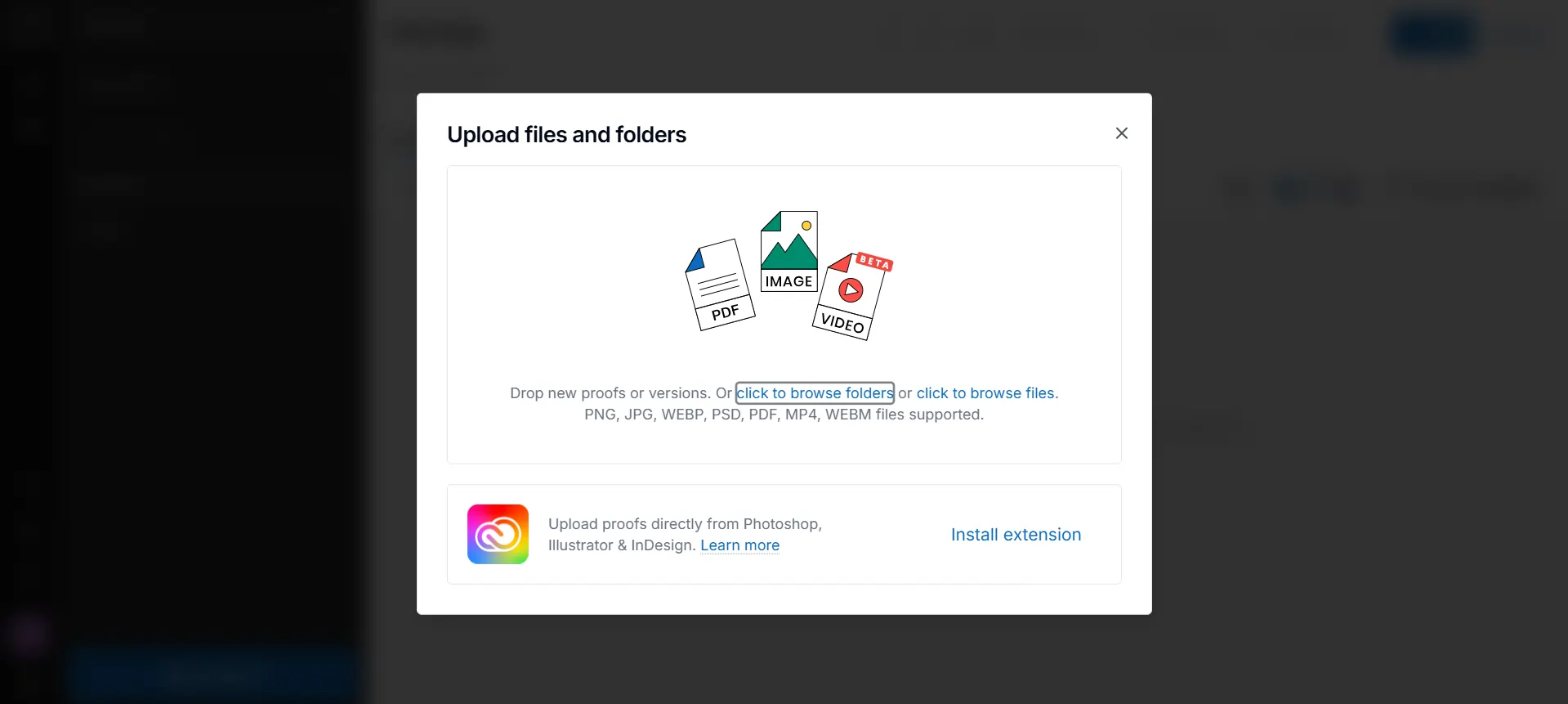
GoVisually is built for internal design review and approval. The web app accepts many video, PDF, and image types, including:
- JPG
- PNG
- WebP
- PSD
- MP4
- WebM
You can also upload files directly from Photoshop, Illustrator, or InDesign through their extension. That helps creative agencies and design teams who want those files in one place.
BoastImage supports image and PDF formats because the tool is aimed at external collaboration. BoastImage grabs a live preview and lets you annotate that capture.
Workflow differences and features
Annotation, management, and review stay inside the BoastImage app. You invite people from one share action. The built-in board holds the tasks that come out of those comments.
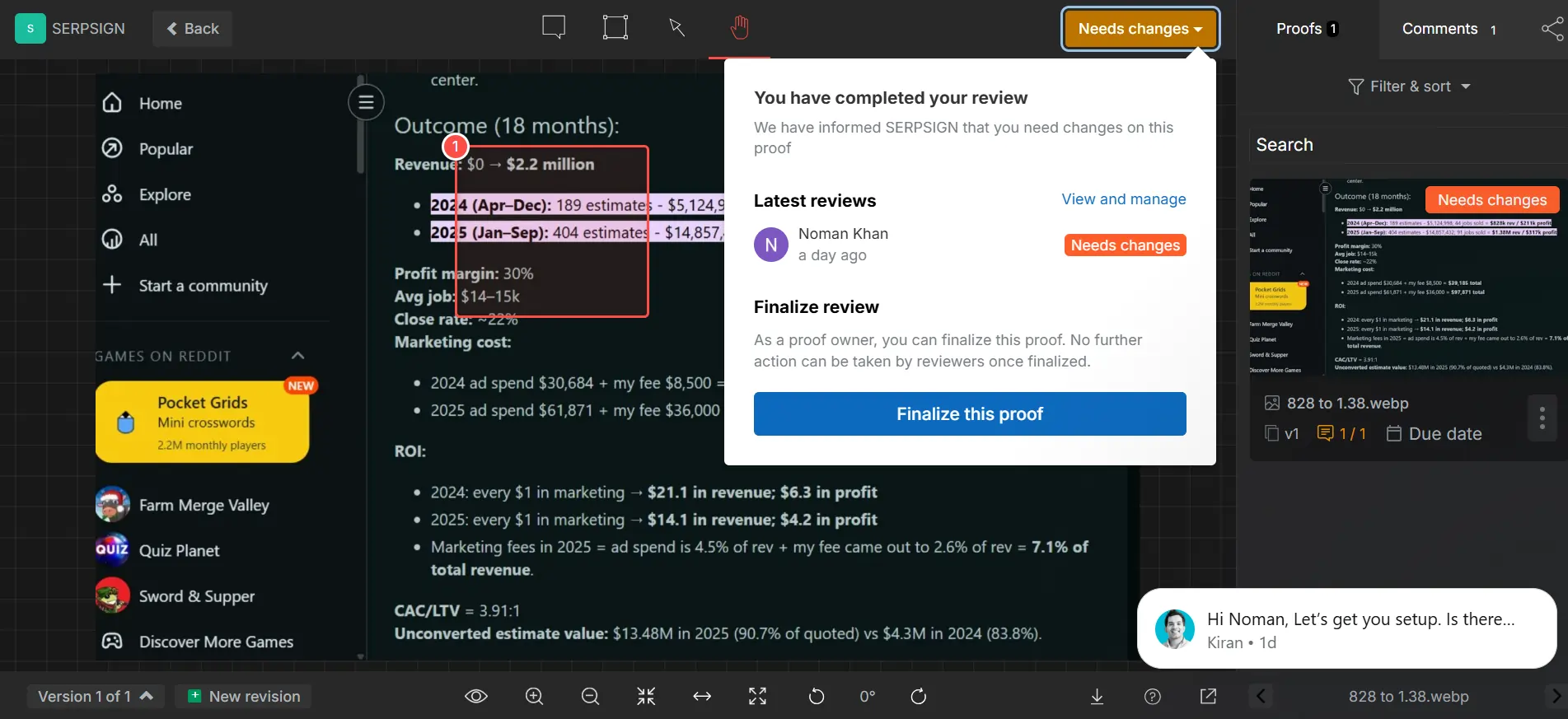
GoVisually has a longer review and approval path. You add the media, annotate it, finalize the proof (which removes editing access), implement changes, and send it back for review as needed.
Version control and history
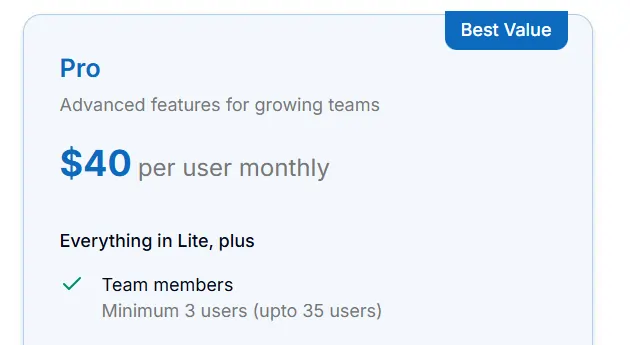
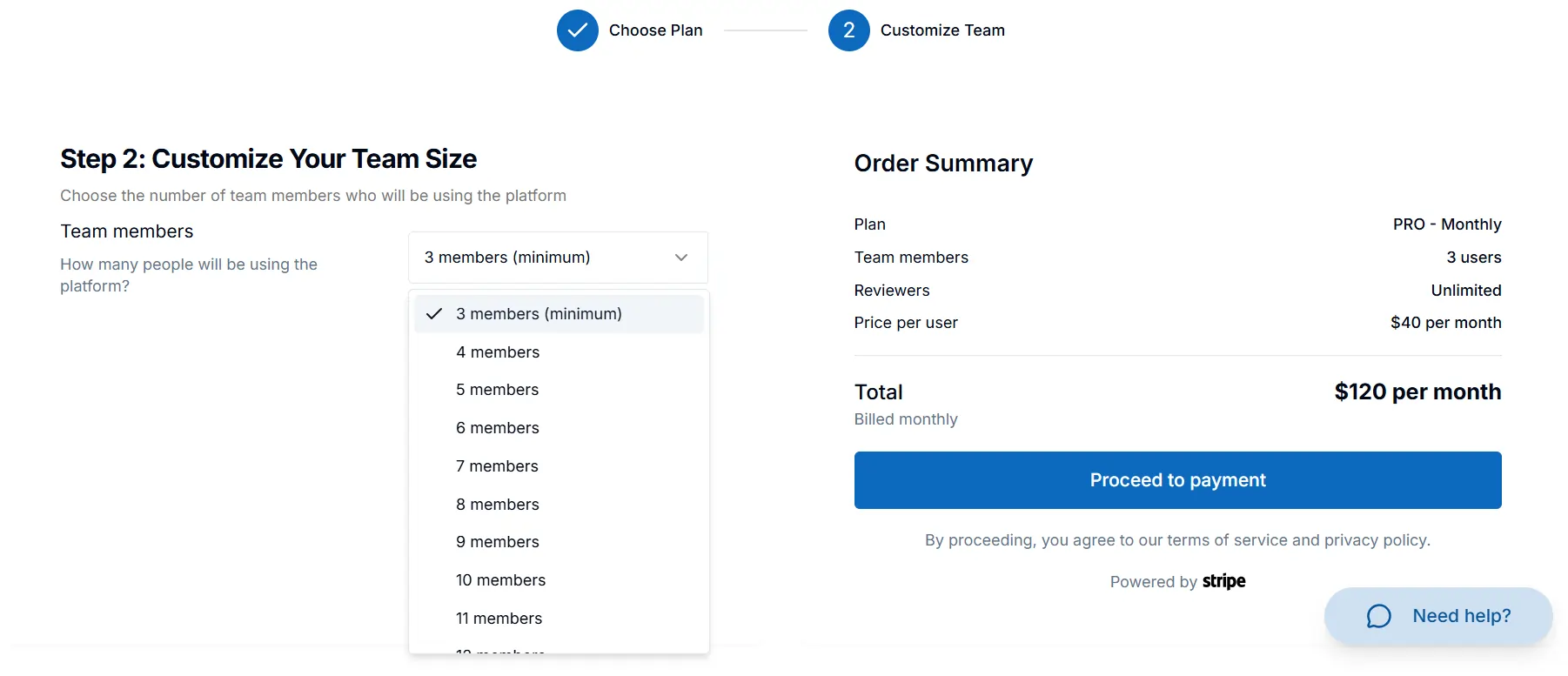
Both BoastImage and GoVisually give you version control and archives. GoVisually only includes version history on the Pro or Enterprise plans. You also need at least three users for the Pro plan.
Some quick calculations:
- $40 Per User Per Month (Pro Plan)
- 3 Minimum Users For Pro Plan
- Minimum Signup Cost $120 Per Month
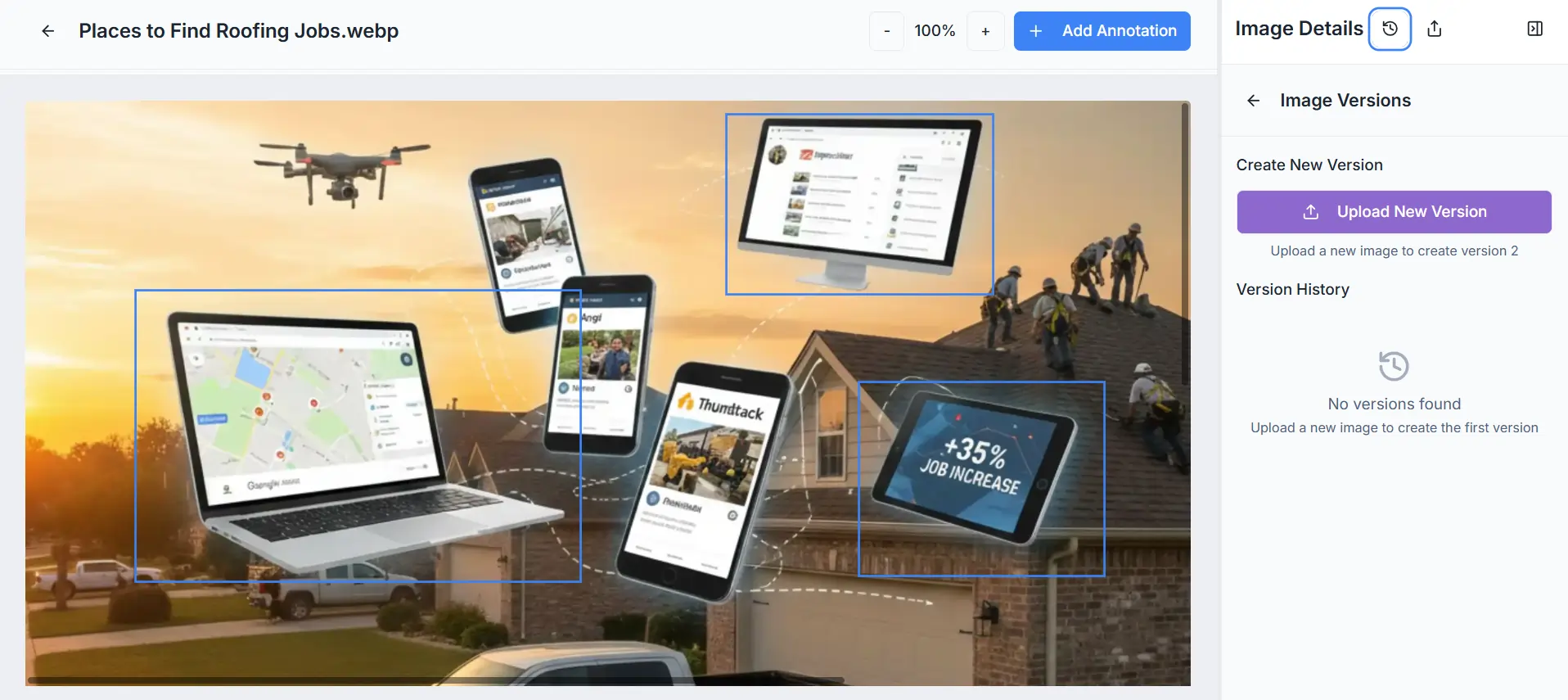
BoastImage includes version control on every plan, including the free one. Upload a second version after updates to keep the history in one place.
Usability of GoVisually and BoastImage
BoastImage stays simple because most clients will not sit through training. They want something they can figure out on the first visit. They can leave comments without a walkthrough of the creative workflow.
The BoastImage dashboard keeps the main controls in view. Adding a comment and managing replies is short. The app does not throw random error messages. GoVisually is usually the same, unless you sign up with Google.
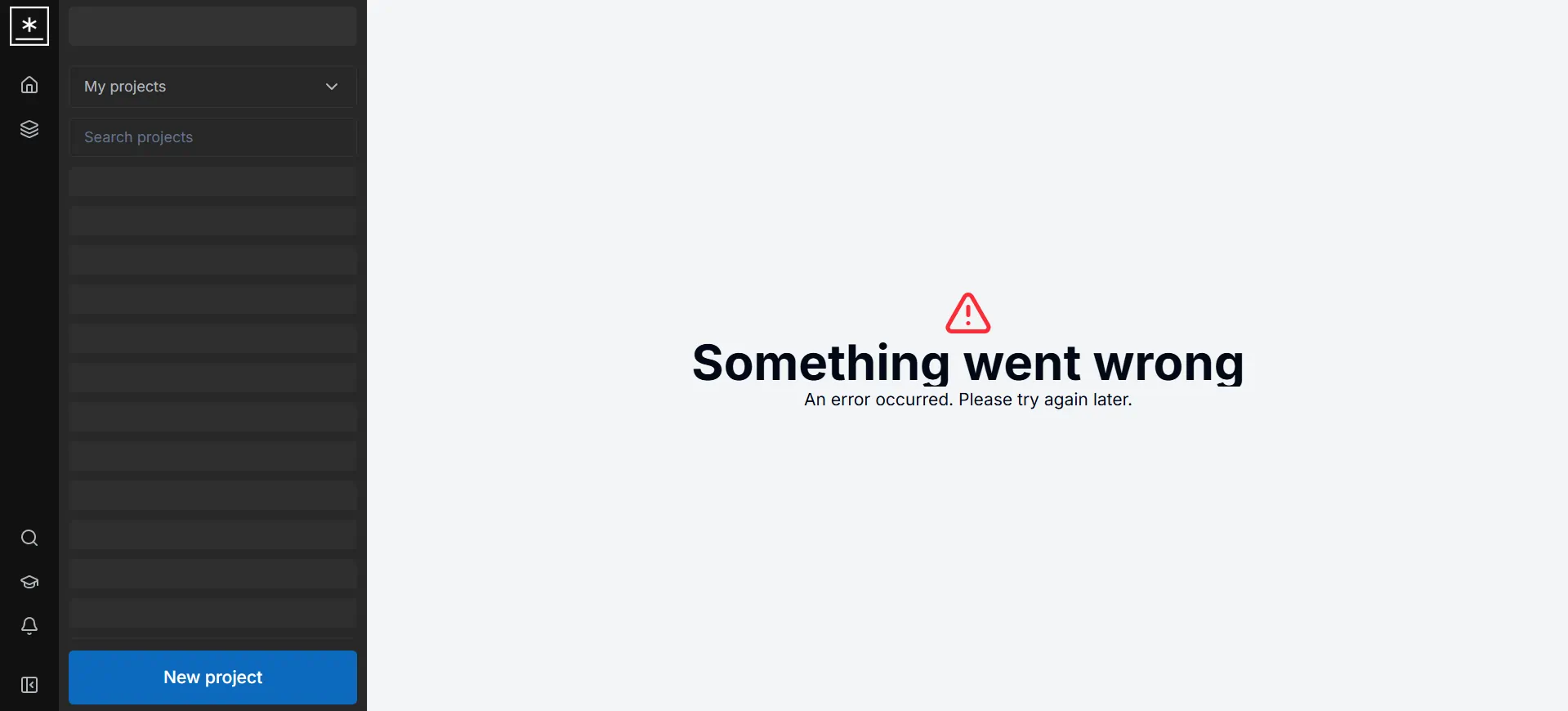
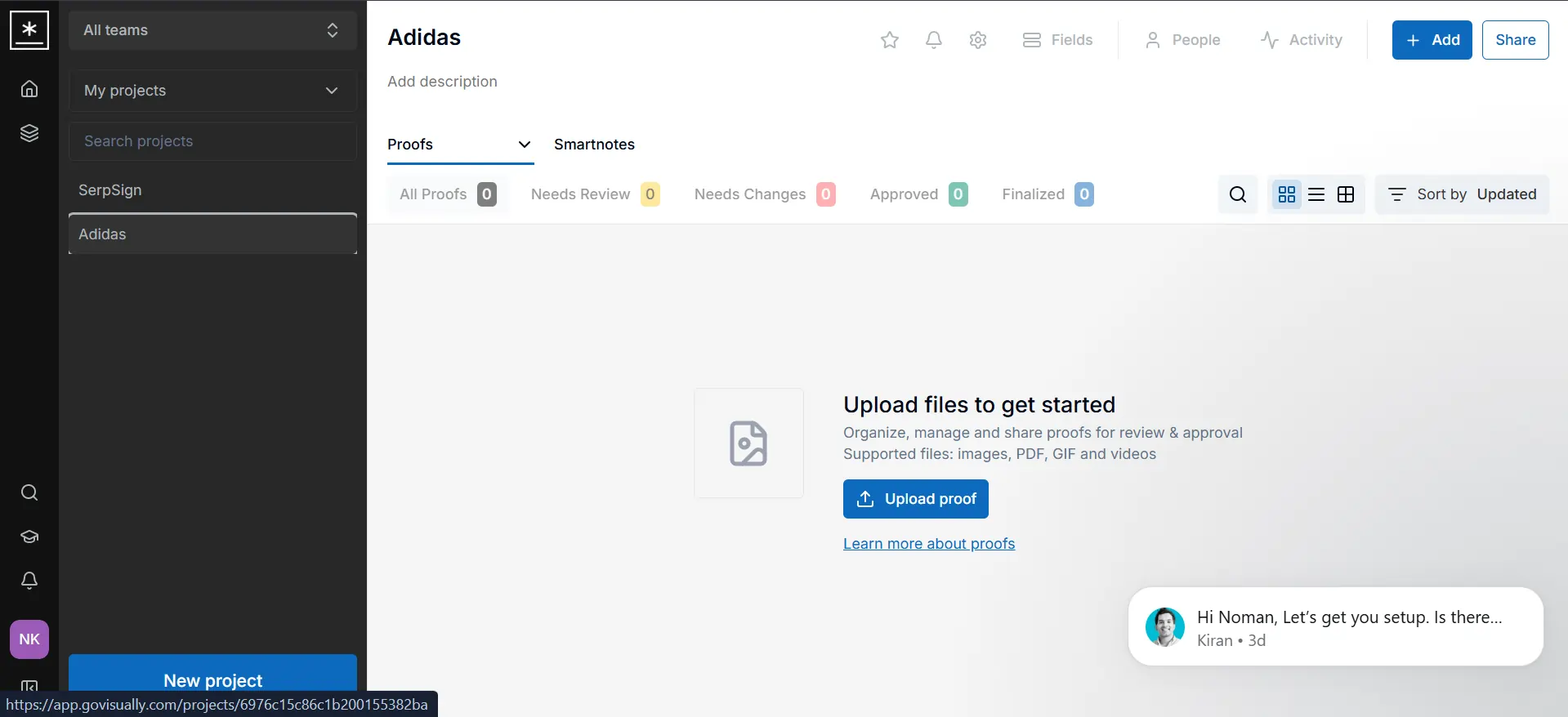
A first-time client will not sit through that hurdle. They will leave the review and go back to email. GoVisually is also one of the more visually crowded tools we used. Two examples:
- Proofs: Yes, they call everything Proofs instead of Uploads, which is a part of their "online proofing tool" branding.
- Links Don't Work: The link on their main dashboard that explains the proof concept doesn't work. It just refreshes the page.
The annotation dashboard is also crowded. After each comment the tool drops you back to the grab icon, so you have to switch to annotation mode again. The grab icon moves the whole image across the canvas.
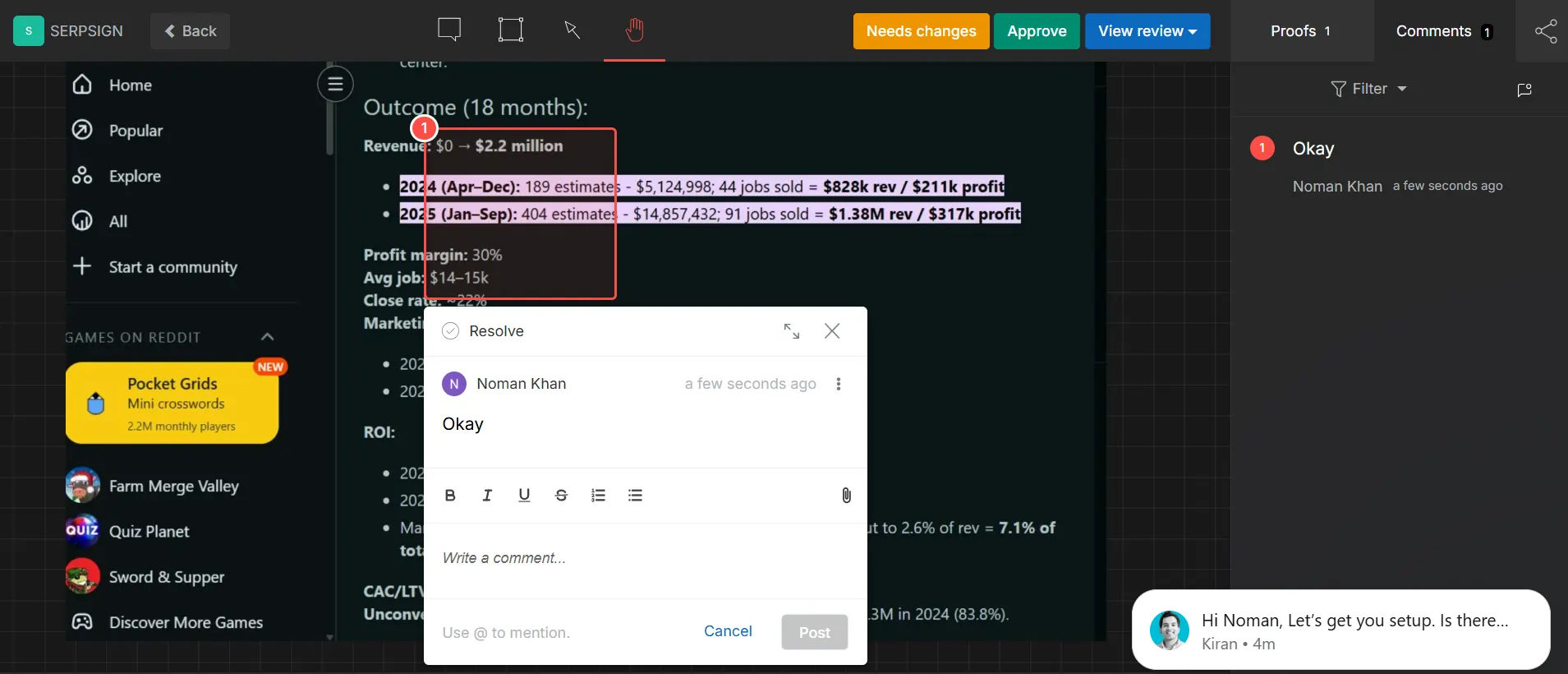
An image lock would cut a lot of that extra switching. Jumping back to the comment arrow after every note gets tiring. Right now the UI invites accidental clicks because the tool keeps changing under you.
GoVisually vs BoastImage pricing
BoastImage is the lower-cost annotation and client feedback tool in this comparison. The free plan allows unlimited external collaborators. The base plan at $9.95 per month includes the management, annotation, and proofing tools described on this page.
You also skip paying for a separate Asana or ClickUp seat just to assign the same comments. GoVisually has more detailed creative features, and it costs more.
The base plan starts at $20 per month per user, which is twice BoastImage's base price. That plan also limits you to 15 projects, with 3 sections (canvases) per project.
When should you choose GoVisually or BoastImage?
BoastImage is for agencies that want comments and tasks in one subscription. GoVisually is for high-volume creative teams that need one place for video, PDF, and design proofs.
| Scenario | Ideal fit and rationale |
|---|---|
| High-volume client approval | BoastImage: Uses high-fidelity captures so clients see a stable version of the site. Elements do not shift under a comment while they type. |
| Complex creative campaigns | GoVisually: Better when the work is more than websites. Frame-by-frame video proofing and PDF or PSD support fit full-service creative agencies. |
| End-to-end task management | BoastImage: Comments become tasks on a built-in Kanban board. You do not export to a third-party project tool to assign the work. |
| Strict brand compliance | GoVisually: Better for industries with rigid standards. AI-powered compliance checks and "Approval Checklists" make reviewers confirm brand requirements before they approve. |
| Budget-conscious scaling | BoastImage: At $9.95/month for unlimited canvases and built-in PM tools, the price is lower for freelancers and small agencies than GoVisually's per-user model. |
FAQs on BoastImage vs GoVisually
Is BoastImage better than GoVisually for website annotation?
BoastImage is better than GoVisually for website annotation because it offers live website captures. GoVisually's advanced proofing features are built for creative teams working with image and PDF designs and videos.
How do I get started with GoVisually?
Create a GoVisually account, invite your team or clients, and upload your first design file. GoVisually is a visual collaboration platform for in-context feedback on designs, videos, and websites. Users comment directly on files, assign tasks, and track revisions in one dashboard.
What is a good online annotation tool for students?
BoastImage works as a student annotation tool because the interface is small and the markup tools are limited to what you need. The free plan covers students and individual freelancers who only need a few canvases.
BoastImage as a GoVisually alternative
BoastImage is not a thinner GoVisually. GoVisually trades a simple client path for deeper design proofing. BoastImage keeps the client path short: a capture, a share link, and comments that become tasks.
Clients do not need hours to learn basic functions, and you do not need a per-user plan to annotate a page. Every plan includes unlimited canvases, one-click shares, and project management. You can start on the free plan.
Also compare: