Share your experience and earn rewards. Get free access when you share feedback Program details

Everything you need for
visual collaboration

Send a link. They click. They comment. You keep the versions and tasks.

Built for clients, then for your team

Most feedback tools optimize for internal teams and bolt on client access. We flipped that. Clients click and comment. You still get version control, Kanban, tasks, and team workflow behind the scenes.

The result: 60%+ client completion rates vs. 40% industry average.

Project and content management

Organize work in individual or multi-project mode. Upload web page captures, images, or PDFs in one place.

  • Multiple items per project (web pages, images, PDFs)
  • Individual or multi-project mode
  • Supports web captures, images, and PDF files
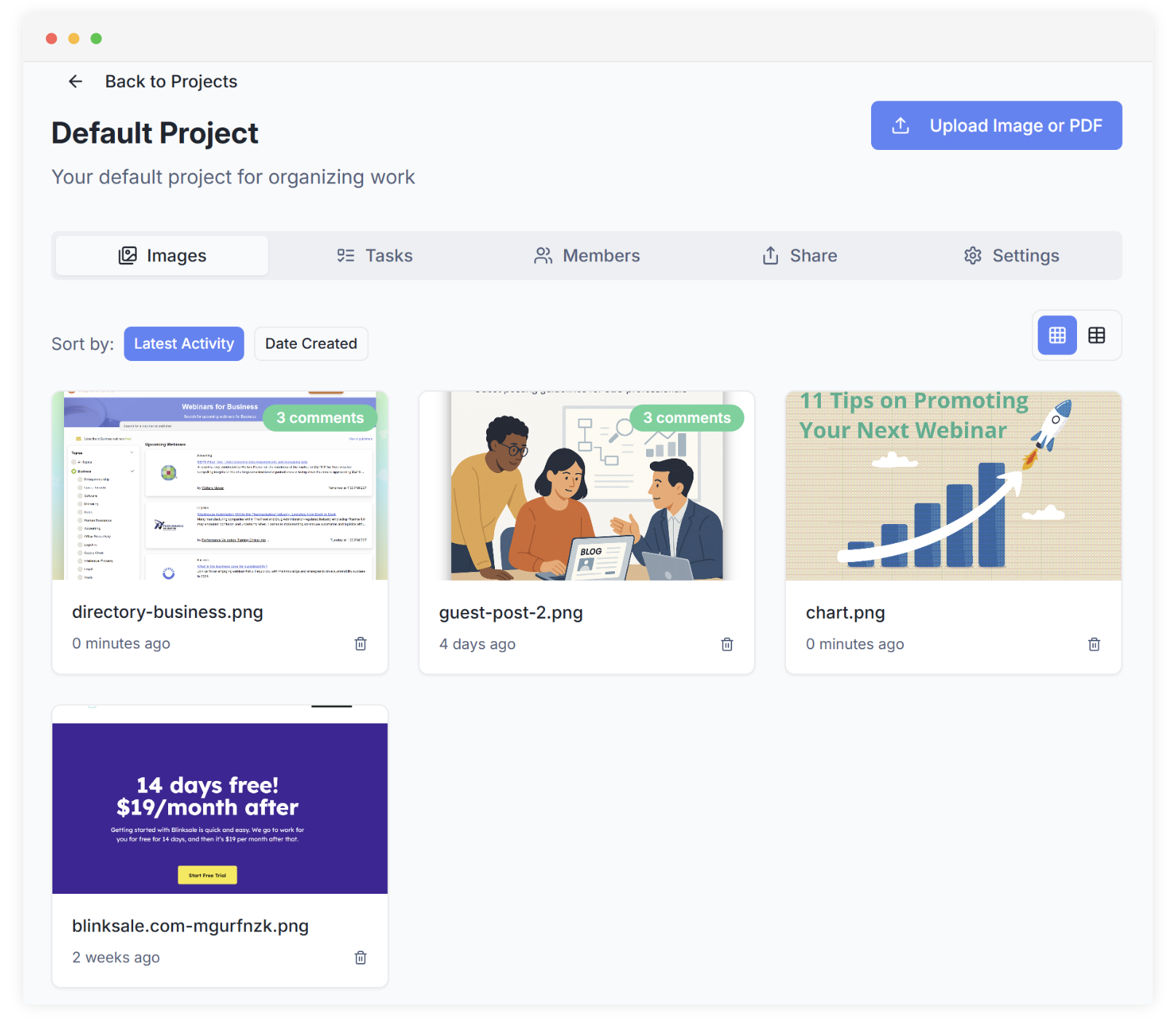
Project Management Screenshot
Annotations & Comments Screenshot

Annotations and comments

Click anywhere on an image to drop an annotation pin. Each pin has its own conversation thread, so the comment sits on the spot it is about.

  • Unlimited annotations per item
  • Conversation threads per annotation
  • Annotations and tasks are independent features

Task management

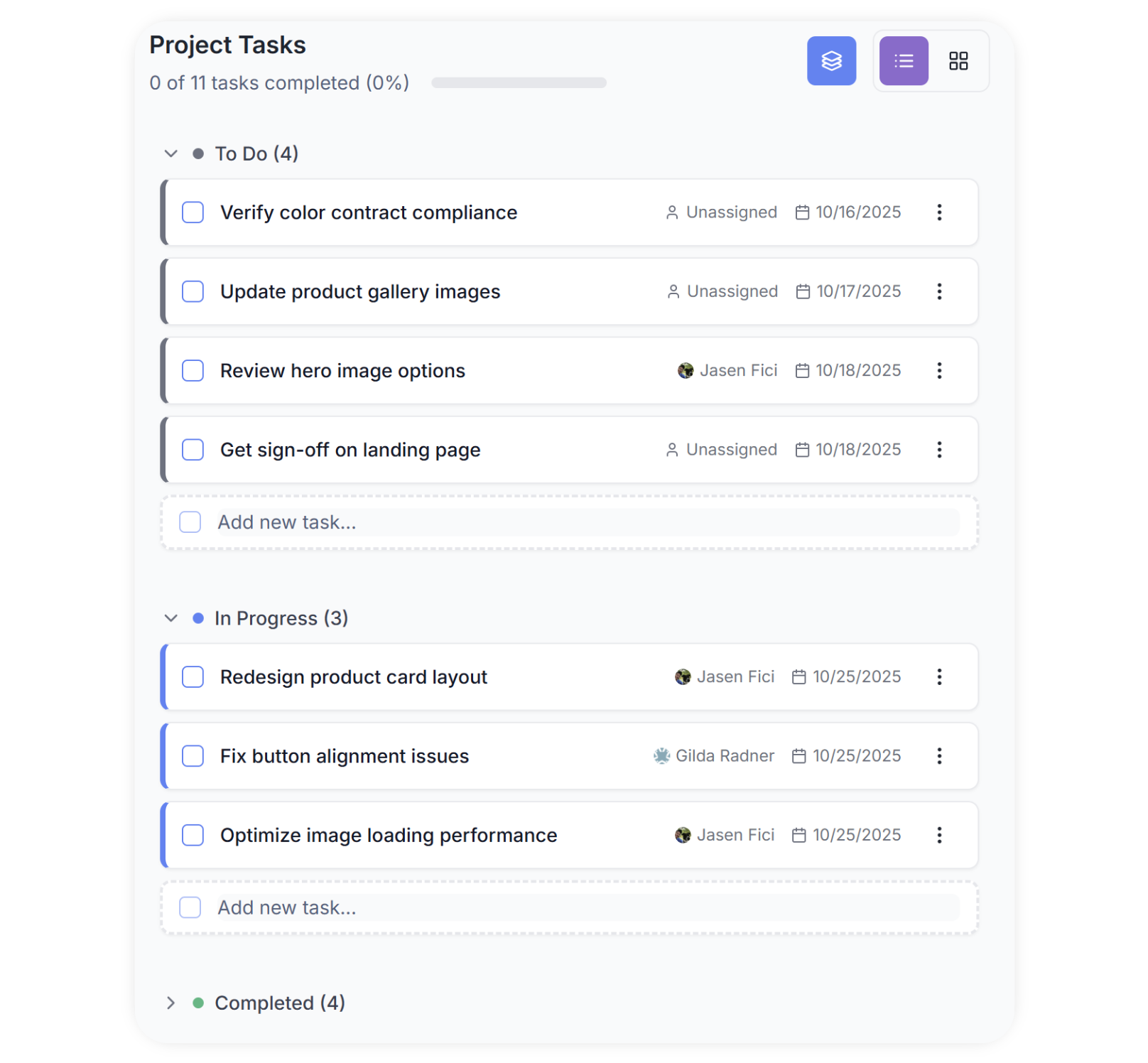
Create tasks at the project level or the image level. Customize task states to match how you work. Use list view, or switch to Kanban.

  • Project-level and image-level tasks
  • Customizable task states
  • List view and Kanban view
  • Assign tasks to team members or collaborators
Task Management Screenshot
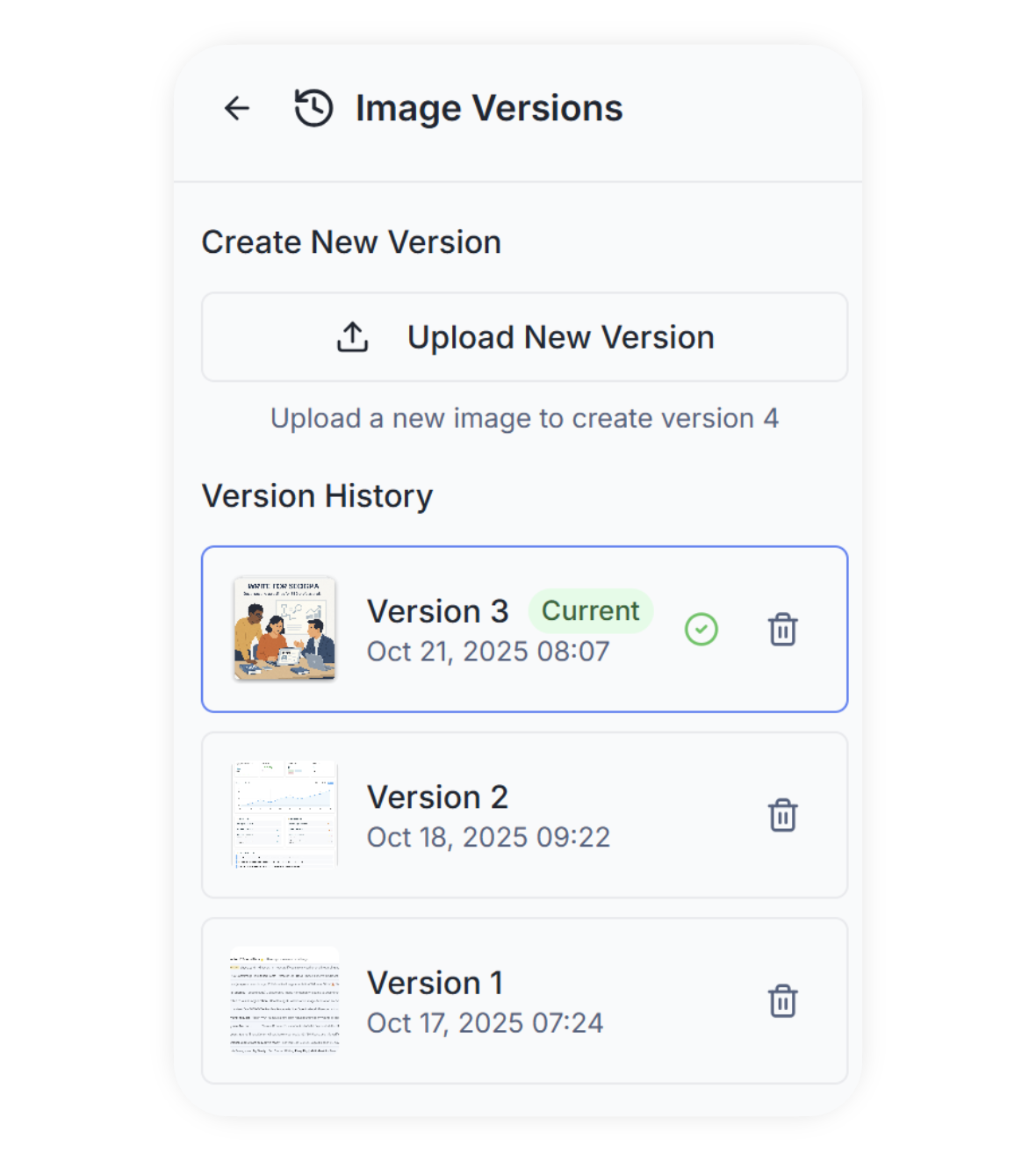
Version Control Screenshot

Version control

Upload a new version and open older ones when you need them. Compare versions side by side to see what changed.

  • Upload new versions easily
  • View previous versions on demand
  • Track changes over time

Browser extension

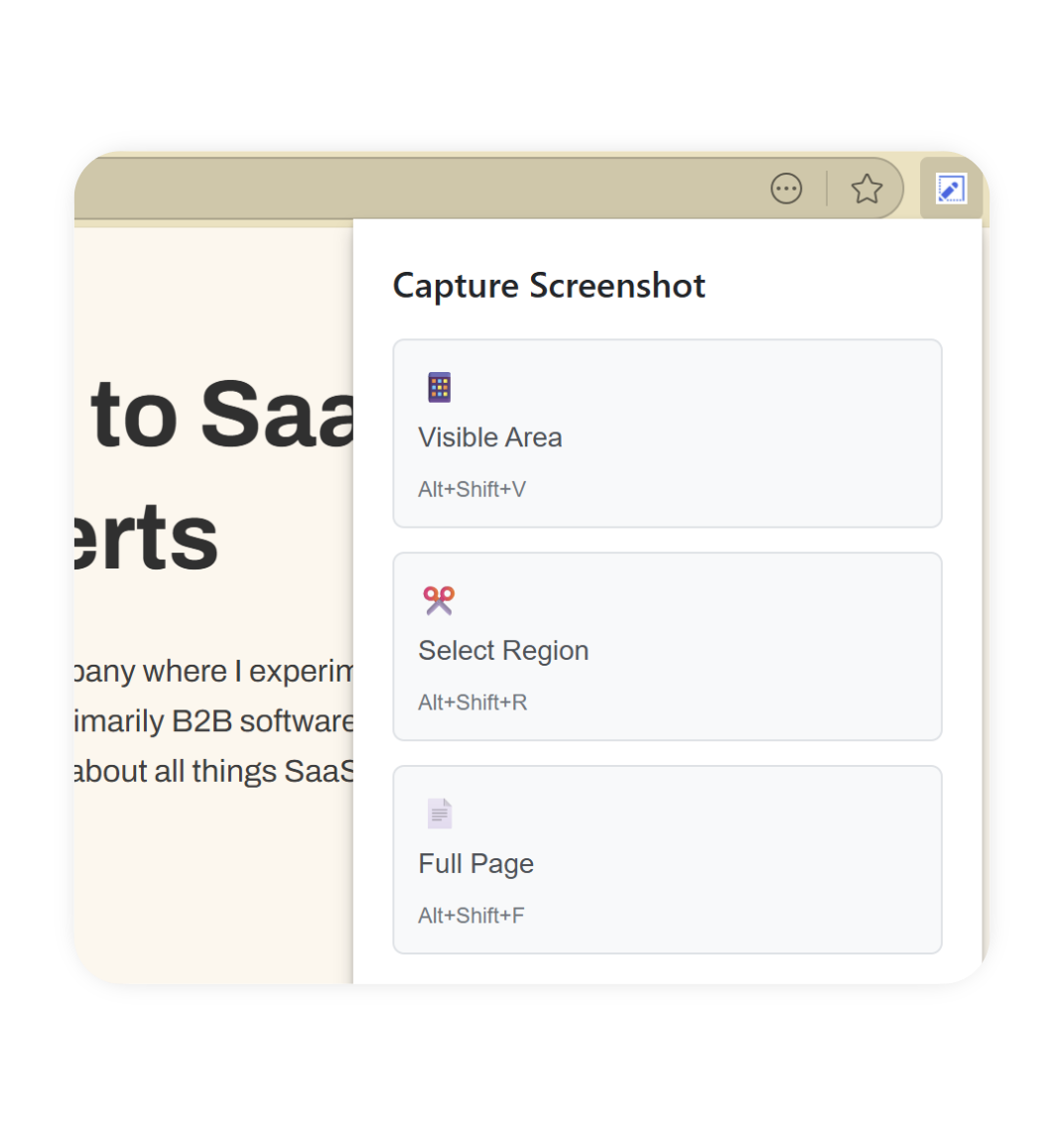
Capture any web page with the free Chrome extension. Full page, visible area, or a selected region. Then send it out for comments.

Browser Extension Screenshot

Full page

Entire page scrolled

Visible area

What you see now

Selected region

Drag to select area

Free for all

No charge

Sharing and collaboration

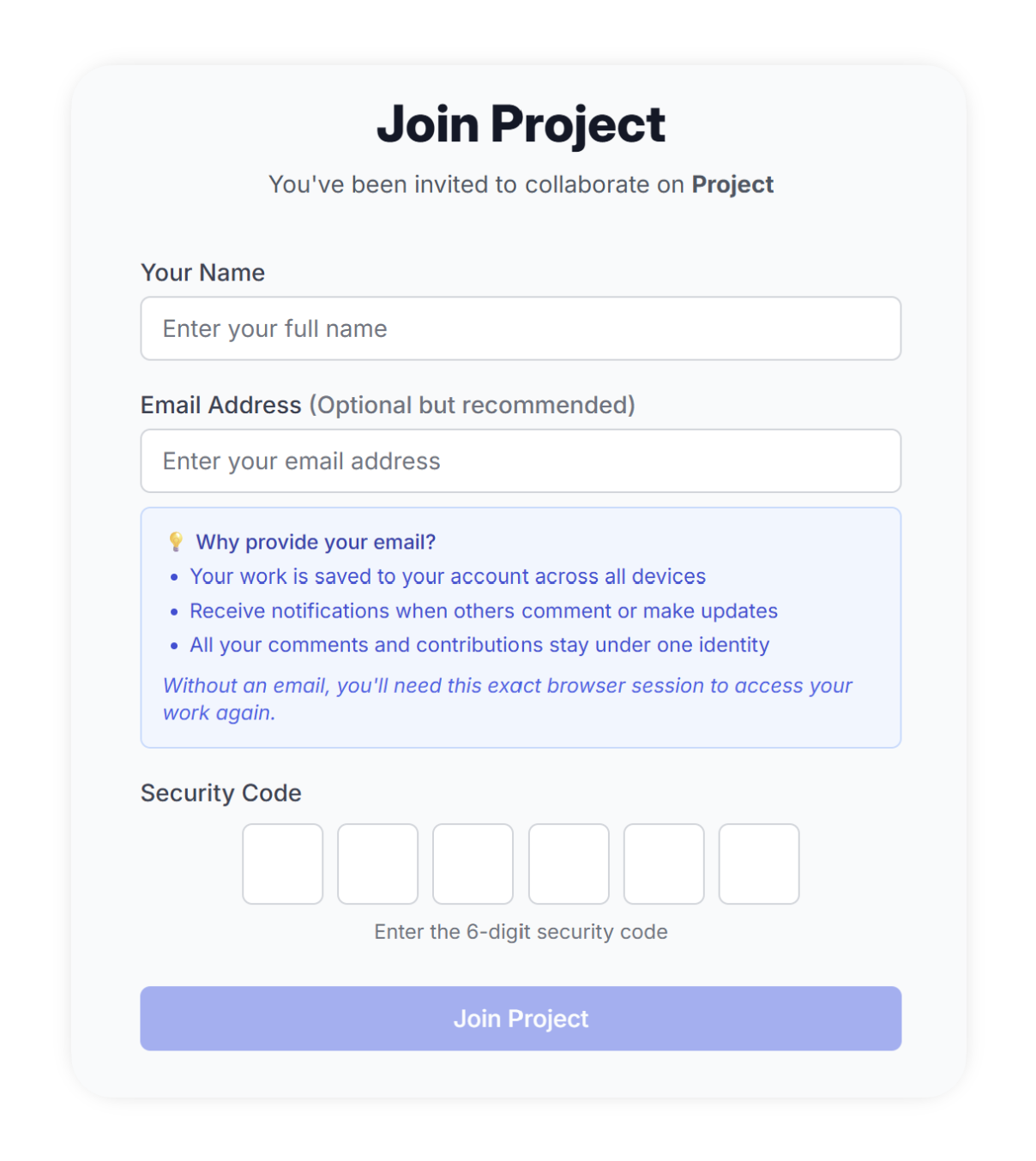
Share a public read-only link, or invite external collaborators who can comment without creating an account. Add an access code on sensitive projects.

  • Public read-only sharing
  • Loginless external collaborators
  • Access codes for sensitive projects
  • Email notifications for updates
Sharing & Collaboration Screenshot

Also included

Team roles, email alerts, access codes, branding, file types, and audit logs.

Team features

Organizational team members, project-level security roles, and custom branding options.

  • Role-based permissions
  • Custom branding
  • Audit logs (Business tier)

Email notifications

Get email when a project or image changes.

  • Project updates
  • New comments
  • Task assignments

Access codes and security

Put an access code on a share link when the project is sensitive.

  • Password protection
  • Secure sharing
  • Access control

Custom branding

Add your logo so the review page looks like yours.

  • Logo customization
  • White-label options
  • Brand consistency

File type support

Web pages, images, and PDFs in one place.

  • Web page captures
  • Image files (PNG, JPG, GIF)
  • PDF documents

Audit logs

A record of who did what, for compliance reviews.

  • Action tracking
  • User activity logs
  • Compliance reporting

Send your next review as a link

Start a free trial and share a project. See if clients actually comment.

Start Your Free Trial