
What are visual feedback tools?
Visual feedback tools let you collect specific comments on designs, images, PDFs, or websites. Reviewers click an element instead of writing a vague email or marking up a screenshot. Comments stay in one place, which cuts the usual back-and-forth.
Key features:
- Pin comments directly to elements for clarity.
- Automatically gather technical details (e.g., browser, OS) with each comment.
- Share feedback links. No logins or accounts required.
- Manage feedback in a central dashboard with task tracking features.
Why they matter:
- Avoid scattered feedback and back-and-forth emails.
- Faster client approvals and stakeholder input.
- Useful for design reviews, staging site approvals, and responsive testing.
The problem with most visual feedback tools
Most visual feedback tools are built for internal teams, then add client access later. That creates friction: clients must create accounts, learn dashboards, and work through screens meant for designers and developers.
The result? 40-60% of clients ghost feedback requests. The bottleneck is not your workflow. It is client adoption. Learn more about why clients ghost feedback tools and what actually works.
Client-first vs. team-first: what's the difference?
Visual feedback tools fall into two categories based on who they're designed for:
- Team-first tools: Built for internal teams, often requiring logins and offering advanced project management features. They prioritize internal efficiency but treat external reviewers as secondary users.
- Client-first tools: Built for external reviewers, with a no-login feedback path. They optimize for client completion rates while keeping team workflow tools behind the scenes.
The distinction matters because the real challenge is not organizing feedback. It is getting clients to give it in the first place. When 24% of users abandon account creation flows and another 36% quit if registration feels complicated, your feedback tool becomes a barrier instead of a solution.
Tools like BoastImage are built that way: no login for clients, and unlimited reviewers. That is the setup that gets comments back from clients, stakeholders, and contractors.
How the design feedback tool works
Upload a design or share a website link. Reviewers click an element and leave a comment. They do not need training or a long setup.
Pinning comments to specific elements
When a reviewer clicks an element, the comment stays on that spot, even if nearby content changes. You stop getting notes like "that thing near the button" or "the image at the top." The tool also records technical details so developers can fix the issue without a clarification thread.
Share a link, get instant feedback
Most tools generate a unique link you can send through any channel. Once the link is clicked, reviewers can start commenting immediately. No account setup, passwords, or dashboards. For video files or live web pages, comments can be linked to specific timestamps or frames. Reviewers can point to the exact moment something needs attention, whether it is a design tweak or a functionality issue.
Capture any web page instantly
Get our free Chrome extension to capture full pages, visible areas, or selected regions, all without leaving your browser.
Install Chrome ExtensionManaging feedback and turning it into tasks
As comments come in, the team sees them in one dashboard: open vs. resolved. Many tools include Kanban boards or table views so you are not tracking this in email or Slack. A comment can become a task with an assignee, a deadline, and a priority. Threaded discussions with @mentions keep the conversation on that item. Version control shows reviewers the current design and keeps older comments for reference.
Team-first vs. client-first tools
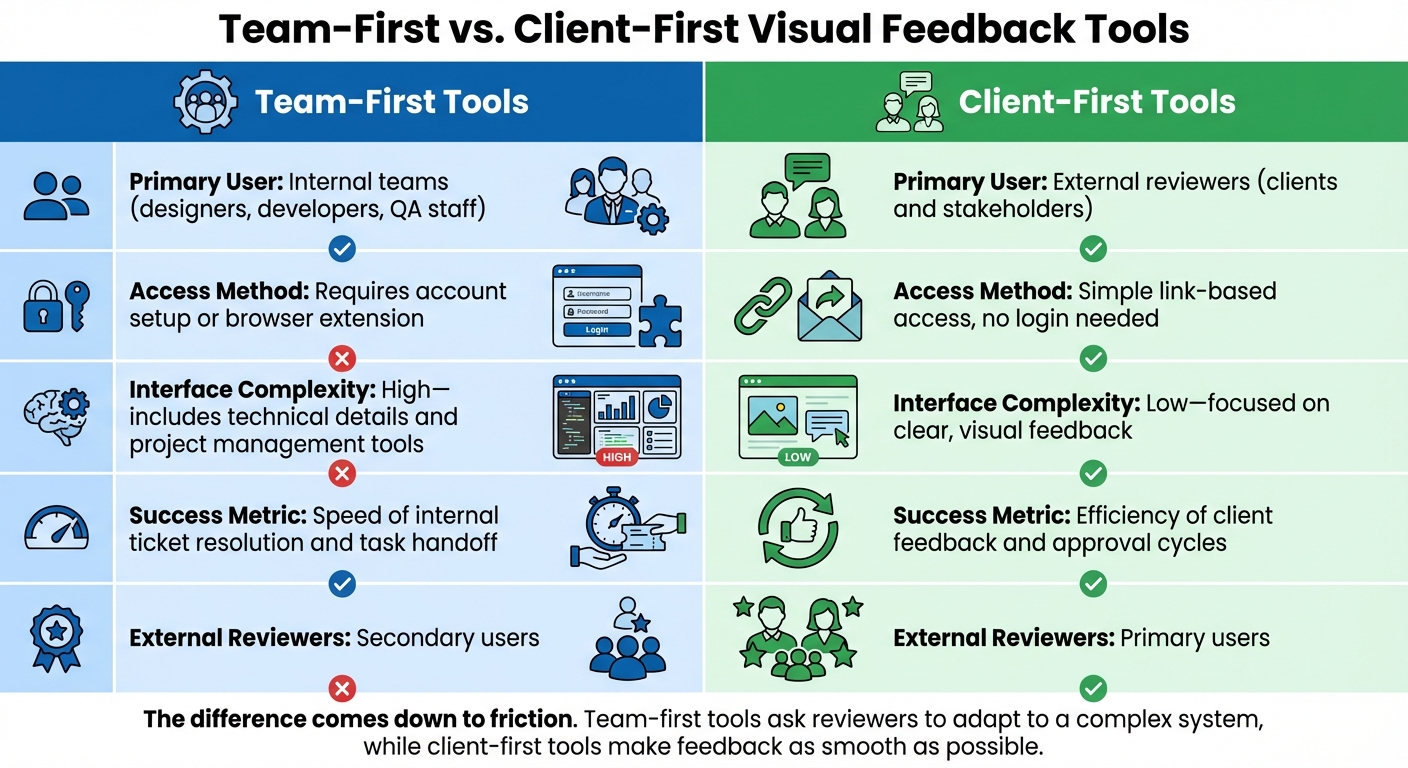
Team-First vs Client-First Visual Feedback Tools Comparison
Visual feedback tools are built for internal teams or for external reviewers. That choice changes how the review actually goes.
Team-first tools
Team-first tools prioritize the needs of internal teams: designers, developers, and project managers. They include features like Kanban boards and detailed task management, which helps with complex workflows. External reviewers, such as clients or stakeholders, are treated as secondary users.
To participate, external reviewers often need to create accounts or install browser extensions. The interface leans toward technical users, with task assignments and developer logs on screen. The goal is internal speed: close tickets and hand work to developers. The client experience is not the main focus.
Client-first tools
Client-first tools are built for clients, stakeholders, and contractors. Reviewers open a link. No account, no extra software.
Internal teams still get version control and task tracking, but that complexity stays off the client screen. Clients see click, comment, done. Success is whether external reviewers actually finish.
Key differences between approaches
Here is the comparison:
| Feature | Team-First Tools | Client-First Tools |
|---|---|---|
| Primary User | Internal teams: designers, developers, and QA staff | External reviewers: clients and stakeholders |
| Access Method | Requires account setup or browser extension | Simple link-based access, no login needed |
| Interface Complexity | High - includes technical details and project management tools | Low - focused on clear, visual feedback |
| Success Metric | Speed of internal ticket resolution and task handoff | Efficiency of client feedback and approval cycles |
| External Reviewers | Secondary users | Primary users |
The difference is friction. Team-first tools ask reviewers to learn a system built for your team. Client-first tools ask them to click a link and comment.
sbb-itb-32f6eb2
When you need a visual feedback tool
Best use cases
Visual feedback tools help when you need a specific comment from team members, clients, or stakeholders who are not inside your systems. They are built for people who do not already know your tools.
One of the most common scenarios is client approvals on staging sites. Agencies share a live design link. Clients click an element and leave a specific comment, instead of a vague email.
They also help with subject matter expert reviews. On eLearning or technical documentation, experts or non-technical stakeholders (marketing or legal) can mark unclear icons or layout issues on the screen. For responsive testing, external reviewers can switch between desktop and mobile views and leave feedback on the spot that is wrong.
When you don't need one
Visual feedback tools are not always the right fit.
If you work solo and do not have external reviewers, the tool is an extra step. If your team already comments inside the design tool, adding another system can duplicate the work.
For projects that need multiple people editing in real time, a co-editing tool is a better fit. If you need Gantt charts, resource allocation, or budget tracking, a visual feedback tool will not replace a full project management platform. It is for visual reviews and approvals.
How BoastImage works differently
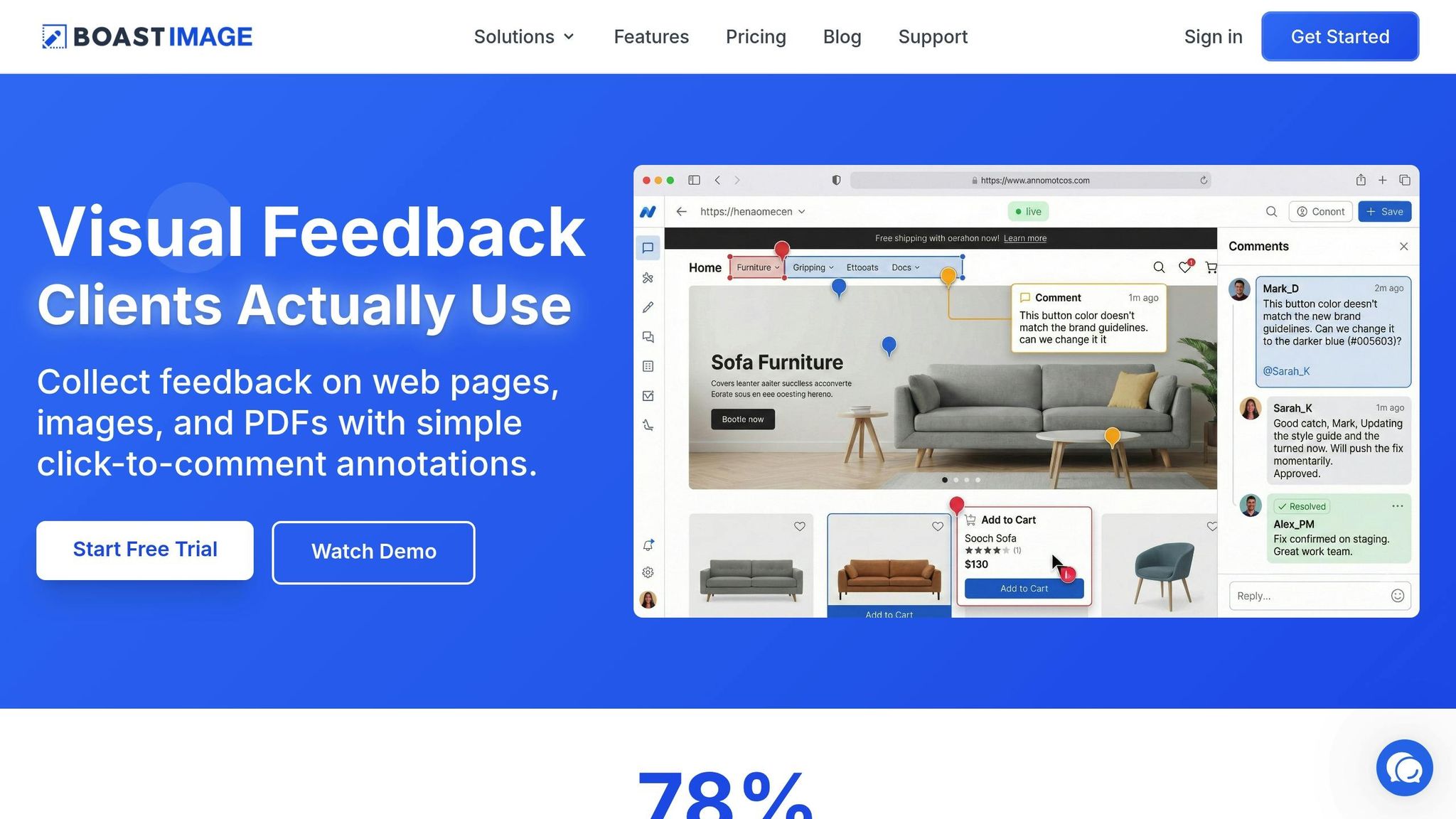
BoastImage splits the experience: a short path for clients, and the project tools for your team.
Clients never need accounts
With BoastImage, clients do not create accounts. They open a project link and start commenting. No usernames, no passwords, no registration forms. That matters for people who only review occasionally and do not want another login.
Some tools add guest access later. BoastImage starts with the client path. The screen is just the work and a place to comment, so reviewers can finish and get back to their day.
Unlimited external reviewers
BoastImage includes unlimited external reviewers with every paid plan, so cost stays predictable no matter how much feedback you collect. Traditional tools charge per user or limit guest access. Clients do not take up seats in your account. You can gather the comments you need without watching the bill climb.
Collecting client feedback should not add a per-person fee. Unlimited external reviewers keeps that cost off the table.
Simple for clients, powerful for teams
BoastImage has two interfaces. Clients see the design, click a spot, and leave a comment. They do not see the rest of the product. Your team gets Kanban boards, version control, and task management.
With one click, a client comment becomes a task, assigned to someone, and tracked to done. Beth Epperson, QA Manager & Accessibility SME at ELM Learning:
"The client and the internal team can both access the data while still preserving the integrity and security of internal information".
Clients stay on a short commenting path. Your team keeps the tools needed to act on what they said.
Conclusion
Visual feedback tools solve a plain problem: getting a specific comment from someone outside your team. Without them you decode vague emails and screenshots with arrows that do not point at the real issue. Work slows down, comments get lost, and revisions drag. These tools let reviewers click the spot they mean and attach the technical details your team needs.
Team-first vs. client-first matters more than most teams expect. Older tools treat external reviewers as extras: create an account, learn a dashboard built for internal use. The hard part is not organizing comments. It is getting clients to leave them. If they can open a link and comment without a login, they are more likely to do it.
Structured visual feedback can cut review cycles by up to 40%. Real-time collaboration can cut design review cycles by 50%. That is less time spent in the loop that wears both sides down.
If the project depends on clients, stakeholders, or contractors saying yes, a client-first tool gets you clearer comments and faster sign-off.
FAQs
How can visual feedback tools enhance team collaboration?
Visual feedback tools replace unclear, text-only notes with comments attached to a specific part of a design, mockup, or image. Instead of vague messages like "the logo looks off," the note sits on the element being discussed.
All comments live on one shareable link, so designers, developers, clients, and contractors are looking at the same thread. You are not chasing screenshots, email, or Slack. Everyone can see who said what, what is open, and what is done.
Link sharing and pinned annotations mean less time decoding feedback. The same place also holds version control and task tracking, so fewer comments get lost and you do fewer extra revision rounds.
What's the difference between team-first and client-first visual feedback tools?
Team-first visual feedback tools are built for internal work. They serve designers, developers, and project managers, with real-time annotations, task tracking, and bug assignment. That helps the team, but external reviewers (clients or stakeholders) are secondary users. In most cases they need to create accounts to participate.
Client-first visual feedback tools start with the external reviewer. Clients or stakeholders leave feedback through a shareable link and pin comments on a specific area of a design. No login. The goal is a short path to a comment and an approval, while the team's workflow stays off that screen.
Team-first tools measure internal speed. Client-first tools measure whether the outside person actually finishes.
When should I use a visual feedback tool?
Use a visual feedback tool when you need comments from external reviewers like clients, stakeholders, or contractors on designs, mockups, or other visual work. These tools let reviewers leave location-specific comments on the asset, so the note stays on the part of the work being discussed.
They fit client approvals, sign-offs, and any review where you do not want people creating accounts or learning a new system. If the project depends on outside input, a visual feedback tool keeps comments specific and in one place.