The stretch between a draft and an approved asset often fills up with email threads and files named "final-final." BoastImage and ReviewStudio both sit in that gap. They do it differently.
ReviewStudio is a long-running online proofing tool with dense markup for internal teams. Teams that need faster client turnarounds often look at BoastImage for day-to-day review instead.
Should you choose BoastImage or ReviewStudio?
The split is complexity versus a short client path. BoastImage is built around a simple share-and-comment loop. ReviewStudio is built for larger agencies that want heavier internal collaboration.
You should:
- Choose BoastImage if you want clients to leave comments without a long learning curve.
- Choose ReviewStudio if you want a dense internal design-team tool and will pay for third-party integrations.
Quick overview of BoastImage vs ReviewStudio
A short comparison of how each tool is set up:
| Feature / detail | BoastImage | ReviewStudio |
|---|---|---|
| Best fit | Agencies and marketing teams who need structured task management and multi-asset organization. | Large corporations and video editors who need frame-accurate markup and deep technical proofing. |
| External reviewer access | Share a link; clients can comment without an account. Includes private reviewer views. | Guest links available; supports unlimited reviewers but requires more navigation for guests. |
| Client friction | Very low. Clean, modern interface meant to look professional for paying clients. | Moderate. The interface is feature-dense, which can intimidate non-technical users. |
| Website feedback | Capture-based. High-fidelity snapshots lock a stable version so clients review what you sent. | Live URL overlay. Comments sit on live elements, which is useful for technical debugging. |
| Workflow complexity | Integrated PM. Built for teams who want feedback to live inside a Kanban board. | Review-focused. Centered on the markup session; you need other tools for full task tracking. |
| Pricing posture | $9.95/month. Priced for small agencies and freelancers. | Scale-based. Starts higher, usually around $20 per user per month. |
Quick verdict: Choose BoastImage for lower-cost annotations and client shares that do not require an account. ReviewStudio is better for deeper internal-team markup and collaboration.
Problems with ReviewStudio (user perspective)
ReviewStudio has a steep learning curve for many users. We looked at G2 reviews to see what people actually complain about.
The table below uses those mention counts and notes how BoastImage handles the same issue.
| Core problem | User complaints | BoastImage approach |
|---|---|---|
| Unintuitive user interface causing confusion during simple tasks. | 3 mentions | A shorter dashboard path. Clients leave feedback without digging through extra menus. |
| Upload issues including slow file uploads and extra steps. | 3 mentions | The Chrome extension captures and uploads in one pass, without extra hops. |
| Commenting issues and lack of clarity on submissions. | 2 mentions | Each comment can become a visible task, so notes are not lost on a crowded canvas. |
| Poor notifications requiring tedious manual adjustments. | 2 mentions | Notification workflows run without a pile of manual settings. |
| A lack of necessary features and customization options. | 2 mentions | Unlimited canvases and dedicated management boards on every plan. |
BoastImage vs ReviewStudio: features compared
BoastImage is built to collect feedback, turn it into work, and assign design tasks. Here is how that stacks up against ReviewStudio:
| Feature / outcome | BoastImage | ReviewStudio |
|---|---|---|
| Clients leave feedback without an account | ✅ | ✅ |
| Pinned, contextual comments | ✅ | ✅ |
| Integrated Kanban task board (built-in PM) | ✅ | ✕ |
| Review images, PDFs, and video | ✅ | ✅ |
| Capture-based review (version lock) | ✅ | ✕ |
| Live website overlay | ✕ | ✅ |
| Security service to protect data | ✅ | ✅ |
| Automate feedback into assigned tasks | ✅ | ✕ |
The biggest complaint with ReviewStudio is the learning curve. Expert training exists, but it sits on the Enterprise plan. That means more than $500 (20 users at a minimum $28 per user) before you get that training.
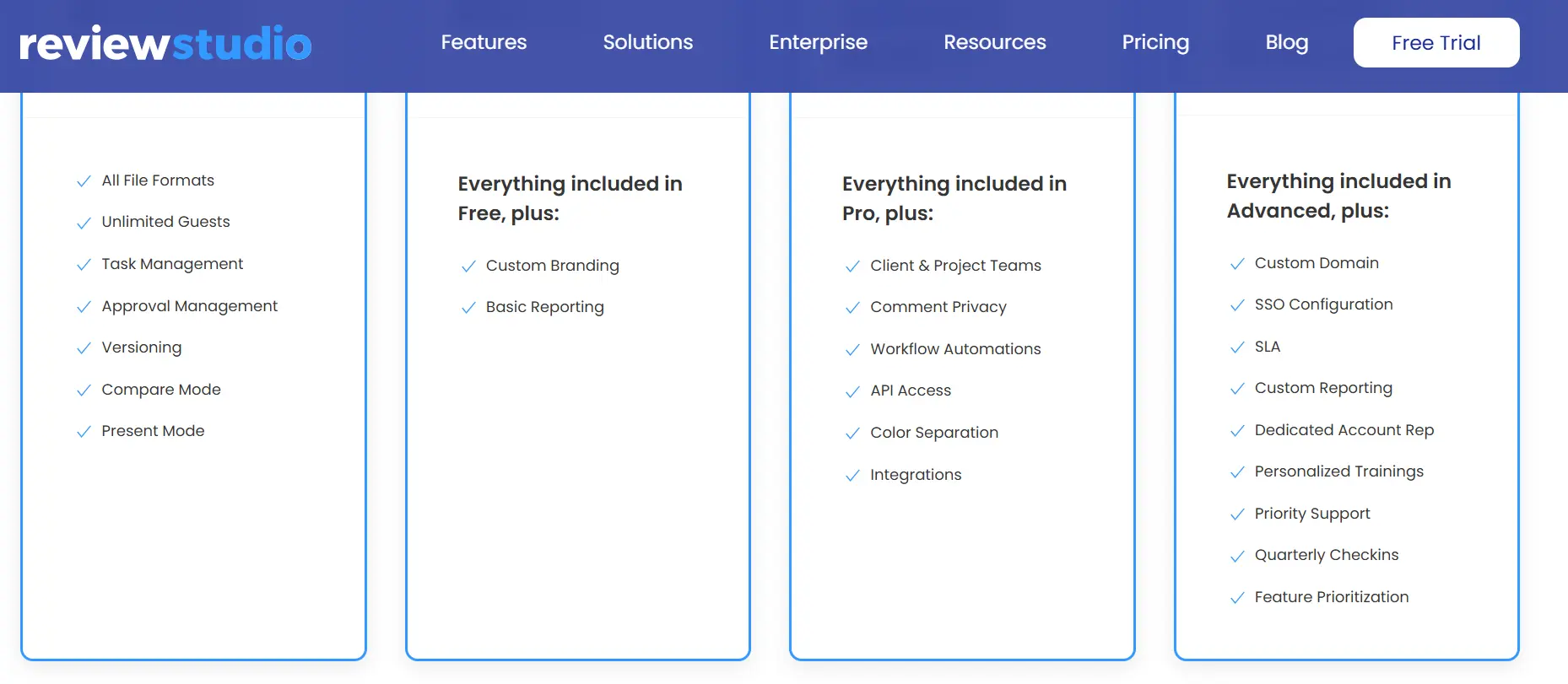
BoastImage does not require a training package. You log in, follow the canvas flow, and ship work. You can try that on the free trial.
Live websites vs capture-based review
ReviewStudio is stronger than most live website annotation tools. It is one of the few that lets you:
- View live website renders
- Bulk view multiple pages from the same website
- Collect static captures of the website
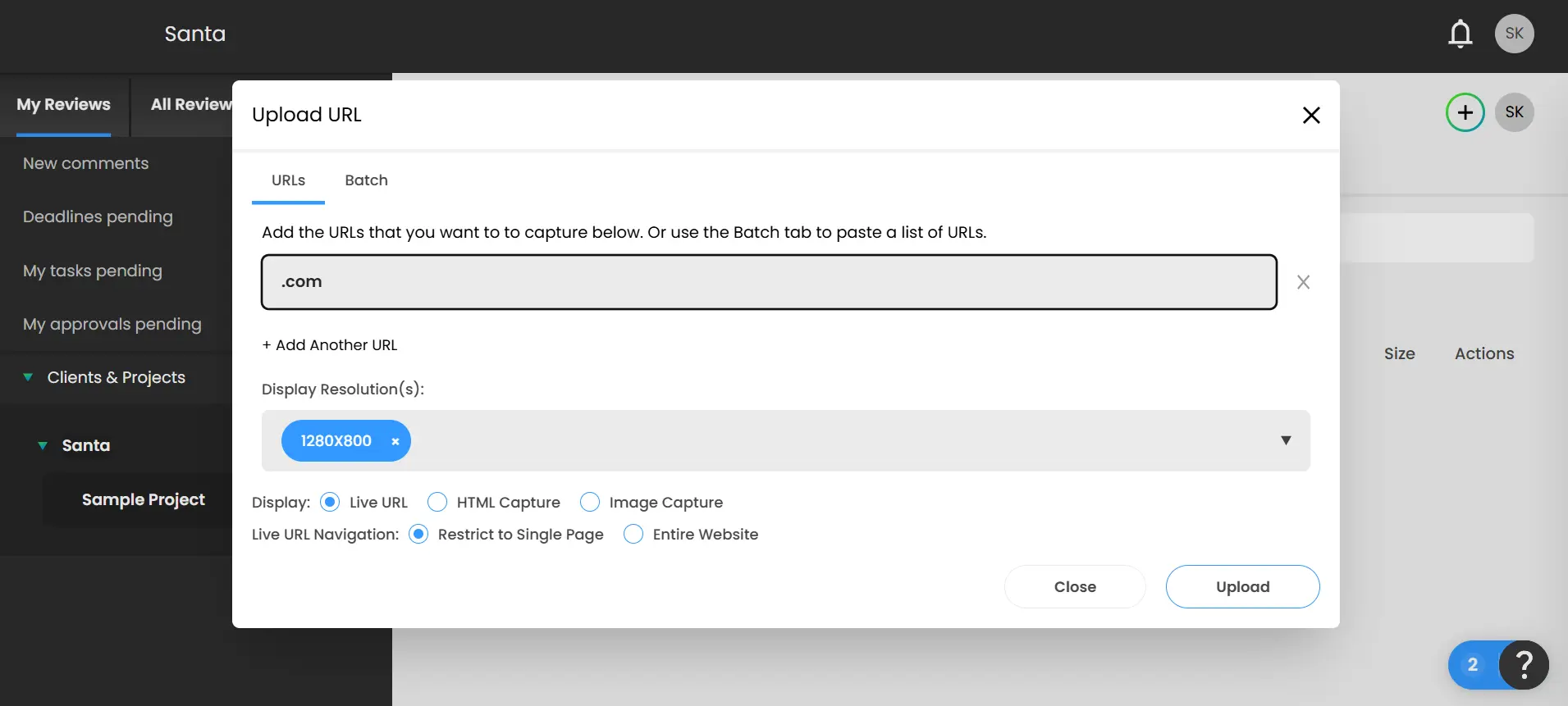
One limitation: you have to select the display resolution by hand.
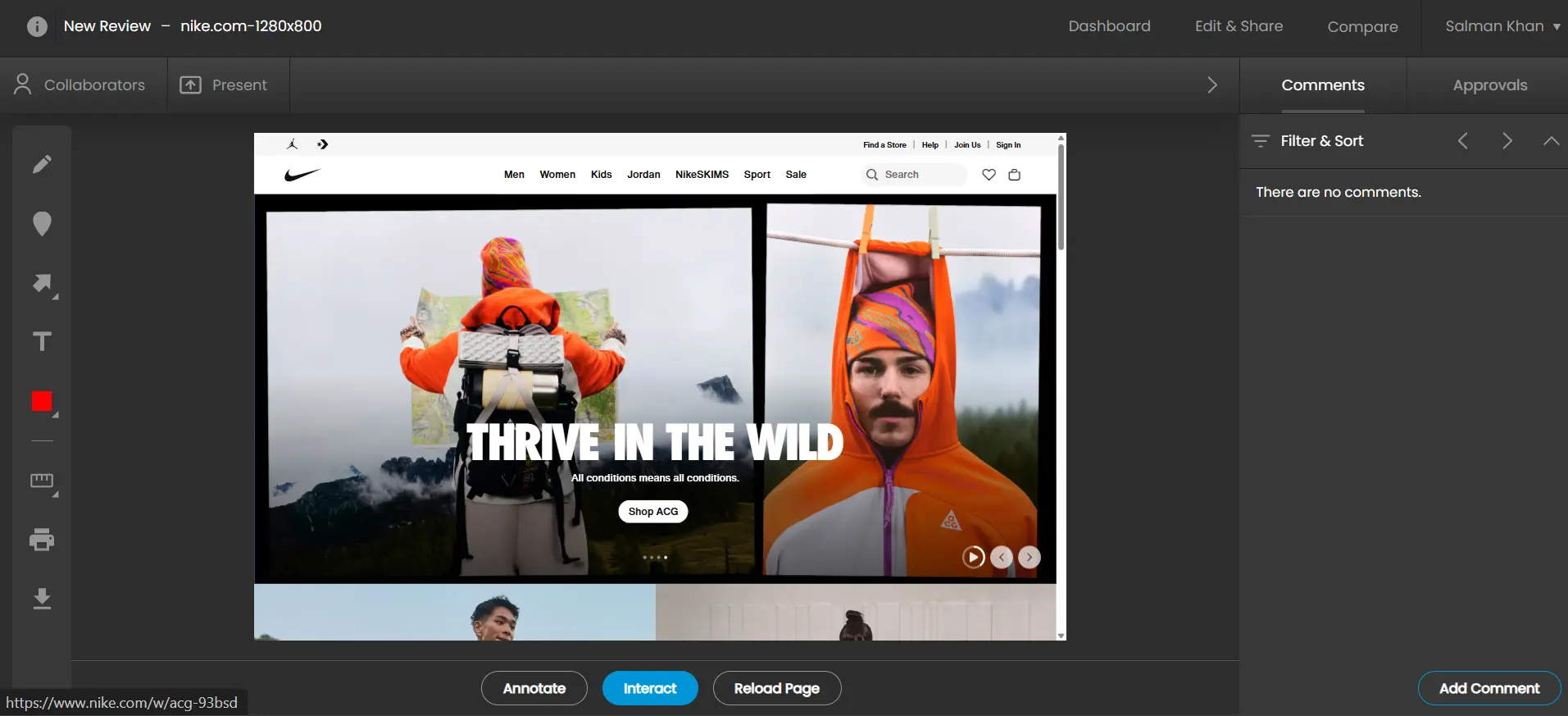
You cannot switch responsive renders the way you can in Markup.io or UsePastel. You create a separate mobile render instead. Apart from that, it is a strong live-website proofing tool.
The catch is client use. Starting a new project, pulling the live feed, and annotating it is not something most clients can do without help. The web app is packed with features, and stakeholders often do not know where to start.

BoastImage keeps the path shorter. You can:
- Capture with the Chrome extension
- Upload it to the web app
- Annotate, assign, and ship
You can capture any screen size and upload whichever version in a few seconds. Your team can do it, and clients can do it too. BoastImage is also working on a live website render, which would close some of this gap later.
Project management functionality
ReviewStudio does not treat project management as a core feature. You can assign teams, but you have to connect Jira, ClickUp, or Asana to assign tasks.
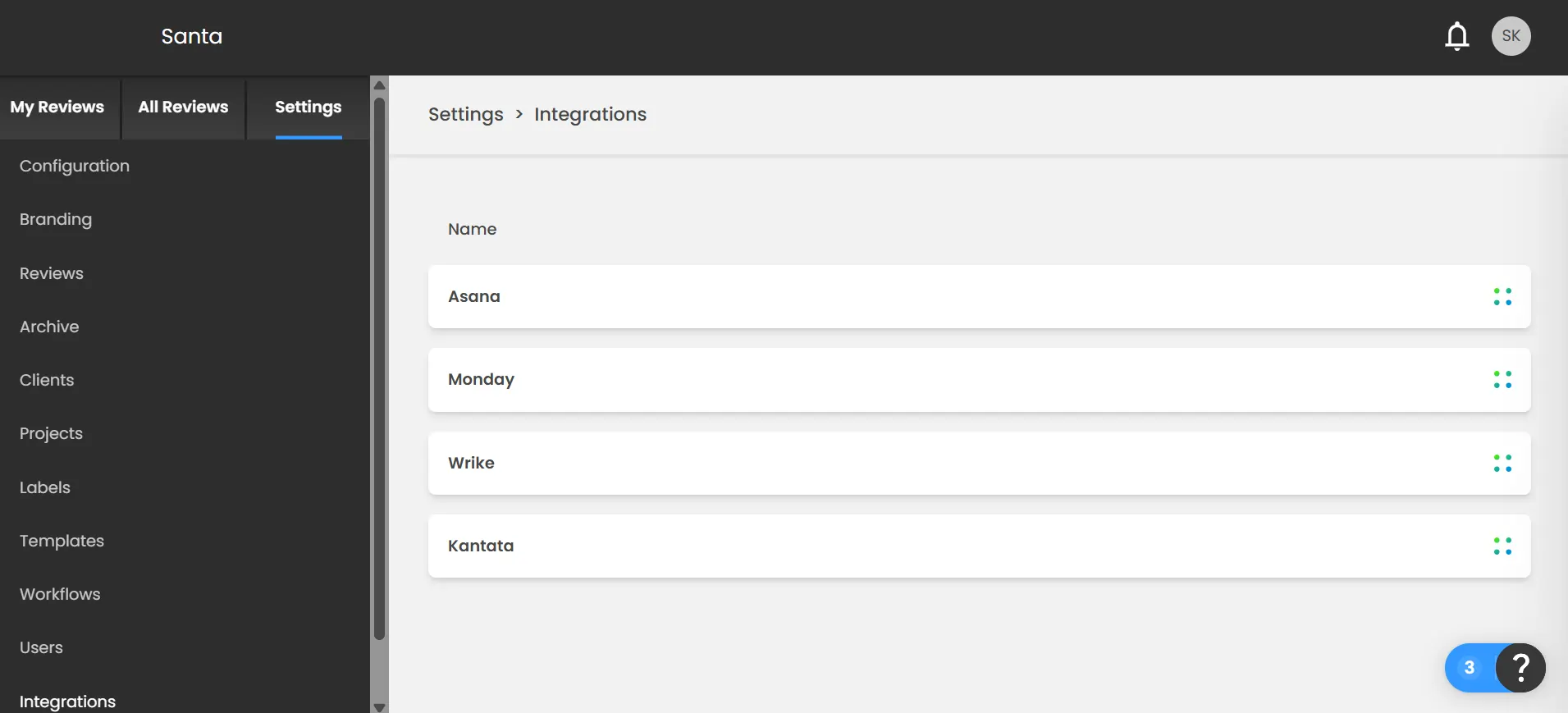
That integration is locked behind the $125/month team plan. Feedback then lives in one tool and action lives in another. You also cannot create a new project from the home page.
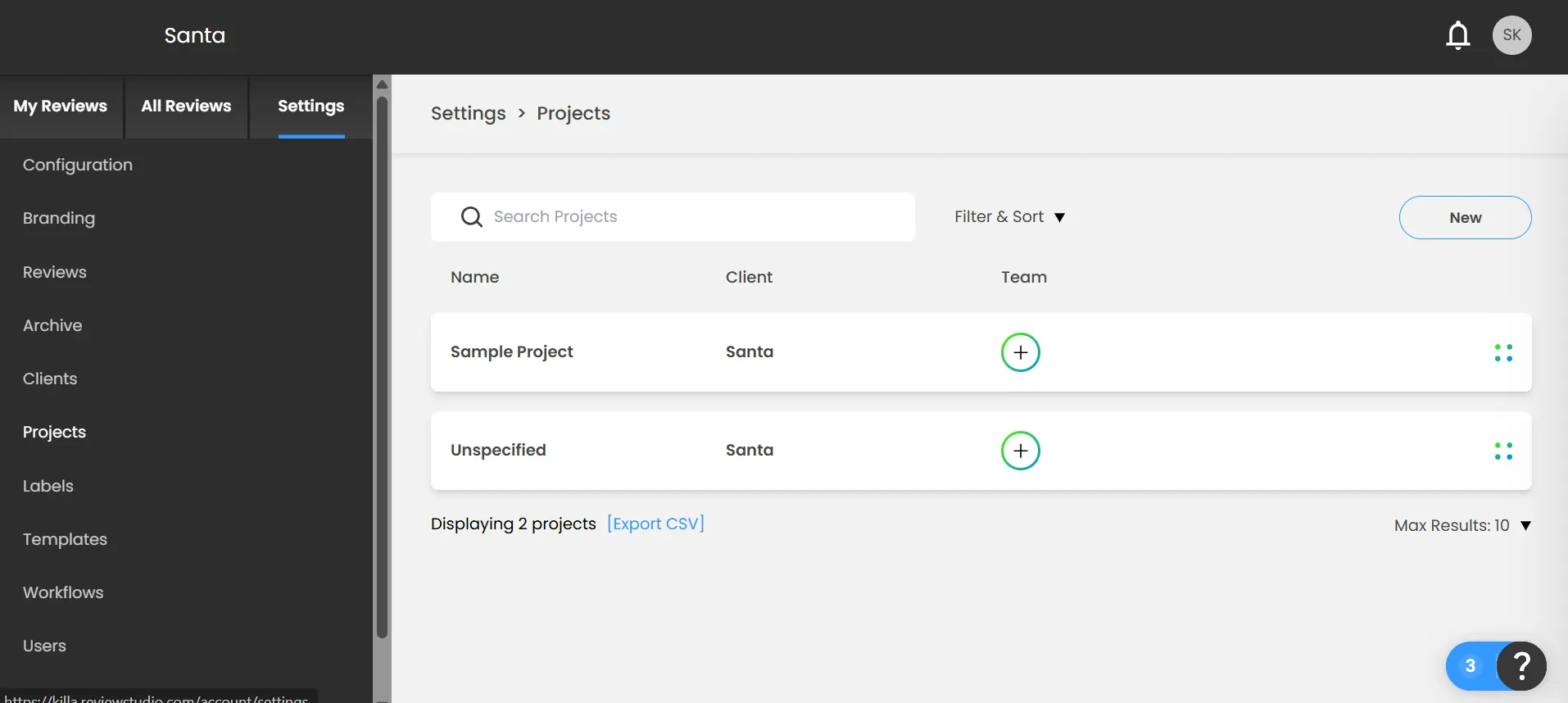
You go to Settings > Projects, then click New. Extra clicks for you, and extra clicks if a client ever has to do it.
In BoastImage, client comments and project management sit in the same web app. You switch between annotation and the task board without exporting. Clients can comment; your team gets assignments in the same place.
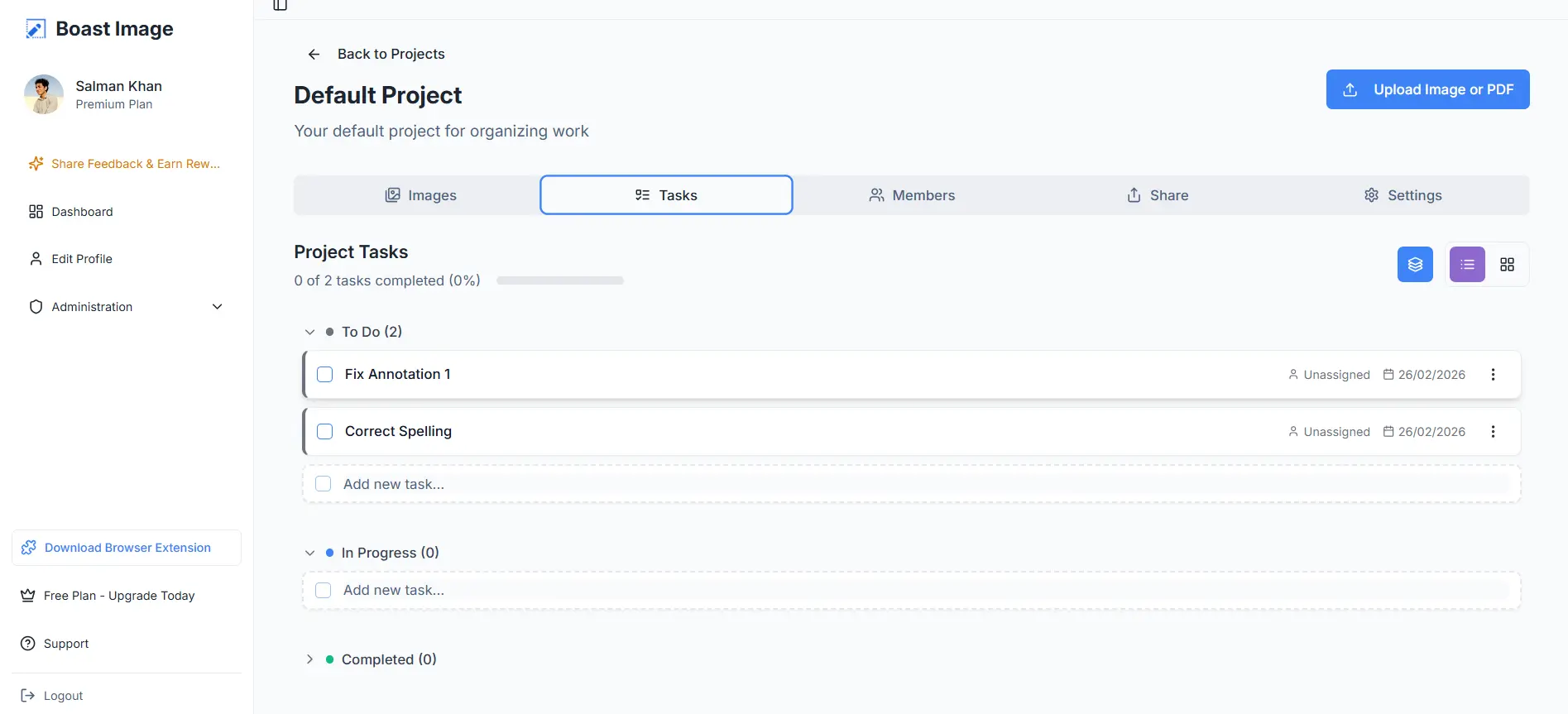
Invite teammates, assign tasks, and ship without a second subscription. Monday.com or Trello is optional when the $9.95/month plan already includes a board.
File sharing and members
BoastImage offers unlimited external collaborators, same as ReviewStudio. Sharing in ReviewStudio is easy: click Share, copy the link, send it. The downside is a wider disclosure risk if that link gets out.
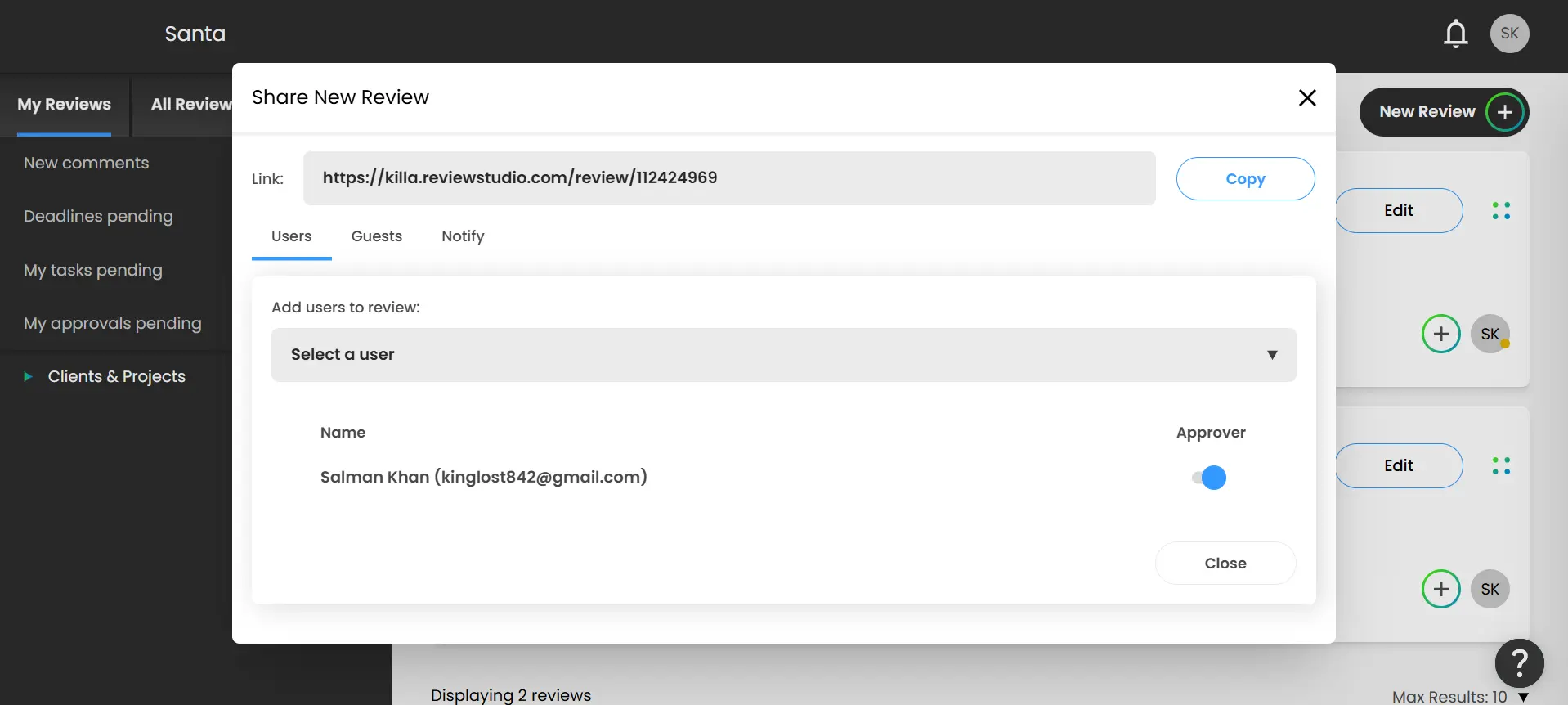
If you are working on an unreleased file and someone finds a public link, that file can leak. You can reduce that risk on the Pro plan, which costs $125 per month.
BoastImage sharing is tighter. You can share files and project access by email. A stray link is not enough to open the file without permission.
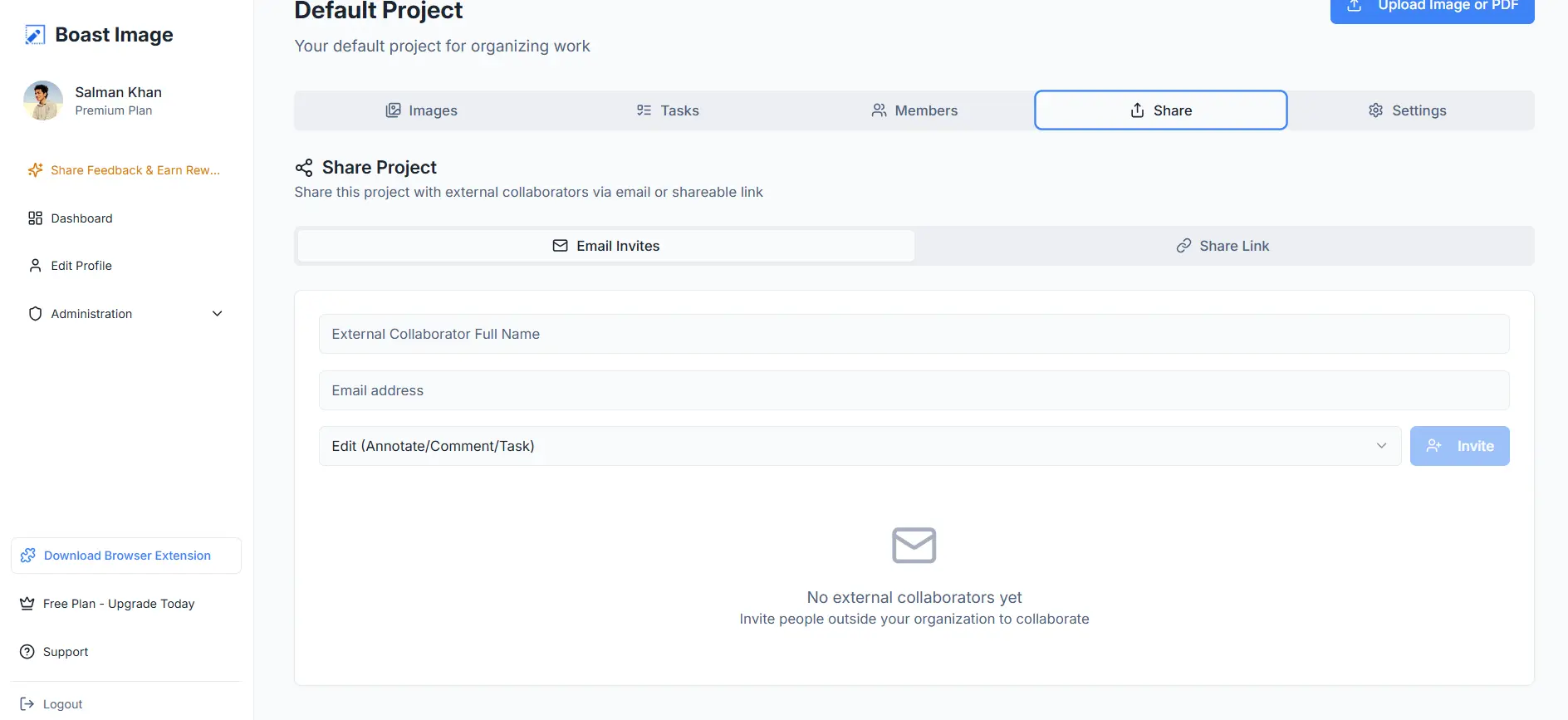
You can also split access. Give a teammate view-only access to annotations. Give a client edit access if they need it. The controls are there without a second product.
Supported files
BoastImage supports PDFs and images, which covers most product and website annotation. ReviewStudio supports almost every mainstream file type, including:
- 3D file types
- Images (JPG, PNG, GIF, PSD)
- Videos (MP4, MOV, WMV)
- Audio (MP3, WAV, AAC)
- Documents (PDF, DOCX, XLSX)
Markup.io and UsePastel do not offer audio annotations either. The file lists also show who each tool is for:
- BoastImage supports basic annotation for client-facing proofing
- ReviewStudio supports more file types for internal team work
More formats help when your team needs them. They get in the way when a client only needs to comment on one page.
Version history and control
Both BoastImage and ReviewStudio include version control on every tier, including free. Some annotation tools lock that behind a paid plan.
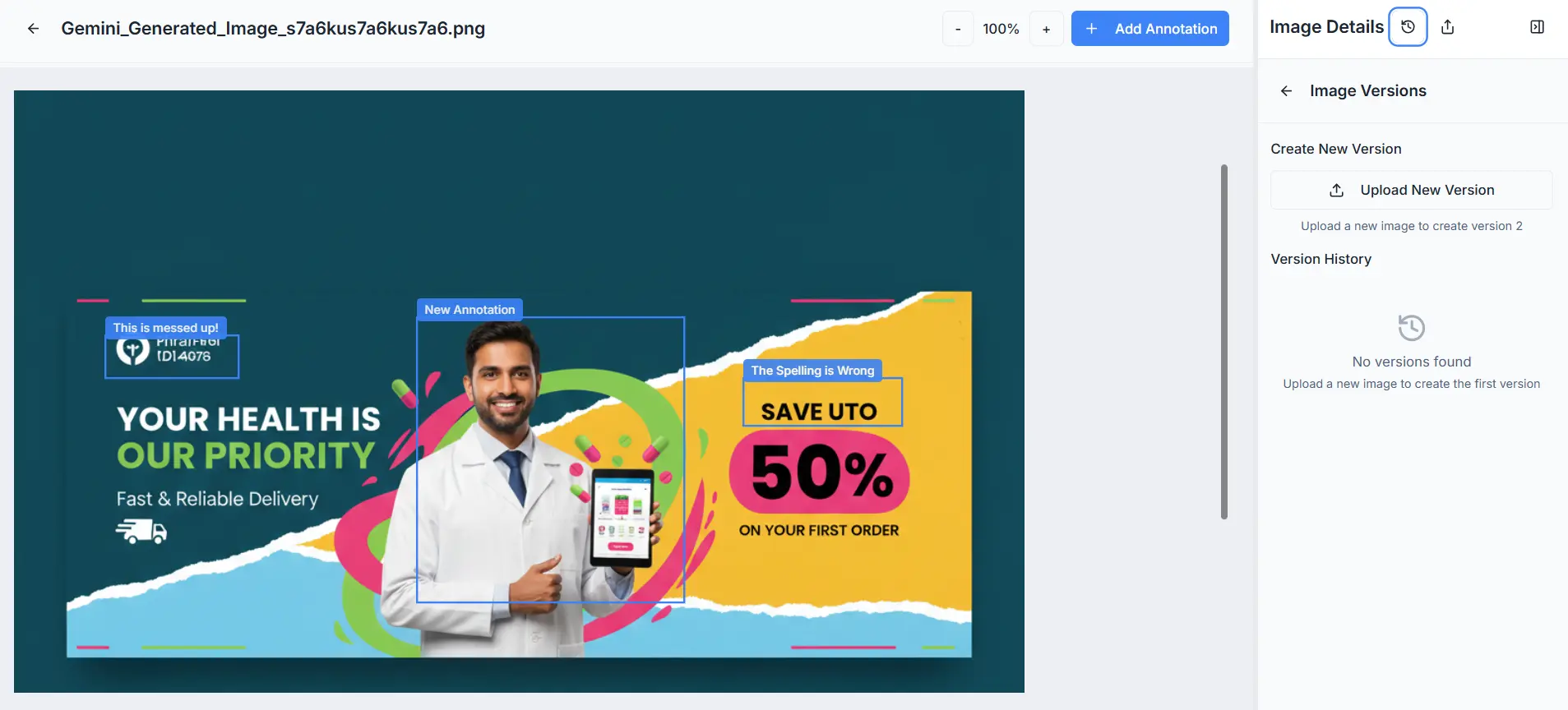
The difference is how many steps it takes. BoastImage puts version control on each canvas or project. You open version control, upload a new version, and keep the set in one place.
ReviewStudio does the same job with extra clicks. You must:
- Go into projects, then find the file you want to version.
- Click on the four dots on the file placard.
- Click Upload New Version or New Live Version.
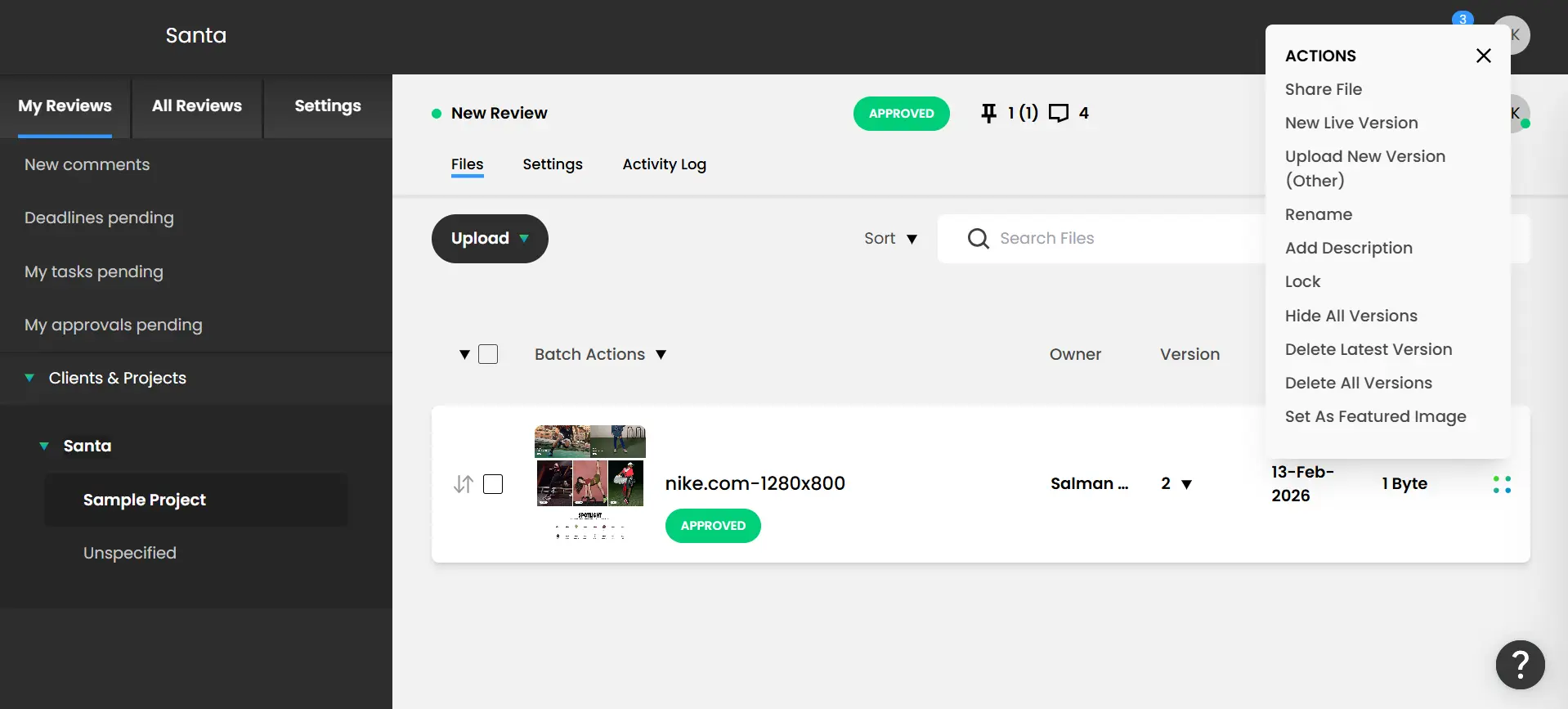
We spent about 20 minutes finding that option. Clients would likely spend longer. BoastImage keeps version history on the canvas they already have open.
Cost-value tiers and affordability
Both tools sell more than one plan. Here is how the current numbers compare:
| Aspects | BoastImage | ReviewStudio |
|---|---|---|
| Lowest tier plan | $9.95 per month | $15/user/month |
| Active projects | 5 (free tier) | Varies by tier |
| Active canvases | Unlimited | Often capped |
| Built-in PM tools | ✅ Included | ✕ Requires integration |
| Cost per project | $1.99 per month | Significantly higher |
BoastImage is at least 70% cheaper than ReviewStudio at the entry point. The lowest BoastImage paid tier includes unlimited canvases. ReviewStudio limits you to 10 active reviews.
Upload more than 10 and the extras are archived, so you rotate files by priority. Unlimited reviews come with the Team plan at $125 per month for 5 team members.
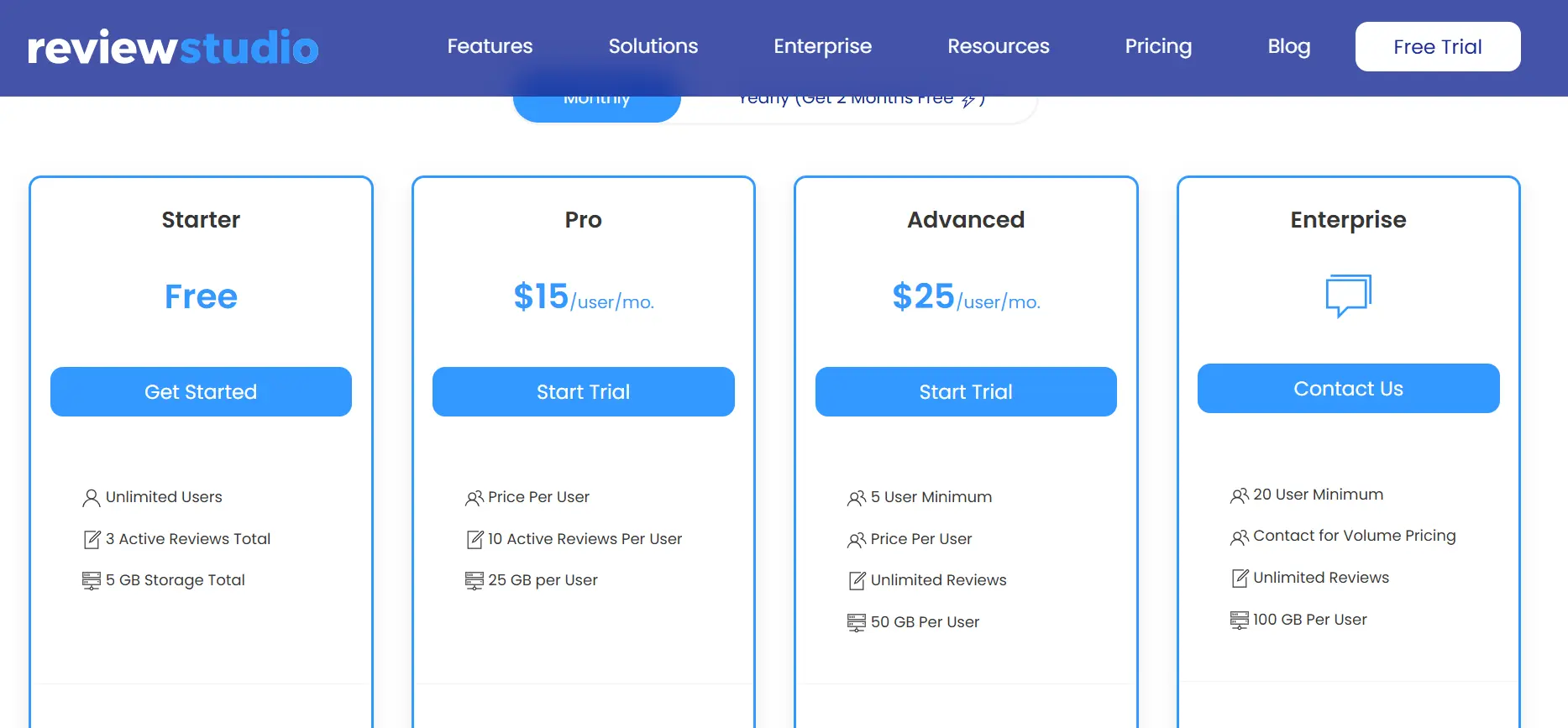
ReviewStudio pricing is built around teams and seats. BoastImage uses one price that agencies, freelancers, and larger companies can start on without a per-user jump.
Usability of BoastImage vs ReviewStudio
BoastImage uses one-click comments on a capture. There is little to learn because the canvas is the product. That is why it fits non-technical clients.
ReviewStudio has more controls and a steeper learning curve. Even setting up a new review takes some familiarity with the tool.
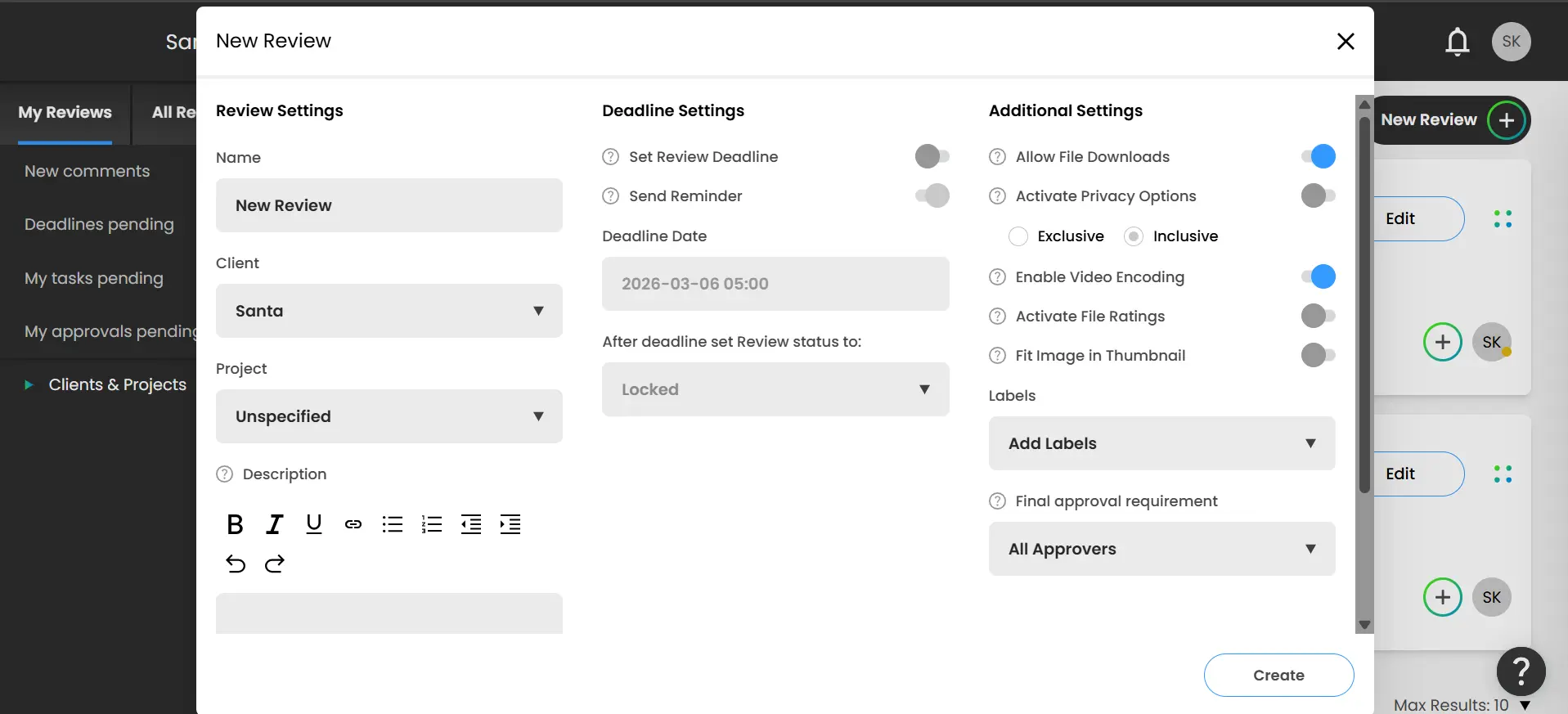
A client can spend a while just finding how to delete a comment or move around the platform. That is why BoastImage is the better ReviewStudio alternative when client completion matters more than extra markup modes.

Adding, deleting, and managing comments is a short path. New projects take seconds, without extra tabs. You can try BoastImage on the free plan.
Which annotation tool should you use?
BoastImage is for agencies that want feedback and follow-up in one place, without stacking extra subscriptions. ReviewStudio is for technical designers and video editors who need multi-format proofing and thicker approval chains.
If built-in tasks matter more, pick BoastImage. If you need video, audio, and 3D markup, pick ReviewStudio. Typical fits:
| Scenario | Ideal fit |
|---|---|
| High-volume client approval | BoastImage: Short client path. Captures lock a stable version of the page so shifting live elements do not confuse the review. |
| Technical video and 3D proofing | ReviewStudio: Better for frame-accurate video, audio files, or 3D models. The file-type coverage is the reason specialized creative departments pick it. |
| End-to-end task management | BoastImage: Comments can become tasks on a built-in Kanban board, so you do not export into a second project tool. |
| Live URL deep debugging | ReviewStudio: Better early in development, when a live overlay shows how comments sit on live HTML across several pages. |
| Budget-conscious scaling | BoastImage: $9.95/month for unlimited canvases and built-in PM, versus ReviewStudio's higher entry price and per-user scaling. |
Frequently asked questions
What is the best ReviewStudio alternative for small teams?
BoastImage is a common ReviewStudio alternative for small teams because the price is lower and project management is included. You can run the review loop without paying for Asana or Slack integrations.
How do you annotate a website for free?
Use the BoastImage free plan. It includes a project and canvases so you can try the markup tools before you pay.
Does BoastImage offer a security service to protect data?
Yes. You can use password protection and private links so only people you invite see the project.
BoastImage keeps visual feedback on one canvas
BoastImage is a lower-cost feedback tool for individuals, agencies, and companies. Clients open a share link, comment on a capture, and stay in the same review as your team.
Functions are not paywalled. Every plan includes unlimited canvases, one-click shares, and project management. You can start on the free plan.
Also compare: