Feedback tools often leave a gap between what stakeholders ask for and what designers ship. BoastImage and UsePastel both use annotations and markup to close that gap.
BoastImage is built around client-facing review: comments, shares, and a built-in task board. UsePastel is built around denser annotation for internal design teams. The right pick depends on who is leaving the comments.
- Choose BoastImage if: You run a growing agency and need projects organized in one place. The $9.95/month plan includes built-in project management and unlimited canvases, which works out to about 18x the value per project versus UsePastel's lowest paid plan. Clients can comment without an account.
- Choose UsePastel if: You need a live-sync overlay for technical website reviews and can pay for the higher tiers (starting at $119/mo) that unlock unlimited canvases and native PM integrations like Jira or Asana.
Should you choose BoastImage or UsePastel?
Choose BoastImage if you want client comments in your workflow without a high seat cost. External collaborators and internal teammates work in the same web app: they open a link, leave visual comments, and you turn those comments into tasks.
BoastImage is cheaper, and hesitant clients tend to finish reviews because the canvas is a still capture. UsePastel is a better fit for internal design teams that need multi-format support. It handles website feedback well, and it is also 12x to 18x more expensive than BoastImage.
Quick verdict: Choose BoastImage for lower-cost annotations and client shares that do not require an account. UsePastel is better for deeper feedback inside internal teams.
Quick overview of BoastImage vs UsePastel
Here is how the two tools differ on the points that show up in daily review work:
| Feature / detail | BoastImage | Pastel (UsePastel) |
|---|---|---|
| Best fit | Agencies and marketing teams who need structured task management and multi-asset project organization. | Designers and developers who need the fastest possible way to get feedback on a live URL. |
| External reviewer access | Share a link; clients can comment without an account. Includes private reviewer views. | Share a link; clients comment without signup. Known for its extremely frictionless invite process. |
| Client friction | Very low. Clean interface meant to look professional for paying clients. | Minimal. The "zero-install" pioneer; clients just click and type directly on the site. |
| Supported asset types | Websites (via extension), Images, PDFs, and Videos. Strong multi-media support. | Live Websites (main focus), PDFs, and static image files. |
| Website feedback | Capture-based. High-fidelity snapshots of the site at a specific moment to ensure "version lock." | Live URL overlay. You comment on the actual live elements. It stays "live" as the site changes. |
| Workflow complexity | Integrated PM. Built for teams who want their feedback to live inside a Kanban board or task list. | Light and linear. Focused on the review session itself. Best for quick iterations. |
| Tasks and accountability | Advanced. Features built-in status (In Progress, Done), assignees, and a task-first dashboard. | Standard. You can resolve comments, but it lacks a full-scale Kanban/Project Management view. |
| Versioning | Clear versioning for images and PDFs; handles "before and after" very well. | Canvas-based. You create new "canvases" for different rounds of feedback to keep history separate. |
| Integrations | Streamlined internal workflow with Slack and email-to-task notifications. | Deep PM Sync. Native exports to Jira, Trello, Asana, Monday.com, and ClickUp. |
| Pricing posture | $9.95/Month. Allows for unlimited clients/reviewers without "per-seat" bloat. | Scale-based. Free tier, with first paid plan at $35/Month to $450/Month; Pro plans scale per user or active canvas. |
| Security | Password protection, expiration dates on links, and private internal-only comments. | Shareable canvas links, pause-commenting mode, and enterprise-grade SSO (on top plans). |
BoastImage combines project management, client review, and visual feedback in one app. The free plan includes these functions. There is no upfront payment, credit card, or hidden fee. You can sign up and run a review from a shared link.
Pastel vs BoastImage: features compared
BoastImage is used to collect feedback, turn comments into design tasks, and track the work. That is enough for many teams that would otherwise buy UsePastel. The checklist below is the short version:
| Feature / outcome | BoastImage | UsePastel |
|---|---|---|
| Clients leave feedback without an account | ✅ | ✅ |
| Pinned, contextual comments | ✅ | ✅ |
| Integrated Kanban Task Board (Built-in PM) | ✅ | ✕ |
| Review Images, PDFs, and Video | ✅ | ✅ |
| Capture-based Review (Version Lock) | ✅ | ✕ |
| Live Website Overlay | ✕ | ✅ |
| No-Code / Zero Learning Curve for Clients | ✅ | ✕ |
| Unlimited Canvases on Base Plan | ✅ | ✕ |
| Custom Branding / White Labeling | ✅ | ✕ |
| Responsive Screen Testing (Custom Sizes) | ✅ | ✕ |
You can check the claims on the free plan. Sign up and you get a 14-day trial of the basic plan. There are no hidden fees, and the account switches to the free plan after 14 days if you do not subscribe.
Live websites and annotation
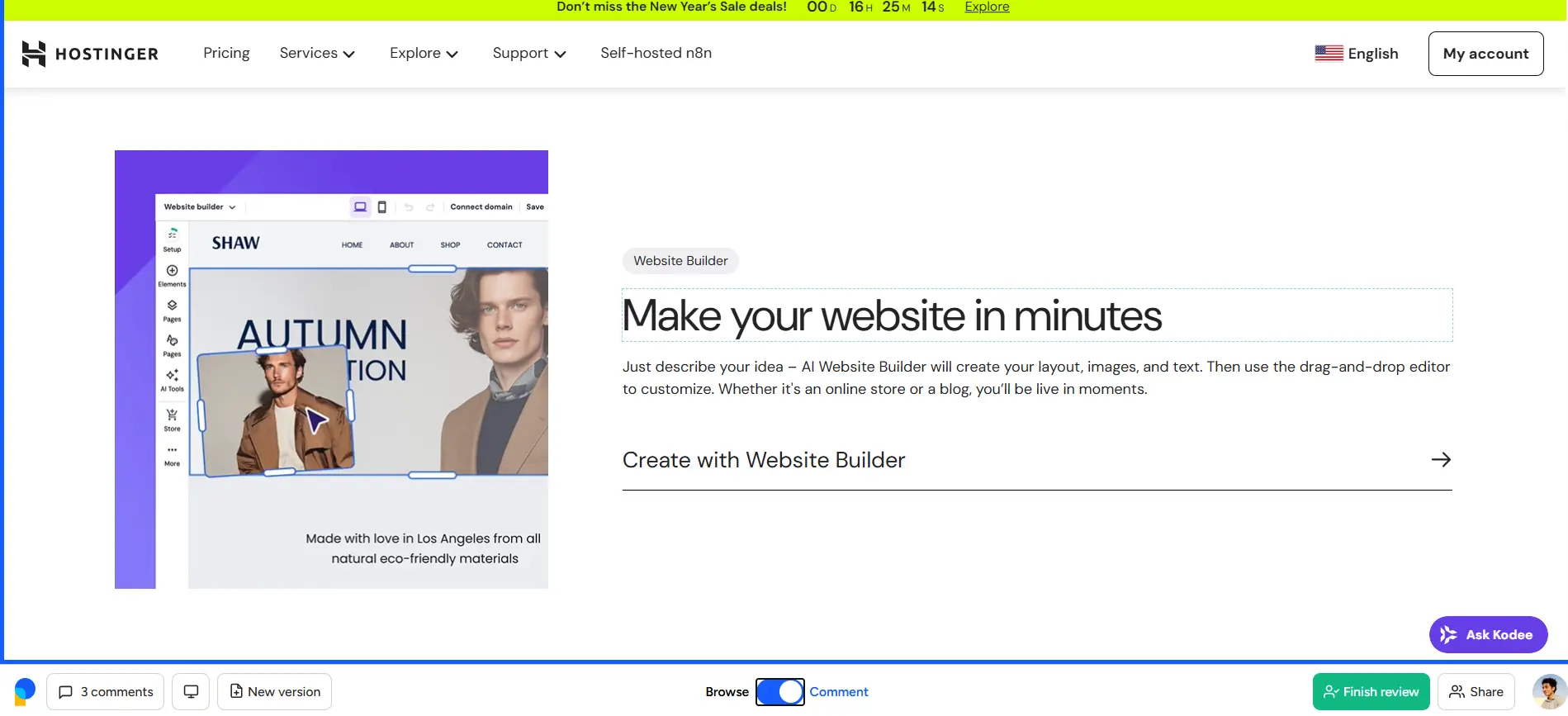
UsePastel is strong at live viewing. Commenting and browsing are separate modes, and you can switch between them. It also breaks the front-end view into HTML sections and containers, so you can annotate a specific module. That is useful for technical reviewers. It can feel like a lot if you are not technical. External clients usually want a simpler canvas, which is what Ruttl and BoastImage aim for.
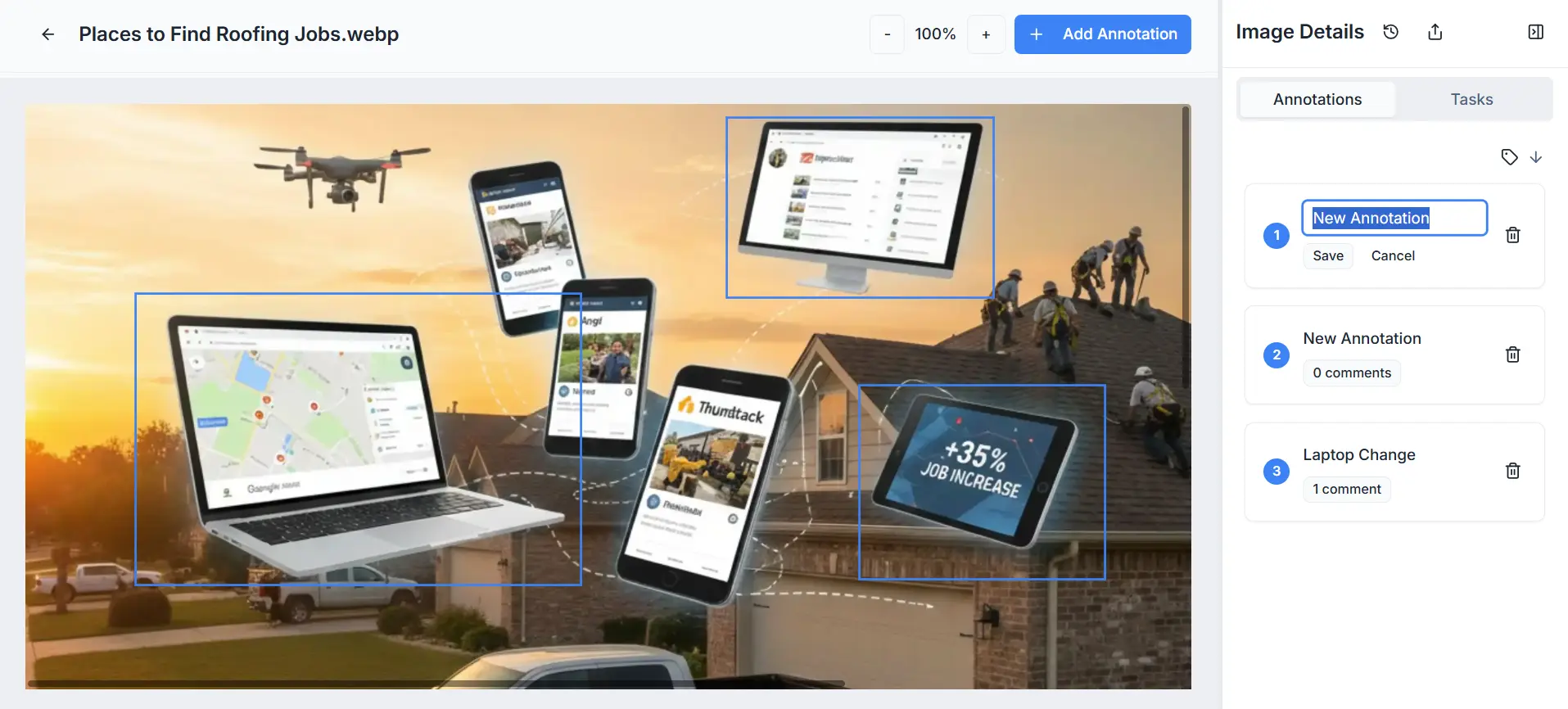
BoastImage uses a capture instead of a live overlay. You get a canvas that matches the site at the moment you grabbed it. Clients click the capture and leave comments. They do not need to learn browse vs comment modes.
Screen sizes and responsiveness
UsePastel offers two broad presets for desktop and mobile screens. You get 9 screen render options for mobile, including iPhone XR, iPad, and Samsung Galaxy S22 Ultra. The desktop render is one standard preset for all desktop devices. That leaves gaps. An ultrawide screen or a compact Dell Latitude can render a site differently, so your client may be looking at a layout you never saw.
BoastImage does not cap you at those presets because the capture comes from your browser. Resize the window however you want and the plugin grabs that render. A 320x960 capture or a 1920x1080 capture both work.
Project management functionality
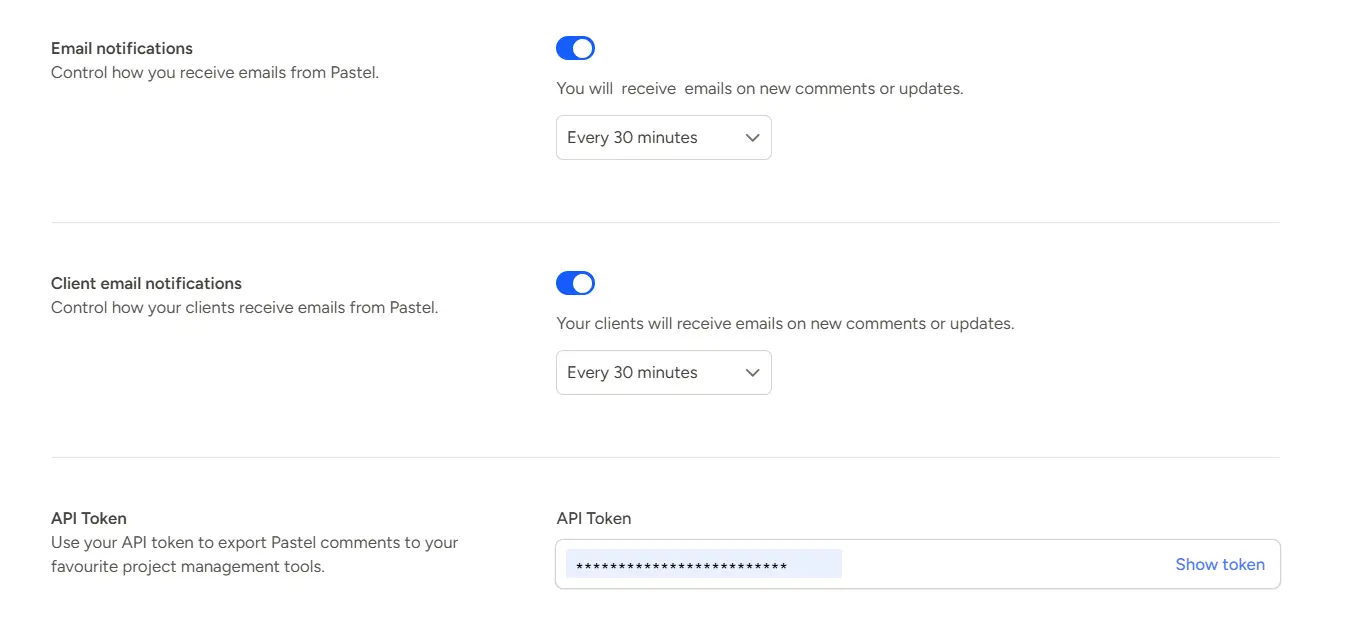
UsePastel does not include built-in project management. You connect it to Jira, ClickUp, or Asana to assign tasks. That can work, until you read which plans include the integrations.
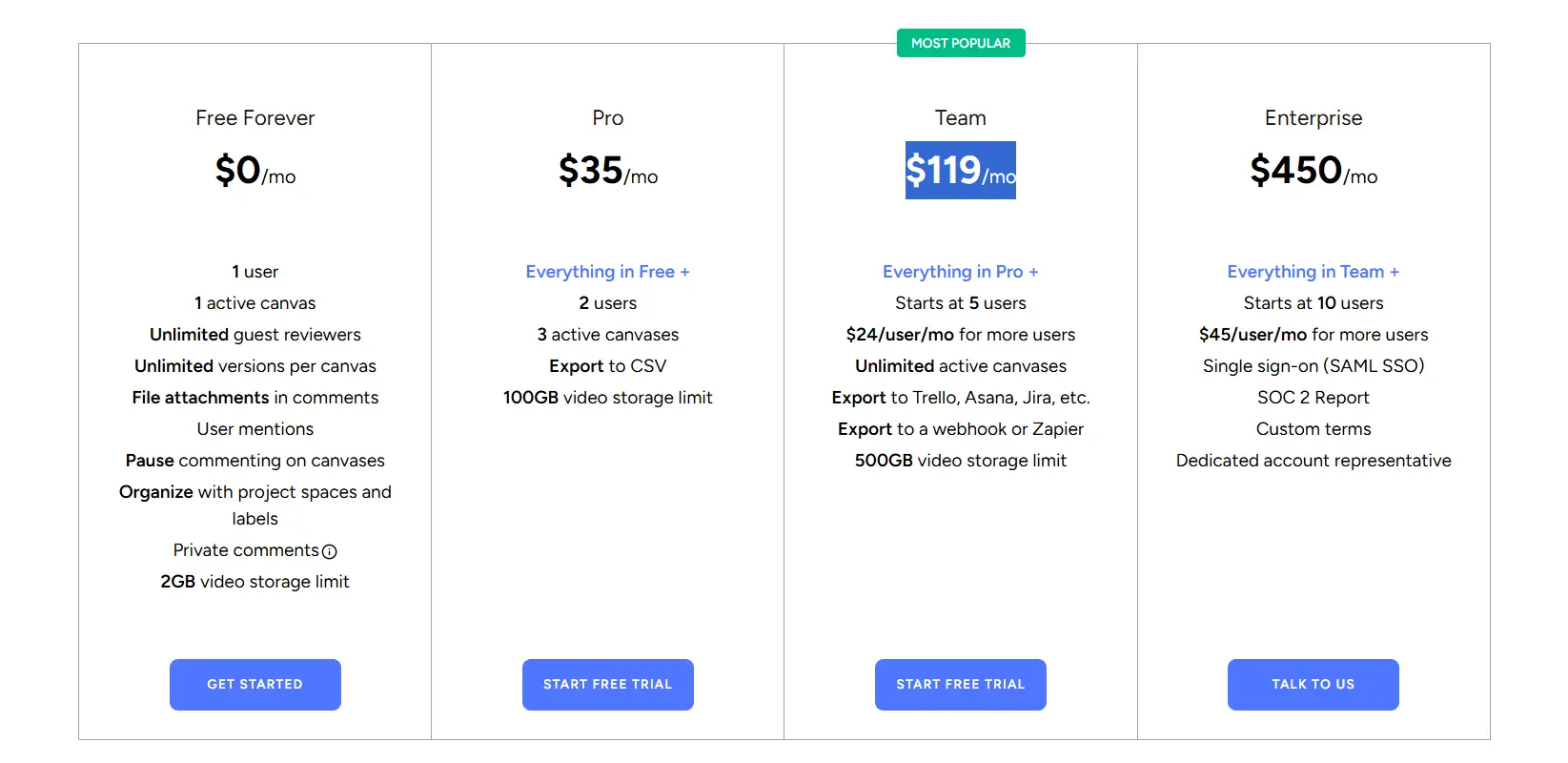
You cannot export comments or connect any of these tools on the Free or Pro UsePastel plans. You need the Team plan ($119/month) to connect website feedback to a project management tool.
With BoastImage, client comments and project tasks live in the same web app. You switch between the annotation canvas and the task board without exporting.
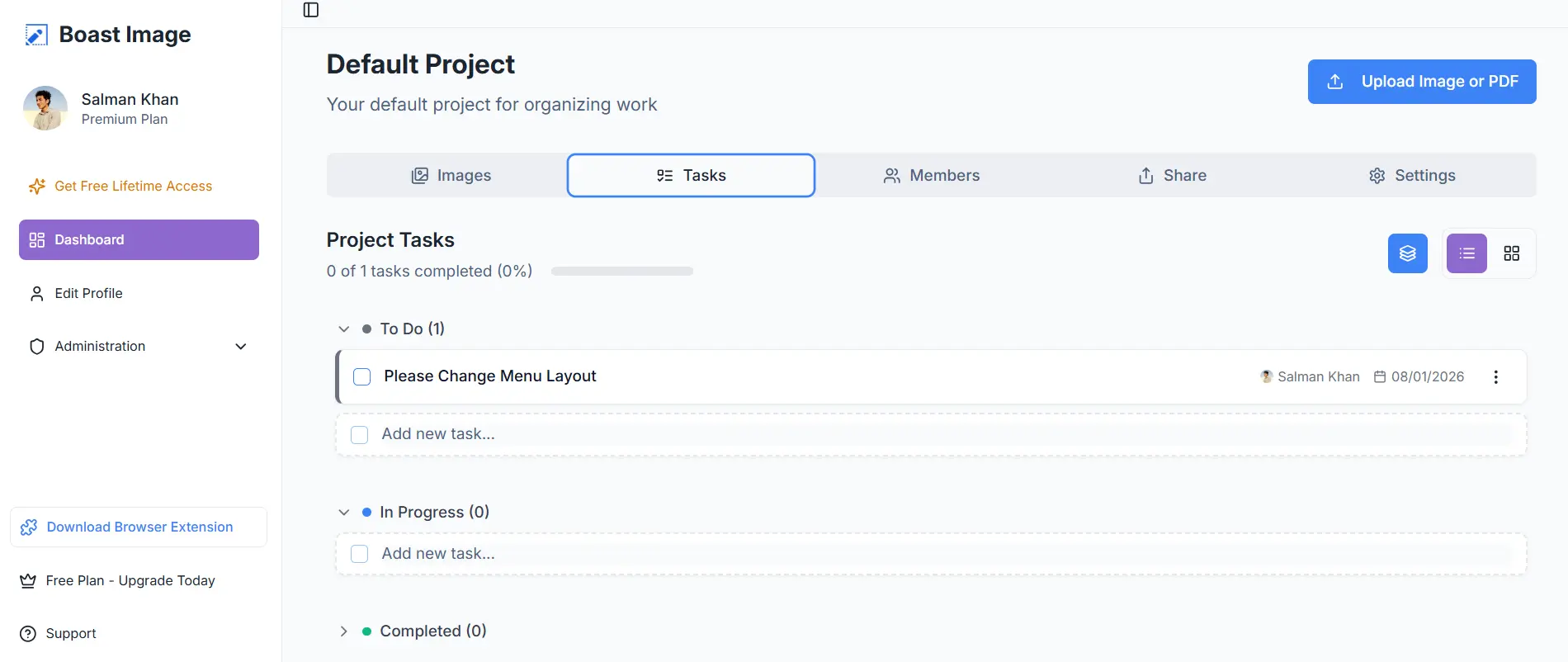
Invite teammates, assign tasks, and keep the review in one place. The base plan is $9.95 per month and includes this board. You do not pay extra for a separate task tool to handle the same comments.
File support of UsePastel vs BoastImage
BoastImage supports common image formats and PDFs, which covers most client onboarding and design review. You upload a file, render it on a canvas, and leave comments during the review.
UsePastel supports a wider set of files, including videos, emails, PDFs, and live web pages. The tool is aimed at internal web designers, teams, and creative departments who already work in those formats.
Projects and cost-value tiers
Both tools limit how many projects you get on each plan. Here is the comparison on the lowest paid tiers:
| Aspects | BoastImage | UsePastel |
|---|---|---|
| Lowest tier plan | $9.95 Per Month | $35 Per Month |
| Active projects on plan | 5 | 1 |
| Active canvases | Unlimited | 3 |
| Guest reviewers | Unlimited | Unlimited |
| Team members | 1 | 2 |
| Cost per project | $1.99 Per Month | $35 Per Month |
BoastImage is priced so a freelancer or small team can run several projects at once. On project cost alone, that is about 18x the value of UsePastel's lowest paid plan. BoastImage includes unlimited canvases. UsePastel includes three per plan.
Unlimited canvases on UsePastel start at $119 per month, which is 12x the BoastImage base plan.
At $119 you could buy six BoastImage team plans. Each of those plans includes unlimited projects and canvases, logo customization, and 50 GB of storage.
BoastImage vs UsePastel affordability
BoastImage is priced for teams and freelancers who do not want per-seat fees on reviewers. The base plan starts at $9.95 per month and includes unlimited external reviewers. Client comments are not gated by extra seats.
UsePastel has more depth in live review, and the price matches that. The base plan starts at $35 per month and goes up to $450 per month. External reviewers are unlimited. Team seats are capped and scale with the plan.
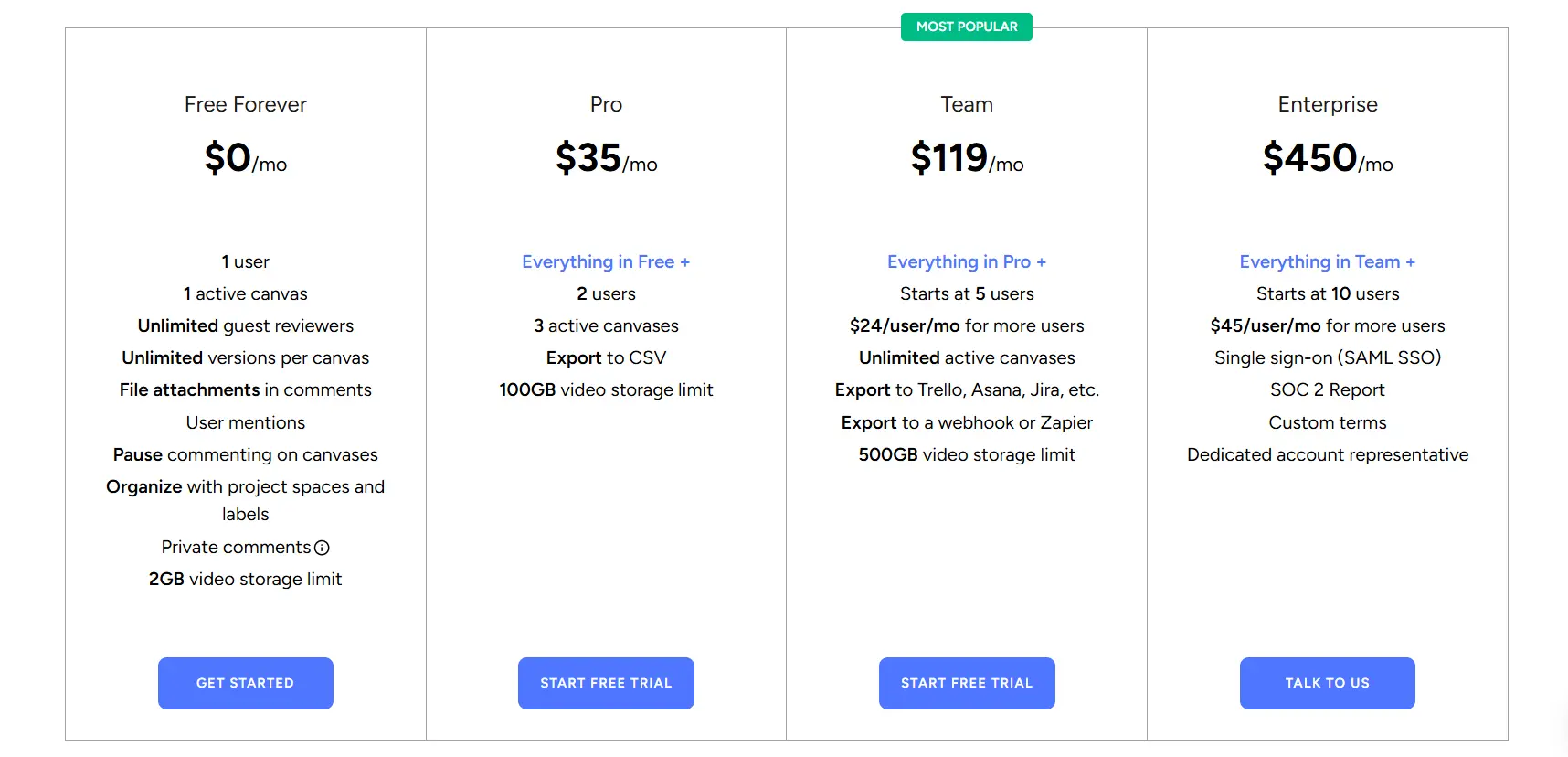
The most expensive UsePastel plan (Enterprise, $450/month) includes 10 team seats. BoastImage includes unlimited collaborators at $9.95 per month. You can collect comments, assign work, and ship changes on that plan.
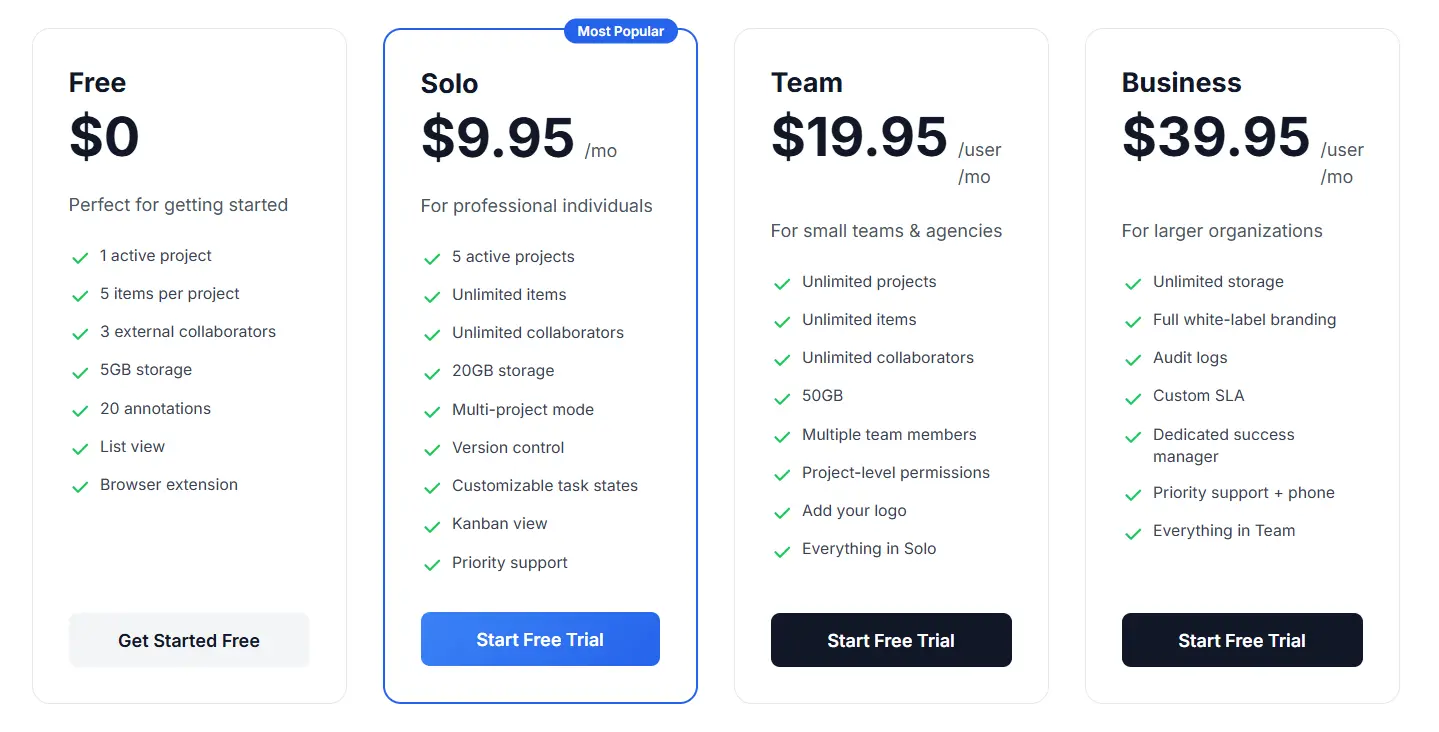
Note: BoastImage also has a free trial and a free plan with 1 project and 5 canvases. You can sign up for the free plan without a credit card.
Usability of BoastImage vs UsePastel
BoastImage is built around one-click comments on a capture. Most clients figure it out without a walkthrough. Leaving a note feels closer to chatting on a still image than learning a review product.
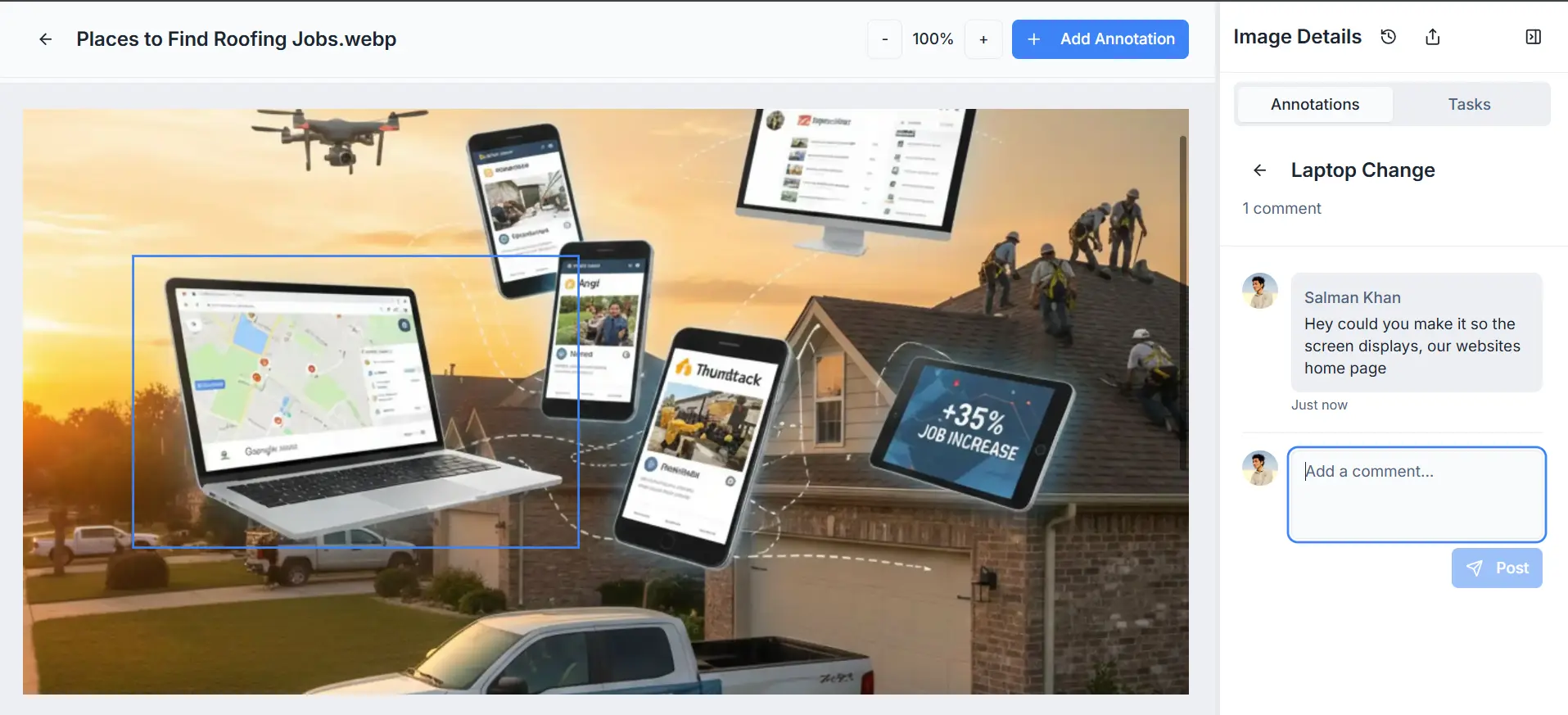
Here is the BoastImage path for a live site or a file:
- Upload your file or capture it with our extension.
- Share the link with team members and stakeholders.
- Annotate or leave comments directly and assign team members.
- Work, refine, and ship.
UsePastel can feel easy at first. You can set up a live render quickly. Finding annotation, reply, and admin controls takes longer because there are more modes.
A client who does not use these tools often can spend a long time looking for delete. It took us about 10 minutes, and we use annotation tools every day. That is why BoastImage keeps the canvas to click, comment, and assign.
Which website feedback tool should you choose?
BoastImage is for agencies that want comments and tasks in one subscription. UsePastel is for technical designers who need comments on a live site as it changes.
If you care more about a simple canvas and a built-in task board, pick BoastImage. If you need live-site interaction, pick UsePastel. Typical fits:
| Scenario | Ideal fit and rationale |
|---|---|
| High-volume client approval | BoastImage: Uses high-fidelity captures so clients see a stable version of the site. Elements do not shift under a comment while they type. |
| Technical front-end debugging | UsePastel: Best for teams who need to see how comments sit on live HTML/CSS. You can browse the site in comment mode and mark bugs across pages. |
| End-to-end task management | BoastImage: Comments become tasks on a built-in Kanban board. You do not export to a third-party project tool to assign the work. |
| Rapid iteration on live URLs | UsePastel: Better for early builds that change hourly. Because it is a live overlay, you do not recapture the page every time the code updates. |
| Budget-conscious scaling | BoastImage: At $9.95/month for unlimited canvases and built-in PM tools, the entry price is lower than UsePastel's for freelancers and small agencies. |
FAQs on BoastImage vs UsePastel
What is the tool to annotate screenshots?
BoastImage is a screenshot annotation tool. You capture a page and add arrows, text, highlights, and shapes. Other screenshot annotation tools include UsePastel, Ruttl, Markup.io, and GoVisually.
How do you annotate a website?
Capture the page with a screenshot or the BoastImage browser extension. Log in to your BoastImage account and add notes, arrows, highlights, and comments. That is faster than doing it by hand in Chrome DevTools and Paint.
How to annotate for free?
You can annotate for free on BoastImage's free plan. It includes canvases for images, screenshots, or PDF files, plus the annotation tools. The web app also has a built-in project management board so comments can become tasks.
BoastImage keeps visual feedback on one canvas
BoastImage is a lower-cost feedback tool for individuals, agencies, and companies. Clients open a share link, comment on a capture, and stay in the same review as your team.
Functions are not paywalled. Every plan includes unlimited canvases, one-click shares, and project management. You can start on the free plan.
Also compare: