Email vs. Feedback Tools: Why Clients Keep Using Email (And How to Fix It)
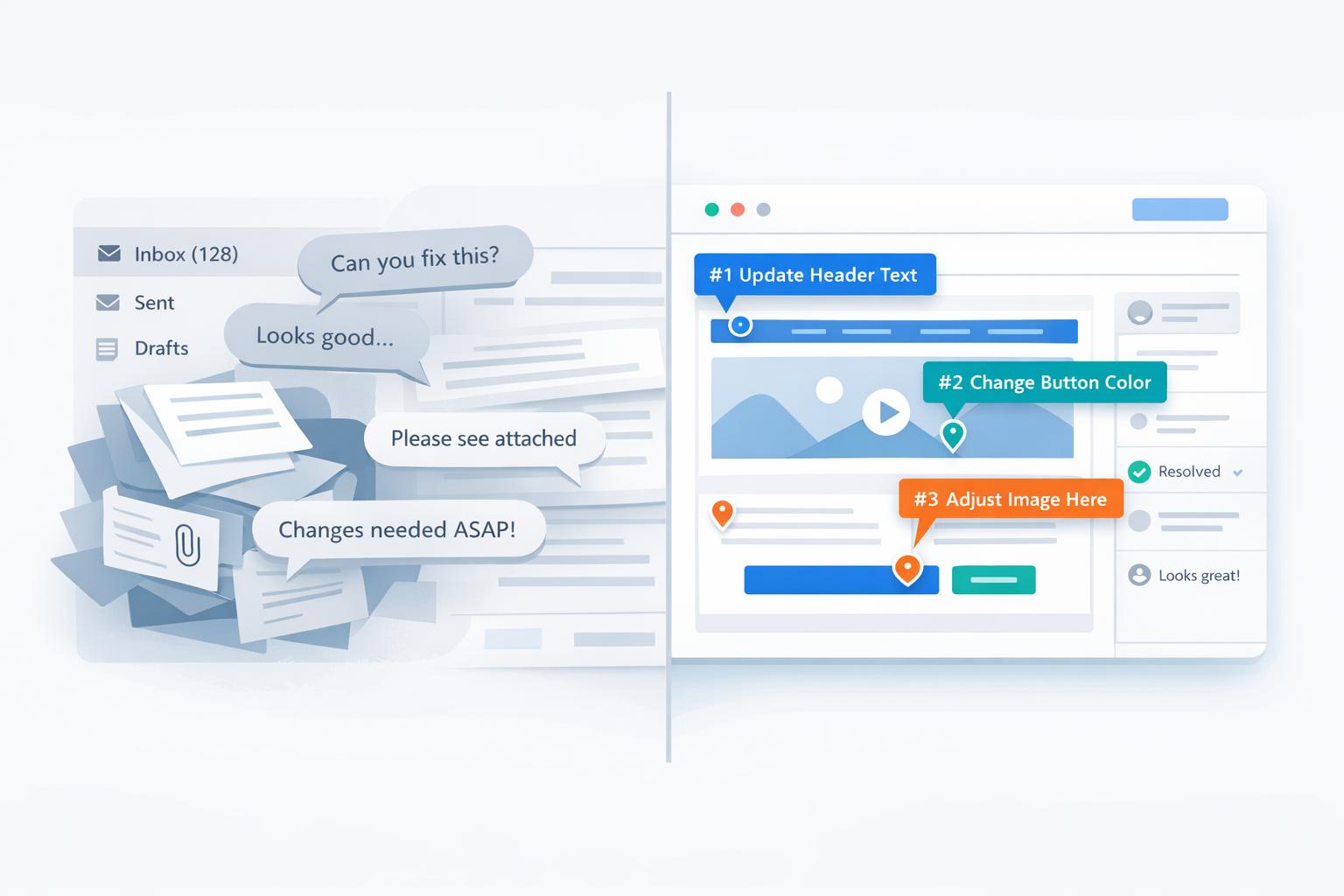
Email dominates client feedback because it’s easy, familiar, and doesn’t require extra effort. Clients prefer hitting "reply" over learning new tools, making email their default choice for sharing thoughts. But what’s simple for clients often creates chaos for teams - vague feedback, buried approvals, and version mix-ups slow everything down.
Here’s the core issue: email prioritizes client convenience, but teams need structure to stay organized. Feedback tools can solve this by offering clarity, version control, and actionable comments - without complicating things for clients. For example, tools like BoastImage let clients leave comments directly on designs with no sign-ups required, while teams enjoy organized workflows in the background.
Key Takeaways:
- Clients use email because it’s fast, familiar, and works across devices.
- Teams struggle with unclear feedback, outdated versions, and endless threads.
- Feedback tools like BoastImage combine email’s ease with team-friendly features like pinned comments and version tracking.
Quick Comparison:
| Feature | Feedback Tools | |
|---|---|---|
| Ease for Clients | High (no setup needed) | Medium (may need a quick intro) |
| Feedback Clarity | Low (vague instructions) | High (direct comments on design) |
| Version Control | Manual (prone to errors) | Automated |
| Team Efficiency | Low (manual task tracking) | High (integrated workflows) |
The solution? Use tools that feel as simple as email for clients but streamline feedback for teams. Tools like BoastImage strike that balance, turning scattered feedback into clear, actionable tasks.
Why Clients Prefer Email for Feedback
Email has become the go-to choice for clients when it comes to providing feedback. Why? It’s convenient, familiar, and easy to use - qualities that make it feel less like a chore and more like a natural part of the conversation.
No Account Creation Needed
One of the biggest perks of email is that it skips the hassle of account creation. No sign-ups, no passwords, no extra steps. Clients can simply hit "reply" and start typing in the same thread where you asked for feedback.
"Avoid making people log in or create accounts just to respond. Collect only essential contact details and information. The easier it is to participate, the more likely people are to do it." - Mailchimp
Each additional step you introduce increases the likelihood of procrastination - or worse, no response at all. Email removes these barriers, making it the path of least resistance.
Familiar and Second Nature
Email has been around for more than half a century, and by now, it’s second nature for most people. Your clients already know how to use it - no learning curve required. They simply reply, share their thoughts, and hit send.
Consider this: The average office worker in the U.S. sends about 40 emails daily and receives between 80 and 120. For your clients, responding to emails is as routine as grabbing a cup of coffee in the morning. They don’t need to stop and think; they’ve done it thousands of times before.
Works Across All Devices
Email’s versatility is another reason it’s so appealing. Whether your client is on a desktop at work, a tablet during lunch, or a phone while commuting, email works seamlessly. There’s no need for extra apps, downloads, or troubleshooting browser issues.
This flexibility allows clients to respond whenever it’s convenient for them. They can share their feedback while the thought is still fresh, rather than waiting for the "right" device or moment.
No Complicated Instructions
Unlike specialized feedback tools that often require step-by-step guidance - "Click here, then select this, then comment there" - email keeps things simple. Your instructions boil down to just two words: "Hit reply."
Clients already know how to use email, so there’s no need for hand-holding. This simplicity is why email continues to dominate as a feedback channel, even though there are more structured tools available. It’s not about whether email is flawless; it’s about whether any other method can match its ease of use while addressing its limitations.
Why Email Creates Problems for Teams
Email may seem like a simple and convenient tool for clients, but for teams, it often turns into a source of inefficiency and frustration. What feels seamless on the client's side can create a cascade of challenges behind the scenes. Let’s break down the key issues.
Feedback Lacks Specific Context
Picture this: a client emails, "Make the logo bigger." Which logo are they talking about? Is it the one in the header, the footer, or maybe the social media icon? Without a way to attach comments directly to specific elements, teams are left guessing.
"Feedback turns into a game of broken telephone, getting lost in translation across messy threads where feedback becomes confusing and even conflicting."
This lack of clarity forces teams to send follow-up emails just to understand the request. Worse, they might misinterpret the feedback entirely and end up changing the wrong element, leading to even more emails and revisions.
Clients Reference Old Versions
Another common issue? Clients often provide feedback on outdated versions of files. Since email isn’t designed to manage versions, this can result in contradictory instructions and unnecessary back-and-forth. Subject lines like "Re:Fwd:Website feedback due three days ago" quickly become a tangled mess, making it hard to distinguish between current and outdated conversations.
Comments Are Too General
Vague feedback such as "make it pop", "it feels off", or "something's not right" leaves teams scrambling to figure out what the client really wants. These kinds of comments lack actionable details, leading to multiple rounds of revisions as teams attempt to decode the intended changes.
Studies show that over 60% of a team’s time is spent searching for context, information, and action items. Much of that time is wasted trying to interpret unclear feedback. Additionally, when clients fail to include technical details - like the browser or operating system where an issue occurs - developers can’t replicate or fix the problem efficiently.
Finding Past Decisions Takes Too Long
As projects progress, questions like "Did we approve the blue background or the gray one?" can send teams digging through endless email chains. Without a centralized place to track decisions and approvals, finding that one critical email becomes a major time drain.
The lack of a clear record makes it difficult to know who approved what, and when, adding to delays and confusion.
These recurring problems highlight the need for a system that combines email's simplicity with tools for precise, centralized feedback - a solution we’ll explore in the next section.
Email vs. Feedback Tools: Side-by-Side Comparison
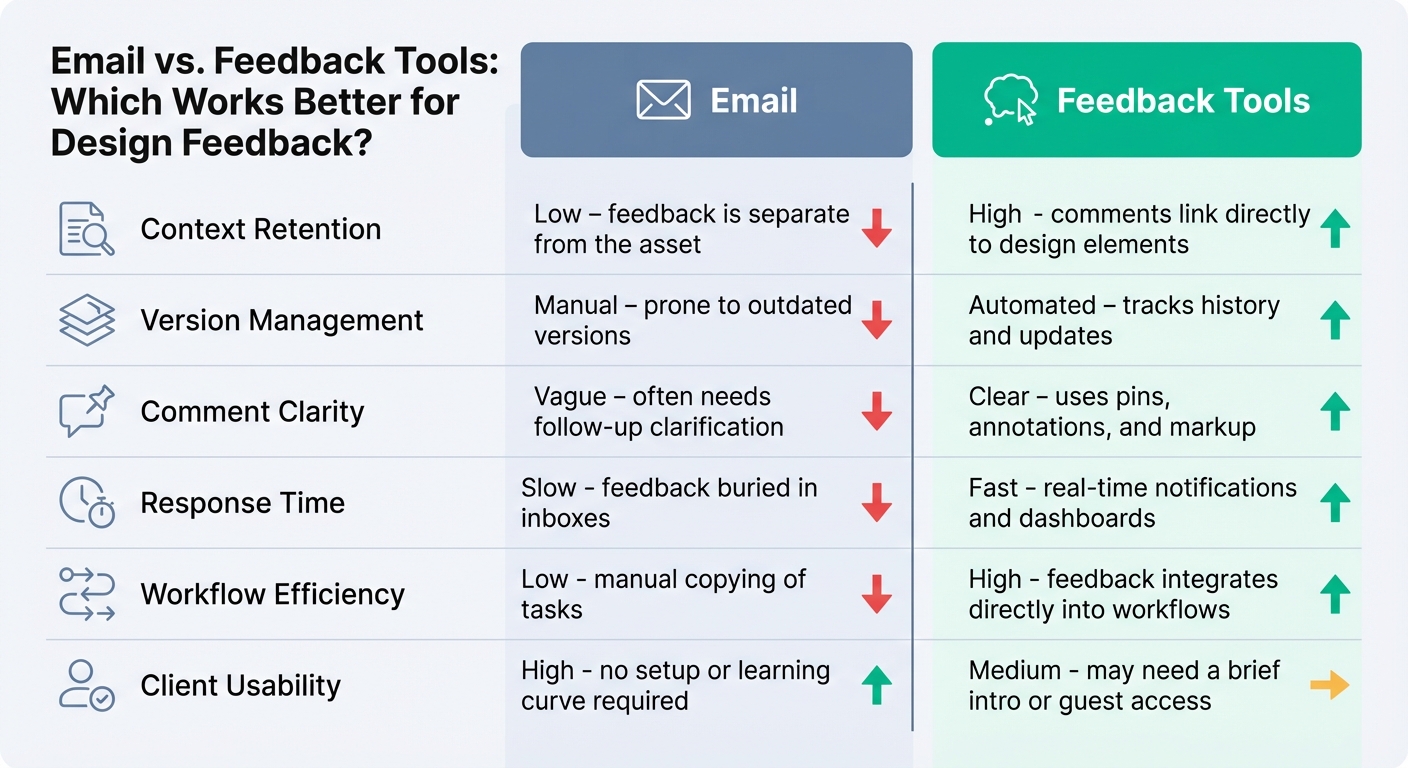
Email vs Feedback Tools Feature Comparison Chart
What’s the difference between sticking with email and switching to a dedicated feedback tool? It boils down to priorities: email prioritizes client convenience, while feedback tools are all about team efficiency. Email keeps things simple for clients - no new tools to learn - but that simplicity can create headaches for teams trying to manage and act on feedback.
Emails often get buried in overflowing inboxes, leading to delays and miscommunication. Feedback can easily slip through the cracks, slowing down the entire process.
On the other hand, feedback tools offer a more structured approach. They let reviewers attach comments directly to specific design elements, avoiding vague instructions like “make the logo bigger.” Plus, they handle version control automatically and turn feedback into actionable tasks, saving teams from manual data entry.
Here’s a side-by-side look at how email and feedback tools stack up:
Comparison Table: Email vs. Feedback Tools
| Feature | Feedback Tools | |
|---|---|---|
| Context Retention | Low; feedback is separate from the asset | High; comments link directly to design elements |
| Version Management | Manual; prone to outdated versions | Automated; tracks history and updates |
| Comment Clarity | Vague; often needs follow-up clarification | Clear; uses pins, annotations, and markup |
| Response Time | Slow; feedback buried in inboxes | Fast; real-time notifications and dashboards |
| Workflow Efficiency | Low; manual copying of tasks | High; feedback integrates directly into workflows |
| Client Usability | High; no setup or learning curve required | Medium; may need a brief intro or guest access |
While email is undeniably convenient for clients, it often lacks the structure needed for teams to work efficiently. Feedback tools bridge this gap, offering a way to capture email’s ease of use while providing the precision and organization that teams need to thrive.
sbb-itb-32f6eb2
How to Get Email's Simplicity with Better Feedback Structure
The key isn’t about forcing clients to ditch email altogether - it’s about creating a feedback process that’s just as simple as email but offers the structure teams need to work effectively. Clients naturally gravitate toward email because it’s already part of their daily routine. Adding yet another tool to their workflow only works if it simplifies things, not complicates them.
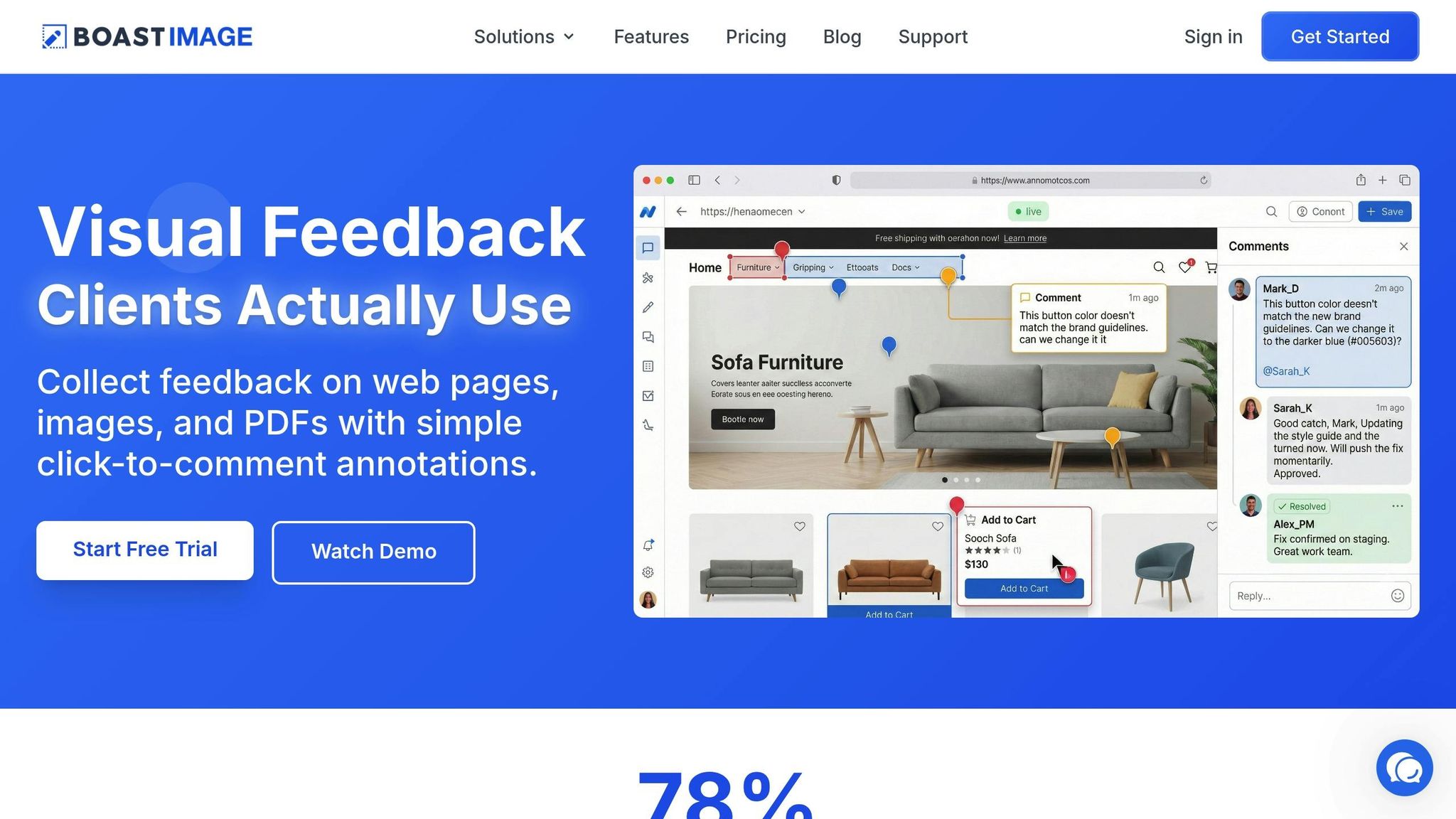
BoastImage bridges this gap perfectly. It keeps the client experience straightforward while handling all the organization behind the scenes. Clients get to enjoy the familiar ease of clicking and responding, while teams benefit from tools like pinned comments, version control, and integrated task management - all without asking clients to learn something new. Let’s break down how this approach combines email’s simplicity with structured, actionable feedback.
Clients Click and Comment Without Signing Up
One big reason clients stick with email is that it doesn’t demand anything extra from them - no new accounts, no new dashboards, no learning curve. BoastImage understands this and eliminates those barriers. Clients simply click a link and start leaving comments right away. No sign-ups, no logins, no onboarding steps.
This link-based sharing makes the process effortless, removing the usual friction that prevents people from adopting new tools. Once the client opens the link, they can view the design, click directly on areas where they have feedback, and type their comments. It’s as quick as replying to an email, but the feedback is clear, actionable, and organized.
Comments Attach Directly to Design Elements
One of email’s biggest drawbacks for design feedback is how vague it can get. Clients often have to describe elements in words - “the red button at the bottom” or “the logo in the header” - leaving teams to guess what they mean. Anchored comments put an end to this guessing game.
With BoastImage, clients click directly on the design element they’re talking about, and their comment gets pinned to that exact spot. This keeps the feedback tied directly to its context, so teams don’t have to decode ambiguous notes like “move this left” or “which logo are you referring to?”
"Anchored commenting - where feedback is directly attached to specific text spans - preserves the spatial and semantic relationship between feedback and its referents."
– Martin Lou et al., The University of British Columbia
This approach ensures every piece of feedback is clear and actionable, saving time and reducing miscommunication.
Teams Stay Organized Without Burdening Clients
While clients enjoy a process that feels as simple as email, teams benefit from powerful organizational tools running quietly in the background. Clients don’t see the Kanban boards, version control, or task management systems that keep everything on track. For them, it’s just click, comment, and move on.
Behind the scenes, BoastImage automatically collects technical details like browser version and screen resolution, tracks the exact version of the design being reviewed, and centralizes all feedback into one place. From there, teams can turn comments into tasks, assign deadlines, and keep the project moving smoothly.
This setup ensures clients experience a simple, no-fuss process while teams get the structure they need to stay efficient. Up next, we’ll dive into how this method improves the overall project workflow.
Workflow Comparison: Email vs. BoastImage
Let’s look at how logo design feedback unfolds with email versus BoastImage. Using email, the designer attaches the logo to an email and sends it off. The client downloads the file, reviews it, and replies with comments like, "the font feels off." The designer then has to figure out which font the client means and often follows up for clarification. To make things more complicated, other stakeholders might chime in on outdated versions, leading to a flood of messages, calls, and delays that can stretch for days.
Now, picture the same scenario with BoastImage. The designer shares a single link. The client clicks it, views the logo, and leaves a comment directly on the element in question - like "this feels too bold." Each comment is tied to a specific part of the design, eliminating guesswork. Other stakeholders can use the same link to provide their feedback, all in one centralized view. This setup ensures that feedback is clear, actionable, and easy to manage, speeding up the entire process while keeping things simple for clients.
Here’s a side-by-side breakdown of how these two workflows compare:
Workflow Comparison Table: Email vs. BoastImage
| Step | Email Process | BoastImage Process |
|---|---|---|
| Sharing the Design | Attach file to an email and send it to the client. | Upload the design once and share a single, always-updated link. |
| Client Reviews | Client downloads the file, opens it separately, and writes vague comments like "the blue thing in the corner". | Client clicks the link and pins comments directly on specific design elements. |
| Technical Details | Designer must follow up with emails to ask about browser, OS, or screen resolution if issues arise. | Technical details are automatically captured with every comment. |
| Multiple Stakeholders | Separate replies from stakeholders lead to conflicting feedback across different threads. | All feedback is centralized in one view, with real-time visibility for everyone involved. |
| Tracking Progress | Designer manually transfers feedback into a task manager and sends out status updates. | Feedback automatically populates a Kanban board with tasks and deadlines. |
| Final Approval | Designer searches through long email threads to find an "approved" message. | Client clicks a clear "Approve" button, creating a timestamped audit trail. |
The average office worker deals with 40 emails sent and 80 to 120 received daily. Adding design feedback to this already overwhelming pile just creates more chaos. BoastImage simplifies the process by keeping the client experience straightforward while giving teams the tools they need to work efficiently. This comparison highlights how BoastImage eliminates unnecessary back-and-forth while maintaining the ease clients expect.
Ready to Get Client Feedback Without Friction?
See how BoastImage combines the simplicity of email with the clarity of visual feedback: Explore Our Visual Feedback Tool
Conclusion
Email sticks around because it’s simple - clients don’t need to sign up for anything new; they just hit reply and share their thoughts. But for teams, this convenience often comes at a cost: unclear feedback, lost context, and endless searches through messy email chains. The trick isn’t to ditch email completely or push clients into overly complicated tools they’ll avoid. It’s about keeping things easy for clients while giving teams the structure they need to work efficiently. This mismatch between client convenience and team frustration calls for a smarter solution.
Adding design feedback to an already cluttered inbox only makes things worse, slowing down projects and creating confusion. The real game-changer? Use email for what it’s good at - getting clients’ attention - and let a purpose-built tool handle the feedback. That’s where organization and clarity shine.
BoastImage understands this balance. Clients get a simple link where they can leave comments instantly. Meanwhile, teams benefit from pinned comments, version control, and Kanban boards that turn scattered feedback into actionable tasks. It feels as easy as email for clients, but for teams, it’s a centralized system that keeps everything on track.
The results speak for themselves: what used to take 14 emails, 3 calls, and 5 days now gets done in 6 clear comments within 2 hours. That’s the power of blending client simplicity with team organization. Faster turnaround times, clearer communication, and less stress - there’s a better way to handle feedback.
Tired of chasing feedback through endless email threads? Check out BoastImage's visual feedback tool and see how effortless collaboration can be for everyone.
FAQs
Why do clients prefer email over feedback tools for sharing their input?
Email remains a go-to choice for clients because it’s straightforward, accessible, and something they already know how to use. There’s no need to sign up for a new platform, figure out unfamiliar tools, or struggle with complex interfaces. All they have to do is hit reply, type out their feedback, and send it - whether they’re on a phone, tablet, or computer.
What makes email so appealing is its simplicity. It works seamlessly across devices, doesn’t require downloading any apps, and skips the hassle of onboarding or instructions. It’s a familiar tool they rely on, making it the quickest and most convenient way to share their input.
How do feedback tools make teams more efficient compared to email?
Feedback tools make collaboration much smoother by allowing comments to be tied directly to specific parts of a design or file. This eliminates the frustration of trying to interpret vague email descriptions. Instead of digging through endless email threads, teams can access all feedback in one centralized location. Plus, features like automatic version tracking and real-time updates help keep projects on track and moving efficiently.
Emails often scatter context and create confusion about which file version is being discussed. Feedback tools solve this problem by bringing clarity and structure to the process. They cut down on back-and-forth communication, save valuable time, and help teams focus on actionable insights - turning review cycles that once took days into just a matter of hours.
What makes BoastImage better than email for managing feedback?
BoastImage combines the ease of email with the precision of a visual feedback tool. Clients can share their thoughts with just a click - no need for accounts or training. Every comment is pinned to a specific spot on the design, transforming unclear feedback into actionable steps.
All input is stored in a single, cloud-based dashboard, keeping everything organized. Comments stay in one place, versions update automatically, and teams always know which iteration they’re working on. With tools like direct annotations, real-time collaboration, and progress tracking, BoastImage removes the chaos of email feedback, allowing teams to work smarter and faster.