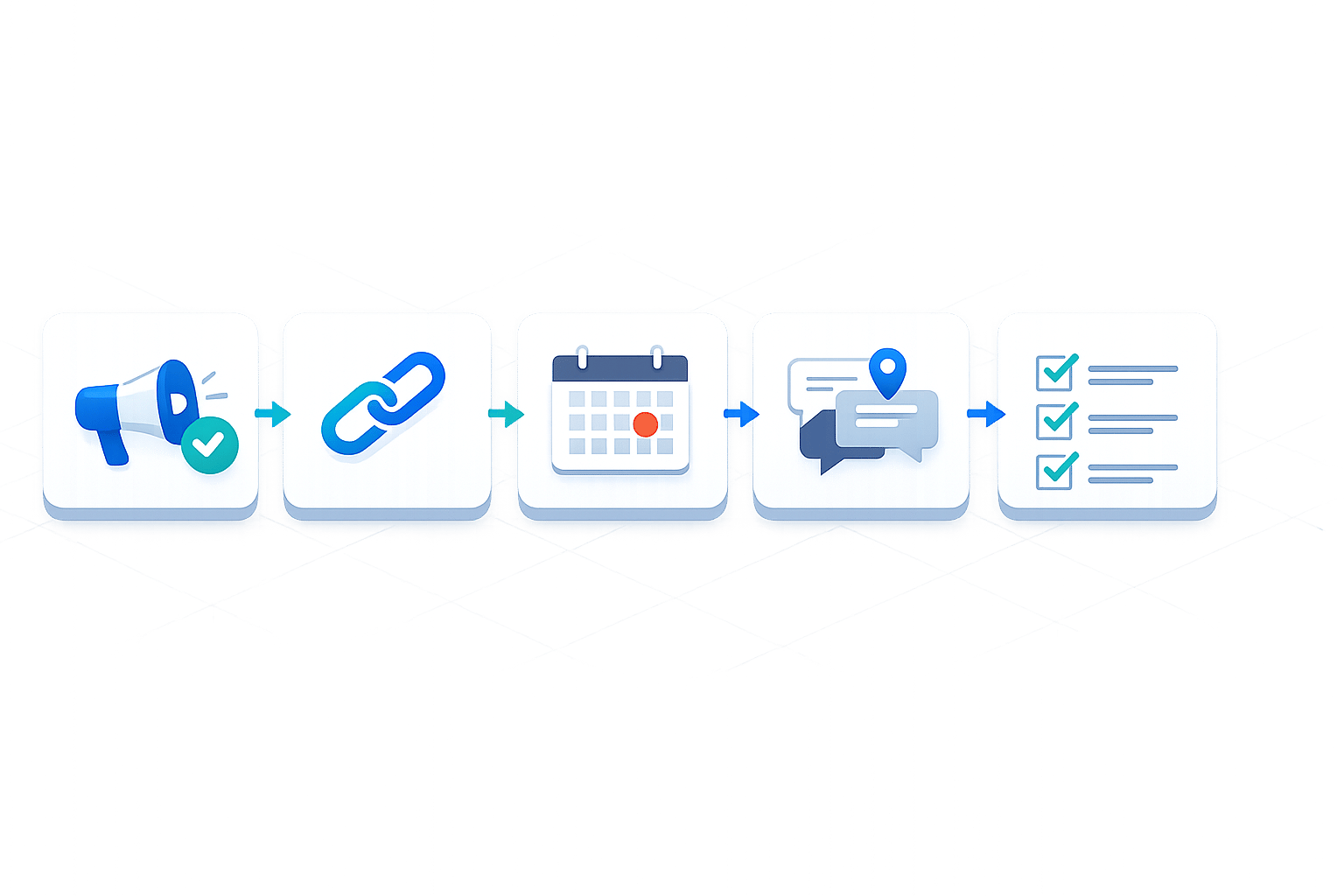
Checklist for Client Feedback Collection
Streamlining client feedback can save you time, reduce revisions, and keep projects on track. Disorganized or vague input often delays timelines and creates unnecessary stress. Here's how to simplify the process:
- Be clear about what you need: Specify the type of feedback (e.g., layout, messaging) and ask simple, focused questions to get clear, actionable input.
- Choose easy-to-use tools: Use platforms like Boast for URL-based feedback without requiring account setups.
- Set deadlines: Clearly communicate timelines (e.g., "Submit feedback by 04/18/2026") to avoid delays.
- Write clear instructions: Provide step-by-step guidance for clients to share input effortlessly.
- Follow up: Send friendly reminders if deadlines are missed.
- Organize feedback: Group responses into categories (e.g., design, content) for efficient revisions.
- Close the loop: Share an action plan summarizing changes and next steps.
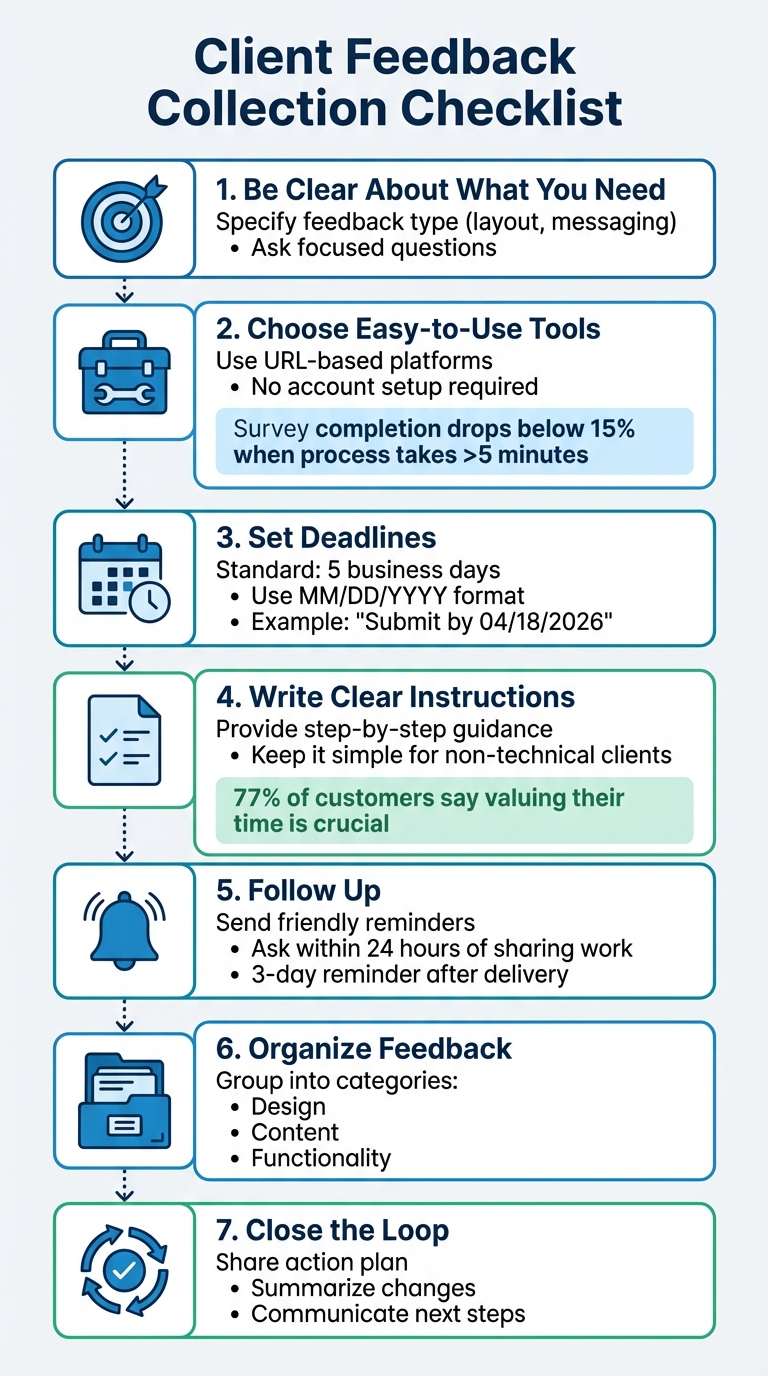
7-Step Client Feedback Collection Process for Streamlined Project Management
Before You Request Feedback
Decide What Feedback You Need
Before asking for input, be clear about what you're looking for. Are you seeking opinions on the color palette, the layout's structure, or the overall messaging? Pinpointing your needs ensures you get actionable insights, even from non-technical clients.
Frame your questions in simple terms. Instead of asking, "Does the hierarchy work?", try something like, "Which section grabs your attention first?" or "On a scale of 1–5, how well does this communicate our main message?" These types of questions make it easier for clients to focus on the key aspects without needing to understand design jargon.
Lastly, make the feedback process easy by using tools that clients can navigate effortlessly.
Select Client-Friendly Tools
Studies show that survey completion rates drop below 15% when the process takes more than five minutes. Tools that require account creation or lengthy tutorials can lead to vague email responses instead of useful feedback.
Opt for URL-based tools that streamline the process. Platforms like Boast allow clients to click, comment, and finish quickly. Meanwhile, your team benefits from structured feedback, version tracking, and task management. By eliminating any setup hassle, you make it easy for clients to jump in and share their thoughts.
Once you've picked the right tools, set clear deadlines to keep everything moving smoothly.
Establish Realistic Deadlines
From the outset, define specific feedback windows. A common standard is five business days, which gives clients enough time to review without delaying the project. Be explicit when setting deadlines, using the MM/DD/YYYY format (e.g., "Please provide feedback by 04/18/2026") to avoid any confusion.
Work backward from your final deliverable date to plan for multiple rounds of feedback. For example, if you anticipate three stages - strategy review, deliverable review, and final edits - schedule each phase with enough breathing room. Include a "move forward" clause in your contract to maintain momentum; if a client misses a deadline, the project automatically advances to the next stage. This approach keeps your timeline intact while ensuring everyone stays accountable.
sbb-itb-32f6eb2
How to Communicate With Clients
Write Clear Invitation Messages
Your invitation message is your first chance to set the tone for the feedback process. Start with a personal greeting - using the client's first name works better than a generic "Hello." Follow this with one concise sentence explaining why their input is important.
Be specific about the time commitment, like saying, "This will only take 2 minutes." This shows respect for their time and can boost response rates. Keep the subject line short (under 50 characters) and use curiosity-driven phrases such as, "What do you think we should do next?". Avoid spammy elements like all-caps, too many exclamation marks, or words like "urgent" or "free".
End your message with a clear call-to-action. Use a text link or a button (not image-only buttons, as email filters often block images). Keep the entire message brief - 3 to 5 sentences max - and wrap it up with a genuine thank-you.
Include Simple Instructions
Once you've sent the invitation, provide clear, easy-to-follow steps for leaving feedback. On average, surveys see a 14% response rate, though strong brands can reach up to 25%. The key difference often lies in how effortless you make the process. Considering 77% of customers say valuing their time is crucial to good service, your instructions should leave no room for confusion.
A short, 1–2 minute video, a written guide, or a visual project analyzer can help non-technical clients navigate the process. For example, with tools like Boast, you could say, "Click the link, add your comments directly on the design, and you're done." The simpler the process, the more likely your clients are to follow through.
Send Timely Reminders
After providing instructions, timely follow-ups are essential to keep things moving. To ensure feedback stays fresh in your client's mind, ask for it within 24 hours of sharing your work. For feedback after project delivery, a 3-day reminder works well.
Make sure to include your contact details and a direct link for submitting feedback. Keep your reminders short and friendly. A message like, "We’d love to hear your thoughts by [insert deadline]", can encourage responses without overwhelming the recipient.
Collecting and Managing Feedback
Make It Easy for Clients to Respond
The biggest hurdle to getting timely feedback isn’t a lack of willingness from clients - it’s technical obstacles. Asking clients to download browser extensions or create accounts can slow everything down. Instead, opt for tools that use simple, URL-based access to eliminate these barriers and speed up the process.
Take Boast, for example. It allows clients to comment directly on web pages, images, or PDFs without needing to log in. All they have to do is click the shared link, highlight the area they want to address, and type their feedback. No training videos, no forgotten passwords, no headaches. This simplicity keeps non-technical clients engaged and prevents them from resorting to vague emails that can derail your workflow.
Once the feedback process is easy, the next step is keeping tabs on client responses.
Track Responses and Follow Up
Real-time tracking through your team dashboard ensures you stay on top of client engagement. You can quickly see who’s responded and who might need a reminder. If a client misses your deadline, send a short, friendly follow-up email with the direct link again. It’s possible they just misplaced the original message.
By resending the link, clients can pick up right where they left off - no need for tedious logins or backtracking. This makes follow-ups seamless and keeps the process moving smoothly.
After gathering feedback, the focus shifts to organizing it effectively for your team.
Organize Feedback Behind the Scenes
To avoid delays and miscommunication, it’s crucial to categorize feedback clearly. While clients interact with a straightforward commenting system, your team can work behind the scenes to structure and manage the input. Group feedback into categories like layout, branding, or content to keep revisions efficient and organized.
With tools like Boast, your team gets access to features like Kanban boards, version control, and task lists for managing internal workflows. Meanwhile, clients continue using the clean, simple interface to provide comments. This separation allows your team to track progress, assign tasks, and juggle multiple project versions - all without burdening clients with your internal processes. It keeps clients focused on offering input while your team handles the heavy lifting.
What is customer feedback and 5 ways to collect it!
Reviewing Feedback and Next Steps
Once you've gathered and organized client feedback, it's time to analyze it and decide on the next course of action.
Sort and Summarize Comments
To make feedback manageable - especially for non-technical clients - organize it into clear categories like design (visual aspects), functionality (usability concerns), and content (text or accuracy issues). Then, create a one-page summary using bullet points to highlight the main themes.
Quantify feedback whenever possible to help prioritize. For example: "3 out of 5 clients mentioned issues with navigation." Prioritizing high-risk items ensures your team focuses on what matters most. Before moving forward, review this summary with your team to make sure no important details are overlooked.
Share Your Action Plan
Send clients a concise summary of their feedback alongside your proposed action plan. Clearly outline the changes, deadlines, and who is responsible for each task, using the US date format (MM/DD/YYYY). This approach eliminates confusion and prevents the project from veering off track.
Keep your communication simple and direct. For example: "Thanks for your feedback! Key updates: Adjusting design on 3 pages. Our plan: Updates completed by 03/15/2024. Questions?" If you're using tools like Boast, you can share updated versions via easy-to-access links, so clients can review without needing to log in. This level of clarity builds trust and sets the stage for a smooth final review.
Complete the Feedback Cycle
Once changes are implemented, test them internally before sharing updates with the client. Provide realistic timelines for additional review rounds - typically 3–7 days for minor design adjustments or 1–2 weeks for more complex functionality fixes.
Use internal tools like Kanban boards to track progress while keeping clients focused on the big picture. Share updated versions through direct, login-free links to make the process seamless. By closing the loop this way, you show clients their input was valued, strengthen trust, and keep the project moving efficiently.
Conclusion
Streamlining feedback collection from non-technical clients doesn’t have to be a hassle. It all comes down to solid preparation, clear communication, and using tools that simplify the process for everyone involved. Setting clear guidelines upfront - like managing client revision requests by limiting them to three distinct rounds (Strategy, Deliverables, and Final Tweaks) - helps keep projects on track and avoids unnecessary delays. Asking focused, specific questions ensures the feedback you receive is actionable and relevant.
The right tools can make this process even smoother. For instance, Boast’s user-friendly design eliminates the need for clients to create accounts. They simply click a link, annotate directly on the designs, and submit their review. Meanwhile, you get access to features like version control, threaded discussions, and Kanban boards that turn comments into tasks automatically - so nothing gets overlooked.
This method leads to tangible benefits: fewer revisions, faster approvals, and stronger client relationships built on clarity and efficiency. With actionable feedback and firm deadlines (formatted as MM/DD/YYYY), your projects stay on course.
FAQs
What’s the best way to ask for specific feedback from non-technical clients?
When working with non-technical clients, getting precise feedback can sometimes feel like a challenge. That’s where tools like BoastImage come in handy. This platform makes it easy for clients to leave comments directly on designs, images, or PDFs - without needing to create accounts or deal with complicated interfaces.
To make the feedback process even smoother:
- Be specific about what you need. Clearly explain the type of feedback you're looking for (e.g., "Does the color scheme align with your brand?").
- Use visual markers. Highlight areas or elements that require attention, so clients know exactly where to focus.
- Keep it simple and clear. Provide straightforward instructions and set clear deadlines to encourage timely and actionable input.
With the right tools and approach, gathering feedback becomes less of a hassle and more of a productive collaboration.
How can I set feedback deadlines without delaying the project?
To keep projects on schedule, establish clear deadlines for feedback right from the beginning and emphasize their importance to clients. Tools such as BoastImage can simplify the feedback process by enabling quick, visual responses. Limiting the number of revision rounds can also encourage clients to provide detailed input early in the process.
Regular check-ins and timely reminders play a key role in ensuring deadlines stay on track. They also give you a chance to address any potential roadblocks before they escalate. With clear communication and a well-structured process in place, you can maintain smooth progress and avoid unnecessary delays.
How can I turn messy client comments into a clear action plan?
Dealing with scattered client feedback can feel overwhelming, but a structured approach can make all the difference. Start by using tools like BoastImage, which allows clients to leave pinpointed, direct comments on designs. This eliminates vague input and ensures clarity from the start.
Once feedback is collected, organize it in a central system. Group similar comments into themes to identify patterns and priorities. From there, break down the feedback into specific tasks with clear, actionable goals.
Don't forget to confirm your understanding with the client. This step ensures everyone is on the same page before moving forward. Tools with version control and task management features can streamline the revision process, keeping everything organized and efficient.