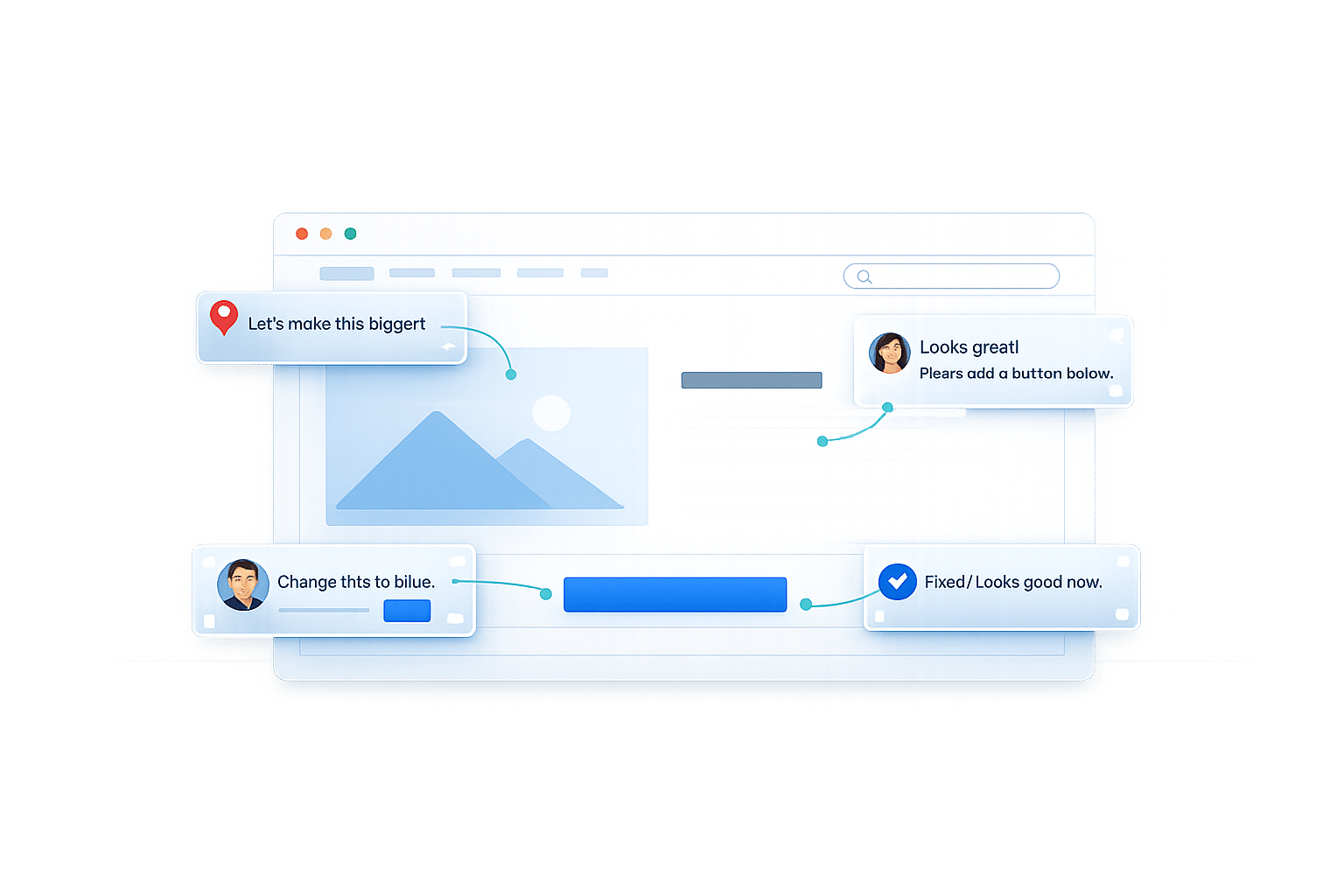
Visual Annotation vs Email Feedback
Struggling with vague feedback? Projects often stall due to unclear communication - 78% of agencies agree this is their top challenge. The choice between visual annotation, email, and spreadsheets can make or break your workflow. Here's the key difference:
- Email Feedback: Relies on text descriptions, leading to misunderstandings and wasted time.
- Visual Annotation: Lets clients comment directly on designs, providing instant clarity and context.
Why it matters: Teams spend 70% of their time decoding feedback instead of making fixes. Visual annotation flips this, saving time and reducing frustration for both clients and teams.
Quick Overview:
- Email Feedback: Slow, scattered, and vague.
- Visual Annotation: Fast, organized, and precise.
Which is better? For simple tasks, email works. For design-heavy projects or multiple stakeholders, visual annotation is the clear winner.
How Email Feedback Works
The Email Feedback Process
Email feedback begins when a designer or project manager shares creative work with a client. This often involves sending attachments like images, PDFs, or links to websites. The client then reviews these materials, forms opinions, and sends back comments via email.
Here’s the challenge: clients describe visual changes using only text. They’ll say things like "adjust the composition" or "brighten the background", but they don’t specify exactly where these changes apply. The designer has to interpret these vague instructions, often guessing which part of the design needs attention. As you can imagine, this leads to inefficiency and miscommunication.
Some clients go a step further by taking screenshots, using basic tools to draw arrows or notes, and then sending those marked-up images back. While this adds a layer of clarity, it’s a time-consuming process that can still leave room for confusion.
To make matters worse, feedback often arrives through multiple channels - email, Slack, and even phone calls - making it hard to track which suggestions apply to which design elements. Teams also struggle with version control, unsure of which file is the most up-to-date. On average, this feedback loop drags on for about three days.
Problems with Email Feedback
The main issue with email feedback is the absence of visual context. When a client says, "the lighting needs adjustment", the designer has no way of knowing which specific area requires brightening or softening. This lack of clarity forces creative teams to guess, often leading to incorrect changes.
"Traditional text-based feedback creates more confusion than clarity, leading to missed deadlines and frustrated clients." - Framebird
Another major problem is version confusion. Email threads don’t provide a reliable way to track the current file version, which means teams sometimes apply feedback to outdated designs. On top of that, technical details - like browser type, operating system, screen resolution, or console logs - often go unmentioned, leaving developers without the information they need to troubleshoot effectively.
This creates a frustrating cycle of miscommunication. Designers make changes based on their interpretation of vague feedback, clients find the updates don’t match their vision, and the process starts all over again. It’s no surprise that 78% of agencies identify client communication as their biggest challenge. Unlike visual feedback tools that allow for visual annotations and embedded context, email feedback continues to fall short in addressing these inefficiencies.
sbb-itb-32f6eb2
How Visual Annotation Works
The Visual Annotation Process
Visual annotation transforms the way teams handle feedback, replacing the traditional email-based approach. Instead of attaching files and waiting for text-based responses, teams share a direct link to the design asset. Clients simply click the link to instantly view the work - whether it’s a web page, an image, or a PDF. No accounts, no logins required, no hassle. This setup makes feedback quicker and more focused.
Clients can pin their comments directly to specific parts of the design. For instance, they can click on a button, headline, or image that needs tweaking and leave their feedback right there. This eliminates vague instructions like “brighten the background” or “adjust the layout.” Each comment is tied to a precise spot, so designers know exactly what needs attention.
On the technical side, visual annotation tools automatically gather key details like browser type, operating system, screen resolution, and the exact URL. These details are saved with each comment, sparing developers the headache of tracking down environment specifics when troubleshooting.
Behind the scenes, teams use structured workflows to stay organized - something clients don’t have to worry about. Unlike scattered email threads, version control keeps track of every revision, and feedback is grouped by design element. This keeps things simple for clients, who just need to click and comment, while giving teams the tools they need to work efficiently.
Advantages of Visual Annotation
Visual annotation solves the guesswork that often comes with email feedback. By anchoring comments directly to design elements, it ensures clarity. For example, if a client pins a note to a button saying, “this needs more contrast,” the designer knows exactly which element to adjust - no need for back-and-forth clarification.
This process also speeds things up. Feedback stays centralized and linked to the design, so it doesn’t get lost in emails or other communication channels. Richard Zimbalist, founder of COMO Web Designs, highlights this benefit:
"Its intuitive platform lets clients leave precise, contextual comments directly on live websites, eliminating confusion and speeding up our processes".
The efficiency is backed by numbers. In typical workflows, only 30% of time is spent implementing fixes, while 70% is wasted on understanding and communicating feedback. Visual annotation flips this ratio by making context automatic.
Another key advantage is how easy it is for clients to use. Since they don’t need to create accounts or learn complicated software, they’re more likely to participate fully in the feedback process. This ensures teams capture valuable insights without barriers.
For teams managing input from multiple stakeholders, visual annotation serves as a single source of truth. Instead of piecing together feedback from emails, Slack messages, or spreadsheets, everything - comments, revisions, and decisions - is centralized and directly tied to the design asset itself. This structure keeps everyone on the same page and ensures nothing gets overlooked.
Side-by-Side Comparison
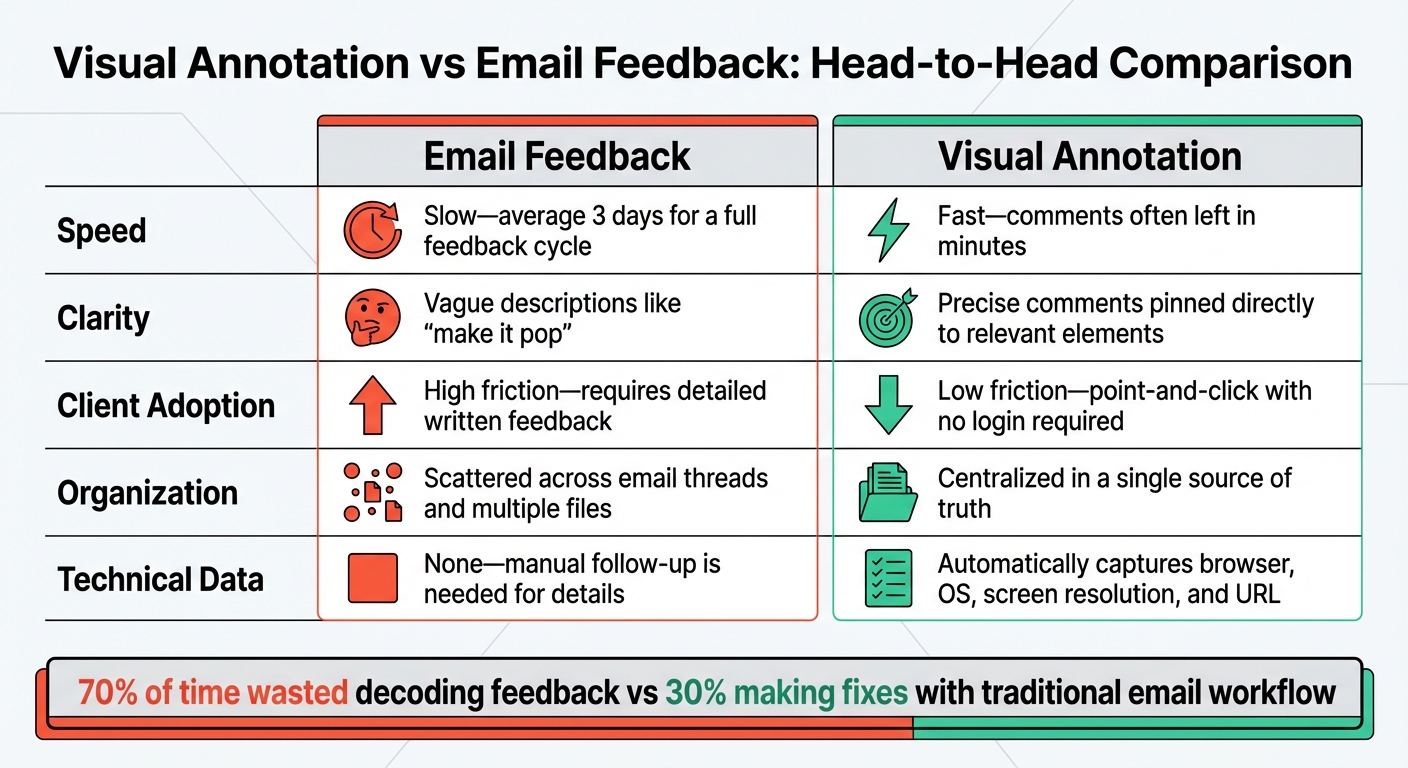
Visual Annotation vs Email Feedback: Speed, Clarity and Efficiency Comparison
Comparison Table
| Factor | Email Feedback | Visual Annotation |
|---|---|---|
| Speed | Slow - average 3 days for a full feedback cycle | Fast - comments often left in minutes |
| Clarity | Vague descriptions like "make it pop" | Precise comments pinned directly to relevant elements |
| Client Adoption | High friction - requires detailed written feedback | Low friction - point-and-click with no login required |
| Organization | Scattered across email threads and multiple files | Centralized in a single source of truth |
| Technical Data | None - manual follow-up is needed for details | Automatically captures browser, OS, screen resolution, and URL |
What the Comparison Shows
The table highlights the stark differences between email feedback and visual annotation. Email feedback often feels like a fragmented process, where clarity is lost in translation and response times drag on. On the other hand, visual annotation ties comments directly to design elements, eliminating guesswork and speeding up the feedback loop.
Research shows that traditional workflows spend 70% of their time just trying to interpret feedback, leaving only 30% for actual revisions. Visual annotation flips this dynamic by providing instant context, allowing teams to focus on making meaningful changes instead of deciphering vague instructions.
Another advantage of visual annotation is how it simplifies client involvement. Instead of requiring clients to craft detailed written feedback - something that can be both time-consuming and mentally taxing - they can simply click on the exact spot they want to comment on. This ease of use lowers barriers, reduces friction, and encourages quicker, more actionable feedback.
For teams managing multiple stakeholders, the centralized nature of visual annotation is a game-changer. It consolidates all feedback into one accessible space, ensuring everyone is aligned and minimizing the chaos of scattered email threads. This approach not only saves time but also enhances collaboration, making decision-making smoother and more efficient.
When to Use Each Method
When Email Feedback Works Best
Email feedback is a go-to choice for quick, uncomplicated tasks where introducing specialized tools might feel like overkill. For instance, if you're working on a simple text edit or reviewing a single-page document with just a few stakeholders, email - paired with a structured tool like Google Docs - gets the job done without adding unnecessary layers of complexity.
Another advantage of email is its universal accessibility. Everyone knows how to reply to an email, making it a perfect option for sharing work with non-technical individuals who prefer familiar methods. There's no need for account sign-ups or onboarding, which keeps things simple. For clients who are less involved in design-heavy projects, email offers a comfortable way to communicate feedback without introducing new tools.
That said, email does have its drawbacks. Even with a simple project, unclear feedback can quickly spiral into wasted time, leading to endless revision cycles. For example, a designer charging $100 per hour could lose between $300 and $500 in productivity due to miscommunication in a single round of email feedback. If you find yourself juggling multiple email threads or repeatedly clarifying points, it’s probably time to switch to a tool designed for more streamlined feedback.
When Visual Annotation Works Best
Visual annotation tools are indispensable for design-focused projects where precision is key. This is especially true for processes like Website Quality Assurance or User Acceptance Testing (UAT), which often require detailed technical information - such as browser version, operating system, and screen resolution. Unlike email, visual annotation tools capture this metadata automatically, saving time and ensuring accuracy.
These tools are also a lifesaver for remote teams and non-technical clients. Instead of struggling to describe issues in writing - an effort that can be both tedious and confusing - clients can simply click on the exact element they want to address. This eliminates the need for specialized design language and makes the feedback process much easier for everyone involved.
For video and media reviews, visual annotation tools are particularly effective. Features like timecode-accurate comments and frame-specific drawing capabilities far surpass what email can offer. Additionally, when coordinating feedback from multiple stakeholders across various time zones, these tools centralize all input in one location. This avoids the chaos of email threads and ensures everyone is on the same page, sidestepping version control headaches.
Choosing Client-First Tools
Why Client Experience Comes First
Client communication is one of the biggest hurdles agencies face. Picking a feedback tool isn’t just about finding something that works for your team - it’s about shaping the experience your clients will have. If that experience involves creating accounts, resetting passwords, or navigating confusing dashboards, you’re already at a disadvantage.
The real sticking point in creative workflows is client adoption. While your team can adapt to new tools, clients often resist them, which can completely derail even the best-designed processes. Consider this: during a typical revision cycle, only 30% of the time is spent on actual fixes. The other 70% is lost to understanding, communicating, and tracking down feedback. A client-first approach eliminates this inefficiency by making feedback so simple that clients actually engage with the process.
This isn’t just about making things easier - it’s about keeping projects on track and avoiding the endless back-and-forth that eats into budgets and timelines.
BoastImage: Built for Client Adoption
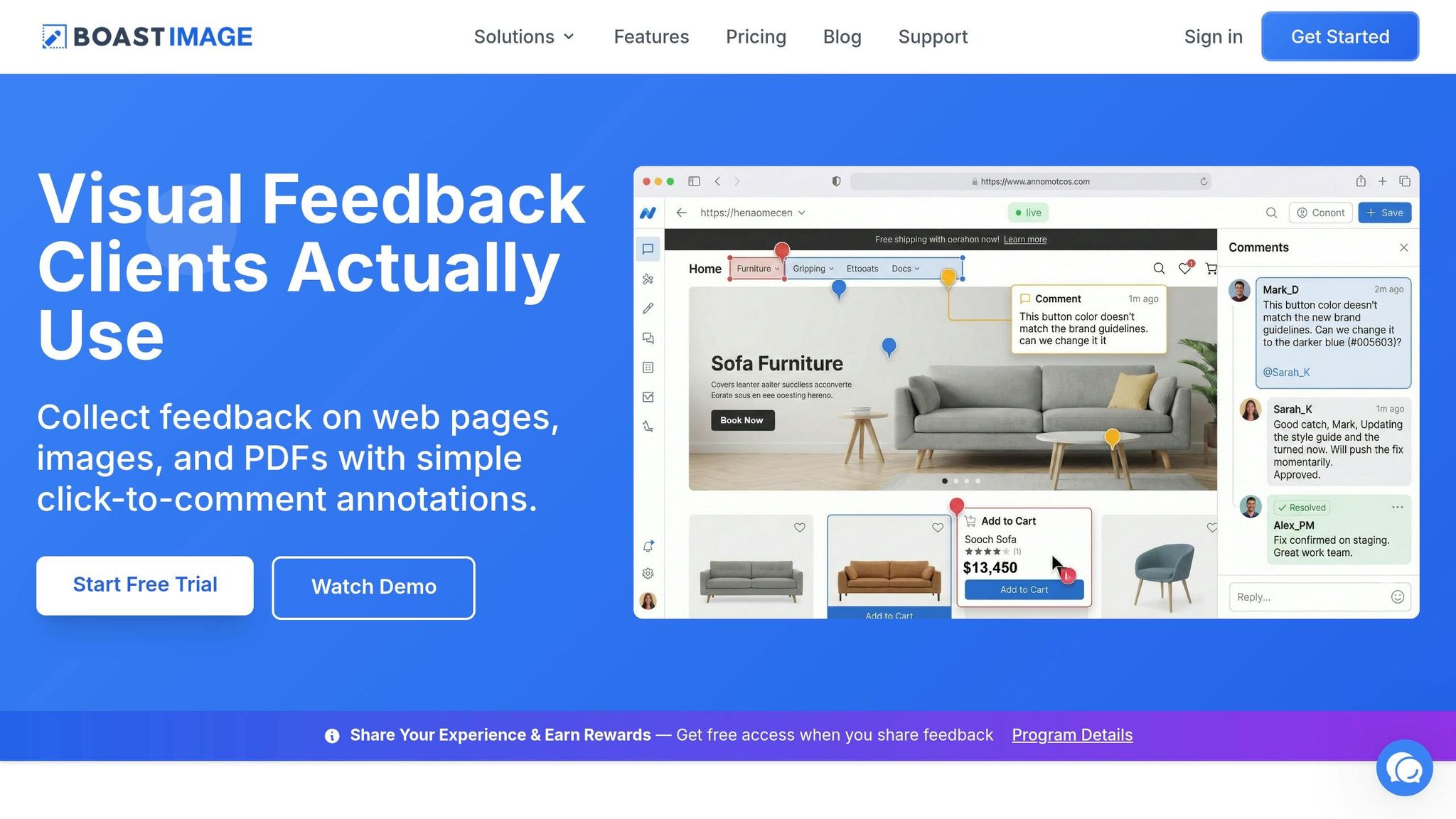
BoastImage takes the frustrations of email feedback and transforms them into a client-friendly experience with its visual collaboration features. Clients receive a simple public sharing link, click it, and can instantly comment on web pages, images, or PDFs - no accounts, no logins, no hassle. While clients are busy leaving feedback, your team gets the structure it needs: version control and task management tools that keep everything in order behind the scenes.
The pricing reflects this client-centered philosophy. Plans are affordable and designed to fit different needs:
- Freelancers: Starting at $9.95/month
- Small agencies: $19.95/user/month
- All paid plans include unlimited external collaborators, ensuring clients don’t add to your costs - they’re seamlessly integrated into your process.
The Solo plan allows for 5 active projects and 10 external collaborators. The Team plan removes limits on projects and collaborators, while also offering custom branding and project-level permissions. For larger organizations, the Business plan at $39.95/user/month adds unlimited storage, full white-label branding, and priority phone support.
BoastImage also simplifies technical details. It automatically captures metadata like browser type, screen resolution, and URL, so developers have all the context they need without chasing clients for specifics. Clients can pin comments to exact spots, turning vague feedback like "make it pop" into precise, actionable instructions. Plus, with all feedback centralized, you avoid wasting hours digging through email threads or Slack messages.
This focus on client ease doesn’t just streamline workflows - it highlights how the right tools can directly impact project outcomes.
FAQs
How do I know if visual annotation is worth switching to?
If your team often deals with unclear feedback, scattered notes, or time lost in email chains, switching to visual annotation tools might be a game-changer. These tools make collaboration easier by letting clients leave specific comments directly on designs or web pages - no login required. This approach cuts down on confusion, speeds up the feedback process, and transforms messy input into clear, actionable tasks. The result? Projects stay on schedule, and everyone avoids unnecessary frustration.
What’s the easiest way to get clients to leave clearer feedback?
The simplest solution is using visual annotation tools. These tools allow clients to comment directly on specific parts of designs, images, or PDFs. By doing this, you can avoid unclear email feedback and cut down on potential miscommunication. Clients can share actionable feedback quickly, without needing to sign up for accounts or navigate complicated systems. This method enhances clarity, streamlines the process, and reduces the number of unnecessary revisions.
Can visual annotation replace email for all project communication?
Visual annotation tools make it easier to provide clear and efficient feedback by allowing users to leave detailed, contextual comments directly on designs or web pages. Tools like BoastImage even let clients give feedback without needing to create accounts, which simplifies the process. However, these tools work best as a complement to email, not a substitute. Email is still crucial for tasks like sharing broader updates, handling formal documentation, and managing logistics. Together, these channels create a well-rounded approach to project communication.