Project Sign-Off Checklist for Agencies
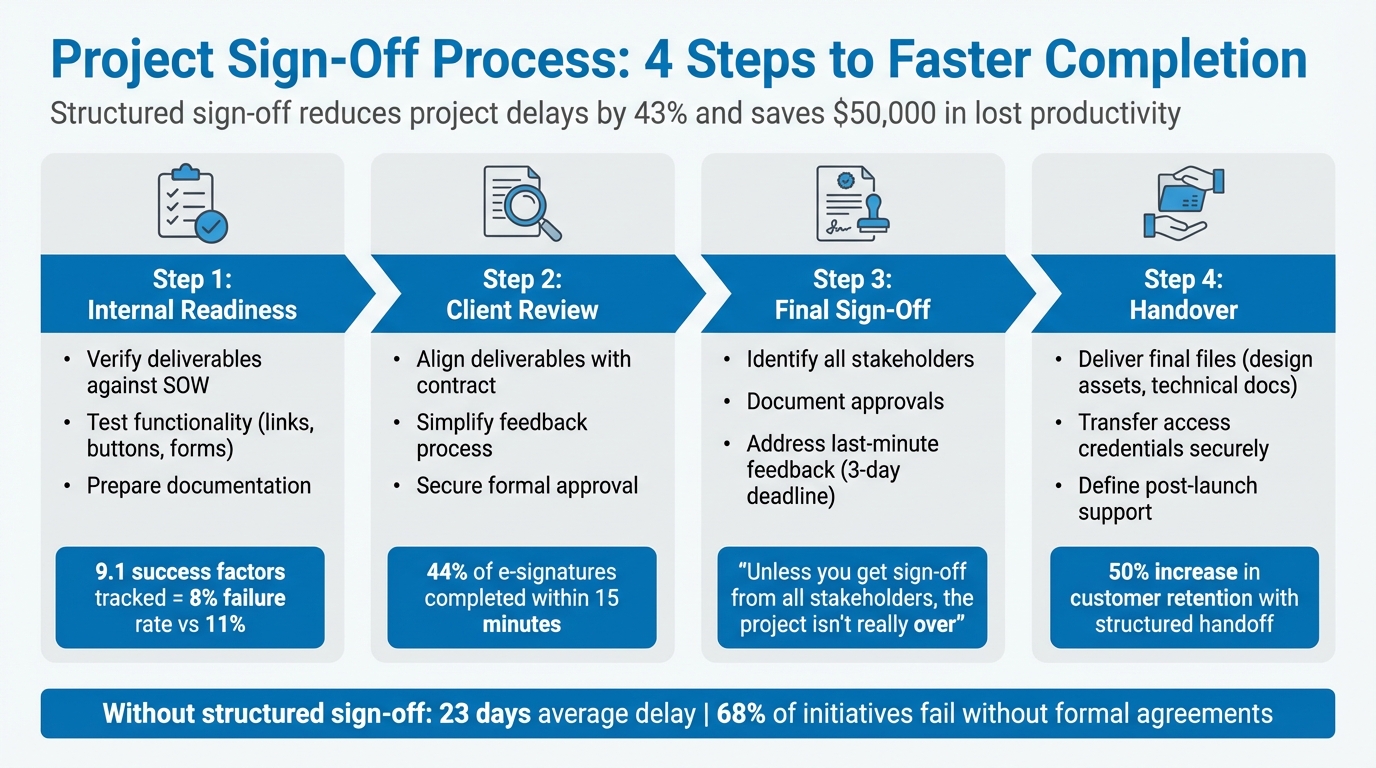
A clear project sign-off process ensures smooth closures, avoids disputes, and secures final payments. Without one, projects can face delays, unpaid invoices, and scope creep. On average, unclear approvals delay projects by 23 days, costing businesses $50,000 in lost productivity. A structured approach benefits both agencies and clients by aligning deliverables with expectations and documenting approvals.
Here’s a quick overview of the process:
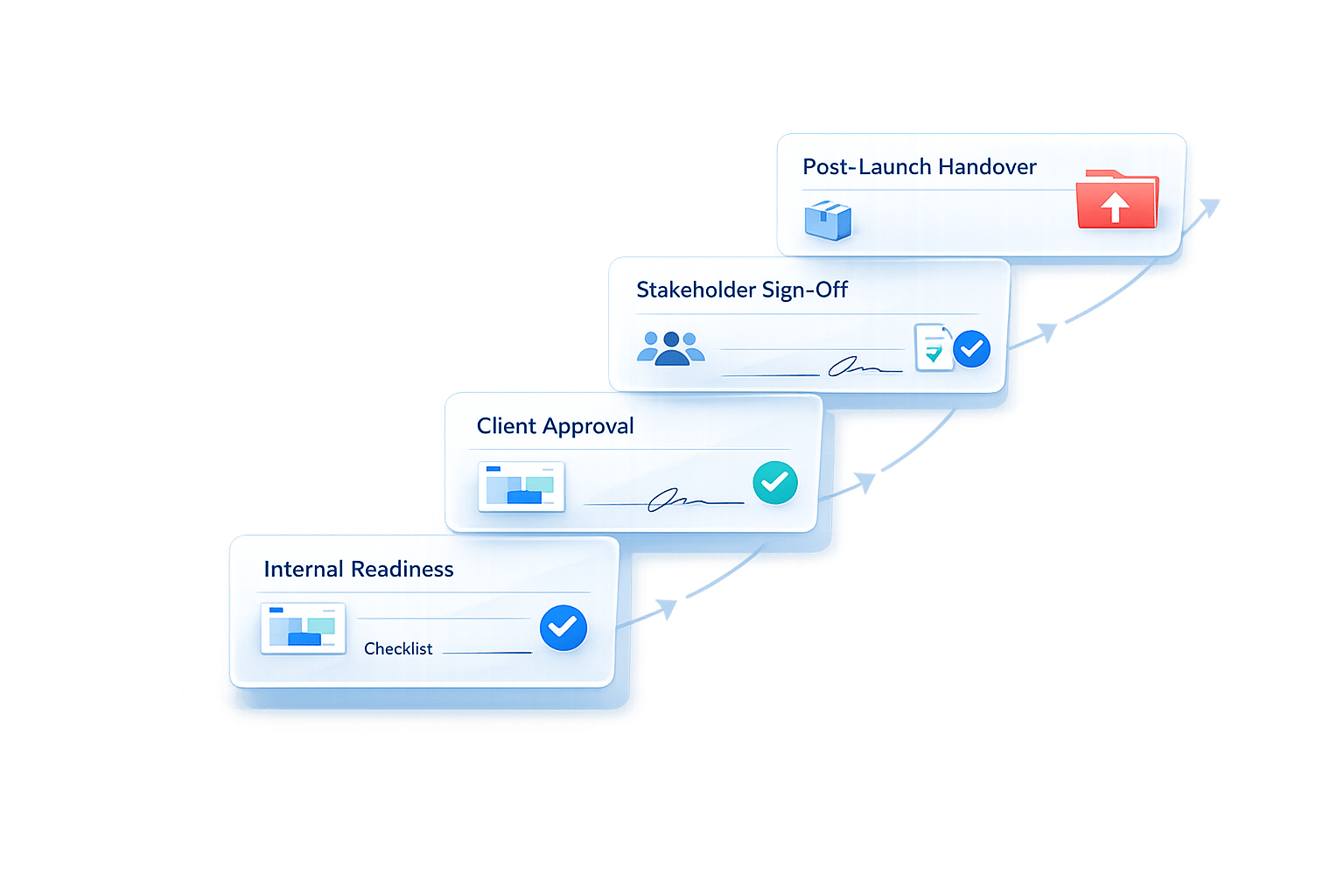
- Internal Readiness: Verify deliverables, test functionality, and prepare documentation.
- Client Review: Align deliverables with the contract, simplify client feedback, and secure formal approval.
- Final Sign-Off: Identify stakeholders, document approvals, and address last-minute feedback.
- Handover: Deliver final files, transfer access credentials, and define post-launch support.
Implementing these steps can speed up project completion by 43% while reducing miscommunication and delays.
4-Step Project Sign-Off Process for Agencies
Unlock the Secrets to Easy Project Closure | Project Management Explained
sbb-itb-32f6eb2
Internal Readiness Checklist
This internal review is the first step in the sign-off process. Before presenting to the client, your team needs to ensure everything is ready internally. This step helps catch potential issues before they turn into client-facing problems.
Review Scope and Acceptance Criteria
Go through the SOW (Statement of Work) line-by-line and compare it to the completed work. Every requirement in the contract should have a corresponding deliverable. If the client requested changes during the project, confirm those changes were documented, implemented, and communicated. For larger projects, make sure milestone approvals were secured along the way. This approach minimizes last-minute revision requests and protects your team if stakeholders change mid-project.
Research shows that organizations tracking project performance thoroughly use 9.1 success factors compared to 6.3 for others. This leads to a lower project failure rate of 8% versus 11%. The key? Ensuring scope alignment before the client sees the final output.
Once scope and criteria are in sync, move on to validating the quality of each deliverable.
Complete and Test All Deliverables
Involve technical, business, and independent reviewers to verify functionality, alignment, and usability. Test every interactive element - links, buttons, forms - especially after transitioning from staging to live environments. Check for consistency in branding, such as fonts, image quality, margins, and spacing.
"The closeout phase acts as a bridge between completion and improvement. It confirms that objectives were met, budgets balanced, and stakeholders satisfied while transforming project insights into organizational learning." - Sean O'Connor, Content Specialist, monday.com
Run a dedicated QA cycle to identify and fix bugs before the final delivery date.
Once deliverables are confirmed, gather all materials needed for a smooth handover.
Prepare Handover Documentation
Compile final files in all required formats, along with style guides, user manuals, and an Access Tracker listing all login credentials. Record a walkthrough video during the final offboarding to serve as a lasting reference for the client.
Ensure all contractor invoices and internal costs are resolved before officially closing the project. This confirms that the project stayed within budget. Archive internal project files with clear version control to address any future questions and to serve as a reference for similar projects. Finally, send the final invoice and secure payment before delivering functional files or launching a live website.
Client-Facing Approval Checklist
Once internal readiness is complete, it’s time to guide your client through a structured and actionable review process. This step determines whether the project moves to formal sign-off or requires further revisions. The key here is to make feedback clear, actionable, and well-documented.
Clarify Deliverables and Acceptance Criteria
Start by aligning the deliverables with the original Statement of Work (SOW). Use a sign-off sheet that maps the project’s goals to specific deliverables, indicating whether each requirement has been met. Don’t forget to include any scope changes agreed upon during the project. This helps prevent clients from introducing new requirements under the guise of "feedback."
Set a specific review window to create a sense of urgency and avoid delays. Instead of vague instructions like "Let us know by Friday", provide a tailored checklist for the client. This checklist can include items such as proofreading, verifying color accuracy (monitor vs. print), ensuring brand consistency, and checking formatting. It’s also helpful to remind clients of any remaining revision rounds or potential out-of-scope costs before they submit feedback.
To make the process even smoother, consider using tools designed specifically for client feedback.
Simplify Feedback with BoastImage
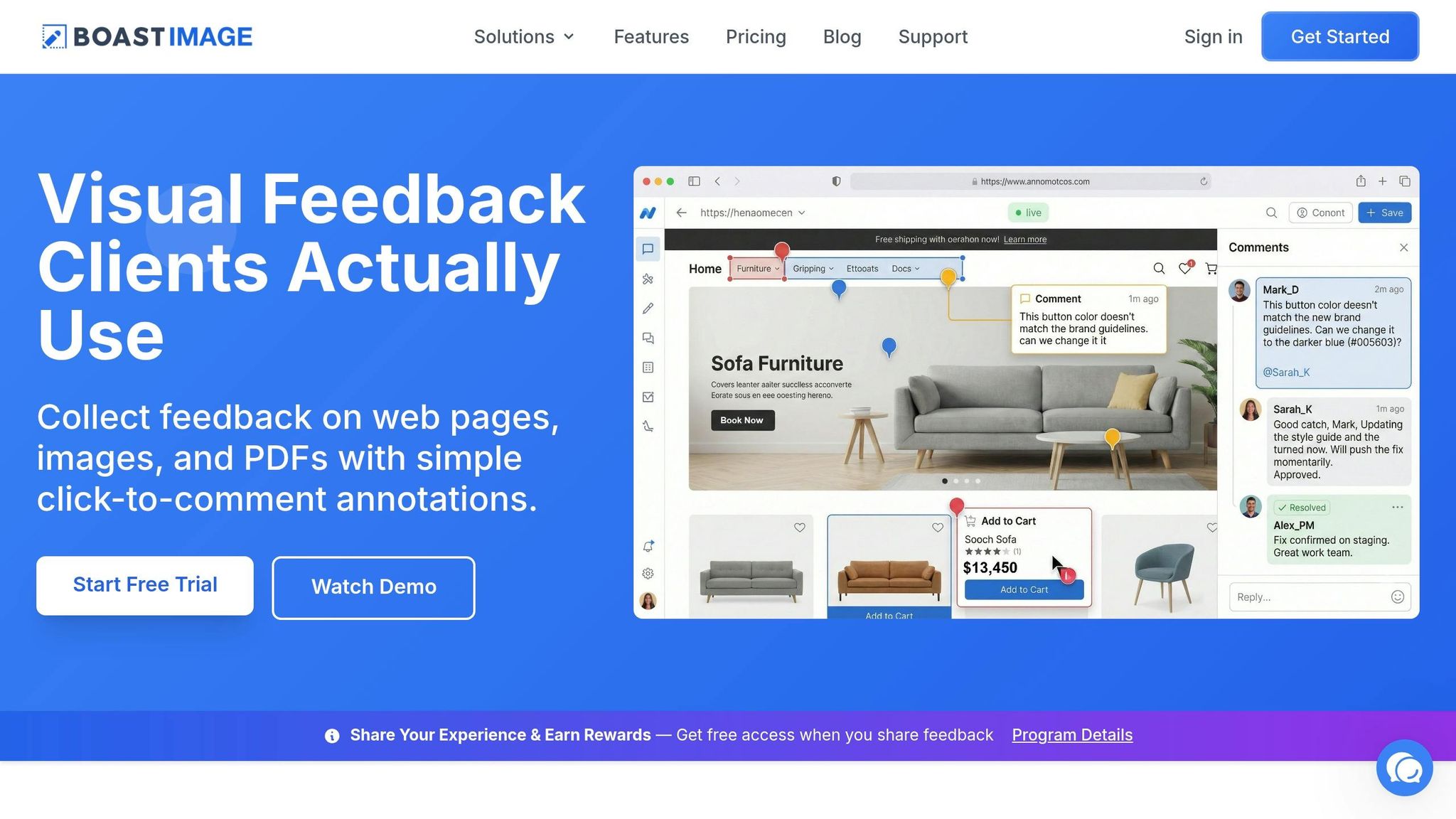
One common roadblock in client reviews is the difficulty of using complex feedback tools. When these tools are too challenging, clients often resort to unclear emails or scattered messages, which can derail the process.
BoastImage solves this problem by removing the need for client logins. Simply create a review board for the deliverables - whether they’re web pages, images, or PDFs - and share a single link. Clients can click the link and comment directly, no account or training required.
On your end, BoastImage offers advanced features like version control, task management, and Kanban boards, all hidden from the client’s view. Upload all deliverables to one project, organize them by category or page, and share the link. Clients can then leave precise annotations on specific elements, ensuring their feedback is tied to the correct visual context.
Confirm Final Approvals
Explicit confirmation is essential. Don’t rely on casual emails like "looks good" as formal sign-offs. Instead, use tools like PandaDoc or DocuSign to secure digital signatures - these tools are fast, with about 44% of electronic agreements signed within 15 minutes.
Schedule a final call to review deliverables and address any last-minute questions. Record the session and share it afterward to ensure clarity. Within two hours of the meeting, send a summary email documenting all decisions, action items, and next steps.
"A project handoff is more than sending deliverables - it's the last impression you leave on your client." - Giorgia Christensen, ProjectBook.co
Finally, make sure every approval is documented in a central record. This ensures accountability and provides a clear trail for future reference.
Stakeholder Approvals and Formal Sign-Off
Identify Required Approvals
Start by pinpointing all the key decision-makers involved. This includes both external stakeholders, like clients, sponsors, and end users, and internal ones, such as project managers, technical teams, and channel specialists. For projects in regulated industries, make sure to involve legal or compliance teams to confirm that all deliverables align with regulatory requirements.
Clearly document the authority levels for each approver. Knowing who has the final say - and who might be overruled by someone higher up - is crucial. In larger organizations, it’s helpful to identify a specific representative who can sign on behalf of the entire project sponsor.
"Unless you get sign-off from all stakeholders, you can't say that the project is really over." – Workamajig
Plan for potential disagreements by setting up an escalation path. This ensures that disputes during the final review don’t stall progress. Additionally, assign backup approvers to handle situations where someone is unavailable.
Once you’ve identified the necessary approvals, formalize the process with a detailed sign-off document.
Create a Sign-Off Document
A sign-off document isn’t just a formality - it’s your safety net. It confirms that the work is complete and officially ends your agency’s liability.
Here’s what to include in the document:
- Project details: List the project name, sponsor, manager, and creation date. Summarize the goals and include clear indicators showing whether they were achieved.
- Deliverables: Provide a complete list of all deliverables, their delivery dates, and the names of the representatives who approved them.
- Acceptance criteria: Include the predefined criteria from the project’s start to confirm that all requirements were met.
Add a "Comments and Reservations" section for stakeholders to note unresolved issues. However, as Workamajig points out, "The sign-off is not a place to register issues for the first time. Instead, it's a place to document ongoing, unresolved problems."
Finally, include a legal acknowledgment statement confirming the project’s satisfactory completion. This section should have signature lines for all primary decision-makers, along with their roles and signing dates. Tools like DocuSign or PandaDoc can speed up this process - 44% of electronic agreements are signed within 15 minutes.
Keep in mind, though, that a signed document isn’t always legally foolproof. Your original contract terms still matter, so it’s wise to consult a lawyer when drafting contracts and related documentation.
With your sign-off document ready, you can shift your attention to handling any last-minute feedback.
Handle Last-Minute Feedback
Even with everything documented, last-minute feedback can crop up. When it does, act quickly. Cross-check the feedback against the original project charter to separate genuine omissions from entirely new requests. Any new requests should be addressed through a separate agreement or during post-launch support.
For smaller adjustments, consider a contingent acceptance approach: sign off on most of the work while listing unresolved items with deadlines for resolution. This keeps the project moving forward without ignoring minor loose ends.
Set a strict deadline - typically three working days - to address any objections raised during sign-off. If a stakeholder introduces a completely new issue at this stage, it’s often a sign of earlier communication gaps. The sign-off process is meant to document known concerns, not to surface brand-new ones. Formally push back on any issues that appear too late in the game.
For problems that can’t be resolved by the deadline, log them as "residual risks" and hand them over to the operational or maintenance team for ongoing management. This ensures the project closes while still accounting for unresolved concerns.
Post-Sign-Off Handover and Closure
Deliver Final Files and Access Credentials
After the sign-off document is finalized, it's time to hand over all organized, editable files to the client. This includes design assets like logos in editable formats (e.g., SVG, PNG) with mono and reversed versions, along with brand guidelines, licensed fonts, color palettes in HEX and CMYK, and any relevant technical documentation. These assets should be editable, ensuring another designer can easily modify them if needed.
Technical documentation should cover essential details such as system architecture, configuration settings, maintenance procedures, deployment guides, troubleshooting manuals, hosting information, SSL certificate details, and CMS login credentials.
Pay special attention to transferring marketing and analytics access. Ownership or appropriate permissions must be provided for tools like Google Analytics 4, Google Tag Manager, Google Search Console, Google Ads, and Meta Business Manager. Avoid emailing passwords; instead, use a secure password manager like Bitwarden or 1Password to share credentials safely.
To keep things organized, create a logical folder structure with clear naming conventions. Include a summary PDF or an “instruction manual” explaining each asset’s purpose and usage. You might also consider recording a quick walkthrough video using tools like Loom to guide the client through the files or system backend.
"A project handoff is more than sending deliverables - it's the last impression you leave on your client." - Giorgia Christensen, ProjectBook.co
| Category | Specific Items to Deliver |
|---|---|
| Design Assets | Logos (SVG/PNG), Style Guides, Fonts, Color Palettes, Licensed Images/Videos |
| Technical Docs | System Architecture, Maintenance Procedures, Troubleshooting Guides, SSL/Hosting details |
| Access/Logins | CMS, Hosting, Domain, Payment Gateways, Analytics (GA4/GTM), Social Media Admin |
| Administrative | Final Project Report, Warranty Docs, Signed Contracts, Instruction Manuals |
Lastly, define clear post-launch support parameters to separate project closure from ongoing maintenance.
Define Post-Launch Support and Maintenance
It’s important to distinguish between the final delivery and any post-project support. This distinction should be set early on in the proposal or contract by outlining post-delivery support terms, revision rounds, and final approval processes. Post-project support should be treated as a separate phase - whether as a retainer or hourly work agreement.
Provide a formal handover document detailing warranty periods, coverage specifics, claim procedures, and response times for various issues. Keep at least one communication channel, such as Slack or email, open for a defined period to address quick questions or minor adjustments after closure. Research shows that structured onboarding and handoff processes can boost customer retention by up to 50%, and even a 5% increase in retention can lead to a 95% profit increase.
Wrap up by conducting an internal review to identify lessons learned and areas for improvement.
Conduct Internal Retrospective
The project isn’t fully complete until your team reflects on the experience. Schedule a retrospective meeting within one week of project closure while the details are still fresh. Involve everyone who contributed to the project to ensure a well-rounded discussion.
Before the meeting, send out an internal survey to help team members recall successes and challenges thoughtfully. During the session, review key metrics - budget, timeline, and resource allocation - and discuss what went well, what didn’t, and any notable issues with the client relationship.
Document key takeaways, mistakes, and successful strategies in a centralized hub like Teamwork Spaces or Notion to prevent valuable insights from being lost. Update internal checklists, workflows, and procedures based on these findings.
Look for recurring patterns across projects to identify areas prone to budget overruns or communication breakdowns. Don’t forget to celebrate wins and acknowledge individual and team efforts - this boosts morale and sets a positive tone for future projects. Use these insights to refine your agency’s sign-off and handoff processes.
Conclusion
A clear and efficient sign-off process is more than just a formality - it’s a safeguard for legal protection, financial stability, and professional trust. Without a structured approach, projects face unnecessary delays, averaging 23 extra days and costing businesses around $50,000 in lost productivity. Even more striking, 68% of business initiatives falter due to the absence of formal agreements. On the other hand, organizations that implement documented sign-off procedures see projects completed 43% faster.
The difference between a smooth project wrap-up and a frustrating delay often lies in eliminating unnecessary hurdles for clients. When clients encounter obstacles like account sign-ups, overly complex interfaces, or unclear approval steps, projects can grind to a halt - not because the work isn’t done, but because the process lacks clarity and simplicity. A seamless and straightforward feedback loop is the final step that ensures projects close on a high note.
BoastImage simplifies this process by enabling clients to provide feedback directly on web pages, images, or PDFs with just a single link - no accounts, logins, or training required. This ease of use results in a client completion rate of over 60%, far surpassing the industry average of 40%.
FAQs
What counts as “done” for project acceptance?
When a project is marked as "done" for acceptance, it means all final deliverables have been thoroughly reviewed, meet the agreed-upon requirements, and have received formal approval from stakeholders or clients. This process ensures that everything aligns with the project's goals before moving to official closure.
Who approves the final project sign-off?
The final project sign-off involves getting approval from key stakeholders, such as clients and internal team members. This step ensures that all deliverables align with the agreed-upon requirements and officially marks the project as complete.
What should be included in the final handover package?
When it's time for the final handover, make sure the package includes everything the client needs: final deliverables, comprehensive documentation, access credentials, and clear instructions for managing and maintaining the project. Walk through the deliverables with the client to confirm everything is complete and functioning as expected.
It's also helpful to provide guidance on what comes next, offering insights into future steps they might take. Including a project closure report is a great way to summarize the progress made, key milestones reached, and any remaining actions. This ensures a seamless transition and leaves the client well-prepared to take things forward.