How To Manage Scope Creep In Client Revisions
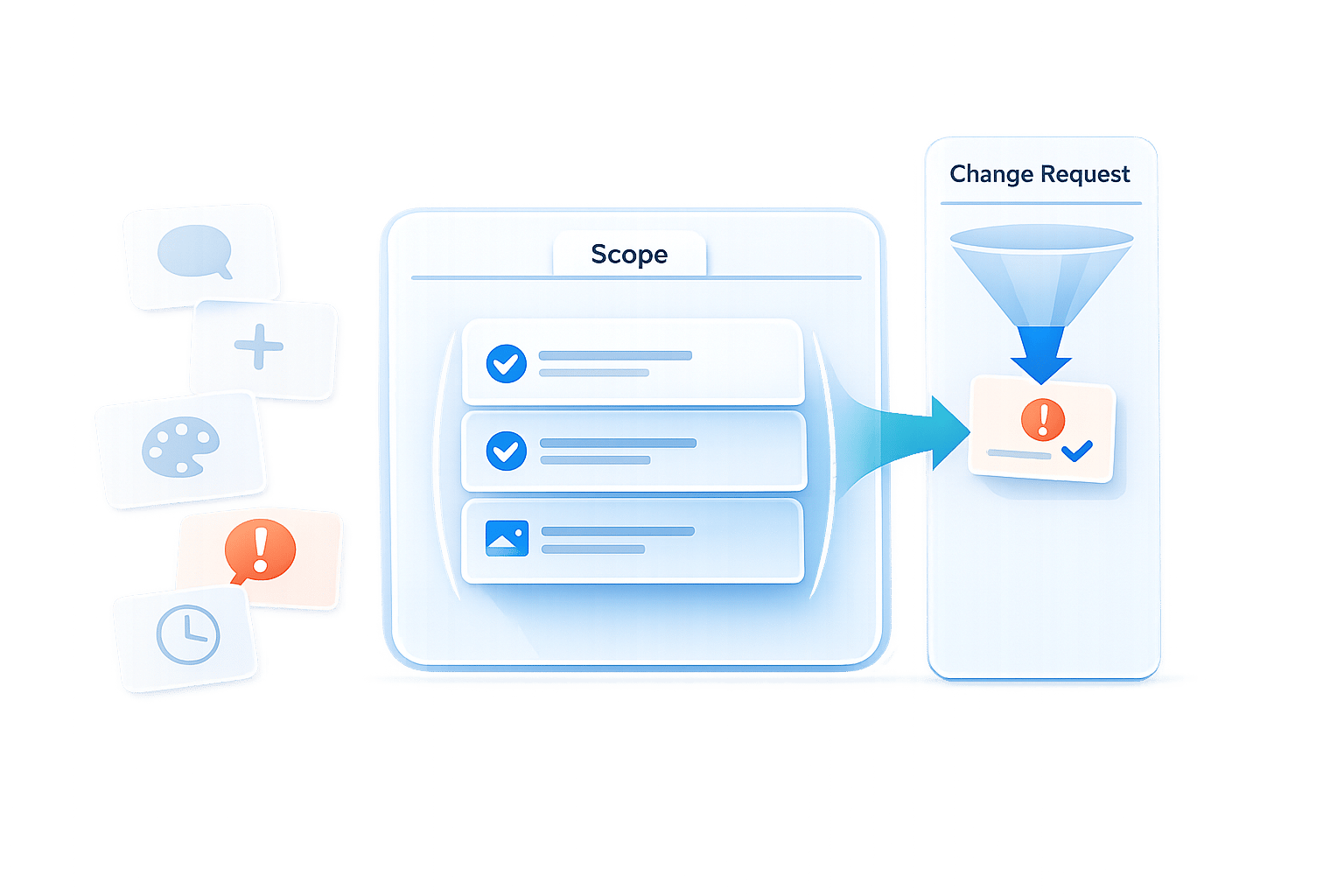
Scope creep happens when a project expands beyond its original agreement - without adjusting the budget or timeline. It’s a common issue, with 72% of freelance projects experiencing it. This can lead to missed deadlines, reduced profitability, and strained client relationships. To manage scope creep effectively:
- Spot Early Signs: Watch for phrases like "Can you also…" or new stakeholders introducing conflicting feedback.
- Set Clear Boundaries: Use detailed contracts specifying deliverables, exclusions, and revision limits.
- Document Everything: Track all changes and their impact on cost and timelines.
- Establish Feedback Processes: Require consolidated feedback within a set timeline (e.g., 3–5 business days).
- Use Tools Like Boast: Centralize feedback and track revisions to stay organized.
Scope Creep Statistics and Impact on Freelance Projects
How to Charge More When Clients Change the Scope
sbb-itb-32f6eb2
What Is Scope Creep and How Does It Happen?
Scope creep happens when a project's scope expands beyond its original agreement, without adjusting the budget or timeline to match. It’s not usually a sudden change but rather a gradual shift caused by a series of small, seemingly harmless requests like "just one more thing." Over time, these additions can completely alter the project's focus.
Take this example from February 2026: an agency using the Magnetic platform was tasked with creating six page templates. But due to unchecked scope creep, the project turned into a full CMS rebuild, leading to a three-month delay and wiping out any profits. In another case, a consulting firm initially agreed to deliver a single reporting dashboard. However, informal requests and unclear boundaries led them to build an entire internal system instead. These examples highlight how small, unmanaged changes can derail even the best-planned projects.
The main culprits? Vague project briefs, lacking clear boundaries, often leave room for differing interpretations. Add to that a weak change management process and the tendency to say "yes" to please clients, and you’ve got a recipe for trouble. For instance, a brief that simply says "design a website" could lead to endless requests for additional features. Even feedback rounds, meant to fine-tune work, can unintentionally introduce new pages or features. Using a dedicated website feedback tool can help keep these reviews structured and within scope. Informal communication - like emails or chat messages - only makes it easier for requests to slip through without proper oversight.
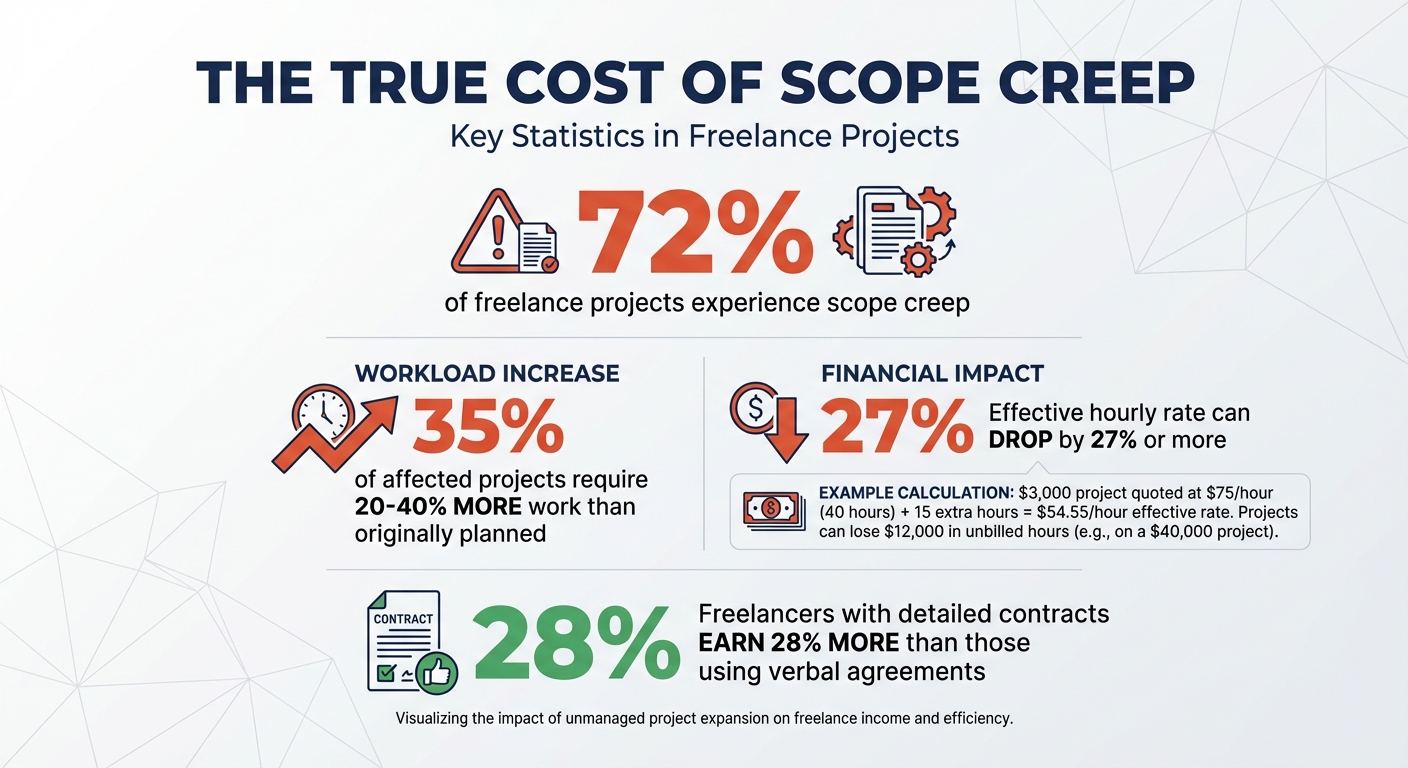
The numbers back this up: 72% of freelance projects face some level of scope creep. Of those, 35% require 20–40% more work than originally planned, often without extra payment. Imagine quoting $3,000 for 40 hours of work ($75/hour), only to put in an extra 15 hours. Your effective hourly rate would drop to about $54.55 - a 27% pay cut. Spotting these patterns early is essential to keep projects on track.
Warning Signs of Scope Creep in Client Revisions
Recognizing scope creep early can save a lot of headaches. Certain phrases and situations are clear warning signs. For example, "piggyback" requests often sound like: "Can you also…" or "While you're at it…" These imply that minor additions come at no extra cost.
Another red flag is when new stakeholders join mid-project, bringing in requirements that conflict with the original scope. Then there’s moving goalposts, where the definition of "finished" keeps changing as feedback introduces entirely new features instead of refining what’s already there. Similarly, format shifts - like asking for Canva files when the contract specified Adobe Illustrator - can disrupt workflows.
Watch out for off-process approvals too. When revision requests come through informal channels like Slack, text, or casual emails, they often bypass formal scoping procedures. Lastly, the type of revision matters. Small text edits might be routine, but requests for new layouts or major concept changes should trigger a formal change order.
Why Scope Creep Damages Projects
When scope creep goes unchecked, it doesn’t just add hours - it directly eats into profitability. For fixed-fee projects, every unplanned hour reduces the bottom line. A $40,000 project, for instance, could end up losing $12,000 in unbilled hours. In some cases, the effective hourly rate can drop by 25% or more, leaving professionals working for far less than they planned.
Beyond financial loss, scope creep can exhaust teams and hurt the quality of work. Constant "urgent" additions often push teams to work late nights and weekends, leading to burnout. This loss of focus, sometimes called "utilization distortion", means planned, high-value work gets pushed aside for unplanned tasks. The result? Rushed outputs and inconsistent quality.
Perhaps the biggest cost is the strain it puts on client relationships. Late projects and blown budgets erode trust, even if the client initiated the changes. Ironically, saying "yes" to every request in an effort to maintain goodwill can backfire if deadlines slip and quality suffers. As Jenna Green, Marketing Lead at Magnetic, puts it:
"Scope creep is the predictable result of missing processes and disconnected tools".
How to Prevent Scope Creep: Set Clear Boundaries
The best way to prevent scope creep is by setting clear boundaries before any work begins. It’s a simple yet powerful strategy to avoid this common project pitfall. Most issues with scope creep can be avoided through proper documentation and well-defined expectations.
Start by eliminating vague terms in your contracts. For example, instead of writing "website design", specify "5 page designs". Be precise about deliverables - include details like the number of concepts, revision rounds, file formats, and specific items to be delivered. This approach leaves no room for misinterpretation and provides a clear reference point for both you and your client. Robert Yuen, CEO and Co-founder of Monograph, puts it perfectly:
"The foundation of scope creep prevention is thorough contract documentation that explicitly defines deliverables, exclusions, and assumptions. Vague scope language creates ambiguity that clients naturally interpret in their favor."
Another critical step is to document exclusions explicitly. A well-thought-out exclusions list can be your strongest tool in avoiding disputes. Clearly state what the project does not include - like SEO, content migration, or third-party API integration. Jenna Green, Marketing Lead at Magnetic, emphasizes this point:
"The most overlooked part of any scope document is the exclusions list. What the project is not responsible for is where most scope disputes begin."
Lastly, define what constitutes a "revision" in your agreement. Specify that a revision round means a consolidated set of feedback from all stakeholders, and outline how many rounds are included. Set a feedback deadline, like 3–5 business days, to keep things on track. Also, clarify the difference between minor revisions (like fixing typos or adjusting colors) and major revisions (such as layout changes or adding new features). This helps clients understand that not all requests carry the same weight.
When everything is clearly defined - deliverables, exclusions, and revision terms - it becomes much easier to handle those unexpected "just one more thing" requests. These boundaries not only protect your time but also lay the groundwork for smoother contracts and efficient feedback handling later on.
Write Detailed Contracts and Briefs
A detailed contract does more than outline your project - it’s your armor against scope creep. Think of it as your safeguard, ensuring your time and effort are respected. The stats back this up: freelancers who rely on detailed contracts earn about 28% more compared to those using verbal agreements. That’s a clear sign of the value in putting everything in writing.
Start by being specific about deliverables. For instance, instead of vaguely saying "a website", spell out exactly what that means: "one 5-page website including a homepage, about page, services page, contact page, and blog landing page". Go even further by detailing image sizes, file formats (like JPG, PNG, or PDF), and aspect ratios. This level of clarity leaves little room for misunderstandings. Also, outline who is responsible for what. For example, specify that the client must provide copy and high-resolution images by a set deadline.
Another key part of your contract is defining the revision process. Be upfront about how many revision rounds are included - typically 2–3 rounds. Specify that feedback must be consolidated and submitted in writing within 3–5 business days. Break down the difference between minor tweaks (like fixing typos or adjusting colors) and major changes (such as reworking layouts or adding new features) so clients know exactly what to expect.
Don’t overlook the importance of an exclusions clause. As Plutio aptly puts it:
"Naming what's NOT included is just as important as naming what is. An exclusions clause removes ambiguity before the project starts".
List out tasks that aren’t part of the deal, such as SEO optimization, content migration, copywriting, or third-party API integration. This way, if a client assumes something is included, you can point to the contract for clarification.
Lastly, establish a change order process for anything outside the agreed scope. Outline how these changes will affect the budget and timeline. A simple table like the one below can help keep expectations aligned:
| Included Tasks | Out-of-Scope Requests |
|---|---|
| Fixing typos and grammatical errors | Writing new website or marketing copy |
| Tweaking colors or font choices | Redesigning approved layouts or concepts |
| Swapping images within existing frames | Creating new custom graphics or illustrations |
| Minor CSS or styling adjustments | Adding new pages or features (e.g., a blog or FAQ) |
| Consolidating feedback from one contact | Managing feedback from new, unlisted stakeholders |
A well-thought-out contract doesn’t just define what you’ll deliver - it’s your guide for navigating and controlling the project from start to finish. It ensures everyone stays on the same page and helps you avoid unnecessary headaches down the road.
Set a Feedback Timeline
Once you've nailed down clear contract details, the next step is setting a specific feedback timeline. Without firm deadlines, client feedback can drag on indefinitely, delaying projects and creating endless revision cycles. The fix? Include a defined feedback window in your contract. Typically, the industry standard is 3–5 business days. For faster-paced projects, you might tighten this to 24 hours or two days.
Why is this so important? When feedback trickles in sporadically over weeks, projects lose momentum, and scope creep becomes a real issue. Clients may start second-guessing the entire project instead of staying focused on the deliverables, leading to revision after revision.
To avoid this, make feedback deadlines non-negotiable. Alexis Rodrigo, a freelance creative, sums it up perfectly:
"After you send them a draft, give them 24 hours or two business days (whichever is feasible) to send you their feedback. Make sure the contract includes client deadlines. And clearly state that if they miss these deadlines, then the project will be delayed".
Another critical step? Require consolidated feedback. Instead of addressing feedback piecemeal, wait until all stakeholders have reviewed and provided their input together. This minimizes duplicate work and reduces the total number of revision rounds. Keep clients informed by reminding them how many revision rounds are included - like saying, "This is the second of three included rounds" - to maintain clear boundaries and expectations.
If a client misses a deadline or requests changes outside the agreed timeline, address it right away. Explain how it impacts the delivery schedule and whether it requires a budget adjustment. This ensures you can still deliver quality work without compromising your timeline.
Manage Feedback with Structured Processes
Once you’ve set firm deadlines for feedback, the next challenge is figuring out how to collect and transform it into actionable tasks. When feedback trickles in from different channels and lacks consistency, you risk falling into the trap of scope creep. The solution? Centralize feedback and make it actionable right from the start.
Jennifer Bourn, Brand Strategist at Bourn Creative, sums it up perfectly:
"All problems that arise from design revisions can be attributed to a failure to properly set expectations, poor communications, or mismanagement of the client or project".
The key is to develop a structured feedback process that eliminates confusion and keeps everyone on the same page. With deadlines in place, the next step is to streamline how feedback is gathered and managed.
Centralize Feedback with Visual Tools
Email threads are notorious for causing miscommunication. A client might say, "Make the header bigger", but which header? How much bigger? And what happens when another stakeholder requests the opposite? Visual feedback tools solve this by letting clients comment directly on specific elements, providing much-needed clarity and reducing unnecessary revision rounds.
The biggest advantage? Context. Instead of decoding vague remarks like "the blue button on the third section doesn’t feel right", you’ll see exactly where the client clicked, along with their comment.
For this system to work, the feedback process must be effortless for clients. If the tool requires creating an account, watching tutorials, or navigating complex dashboards, clients will likely default back to email. The best tools allow clients to click a link, leave their comments directly on the work, and move on - no logins, no learning curve, no hassle. Meanwhile, your team gets the benefit of organized workflows, like version tracking and task management, running seamlessly in the background.
Track Revisions with Version Control and Task Management
Once feedback is centralized, the next step is to turn it into actionable tasks. Without proper version control, feedback can quickly spiral into a chaotic list of unprioritized requests, delaying the project.
Version control provides a clear record of what was approved in earlier rounds versus what changed later. This becomes invaluable if there’s ever a dispute about scope. Features like a "Proof Timeline" document exactly what was finalized and what was adjusted in subsequent rounds.
Task management tools take things further by assigning every revision request to a specific team member, complete with a deadline. Using Kanban boards, you can track the status of each task, ensuring nothing slips through the cracks. Even more importantly, these tools allow you to tag tasks as either in-scope or out-of-scope. This transparency makes it easier to highlight hidden costs - when clients see that a "simple tweak" actually involves multiple tasks, discussions about budget adjustments become far more straightforward.
Scope creep is a common challenge for many projects, but a structured system like this makes unplanned work visible and manageable. By tracking tasks at a granular level, you can avoid surprises and ensure every request is accounted for. This approach not only keeps scope creep in check but also lays the groundwork for smoother, more efficient revisions.
How to Handle Scope Creep When It Happens
Even with the best preventive measures, scope creep can still sneak into a project. It's incredibly common - many projects face it, and it’s often a key reason they fail. How you respond in the moment can make the difference between a manageable tweak and a costly derailment.
When a client makes a request that appears to go beyond the original agreement, pause before agreeing to anything. Acknowledge the request, evaluate its impact, and communicate the potential consequences before proceeding. This step ensures you don’t inadvertently commit to extra work that could balloon into a major issue.
Document Changes and Communicate Their Impact
Keep a detailed record of every out-of-scope request. Include the date, a description of the request, who made it, and whether it aligns with the agreed-upon scope. This documentation is your safety net if disputes arise later.
Be precise about how the request will affect the budget and timeline. For instance, instead of vaguely stating, "This will take more time", specify: "Adding this feature will cost $2,200 and delay the delivery by 4 working days". Clear numbers make it easier for clients to see the request as a formal adjustment rather than a casual addition.
To make the process even smoother, consider using a simple change request table. This table could include columns for the description of the change, the timeline adjustment (e.g., +3 days), the additional cost (e.g., +$500), and a space for client approval. You might also set a threshold - such as any request requiring more than 15–30 minutes of extra work - before initiating a formal change order.
Negotiate Out-of-Scope Requests with Clear Options
When addressing out-of-scope requests, take a "firm, fair, and friendly" approach, as Jennifer Bourn from Bourn Creative suggests. This means setting boundaries while staying professional and respectful. Instead of outright rejecting a request, offer clients a few options:
- Proceed with the request now, but with an adjusted budget and timeline.
- Postpone it for a Phase 2 project.
- Swap it with an existing task of similar value.
- Simplify the request to fit within the current scope.
This collaborative approach shows you’re willing to accommodate their needs without compromising the project’s structure.
Be transparent that while the request has merit, it lies outside the original agreement and will require a formal estimate for additional cost and time. If you notice a pattern of frequent requests, it may be time to revisit the scope document together to realign priorities.
Lastly, frame these additions as opportunities for improvement rather than disruptions. Highlight how the request could enhance the project, but clearly outline the necessary adjustments in cost and timeline. This way, you maintain control over extra work while keeping the project on track and focused.
Use Boast to Prevent and Manage Scope Creep
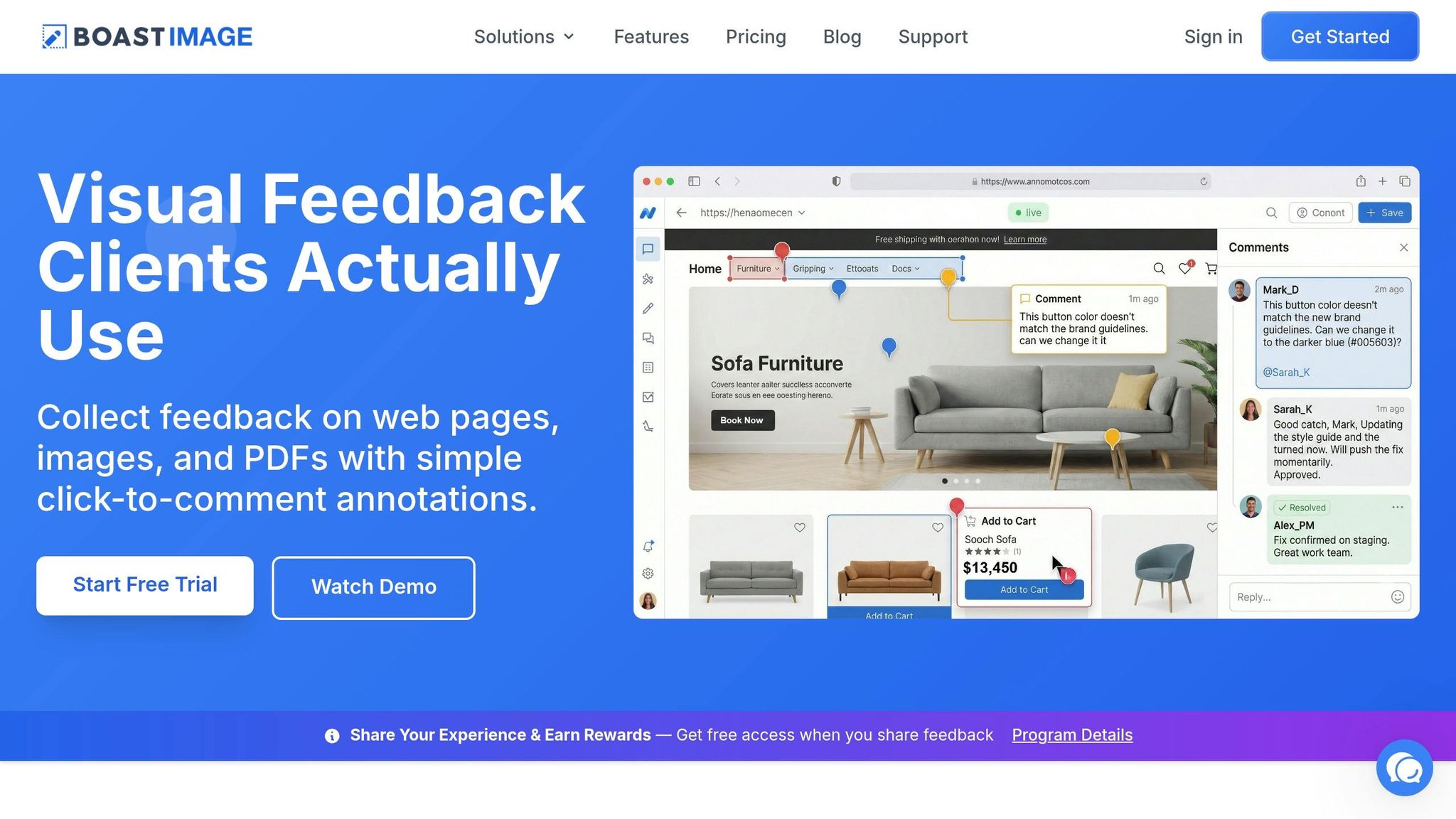
Managing scope creep can be a headache, especially when feedback processes are scattered or unstructured. Boast steps in as a practical solution, centralizing visual feedback to streamline collaboration and keep projects on track.
Scope creep often happens because of delayed feedback, unclear client comments, or unexpected input from stakeholders. Boast (boastimage.com) addresses these challenges by providing a client-friendly visual feedback board. Clients can comment directly on web pages, images, or PDFs without needing an account or dealing with complicated onboarding. This eliminates the slow trickle of feedback coming through disconnected channels over weeks .
By simplifying feedback collection and making it easy for clients to participate, Boast helps teams maintain momentum and avoid the dreaded "just one more thing" that can derail timelines and budgets. Clients can pinpoint specific elements on deliverables with a single click, cutting down on vague or unclear revision requests .
Simplify Client Feedback with Login-Free Access
One of the biggest obstacles to timely feedback is requiring clients to create accounts or navigate unfamiliar platforms. When faced with these hurdles, clients often resort to sending cryptic emails or texts instead of providing clear, actionable feedback. Boast eliminates this problem by offering login-free access. Clients receive a link, click it, and start commenting directly on the work - no accounts, passwords, or training required.
This effortless process ensures feedback is provided when it's most relevant and actionable, reducing confusion and avoiding unnecessary rounds of revisions that can lead to scope creep.
Organize Revisions with Versions and Kanban Boards
While the client-facing side of Boast is simple, the backend provides powerful tools for teams to stay organized. Version control allows you to keep a detailed history of every revision. This makes it easy to trace when new requests deviate from the original agreement. Referencing earlier versions can help clarify what was initially approved, giving you a stronger foundation for conversations about out-of-scope changes.
Boast also includes built-in Kanban boards, which visually organize tasks and feedback into stages like "To Review", "In Progress", and "Completed." This system ensures no feedback gets overlooked and helps teams identify recurring patterns. These patterns can serve as documented evidence when discussing scope boundaries. Jenna Green, Marketing Lead at Magnetic, highlights this point:
"Scope creep is the predictable result of missing processes and disconnected tools".
This structured approach not only keeps projects on track but also lays the groundwork for better collaboration, as seen in Boast's unlimited reviewer feature.
Unlimited External Reviewers on All Paid Plans
Late-stage input from new stakeholders is a common cause of scope creep. ClearTimeline explains:
"When a new decision-maker joins a project midway, they often bring new requirements. The person who approved the original scope may not be the person reviewing the deliverables".
Such scenarios can lead to 20–40% more unpaid work. Boast addresses this by allowing unlimited external collaborators on all paid plans: Solo ($9.95/month), Team ($19.95/user/month), and Business ($39.95/user/month). This ensures all decision-makers are involved from the beginning, so feedback is consolidated and arrives in one go, rather than in fragmented stages.
With no restrictions on who can contribute, clients have less justification for requesting additional revisions outside the agreed scope. This helps teams stick to their timelines and budgets while maintaining clear boundaries.
Conclusion
Scope creep impacts 72% of freelance projects, but it doesn’t have to derail yours if you take the right steps to prevent it. Setting clear boundaries, managing feedback efficiently, and using the right tools can make all the difference.
Start by reviewing your project framework and reinforcing these strategies at every stage. Contracts should clearly outline what’s included and what’s not - an exclusions list can help avoid those “I thought that was included” misunderstandings before they arise. Define how many revision rounds are allowed, establish feedback windows of 3–5 business days, and ensure all client feedback is funneled through a single point of contact. These measures, combined with clear communication, create a solid defense against scope creep. When out-of-scope requests come up, treat them as professional decisions, not casual discussions. Offer clients clear options: adjust the budget and timeline, save the request for a future phase, swap it for an existing task, or deliver a simplified version.
As Jennifer Bourn, an experienced brand strategist, explains:
"All problems that arise from design revisions can be attributed to a failure to properly set expectations, poor communications, or mismanagement of the client or project".
The goal isn’t to start saying “no” more often - it’s to create systems that make scope boundaries transparent and easy to follow.
Tools like Boast and MarkUp.io can help streamline this process. By centralizing feedback, cutting down on vague email exchanges, and providing version control, these tools let you track what was originally approved. Plus, involving stakeholders from the start reduces the risk of late-stage surprises. When clients can simply click a link and leave comments without needing to log in, feedback becomes quicker and clearer.
Applying these strategies not only protects your bottom line but also builds stronger client relationships. Clients appreciate understanding the cost of changes upfront rather than being blindsided by unexpected invoices later. By consistently enforcing these practices, you’ll deliver better work, maintain clear boundaries, and create a sustainable workflow.
FAQs
When should I trigger a change order?
When clients request work beyond what was agreed upon - like extra revisions, major changes, or entirely new tasks - it’s time to initiate a change order. Setting clear boundaries, such as a specific number of revisions, makes it easier to recognize when a request falls outside the original agreement. This approach not only ensures accurate billing but also protects your timeline and profitability from being derailed by scope creep.
How do I price extra revisions without upsetting clients?
To handle pricing for extra revisions without causing friction, it's crucial to establish clear expectations from the start. Outline the number of revision rounds included in your service, specify what qualifies as an extra revision, and detail the associated costs for any additional work. Addressing these points early helps prevent confusion later.
If a client requests extra revisions, communicate the pricing transparently and professionally. Clarify whether the additional work will be billed at a flat fee or an hourly rate. This approach ensures you deliver quality results while protecting your bottom line.
How can I get all stakeholders to provide feedback at once?
To collect feedback from all stakeholders at once, consider using a centralized platform where everyone can share their thoughts in one place. Tools like BoastImage make this process smoother by allowing direct, login-free commenting, which avoids the chaos of tracking input scattered across emails or phone calls. Start by setting clear expectations for how feedback will be gathered, and leverage visual feedback tools to encourage stakeholders to review and comment together. This approach minimizes delays and helps prevent miscommunication.