How to Decode Vague Feedback Like 'Make It Pop'
When clients give unclear feedback like "make it pop" or "add wow factor", it can leave you frustrated and guessing. These phrases often signal that something feels off, but they lack actionable details. Here’s how to handle it:
- Clarify their intent: Ask specific questions to understand what they mean (e.g., "Do you want brighter colors or stronger contrast?").
- Request examples: Visual references help bridge the gap between abstract terms and concrete ideas.
- Offer options: Present a few variations so they can point out what works.
- Use feedback tools: Platforms like BoastImage let clients pinpoint exact areas and leave comments, reducing miscommunication.
Decoding Vague Client Feedback: Sound Expensive & Purple? #shorts
sbb-itb-32f6eb2
How to Decode Common Vague Feedback Phrases
Decoding Vague Client Feedback: Designer Translation Guide
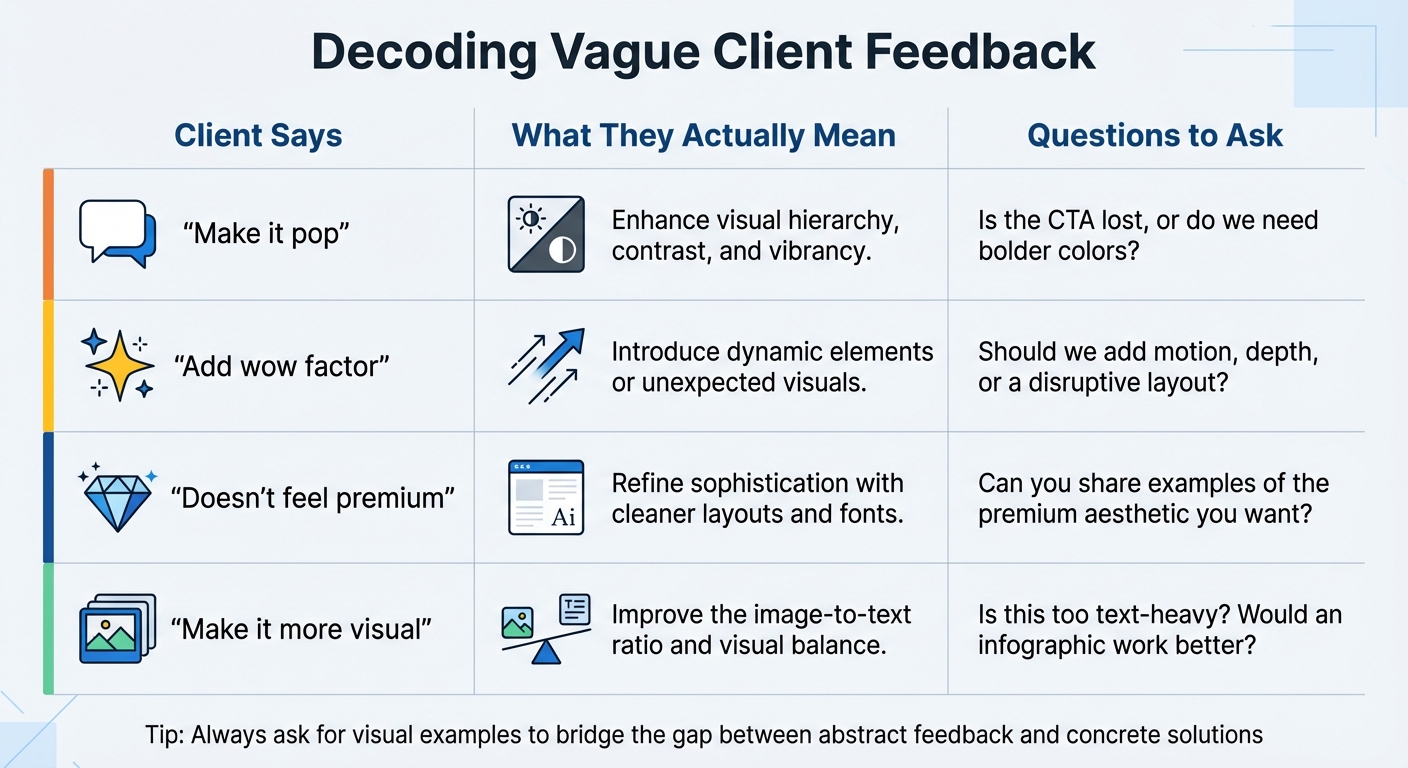
Sometimes client feedback can feel like deciphering a secret code. Let’s break down some commonly used, vague phrases and translate them into actionable design insights.
What "Make It Pop" Actually Means
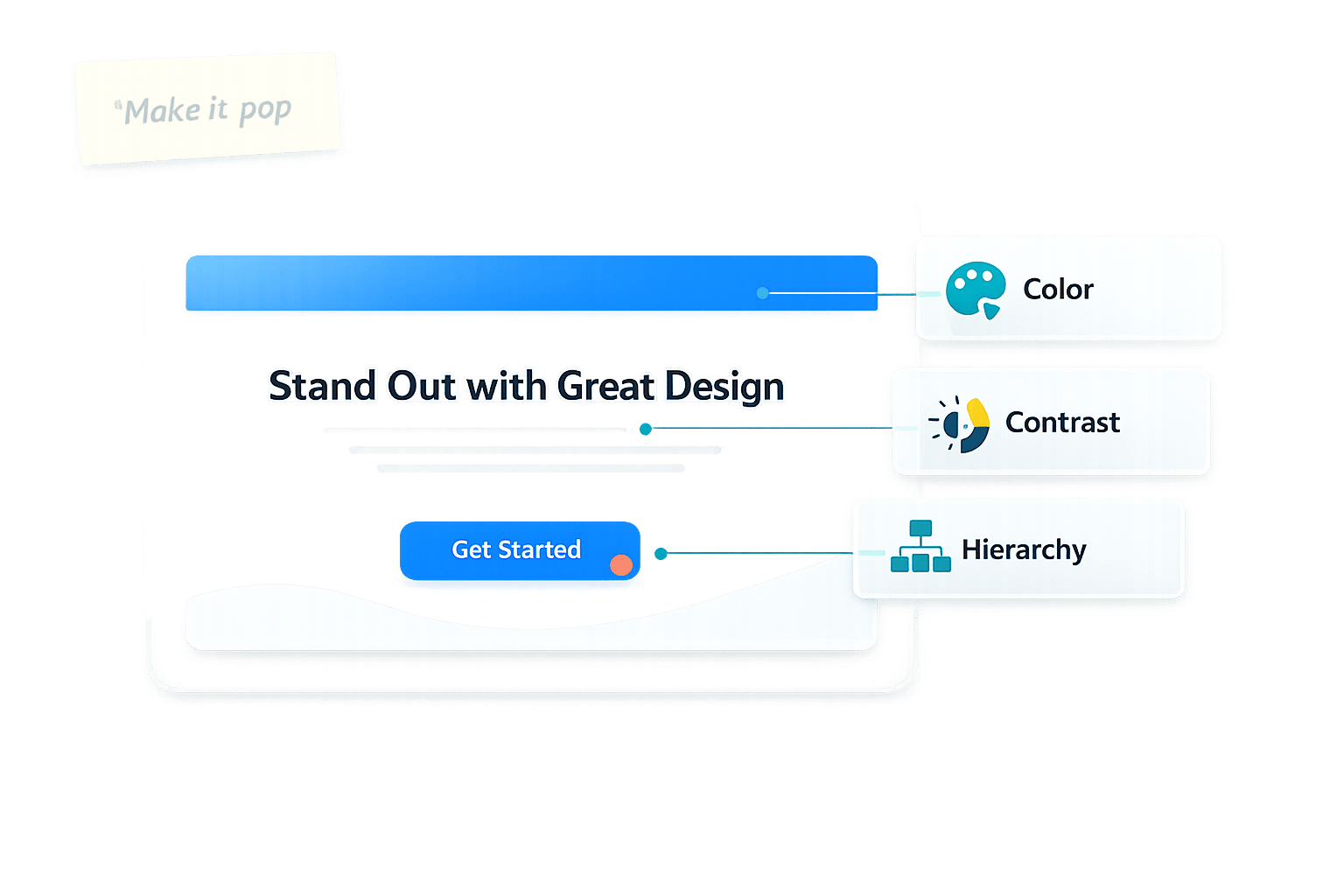
When someone says, "make it pop", they’re essentially pointing out that a design element isn’t grabbing attention. It’s a call for stronger visual hierarchy, better contrast, or more vibrant colors.
"Make it pop is a placeholder. It signals that something isn't working, but it doesn't say what or why."
- Kashia Spalding, Founder and Creative Director, FifthHouse
To clarify, you could ask, "Is the call-to-action getting lost, or do we need a bolder color palette?" This helps pinpoint whether they’re asking for more emphasis on specific elements or a more dynamic overall look. Offering a few variations - like bolder typography, deeper shadows, or brighter accent colors - can help them visualize what "pop" means in their context. This approach keeps the revision process focused and productive.
What "Add Wow Factor" Really Means
Requests for "wow factor" or "more jazz" often stem from the desire to evoke excitement or surprise. This might involve experimenting with bold typography, dynamic layouts, or adding motion to key elements.
"Pop is a loaded word. It might mean color. It might mean layout. It might mean 'I don't feel anything yet, and that scares me.'"
- Paul Kiernan, ThoughtLab
To better understand, ask something like, "Are we aiming for a more disruptive layout, or should we add motion or depth to specific elements?" You can also request reference images that capture the energy or uniqueness they’re envisioning. These visuals help create a shared understanding and streamline revisions. Implementing a structured system can also help get clear design feedback from the start.
What "Doesn't Feel Premium" Means
If a client says the design "doesn’t feel premium", they’re likely looking for more polish and sophistication. This often translates to cleaner layouts, refined typography (like sans-serif fonts), neutral color palettes with tasteful accents, and high-quality imagery.
Follow up with questions like, "Do you have examples of designs that feel premium to you?" Understanding their vision ensures your design aligns with their expectations for minimalist elegance and polished quality.
What "Make It More Visual" Means
When a client says, "make it more visual", they’re signaling that the design feels too text-heavy. They’re likely looking for a stronger emphasis on imagery, graphics, or other visual elements to break up the content.
You might ask, "Does this section feel too dense? Would an infographic work better here?" Adjusting the balance between text and visuals, or adding whitespace, can improve readability and create a more engaging design.
| Client Phrase | Designer Translation | Quick Clarification |
|---|---|---|
| "Make it pop" | Enhance visual hierarchy, contrast, and vibrancy | Is the CTA lost, or do we need bolder colors? |
| "Add wow factor" | Introduce dynamic elements or unexpected visuals | Should we add motion, depth, or a disruptive layout? |
| "Doesn't feel premium" | Refine sophistication with cleaner layouts and fonts | Can you share examples of the premium aesthetic you want? |
| "Make it more visual" | Improve the image-to-text ratio and visual balance | Is this too text-heavy? Would an infographic work better? |
How to Turn Vague Feedback Into Specific Tasks
Turning unclear feedback into actionable tasks can feel like navigating a maze. Without a clear process, you might end up with endless revisions and mounting frustration. Here's how to avoid that.
A 4-Step Process for Clarifying Feedback
When you're faced with ambiguous client comments, this four-step approach can help you cut through the confusion and get everyone on the same page:
- Restate the feedback in your own words to ensure you're interpreting it correctly. For example, if a client says, "make it pop", you could respond with, "It sounds like the design isn't grabbing enough attention. Is that what you mean?"
- Ask for visual examples. Request a few references that match the style they're envisioning. Concrete visuals can turn abstract terms like "modern" or "premium" into something you can actually work with.
- Offer a few specific options. Instead of guessing at a single solution, present a few variations. For instance, you could show one version with bold typography, another with brighter colors, and a third with more whitespace. This allows clients to pinpoint what they like without leaving you guessing.
- Confirm before moving forward. Send a bulleted summary of the agreed-upon changes and wait for approval. This step ensures you're aligned and protects against scope creep.
"Creative feedback is a conversation, not a command."
- Kashia Spalding, Founder and Creative Director, FifthHouse
How Visual Feedback Tools Help
After you've clarified the feedback, visual tools can take things a step further by making the process even more precise. For example, if a client says, "the button on the homepage feels lost", it might leave you wondering which button they're talking about.
This is where visual feedback tools shine. Tools like BoastImage let clients click directly on specific elements of a design and leave comments right there. Instead of vague descriptions, you get clear, pinned annotations that show exactly what needs adjustment.
These tools are simple for clients to use - no accounts or steep learning curves required, which helps prevent clients from ghosting feedback tools. They just click a link, mark the area, and leave their comment. On your end, your team benefits from organized workflows, version tracking, and task management features like Kanban boards. Meanwhile, all feedback stays centralized in one place, eliminating scattered emails, chats, and calls. This creates a single, reliable source of truth for what needs to change and why.
How BoastImage Makes Feedback Collection Easier
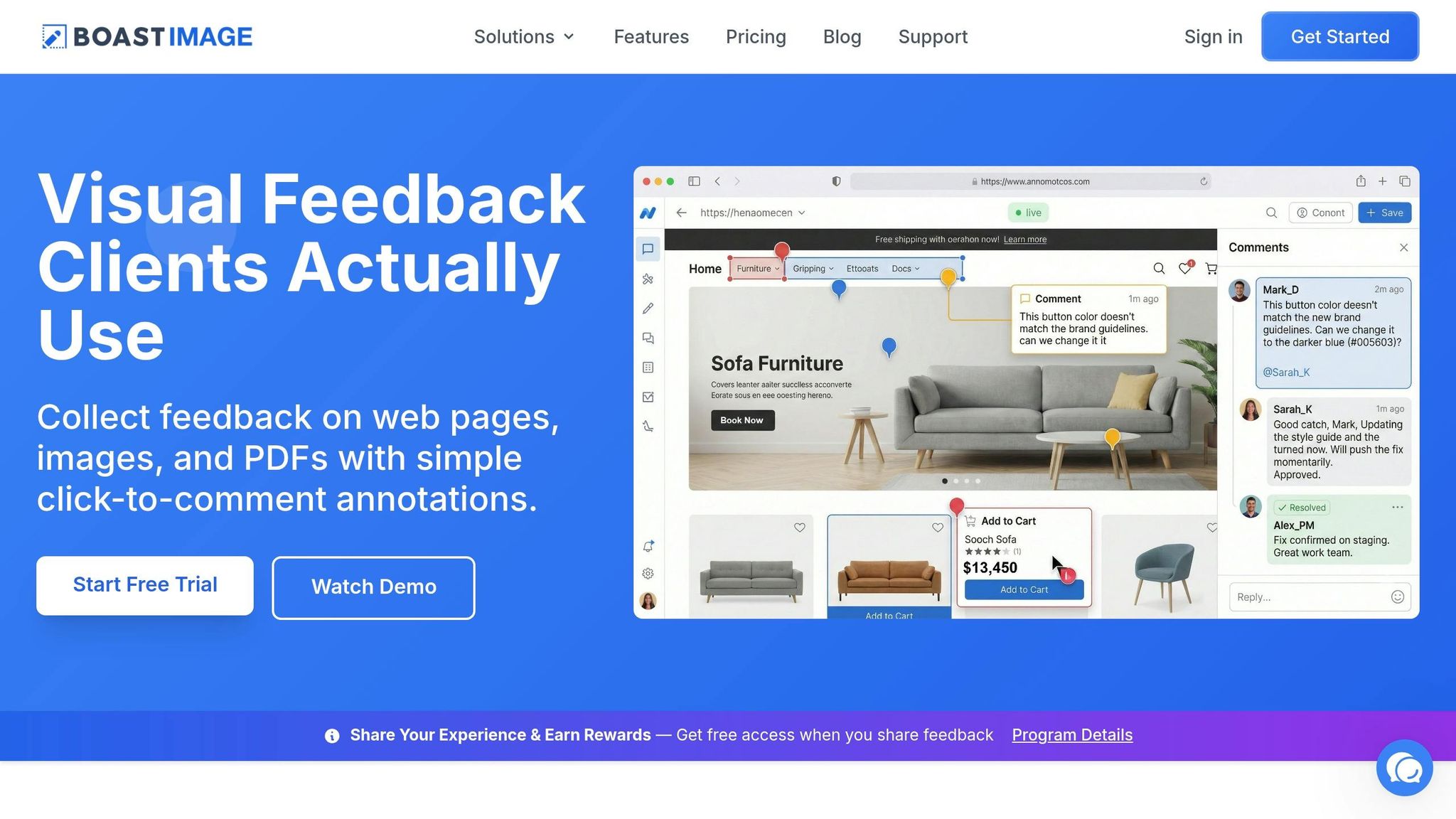
BoastImage takes the hassle out of gathering feedback by simplifying how clients and creative teams interact. By focusing on clarity and ease, it transforms what is often a messy process into an organized and efficient one.
Traditional tools often make clients jump through hoops, leading to vague and scattered feedback. This lack of structure can drag out the design process, creating unnecessary frustrations for everyone involved.
BoastImage addresses this by prioritizing the client’s experience. By removing unnecessary steps, it reduces barriers to meaningful input. As BugSmash puts it, "The less friction in the review process, the better the feedback quality". When paired with structured feedback methods and the right tools, you can reduce design revision cycles by as much as 30–40%.
No Login Required for Clients
BoastImage eliminates one of the biggest hurdles: requiring clients to log in. Instead, clients simply click a link and can immediately leave comments directly on the design elements they want to address. No accounts, no passwords, no learning curve.
When clients are forced to navigate complex tools or remember login details, they often revert to sending feedback via text or email - methods that scatter information and waste time. By removing these barriers, BoastImage ensures feedback stays in one centralized location, complete with visual context.
Organized Tools for Creative Teams
While clients enjoy a straightforward experience, creative teams get access to robust tools that keep projects on track. BoastImage includes features like version control to manage design updates, Kanban boards to organize tasks, and threaded conversations for clear communication.
For example, if a client comments, "This button feels lost", you can instantly turn that feedback into a task, assign it to the right team member, and track its progress - all without exposing your internal workflows. This keeps everything streamlined and transparent for both sides.
Unlimited Client Reviewers on All Paid Plans
Unlike other tools that charge per user, BoastImage includes unlimited external collaborators with every paid plan. Whether you’re working with legal teams, compliance officers, or senior management, everyone can weigh in without driving up costs.
Plans start at just $9.95/month for Solo users, $19.95/month for Teams, and $39.95/month for Businesses. By including unlimited reviewers, BoastImage ensures smooth collaboration and avoids bottlenecks caused by missing input from key stakeholders. This approach keeps everyone on the same page, moving projects forward without unnecessary delays.
Conclusion
Turning vague feedback into clear, actionable steps can transform how projects move forward. Phrases like "make it pop" no longer leave teams guessing, and unnecessary revision cycles become a thing of the past. Kashia Spalding, Founder and Creative Director at FifthHouse, sums it up perfectly: "The faster we get to what you actually mean, the faster the work gets good".
When communication focuses on strategic outcomes - like whether a design meets user needs or project goals - rather than personal preferences, it shifts the entire dynamic. This reframing fosters trust, keeps morale intact, and avoids the frustration that comes with unclear critiques. It also ensures that visual feedback tools can be used effectively throughout the design process.
Tools like BoastImage simplify collaboration by letting clients pin comments directly onto specific design elements. This creates a centralized system where everyone stays on the same page, leading to smoother project delivery and greater client satisfaction.
In fact, structured feedback combined with tools like BoastImage can reduce revision cycles by 30–40%. The result? More accurate designs, faster approvals, and happier clients. Teams can finally focus on what they do best - creating - without wasting time trying to decode unclear feedback.
FAQs
What questions should I ask when a client says “make it pop”?
When a client says, “make it pop,” it’s time to dig deeper and figure out what they really mean. Try asking these focused questions:
- What exactly should stand out more? (Think colors, typography, or layout specifics.)
- Are you looking for more vibrancy, contrast, or a sense of energy?
- Can you share examples of designs that feel like they 'pop' to you?
These kinds of questions turn unclear feedback into something you can actually work with, helping you create a design that matches their vision.
How do I turn vague feedback into clear, approval-ready tasks?
When a client says something like "make it pop", it can feel a bit ambiguous. The key is to dig deeper and ask for clarification. Are they looking for brighter colors, stronger contrasts, or perhaps tweaks to the typography? Once you understand their vision, offer specific suggestions - like increasing font sizes, using bolder colors, or sharpening contrasts.
Another great approach is to use visual feedback tools. These tools let clients leave precise comments directly on the design, which helps turn vague requests into clear, actionable tasks. This way, you can ensure their feedback translates into changes they'll approve.
How does BoastImage help clients give more specific feedback?
BoastImage lets clients provide direct, visual feedback on designs, making collaboration more effective. By allowing comments to be placed directly on the design, it simplifies organizing input, tracking changes with version control, and converting feedback into actionable tasks. This approach eliminates unclear suggestions like "make it pop" and ensures clients can clearly communicate their ideas.