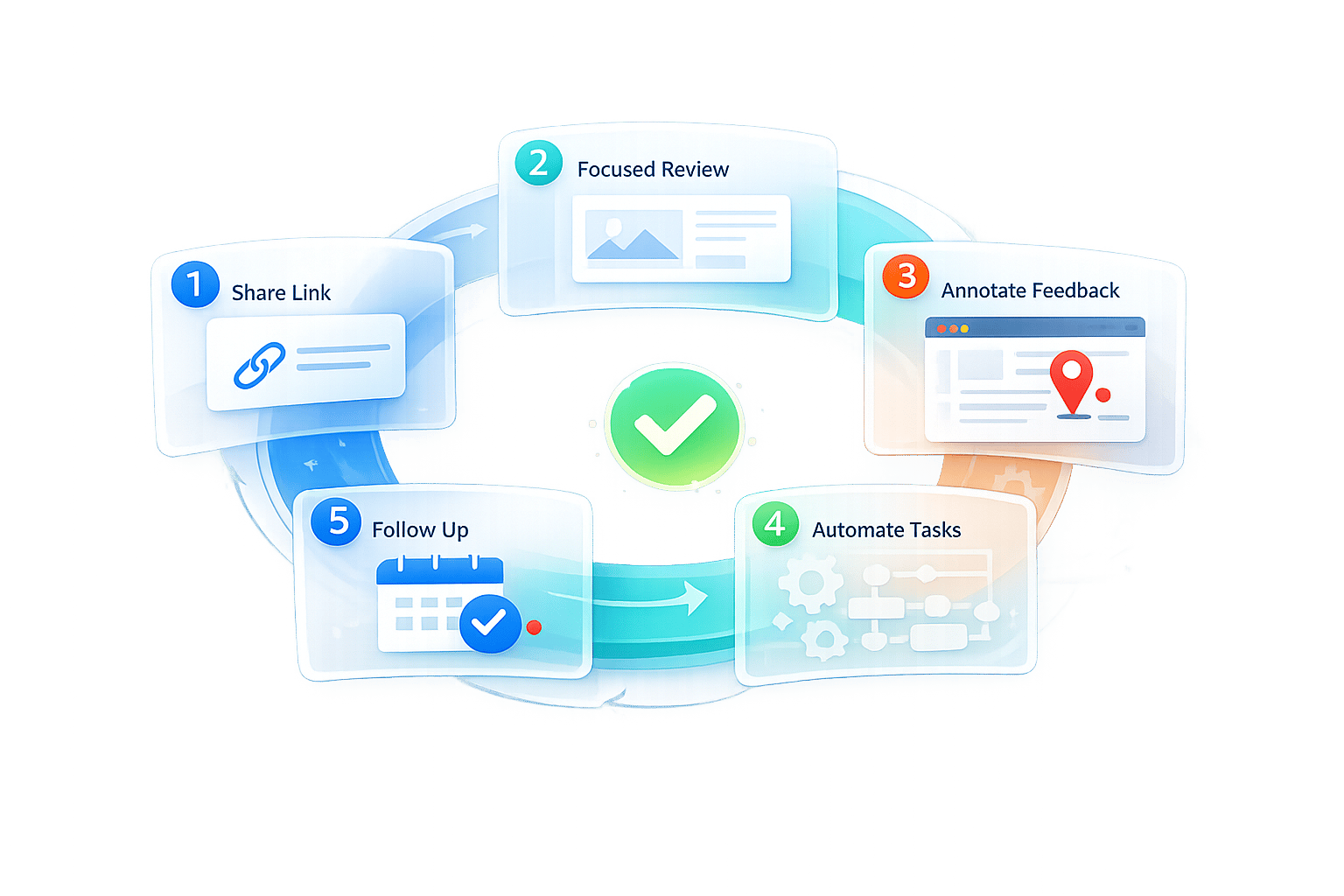
5 Steps for Client-Friendly Feedback Processes
Getting client feedback doesn’t have to be complicated. The key is to simplify the process, making it easy for clients to share their thoughts without unnecessary hurdles. Outdated workflows - like requiring logins or using overly technical tools - frustrate clients and lead to scattered feedback. Instead, focus on these five steps to create a smoother, more client-friendly system:
- Remove login requirements: Let clients leave feedback via simple links - no accounts or passwords needed.
- Simplify the interface: Keep tools clean and intuitive, showing clients only what they need to see.
- Use visual feedback tools: Allow clients to comment directly on designs, eliminating vague instructions.
- Separate team workflows: Convert client comments into internal tasks without exposing backend tools.
- Follow up consistently: Notify clients of updates and show how their input shaped the final product.
These steps not only improve communication but also boost client satisfaction and retention. For example, one agency increased their retention rate from 40% to 85% in 18 months just by refining their feedback process.
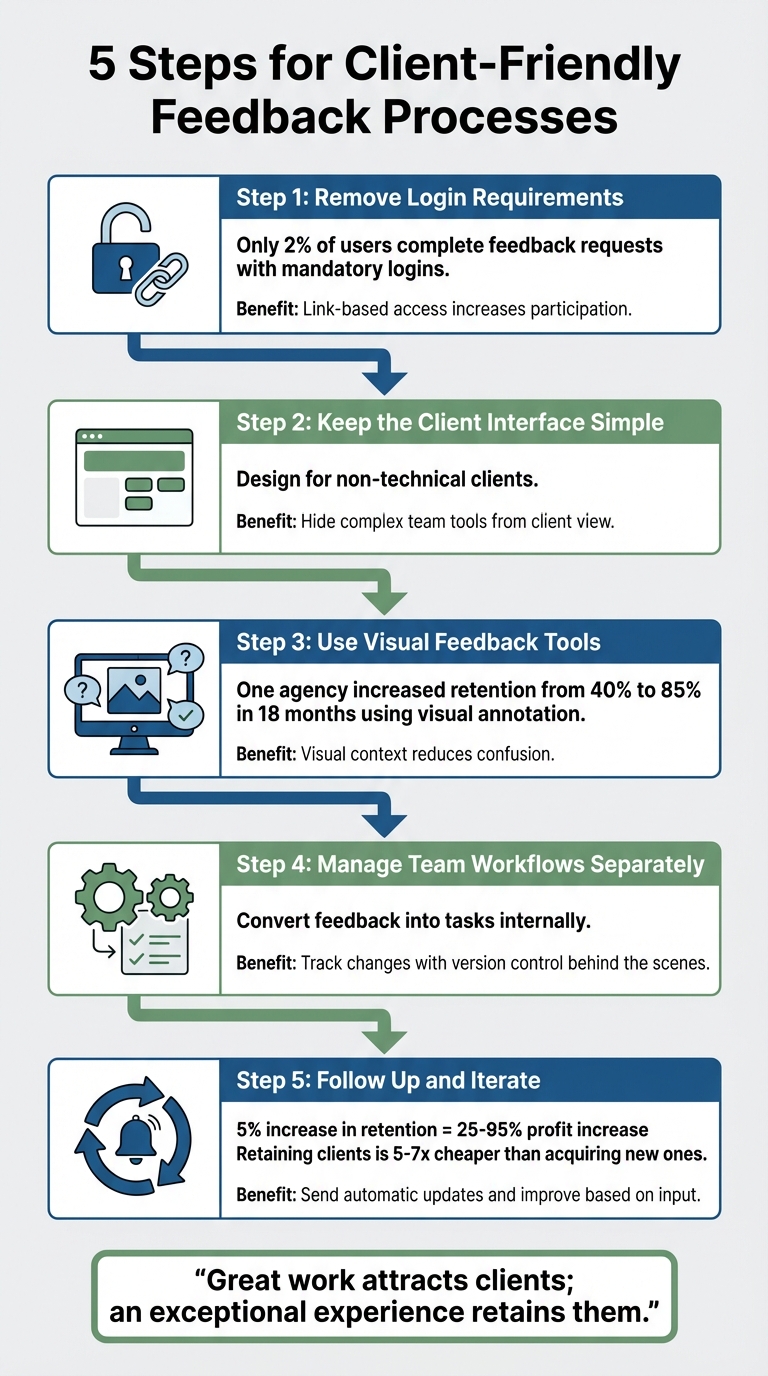
5 Steps to Create a Client-Friendly Feedback Process
Step 1: Remove Login Requirements
Why Account Requirements Discourage Clients
Asking clients to create an account just to leave feedback often leads to frustration. When they’re forced to sign up, remember passwords, and navigate through onboarding steps just to review designs or approve webpages, it feels more like a chore than collaboration.
Here’s the reality: only 2% of users actually complete feedback requests. That’s not because they’re uninterested - it’s because the process is unnecessarily complicated. Mandatory account creation introduces friction, a major hurdle in content review workflows. This friction can lead to missed deadlines, ignored feedback requests, or vague email responses instead of using a proper feedback system.
Gain Blog highlights this perfectly:
"Client-friendly means frictionless - and email, Google Docs, and Slack are anything but".
When the process feels overly technical or cumbersome, clients are less likely to engage. By removing these barriers, you can create a smoother, more effective feedback experience.
How Link-Based Access Increases Participation
Switching to link-based access makes everything easier. Clients simply click a link, review the work, and leave comments directly on the design - no downloads, no logins, no hassle. This approach removes the need for clients to remember credentials or deal with unfamiliar tools.
Take BoastImage, for example. It’s designed with this simplicity in mind. Clients can annotate directly on web pages, images, or PDFs without ever interacting with the more complex team tools like version control or task management. On your end, your workflow stays organized, but for clients, the process feels effortless and intuitive.
The results speak for themselves. Removing login requirements leads to quicker responses and more consistent feedback. As visualloop aptly states:
"Friction kills engagement. Ease builds habits."
Step 2: Keep the Client Interface Simple
Design for Non-Technical Clients
After creating a smooth login process, the next step is simplifying the client interface. Non-technical clients are often looking for a straightforward way to review work and provide feedback without dealing with overwhelming menus, buttons, or technical jargon.
Focus on making only the essential features visible. Use a clear layout and simple language to highlight key actions, such as leaving comments or approving designs. A consistent design - using the same colors, fonts, and button styles - helps clients know what to expect when interacting with the platform. For example, if you suddenly replace a "Delete" button with one labeled "Remove", it can confuse users and slow down the process.
Hide Team Tools from Client View
Internal tools, like version control systems or task management dashboards, should stay behind the scenes. Showing these to clients can lead to unnecessary confusion and overwhelm them with too much information.
Instead, let clients interact with only the essentials: the design itself and a simple comment box. Platforms like BoastImage excel at this. While your team works with tools like Kanban boards, version control, and task management software in the background, clients see a polished, streamlined interface. They simply click a link, review the design, leave comments, and move on. This approach keeps the "messy middle" of project management out of sight, giving clients a clean, focused experience while your team handles the complexities behind the scenes. This separation ensures clients can concentrate on reviewing the work without distractions, while your team retains full control over the process.
Step 3: Use Visual Feedback Tools
Why Visual Context Reduces Confusion
Trying to explain design issues through email or text can often feel like a game of telephone - misunderstandings are almost guaranteed. Phrases like "make it pop" or "the part with the button needs work" leave creative teams scratching their heads, unsure of what the client actually means. Visual feedback tools solve this problem by letting clients point directly to the element they’re referring to.
One agency saw its client retention rate jump from 40% to 85% in just 18 months by using visual annotation tools. This shows how clear, contextual feedback not only reduces confusion but also builds trust and engagement with clients.
By tying feedback to a specific location - whether it’s a paragraph in a PDF, a button on a webpage, or a frame in a design mockup - you ensure everyone is on the same page. This approach leads to fewer revision cycles, saves time, and creates a smoother review process for both teams and clients.
Key Features for Visual Feedback
To get the most out of visual feedback tools, look for features that make the process intuitive and efficient. For example:
- Click-to-comment functionality: This allows clients to mark specific spots on a webpage, image, or PDF without needing to know technical terms like "kerning" or "CTA hierarchy". They simply click, comment, and your team knows exactly what to address.
A great example is BoastImage. Clients can access a link, click to add comments directly on visuals, and that’s it - no accounts or training required. The platform supports web pages, images, and PDFs, making it versatile for everything from website mockups to brand guidelines. Threaded conversations keep feedback organized with names and timestamps, while your team benefits from hidden tools like version control, task management, and Kanban boards.
It’s also essential to choose tools that are mobile-friendly. With the average email response time now expected to be under 4 hours, mobile access ensures clients can provide feedback quickly, even when they’re away from their desks. This responsiveness helps keep projects moving forward without unnecessary delays.
Step 4: Manage Team Workflows Separately
Convert Feedback into Tasks
Once you've created a smooth client interface, the next step is turning client feedback into actionable tasks. Gathering input is one thing, but translating it into clear, manageable actions is where the real work begins.
Start by consolidating feedback from all channels into a single internal view. Instead of sorting comments by their source, group them by themes like usability or branding. This helps streamline your workflow and avoids cluttering your backlog with duplicate requests while still keeping the original context intact. For example, if several clients highlight navigation issues, create a single "Common Need" task internally and link all relevant feedback to it.
Assigning ownership is key. Break it into three steps: first, validate the feedback (a role suited for someone from the CX or analytics team); second, execute the solution (handled by product or operations); and finally, oversee the results (typically led by business leadership). Set clear timelines for each step - such as validating high-priority concerns within five business days and delivering a mitigation plan within 30 days. This structure ensures accountability while keeping your internal processes invisible to the client.
Tools like BoastImage can simplify this process. Clients provide visual feedback through an easy-to-use interface, while your team manages tasks internally without exposing the backend workflow.
Once tasks are in place, the next focus should be on tracking progress and implementing changes effectively.
Track Changes with Version Control
Version control is more than just an organizational tool - it’s a way to show clients that their feedback is making a difference. By using a branching strategy, you can keep new work separate from the client-approved version. Make small, incremental updates, and link each change to a specific client comment or task ticket. This creates a clear chain of accountability, showing how client input - like a suggestion about a call-to-action button - leads to tangible improvements.
To make this process even more transparent, use version tags such as "Client Review 1" or "Final Approved" to mark key milestones. Share proof of updates with clients through screenshots or links that highlight the changes made based on their feedback.
With tools like BoastImage, version control happens seamlessly in the background. Your team uploads new iterations, clients review and comment on the latest version, and the platform keeps a complete version history. This way, clients see only the polished, relevant updates while your team maintains detailed records of every change. It’s a win-win for clarity and efficiency.
sbb-itb-32f6eb2
Step 5: Follow Up and Iterate
Send Automatic Updates to Clients
Following up is the secret ingredient to turning one-off projects into lasting partnerships. Research shows that consistent follow-ups are essential - skipping them can negatively affect how clients view your brand. When clients see their feedback making a real impact, trust grows, and they’re more likely to stay loyal.
Automating follow-ups can save you time and keep communication seamless. For example, tools like BoastImage make this process effortless. When your team uploads a revised version, the platform automatically sends clients a notification with a direct link to the updated work. Clients can easily spot the changes made based on their feedback, leave additional comments, and approve the updates - all without struggling through complicated dashboards. On your end, your team gets instant alerts whenever a client responds, ensuring nothing slips through the cracks.
Make each update personal. Reference specific feedback, like saying, "We adjusted the navigation based on your March 3rd input." This level of detail shows clients you’re paying attention and value their input.
Streamlined updates like these not only improve communication but also create the perfect opportunity to gather more targeted feedback for continuous improvement.
Improve Based on Client Input
Once you’ve streamlined the update process, the next step is to refine your workflow using client feedback. Ask direct, focused questions about specific elements of the project. Encourage clients to organize their feedback into categories - what they liked, what didn’t work, and areas needing clarification. This approach helps identify potential friction points and smooths the way for future projects. At the end of a project, you might ask, "Was there anything that made this process more difficult than it needed to be?"
Timeliness is key. Acknowledge feedback quickly - aim for a two-hour window - even if it’s just a short note like, "Got it, reviewing now." With average email response times dropping below four hours, a quick acknowledgment shows clients they’re a priority. Once they’re satisfied with the final product, it’s a great time to ask for a review or referral while the experience is still fresh in their minds.
Why does all this matter? The numbers speak for themselves. Boosting customer retention rates by just 5% can lead to a profit increase of 25% to 95%. Plus, keeping an existing client is far more cost-effective than acquiring a new one - it’s five to seven times cheaper. Treat follow-ups as an investment, not an afterthought, and you’ll not only complete projects but also cultivate a loyal client base.
Effortless Client Feedback for Web Designers | Workflow Walkthrough
Conclusion
By following five straightforward steps - removing login barriers, simplifying interfaces, incorporating visual tools, streamlining workflows, and maintaining consistent follow-ups - you can create a feedback process that truly connects with clients. These steps address a common pain point: clients often struggle to provide feedback, not because they don't care, but because the process feels unnecessarily complicated. Simplifying these interactions not only speeds up approvals but also strengthens client relationships.
The data speaks volumes. One agency saw a noticeable boost in client retention simply by refining its feedback process. Considering it costs five to seven times more to acquire a new client than to retain an existing one, the financial benefits of a client-focused approach become undeniable. This isn't just about efficiency - it’s about fostering trust and loyalty.
"Great work attracts clients; an exceptional experience retains them." – visualloop
Clients evaluate more than the quality of your work; they assess how the experience made them feel. Were they understood or dismissed? Assured or uncertain? A seamless feedback process ensures they leave with positive impressions.
Tools like BoastImage are built to simplify this experience. Clients can leave visual comments with a single click - no accounts, no learning curve. On the backend, your team gains access to features like version control, task management, and Kanban boards. This balance - ease for clients and structure for your team - is what sets successful workflows apart.
Start small: remove login requirements or introduce visual annotations. From there, refine your process step by step. These adjustments can lead to quicker approvals, fewer revisions, and clients who are eager to collaborate with you again.
FAQs
How do I get client feedback without requiring logins?
Collecting client feedback can be hassle-free if you use tools that allow clients to comment directly on your work through public links. These tools remove the need for creating accounts, remembering passwords, or going through onboarding processes. Clients can quickly review designs, images, or PDFs and share their thoughts without any barriers. This simple method helps maintain client engagement and makes providing feedback a smooth and effortless process.
What features make a feedback interface client-friendly?
A feedback interface designed for clients should make the process easy, reduce barriers, and promote clear communication. Some essential features to include:
- Visual commenting: Allow clients to leave comments directly on designs, images, or PDFs for precise feedback.
- No login necessary: Clients shouldn't need to create accounts or log in to share their thoughts.
- Centralized feedback: Keep all comments in one place to avoid confusion and scattered input.
- Version control: Ensure clear tracking of revisions and updates to maintain organization.
- User-friendly tools: Provide simple, intuitive options that make giving feedback quick and hassle-free.
How do I turn client comments into internal tasks without exposing my workflow?
To manage client feedback efficiently while keeping your internal workflow under wraps, consider using a tool like BoastImage. This allows clients to provide input directly on designs without exposing your internal processes. You can then categorize these comments by priority or type and transform them into actionable tasks within your project management system. This approach ensures smooth communication with clients while safeguarding the privacy of your internal operations.