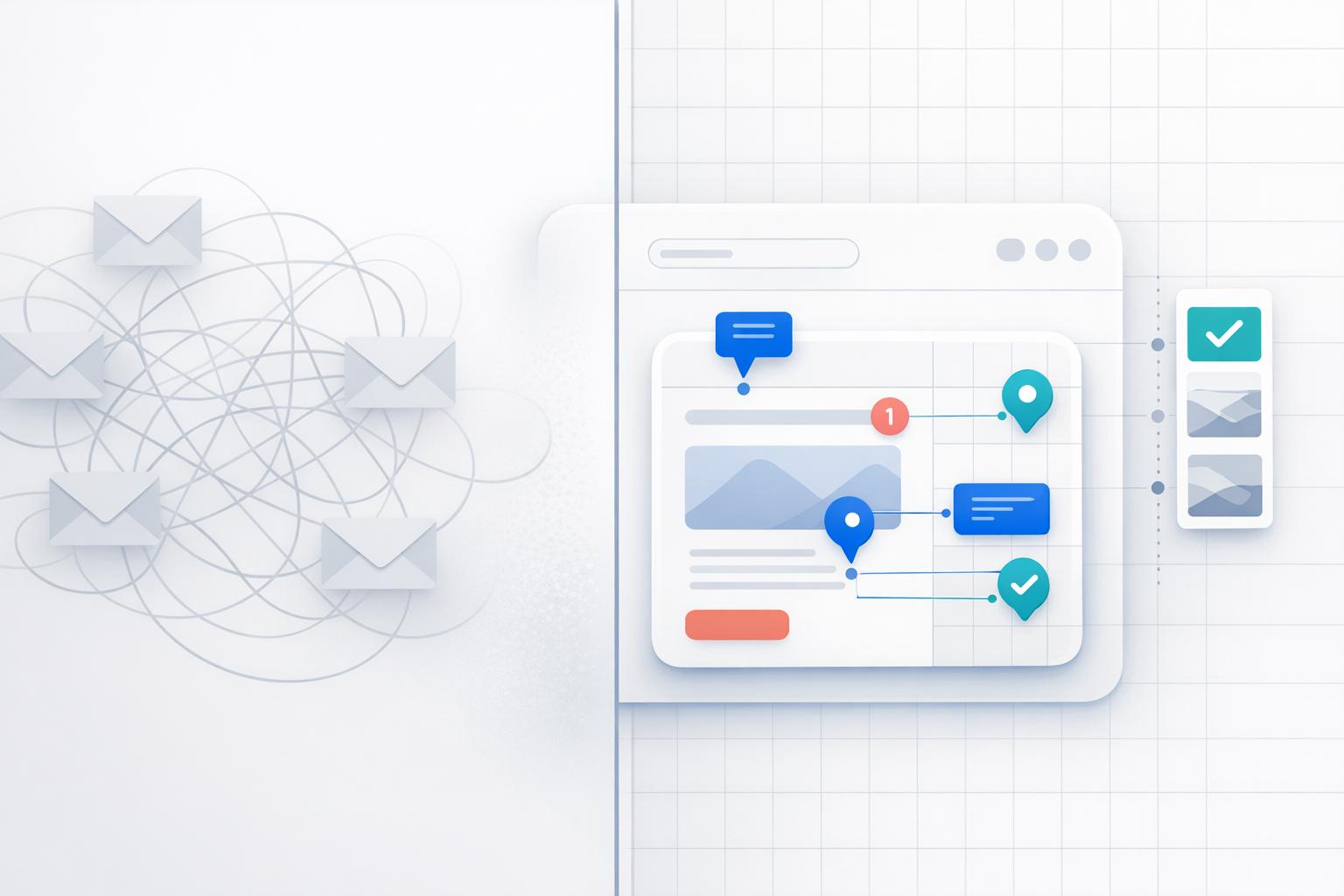
Client Feedback: Visual Annotation vs Email
Visual annotation tools are faster, clearer, and more organized than email for client feedback. While email feedback is familiar, it often leads to vague instructions, lost communication, and delays. Visual annotation, on the other hand, allows clients to directly mark changes on designs, cutting revision cycles in half and improving project timelines.
Key Takeaways:
- Email Feedback Issues: Vague comments, scattered threads, and poor version control lead to delays and confusion.
- Visual Annotation Benefits: Pinpoint comments on designs, centralized feedback, and faster approvals.
- BoastImage Features: Login-free access, task management tools, and version control simplify feedback.
Quick Comparison:
| Feature | Email Feedback | Visual Annotation (BoastImage) |
|---|---|---|
| Clarity | Vague, text-based descriptions | Precise, pinpointed comments |
| Speed | 3-day average response time | Feedback in minutes |
| Access | Requires email accounts | Login-free links |
| Organization | Scattered threads, manual tracking | Centralized with version control |
| Collaboration | Sequential feedback | Simultaneous input |
Switching to tools like BoastImage simplifies feedback, reduces revision cycles, and keeps projects moving efficiently. Pricing starts at $9.95/month, making it accessible for freelancers and teams alike.
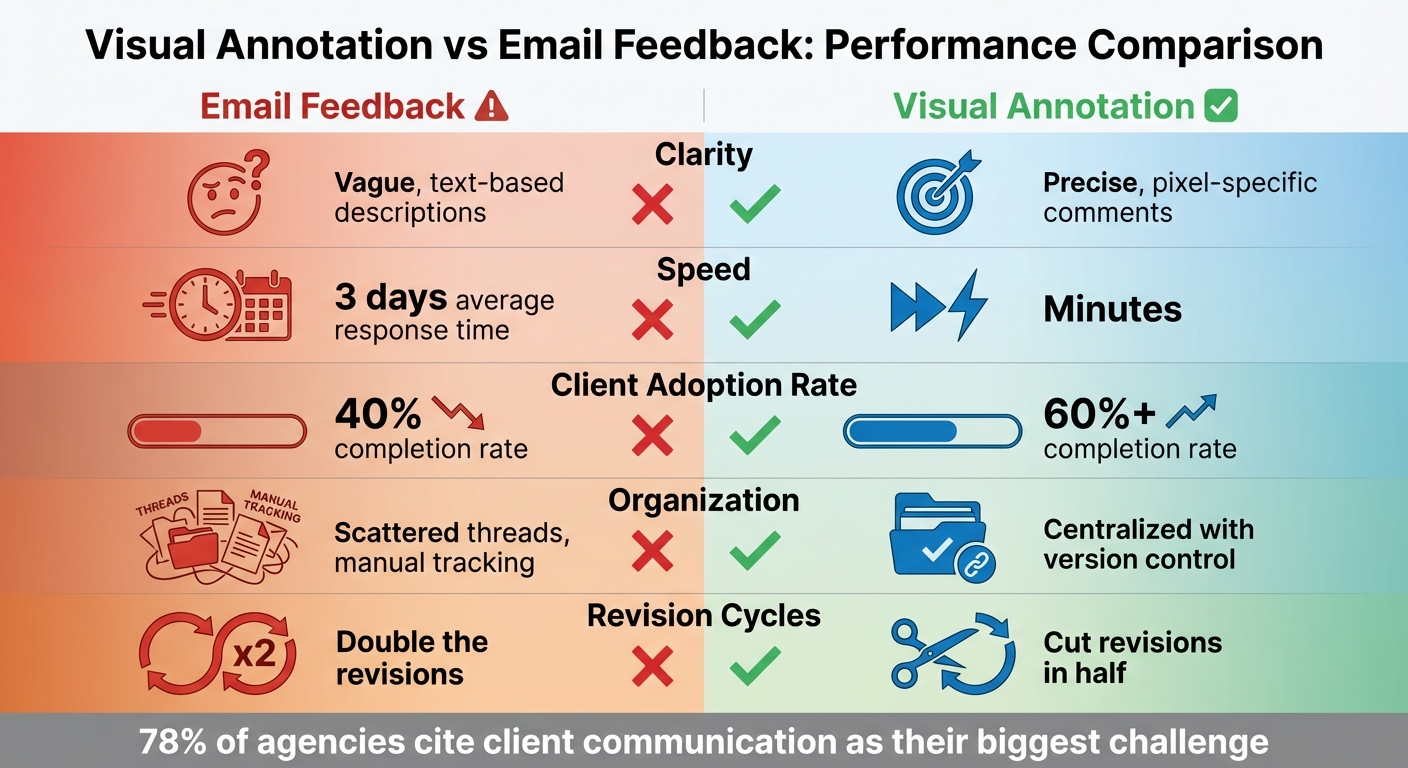
Visual Annotation vs Email Feedback: Speed, Clarity, and Efficiency Comparison
Email Feedback: Problems and Costs
Common Email Feedback Problems
Email feedback often creates more headaches than solutions, mainly due to operational delays and disorganized communication. Picture this: files named "v3_final_FINAL.pdf" scattered across email threads, while feedback trickles in from Slack, text messages, and even screenshots shared during Zoom calls. This fragmented process forces teams to waste time hunting down scattered comments and consolidating them into actionable tasks.
Another common issue? Clients struggle to communicate design changes effectively. Instead of pinpointing specific elements, they rely on vague phrases like "make it pop" or "change this color", leaving designers guessing what they mean. Without a clear way to reference exact elements, these subjective requests lead to lengthy explanations and confusion. On top of that, feedback often arrives sequentially - one stakeholder weighs in, followed by another, and another. This domino effect drags projects through multiple unnecessary revision rounds, stretching what should be a quick process into a marathon.
Hidden Costs of Email Feedback
These inefficiencies aren't just annoying - they're expensive. While visual feedback tools allow teams to resolve feedback in minutes, email-based workflows can take up to three days just to get a response. Multiply that delay by each revision cycle, and suddenly, deadlines are slipping, projects are stalling, and final invoices are stuck in limbo.
Even worse, email feedback often doubles the number of revision rounds. Where visual tools can streamline the process and cut revisions in half, email drags teams into endless loops of clarifications and misinterpretations. Without automatic technical details, teams are forced into extra back-and-forth exchanges, eating into billable hours and leaving clients frustrated by the slow pace of what should be simple changes.
Email Feedback: Pros and Cons
| Advantages | Disadvantages |
|---|---|
| Familiar to everyone - no learning curve | Vague, text-based descriptions lack precision |
| No new tools or accounts required | Average 3-day turnaround slows projects |
| Works on any device | Scattered threads make tracking impossible |
| Easy to forward or loop in stakeholders | Version control becomes a manual nightmare |
| Sequential feedback leads to excessive revisions | |
| No automatic capture of technical details |
These challenges highlight why email feedback, while familiar and easy to use, often falls short. A more visual, streamlined approach could save time, money, and frustration for everyone involved.
sbb-itb-32f6eb2
Visual Annotation with BoastImage
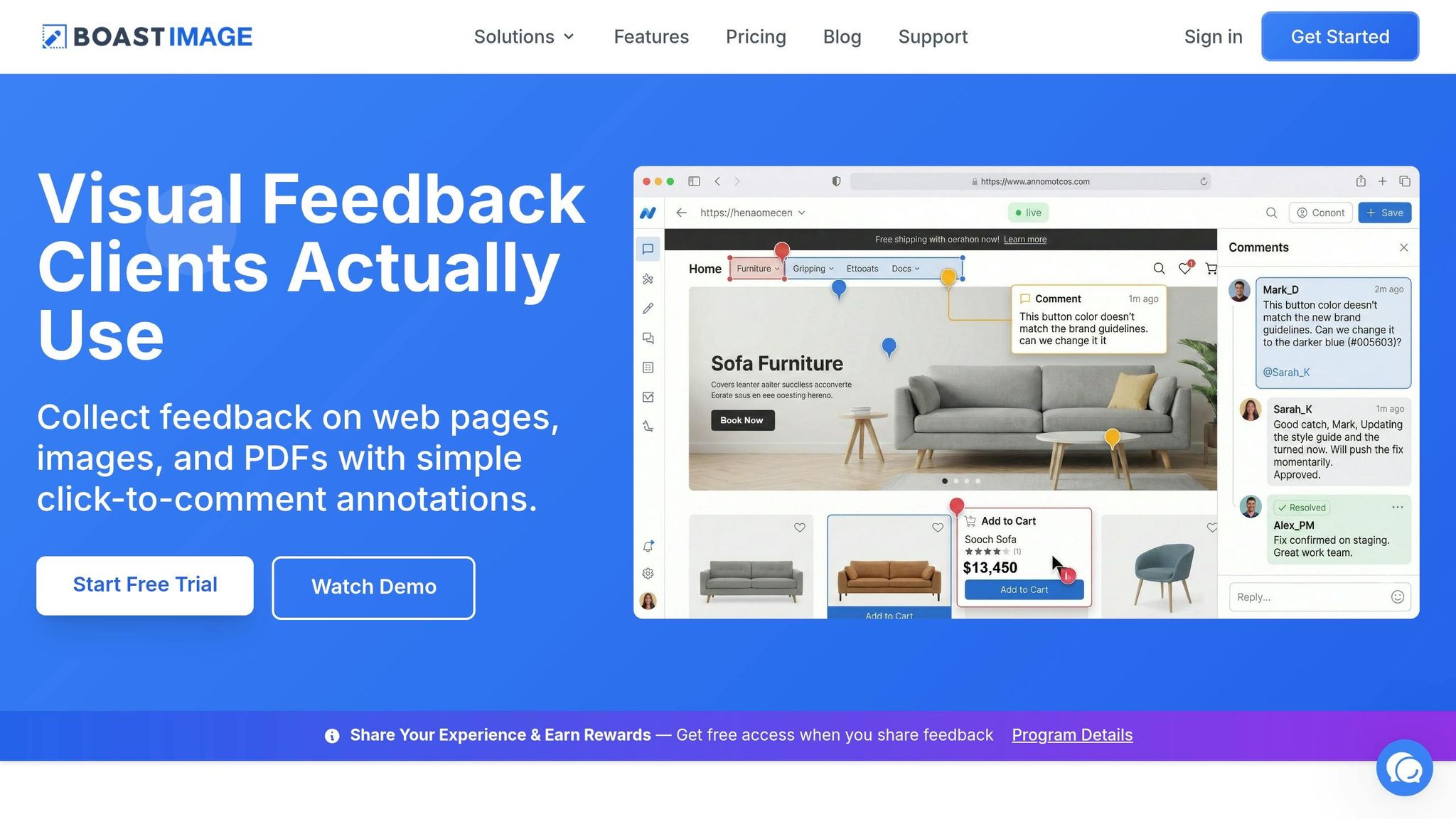
Email feedback often feels like swimming upstream - slow, disorganized, and frustrating. Visual annotation offers a smoother, faster alternative that helps you get clear, actionable design feedback to simplify the process.
How Visual Annotation Works
BoastImage reimagines how feedback is collected. Instead of wading through endless email threads, you send your client a single link - no accounts, no passwords, no onboarding hassle. With just a click, your client can view a web page, image, or PDF, then drop a pin exactly where they want changes. It’s that simple.
There’s no need for clients to download software or watch tutorials. Their comments appear instantly on your dashboard, where you can turn them into tasks, assign team members, and track everything using a Kanban board. The best part? Clients only see what they need to, while your team handles the details behind the scenes. This approach not only speeds up the process but also creates a smoother, more enjoyable experience for everyone involved.
BoastImage Features for Clients
BoastImage removes common barriers that slow down client feedback. With login-free access, clients can jump right in. This ease of use drives a 60%+ feedback completion rate, compared to the industry average of 40%. No passwords to remember, no dashboards to navigate - just click, comment, and done.
Contextual annotations make everything clearer. Instead of vague instructions like "fix the top part", clients can point directly to the exact spot they want to adjust. As freelance designer Sarah Martinez puts it:
"Finally, a tool that doesn't make me want to throw my laptop. Clients can actually point to what they want changed instead of describing it in vague terms".
Version control is another game-changer. Upload new iterations, compare them side-by-side, and keep track of every change. Creative director James Davidson shared his experience:
"Cut my revision rounds in half. Clients see exactly what changed between versions, and I don't have to explain everything in email".
For teams, BoastImage offers built-in Kanban boards and task management tools, turning feedback into actionable steps without complicating things for clients.
The BoastImage Chrome extension makes capturing screenshots effortless - whether it’s a full web page, visible area, or a specific section. For sensitive projects, you can use access codes and password protection while still keeping the process as simple as one click. Paid plans start at just $9.95/month and include unlimited collaborators, so everyone involved can provide input in a single, focused session.
Visual Annotation vs Email: Feature Comparison
Here’s how visual annotation stacks up against email feedback:
| Feature | Email Feedback | BoastImage Visual Annotation |
|---|---|---|
| Context | Vague descriptions (e.g., "the top button") | Precise pins on exact design elements |
| Access | Requires email account/attachments | Login-free via public or secure links |
| Organization | Scattered threads and multiple PDF versions | Centralized hub with version control |
| Task Tracking | Manual entry into other tools | Built-in Kanban and list views |
| Speed | Average 3 days for feedback | Comments often received in minutes |
| Collaboration | Sequential - feedback from one person at a time | Simultaneous - stakeholders comment together |
Alex Chen, a design agency owner, summed it up perfectly:
"No more hunting through Slack threads and email chains. All feedback lives right on the design".
With 78% of agencies citing client communication as their biggest challenge, tools like BoastImage that simplify and clarify the process are becoming indispensable.
Visual Annotation vs Email: Performance and Use Cases
Performance Comparison: 5 Key Metrics
When it comes to feedback, visual annotation consistently outperforms email across key metrics. One of the biggest advantages is speed - visual annotation allows comments to be shared in minutes, compared to the days email feedback often requires. This faster turnaround keeps projects moving without unnecessary delays.
Precision is another area where email falls short. Descriptions in email can be vague and open to interpretation, while visual annotation lets users pin comments directly on specific elements, leaving no room for confusion. Tools that eliminate the need for client logins also boost adoption rates. For example, visual annotation tools achieve completion rates of over 60%, compared to around 40% for email feedback.
Email becomes increasingly inefficient as project complexity grows, with feedback scattered across multiple threads and platforms. In contrast, visual annotation centralizes all comments and includes version control for better organization. Even a small improvement in First Contact Resolution - just 1% - can save a mid-sized service center approximately $286,000 annually.
| Metric | Email Feedback | Visual Annotation |
|---|---|---|
| Clarity | Vague, text-based descriptions | Precise, pixel-specific comments |
| Speed | Feedback averages 3 days | Feedback is received within minutes |
| Client Adoption | Common but often inefficient | Over 60% completion with no-login access |
| Scalability | Fragmented feedback across channels | Centralized with version control |
| Cost-effectiveness | Higher costs due to extra revisions | Cuts revision rounds significantly |
These metrics highlight why visual annotation is a game-changer, especially in scenarios where clarity, speed, and organization are crucial.
When Visual Annotation Works Best
The benefits of visual annotation truly shine during practical feedback sessions. For example, in web page reviews, clients can pinpoint layout issues, broken elements, or copy errors directly on the page - no need for lengthy explanations. Tools like BoastImage's Chrome extension make this even easier by allowing users to capture entire pages, specific sections, or visible areas for precise markup.
Design iterations also become more efficient. Instead of endless back-and-forth emails discussing minor details like font sizes or color shades, clients can mark changes directly on the design. In one instance, a client provided 24 detailed comments across three pages in less than 30 minutes.
Multi-page documents, such as PDFs or brochures, benefit as well. Clients can annotate directly on the file without needing additional software or printed copies. This approach is particularly helpful when time is tight, as it reduces miscommunication and accelerates timelines. Considering that 78% of agencies identify client communication as their biggest challenge, visual annotation simplifies the process, leading to quicker results and happier clients.
Conclusion: Moving from Email to Visual Annotation
Key Takeaways
Switching from email to visual annotation clears away the hurdles that slow down creative projects. Instead of dealing with scattered and unclear email feedback, visual annotation allows clients to point directly to specific changes, centralizes all feedback, and provides a clear view of version updates.
The stats back this up: 78% of agencies cite client communication as their biggest challenge. Tools that simplify this process can make a big impact. For example, BoastImage’s login-free approach boasts a 60%+ client completion rate, outperforming the 40% industry average for tools requiring accounts. This means fewer revision cycles, quicker approvals, and happier clients who can share feedback effortlessly.
Say goodbye to endless email threads and vague instructions. With centralized, precise comments, project approvals move faster, creative workflows become smoother, and pricing stays accessible for teams of all sizes.
BoastImage Pricing Plans
BoastImage offers flexible pricing to fit the needs of freelancers, agencies, and in-house teams. Here’s a breakdown of their plans:
- Free Plan ($0/month): Ideal for trying out the platform, this plan includes 1 active project, 5 items, 3 external collaborators, and 5GB of storage.
- Solo Plan ($9.95/month): Perfect for individual professionals, it includes 5 active projects, unlimited items, 10 external collaborators, 50GB of storage, version control, and a Kanban view.
- Team Plan ($19.95/user/month): Designed for teams, this plan offers unlimited projects, unlimited collaborators, project-level permissions, and custom branding.
- Business Plan ($39.95/user/month): Built for larger organizations, it adds unlimited storage, full white-label branding, audit logs, and a dedicated success manager.
All paid plans allow unlimited external collaborators, ensuring clients can provide feedback without adding to your costs. Whether you’re a solo freelancer or part of a large team, BoastImage has an option to streamline your workflow.
FAQs
How do I get clients to actually leave feedback?
The easiest way to get client feedback is to make the process as straightforward as possible. A tool like BoastImage can be a game-changer - it allows clients to leave comments directly on your work through a simple link, with no need for accounts or logins. To keep things smooth, give clear instructions, gather all feedback in one place, and let clients know what kind of input you’re looking for from the start. By simplifying everything, you’ll not only encourage more participation but also ensure the feedback you receive is useful and actionable.
Can I use visual annotation on live web pages and PDFs?
Yes, visual annotation works seamlessly on both live web pages and PDFs. With BoastImage, clients can leave clear, visual comments directly on these formats - no logins or complicated setups required.
How can I keep feedback organized across multiple versions?
To keep things organized across different versions, it's essential to use tools built for version control and structured workflows. These tools help consolidate comments, track changes, and transform feedback into actionable tasks. For instance, BoastImage allows you to upload multiple items - like web pages, images, and PDFs - within a single project. It also makes managing versions effortless and links annotations directly to specific areas. This approach ensures clear communication, eliminates confusion, and keeps the review process running smoothly.