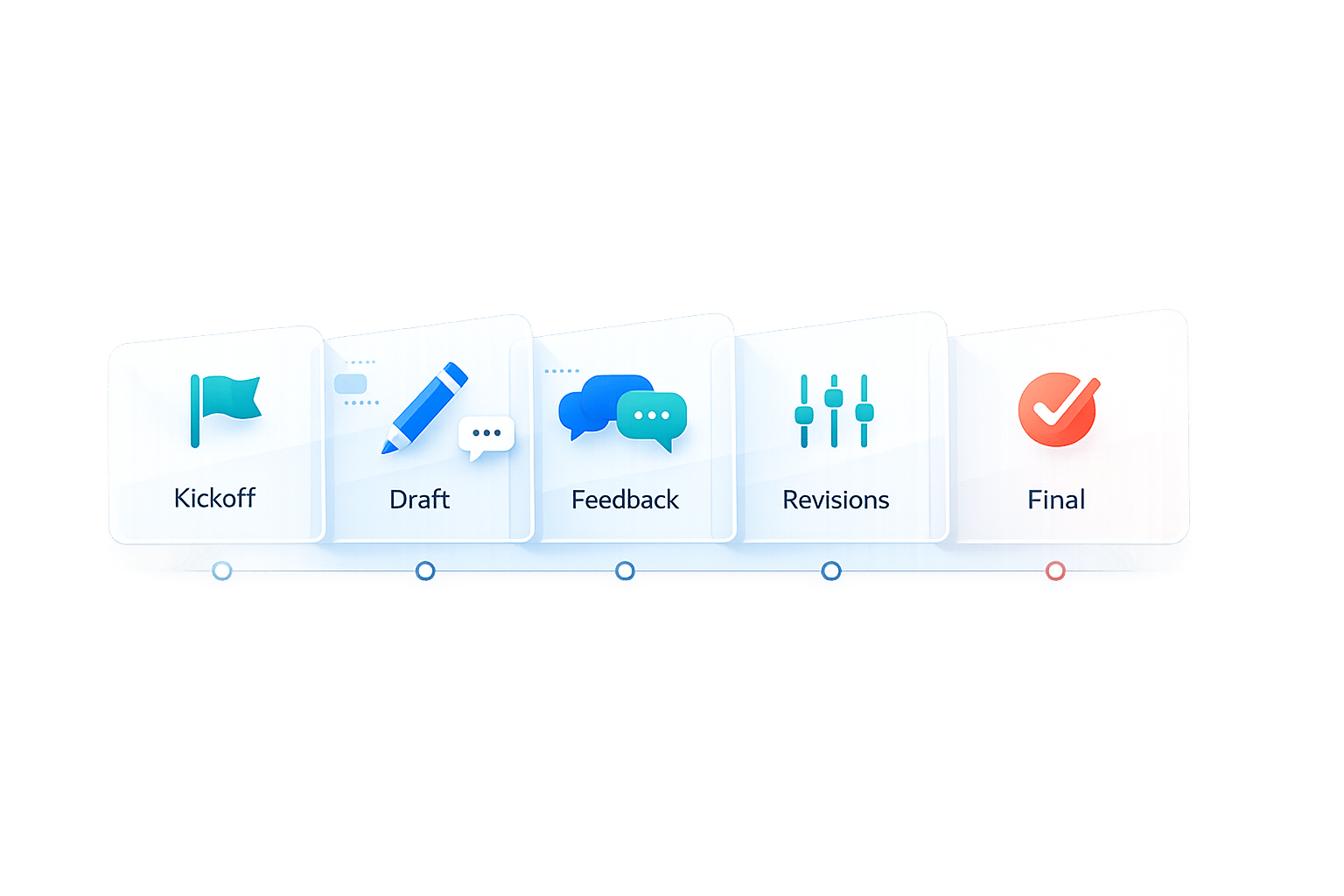
5 Milestones for Faster Client Approvals
Client approval delays can derail timelines, hurt productivity, and frustrate teams. The solution? Structured milestones. These checkpoints keep projects on track by creating clear deadlines, reducing scattered feedback, and ensuring smooth communication.
Here’s how to streamline approvals in five steps:
- Kickoff Meeting: Set expectations, define roles, and establish revision limits upfront.
- First Draft Delivery: Provide clear instructions, use simple feedback tools, and enforce deadlines.
- Feedback Collection: Centralize comments and assign a single client contact to avoid chaos.
- Revision Review: Confirm all changes, use version comparison tools, and lock approvals.
- Final Approval: Define approval terms, conduct quality checks, and enforce a "silence as approval" clause.
Teams that follow these steps can cut approval times by up to 70% and avoid unnecessary delays. Let’s dive into each milestone.
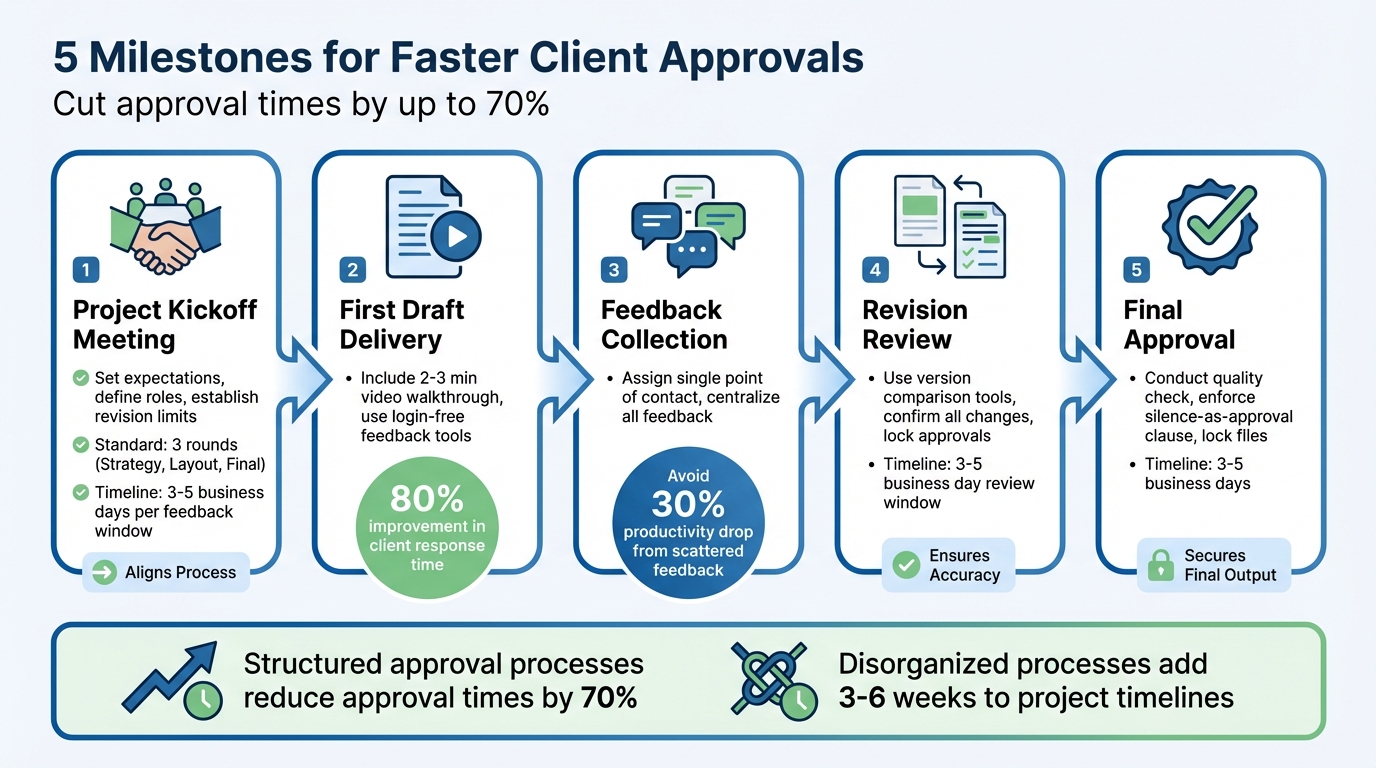
5 Milestone Process for Faster Client Approvals
Reviewer & Approval Workflow in Airtable | Ben Green 🚀
sbb-itb-32f6eb2
1. Project Kickoff Meeting
The kickoff meeting is more than just a routine step - it’s the foundation for avoiding confusion and keeping the project on track. This is your opportunity to establish clear roles, define what "approved" means, and set limits on revisions to prevent delays.
Start by identifying the true decision-maker. As Charles Haine points out, appearances can be misleading. Directly ask who has the final say and ensure that person is either present at the meeting or committed to being involved in every review phase. This avoids the frustration of conflicting feedback or cascading approvals that can stall progress.
Next, establish revision limits upfront. A good rule of thumb? One round for strategy, one for layout, and one for final tweaks. Build a review timeline into your Statement of Work, allowing 3–5 business days for feedback. To keep things moving, include a "proceed clause" that allows you to move forward with the current version if the client misses their deadline.
Finally, agree on aesthetic benchmarks like "minimalist", "trustworthy", or "energetic." These serve as objective guidelines for evaluating drafts, reducing subjective back-and-forth. Make sure "approved" is clearly defined - whether it’s a portal click, a specific email phrase, or a signature. This creates a clear record and avoids misunderstandings like "I thought we agreed on something else."
| Kickoff Topic | Goal | Standard |
|---|---|---|
| Revision Structure | Prevents scope creep | 3 Rounds (Strategy, Layout, Final) |
| Feedback Window | Maintains project momentum | 3–5 Business Days |
| Primary Approver | Avoids conflicting feedback | One designated stakeholder |
| Approval Method | Provides an audit trail | Single source of truth (e.g., Portal or Email) |
2. First Draft Delivery
Once the kickoff meeting wraps up, the next big step is delivering the first draft. This moment is key - it sets the tone for the rest of the approval process. To make the most of it, ensure clients know how to review the draft and provide actionable design feedback.
A great way to guide this process is by including a short 2–3 minute video walkthrough. Use this to explain your design decisions and help steer feedback in the right direction. This proactive step can answer common questions and encourage feedback that aligns with the business goals discussed in the kickoff meeting. For example, ask specific, objective questions like, "Does this color palette reflect your brand’s professional tone?" or "Is the call-to-action clear and engaging enough?" These kinds of questions keep feedback focused and productive.
How you deliver the draft matters just as much as the draft itself. Jasen Fici, Founder of Boast Image, highlights a common pitfall:
"Clients get sent a link to a platform they have no intention of learning, they disengage, often reverting back to scattered email feedback. The tool meant to accelerate review ends up adding a step".
To avoid this, use a login-free feedback tool. These tools let clients click a link and leave comments directly - no need for accounts or training. This simplicity reduces friction, helping clients stay engaged and stick to the structured feedback process, rather than falling back on chaotic email threads.
When delivering the draft, make sure to set clear deadlines. Remind clients of the agreed 3–5 business day feedback window, and include an auto-approval clause to keep the project on track. Sarah Chen, Head of Operations at Yuktis, shared how this approach improved her team’s workflow:
"We added a clause: 'Approvals not received within 3 business days will be auto-approved.' Client response time improved by 80%".
To keep things moving smoothly, schedule automated reminders on Days 2, 4, and 5 of the feedback window. This system ensures you’re not constantly chasing responses and keeps the project moving forward. With a clear delivery process and guided feedback collection, you’ll set the stage for the next milestone with minimal delays.
3. Feedback Collection
Once the draft is delivered, the real work begins: gathering feedback that drives the project forward. A common stumbling block is letting multiple stakeholders chime in through different channels. Marketing might have one viewpoint, legal another, and then an executive could swoop in last minute with a conflicting idea. This kind of disjointed feedback can derail progress and force designers to constantly switch focus - a productivity drain that can cut efficiency by 30%.
To keep things on track, assign a single point of contact on the client side. This person’s role is to collect all internal feedback, resolve disagreements, and deliver a unified set of comments. The idea isn’t to reduce the client’s involvement but to ensure their team aligns internally before passing feedback along. This simple step helps create a streamlined, cohesive process.
Another key step is to centralize all feedback in one place. Instead of scrambling to piece together input from scattered emails or chats, use a single platform where every comment, version, and decision is stored. Tools like BoastImage, which allow login-free access, are especially effective. Clients can click a link, leave comments, and stay engaged without the hassle of account creation.
Take a page from STANLEY Security’s playbook. In 2025, they implemented centralized forms and approval templates to manage inter-departmental requests. By consolidating everything into one platform, they cut their report-building time by over 50%. The same logic applies to client feedback: a centralized system eliminates wasted time and ensures nothing slips through the cracks.
Finally, protect your timeline by setting clear boundaries. Include a "proceed" clause in your Statement of Work: if feedback isn’t provided within 3–5 business days, the project moves forward as is. This keeps the momentum going and encourages timely responses from the client. With a dedicated contact, a centralized feedback system, and defined deadlines, you can ensure the feedback process drives the project - not delays it.
4. Revision Review
The revision review ensures all client feedback has been addressed and confirms that every requested change has been implemented. This step is crucial for eliminating any uncertainty about what’s been updated and what still needs attention. The goal here is to secure a clear sign-off before moving on to final approval.
Tools make a difference. Use version comparison tools with side-by-side views and threaded comments to directly link changes to the original feedback. This eliminates any guesswork and speeds up approvals since clients won’t need to dig through old emails or try to recall requests from weeks ago.
Before sending the revision for review, double-check that every feedback point has been addressed. A concise checklist can be a lifesaver here. If something wasn’t addressed, explain the reason upfront - don’t leave the client to discover it during their review. Also, define what "approved" means: Is it a button click in your feedback tool? An email confirmation? A digital signature? Setting clear expectations avoids unnecessary back-and-forth.
Establish a specific review window - usually 3 to 5 business days - and communicate this deadline upfront. Automated reminders on Day 2, Day 4, and Day 5 can help keep the process on track without requiring you to follow up manually. If you’re using a platform like BoastImage, disable comments on older versions once the latest revision is uploaded. This ensures clients focus only on reviewing the most current version, avoiding confusion caused by outdated files.
Lastly, confirm that the feedback you’ve incorporated reflects the final, consolidated input from all stakeholders on the client’s side. The last thing you want is a surprise objection from someone who wasn’t consulted earlier. Once the client provides sign-off, implement an approval lock on the file to prevent further edits before final delivery. This step protects both parties and keeps the project moving forward without delays. With everything locked in, the project is ready to head toward final approval seamlessly.
5. Final Approval
Final approval is more than just a checkbox - it's the moment that officially closes the project, triggers final billing, and secures client sign-off. Without a defined process, you risk falling into "revision hell", where endless tweaks and delays drag the project on indefinitely.
To avoid this, establish upfront what "approved" means. Whether it's a portal click, a signed document, or an email confirmation, this clarity ensures everyone is on the same page. As AgencyPro outlines:
"Approvals are considered complete when [Client] clicks Approve in [system], or provides written confirmation via email. If no feedback is received within 5 business days, the deliverable is deemed approved per our SOW".
This kind of clear agreement protects both you and the client, leaving no room for ambiguity.
Before sending anything for final sign-off, conduct a thorough internal quality check. Look for typos, broken links, or misaligned visuals - anything that might distract or frustrate the client. Once you're confident everything is polished, deliver the final materials with a clear deadline for approval, typically within 3 to 5 business days.
What if the client goes silent? Have a structured escalation plan in place. For example:
- Send a polite reminder on Day 1.
- Follow up with a firmer nudge on Day 3, referencing the auto-approval clause.
- Make a phone call on Day 5 before enforcing the clause.
Including a "silence as approval" clause in your contract can significantly improve response times - by as much as 80%. For more complex projects, it might be worth scheduling a 30-minute call to review the deliverables together and get verbal confirmation before formal approval.
Once the client has signed off, lock the final files to prevent any further edits. Document the approval in writing and store it in a centralized location - whether that’s your project management platform, a BoastImage vs Ruttl comparison of feedback tools, or a dedicated contract folder. This creates a clear audit trail and ensures that any changes requested after this point are treated as new, billable work.
Final approval isn't just a procedural step - it’s the legal and financial safeguard that defines the end of the project. It protects your time, sets clear boundaries, and ensures you're ready to move forward with confidence.
Conclusion
Project timelines thrive on well-structured approval processes. By incorporating key milestones - kickoff meetings, first draft delivery, feedback collection, revision review, and final approval - you establish a system that keeps everyone aligned and on track.
The numbers back this up: Teams using structured approval stages with automated reminders can reduce approval times by 70%. On the flip side, disorganized processes can tack on an extra 3–6 weeks to project timelines. Even worse, when your team is stuck waiting for feedback and juggling multiple projects, it can lead to a 30% drop in productivity. This isn’t just a scheduling headache - it’s a drain on resources, morale, and profitability.
The solution? Treat approvals as strategic business decisions rather than simple design steps. Centralize stakeholder input to simplify reviews, and set clear boundaries - like limiting revisions to three rounds or enforcing a 5-day review window - to avoid endless back-and-forth.
Clients also stand to gain. With clear approval guidelines, firm deadlines, and a streamlined review process, they experience less confusion and more efficiency. Tools like BoastImage make it even easier, allowing clients to provide feedback quickly without needing accounts or extra training.
FAQs
How do I choose the real decision-maker?
To pinpoint the actual decision-maker, look for the person who holds the ultimate authority to give final approval. This is typically someone actively participating in critical review stages and empowered to sign off on deliverables. Make sure your workflow clearly outlines who is accountable for approvals at each stage to prevent unnecessary delays.
What should a 'silence as approval' clause include?
A "silence as approval" clause sets the expectation that if a client doesn't provide feedback within a specific, clearly defined timeframe, their non-response will be taken as acceptance of the deliverable. To avoid confusion or disputes, make sure the timeframe is reasonable and explicitly outlined in the agreement.
How can I stop feedback from coming in by email?
To cut down on email-based feedback, try using tools like BoastImage. These platforms let clients leave comments directly on web pages, images, or PDFs through an easy-to-use link - no accounts or logins required.
Along with this, establish clear approval stages, deadlines, and expectations right from the start. This approach keeps feedback centralized within the platform, simplifies communication, and reduces the need for back-and-forth emails.