Client Approval Workflow Templates for Agencies
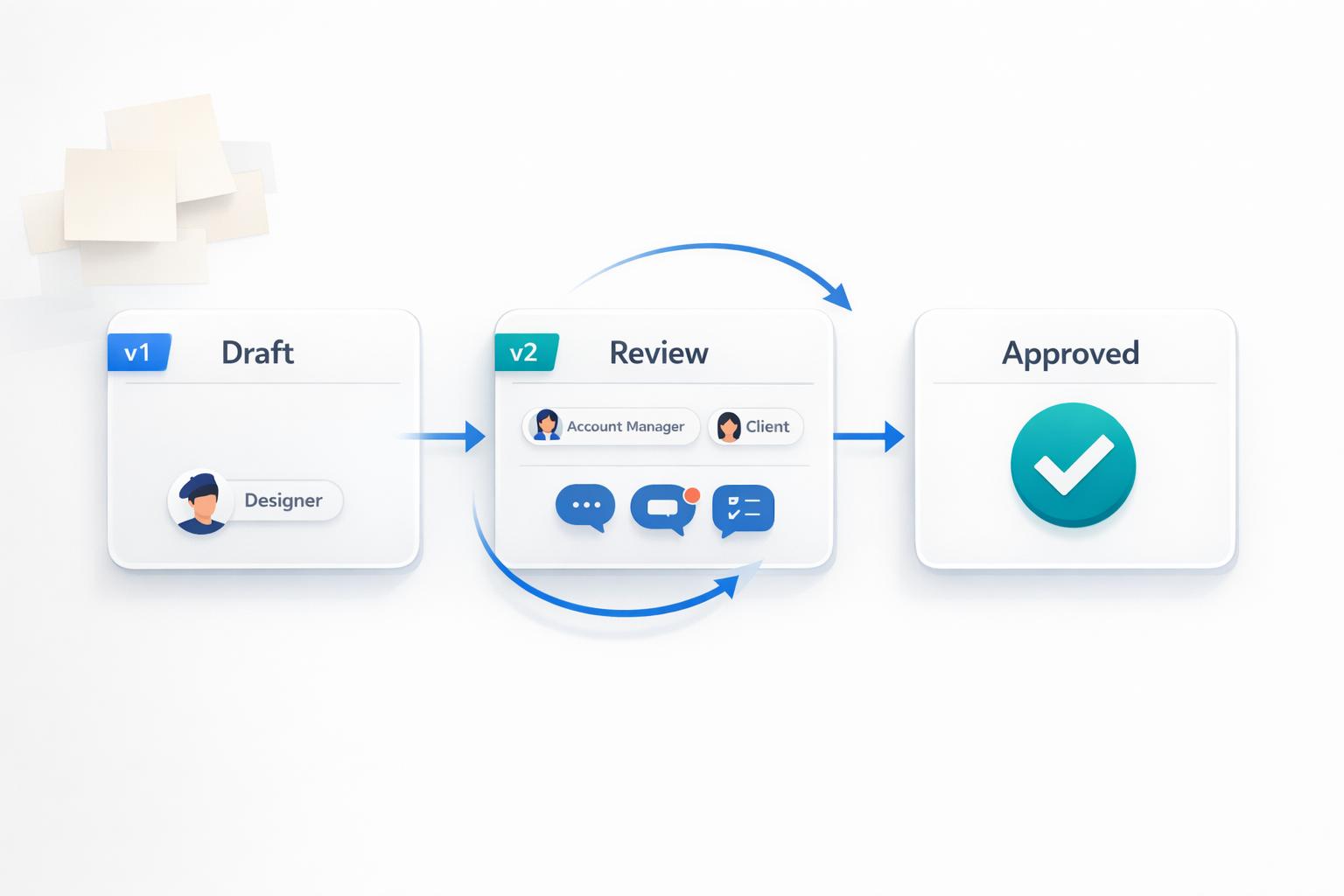
Managing client approvals can be a headache. Disorganized emails, scattered feedback, and endless revision cycles slow down projects and frustrate both teams and clients. The solution? Structured approval workflows that centralize communication, streamline revisions, and clarify responsibilities.
Here’s how these workflows help agencies:
- Centralized Feedback: All comments and approvals are stored in one system.
- Version Control: Automated tracking ensures everyone works on the latest file.
- Defined Roles: Clear responsibilities reduce confusion and delays.
- Revision Limits: Capping revisions prevents scope creep.
- No-Login Tools: Clients can provide feedback easily, without creating accounts.
Key Templates Covered:
- Content: Simplify editorial approvals with creative briefs and publishing checklists.
- Design: Use targeted feedback tools to eliminate vague comments.
- Web Proofs: Allow clients to annotate live pages for clarity.
- Video: Tie feedback to timecodes for actionable revisions.
- Social Media: Keep campaigns on schedule with fast approval cycles.
- Print: Avoid costly errors with pre-press technical checks.
- Multi-Stage Projects: Map out workflows to handle complex campaigns.
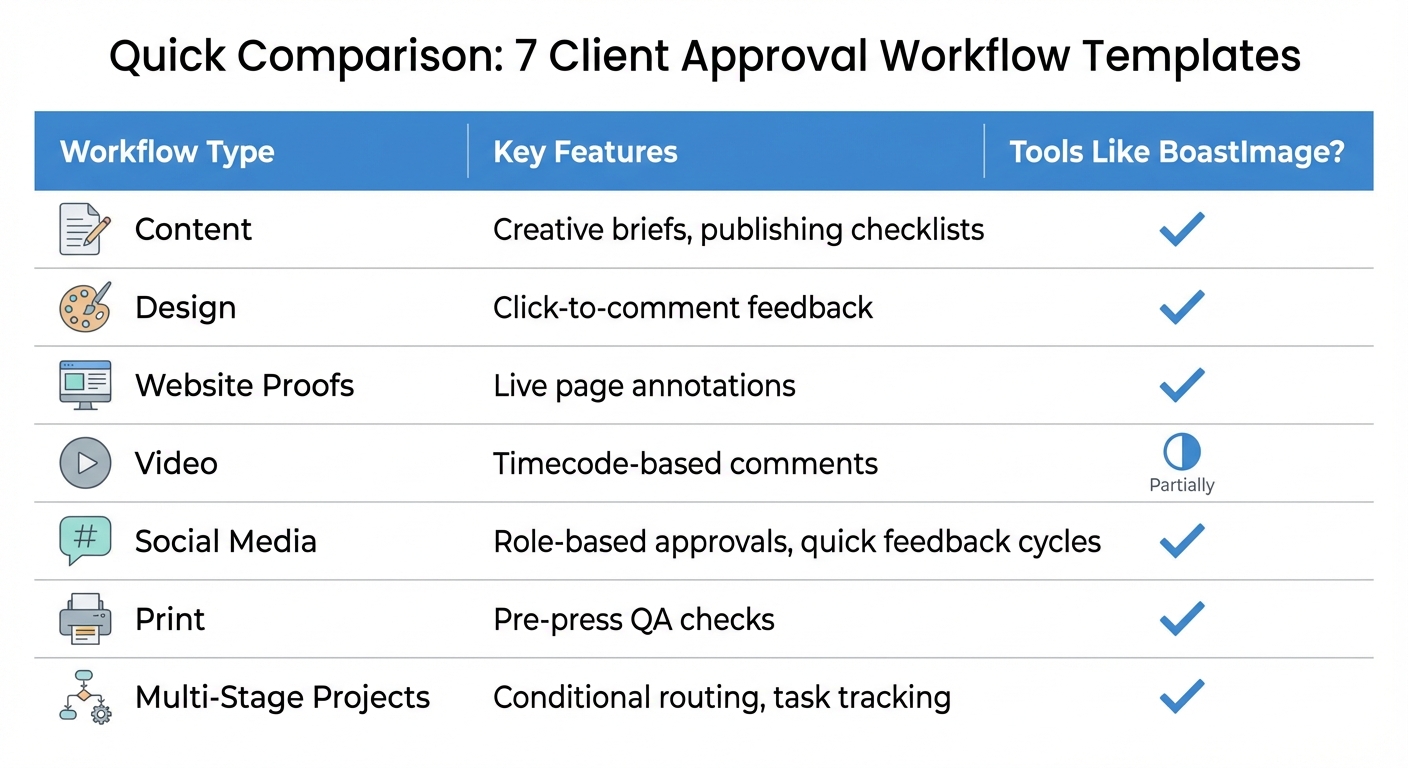
Quick Comparison:
| Workflow Type | Key Features | Tools Like BoastImage? |
|---|---|---|
| Content | Creative briefs, publishing checklists | Yes |
| Design | Click-to-comment feedback | Yes |
| Website Proofs | Live page annotations | Yes |
| Video | Timecode-based comments | Partially |
| Social Media | Role-based approvals, quick feedback cycles | Yes |
| Pre-press QA checks | Yes | |
| Multi-Stage Projects | Conditional routing, task tracking | Yes |
Switching to structured workflows saves time, reduces revision chaos, and keeps projects on track. Use these templates to build trust with clients and simplify your agency’s processes.
Client Approval Workflow Templates Comparison Chart for Agencies
1. Content Creation
Editorial Content Approval Template
Creating content - whether it's blog posts, whitepapers, or ad copy - flows more smoothly with a structured approval process. It all begins with a creative brief, a key document that outlines the project’s objectives, target audience, deliverables, and brand guidelines. Starting with this step minimizes the need for excessive revisions before writing even begins.
Using a centralized system, you can assign clear roles to streamline the process. Here's how it works: copywriters draft the content, internal reviewers ensure it aligns with brand standards and is accurate, account managers oversee timelines, and the final client approver gives the green light for publishing. When everyone knows their role, feedback stays organized, and the workflow becomes much more efficient.
Instead of juggling fragmented feedback through emails or messaging apps, consolidate all input into a single channel. This allows direct comments to be tied to specific sections of the draft. On the back end, your team benefits from features like version history and task tracking, while clients experience a smoother review process.
Before hitting "publish", implement a Publishing Gate Checklist as the final quality control measure. This checklist ensures that the copy is accurate, links and media are functional, proper tagging is in place, and an audit trail is documented. Setting approval deadlines that align with publishing schedules also helps avoid delays. This final verification step reinforces accountability and keeps the project on track.
Additionally, automated SLAs and reminders can help track response times and nudge stakeholders when needed, laying the groundwork for efficient approval processes in the future.
sbb-itb-32f6eb2
2. Design Assets
Visual Feedback Approval Template
When it comes to design assets like logos, banners, and illustrations, the approval process needs to be focused and clear. The real challenge isn't just gathering feedback - it's making sure clients can communicate revisions without vague or unclear comments. Just like with content creation, structured templates can help avoid confusion and streamline the process.
Start by creating a detailed creative brief that outlines specific aesthetic goals. Define whether the design should have a minimalist vibe, a bold and energetic feel, or strictly follow brand guidelines. This sets the tone and ensures everyone is aligned before any work begins.
When presenting design proofs, use tools that allow clients to click directly on elements to leave targeted feedback. This approach cuts down on back-and-forth revisions by eliminating guesswork and makes it easier for clients to confirm changes once they've been implemented.
Before giving final approval, rely on a Publishing Gate Checklist to ensure the design meets all the criteria outlined in the brief.
This template helps establish a transparent and efficient process. For agencies juggling multiple design projects, consider using Kanban boards to turn approved feedback into actionable tasks. This creates a simple, organized system that’s easy for both teams and clients to navigate.
3. Website Proofs
Interactive Page Annotation Template
Website proofs require a different approach than static design assets. Clients need to interact with live pages, pinpoint layout issues, and provide feedback directly - without dealing with complicated tools. The ideal solution is allowing clients to click directly on the webpage and leave comments tied to specific elements. This eliminates the confusion that often comes with annotated screenshots or unclear instructions, like vague remarks about repositioning a button. By adopting this interactive approach, you ensure feedback is consistent across all types of assets, including web pages.
Start with a simple review checklist to guide clients through the process. Ask key questions like: Does the layout match the approved design? Are all links working as expected? Does the site function correctly on mobile devices? This checklist helps clients focus on the essentials without feeling overwhelmed.
When sharing website proofs, use a feedback system that doesn’t require clients to create accounts or undergo training. A simple link is all they need to start clicking and commenting. This method not only makes it easier for clients to provide feedback but also allows your team to organize comments into actionable tasks, track versions, and manage everything efficiently - without burdening clients with unnecessary details.
For instance, BoastImage is a great tool for this process. It offers a seamless, login-free experience for clients while giving your team full control over the feedback and approval workflow. This makes it much simpler to manage feedback across multiple website projects and keep everything on track.
4. Video and Motion Graphics
Timecode-Based Feedback Template
Video projects can hit roadblocks when client feedback is vague - think notes like “the animation feels off” or “something’s not right around the middle.” Without specific references, your team is left guessing, which wastes time and can lead to frustration. A clear video approval workflow ties every comment to a precise timecode, turning feedback like “0:23 – the logo transition is too fast” into actionable steps.
A well-structured template should include three distinct rounds of revisions:
- Round 1: Focus on strategy and creative direction. This is where the overall concept and approach are evaluated.
- Round 2: Review the full deliverable, paying attention to layout, pacing, and motion.
- Round 3: Reserve this for final tweaks, such as color corrections or minor text adjustments.
This approach minimizes endless back-and-forth and keeps your project on track.
To streamline communication, assign a single client-side gatekeeper to consolidate feedback. When multiple stakeholders send conflicting notes - like one requesting faster cuts and another preferring slower pacing - it can derail progress. A designated contact person ensures that feedback is unified before it reaches your team. Including a five-business-day response deadline in your contract can also help. If the client misses it, the project moves to the next phase to maintain the timeline.
For motion graphics, clients often find it easier to provide feedback by drawing directly on the video. Tools that allow them to use arrows, boxes, or freehand annotations make it simple to highlight specific areas, avoiding the confusion that can arise from describing motion with words alone.
While BoastImage is primarily built for web pages, images, and PDFs, many agencies adapt it for video feedback by uploading key frames or stills from motion graphics. Clients can leave comments on specific frames without needing to log in, and your team can organize those notes into actionable tasks. For full video playback with integrated timecode comments, a dedicated video review tool might be necessary. The key is to ensure the process is straightforward for clients - no accounts, training, or complicated dashboards required.
5. Social Media Campaigns
Multi-Platform Approval Template with Publishing Gates
This social media workflow is built to streamline approvals while ensuring every post meets quality expectations.
Social media campaigns operate at a rapid pace, and waiting too long for client approvals can throw off your entire content calendar. A structured process keeps everything on track and ensures posts align with brand standards before going live.
Start by defining clear roles. Assign team members to specific tasks like drafting content, reviewing for brand consistency, and providing final approvals. On the client side, designate one contact person to gather and relay feedback. This avoids conflicting input from multiple sources, which can slow things down.
Set timelines for feedback and approvals. Require feedback within 48 business hours and approval windows of 24–48 hours to stay on schedule. Delays can be costly - 84% of account managers say chasing approvals is a major reason projects fall behind. If a client misses the deadline, move forward with the content to maintain your publishing timeline. This keeps your campaign running smoothly.
Before scheduling any post, use a publishing gate checklist as a final check. Verify that all content elements, like videos or graphics, match the approved brief.
For visual assets such as carousel posts or campaign graphics, tools like BoastImage simplify the review process. Clients can leave feedback directly on designs via a shared link - no account required. Your team can then organize this input into actionable tasks, cutting down on scattered feedback across emails or messages. This approach keeps everything centralized and efficient.
6. Print Collateral
Pre-Press Approval Template with Technical QA Gates
When it comes to print projects, there’s no room for error - fixing mistakes after production can be incredibly expensive. That’s why having a structured approval process with built-in technical checks is non-negotiable. This level of precision is just as important for print as it is for digital work.
Before sending anything to the client, conduct an internal QA review. This includes verifying that logos are correctly placed, colors are in CMYK (not RGB), bleed lines are properly extended, and the resolution meets print quality standards. These checks help catch technical issues that clients might overlook but could ruin the final print.
For PDF proofs of materials like brochures, flyers, or packaging, tools like BoastImage simplify the feedback process. Clients can mark up files directly without needing an account - just click a link, add comments, and submit feedback.
To streamline the review process, break it into three distinct rounds. The first round focuses on aligning the design with the overall strategy and brand voice. The second round ensures that layouts and assets are finalized. The third round is for polishing minor text edits and addressing technical details. This structure avoids endless revisions and keeps everyone on track.
Finally, secure written or digital approval before production begins. This creates a clear record that the design meets the client’s expectations, ensuring everyone is on the same page before moving forward.
7. Multi-Stage Projects
Master Workflow Template with Conditional Routing
Handling complex projects like rebrands, product launches, or annual campaigns requires an approval process that not only tracks requests but also ties each sign-off to the project’s scope and billing details. This master workflow builds on earlier templates to address the unique challenges of multi-stage projects, ensuring no hidden tasks are overlooked and every additional iteration is properly logged.
Start by mapping out a clear visual pathway that outlines the review order and internal triggers before involving client stages. Assign roles - such as Designer, Internal Reviewer, Account Manager, and Client Approver - at the outset to avoid delays and confusion.
For projects with multiple deliverables, conditional routing can streamline the process by directing requests based on factors like department, budget, or project type. This not only reduces unnecessary back-and-forth but also ensures that approvals follow the correct sequence. Essentially, it applies the efficiency of single-deliverable workflows to more intricate projects.
To make client feedback more manageable, integrate tools like Kanban boards to turn their input into actionable tasks. Platforms like BoastImage simplify the client experience by allowing them to click a link, add comments, and submit feedback without needing an account. Meanwhile, your team can handle version control and task management seamlessly in the background.
Once the project wraps up, take time to review the process. Identifying bottlenecks and refining workflows ensures that future campaigns run even more smoothly. This ongoing improvement helps your approval process evolve with every project.
How to manage client approvals & team collaborations | Approval workflow | ContentStudio
Conclusion
Using tailored approval templates can completely change the way agencies interact with their clients. By implementing structured workflows, agencies can simplify their operations. Features like centralized, annotated feedback ensure revisions are more efficient, while defined roles and timestamps help avoid confusion or blame when questions arise. When everyone is working with the latest version and understands their responsibilities, projects move faster, and clients gain confidence in the process.
Switching from vague email requests to visual, point-and-click annotations removes the guesswork. Instead of trying to interpret feedback like "make it pop", your team gets clear, actionable instructions right away. This kind of clarity cuts down on revision cycles and helps maintain profit margins by keeping projects within scope.
One of the biggest challenges, however, is client adoption. Clients often resist systems that require account setups, training, or navigating complicated dashboards, which can delay feedback. Tools like BoastImage solve this problem by simplifying the process - clients just click a link, leave comments directly on the work, and they’re done. Meanwhile, your team manages version control, tasks, and workflows internally, sparing clients from unnecessary complexity.
To put this into action, start with templates that fit your most frequent project types - whether it’s for design, web development, or larger campaigns. Establish clear boundaries like revision limits (usually three rounds), assign a consolidation lead on the client side, and use automated reminders to keep progress on track. These steps save time and build stronger client relationships based on trust and accountability.
FAQs
Which approval template should my agency start with?
Your agency should start by using the creative approval workflow template outlined in the 'Creative Approval Workflow: A Step-by-Step Guide for Agencies.' This template lays out a well-organized process tailored for agencies managing intricate campaigns involving numerous stakeholders. It ensures clarity and efficiency throughout the approval stages.
How do we reduce revisions without upsetting clients?
Minimizing revisions while keeping clients satisfied starts with setting up a clear feedback process right from the beginning. Here's how you can do it:
- Define Clear Goals: Make sure everyone is on the same page about the project objectives. This helps avoid unnecessary changes later.
- Set Limits on Revision Rounds: Agree on a specific number of revision rounds - three is a common choice. This keeps the process efficient and manageable.
- Use Feedback Tools: Tools like BoastImage allow clients to leave detailed comments directly on designs, cutting down on vague or unclear feedback.
- Structure the Workflow: Organize feedback and approval steps into a logical, structured process. This reduces miscommunication, keeps the project aligned with expectations, and helps maintain strong client relationships.
By streamlining how feedback is handled, you can save time, avoid frustration, and ensure your clients feel heard and valued.
How can clients give feedback without creating an account?
Clients can share their feedback effortlessly without needing to create an account. With tools like BoastImage, clients can leave visual comments directly on web pages, images, or PDFs. There's no need for logins, accounts, or lengthy onboarding processes. This simple approach removes technical hurdles, making it easy for clients to provide their input.