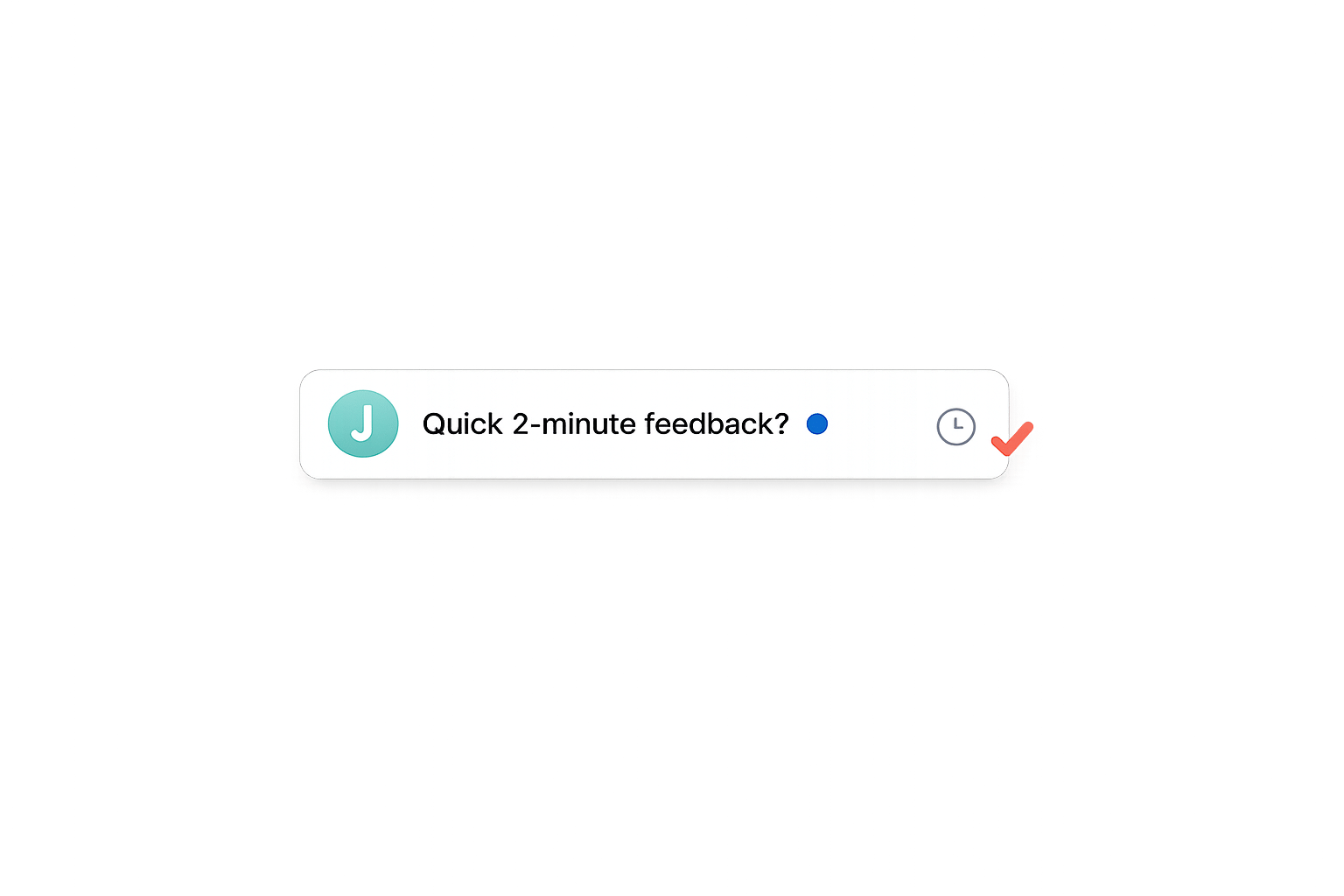
Best Subject Lines for Client Feedback Requests
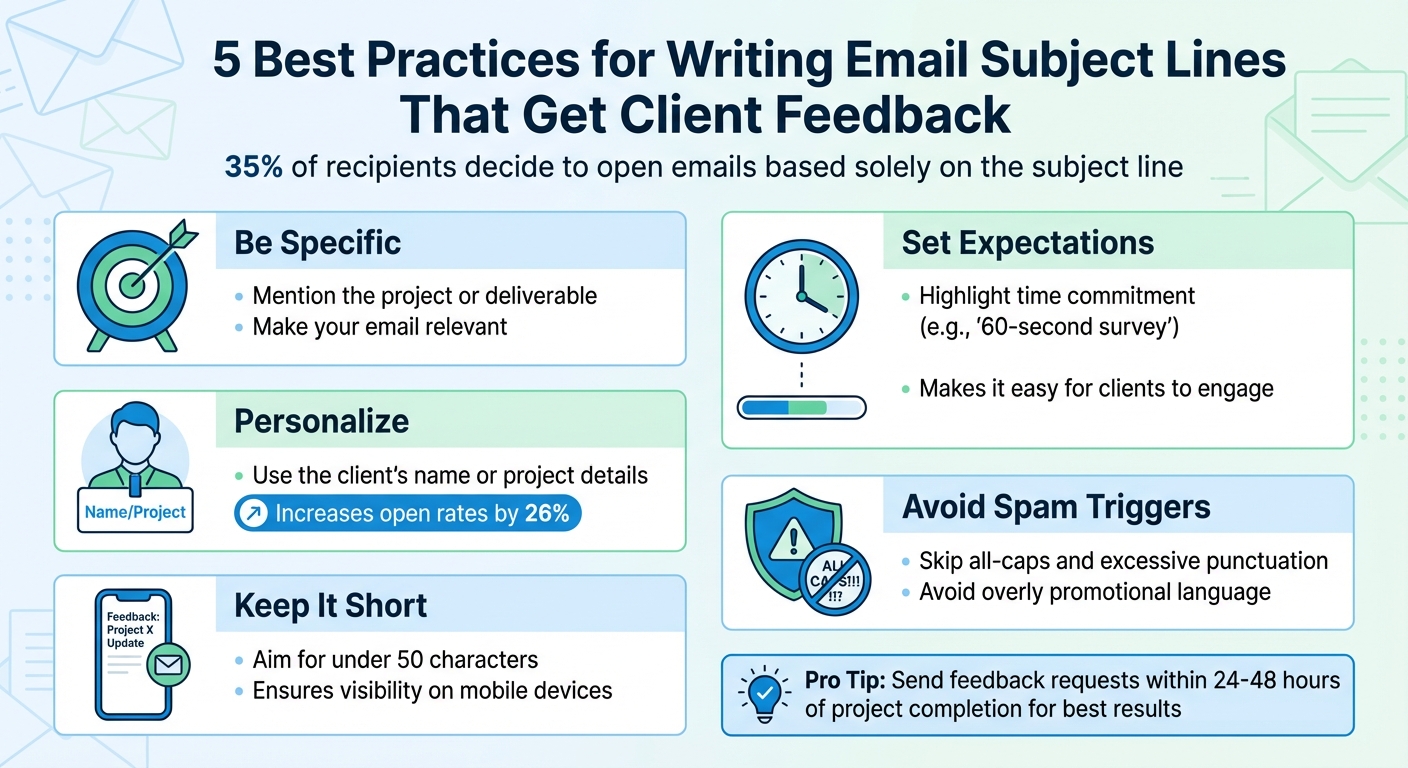
Your email’s subject line can make or break your chances of getting client feedback. With 35% of recipients deciding to open emails based solely on the subject line, crafting the right one is critical. A great subject line boosts open rates, avoids spam filters, and encourages thoughtful responses. Here’s what works:
- Be specific: Mention the project or deliverable to make your email relevant.
- Personalize: Use the client’s name or project details to grab attention.
- Keep it short: Aim for under 50 characters to ensure visibility on mobile devices.
- Set expectations: Highlight time commitment (e.g., “60-second survey”) to make it easy for clients to engage.
- Avoid spam triggers: Skip all-caps, excessive punctuation, or overly promotional language.
Examples of Effective Subject Lines:
- "Did You Enjoy Your Recent Project Review on Boast?"
- "[Client Name], What Do You Think of the Latest Designs?"
- "How Was Your Experience with This Deliverable?"
- "Quick Feedback: Help Us Improve Your Next Project"
- "Thanks for Reviewing - Share Your Thoughts Now"
- "[Client Name], Did We Meet Your Expectations?"
- "Your Input on the Mockups Means Everything"
- "Last Chance: Feedback on Project Version 2"
- "Tell Us About Your Boast Feedback Session"
- "We Value Your Opinion on These Assets"
Pro Tip: Send feedback requests within 24–48 hours of project completion for the best results. Pair a clear subject line with a simple process (like a one-click feedback system) to maximize responses.
5 Best Practices for Writing Email Subject Lines That Get Client Feedback
9 Email Subject Line Tactics That Get 47% More Opens (Backed by Data!)
sbb-itb-32f6eb2
Why Subject Lines Matter for Client Feedback
The subject line of your email plays a huge role in determining whether it gets opened and the quality of feedback you’ll receive. A vague or generic subject line might lead to your email being ignored, or worse, clients may skim through it and provide quick, shallow responses. On the other hand, a well-crafted subject line that sets clear expectations can encourage clients to share clear, actionable feedback that help your project move forward.
Adding a personal touch to your subject line - like referencing the client’s name or specific project details - can make a big difference. In fact, personalized subject lines can increase open rates by 26%. This approach shows clients they’re more than just part of a mass email and that their input is genuinely valued. It frames them as trusted advisors rather than just another task on your checklist. This sense of importance often leads to more thoughtful and constructive feedback.
Another effective strategy is to include a clear estimate of the time commitment required, such as “60-second survey.” This simple detail helps lower resistance by setting clear expectations, making it easier for clients to engage. As Marilia Dimitriou, Lead Content Editor at Moosend, explains:
Subject lines are what makes or breaks an email. Their purpose is to entice the reader and leave a good first impression without sounding spammy.
It’s important to avoid overpromising or exaggerating the effort required, as this can harm trust and lead to rushed, unhelpful responses.
Subject lines also play a role in protecting your sender reputation. Misleading or overly promotional wording can trigger spam filters or prompt clients to mark your email as junk. If that happens, even the most carefully written feedback requests might never reach their intended audience, which can disrupt ongoing relationships that rely on clear and consistent communication.
Keep in mind that nearly half of your clients are likely to check emails on mobile devices. Long subject lines can get cut off on smaller screens, making it harder for your message to grab attention. To avoid this, aim for subject lines under 30–50 characters and make sure the most important information appears at the beginning. This ensures your message is clear and visible, no matter the device.
How to Write Better Subject Lines
To craft a good subject line, start by putting the most important element right at the beginning - whether it’s a reward, the client’s name, or the project title. This is crucial because mobile inboxes often cut off subject lines after 30–40 characters. For example, instead of writing, "We'd love to hear your thoughts on the recent website redesign", go with something like, "Website redesign feedback needed, [Client Name]." This approach makes the purpose of your email instantly clear.
Adding a personal touch can also make a big difference. Include specific details, such as the project title or deliverable type, or even compare feedback tools to find the best fit, to make the email feel tailored. This taps into the "endowment effect", where people value something more when they feel it’s personally connected to them. For example, "How's the brand refresh working for you, [Client Name]?" feels more conversational and engaging.
Strong, action-oriented verbs like "Share", "Rate", or "Tell Us" work well when paired with direct questions. For instance, "Did we meet your expectations?" invites engagement. Research shows that subject lines with 6–10 words tend to achieve open rates of about 41%, compared to 32% for shorter lines.
If there’s a real deadline, use time-sensitive language like "Last chance" or "Respond by Friday" to encourage prompt action. But be careful - don’t create false urgency. If you’re offering an incentive, make it clear right away. For example, "Last chance: Feedback for a $50 gift card" is both transparent and motivating.
Finally, avoid spam triggers. Steer clear of all-caps, excessive punctuation, or overly aggressive sales terms like "FREE" or "ACT NOW". A professional and straightforward tone will always outperform pushy language.
1. Did You Enjoy Your Recent Project Review on Boast?
Clarity of Purpose
This subject line works because it gets straight to the point. Within just a couple of seconds, the recipient knows the email is about providing feedback. By mentioning "project review" right away, it ensures that clients immediately understand the purpose of the message.
The phrasing as a question is also a clever psychological move. Asking "Did you enjoy...?" creates a feeling of curiosity or an unfinished thought that people naturally want to resolve. This subtle nudge often encourages recipients to open the email and engage with it. It's a simple yet effective way to grab attention and drive action.
Additionally, using clear and precise language makes the message feel more personal and relevant.
Relevance to the Specific Project or Deliverable
Including the platform name - Boast - adds a layer of specificity that generic feedback requests just don’t have. Instead of a vague "How did we do?", this subject line ties the request to a particular tool and task. This taps into the "endowment effect", where people place greater value on something they’ve contributed to.
When clients read "project review on Boast", it jogs their memory of the exact process - clicking the link, leaving feedback, and completing the review. This level of specificity makes the email feel more personal and increases the likelihood of a response. It’s not just a general request; it’s a tailored one that resonates with their recent experience.
2. [Client Name], What Do You Think of the Latest Designs?
Personalization
Including a client's name in the email subject line makes it feel personal and direct. When someone spots their name in their inbox, it signals that the message is tailored specifically for them - not just another generic email. This small touch can increase open rates by 26%, which is a big deal when you're trying to grab the attention of busy clients.
"No one wants to be treated like just another number on a spreadsheet - write subjects that speak directly to customers and make them feel special." - Sendlane
The effect is straightforward yet impactful. Seeing their name reinforces a sense of connection and appreciation for their input, encouraging them to engage. In an inbox full of automated, impersonal messages, this approach cuts through the noise and makes your email stand out.
Clarity of Purpose
This subject line gets straight to the point: you're asking for feedback. Within seconds, the recipient knows exactly what you need - no guessing involved. That clarity matters because nearly half of all email recipients decide whether to open an email based solely on the subject line.
Phrasing it as "What do you think?" creates curiosity and invites a response. By mentioning "the latest designs", you're giving them a clear reference point, making it easier for them to understand the context without any extra effort.
Relevance to the Specific Project or Deliverable
Once you've caught their attention, tying the request to a specific deliverable keeps them engaged. Mentioning "the latest designs" directly connects your email to something they've recently seen, saving them the hassle of figuring out what you're referring to. Being specific shows respect for their time and mental bandwidth.
Timing also plays a key role. Sending this type of email within 24 to 48 hours of sharing the designs ensures the work is still fresh in their mind. This makes it much easier for them to provide thoughtful feedback without having to revisit or recall too much information.
3. How Was Your Experience with This Deliverable?
Clarity of Purpose
This subject line gets straight to the point by directly asking for feedback, making it instantly clear what you're looking for. That’s important because about 35% of email recipients decide whether to open an email based purely on the subject line.
Phrasing it as "How was your experience..." creates curiosity and invites a quick response. It gives just enough context to engage the reader while leaving room for them to provide their thoughts. This approach not only improves open rates but also sets the stage for connecting the feedback request to recent work.
Relevance to the Specific Project or Deliverable
The phrase "this deliverable" works best when used within 24 to 48 hours after the project has been completed. At this point, the details are still fresh in the recipient's mind, making it easier for them to provide accurate feedback.
For an even stronger impact, swap out "this deliverable" with the actual project name. For example:
- "How was your experience with the homepage redesign?"
- "How was your experience with [Project Name]?"
Including the specific project name shows attentiveness and makes the email feel more personal. This small adjustment not only saves the recipient time but also enhances the email’s relevance, encouraging them to respond promptly with detailed feedback.
4. Quick Feedback: Help Us Improve Your Next Project
Clarity of Purpose
Starting with "Quick" immediately reassures clients that providing feedback won't take much time. This simple, direct wording increases the chances of a response, especially for clients with packed schedules.
The second part - "Help Us Improve Your Next Project" - answers the question every client might silently ask: Why should I bother? It ties their feedback to tangible benefits, making it clear that their input will lead to better outcomes for them.
Urgency or Call to Action
The word "Help" creates a sense of partnership, making clients feel like active participants rather than just sources of data. As Mailmodo explains, "The use of the word 'help' implies a collaborative effort, which can increase engagement and response rates". This subtle shift in language encourages clients to engage more willingly.
"Pair every CTA with a reason. 'Leave a review' is a command. 'Leave a review to help us build a better product' is an invitation. The second version converts better because it answers 'why should I?'"
– Popupsmart
By combining a clear call to action with a reason, this approach naturally leads into customizing subject lines for specific projects.
Relevance to the Specific Project or Deliverable
The phrase "Your Next Project" shifts the focus from past work to future possibilities. It positions feedback as a way to directly improve upcoming projects, giving clients a concrete reason to respond. Their input isn't just appreciated - it's essential to shaping the results they'll see next time . This framing emphasizes the importance of client insights while reinforcing their value throughout the service process.
5. Thanks for Reviewing - Share Your Thoughts Now
Clarity of Purpose
The phrase "Share Your Thoughts" leaves no room for confusion - it clearly communicates what you're asking from clients. This two-step approach - starting with gratitude for their effort, followed by a direct request - ensures the email's purpose is immediately understood, as noted in earlier research. The use of the action word "Share" reinforces this clarity, making it easy for recipients to grasp the next step.
Urgency or Call to Action
Including "Now" adds a sense of urgency without sounding pushy. This subtle nudge turns a simple request into an actionable prompt, motivating clients to respond before they get distracted by other priorities. Serena Miller, Editor of Sales Best Practices at Outreach, puts it perfectly:
"The subject line of your email is the gatekeeper to whether your message gets opened or sent to the trash".
Timing is key here - sending this type of email within 24 to 48 hours of a project milestone ensures the deliverable is still fresh in the client's mind. This tactic fits seamlessly into a broader strategy of using clear and personalized communication to keep clients engaged.
Gratitude as an Engagement Tool
A well-crafted subject line does more than just encourage action - it also strengthens relationships. Starting with "Thanks for Reviewing" taps into the principle of reciprocity, showing clients genuine appreciation for their time and making them more likely to respond. Angela Garinger, VP of Business Development at Outreach, highlights the importance of this approach:
"People want to feel seen, heard, and understood in the emails they receive, even if they've never met the sender before".
6. [Client Name], Did We Meet Your Expectations?
Personalization
Starting your subject line with [Client Name] adds a personal touch, transforming a standard email into something that feels tailored. This small adjustment can make the recipient feel valued and recognized as an individual, rather than just another contact on a list.
To streamline the process, use your email service provider's personalization tools to automatically insert the client's first name. This ensures you can scale your efforts without losing that personal feel. Also, keep your subject line under 50 characters to avoid it being cut off, especially on mobile devices.
Clarity of Purpose
Once you've added that personal element, the next step is clarity. The phrase "Did We Meet Your Expectations?" works because it’s straightforward and gets to the point. Framing it as a question creates curiosity and encourages the recipient to engage. Unlike vague subject lines, this one makes it clear you’re seeking feedback, which builds trust. Plus, the phrasing allows clients to share both positive and negative experiences, making them feel heard. This approach can lead to higher open rates - around 30% - because it invites genuine interaction.
Relevance to the Specific Project or Deliverable
To make your email even more effective, tie the subject line to the most recent project or deliverable. For instance, combining the client’s name and the project title - like "[Client Name], Did We Meet Your Expectations for the Homepage Redesign?" - adds context and specificity. This not only respects the client’s time but also makes the feedback request feel more relevant and grounded in their current experience.
7. Your Input on the Mockups Means Everything
Clarity of Purpose
This subject line leaves no room for confusion - it’s clear you’re asking for feedback on the mockups. As Perihan Uramış, Content Marketing Specialist at Popupsmart, explains, "Your subject line decides whether your review request gets opened or ignored". A straightforward subject ensures recipients won’t waste time figuring out what you need.
The phrase "Means Everything" adds a touch of emotion, emphasizing how crucial their feedback is for the project’s success. Considering that about 35% of people decide to open an email based solely on the subject line, this clarity is vital. Plus, since mobile previews often cut off subject lines after 30–40 characters, getting straight to the point increases the chances your email gets noticed.
Relevance to the Specific Project or Deliverable
Mentioning the mockups directly gives the email a personal touch. It makes the request feel specific to them, not just a generic email blast. This level of detail helps recipients quickly identify the email’s purpose and connect it to the work they’ve been involved in.
For even greater clarity, include the project name or version number in the subject line. For example: "Your Input on the Homepage Mockups Means Everything" or "Your Thoughts on Version 2 Mockups?". Adding this context can improve open rates by 26%. It also minimizes back-and-forth questions, helping keep your project timeline on track.
8. Last Chance: Feedback on Project Version 2
Clear communication and a touch of urgency can work wonders when it comes to engaging clients effectively.
Urgency or Call to Action
Using phrases like "Last Chance" creates a sense of immediacy, encouraging clients to act now rather than delaying. This approach taps into the fear of missing out (FOMO), motivating recipients to engage with the email and contribute to the project's final stages. Research even shows that this tactic can significantly improve open rates.
To maximize impact, place the urgent call to action at the beginning of the subject line. This ensures it’s visible, especially on mobile devices where subject lines are often cut short. The tone should remain professional and confident - assertive without being overbearing. For even better results, include a specific deadline in the email body (e.g., "Please respond by Friday"). This not only sets clear expectations but also reinforces the importance of the email.
Relevance to the Specific Project or Deliverable
Urgency becomes even more effective when paired with a clear reference to the project. Mentioning the specific version, like "Project Version 2", adds context, making it easier for clients to recognize the task and prioritize it.
For example, a subject line like "Last Chance: Feedback on Homepage Redesign V2" or "Final Review Needed: Marketing Assets Version 2" combines urgency with specificity. This approach ensures the email stands out while directly addressing the client’s current responsibilities. Just keep the subject line under 50 characters to avoid truncation on mobile devices.
9. Tell Us About Your Boast Feedback Session
This subject line taps into a recent client interaction, making it a natural and engaging follow-up. By referencing a specific event - in this case, a Boast feedback session - you make it easier for the client to connect the dots. They instantly recall the experience, which builds trust and boosts the chances they’ll open your email.
Clarity of Purpose
The phrase "Tell Us" immediately communicates the email's intent. Its conversational tone - "Tell us about..." - feels like a friendly request rather than a formal survey, which can make a big difference in engagement. Data shows that subject lines with 6–10 words achieve the highest open rates, averaging 41% compared to 32% for shorter alternatives.
Relevance to the Specific Project or Deliverable
Including "Boast Feedback Session" in the subject line ensures it resonates with the client. Want to make it even more relevant? Add the specific deliverable in brackets, like "Tell Us About Your Boast Feedback Session [Logo Mockups]". This extra detail provides clear context and makes the email feel even more personalized.
This approach also leverages the Zeigarnik Effect - a psychological principle that suggests people are more likely to complete tasks they consider "unfinished." A feedback request tied to a specific session feels like an open loop, encouraging clients to respond. Personalized emails like this see a 29% higher open rate and a 41% higher click rate compared to generic ones.
Boast’s client-friendly process - where users simply click a link, leave a comment, and they’re done - makes this follow-up even more effective. The feedback session itself was effortless, and this tailored email keeps the momentum going with clarity and personalization.
10. We Value Your Opinion on These Assets
This subject line taps into the client's expertise, turning a standard feedback request into a meaningful exchange. The phrase "We Value Your Opinion" strikes a respectful and collaborative tone, encouraging clients to engage because their input feels important.
Clarity of Purpose
Using the word "Opinion" clearly communicates the intent - you're asking for feedback, plain and simple. There's no ambiguity, and referencing earlier findings reinforces that all feedback, whether positive or critical, is welcome. This approach ensures your subject line aligns perfectly with the project's context.
Relevance to the Specific Project or Deliverable
The phrase "These Assets" provides just enough detail to spark recognition. However, adding more specificity can make the subject line even more effective. For example, you might say, "We Value Your Opinion on the Logo Mockups" or "We Value Your Opinion on the Homepage Designs." Including precise details taps into the psychological principle known as the endowment effect, where clients feel a stronger connection to items they've contributed to. This tweak could increase open rates by up to 26% compared to generic alternatives.
Personalization
While this subject line is already strong, adding the client's name can make it even more engaging: "[Client Name], We Value Your Opinion on These Assets." Placing the name at the beginning ensures visibility, even on mobile devices where subject lines are often cut off after 30–40 characters. This small adjustment transforms a general request into a more personal interaction, making clients feel uniquely appreciated.
When paired with Boast's seamless feedback system - where clients can simply click and comment without an account - this subject line sets the tone for a smooth, respectful process that values the client's time and expertise.
Using Boast to Make Feedback Easier
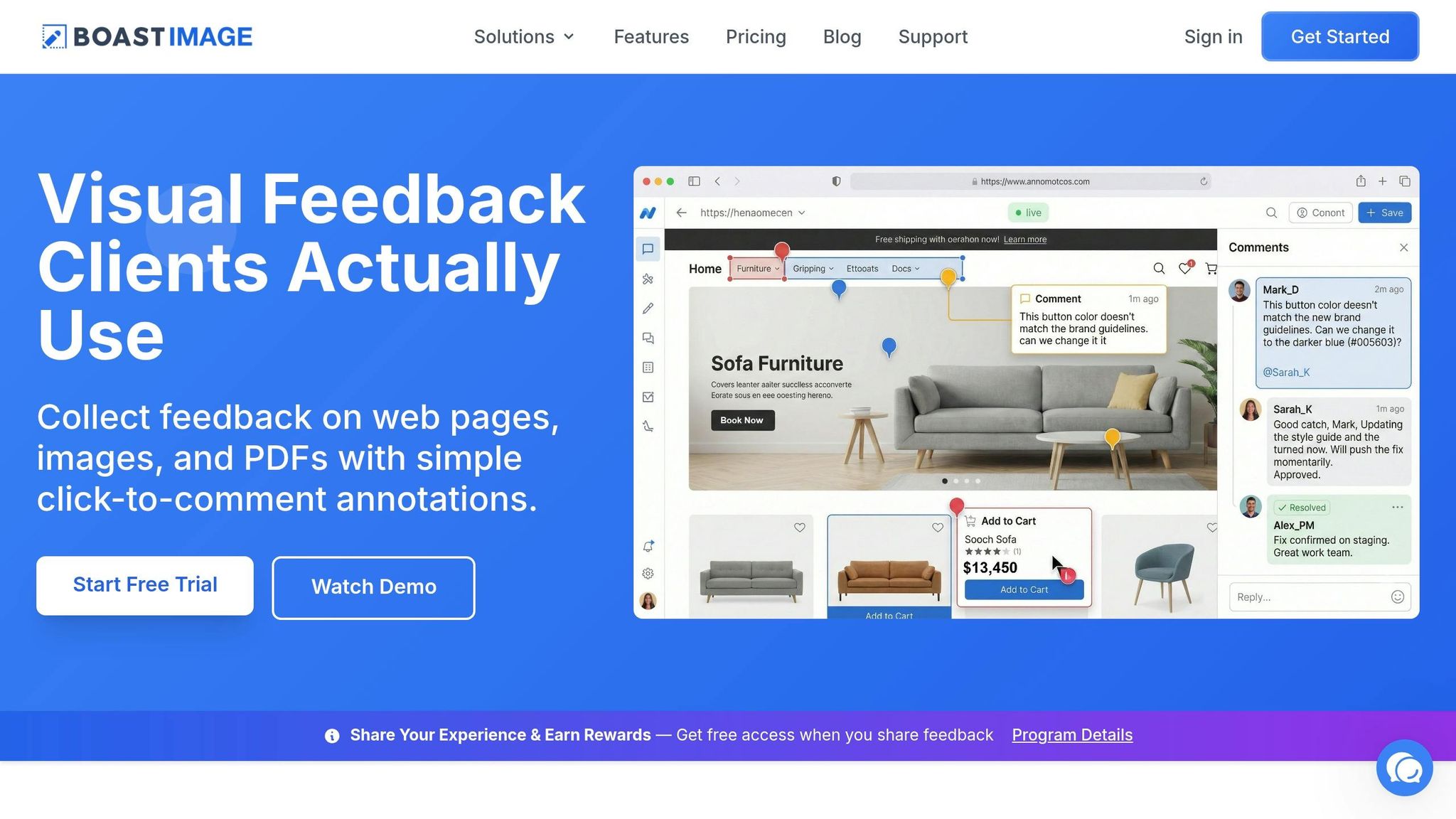
An attention-grabbing subject line is only half the battle - what happens after the client clicks matters just as much. If the process is clunky or confusing, even the best subject line won't save the day. That's where Boast steps in with its login-free feedback system. When clients receive your feedback request, they simply click the link in your email and are taken directly to the project. No sign-ups, no passwords, no learning curve. Just click, comment, and done. This simplicity ensures the ease promised in your subject line is delivered.
This streamlined process works perfectly with subject lines that emphasize quick and easy action. As HeroThemes points out, "A large part of review email subject line performance links to perceived effort". If your subject line implies a fast task, the process needs to match that expectation. Boast makes it possible.
Timing also plays a big role. Sending requests within 24–48 hours of completing the project ensures the details are still fresh in your client's mind. Boast makes it even easier by allowing you to include a direct link to the specific asset. No more digging through files or wondering which version you're referencing - one click takes your client straight to the project that needs their feedback.
This approach respects your clients' time by eliminating unnecessary steps. By clearly referencing the project in both the subject line and the Boast link, you remove any confusion. Clients don’t have to remember passwords, navigate unfamiliar tools, or waste time figuring out what to do next. It's all laid out for them.
The payoff? More clients actually follow through. While a catchy subject line might get someone to open your email, the real win is when they submit their feedback. Boast ensures the smooth, hassle-free experience promised in your email becomes a reality, leading to higher completion rates.
How to Test and Improve Your Subject Lines
Testing your subject lines is a smart way to figure out which elements encourage better engagement. To get meaningful results, tweak just one variable at a time - like length, tone, personalization, or urgency - so you can clearly identify what’s making a difference. Changing too many things at once can muddy the waters.
Start with A/B testing. Here's how it works: send two different subject lines to a small segment of your email list (around 25% each). Then, pick the winner based on performance and send that version to the rest of your list. For reliable results, aim for a sample size of at least 250–500 contacts per variant.
Open rates are a great first indicator of attention, but they’re not the whole story. To fully evaluate your subject line's success, also track reply or completion rates. Allow about 24–48 hours for opens and 5–7 days for replies. Since many recipients decide to open an email based solely on the subject line, it’s essential to measure whether they actually take the next step and provide actionable design feedback.
Keep detailed records of your tests. Use a spreadsheet to log each subject line, along with its open rates and completion rates. Over time, you’ll spot trends - like whether personalized subject lines consistently outperform generic ones or if questions lead to more responses than statements. This data helps you fine-tune your approach and maximize client engagement.
One last tip: don’t rely solely on open rates. With tools like Apple’s Mail Privacy Protection obscuring about 55% of open data, focusing on actual feedback submissions gives you a clearer view of what’s working. These insights will help you continually refine your subject lines, ensuring they resonate with your audience and drive meaningful engagement.
Conclusion
Getting clients to open your feedback requests starts with crafting a subject line that grabs their attention. Put the most crucial details upfront - whether it’s an incentive, the project name, or a direct question - within the first 30–40 characters. This ensures it’s visible on mobile devices and stands out in crowded inboxes. Keeping it short and to the point helps your message rise above the noise.
Personalization is more than just using a client’s name. Mention specific project milestones, deliverables, or other relevant details to show you’re paying attention. This can increase open rates by 26% and reassures clients that your message isn’t a generic template.
Timing matters too. Send your feedback requests within 24–48 hours of a project review while the experience is still fresh in their minds. Combine these strategies with a hassle-free feedback process - tools like Boast eliminate login requirements and simplify the experience. This seamless approach makes it easier for clients to respond and helps you continuously improve.
FAQs
How can I ask for feedback without being pushy?
To ask for feedback without coming across as pushy, keep your tone friendly and relaxed. Make it clear that sharing their thoughts is optional but appreciated. For example, you could say, "Your opinion means a lot to us - how are we doing?" or "We’d love to hear your feedback, but no pressure at all." Using polite, clear language and expressing gratitude shows respect for their time and encourages honest responses.
What should I include at the start of the subject line?
The subject line is your first chance to make an impression, so it’s important to make it clear and engaging. Use phrases that immediately convey the purpose of your message, such as "We'd love your feedback," "Your opinion matters," or "Help us improve." These polite and inviting phrases set the right tone and encourage recipients to open your email.
Personalization can also make a big difference. Addressing the recipient directly or tailoring the message to their experience can boost interest. Above all, keep your language direct and respectful - this helps grab attention while setting clear expectations for what’s inside.
How can I measure if a subject line worked?
To evaluate the success of a subject line, start by looking at open rates - this shows how many recipients opened your email. Then, dig deeper into engagement metrics such as click-through rates to see if people interacted with the content inside. Together, these metrics can help you understand how well your subject line performed.