
Best Feedback Tools Clients Actually Use
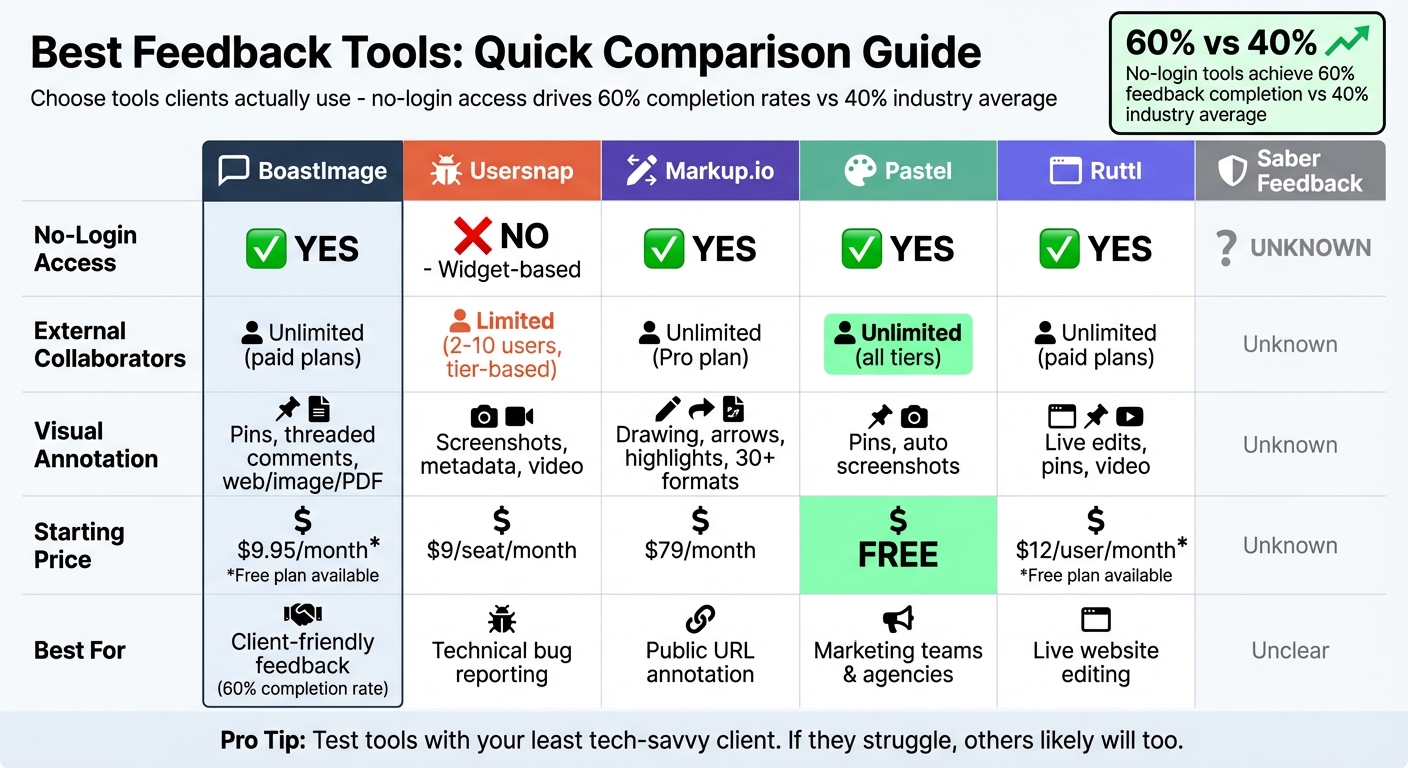
Clients often avoid feedback tools that require logins, passwords, or installations. Instead, tools with no-login access and simple interfaces see higher adoption rates, improving project workflows and reducing delays. Here's a quick look at six popular feedback tools:
- BoastImage: No-login access, clear visual annotations, unlimited collaborators on paid plans, starting at $9.95/month.
- Usersnap: Focused on technical bug reporting, includes metadata capture but lacks PDF support; starts at $9/seat/month.
- Markup.io: Annotates websites, images, and PDFs with no-login access; Pro plan starts at $79/month.
- Pastel: Unlimited guest reviewers, supports live website feedback; starts free with paid plans at $35/month.
- Ruttl: Allows live edits and video annotations; free plan available, paid plans start at $12/user/month.
- Saber Feedback: Limited public details; unknown if it supports no-login access or advanced features.
Key takeaway: Tools like BoastImage, Pastel, and Markup.io prioritize ease of use with no-login access, making them ideal for client adoption. Tools focused on technical workflows, like Usersnap, may overwhelm non-technical users. Choose a tool that aligns with your team's and clients' needs.
Quick Comparison
| Tool | No-Login Access | External Collaborators | Visual Annotation | Starting Price |
|---|---|---|---|---|
| BoastImage | Yes | Unlimited (paid plans) | Pins, threaded comments | $9.95/month |
| Usersnap | No (widget-based) | Limited (tier-based) | Screenshots, metadata | $9/seat/month |
| Markup.io | Yes | Unlimited (Pro plan) | Drawing, highlights | $79/month |
| Pastel | Yes | Unlimited (all tiers) | Pins, screenshots | $35/month |
| Ruttl | Yes | Unlimited (paid plans) | Live edits, video | $12/user/month |
| Saber Feedback | Unknown | Unknown | Unknown | Unknown |
Pro Tip: Test tools with your least tech-savvy client. If they struggle, others likely will too.
Feedback Tools Comparison: Features, Pricing, and Client Access
Simplify Website Feedback Forever - Simple Commenter Review ($49 LTD)
sbb-itb-32f6eb2
1. BoastImage
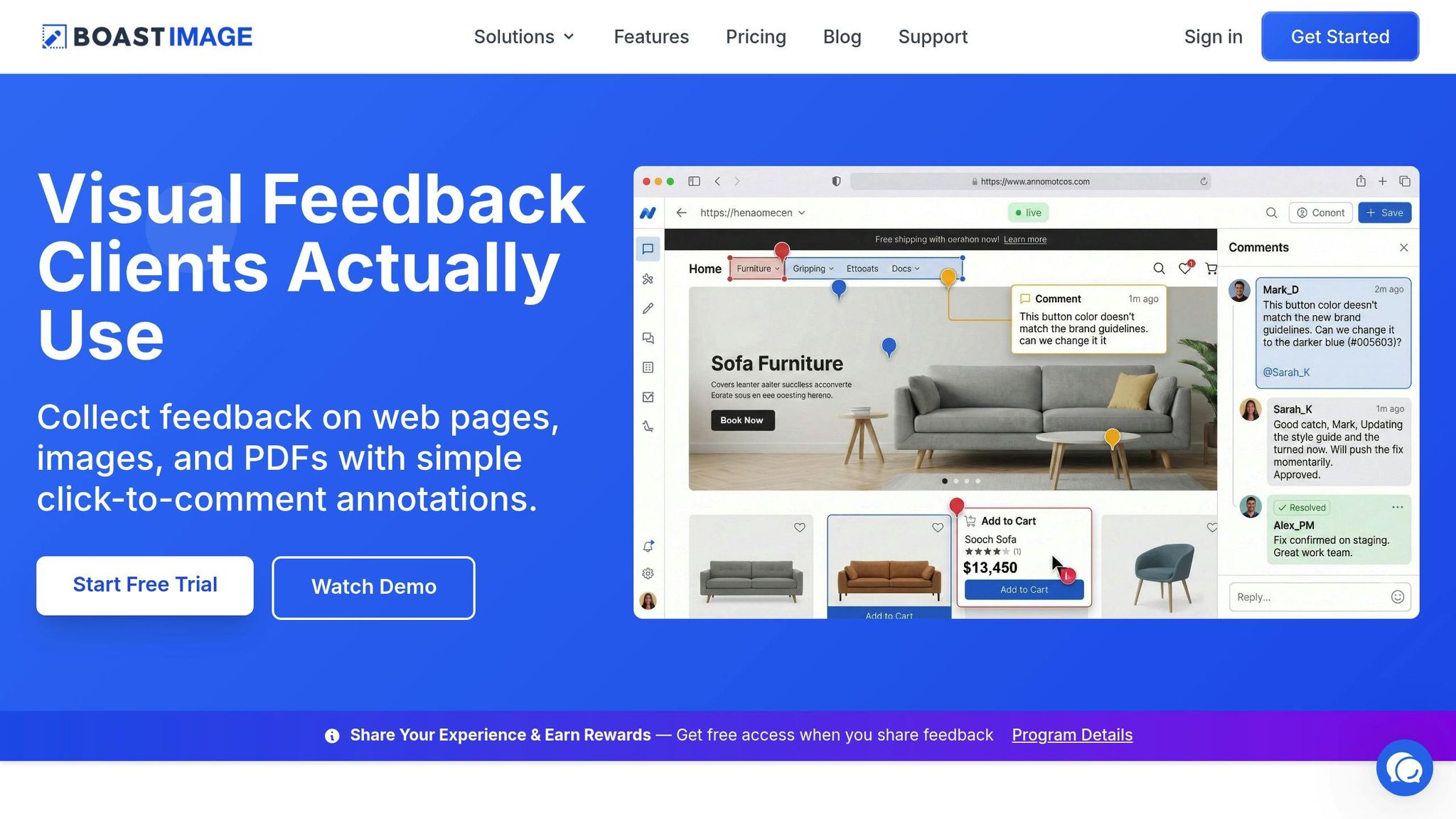
BoastImage (https://boastimage.com) takes a different approach to creative feedback. Instead of focusing solely on internal workflows, it prioritizes making client participation as straightforward as possible. Unlike many tools that treat client involvement as an afterthought, BoastImage simplifies the process: clients can click a link and leave comments directly on web pages, images, or PDFs - no complicated steps required.
No-Login Access
One of BoastImage's standout features is its frictionless feedback system. Each project gets a shareable link that clients can use to start commenting immediately - no registration needed. This simple setup results in a feedback completion rate of over 60%, far above the 40% industry average. Teams no longer have to deal with vague, delayed email responses; instead, they get clear, pinned comments almost instantly. For added security, access codes can be attached to links, ensuring sensitive projects remain protected while maintaining the no-login convenience. This streamlined access ensures every stakeholder can engage without hassle.
Unlimited External Collaborators
BoastImage's paid plans include unlimited external collaborators, making it easy to involve all necessary stakeholders from the start. Feedback is turned into actionable tasks, and the platform's visual tools help eliminate confusion.
Visual Annotation Tools
Clients can pinpoint their feedback by dropping comment pins directly onto designs, with threaded conversations keeping discussions organized. A free Chrome extension lets users capture full web pages, specific regions, or visible areas for instant review. The platform also supports version control, allowing teams to upload updated designs to the same link, so clients can compare changes side-by-side. Whether it's web pages, images, or PDFs, BoastImage makes feedback clear and precise.
Pricing Options
BoastImage offers four pricing plans to fit different needs:
- Free ($0/month): Includes 1 active project, 5 items, 3 external collaborators, and 5GB of storage.
- Solo ($9.95/month): Offers 5 active projects, unlimited items, 10 external collaborators, 50GB of storage, version control, and a Kanban view.
- Team ($19.95/user/month): Provides unlimited projects, unlimited collaborators, project-level permissions, and custom logo branding.
- Business ($39.95/user/month): Features unlimited storage, full white-label branding, audit logs, and a dedicated success manager.
2. Usersnap
Usersnap is a feedback tool tailored for software teams, product managers, and developers to help track live bugs effectively. While it shines in technical bug reporting, its primary focus is on gathering technical feedback rather than facilitating creative reviews with visual feedback tools.
No-Login Access
One of Usersnap's standout features is its ability to collect feedback without requiring users to log in. After an initial setup for client projects, the platform can be embedded directly into live production sites or web applications using a feedback widget. This integration makes real-time feedback collection simple and efficient.
Visual Annotation Tools
Usersnap provides tools that allow clients to annotate screenshots, making it easy to pinpoint specific issues. It also supports screen recording, which is especially useful for demonstrating complex bugs or workflows through video feedback. Each feedback report includes detailed technical metadata, such as browser version, operating system, URL, console logs, and network requests. However, it’s worth noting that Usersnap does not offer support for PDF annotations.
Pricing Plans
Usersnap has a range of pricing plans designed to accommodate different team sizes and needs:
- Team: $9 per seat/month (billed annually)
- Business: $19 per seat/month (includes session replays and supports up to 25 projects)
- Business Plus: $29 per seat/month (includes unlimited projects and single sign-on)
- Free Forever: Limited to two projects
Keep in mind that the lower-tier plans come with user limits and do not allow unlimited client users.
3. Markup.io
Markup.io simplifies collaboration by using a proxy-based system to turn public URLs into annotatable versions for websites, images, PDFs, and videos - no installations required. This setup allows clients to leave contextual comments directly on the content.
No-Login Access
One of Markup.io's standout features is its ability to generate shareable links, enabling clients to review and comment without creating an account. The proxy system instantly converts any public URL into an annotatable version, eliminating the need for script tags or additional installations. However, it does not work with password-protected staging environments. This ease of access makes collaboration quick and hassle-free.
Visual Annotation Features
Markup.io supports over 30 file formats, including websites, PDFs, images, and videos. Clients can use tools like pinned comments, arrows, highlights, and even threaded comments with @mentions. Each comment automatically captures a screenshot for added clarity. The platform also integrates with Loom, allowing users to include video explanations for more detailed feedback.
Pricing Options
Markup.io offers several pricing plans:
- Free Plan: Limited projects.
- Solo Plan: $10/month for one user and unlimited projects.
- Team Plan: $25/month per user.
- Pro Plan: Starting at $79/month, includes unlimited users, projects, and 500 GB of storage.
- Enterprise Plan: Custom pricing based on specific needs.
A 30-day Pro trial is available for users to explore its full capabilities.
With a G2 rating of 4.7/5, Markup.io is praised for its intuitive interface and ability to annotate public sites without browser extensions. However, some users have reported that the proxy-based approach can sometimes interfere with dynamic site elements.
4. Pastel
Pastel simplifies website feedback for marketing teams and agencies by allowing external reviewers to leave comments directly on live websites, PDFs, and images using shareable "Canvas" links. The best part? No login is required.
No-Login Access
Pastel prioritizes ease of use by removing the need for passwords, account setups, or any complicated processes. Clients can simply click a link and start commenting right away. This approach encourages clear, actionable design feedback from non-technical stakeholders who might otherwise avoid the process.
Unlimited External Collaborators
Every plan includes the ability to invite unlimited guest reviewers. This means you can add as many stakeholders as needed without worrying about extra charges.
Visual Annotation Made Simple
Reviewers can pin comments directly onto live websites, PDFs, or images. Automatic screenshot capture ensures feedback is clear and precise. Plus, users can switch between desktop and mobile views for a more comprehensive review. Teams can also create new versions of a Canvas to track changes and compare revisions over time. All feedback is neatly organized in a sidebar with threaded comments, @mentions, and task management features.
Pricing Plans
Pastel offers four pricing options to suit different needs:
- Free Forever Plan: $0/month, includes 1 user, 1 active Canvas, and unlimited guest reviewers. Comments remain editable for 3 days before locking.
- Solo/Pro Plan: Starting at $35/month, this plan supports 2 users and 3 active Canvases.
- Team Plan: Priced at $119/month, it provides unlimited Canvases and integrates with tools like Jira, Asana, and Trello.
- Enterprise Plan: At $450/month, this plan is tailored for large agencies managing high-volume feedback.
User Ratings
Pastel scores a 4.6/5 on G2 and a 4.2/5 on Geekflare. Users love its hassle-free guest commenting and overall simplicity. However, some note that it lacks advanced metadata capture, which might be a drawback for developer-focused workflows.
Next, see how these features measure up in our comprehensive Feature Comparison.
5. Ruttl
Ruttl is a platform designed to streamline visual feedback for teams working on live websites, designs, and video files. Unlike tools that focus solely on accessibility, Ruttl takes things a step further with interactive editing features. Users can make real-time CSS and content edits, which collaborators can see instantly.
Visual Annotation Features
Ruttl allows reviewers to leave comments and annotations directly on live websites, designs, and even video files. It supports annotated screenshots and includes tools for marking up video files. The platform’s version comparison feature helps track design updates over time. Additionally, Ruttl integrates an AI-powered text generator, enabling quick edits or rewrites of website copy.
Pricing Options
Here’s a breakdown of Ruttl’s pricing structure:
- The Free Plan is available at $0/month, including 1 active project and up to 5 users .
- Paid Plans start at $12 per user/month, covering up to 3 projects. Higher tiers, priced at $18 and $30 per user/month, offer increased project limits and additional features .
- A free trial is also available for teams looking to test the platform before committing .
Keep in mind: Ruttl requires users to create an account. It’s not guest-friendly, meaning non-technical clients might face a learning curve, which could disrupt the seamless experience many teams seek. For reviewing local websites, users must install a browser extension.
Ruttl has earned a 4.6/5 rating on G2, with users highlighting its live editing and version history features. However, some have noted occasional bugs and reliability issues, especially with newer functionalities and local file uploads .
6. Saber Feedback
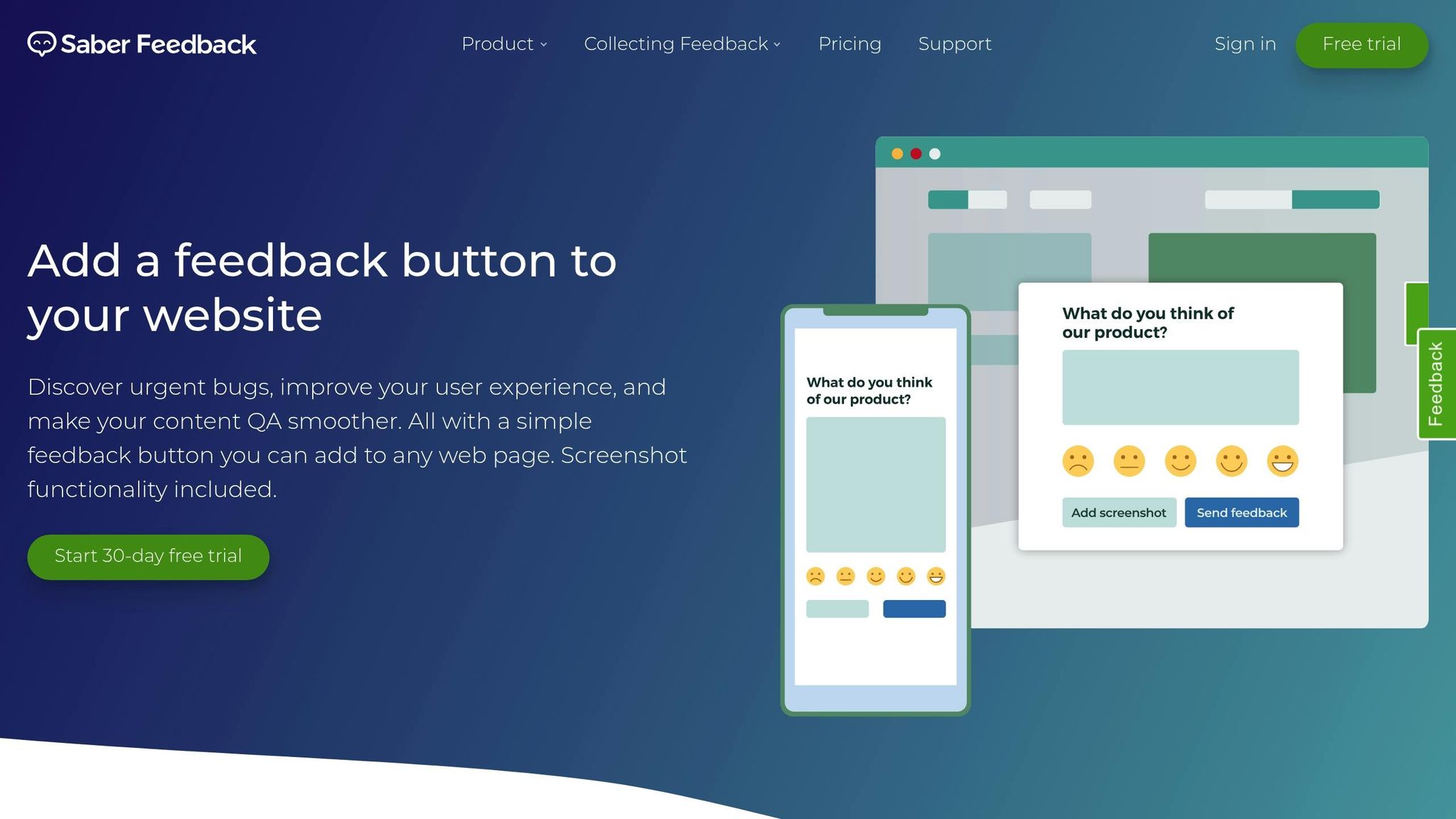
Saber Feedback doesn’t provide publicly available details about its features, pricing, or client access policies, making it unclear whether it supports loginless capabilities.
As of 2026, loginless access is becoming a key feature for increasing client participation. Many visual feedback tools now emphasize guest access without requiring accounts to encourage more involvement from clients. However, there’s no confirmation that Saber Feedback aligns with this trend. This lack of clarity underlines how essential transparent documentation is when choosing a feedback tool.
Without verified details about its visual annotation tools, pricing structure, or policies for external collaborators, it’s difficult to determine if Saber Feedback meets the needs of teams looking for a simple, account-free feedback process. When evaluating feedback platforms, it’s smart to prioritize those with clear documentation and well-defined access policies.
To clarify whether Saber Feedback offers loginless access, unlimited external reviewers, or the visual annotation features your projects require, consider reaching out to them directly.
Feature Comparison
The table below highlights key features that influence client adoption and simplify feedback processes.
| Tool | No-Login Access | External Collaborator Limits | Visual Annotation Options | Starting Price |
|---|---|---|---|---|
| BoastImage | Yes | Limited on free plans; unlimited on paid plans | Pins, click-to-comment with threaded conversations on web pages, images, and PDFs | $0 (Free)* |
| Usersnap | No (Widget-dependent) | 2–10 users (tier-based) | Screenshots, drawing, video | $9/seat/month |
| Markup.io | Yes | Unlimited on Pro plan | Drawing tools, arrows, highlights | $79/month |
| Pastel | Yes | Unlimited guest reviewers across all tiers | Pins, automatic screenshots | $0 (Free) |
| Ruttl | Yes | Limited on free plans; unlimited on paid plans | Live edits, pins, video annotation | $0 (Free)* |
| Saber Feedback | Unknown | Unknown | Unknown | Unknown |
*Note: For BoastImage and Ruttl, free plans come with usage limits. Unlimited external collaboration is available on paid plans (BoastImage starts at $9.95/month, Ruttl at $10/month).
Several tools, including BoastImage, Pastel, Markup.io, and Ruttl, provide true no-login access. This means clients can simply click a link and start giving feedback without any account setup. In contrast, Usersnap relies on a widget that requires additional configuration, which can discourage client participation.
When it comes to external collaborator limits, Pastel stands out by offering unlimited guest reviewers across all plans. BoastImage and Ruttl also allow unlimited collaboration, but only on their paid tiers. Meanwhile, Usersnap uses a seat-based pricing model, where every user counts toward the limit - this can drive up costs, especially for teams managing multiple projects.
Visual annotation tools vary in complexity and capability. Most platforms support basic point-and-click pins, but some go further. For example, Ruttl enables live edits and video annotations, while BoastImage supports threaded conversations on web pages, images, and PDFs. Usersnap offers technical metadata like browser details and console logs, which can be valuable for developers but may overwhelm non-technical users during design-focused reviews.
These differences underscore how tool design can directly influence the ease and effectiveness of client feedback.
Conclusion
The best feedback tool isn’t the one packed with features - it’s the one your clients will actually use. If a tool requires account creation, password resets, or browser extensions, clients often resort to vague emails instead. That’s why having a frictionless, no-login experience is so critical.
"The bottleneck isn't your workflow. It's client adoption." – BoastImage
BoastImage has built its design around this idea, offering tools that prioritize no-login access and simple, point-and-click functionality. This approach leads to completion rates above 60%, compared to the industry average of 40%. The benefits? Faster approvals, fewer revision rounds, and projects that stay on schedule.
Want to know if a feedback tool will work for your team? Test it with your least tech-savvy stakeholder. If even one person struggles, that could signal adoption problems across your clients. A truly client-friendly tool keeps feedback centralized, automatically records technical context, and eliminates the need for lengthy training sessions.
FAQs
How do I choose a feedback tool my clients will actually use?
When it comes to feedback tools, simplicity is everything. Look for tools that eliminate unnecessary hurdles - like requiring logins, creating accounts, or needing training sessions. The best options let clients provide input directly on your work, making the process quick and intuitive.
Features like clear annotations and well-organized feedback are game-changers. They help keep communication smooth and avoid any misunderstandings. Ultimately, choose a tool designed with your clients’ ease in mind. This ensures they stay engaged and provide feedback you can actually use.
How can I secure feedback links without requiring logins?
You can gather feedback effortlessly by using no-login, click-to-comment links. These links let clients provide input directly on your work without the hassle of creating accounts or remembering passwords. With BoastImage, this process is simple and secure - clients just click the link, share their thoughts, and they're done. No complicated steps or extra training required.
What’s the best way to replace vague email feedback with pinned comments?
The most effective way to swap out vague email feedback for clear, actionable input is by using a visual feedback tool. These tools allow clients to leave comments directly on specific sections of web pages, images, or PDFs - without needing to log in or create an account. This approach keeps feedback centralized, avoids the chaos of scattered emails, and transforms unclear notes into precise, actionable comments. The result? Smoother communication and a faster revision process.