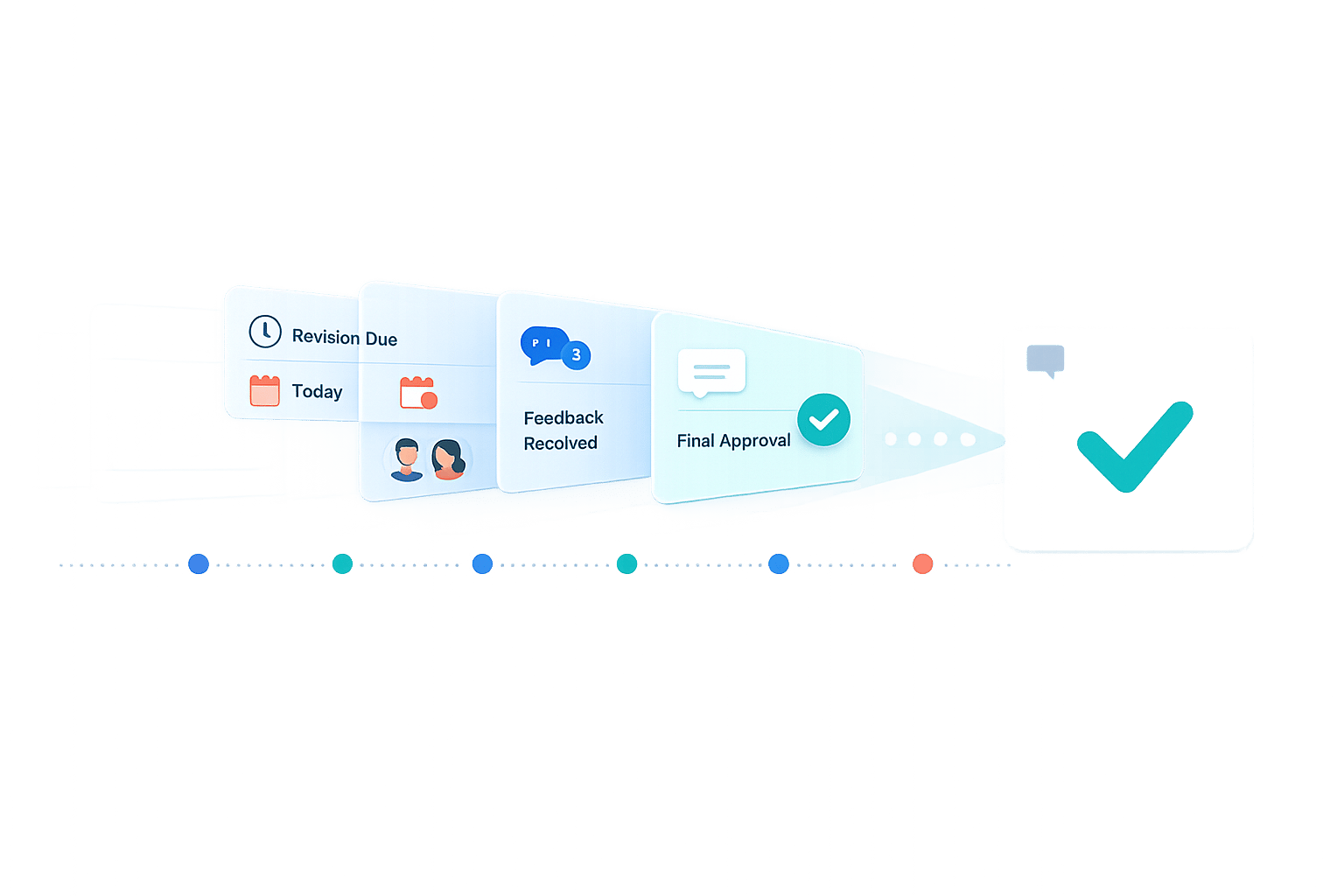
How Automated Notifications Reduce Revision Rounds
Tired of endless revision cycles? Automated notifications can fix that. By sending timely, action-specific alerts, they eliminate delays, version confusion, and missed deadlines. Here's how they work:
- Trigger-based reminders prompt reviewers when feedback is due, cutting down on manual follow-ups.
- Direct links in notifications ensure everyone works on the latest file, avoiding version mix-ups.
- Escalation workflows reroute overdue tasks, keeping projects on track.
- Faster feedback reduces the need for multiple revisions, saving time and effort.
A study by Microsoft showed a 60% reduction in task completion time using automated reminders. Tools like BoastImage make this process even smoother by offering no-login access for clients and features like version alerts. The result? Streamlined workflows and fewer headaches.
How Automated Notifications Speed Up Feedback
Automated notifications take the hassle out of chasing feedback. Instead of relying on project managers to remember who needs to respond and when, these systems send alerts exactly when action is required. These trigger-based reminders activate at key moments - like when a proof is shared, a deadline is near, or a task is overdue - ensuring reviewers respond promptly without needing constant manual follow-ups.
One major perk is the direct contextual access they provide. Notifications come with a link that takes users straight to the relevant file or task. This eliminates the need to dig through email threads or shared drives, cutting down on delays caused by version mix-ups. By making each stakeholder's role clear and deadlines visible, these systems keep projects moving smoothly.
"Manual follow-ups rely on human memory. Automated reminders and trigger-based alerts push notifications exactly when reviewers need to act, eliminating stalled review cycles." - Cway Software
Why Fast Feedback Reduces Revision Rounds
Getting feedback on time prevents a domino effect where one late response delays the entire project. When designers receive input promptly, they can address all feedback in a single revision, avoiding the inefficiency of piecemeal changes. Role-based accountability plays a big part here, assigning specific deadlines to different stakeholders: initial reviewers at the start, compliance teams during approval, and final sign-off contacts at the end.
Industry data shows that creative review cycles typically allocate 24 hours for initial reviews, 48 hours for compliance approval, and 12 hours for final sign-off. Automated systems enforce these timelines without needing someone to manually track deadlines. Knowing they'll get a reminder if they miss their window, reviewers are more likely to prioritize their tasks before they fall behind schedule.
Eliminating Manual Follow-Ups and Missed Deadlines
Automation doesn’t just make feedback faster - it simplifies the entire follow-up process. Tracking non-responses becomes a thing of the past with escalation workflows. If someone doesn’t provide feedback within the set timeframe, the system automatically reroutes the task to a manager or backup reviewer. A common practice is to limit reminders to two per task: one shortly before the due date and another shortly after. This strikes a balance between maintaining momentum and avoiding notification fatigue. Teams can also set up automated nudges for non-responders, ensuring no feedback falls through the cracks.
The impact is clear: teams spend less time coordinating and more time creating, while stakeholders receive timely, actionable prompts. This streamlined process not only saves time but also reduces the number of revision rounds needed to finalize projects.
sbb-itb-32f6eb2
Research Data on Automated Notifications
Faster Response Times and Fewer Delays
In October 2024, Microsoft partnered with Delft University of Technology to implement an automated Nudge system across more than 8,000 repositories. Over the course of a year, the system sent out 210,000 reminders. The results? A 60% drop in average completion time - from 197.2 hours to just 77.65 hours. Additionally, an analysis of 22,875 pull requests revealed that 71% of developers experienced better task prioritization and fewer delays.
Reduced Miscommunication and Conflicting Feedback
Automated notifications simplify communication by centralizing and consolidating feedback and clarifying review assignments. Features like version alerts ensure that team members are always working with the latest files, cutting down on outdated input and merge conflicts. Timestamped audit trails also provide a clear record of comments and approvals, which helps reduce back-and-forth clarifications and keeps projects moving forward efficiently.
These findings highlight how automated alerts not only speed up response times but also bring more consistency to feedback, improving both team collaboration and client interactions. For more on optimizing these workflows, see our guide to managing design feedback.
How BoastImage Uses Automated Notifications
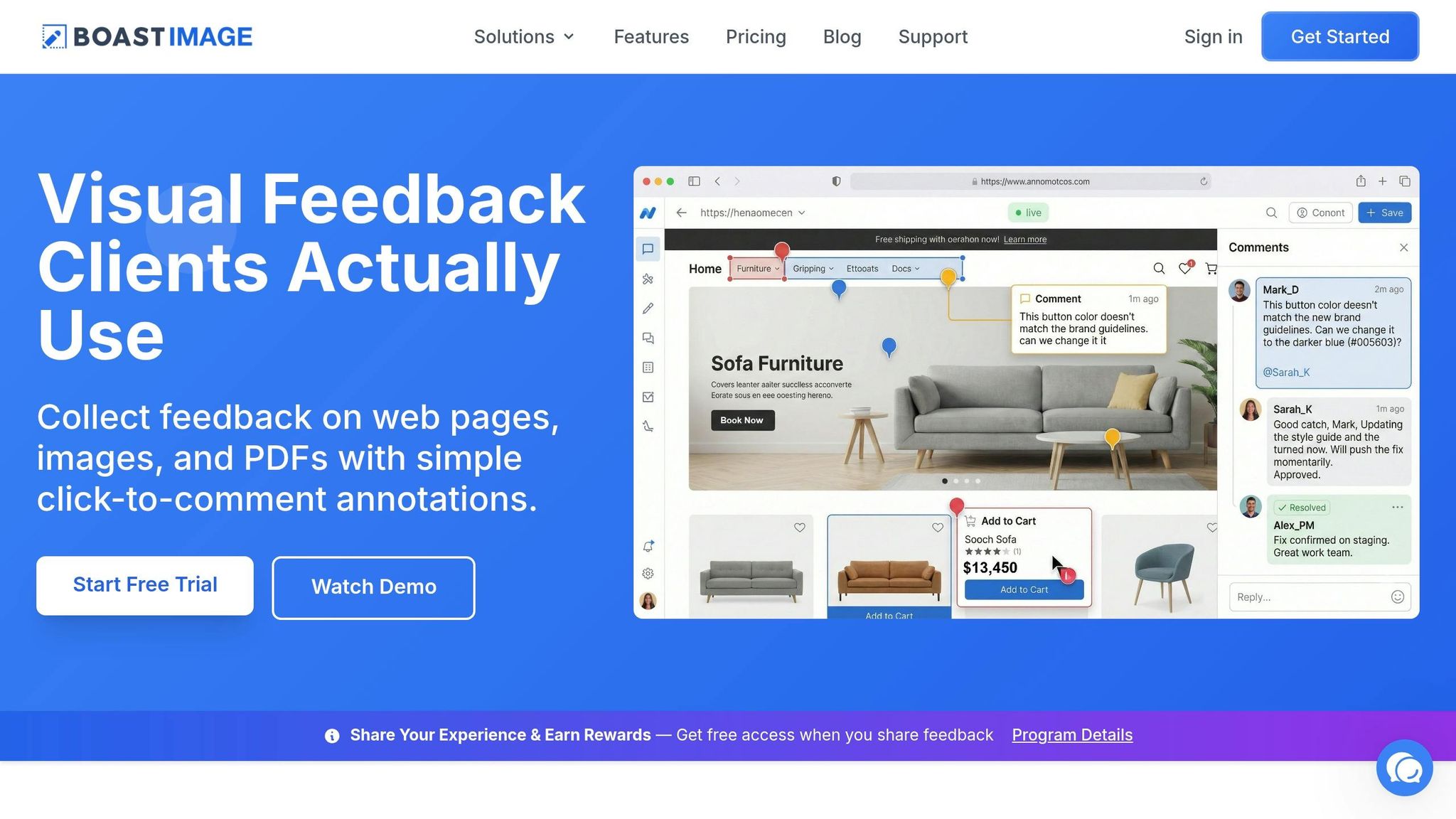
BoastImage showcases how customized notifications can simplify the feedback process, making collaboration smoother for everyone involved.
No-Login Access for Clients and Stakeholders
One standout feature of BoastImage is its ability to bypass the usual hassle of account creation. Clients and stakeholders can simply click a shared link to provide visual feedback on web pages, images, or PDFs - no downloads or logins required.
This frictionless system removes the typical roadblocks that lead to vague feedback like "make it pop." Instead, designers get clear, visual instructions directly on the asset, all in one place. This not only saves time but also ensures that feedback is precise and actionable. Plus, the system integrates smoothly with back-end tools, keeping teams updated without extra effort.
Version Alerts and Task Updates for Teams
BoastImage also shines with its automated notifications that keep both teams and clients in sync. For example, due-date triggers ensure feedback is provided on time. If a task lingers too long, the system automatically escalates it to a manager, reinforcing a transparent, client-focused process.
Version alerts are another game-changer. They let reviewers compare different iterations side-by-side, so changes are clear, and duplicate edit requests are avoided. Every notification is timestamped, creating a clear audit trail to track project progress. Teams can even customize triggers to launch workflows automatically - for instance, when a proof is sent or a task is assigned - eliminating the need for manual follow-ups. These features help cut down on revision cycles by keeping everyone informed about task status and version updates.
Numbers: Manual vs. Automated Workflows
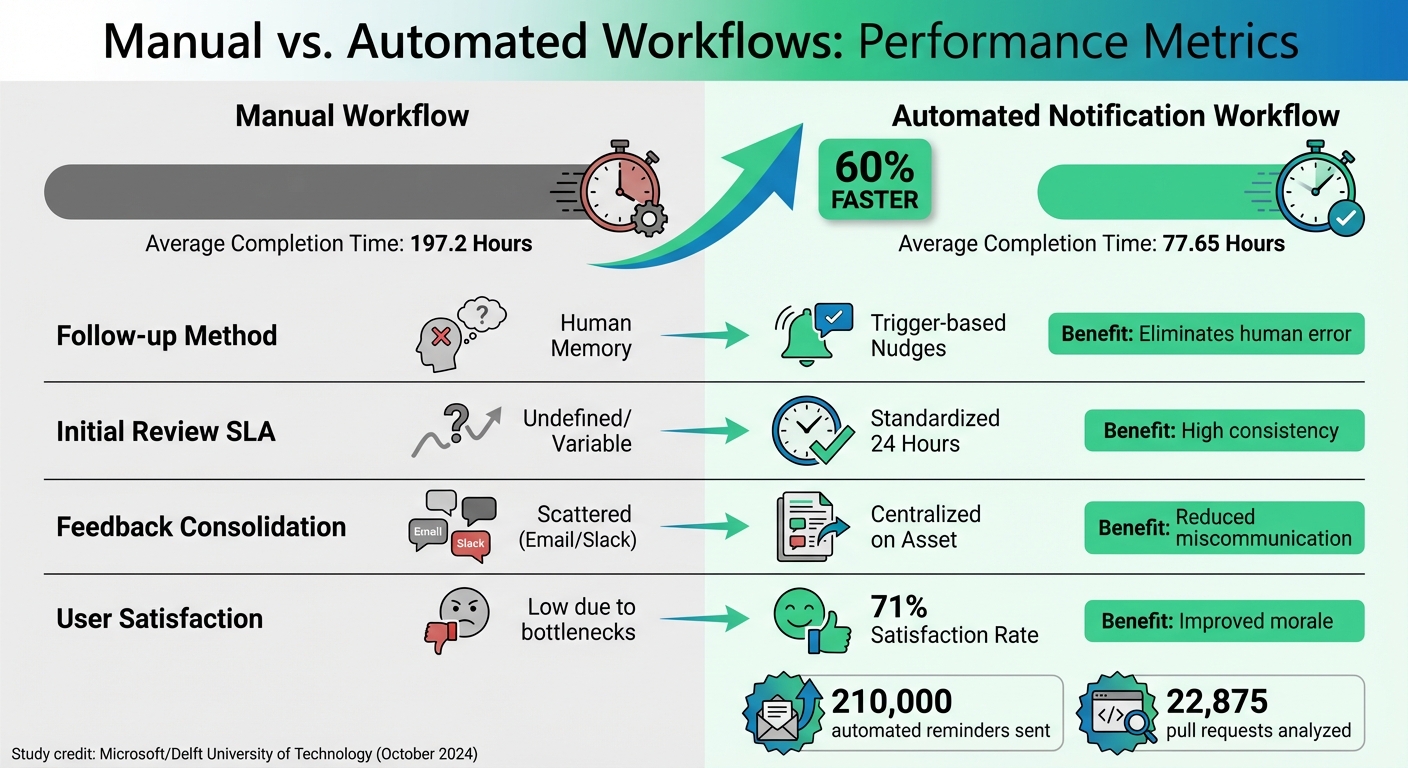
Manual vs Automated Workflow Performance Metrics Comparison
Metrics Comparison Table
The shift from manual to automated workflows isn't just theoretical - it’s backed by numbers. Microsoft and Delft University of Technology introduced an automated "Nudge" system in October 2024, analyzing 22,875 pull requests over a year. The results are captured in the table below:
| Metric | Manual Workflow | Automated Notification Workflow | Improvement |
|---|---|---|---|
| Avg. Completion Time | 197.2 Hours | 77.65 Hours | 60% Faster |
| Follow-up Method | Manual/Human Memory | Trigger-based "Nudges" | Eliminates human error |
| Initial Review SLA | Often undefined/variable | Standardized (e.g., 24 Hours) | High consistency |
| Feedback Consolidation | Scattered (Email/Slack) | Centralized on Asset | Reduced miscommunication |
| Developer Satisfaction | Low (due to bottlenecks) | 71% Satisfaction Rate | Improved morale |
The system sent 210,000 automated reminders over the study period, identifying blockers and notifying the right person automatically after 24 hours. This approach resulted in 71% of developers and stakeholders reporting high satisfaction with automated reminders. It marked a stark contrast to the frustration often associated with manual follow-ups and missed deadlines.
When teams use a structured process to get actionable design feedback and automate notifications, they spend less time chasing approvals and more time driving progress.
"The Nudge system reduced PR completion times by 60%... cutting the average time from 197.2 hours to just 77.65 hours." - Microsoft/Delft University Study
The data makes it clear: automation doesn’t just shave off a few hours. It transforms workflows by speeding up reviews, approvals, and completions, while reducing bottlenecks. The result? Shorter revision cycles and smoother project timelines, all without the need for constant manual intervention.
Conclusion: Better Feedback, Fewer Revisions
Automated notifications help eliminate the delays that often lead to endless revision cycles. These alerts are sent exactly when needed - whether it's a 24-hour heads-up before a review or an escalation when deadlines slip. This approach speeds up timelines and reduces the number of revision rounds, allowing teams to focus more on creativity.
Centralized feedback also puts an end to version confusion. When comments are directly tied to the asset, reviewers always see the latest draft, designers get clear, actionable input, and project managers avoid chasing scattered feedback.
These strategies bring real advantages to teams using automation. For example, BoastImage integrates these practices into a client-friendly system that simplifies feedback and project management. Stakeholders can click a link to review and comment directly on web pages, images, or PDFs - no need for accounts or logins. Meanwhile, teams benefit from features like automated version alerts, task updates, and structured workflows that keep everything on track. Pricing starts at $9.95/month, with unlimited external collaborators included.
Improving feedback isn't about holding more meetings - it’s about delivering timely, precise notifications. This reduces revision cycles, shortens timelines, and boosts overall productivity. With automated notifications, teams can enjoy smoother workflows and fewer headaches.
FAQs
What triggers should we automate first?
Clear communication and efficient workflows are essential for managing projects effectively. A great way to achieve this is by automating triggers that set expectations and simplify feedback processes. For example, you can use automated reminders to notify team members or clients about review deadlines, approval stages, or version updates.
Additionally, automating feedback collection and organizing comments into structured workflows can make a huge difference. This approach encourages clients to provide clear, actionable input, cutting down on vague or repetitive revisions. The result? Projects stay on track, unnecessary revision cycles are reduced, and everyone’s time is used more efficiently.
How do notifications prevent version mix-ups?
Notifications play a key role in avoiding version mix-ups by sending timely alerts about updates, changes, or comments. These alerts ensure that everyone is aware of the most recent version, cutting down the chances of working on outdated files or conflicting revisions. By keeping team members and stakeholders on the same page, automated notifications make collaboration smoother and help reduce mistakes during the revision process.
How do we avoid notification fatigue?
To combat notification fatigue, focus on centralizing feedback and updates within a single platform. This approach eliminates scattered messages and ensures that only relevant and timely alerts are delivered. Use automation to send reminders for critical deadlines and overdue tasks, keeping notifications targeted and meaningful. Additionally, assigning clear roles in the review process helps streamline communication by limiting alerts to those directly involved. This reduces unnecessary interruptions, allowing teams to stay focused while maintaining transparency across the project.