How Account Barriers Delay Client Approvals
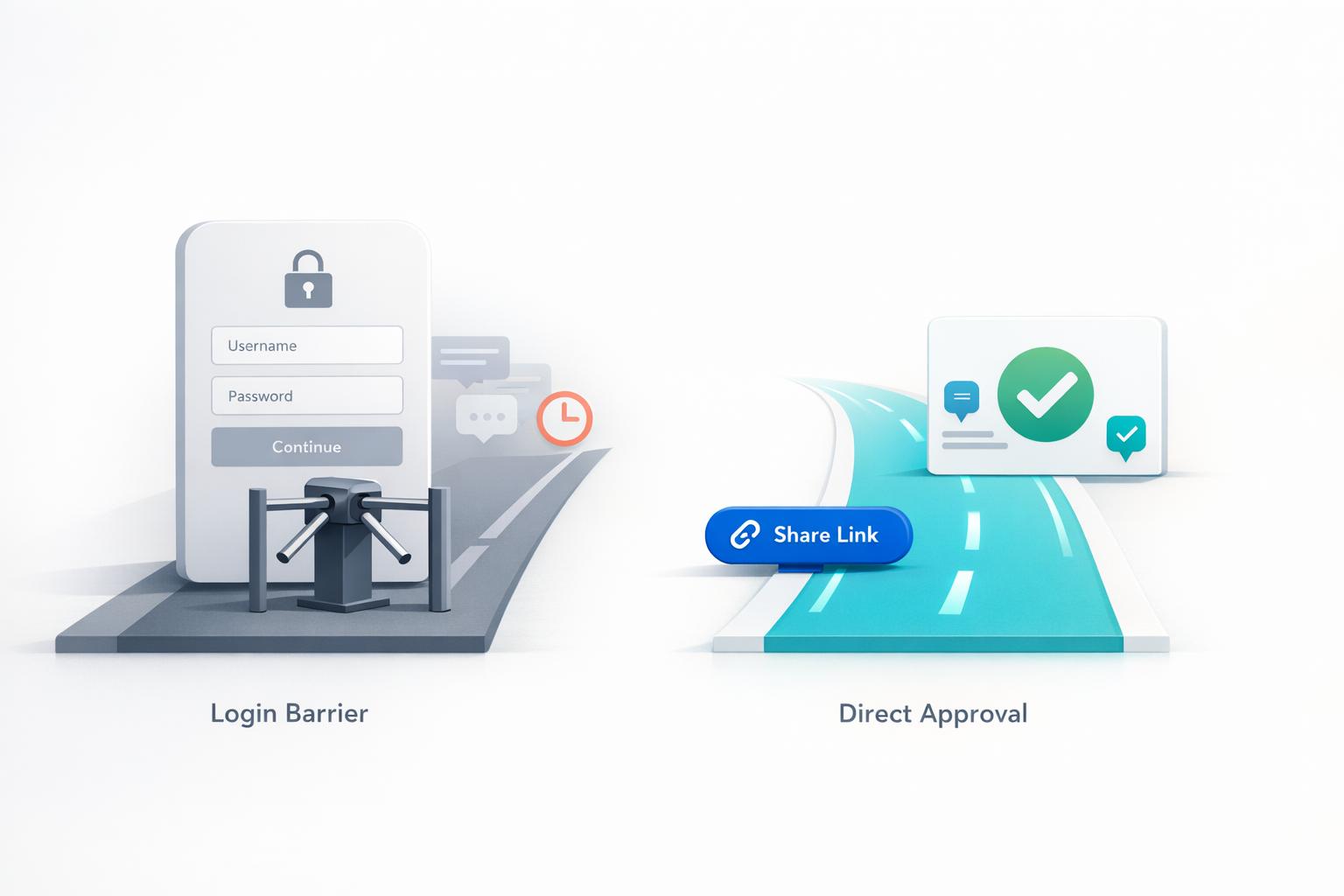
Account barriers in feedback tools waste time, frustrate clients, and slow down approvals. When clients are forced to create accounts, set passwords, and navigate new systems, feedback gets delayed by days. They often abandon the tool entirely, resorting to vague emails or screenshots that lead to miscommunication and endless back-and-forths.
Here’s the fix: use account-free tools like BoastImage. Clients can leave precise, pinned comments on designs with just a link - no logins required. This simple change reduces feedback time from days to minutes, cuts revision cycles in half, and keeps projects on schedule. For teams, features like version tracking and task management ensure everything stays organized.
- Problem: Login walls frustrate clients, causing delays and scattered communication.
- Solution: Account-free tools eliminate barriers, speeding up the feedback process.
- Results: Faster approvals, clear communication, and fewer missed deadlines.
Want to simplify client feedback? BoastImage offers plans starting at $0/month, with features like real-time tracking, Kanban boards, and version control.
The Problem: Account Requirements Slow Down Approvals
What Account Barriers Look Like in Feedback Tools
The moment a client clicks on your feedback link, the hurdles begin. Instead of immediately accessing the design, they’re met with a roadblock: "Please create an account to view this project." From there, they’re tasked with filling out forms, verifying their email, setting preferences, and figuring out how to navigate yet another dashboard.
For a client who just wants to say, "The button should be blue", this process feels excessive. They end up juggling another password, learning a new system, and trying to remember which platform they’re even on. Every extra step between clicking the link and leaving a comment increases the chance they’ll give up entirely. This friction is a major reason why responses are often delayed, as explained below.
How Clients React to Account Requirements
When faced with login walls, many clients simply give up. What follows is either complete silence for days, a quick Slack message saying "looks fine", or an email with a blurry photo of their screen. Clients who aren’t particularly tech-savvy often find the onboarding process overwhelming, leading them to disengage entirely.
Instead of using the feedback tool as intended, clients default to what they know: email chains, texted screenshots, or scattered comments across multiple platforms. Without pinned comments or visual context, their feedback becomes vague, with phrases like "make it pop" leaving you guessing what they mean or which element they’re referring to. What should have been a quick comment turns into a back-and-forth email thread just to clarify their intent.
"Having the comment metadata to understand details about the user that left the feedback helps me know where to start to triage - it prevents one comment from turning into five different emails." - Webflow Customer
These barriers don’t just create extra work - they change how clients interact with the entire feedback process.
The Numbers Behind Approval Delays
The effects of these account barriers aren’t just annoying - they’re quantifiable. Traditional feedback systems with account requirements take an average of 3 days to receive client input. During this time, projects sit idle, waiting for clients to navigate the process.
The situation gets worse when clients abandon the tool entirely. While specific drop-off rates vary depending on the tool’s complexity, one thing is clear: more friction means fewer completed feedback cycles. When clients can’t easily access the tool, communication scatters across 15+ emails, Slack messages, and texts. Each of these fragmented exchanges increases delays, reduces clarity, and raises the chances of miscommunication. Ultimately, these delays highlight how account barriers disrupt the entire approval process.
sbb-itb-32f6eb2
The Fastest Way to Get Client Approvals (Without the Stress)
The Solution: Account-Free Feedback with BoastImage
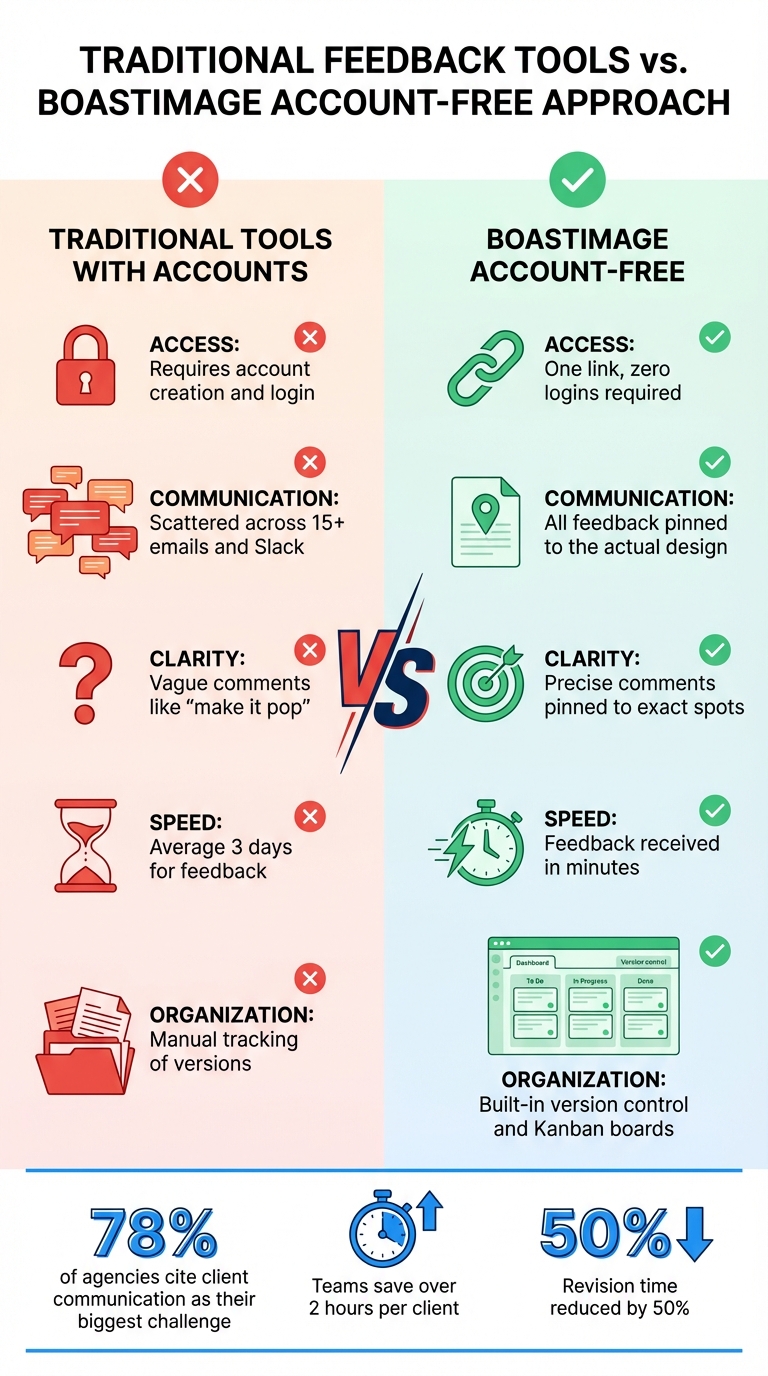
Traditional vs Account-Free Feedback Tools Comparison
How Login-Free Feedback Works
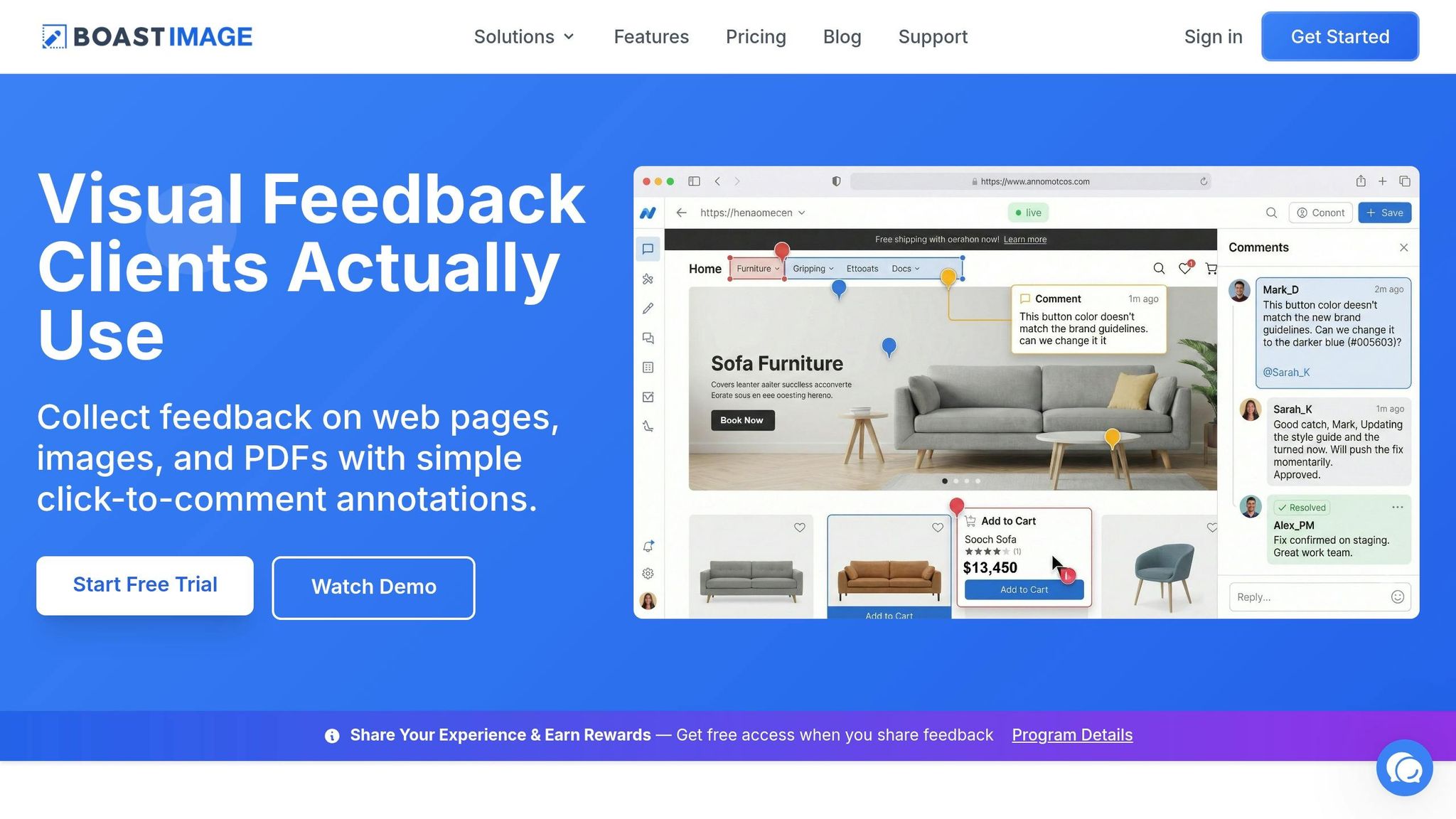
BoastImage tackles the challenge of client adoption head-on with a straightforward, account-free feedback system. Instead of dragging clients through the hassle of account creation, email confirmations, and learning new dashboards, BoastImage employs a link-first approach. Here's how it works: you send your client a URL, they click it, and instantly access your work - whether that's a live webpage, a static image, or a PDF. No usernames. No passwords. No complicated onboarding.
Clients can click directly on the design to leave comments, with each annotation pinned to the exact spot, removing any ambiguity. Multiple stakeholders can provide input at the same time, streamlining the process by gathering all feedback in one round instead of waiting for staggered approvals.
While clients experience a clean and simple interface, your team gets access to powerful project management tools behind the scenes. Feedback is transformed into actionable tasks through Kanban boards, and version control ensures every revision is tracked, showing clients exactly what has changed. Plus, the BoastImage Chrome extension allows you to capture entire web pages or specific sections directly from your browser, making sharing and feedback even easier. As BoastImage puts it: "If they can open an email, they can use this tool."
Measured Results from Removing Account Barriers
The shift from traditional login-based feedback tools to an account-free system doesn't just improve the experience - it delivers measurable results. Traditional tools that require logins often take an average of 3 days to collect client feedback. In contrast, BoastImage users report receiving feedback within minutes. The ability to leave precise, pinned visual feedback reduces revision time by half, cutting out the back-and-forth of vague comments and follow-up emails.
Given that 78% of agencies cite client communication as their biggest challenge, simplifying the feedback process directly addresses this pain point. Instead of juggling feedback across multiple emails and Slack messages, BoastImage centralizes everything in one organized view, with every comment tied to its exact context.
| Feature | Traditional Tools with Accounts | BoastImage |
|---|---|---|
| Access | Requires account creation and login | One link, zero logins required |
| Communication | Scattered across 15+ emails and Slack | All feedback pinned to the actual design |
| Clarity | Vague comments like "make it pop" | Precise comments pinned to exact spots |
| Speed | Average 3 days for feedback | Feedback received in minutes |
| Organization | Manual tracking of versions | Built-in version control and Kanban boards |
Simple for Clients, Powerful for Teams
This streamlined system speeds up workflows while keeping teams organized. BoastImage keeps the client experience simple - just a comment box - while equipping your team with advanced tools. Behind the scenes, feedback translates into organized tasks, making it easier to manage projects from a single dashboard.
For just $9.95/month under the Solo plan, you get features like Kanban boards and version control that elevate your workflow without adding complexity for your clients. Upload updated versions directly to the same link, and clients can instantly see the changes without sifting through confusing email threads or attachments.
"The bottleneck isn't your workflow. It's client adoption." – Boast Image
This philosophy shapes every aspect of BoastImage. It provides your team with the tools to stay organized - version tracking, task management, and more - while clients enjoy a seamless, no-login experience. By eliminating the delays caused by scattered communication and account barriers, BoastImage ensures smoother client approvals and keeps projects on track.
How to Set Up Account-Free Feedback
You can simplify client feedback by removing account requirements. Here's a four-step process to make it happen.
Step 1: Generate a Shareable Link
Start by uploading your file to BoastImage. Whether it’s a PNG, JPG, GIF, PDF, or even a live web page, the platform has you covered. If you're using the BoastImage Chrome extension, this step gets even easier. You can capture the full page, a visible section, or a specific area right from your browser. Once the file is uploaded, create a shareable link. You have options: generate a public read-only link or invite collaborators who can comment - no account required. For sensitive projects, you can add an access code or password for extra security while still avoiding login hassles.
Step 2: Enable Easy Client Feedback
Send the link to your client, and they can instantly access the deliverable. Clients can click directly on the design to leave comments pinned to specific spots, eliminating vague feedback like "make it pop". They’ll just need to enter their name and email to identify themselves. BoastImage also captures useful details like browser version, operating system, and screen size automatically, so you don’t have to waste time asking follow-up questions. Plus, multiple stakeholders can comment at the same time, making it easy to gather unified feedback.
Step 3: Manage Feedback Effectively
While clients enjoy a simple interface, your team gets access to powerful project management tools. Use Kanban or list views to organize comments and tasks, with custom states like "pending" or "done". This keeps everything in one place, eliminating the need to juggle emails or scattered messages. When revisions are ready, upload new versions to the same project link. Clients can see exactly what’s changed and even compare versions side-by-side, reducing confusion and back-and-forth emails. The Solo plan, priced at $9.95/month, includes features like version control, Kanban views, and support for up to 10 external collaborators.
Step 4: Monitor Approvals in Real Time
Keep track of feedback and approvals in real time through a single dashboard. You’ll know which comments have been addressed, which tasks are still pending, and when clients have given final approval. This real-time tracking cuts down on delays, saving your team valuable time. In fact, teams using BoastImage save over 2 hours per client by removing login barriers. Instead of waiting around for days, feedback often comes in within minutes. This streamlined process keeps projects moving forward without the usual bottlenecks caused by traditional tools.
Conclusion
Account barriers often slow down client approvals. When clients encounter login screens, password setups, or lengthy onboarding processes, what should be quick feedback turns into a drawn-out process. The numbers back this up: 78% of agencies report client communication as their biggest hurdle, with traditional email-based workflows taking an average of three days to gather feedback.
BoastImage eliminates these roadblocks. Clients simply click a link, leave comments directly on your work, and they’re done - no accounts, no logins, no training required. This streamlined approach slashes revision times in half. Instead of waiting days, feedback arrives in minutes. Internally, teams save over 2 hours per client, while external collaborators save more than 30 minutes of their time.
The result? A smoother, more efficient workflow. Stakeholders get a seamless commenting experience, while you benefit from tools like version control, Kanban boards, and real-time approval tracking. Plus, multiple reviewers can provide input at the same time, avoiding last-minute changes that throw off schedules.
Ready to eliminate approval delays? Try BoastImage's free plan - $0/month for 1 active project and 3 external collaborators. Need more? The Solo plan, at just $9.95/month, includes 5 active projects, unlimited items, and 10 external collaborators. Get started today and see how login-free feedback can transform your client communication.
FAQs
Is account-free feedback still secure?
Account-free feedback can be safe when the right precautions are implemented, like using link-based access and restricted permissions. That said, it can become risky if sensitive information is shared or if the platform doesn't have strong security protocols. It's crucial to choose a platform that balances user-friendly design with strong security measures to protect your data.
How do I get all stakeholders to review at once?
To make sure everyone involved can review at the same time, use a centralized feedback tool. This approach avoids the hassle of multiple logins and scattered communication. Simply share one link where clients can leave comments directly on the work. This keeps feedback organized and allows for real-time input, cutting down on delays and confusion.
How do I turn comments into tracked tasks?
Feedback can easily become a jumble of notes unless it’s organized effectively. One way to streamline this is by using tools like BoastImage, which lets you pin exact comments directly onto designs. This makes it simple to pinpoint tasks without confusion.
Once feedback is gathered, consolidate it and use version control to track changes over time. It’s also important to transform unclear or vague comments into clear, actionable steps. By doing this, feedback isn’t just collected - it’s structured and turned into tasks that are easy to monitor and complete.