The gap between a creative concept and the final approved asset is often filled with endless email chains and "final-final" file versions. Online proofing tools like BoastImage and ReviewStudio bridge this gap, albeit in different ways.
ReviewStudio has long been a staple in the online proofing market for teams that need heavy-duty markup tools. However, as the industry shifts toward faster turnarounds, many are switching to substitutes like BoastImage for their everyday workflows.
But which one is right for you?
Should You Choose BoastImage or ReviewStudio?
Choosing between these two depends on whether you prioritize high-end management complexity or frictionless user experiences. BoastImage values simplicity and client connection. Meanwhile ReviewStudio is built for larger agencies that want better internal communication/collaboration.
You should:
- Choose BoastImage: If you want to focus on the client experience to ensure they actually use the tool without spending hours in the learning curve.
- Choose ReviewStudio: If you want a powerful tool that focuses on internal design team collaboration and offers third-party (paid) integration.
Quick Overview of BoastImage vs ReviewStudio
How does BoastImage compare to ReviewStudio? Let's find out:
| Feature / Detail | BoastImage | ReviewStudio |
|---|---|---|
| Best Fit | Agencies and marketing teams who need structured task management and multi-asset organization. | Large corporations and video editors who need frame-accurate markup and deep technical proofing. |
| External Reviewer Access | Share a link; clients can comment without an account. Includes private reviewer views. | Guest links available; supports unlimited reviewers but requires more navigation for guests. |
| Client Friction | Very Low. Clean, modern interface designed to look professional for high-end clients. | Moderate. The interface is feature-dense, which can be intimidating for non-tech users. |
| Website Feedback | Capture-based. High-fidelity snapshots ensure "version lock" so clients see a stable version. | Live URL overlay. Comments sit on live elements, which is useful for technical debugging. |
| Workflow Complexity | Integrated PM. Built for teams who want their feedback to live inside a Kanban board. | Review-Focused. Focused on the markup session; requires external tools for full task tracking. |
| Pricing Posture | $9.95/Month. Extremely affordable for small agencies and freelancers. | Scale-based. Starts significantly higher, usually around $20 per user per month. |
Quick Verdict: Choose BoastImage for affordable annotations and zero-friction client on-boarding. ReviewStudio is better for in-depth feedback and collaboration across internal teams.
Problems With ReviewStudio (User Perspective)
ReviewStudio has a steep learning curve for many users. We looked at actual G2 reviews to understand their struggles. The data shows clear areas where the platform falls short.
Here is a breakdown of the most common user complaints. The table below highlights real statistics from G2 reviews. It also shows how BoastImage fixes each core issue.
| Core Problem | User Complaints | The BoastImage Solution |
|---|---|---|
| Unintuitive user interface causing confusion during simple tasks. | 3 mentions | BoastImage offers a highly intuitive dashboard. Clients leave feedback without navigating complex menus. |
| Upload issues including slow file uploads and extra steps. | 3 mentions | Our extension captures and uploads files instantly. You never have to wait or jump through hoops. |
| Commenting issues and lack of clarity on submissions. | 2 mentions | Every comment automatically turns into a visible task. Nothing gets lost in a crowded design canvas. |
| Poor notifications requiring tedious manual adjustments. | 2 mentions | We automate your entire notification workflow. You get instant updates without manual configuration. |
| A lack of necessary features and customization options. | 2 mentions | We provide unlimited canvases and dedicated management boards. You get ultimate flexibility on every plan. |
BoastImage vs ReviewStudio: Features Compared
BoastImage is the go-to tool for managing feedback, implementing changes, and assigning design tasks. Here is why BoastImage is the top ReviewStudio alternative:
| Feature / Outcome | BoastImage | ReviewStudio |
|---|---|---|
| Clients leave feedback without an account | ✅ | ✅ |
| Pinned, contextual comments | ✅ | ✅ |
| Integrated Kanban Task Board (Built-in PM) | ✅ | ✕ |
| Review Images, PDFs, and Video | ✅ | ✅ |
| Capture-based Review (Version Lock) | ✅ | ✕ |
| Live Website Overlay | ✕ | ✅ |
| Security service to protect data | ✅ | ✅ |
| Automate feedback into assigned tasks | ✅ | ✕ |
The biggest problem with ReviewStudio is the learning curve. You could learn about the tool through expert training but that requires an Enterprise Plan Subscription. Essentially, you have to pay more than $500 (20 users at a minimum $28 per user) to train your team!
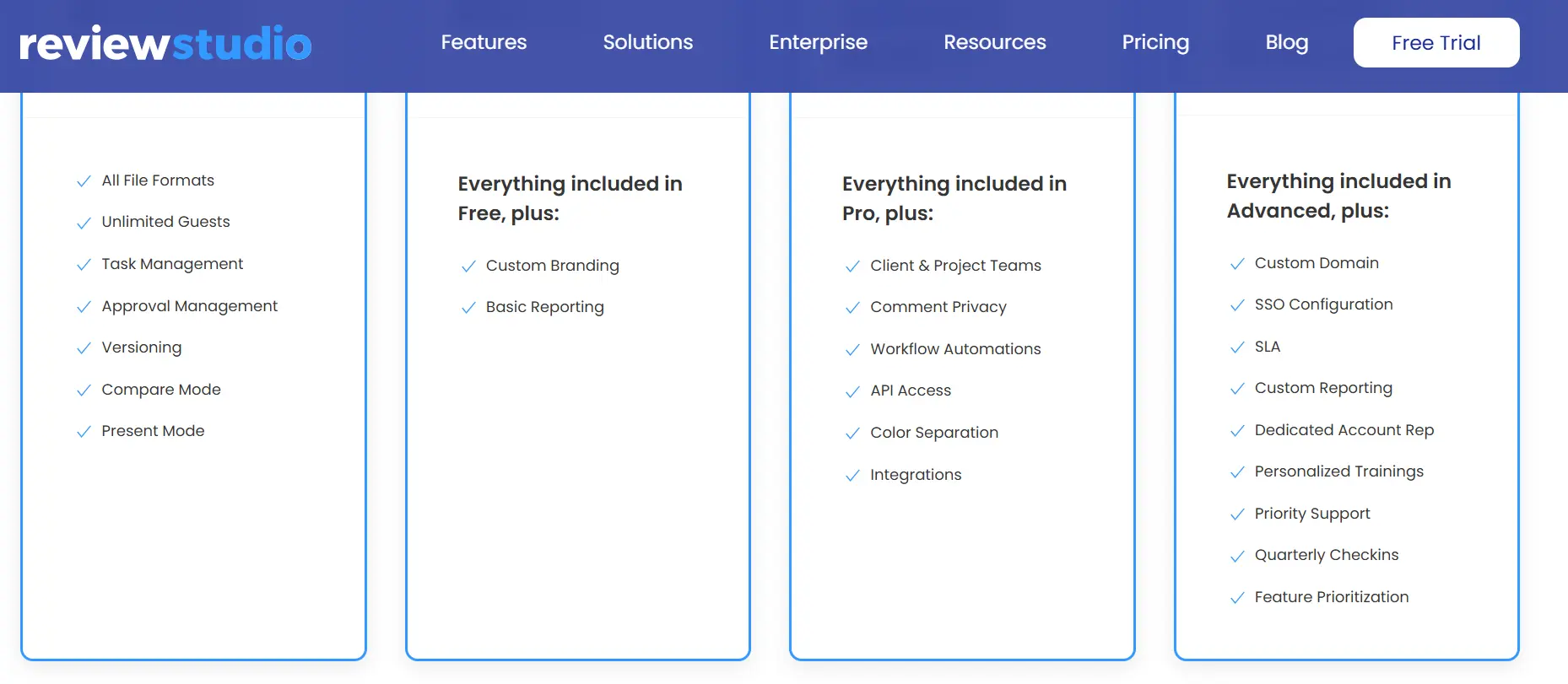
With BoastImage, you don't need training. You login, follow the natural flow, and get work delivered. Is it really that simple? Yes, and you can try it out right now for free with our Trial Plan.
Live Websites vs Capture-Based Review
ReviewStudio better than every other live website annotation tool on the market. It's one of the few tools that allows you to:
- View live website renders
- Bulk view multiple pages from the same website
- Collect static captures of the website
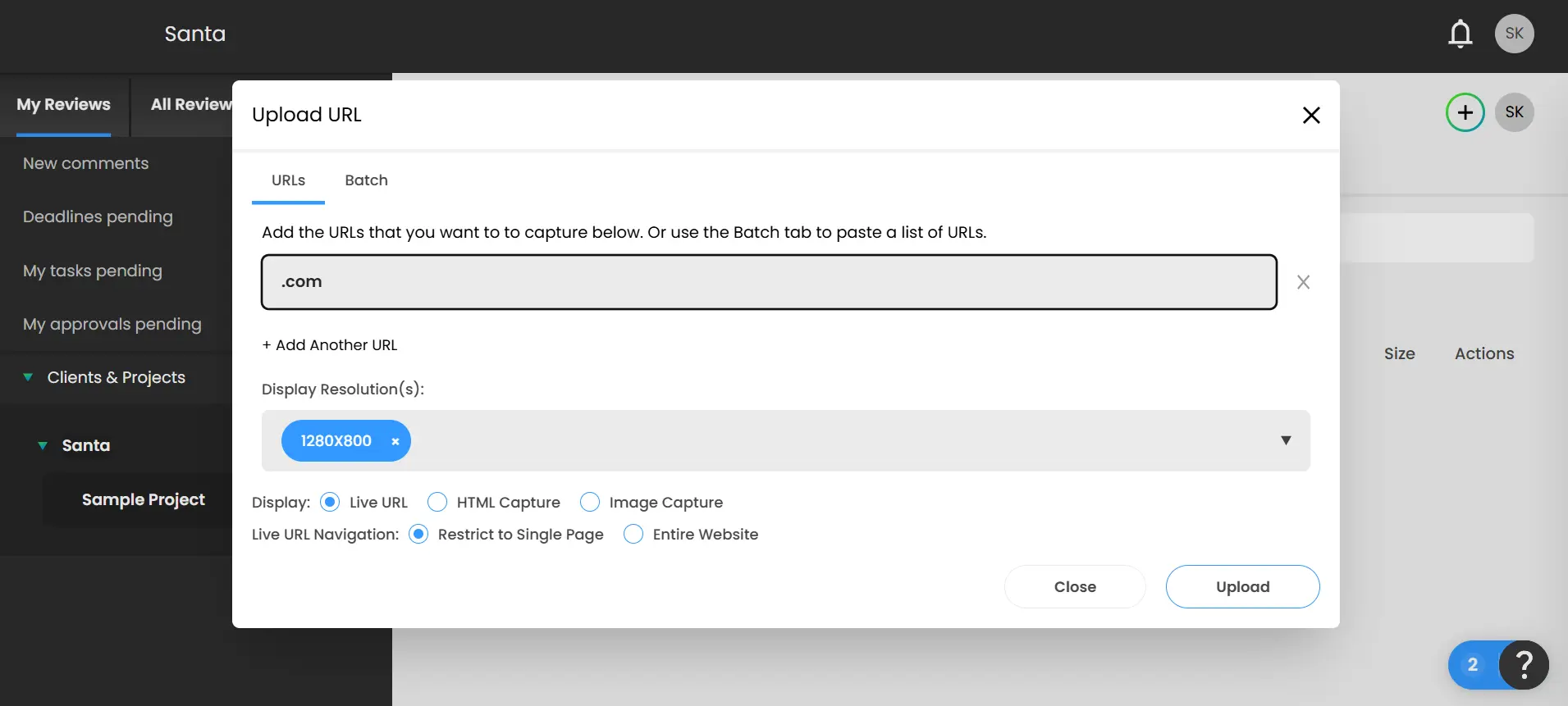
One minor problem is that you have to select the display resolution manually.
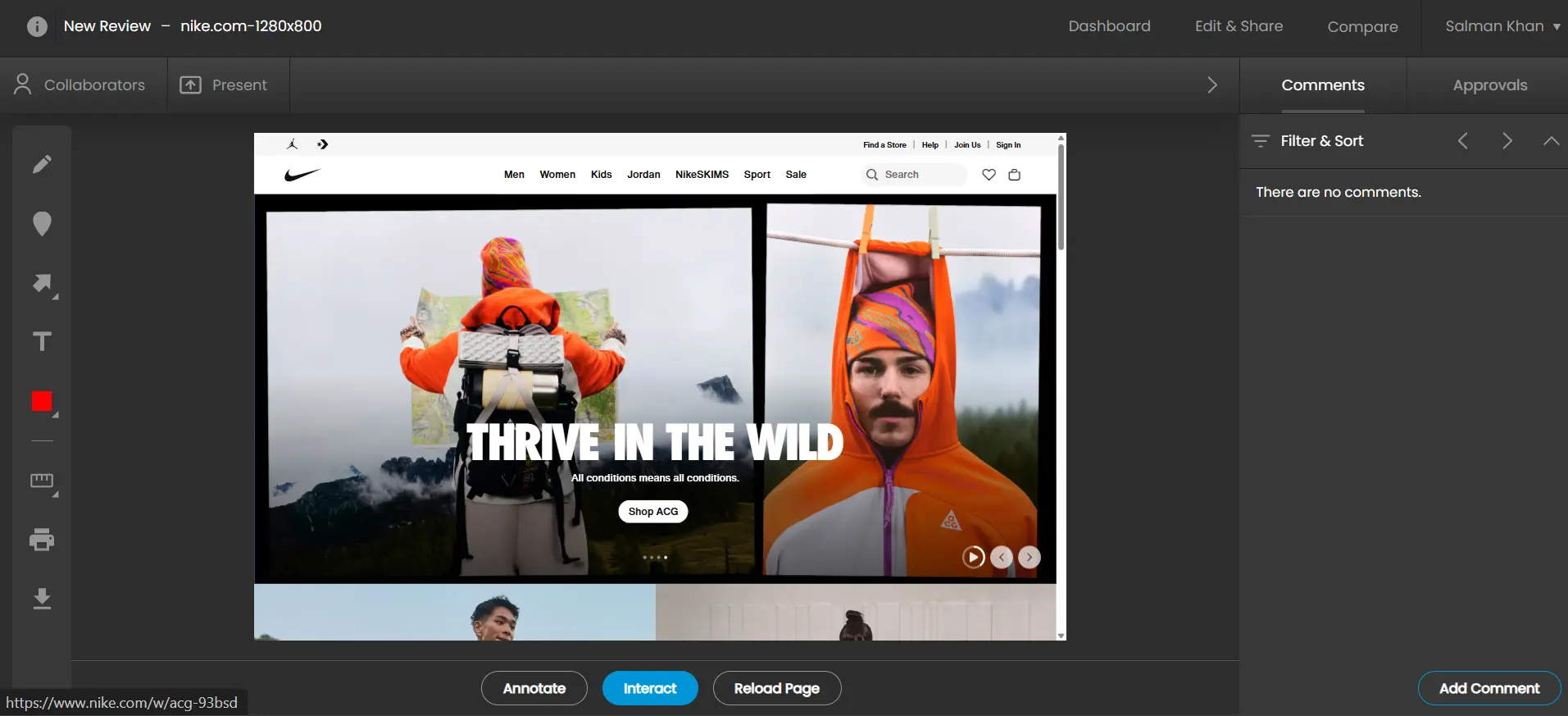
You can't change between responsive renders the same way you'd do with Markup.io or UsePastel. Instead you have to create a separate mobile render. Apart from that, it's one of the best online proofing software for live websites.
There is one catch? Clients can't really use the app. For example, new projects, getting the live feed, and annotating it isn't something your client can do easily. The web app is jam-packed with features but clients and stake holders won't really know how to use it.

BoastImage makes the process simpler. You can:
- Capture with the chrome extension
- Upload it to our web app
- Annotate, assign, and ship
You can capture any screen size, upload whichever version, and all within seconds. You can do it, your team can do it, and your CLIENTS can do it. BoastImage is also working on a Live Website render version, which should make things even easier down the road.
Project Management Functionality
ReviewStudio does not give you built-in project management as a core feature. You get some limited features like assigning teams. However, you must must integrate the software with third-party tools like Jira, ClickUp, or Asana to assign tasks.
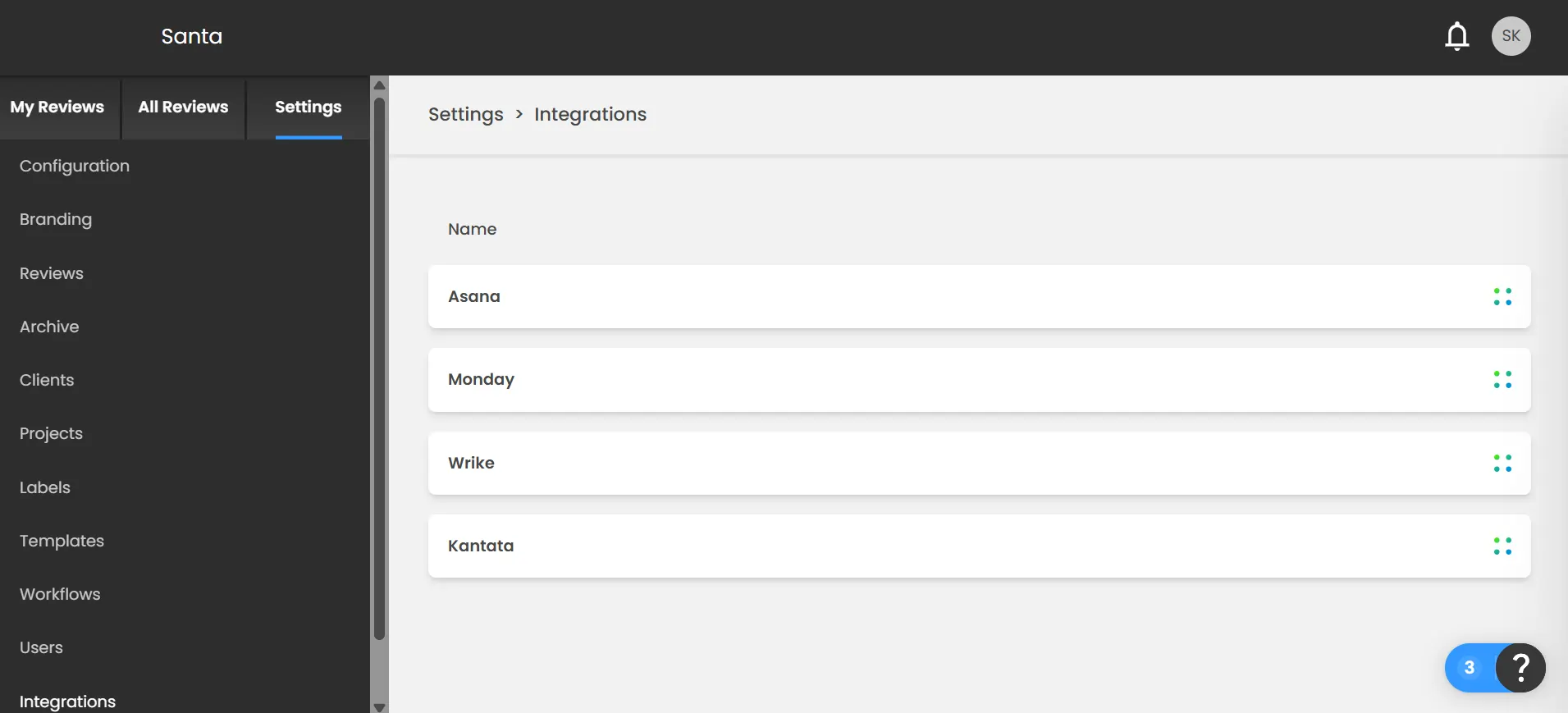
Unfortunately, integration is locked behind the $125/month team plan. This often leads to extra costs and a fragmented workflow where feedback lives in one tool and action lives in another. What's even worse is that you can't create a New Project directly on the home page.
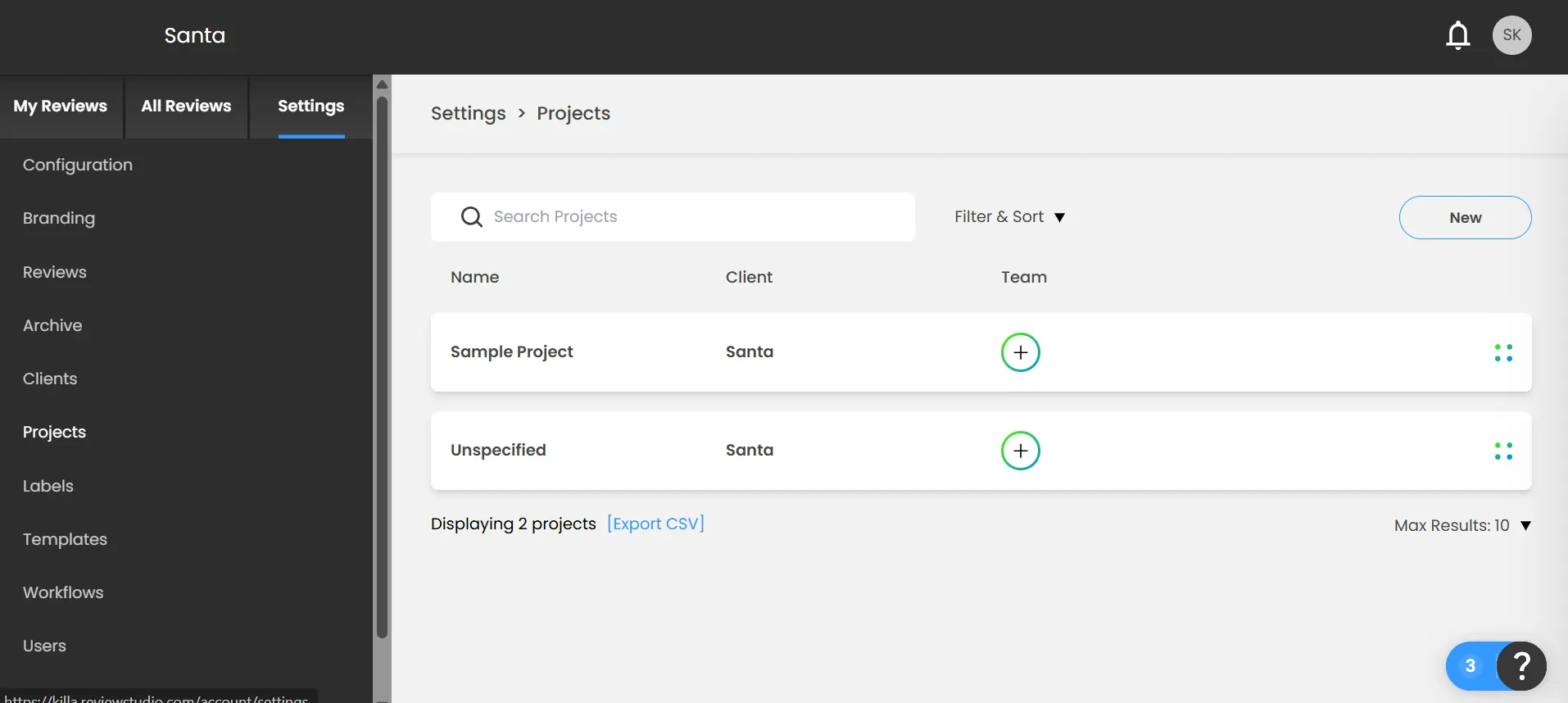
You must go into Settings > Projects, and then click on New to create a new project. It's unnecessary clicks for you and potential clients.
With BoastImage, you can get client feedback and manage projects all within the web app. Switch between annotation and our project management tool seamlessly. Your clients get full freedom, while your teams get the right directions.
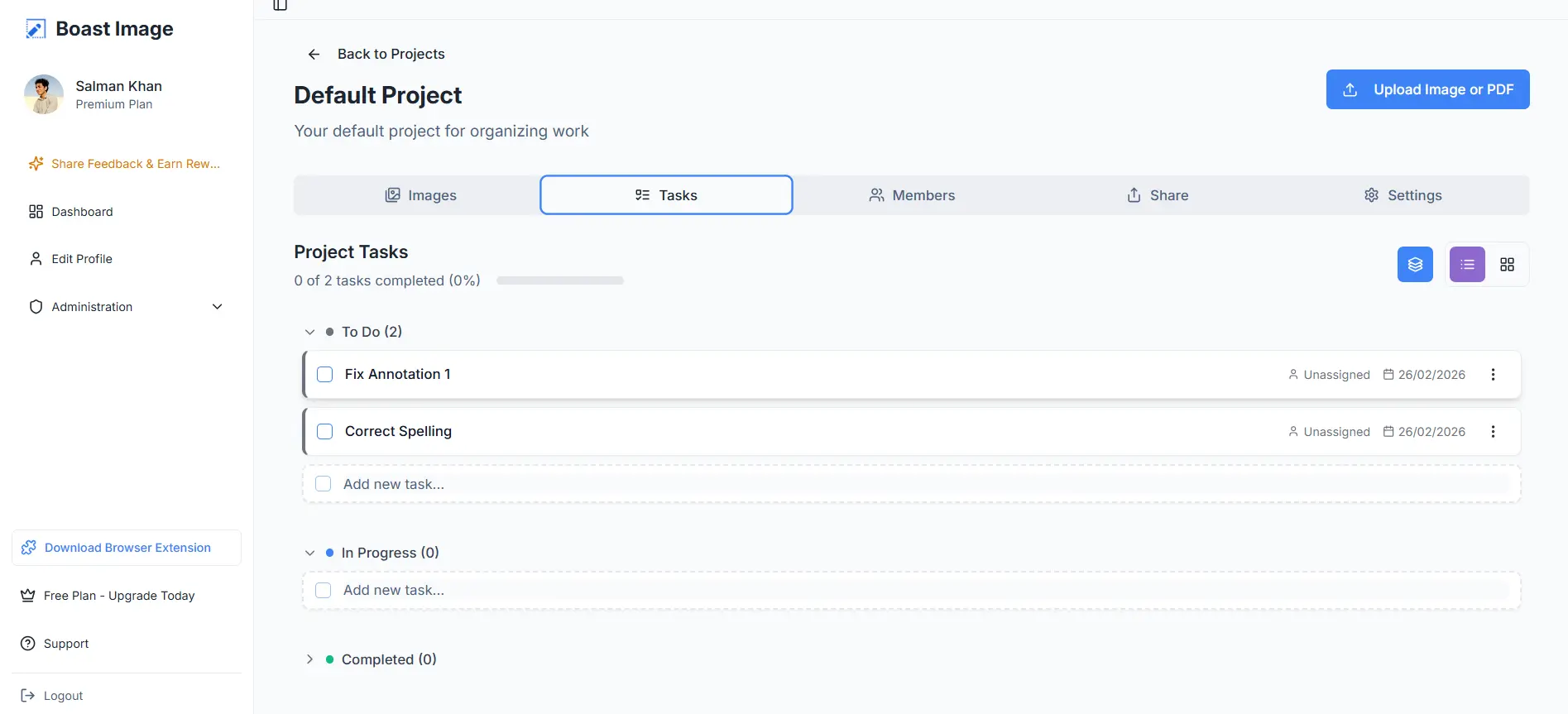
Invite team members, assign tasks, and ship client-ready projects without unnecessary friction. Why pay for extra services like Monday.com or Trello when you can have it all for $9.95 per month?
File Sharing and Members
BoastImage offers unlimited external collaborators just like ReviewStudio. ReviewStudio allows you to share files quite easily. You just click on share, copy link, and send it. On the downside, this creates a risk of unnecessary disclosure.
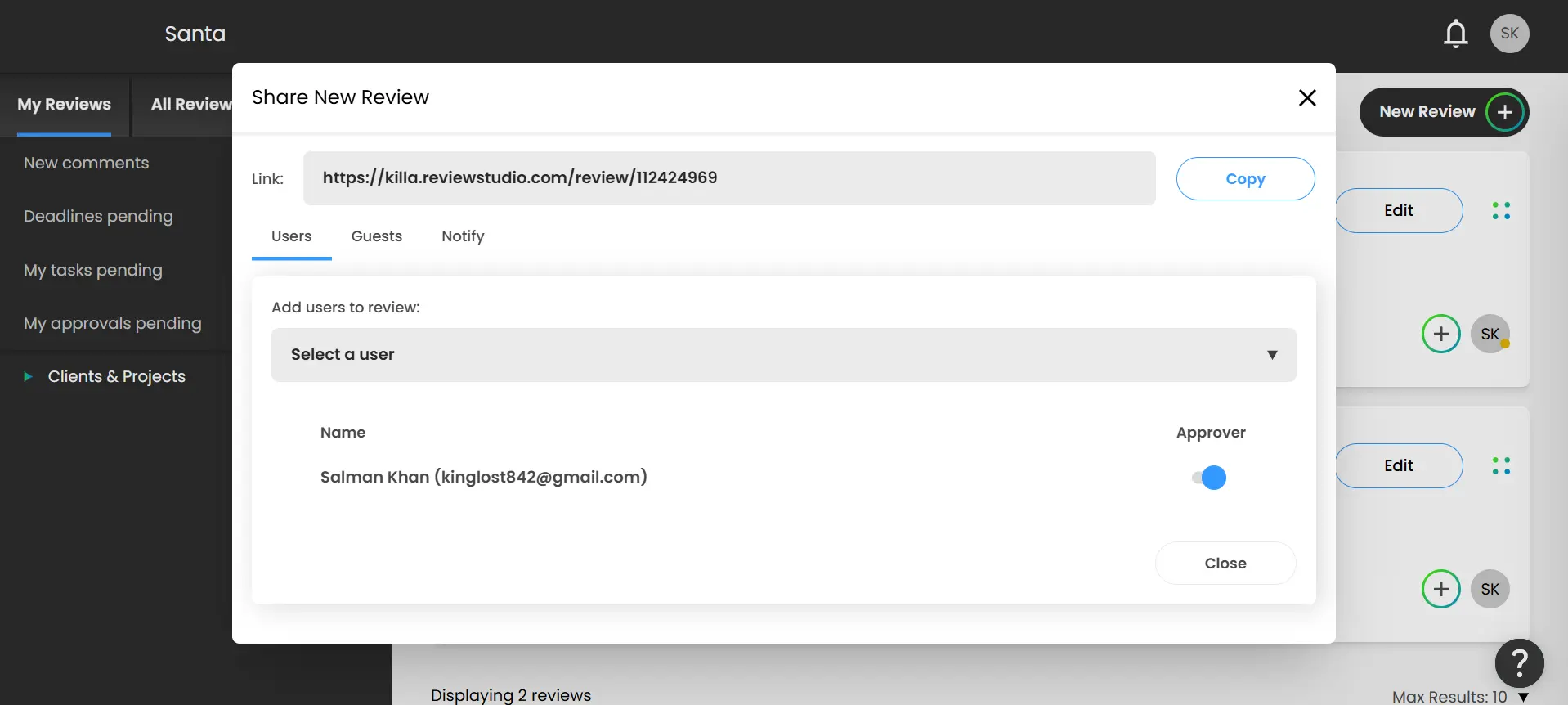
Imagine you're working on a new release file and someone finds the public link. All your work will be plastered on every leak website on the internet. You can mitigate that risk if you get the Pro Plan which costs $125 per month.
BoastImage makes the sharing process more secure. You can share files and complete project access through email. Even if someone were to get the link, they wouldn't be able to access the file without permission.
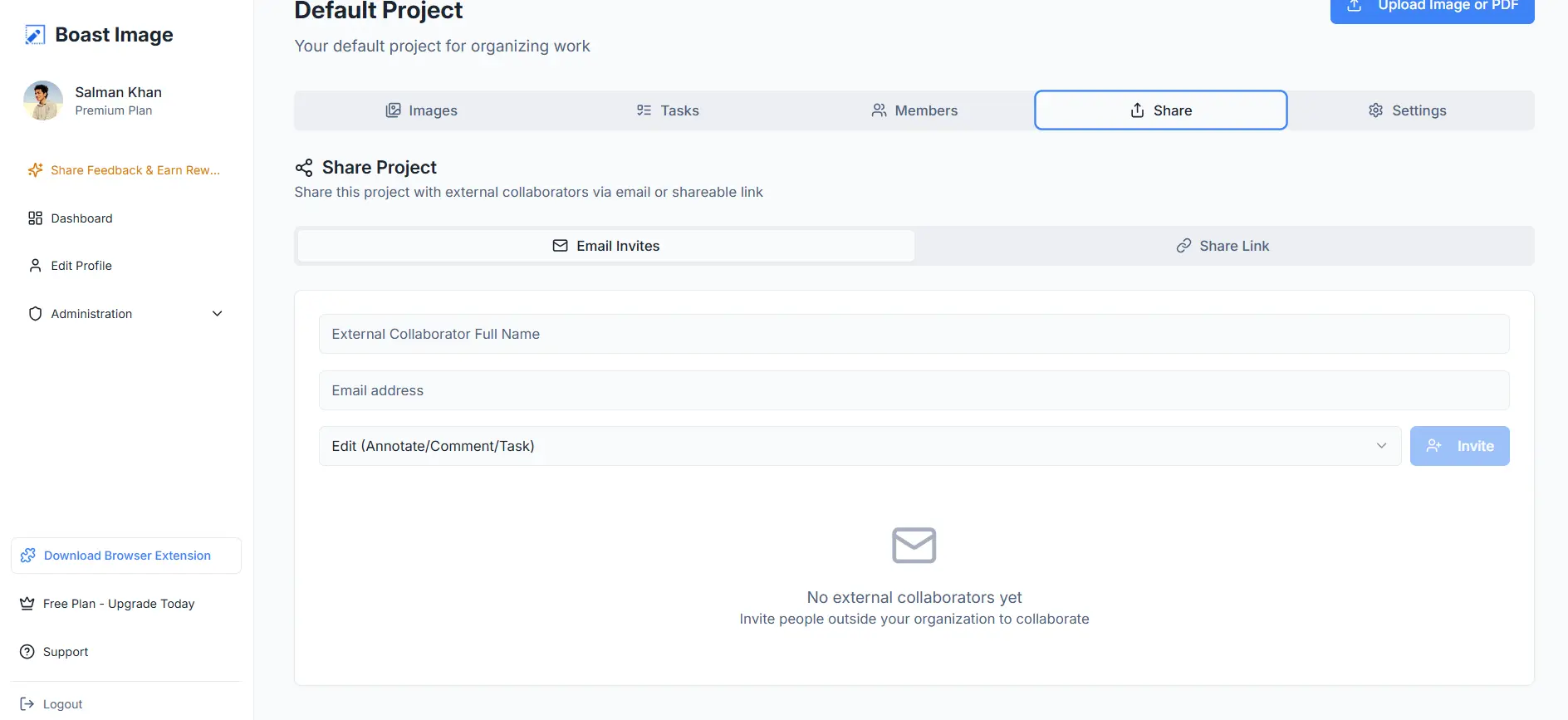
You can even segment access levels. For example, you want John from your team to only view the innotations, give him Viewing Access. Want the client to have full access? Give him full Edit Access. It's simple, effective, and doesn't spook your clients.
Supported Files
BoastImage supports PDFs and Images, which are enough for most product and website annotations. ReviewStudio supports every almost all mainstream file types, including:
- 3D file types
- Images (JPG, PNG, GIF, PSD)
- Videos (MP4, MOV, WMV)
- Audio (MP3, WAV, AAC)
- Documents (PDF, DOCX, XLSX)
Even tools like Markup.io and UsePastel fail to offer audio annotations. The supported file types also show which market segment each sector caters to. Simply put:
- BoastImage supports basic annotation for client facing proofing workflows
- ReviewStudio supports multiple files for better internal team engagement
More isn't always good, especially when you want your client to focus on one thing.
Version History and Control
Both BoastImage and ReviewStudio give you version control with every tier (including free). Why is this important? Because some annotation tools lock version history behind a paywall.
One minor difference is the simplicity of version control. BoastImage gives you a version control directly in each Canvas or Project. You click on the Version Control dial and Upload a new version to create updated versions all in one place.
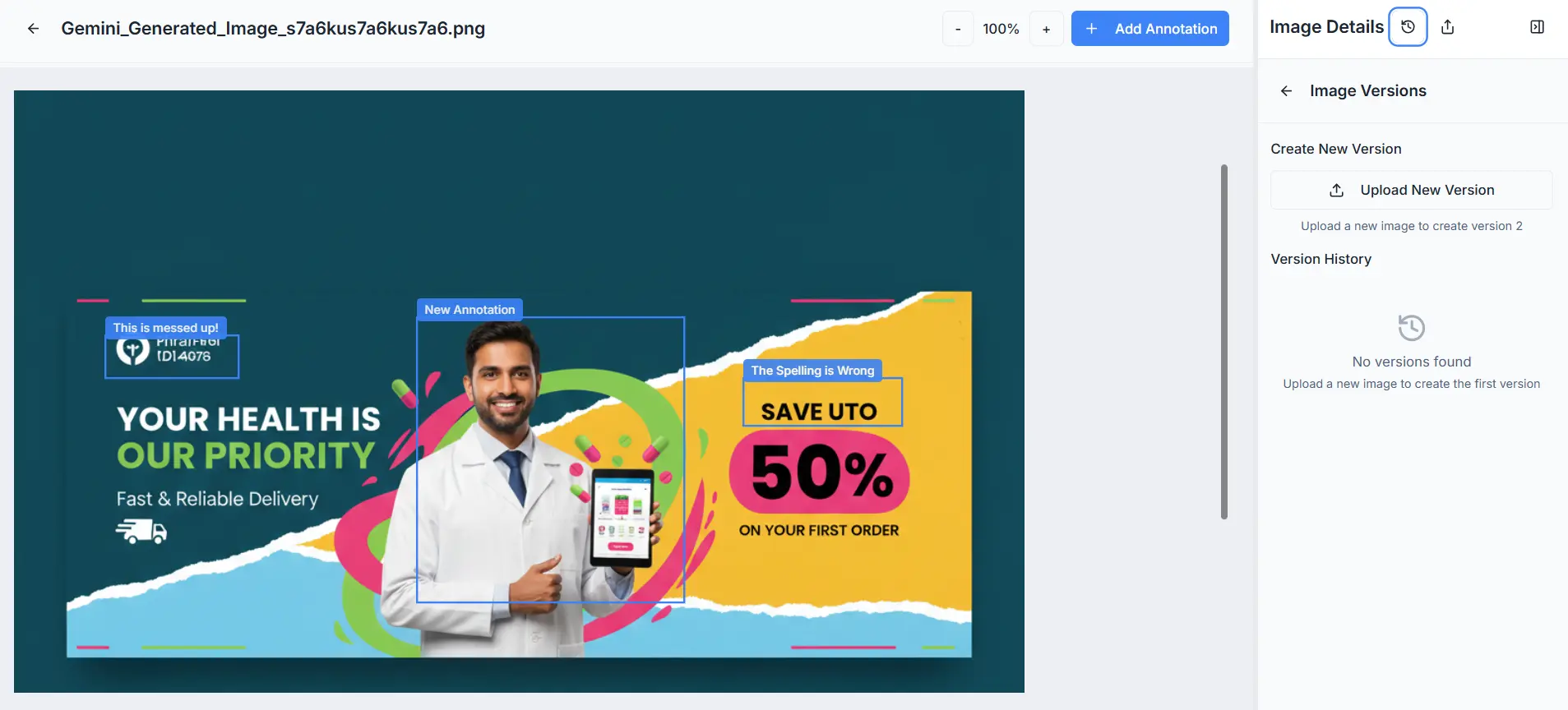
ReviewStudio does the same thing with some extra steps. You must:
- Go into projects then find the file you want to Version.
- Click on the four dots on the file placard.
- Click on Upload New Version or New Live Version.
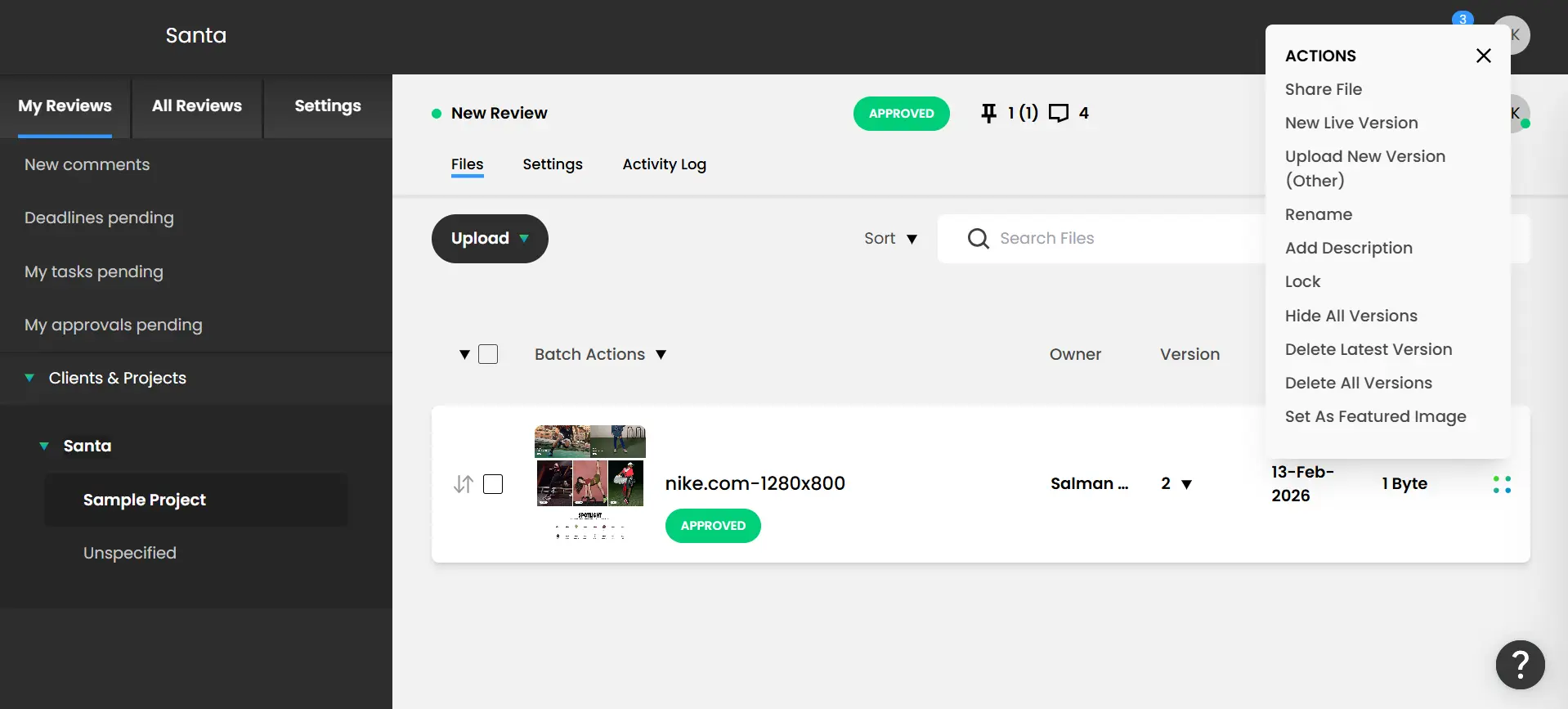
Unfortunately, we had to spend a good 20 minutes finding the option. We can only imagine how confusing it must be for clients. BoastImage offers version history without this extra confusion!
Cost-Value Tiers and Affordability
Like every online proofing tool, ReviewStudio and BoastImage offer different plans. How do they stack up against each other based on current market data?
| Aspects | BoastImage | ReviewStudio |
|---|---|---|
| Lowest Tier Plan | $9.95 Per Month | $15/User/Month |
| Active Projects | 5 (Free Tier) | Varies by Tier |
| Active Canvases | Unlimited | Often Capped |
| Built-in PM Tools | ✅ Included | ✕ Requires Integration |
| Cost Per Project | $1.99 Per Month | Significantly Higher |
BoastImage is at least 70% more affordable than ReviewStudio. The lowest BoastImage tier gives you unlimited canvases, while ReviewStudio limits you to 10 Active Reviews.
If you upload more than 10, the extra canvases will be archived. It's a bit like juggling between files based on their priority. You can get Unlimited Reviews with the Team plan at a $125 monthly price tag (5 team members).
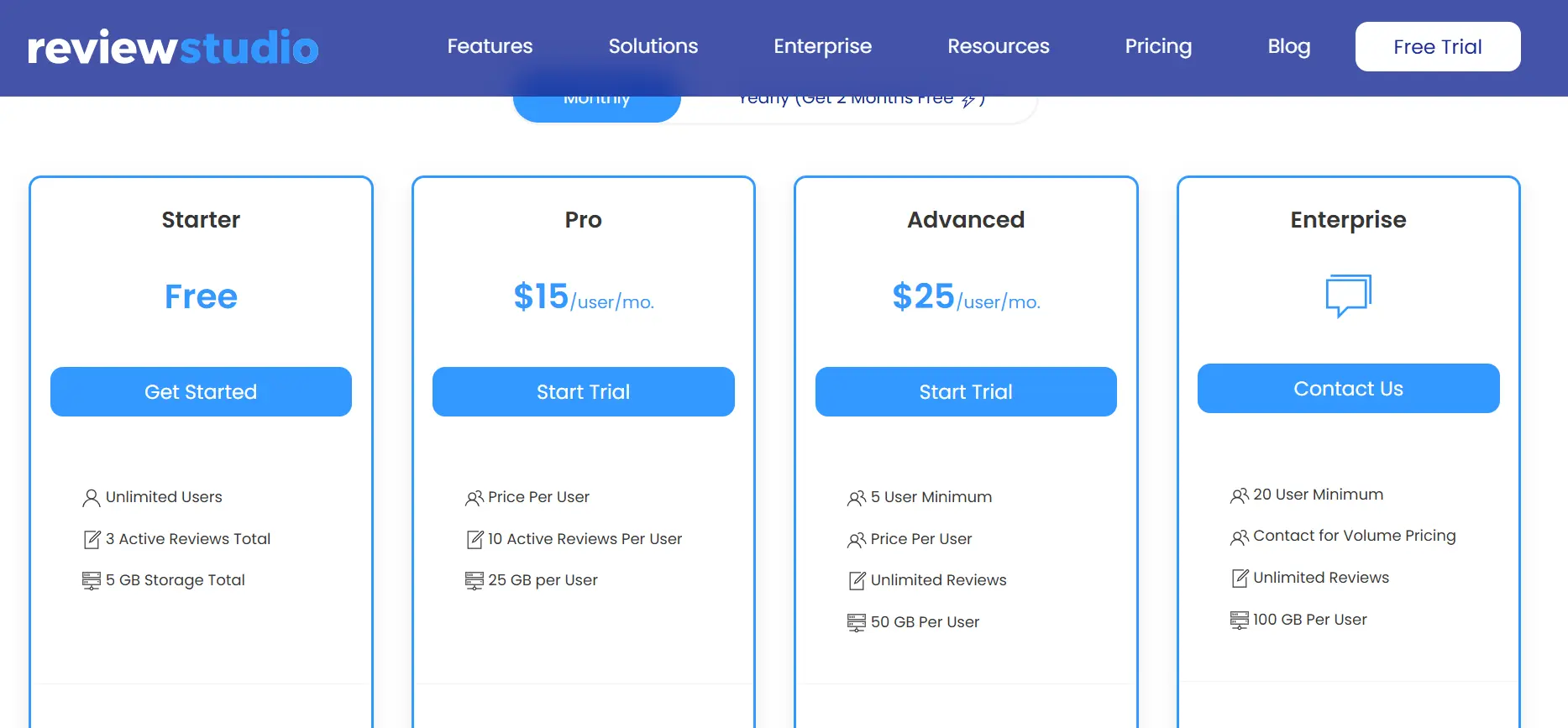
ReviewStudio is priced in a way to benefit and indulge teams. BoastImage offers more universal pricing for agencies, freelancers, and enterprises. You get more features without any backbreaking subscriptions.
Usability of BoastImage vs ReviewStudio
BoastImage makes everything easy with responsive, one-click visual feedback. There is absolutely no learning curve because the functions are intuitive. That's what makes it the best for non tech clients.
BoastImage offers more features but with a steeper learning curve. For example, even setting up a New Review requires some understanding of the tool.
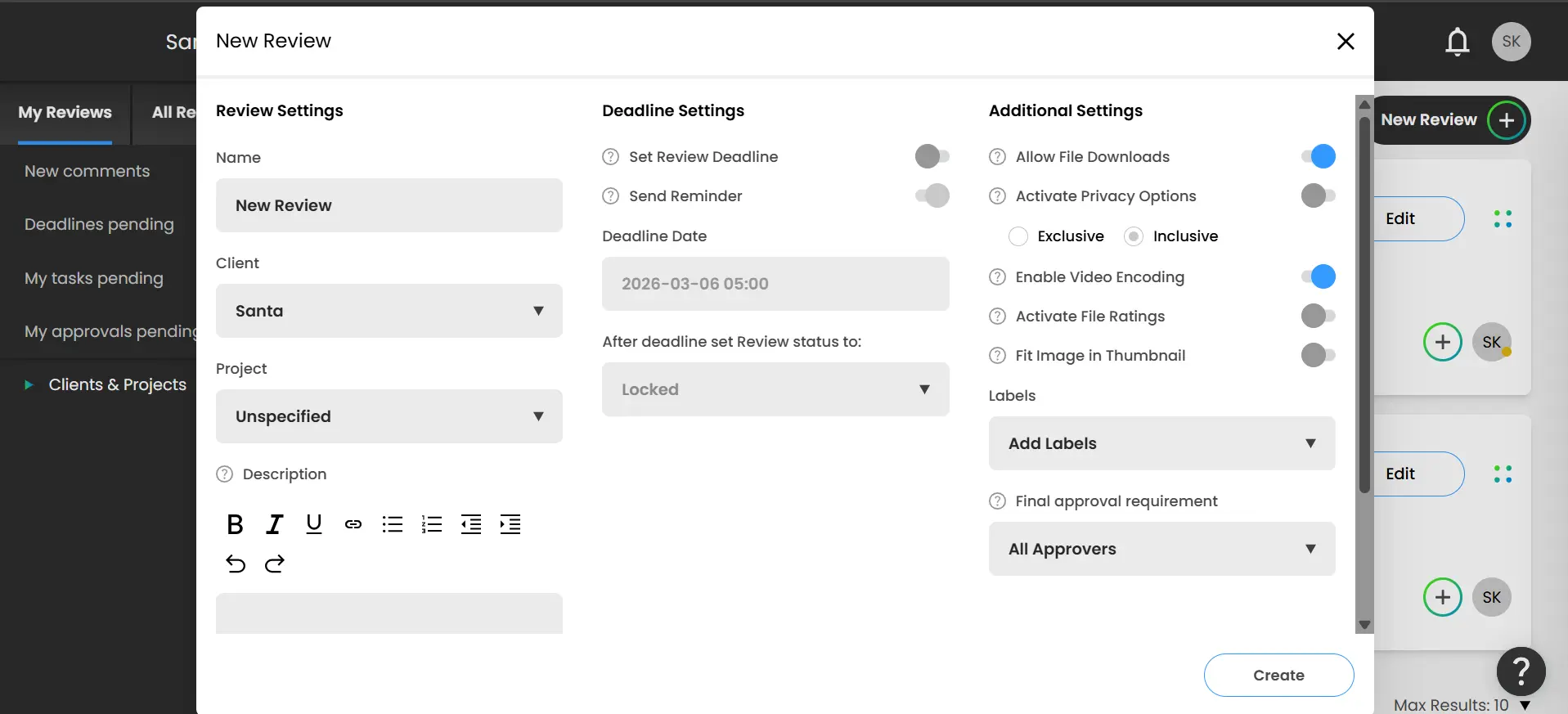
A client could spend a significant amount of time finding out how to delete a comment or navigate the platform. This is why BoastImage is the best ReviewStudio alternative for agencies that value client happiness.
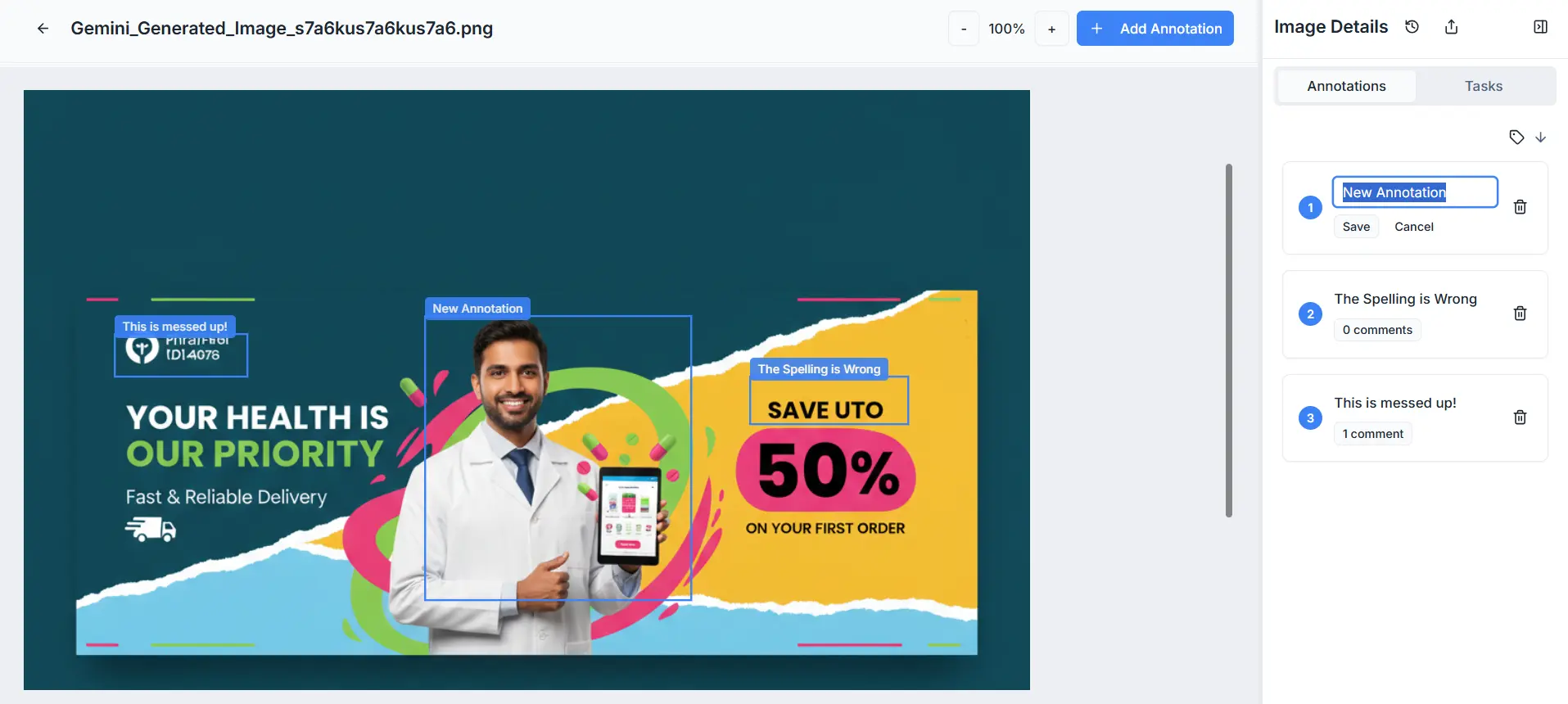
Adding, deleting, and managing comments is intuitive. Creating new projects takes seconds, and you don't have to waste clicks navigating through multiple tabs. Try BoastImage now for FREE!
Which Annotation Tool Should You Use?
BoastImage is built for the agency that wants to bridge the gap between feedback and action without juggling five different subscriptions. ReviewStudio is built for the technical designer or video editor who needs deep, multi-format proofing and complex approval hierarchies.
Is the simplicity and built-in task management of BoastImage your priority, or do you need the multi-media support of ReviewStudio? Let's look at the best fit for your specific situations:
| Scenario | Ideal Fit & Rationale |
|---|---|
| High-Volume Client Approval | BoastImage: Optimized for zero-friction. It uses high-fidelity captures to ensure clients see a stable version of the site, preventing confusion caused by shifting elements during the review. |
| Technical Video & 3D Proofing | ReviewStudio: Best for teams who need to annotate frame-accurate video, audio files, or 3D models. Its support for diverse file types is unmatched for specialized creative departments. |
| End-to-End Task Management | BoastImage: Ideal if you want to skip the "exporting" phase. Comments are automatically treated as tasks in a built-in Kanban board, removing the need for third-party project management subscriptions. |
| Live URL Deep Debugging | ReviewStudio: Excellent for the early development builds where you need a live overlay to see how comments interact with live HTML. It is perfect for spotting bugs across multiple live pages. |
| Budget-Conscious Scaling | BoastImage: At $9.95/month for unlimited canvases and built-in PM tools, it offers significantly more value for freelancers and small agencies compared to ReviewStudio’s higher entry price and per-user scaling. |
Frequently Asked Questions
What is the best ReviewStudio alternative for small teams?
BoastImage is the best ReviewStudio alternative for small teams because it is affordable and includes project management tools. It allows you to manage the entire workflow without paying for extra subscriptions like Asana or Slack integrations.
How do you annotate a website for free?
You can use the BoastImage free plan to annotate a website at no cost. It provides a project and multiple canvases to test the markup tools and the platform before upgrading to a paid plan.
Does BoastImage offer a security service to protect data?
Yes, we use advanced security protocols to protect your project data and client feedback. You can use password protection and private links to ensure that only authorized team members see the content.
BoastImage Makes Visual Feedback Simple: Try It Now
BoastImage is a client-centric, affordable feedback tool for individuals, agencies, and companies. Our tool is designed to get clients on-board and engaged in the feedback process with zero-friction.
What makes us the best? We don't hide crucial functions behind paywalls. You get unlimited canvases, one-click external shares, project management, and more across every plan. Try BoastImage's free plan now and get a markup tool that converts!
Also compare:
Ready to streamline your feedback workflow?
Try Boast free for 14 days. No credit card required.
Start Free Trial