What's Important in a Website Feedback Tool
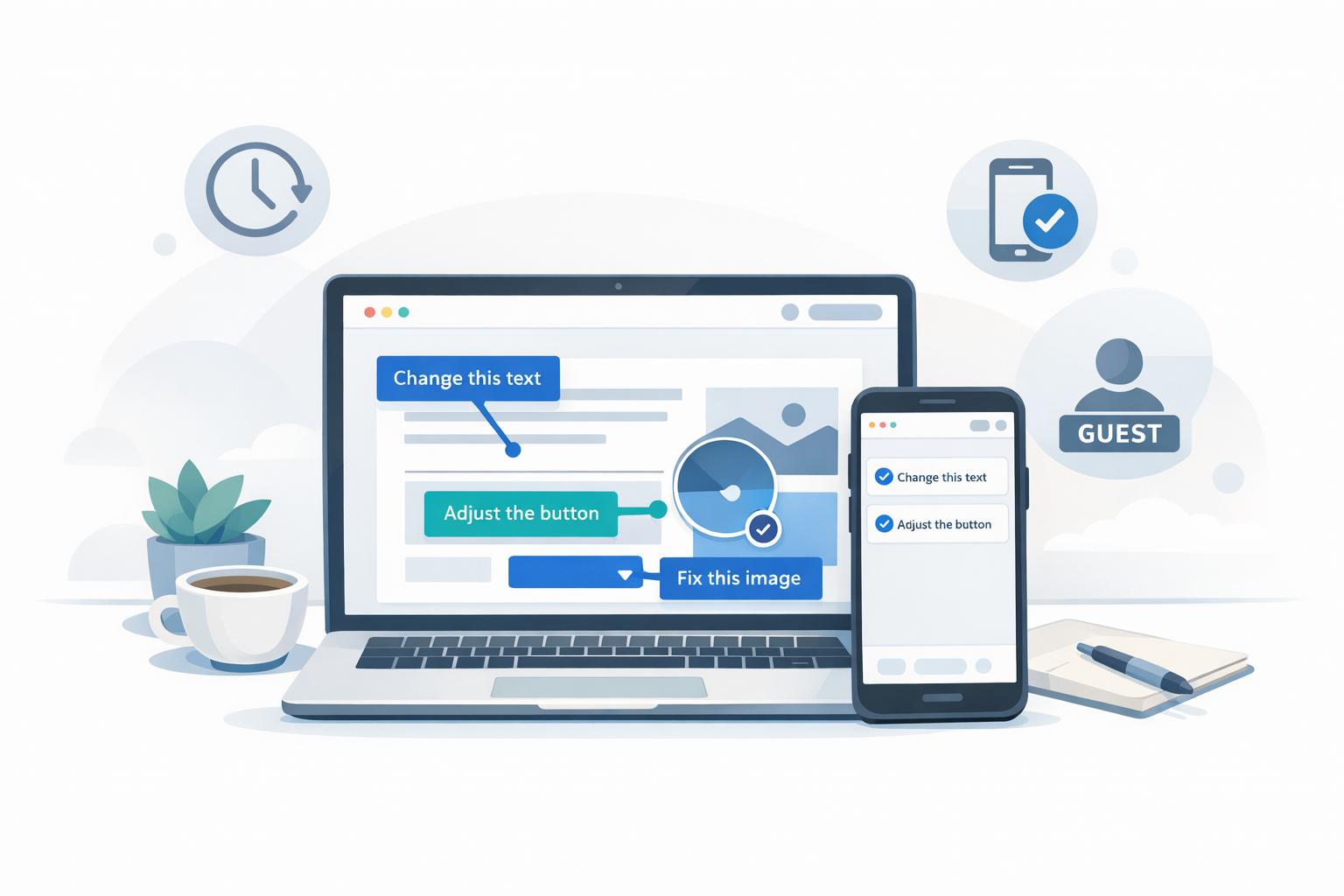
Website feedback tools solve a common problem: scattered, unclear feedback. These tools centralize comments, let users leave precise annotations directly on design elements, and provide developers with technical details like browser type, OS, and screen resolution - all in one place. Unlike email chains or static screenshots, modern tools streamline communication and reduce confusion.
Key Features to Look For:
- Point-and-click annotations: Precise comments tied to specific design elements.
- No-login access: Simplifies client feedback without account creation.
- Version tracking: Keeps feedback organized by iterations.
- Mobile compatibility: Ensures feedback works across devices, vital as mobile traffic exceeds 50%.
Use Cases:
- Marketing approvals: Finalizing copy, CTAs, and responsive layouts.
- Landing pages: Streamlined feedback on critical elements before launch.
- Web app testing: Identifying bugs and workflow issues with actionable comments.
Tool Types:
- Capture-based: Best for approvals and version tracking with static snapshots.
- Live overlay: Ideal for testing interactive elements and real-time feedback.
Choose a tool that aligns with your team's workflow, is easy for clients to use, and scales with your needs. The right tool ensures clear communication, saves time, and keeps projects on track.
What to Look for in a Website Feedback Tool
Point-and-Click Annotation
The best website feedback tools make it easy for reviewers to leave precise comments by clicking directly on specific elements of a page. These tools typically capture essential technical details - like browser type, operating system, screen resolution, URL, and console logs - automatically. This extra context ensures developers have everything they need to address feedback efficiently. Make sure the tool works seamlessly across all devices, especially mobile, since more than 50% of web traffic now comes from mobile users.
No-Login Access for Clients
A good feedback tool eliminates unnecessary barriers, such as requiring clients to create accounts. Instead, clients should be able to provide feedback through a simple direct link. This no-login option not only encourages participation but can also save teams 3–4 hours per week by cutting out extra steps. Paired with strong collaboration features, this approach helps keep everyone on the same page with minimal effort.
Version Tracking and Team Collaboration
A feedback tool should go beyond basic annotations by offering features like version tracking to help teams stay in sync. By tying comments to specific iterations, these tools allow teams to compare changes, track updates, and even turn annotations into actionable tasks automatically. This keeps an organized approval trail, even when team members are spread across time zones. Developers can stay focused on their work without the hassle of manually managing feedback.
sbb-itb-32f6eb2
How Teams Use Website Feedback Tools
Marketing Website Approvals
Marketing teams depend on website feedback tools to finalize elements like copy, CTAs, and forms before they go live. Instead of vague suggestions, reviewers can click directly on specific elements to leave clear, actionable feedback. This visual context reduces the endless back-and-forth often seen with email or messaging and ensures designs work seamlessly across devices.
These tools are also invaluable for checking that copy length doesn’t disrupt responsive layouts and that CTAs remain visually prominent on screens of all sizes.
Landing pages, in particular, benefit greatly from this streamlined feedback process.
Landing Page Reviews Before Launch
The success of a landing page often hinges on its headlines, visuals, and how well it adapts to different devices. Feedback tools bring input from designers, copywriters, and executives into one organized thread. Before these tools, agencies frequently had to decipher screenshots with messy annotations or sift through countless emails just to understand reported issues.
Modern feedback tools simplify this process by capturing metadata like browser type, screen resolution, and the page URL with each comment. This extra context makes it much easier to resolve layout problems and keeps communication efficient.
Next, let’s look at how these tools enhance web app testing and quality assurance.
Web App QA and User Testing
QA teams use website feedback tools to track issues like workflow errors, button glitches, and other bugs. Testers can attach comments directly to specific UI elements or record their screens to highlight intermittent issues that are tough to describe in words.
These tools also integrate with Kanban boards, turning feedback into actionable tasks that teams can prioritize and track effortlessly. For user testing, features like no-login access allow external participants to share their thoughts quickly without needing to create an account - an essential convenience for non-technical users. Some companies even report cutting their software testing time in half after switching from traditional project management systems.
Capture-Based vs. Live Overlay: Two Approaches to Website Feedback
Capture-Based vs Live Overlay Website Feedback Tools Comparison
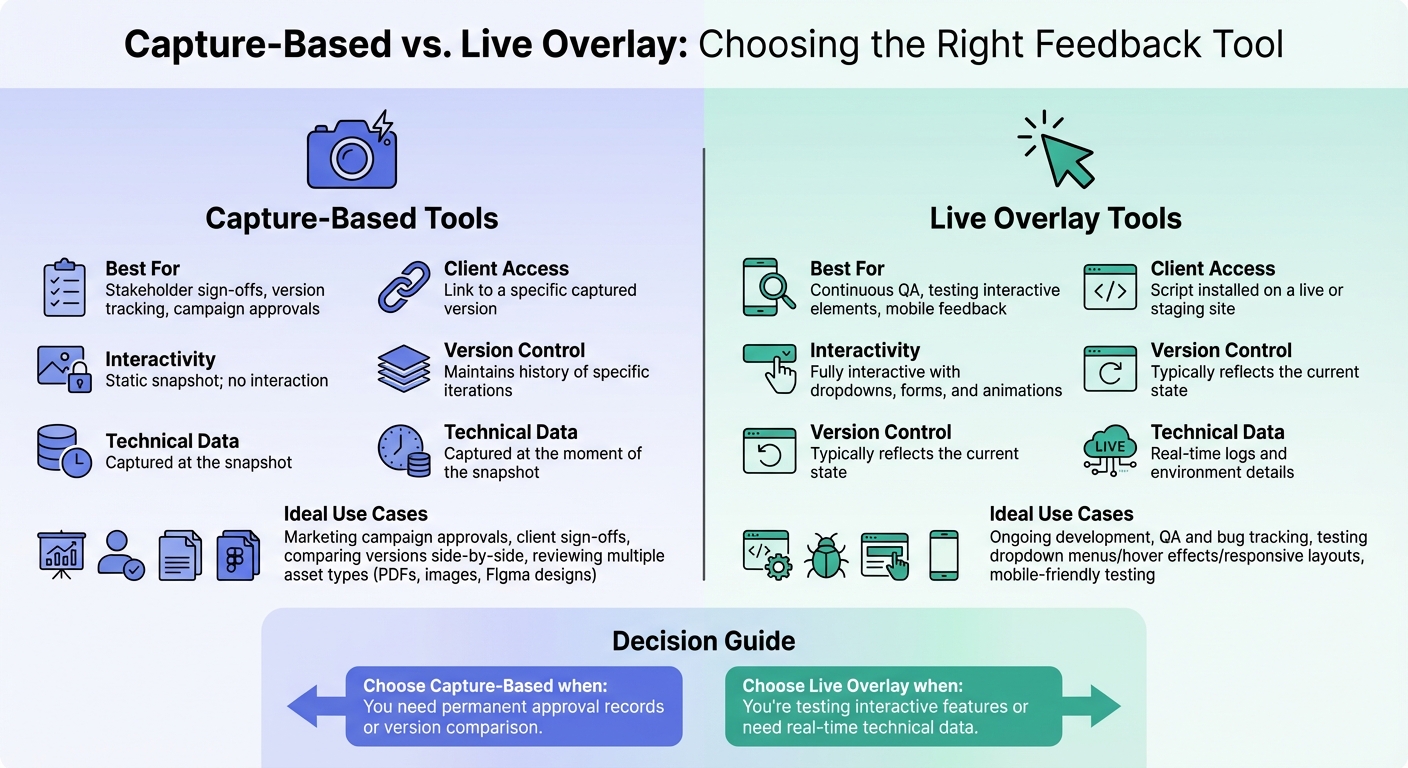
Website feedback tools generally fall into two categories: capture-based, which create static snapshots, and live overlay, which allow annotations directly on live or staging sites. Both serve specific purposes, and knowing when to use each can prevent unnecessary headaches and save valuable time. Let’s break down where each shines.
When Capture-Based Tools Make Sense
Capture-based tools are ideal when you need a permanent, unchanging record of approvals or feedback. Think about situations like finalizing marketing campaigns, securing client sign-offs, or comparing different versions of a project. A screenshot of a landing page, for instance, stays locked in time, even if updates are made to the live site later.
These tools are particularly useful for version tracking, as they allow side-by-side comparisons of different iterations. Plus, they’re versatile - perfect for reviewing a variety of assets like PDFs, static images, Figma designs, and web pages, all within the same project. For example, while you can’t overlay a live feedback widget on a PDF, a capture-based tool lets you annotate both the contract and website screenshots in one place.
When Live Overlay Tools Are the Better Choice
Live overlay tools shine during ongoing development, especially for quality assurance (QA) and bug tracking. If your team needs to test interactive elements - like dropdown menus, hover effects, or responsive layouts - a static image simply won’t cut it. Live overlay tools let you interact with the actual site, making them invaluable for this type of work.
These tools also provide real-time metadata, such as browser version, screen resolution, operating system, and console logs, which eliminates back-and-forth questions about testing conditions. Plus, they’re mobile-friendly: testers can annotate directly on their devices without needing additional installations.
Feature Comparison: Capture-Based vs. Live Overlay
| Feature | Capture-Based | Live Overlay |
|---|---|---|
| Best for | Stakeholder sign-offs, version tracking, campaign approvals | Continuous QA, testing interactive elements, mobile feedback |
| Client Access | Link to a specific captured version | Script installed on a live or staging site |
| Interactivity | Static snapshot; no interaction | Fully interactive with dropdowns, forms, and animations |
| Version Control | Maintains history of specific iterations | Typically reflects the current state |
| Technical Data | Captured at the moment of the snapshot | Real-time logs and environment details |
This table highlights the strengths of each approach, helping you choose the right tool for your project. For example, if you’re getting final approval on a landing page that’s about to launch, a capture-based tool ensures you have a reliable record. On the other hand, if you’re debugging issues in a constantly evolving web app, a live overlay tool keeps your feedback tied to the latest version. Matching the tool to your specific needs ensures smoother workflows and better outcomes.
How to Choose the Right Tool for Your Team
Start with Your Primary Use Case
The tool you choose should align closely with your team’s main workflow. For instance, if you're focused on marketing campaigns and need stakeholder approvals for landing pages, a capture-based tool is ideal. These tools lock in a specific version for approval, providing a permanent record even after updates are made. On the other hand, if your team frequently tests interactive elements - like dropdown menus, form validations, or hover effects - a live overlay tool is better suited, as it allows you to interact with the site directly.
Design agencies often juggle multiple asset types, so they need tools that can handle a variety of projects. Meanwhile, development teams debugging web apps require tools that provide real-time technical details, such as browser type, operating system, screen resolution, and exact URLs. These features make troubleshooting faster and more efficient. The key is to pick a tool that fits seamlessly into your team’s workflow.
Once you’ve nailed down your primary use case, the next step is to assess how user-friendly the tool will be for your clients.
Match the Tool to Your Clients' Technical Skills
Even the best tool won’t be effective if your clients find it difficult to use. Non-technical stakeholders - like marketing directors, brand managers, or small business owners - often prefer a simple, straightforward approval process. If the tool is too complex, they might fall back on email for feedback, making the process less efficient.
To avoid this, look for tools with no-login access and intuitive, point-and-click interfaces. Tools that require clients to install browser extensions or navigate staging environments can deter adoption, especially for external stakeholders who only provide occasional feedback. A tool that allows reviewers to click a link and comment immediately - without creating an account - removes these barriers, ensuring smoother collaboration.
Consider Team Size and Integration Needs
As your team or organization grows, your tool needs to grow with you. Smaller teams may manage just fine with standalone tools, but larger teams often require seamless integration with platforms like Jira or Asana to maintain an efficient workflow. Scalability is also crucial - your tool should handle an increasing number of clients while offering features like project-level permissions to keep things organized.
Finally, make sure the pricing model fits your needs. Look for options that align with your client volume and offer flexibility as your team expands. A tool that integrates smoothly and scales effectively can save you time and headaches in the long run.
Conclusion
When it comes to selecting the ideal website feedback tool, the key lies in finding a balance between simplicity and functionality. If the tool is overly complicated, clients may default to email or send unclear screenshots. On the other hand, without proper organization, your team could waste hours chasing down scattered feedback and outdated versions. The best tools manage to be both intuitive and robust - simple enough for a marketing director to leave feedback in seconds, yet equipped with features that help your team turn those comments into actionable tasks.
Start by matching the tool to your primary use case, whether it’s fine-tuning campaign pages or troubleshooting web apps. As discussed earlier, aligning the tool with your team’s workflow is essential. Equally important is considering your clients’ technical abilities. Non-technical stakeholders benefit from tools that offer point-and-click simplicity and no-login access, eliminating the need for browser extensions or lengthy tutorials. This ease of use ensures smooth collaboration for everyone involved.
As your client base grows, scalability becomes a priority. Look for tools that support project-level permissions, integrate seamlessly with your project management software, and offer pricing models that grow with your business.
Ultimately, the right tool should streamline your review process, not complicate it with unnecessary features. When feedback effortlessly translates into actionable insights, your team works more efficiently, communication stays clear, and projects move forward without unnecessary delays. That’s the kind of impact that truly makes a difference.
FAQs
How do website feedback tools improve collaboration between clients and developers?
Website feedback tools make communication easier by letting clients click directly on live pages to leave comments. This approach ties feedback to specific elements, screen sizes, and URLs, giving developers clear and actionable insights without the hassle of vague notes or endless email threads.
These tools also gather technical details automatically - like browser type, operating system, and screen resolution - cutting down on back-and-forth questions. By centralizing all feedback in one place, teams can track, prioritize, and turn comments into tasks, keeping workflows smooth and ensuring nothing slips through the cracks.
Features like real-time collaboration, easy link sharing, and version control speed up the review process, reduce miscommunication, and make approvals quicker and more seamless for everyone involved.
What are the advantages of using live overlay tools for testing web apps?
Live overlay tools make it simple for testers to give feedback directly on a live web app. Comments are tied to the exact element, state, and URL being reviewed, ensuring the feedback stays relevant and avoids the confusion that outdated screenshots can cause.
These tools go a step further by capturing technical details like browser type, operating system, and screen resolution. This extra information helps developers quickly replicate and address issues. For dynamic web apps, they can even record user interactions or error states, offering developers a clear picture of what went wrong. By linking feedback to live elements, teams can monitor changes across versions and turn comments into actionable tasks, streamlining the entire testing process. Live overlay tools are a game-changer for efficient web app testing.
Why is it important for a website feedback tool to allow client access without requiring a login?
Allowing clients to share feedback without requiring a login eliminates unnecessary hurdles, making the process easier and more accessible. For stakeholders who aren't tech-savvy, the hassle of creating accounts or remembering passwords can be a major deterrent. A no-login system lets reviewers simply click a link and start providing input immediately, keeping things straightforward and hassle-free.
This streamlined approach not only enhances ease of use but also speeds up project timelines. By skipping account setup and authentication, teams can collect feedback more quickly, ensuring comments are tied directly to the relevant page. Approvals can happen faster, which is especially useful for quick reviews or minor updates where convenience is crucial.