Public Links for Faster Client Approvals
Getting feedback shouldn't be a hassle. Yet, 78% of agencies say client communication is their biggest challenge. Why? Email feedback is slow, messy, and often unclear, causing delays and endless back-and-forth exchanges.
Public links solve this problem. Instead of juggling email threads and attachments, clients can leave comments directly on designs without needing accounts or passwords. This approach boosts feedback completion rates to over 60% - well above the 40% industry average - and cuts approval times from days to minutes.
Key Takeaways:
- Emails: Slow (3 days average), clear, actionable design feedback, and scattered communication.
- Public Links (e.g., BoastImage): Instant access, precise comments, and centralized feedback.
Bottom Line: Public links simplify client approvals, reduce delays, and improve collaboration. Let’s dive into how they compare to email feedback.
1. Email Feedback
Response Time
Using email for feedback often slows down approvals, with an average turnaround of about three days. Ambiguous instructions like "make it pop" or incomplete details frequently lead to back-and-forth exchanges. What starts as one comment can quickly spiral into five emails just to clarify the original point.
Feedback Precision
Emails require clients to explain issues rather than directly pointing them out. Comments such as "the button on the top right looks weird" or screenshots pasted into emails often lack critical details, like the browser being used or the screen resolution. This results in fragmented and less actionable feedback.
Client Adoption
The email process can feel tedious for clients. They need to download attachments, figure out which file version they’re working with, and constantly switch between their inbox and design files. This clunky workflow contributes to delays and low engagement, with only 40% of clients completing the feedback process.
Approval Speed
Scattered and delayed email feedback often traps projects in endless revision cycles. Instead of gathering input from all stakeholders in one go, feedback trickles in over several days from different channels, slowing progress significantly. Up next, we’ll look at how BoastImage’s public links address these challenges and simplify the feedback process.
sbb-itb-32f6eb2
2. BoastImage Public Links
Response Time
BoastImage public links make feedback nearly instantaneous, reducing wait times from days to just minutes. Clients can use a shared link to provide input immediately - no need for accounts, passwords, or onboarding. Multiple stakeholders can comment at the same time, ensuring everyone reviews the same version together. This eliminates the delays often caused by late-stage feedback cycles.
Feedback Precision
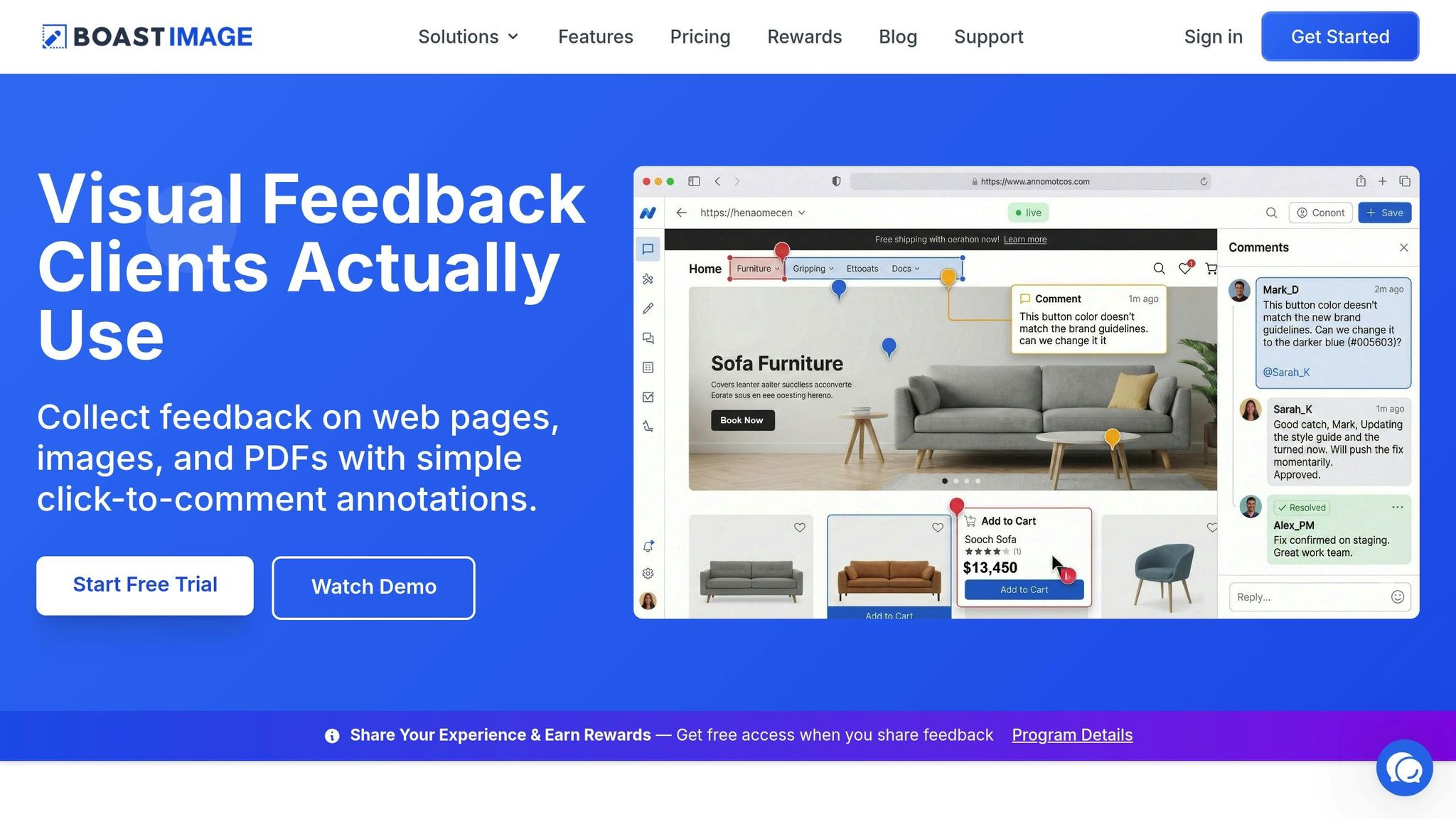
Traditional email feedback can be vague and unclear, but BoastImage changes that. Clients can click directly on specific elements - whether on web pages, images, or PDFs - to leave pinned, visual comments. The platform also captures technical details like browser type, operating system, and screen size automatically. Each comment becomes part of a threaded discussion focused on a specific design element, making it easier to stay organized. Plus, teams can turn these annotations into tasks or Kanban cards, keeping the workflow seamless.
Client Adoption
BoastImage has a client feedback completion rate of over 60%, far exceeding the industry average of 40%. The login-free model removes common barriers, encouraging clients to respond quickly. By centralizing comments, versions, and discussions, the platform avoids the chaos of scattered feedback across emails, Slack, or text messages. For projects requiring extra security, teams can use access codes with public links instead of managing full accounts. Version control also allows clients to track changes between iterations, reducing confusion and cutting down on follow-up questions. This simplicity speeds up the entire approval process.
Approval Speed
With instant access, clear feedback, and simultaneous input from stakeholders, revision times are cut in half. Teams receive actionable, visually pinned feedback within minutes, avoiding the delays caused by unclear email exchanges. By centralizing all communication and feedback, BoastImage ensures everyone works from a single, up-to-date version, streamlining the entire process.
Pros and Cons
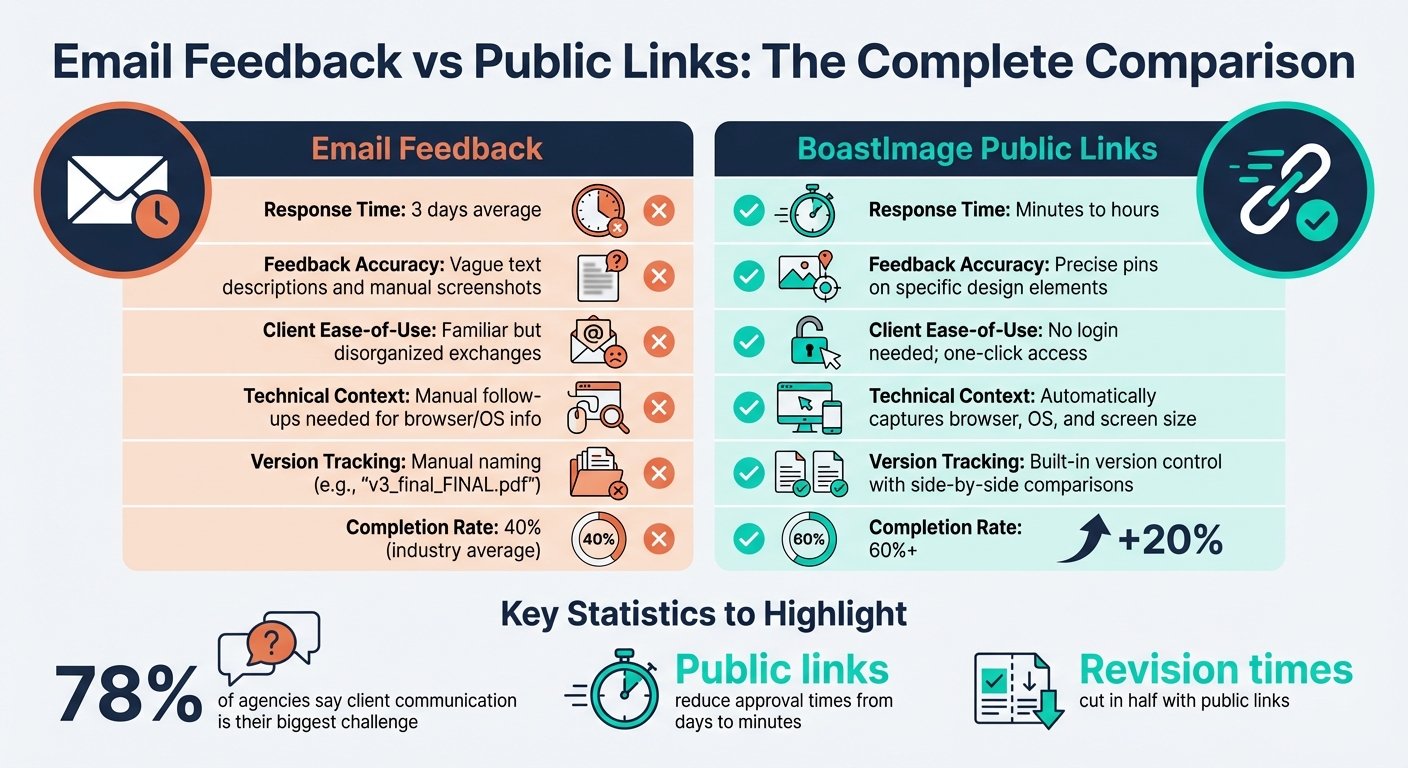
Email vs Public Links: Client Feedback Comparison
This section breaks down the key differences between email feedback and BoastImage public links, focusing on their strengths and weaknesses.
Email feedback is a familiar tool - no extra software or training is needed. However, it often leads to scattered threads, unclear comments, and confusion over file versions, which can slow the feedback process. On the other hand, BoastImage public links streamline the experience by removing login requirements and centralizing all feedback in one place.
Here’s a side-by-side comparison of how these methods stack up in client approval metrics:
| Feature | Email Feedback | BoastImage Public Links |
|---|---|---|
| Response Time | Usually 3 days | Minutes to hours |
| Feedback Accuracy | Relies on vague text or manual screenshots | Allows precise pins on specific design elements |
| Client Ease-of-Use | Familiar but can result in disorganized exchanges | No login needed; one-click access |
| Technical Context | Lacks automatic details; follow-up emails may be needed for browser/OS info | Automatically captures browser, OS, and screen size |
| Version Tracking | Manual (e.g., "v3_final_FINAL.pdf") | Built-in version control with side-by-side comparisons |
While email's universal accessibility is its strongest asset, it struggles with clarity and efficiency. BoastImage public links tackle these issues head-on, offering tools like precise design annotations and integrated version tracking. The result? Faster, clearer feedback and improved client engagement. For instance, the 60%+ completion rate highlights how removing account creation hurdles encourages clients to participate.
Matt Crisp, Owner of Crisp Digital, sums it up perfectly:
"We've saved hours on every project, and the amount of time we've saved scales directly with the size of the project."
Conclusion
Traditional email feedback often struggles to match the speed and precision offered by public links. Public links shine in scenarios where quick approvals are essential - tight deadlines, multiple reviewers, or non-technical clients all benefit from this streamlined approach.
They’re especially useful for high-level executives or occasional reviewers who need a simple, login-free way to provide feedback. When multiple stakeholders are involved, public links help avoid endless revision cycles by allowing simultaneous input. Plus, metadata capture speeds up the process by automatically providing the necessary technical context.
The data is clear: public links lead to faster approvals, fewer ignored feedback requests, and quicker project completion. With 78% of agencies identifying client communication as their biggest hurdle, public links are a smart choice for external approvals. Meanwhile, email can remain the go-to for informal updates. For sensitive projects, password protection adds an extra layer of security, while automatic version control eliminates confusion over file names.
FAQs
Are public links secure to share with clients?
Public links can be safe, but it depends on how they're managed. Features like link expiration, access controls, and password protection add an extra layer of security. That said, there's always a risk of links being shared with unintended parties if precautions aren't taken. To minimize this, make sure to use all available security options and share links only with people you trust.
Can clients comment without creating an account?
Clients can provide feedback without needing to create an account. All they have to do is click a shareable link, and they can leave their comments directly on the design. No logins, no sign-ups - just a simple and hassle-free way to streamline the feedback process for both clients and your team.
How do public links prevent version confusion?
Public links help solve the problem of version confusion by keeping all feedback and revisions in one easy-to-access spot. This way, everyone is looking at the same version, cutting down on miscommunication and minimizing the chances of working with outdated files.