5 Ways To Minimize Client Revisions
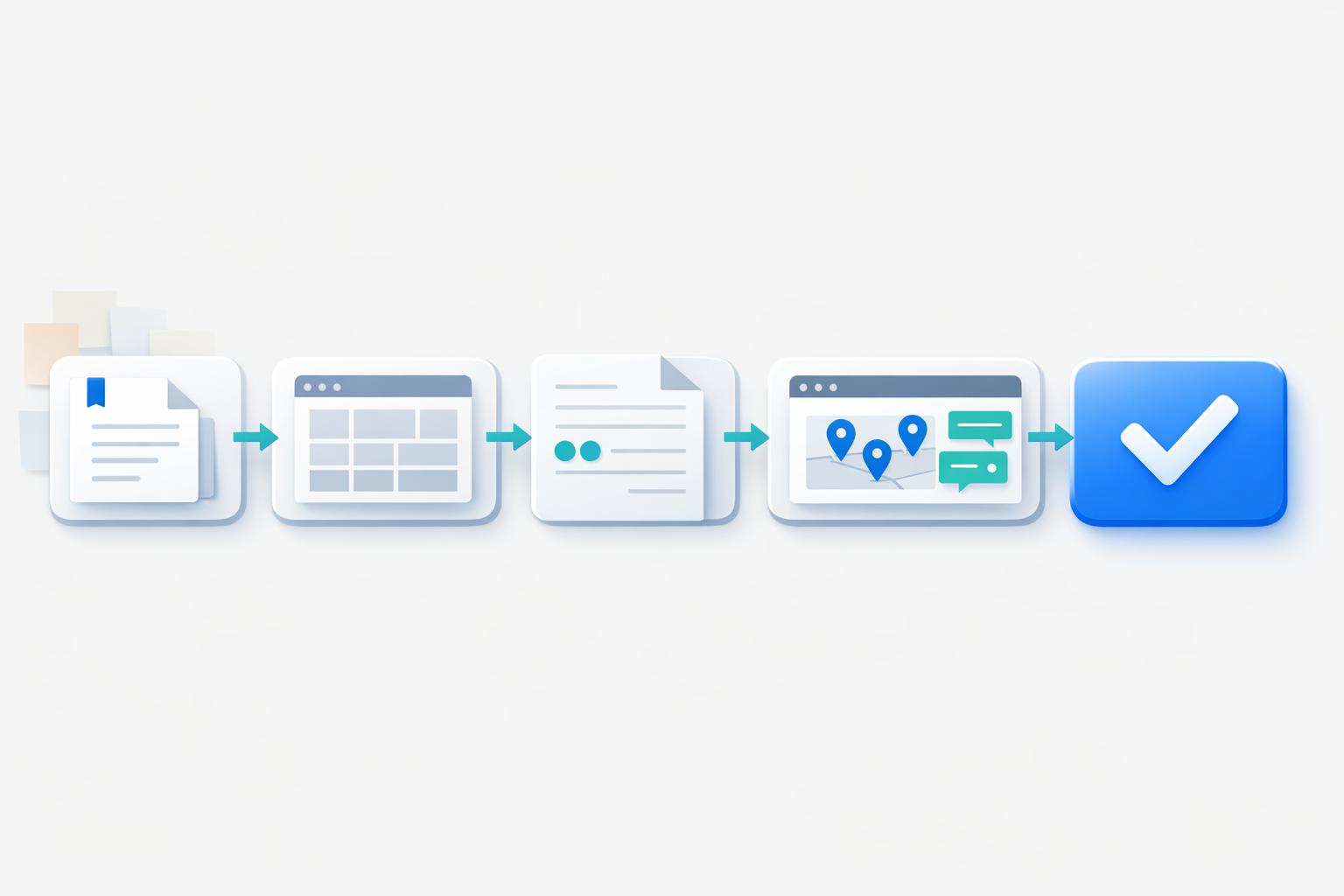
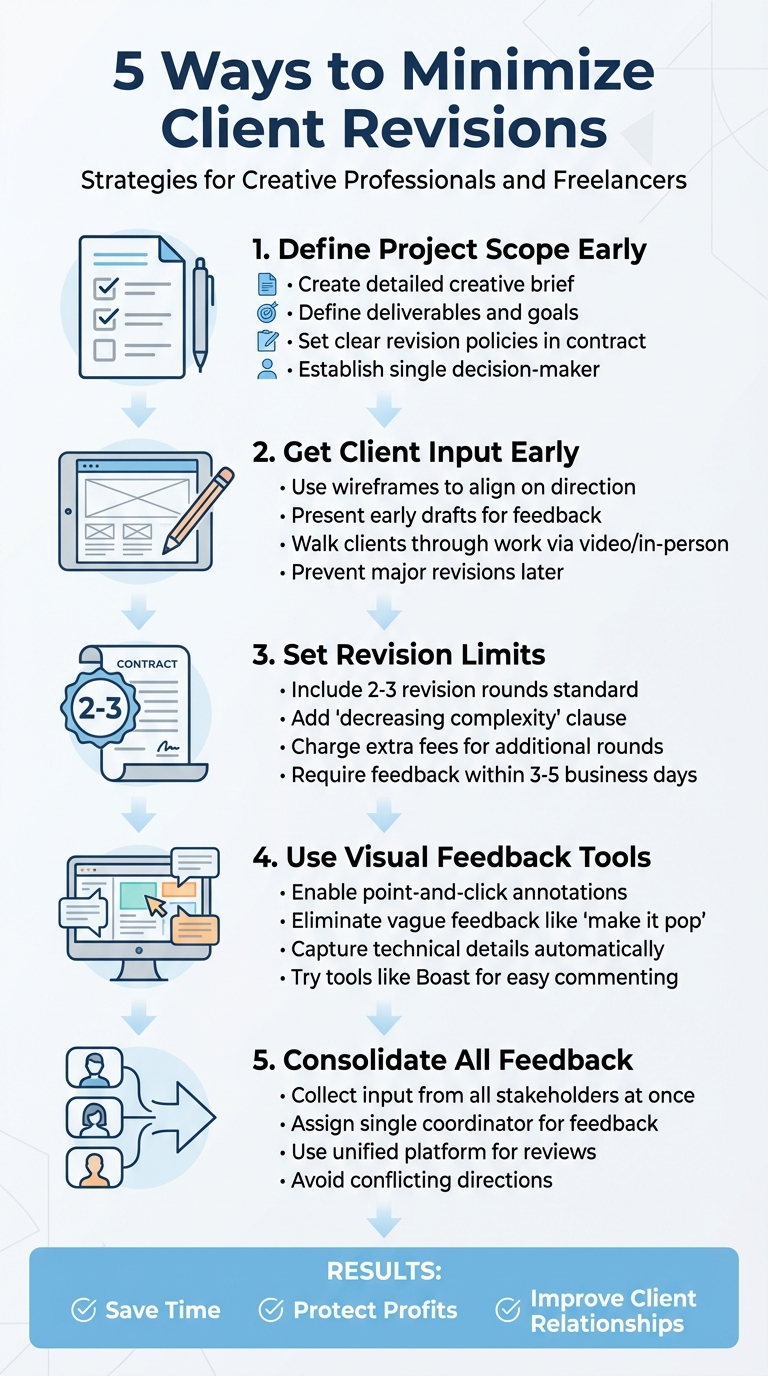
Revisions can drain your time, money, and patience. But most of them are avoidable. By setting clear expectations, using the right tools, and structuring the feedback process, you can reduce unnecessary edits and keep projects on track. Here's how:
- Define the Project Scope Early: Establish clear goals, deliverables, and revision policies upfront.
- Get Client Input Early: Use wireframes or mockups to align on direction before diving into detailed work.
- Set Revision Limits in Contracts: Specify the number of revision rounds and charge for extras.
- Use Visual Feedback Tools: Tools like Boast make feedback precise and actionable.
- Consolidate Feedback: Require input from all decision-makers at once to avoid conflicting edits.
These strategies save time, protect profits, and improve client relationships. Let’s break them down.
5 Strategies to Minimize Client Revisions in Design Projects
1. Define Project Scope and Expectations Before Starting
Clarity of Communication
Many revision headaches can be traced back to a lack of clarity before the design process even begins. A well-thought-out creative brief is crucial to avoiding endless edits. This document should detail the project’s objectives, target audience, brand guidelines, deliverables, and technical requirements (like file formats and dimensions). It’s also essential to define key terms - like what qualifies as the "final copy." As Colleen Gratzer, host of Design Domination, puts it:
When you ask the right questions up front, you know who you're designing for and why.
A strong foundation of clear communication ensures everyone is on the same page from the start.
Defined Revision Policies
Your contract should leave no room for ambiguity when it comes to revisions. Clearly outline what constitutes a "round of revisions." For example, present one draft, gather clear, actionable design feedback in a consolidated manner, and then make the necessary changes. Including a clause that revisions should be "with decreasing complexity" can help set boundaries. This means that each round of edits should involve smaller, more specific tweaks rather than major overhauls. As Gratzer explains:
Saying 'of decreasing complexity' lets them know that the number and complexity of edits should decrease with each proof, not increase!
Additionally, agreeing on a fixed number of revision rounds - typically two or three - prevents scope creep. Be sure to set terms for extra fees if additional rounds are needed. These policies help streamline communication and keep the project moving forward.
Streamlined Decision-Making
Avoid the chaos of conflicting feedback by designating a single decision-maker. This person will consolidate all client input and sign off on the creative brief before any design work begins. Having one point of contact ensures feedback is consistent and reduces delays in the revision process. It’s a simple step that makes the entire project run more smoothly.
How to Reduce Client Revisions
Learning how to manage client revision requests effectively is the first step toward a more efficient workflow.
2. Get Client Input Early with Wireframes and Mockups
Getting clients involved early can save you from unnecessary headaches later. When clients see drafts early, they can refine their vision, reducing the chances of major revisions down the line. As 99designs puts it:
Feedback early on in the revision process can possibly prevent you from going too far in the wrong direction. All too often, clients see changes to a design and realize it wasn't what they wanted, after all.
Wireframes are a great way to start. They emphasize structure, navigation, and content hierarchy without the distraction of polished graphics. This makes it easier for clients to focus on the essentials and provide meaningful feedback.
Clarity of Communication
Providing context when presenting your work can make a huge difference. It helps clients understand your decisions and reduces unnecessary revisions. Jennifer Bourn, Founder of Bourn Creative, explains:
When your client has context for the designs they are reviewing and they understand the design decisions from a business perspective, they are much less likely to second-guess and question the design, which results in fewer revision requests.
Instead of just emailing wireframes, consider walking clients through your work in real-time, either via video calls or in-person meetings. This approach allows you to explain your strategy and address questions on the spot.
Tools for Precise Feedback
Once you’ve set the stage with early input and clear communication, the right tools can make feedback even more effective. Visual feedback tools make it easier for clients to point out specific changes, avoiding vague comments like "move the paragraph on page 5."
Options like Adobe Acrobat's "Send for Comments" and Dropbox allow clients to add notes directly onto PDFs, wireframes, or mockups. Boast (boastimage.com) simplifies the process even further - clients can click a link and comment directly on your work without needing an account or training. These tools streamline the feedback process, keeping revisions focused and efficient.
3. Set Revision Limits in Your Contract
Defined Revision Policies
Freelancers often include two to three rounds of revisions in their contracts as a standard practice. This approach sets clear boundaries, protecting your time and ensuring projects don’t drag on endlessly. Without these limits, you might find yourself dealing with constant tweak requests that chip away at your profits.
It’s crucial to distinguish between a revision and a scope change. A revision fine-tunes existing work - like adjusting the tone, fixing errors, or tweaking design elements. On the other hand, a scope change involves more substantial shifts, such as adding new pages, targeting a different audience, or making major directional changes. These changes should require a new quote.
Chris Do explains this well:
Scope creep isn't a them problem. It's a you problem... They just don't know where the boundaries are because you never drew them.
To keep later revisions manageable, consider adding a "decreasing complexity" clause - this ensures that final rounds focus on minor adjustments rather than big overhauls. Also, specify extra charges for revisions beyond the agreed limit, and require all revision requests to be submitted within 3–5 business days of delivering a draft. This keeps the project moving and avoids unnecessary delays.
With these rules in place, you’ll have a smoother process and clearer expectations for both you and your client.
Streamlined Decision-Making
Once revision limits are set, you can simplify decision-making by avoiding conflicting stakeholder feedback. Require clients to gather input from all stakeholders and consolidate it into a single document before sending it to you. This prevents contradictory instructions that could undo previous work. When clients know their revision opportunities are limited, they’re more likely to align internally before providing feedback. This not only saves time but also keeps the project on track.
sbb-itb-32f6eb2
4. Use Visual Feedback Tools Like Boast for Specific Comments
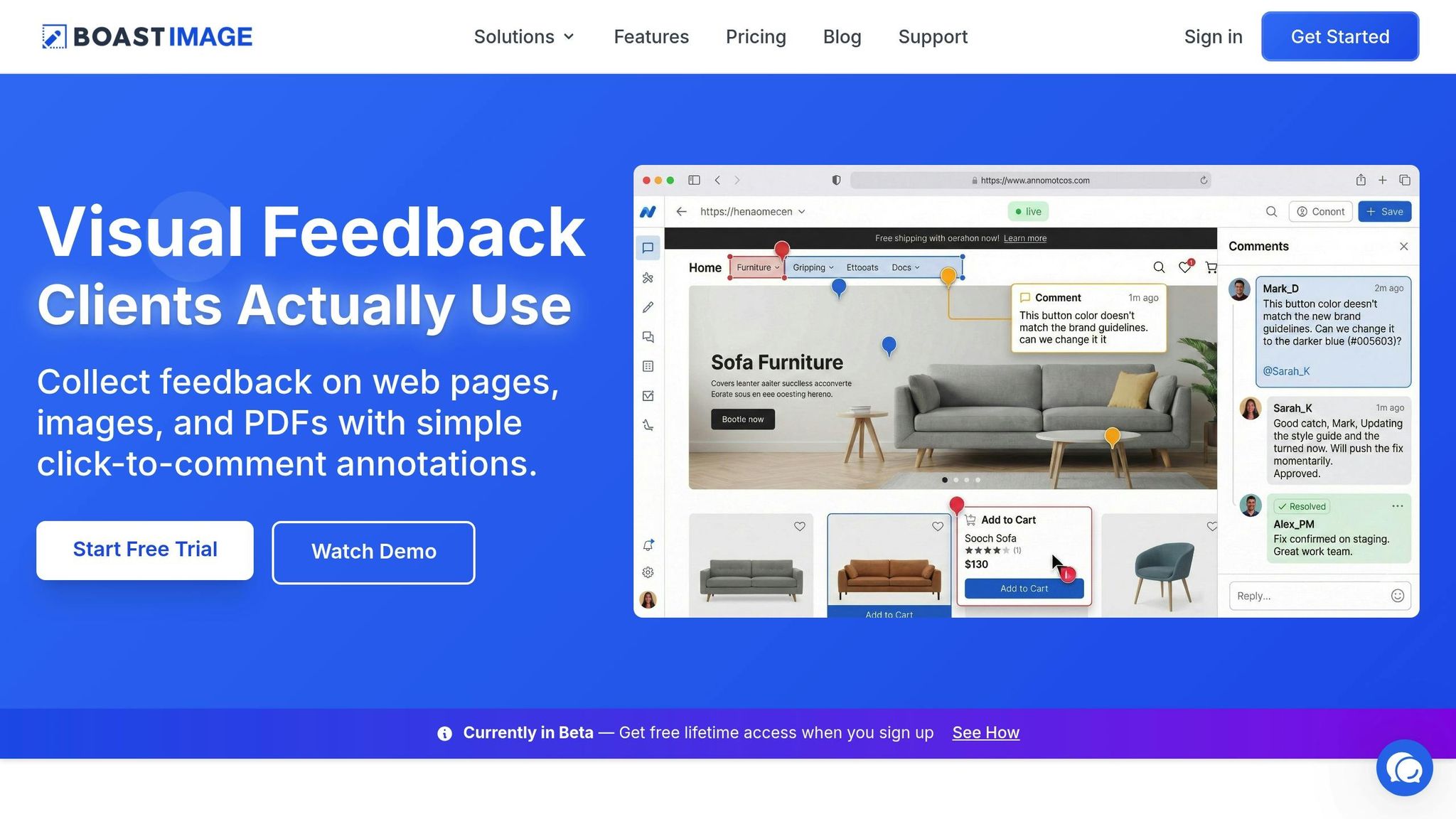
Visual feedback tools can be a game-changer when it comes to eliminating confusion and reducing design revision cycles. They add a layer of clarity that structured feedback and revision policies alone might not fully achieve.
Clarity of Communication
Feedback like "make it pop" or "it doesn’t feel right" can leave you scratching your head. Tools designed for visual feedback address this issue by allowing clients to directly highlight what needs attention. As Reviseo explains:
Freelance web developers waste hours decoding vague client feedback... You're left guessing what the client wants. Colors? Fonts? Layout? You're shooting in the dark.
These tools also gather key technical details automatically - like the page URL, browser type, and screen resolution - so you don’t have to waste time trying to replicate the issue. Colleen Gratzer, Host of Design Domination, highlights another benefit:
PDF not only makes it easy for clients to convey where an edit is needed, but it makes it easy for you to see where an edit needs to be made in the layout.
Tools for Precise Feedback
One standout option is Boast (https://boastimage.com). It simplifies the feedback process, particularly for non-technical clients. There’s no need for logins, accounts, or training - clients just click a link and start commenting. While clients enjoy the ease of use, your team benefits from organized feedback features like version control and task tracking, all running seamlessly in the background.
Boast’s point-and-click annotations let clients mark up web pages, images, or PDFs with sticky-note–style comments. This is far more effective than vague text instructions like "move paragraph 2 on page 5", which can quickly become irrelevant if the layout changes. The comments stay anchored to the specific design elements, even as the layout evolves.
Streamlined Decision-Making
By consolidating feedback in one visual platform, you can avoid the chaos of scattered input across emails, Slack, or phone calls. Multiple stakeholders can collaborate in real time, reviewing each other’s comments and resolving conflicting opinions before any work begins. This prevents the frustration of discovering contradictions after changes have already been made.
The platform also helps ensure no feedback is overlooked. You can filter comments by "unread" or "unresolved" to keep track of what still needs attention, while version histories provide a clear record of all decisions made along the way. When clients see how streamlined and centralized the process is, they’re more likely to give thorough input upfront, making the entire workflow smoother.
5. Collect Feedback from All Decision Makers at Once
Client Involvement in the Process
One of the biggest culprits behind endless revisions is uncoordinated feedback. Even with clear project scopes and early visual reviews, conflicting input from stakeholders can derail progress. When feedback comes piecemeal - via emails, texts, or calls - it often leads to contradictory directions that waste time and resources. Colleen Gratzer, Award-Winning Designer and Host of Design Domination, puts it well:
"When you limit the number of contacts who are in charge of sending you edits, that leaves it up to them to compile them and go through which ones are OK or not."
By requiring all decision-makers to review and provide input at the same time, you encourage internal alignment before edits are sent. This approach avoids mixed signals, resolves potential conflicts early, and ensures revisions have a clear direction.
Streamlined Decision-Making
To make this process work, ask the client to assign a single coordinator responsible for gathering and organizing feedback. This step builds on earlier strategies, like setting revision limits and focusing on visual feedback, to ensure every piece of input contributes to project progress. Establish firm deadlines for reviews to prevent delays and keep the momentum going.
Using a unified website feedback tool for reviews can also make a huge difference. Instead of juggling multiple email threads or outdated file versions, everyone works from the same version. This creates an easy-to-follow audit trail, ensures transparency, and stops stakeholders from backtracking on previously approved changes.
The payoff? Faster approvals and fewer hours wasted on mediating between conflicting opinions. As GoProof highlights:
"Online proofing tool accelerates approvals. It allows multiple reviewers to comment simultaneously. Designers receive consolidated feedback, speeding up revisions."
Conclusion
Revisions can be a major drain on both time and profitability. But the five strategies outlined here can shift your role from merely following orders to becoming a trusted expert. By defining the scope upfront, involving clients early with wireframes, setting clear revision limits in contracts, leveraging visual feedback tools like Boast, and consolidating input from all decision-makers, you create a system that safeguards your profits and sanity.
These strategies also reshape how clients perceive and interact with you. As Egle Karalyte, Founder of InfinVision, explains:
Revisions are part of the design process and they cannot (and should not) be avoided. Rather, they should be done purposefully by keeping in mind the project's objectives.
When clients see the reasoning behind your decisions and recognize the clear structure you've set, they’re less likely to request unnecessary changes that disrupt progress.
The benefits? Less friction and higher-quality results. Instead of drowning in endless email threads or mediating between conflicting opinions, you’ll receive focused, actionable feedback that moves the project forward. Consolidating input ensures everyone is aligned, reducing missteps before edits even begin.
Jennifer Bourn, Brand Strategist, emphasizes:
You may not be able to eliminate design revisions, but you can manage the revision process to reduce revision requests and protect your profit margin.
By applying these strategies, you not only reduce revisions but also build stronger client trust and long-term relationships. This approach doesn’t just streamline the process - it enhances your professional reputation.
Having clear boundaries and structured processes doesn’t make you difficult to work with. It makes you reliable, professional, and someone clients are eager to recommend.
FAQs
How does defining a clear project scope help reduce client revisions?
Defining a clear project scope is key to making sure you and your client are on the same page about the project's goals, deliverables, and boundaries right from the start. This approach reduces the chances of misunderstandings and avoids unnecessary back-and-forth during reviews.
When expectations are outlined early, clients tend to give more focused and consolidated feedback instead of asking for constant tweaks. This not only simplifies communication but also keeps the project on track, allowing you to deliver work that meets their needs without endless revisions.
How can visual feedback tools help reduce client revisions?
Visual feedback tools make the review process much easier by letting clients leave direct, pinpointed comments on specific areas of a design or document. This approach cuts out the guesswork, avoids miscommunication, and simplifies the feedback loop, saving time and effort for everyone involved.
With tools like Boast, clients can share their thoughts without the hassle of creating accounts or dealing with complicated platforms. This straightforward approach makes feedback quick, actionable, and efficient, reducing unnecessary back-and-forth and keeping projects on track.
Why is it important to gather feedback from all decision-makers at the same time?
Collecting feedback from all decision-makers at the same time is crucial for keeping projects on schedule and avoiding unnecessary back-and-forth. When everyone shares their input upfront, it ensures that all viewpoints are taken into account, reducing the risk of conflicting requests or miscommunication down the line. This not only simplifies the process but also helps maintain a clear and unified direction for the project.
Additionally, this method fosters trust and transparency between teams and clients. It demonstrates a professional approach, keeps everyone on the same page, and reduces delays caused by scattered or incomplete feedback. By gathering input early in the process, you can save time, prevent headaches, and deliver a polished final product more effectively.