
Managing Feedback Without Endless Revisions
When feedback is scattered across emails, Slack, and other platforms, it creates confusion, delays approvals, and leads to unnecessary revision cycles. The key to avoiding this chaos is a structured system that consolidates feedback, defines roles, and streamlines the process. Here's how to make it work:
- Centralize Feedback: Use tools like BoastImage to gather input in one place, ensuring clarity and reducing miscommunication.
- Define Roles: Separate decision-makers (final approval) from contributors (suggestions) to avoid conflicting opinions.
- Limit Revisions: Set a fixed number of feedback rounds (e.g., two or three) to maintain focus and urgency.
- Categorize Input: Group feedback into themes like design, functionality, and branding for efficient task management.
- Clarify Vague Comments: Ask follow-up questions to turn unclear feedback into actionable tasks.
- Use Version Control: Track changes to avoid outdated feedback and maintain a clear revision history.
Empower Web Design Clients To Give Helpful Design Feedback
sbb-itb-32f6eb2
Know Your Stakeholders and How They Give Feedback
Managing feedback effectively starts with understanding who provides it and their approach. Some stakeholders offer big-picture insights, others focus on visuals, and some only chime in during major changes.
The trick is to separate decision-makers from contributors. Decision-makers have the final say, while contributors share suggestions that may or may not be implemented. As Dave Greene from ThisisPerpetual advises:
Define who gives feedback, and who owns feedback – and limit it.
Without this clarity, you risk wasting time addressing input from individuals who lack the authority to approve changes.
Identify All Decision-Makers and Contributors
Start by mapping out your stakeholders. This includes external clients, internal teams, project managers, creative directors, and subject matter experts. From there, assign a small group of decision-makers, ideally with one main contact to consolidate feedback and avoid conflicting opinions.
It's also important to differentiate between those involved in pre-approval loops - internal teams ensuring consistency before the client review - and those responsible for final sign-off, typically external clients. Establish feedback ownership during the project kickoff and assign clear reviewer roles within your proofing tool. Mahey from ftrack suggests building relationships with key stakeholders and directly asking for their input at each stage, even if they’re not naturally forthcoming. This proactive approach can prevent last-minute surprises that might derail progress.
Once roles are clear, the next step is to categorize the feedback you receive.
Recognize Different Types of Feedback
Feedback typically falls into three main categories: strategic, aesthetic, and functional. Understanding these distinctions helps you prioritize and respond effectively.
- Strategic feedback evaluates whether the work aligns with project goals and connects with the target audience.
- Aesthetic feedback focuses on visual elements like color, typography, and layout, often influenced by personal preferences or brand guidelines.
- Functional feedback addresses technical details such as file formats, copy accuracy, or other deliverables.
Challenges arise when stakeholders blur the lines between personal opinions and strategic input. Jennifer Bourn, Founder of Bourn Creative, explains:
Client input on design has nothing to do with you and everything to do with their own history, experiences, and preferences.
For example, comments like "I don't like this color" or "make it pop" often stem from personal taste rather than project objectives. Your job is to steer these conversations back to how the feedback aligns with the project’s goals.
Structure Your Feedback Cycles
Once you've identified who will provide feedback and the type of input they'll offer, it’s time to organize the process. Scattered comments across multiple platforms can lead to confusion and wasted time. To avoid endless back-and-forth, establish a set number of revision rounds during your project kickoff - typically two or three rounds. Framing it as a countdown (e.g., "This is round two of three") encourages urgency and keeps feedback focused. A well-structured cycle ensures each revision round has a clear purpose, making the review process more efficient.
Set Clear Expectations from the Start
Each revision round should follow a simple three-step process: the designer submits a draft, the client gathers feedback from all stakeholders, and the designer implements those changes. This approach avoids piecemeal comments that lead to repetitive work.
Establish firm deadlines for each stage and use automated reminders to keep everyone on track. When stakeholders understand that even a short delay - like 24 hours - can push back the entire project, they’re more likely to prioritize their review. Once all feedback is collected, enforce a "feedback freeze" to prevent any late-stage changes that could derail the timeline.
Data supports this approach: centralized review systems can cut the number of versions needed for final approval by 30%, and online proofing tools like MarkUp.io can reduce review meeting times by half.
Give Stakeholders the Right Context
Stakeholders provide sharper, more constructive feedback when they understand the reasoning behind your creative decisions. Always present your work alongside the project’s original goals and key audience insights. For example, if a client questions a design element like color, referencing brand guidelines or demographic research can validate your choices.
Additionally, starting with low-fidelity drafts - like wireframes or rough sketches - can secure early alignment and reduce the risk of expensive changes later. A "Revision Preparation Email" can also guide stakeholders to focus their feedback on the big picture instead of personal preferences. Once the context is clear, you can confidently move forward with revisions based on aggregated feedback.
Combine All Feedback Before Starting Revisions
Gather all feedback at once to avoid dealing with scattered or contradictory comments. Require stakeholders to consolidate their input into a single, organized submission for each review round. As Jennifer Bourn explains:
Holding off on making revisions until you have all of the feedback will help reduce the total number of revisions.
Threaded comments can help maintain context and allow reviewers to address any conflicting opinions before you start making changes. Designate one primary contact to consolidate feedback and resolve contradictions. This single point of accountability ensures smoother communication and prevents frustration caused by mixed instructions.
Manage Feedback More Efficiently
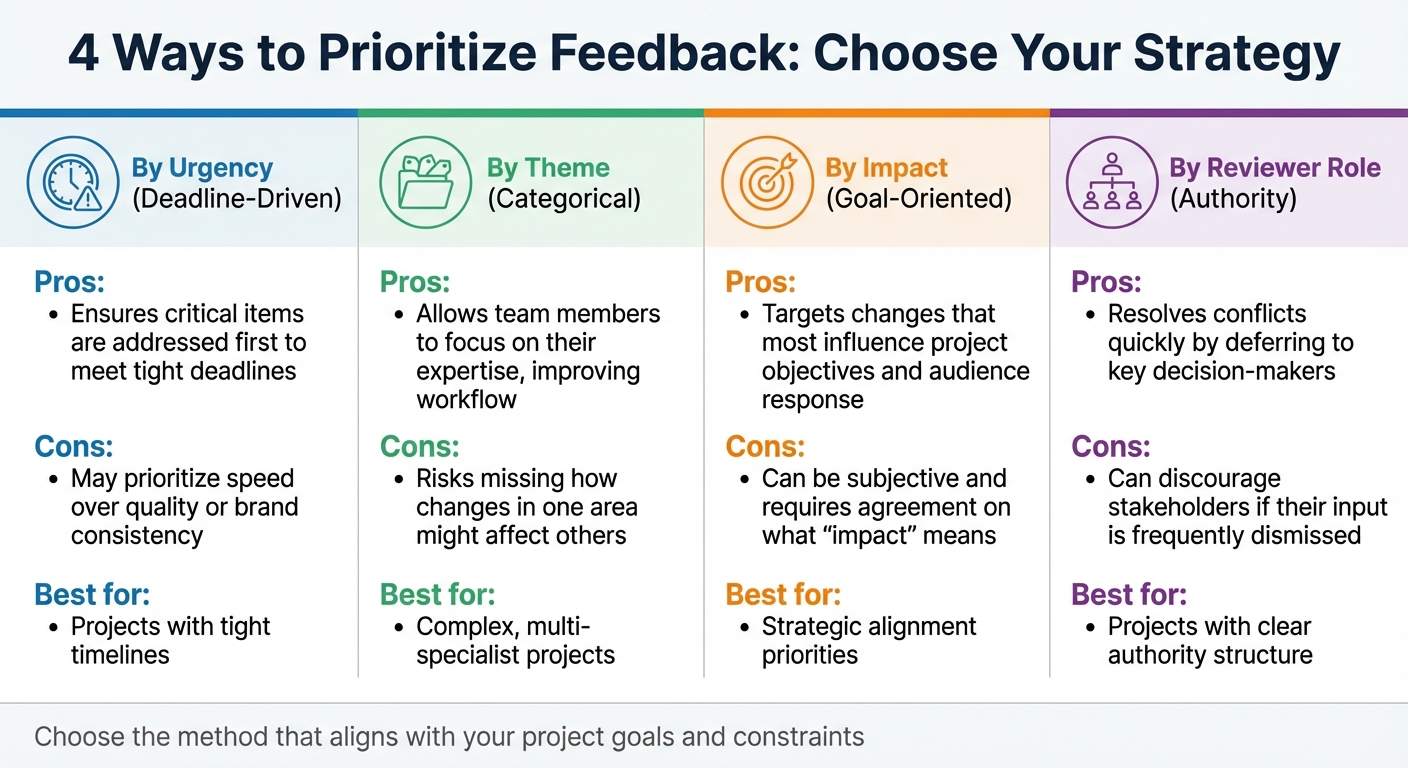
Feedback Prioritization Methods Comparison Chart
Efficient feedback management is all about turning input into actionable tasks. Once feedback is gathered in one place, the next step is to organize and clarify it, ensuring your team can act without confusion. A structured process makes it easier to sort, address, and assign tasks effectively.
Sort and Group Comments
Feedback often includes a mix of opinions, technical notes, and preferences. To avoid jumping between unrelated issues, group comments by theme. For example, you might categorize them as "Brand Alignment", "Technical Requirements", "Copy/Text", or "Visual Design." This way, you can focus on related issues together, streamlining the process.
When sorting feedback, tailor your approach to the project's needs. Here’s a quick comparison of four common prioritization methods:
| Prioritization Method | Pros | Cons |
|---|---|---|
| By Urgency (Deadline-Driven) | Ensures critical items are addressed first to meet tight deadlines. | May prioritize speed over quality or brand consistency. |
| By Theme (Categorical) | Allows team members to focus on their expertise, improving workflow. | Risks missing how changes in one area might affect others. |
| By Impact (Goal-Oriented) | Targets changes that most influence project objectives and audience response. | Can be subjective and requires agreement on what "impact" means. |
| By Reviewer Role (Authority) | Resolves conflicts quickly by deferring to key decision-makers. | Can discourage stakeholders if their input is frequently dismissed. |
Your choice should align with your project's goals and constraints. For instance, urgency-based prioritization is ideal for tight timelines, while theme-based grouping might work better for complex, multi-specialist projects.
Once feedback is categorized, address any unclear comments to ensure nothing gets lost in translation.
Ask Questions to Clarify Vague Feedback
Vague feedback can stall progress. Comments like "make it pop" or "I don’t like the feel" leave too much room for interpretation. As Dave Greene from ThisIsPerpetual aptly notes:
"I don't like it" isn't feedback – it's a roadblock.
To move forward, dig deeper into the reasoning behind such comments. For example, if someone says, "I don’t like this color", ask, "Is it a branding concern, or are you worried about readability?" This shifts the focus from personal taste to project goals, making the feedback more actionable.
Encourage stakeholders to use visual markup tools - like pins or arrows - to pinpoint specific elements. A vague comment like "that thing over there" becomes much clearer with a visual reference. You can also share examples of unhelpful versus actionable feedback to guide reviewers in providing clearer input.
Convert Feedback into Tasks
Feedback only becomes useful when it’s translated into actionable tasks. Break each comment into a specific task with a clear owner and deadline. For instance, instead of "The headline feels weak", reframe it as: "Rewrite the headline to highlight cost savings - due by 2/20/26, assigned to Sarah."
Use threaded discussions to confirm every piece of feedback is addressed and assigned. This approach prevents repeated requests in later rounds. Before starting revisions, ensure stakeholders agree on the consolidated feedback to avoid last-minute surprises.
Finally, track tasks in your project management system with clear status markers like "Pending", "In Progress", or "Completed." This level of transparency keeps the project on track and ensures accountability across the team.
Use Visual Feedback Tools
Bringing all feedback into one place can save a ton of time and reduce confusion. Instead of juggling emails, Slack messages, and texts, visual feedback platforms let clients point out exactly what needs fixing - right on the design itself. This way, nothing slips through the cracks, and the process stays as organized as possible.
How BoastImage Simplifies Client Feedback
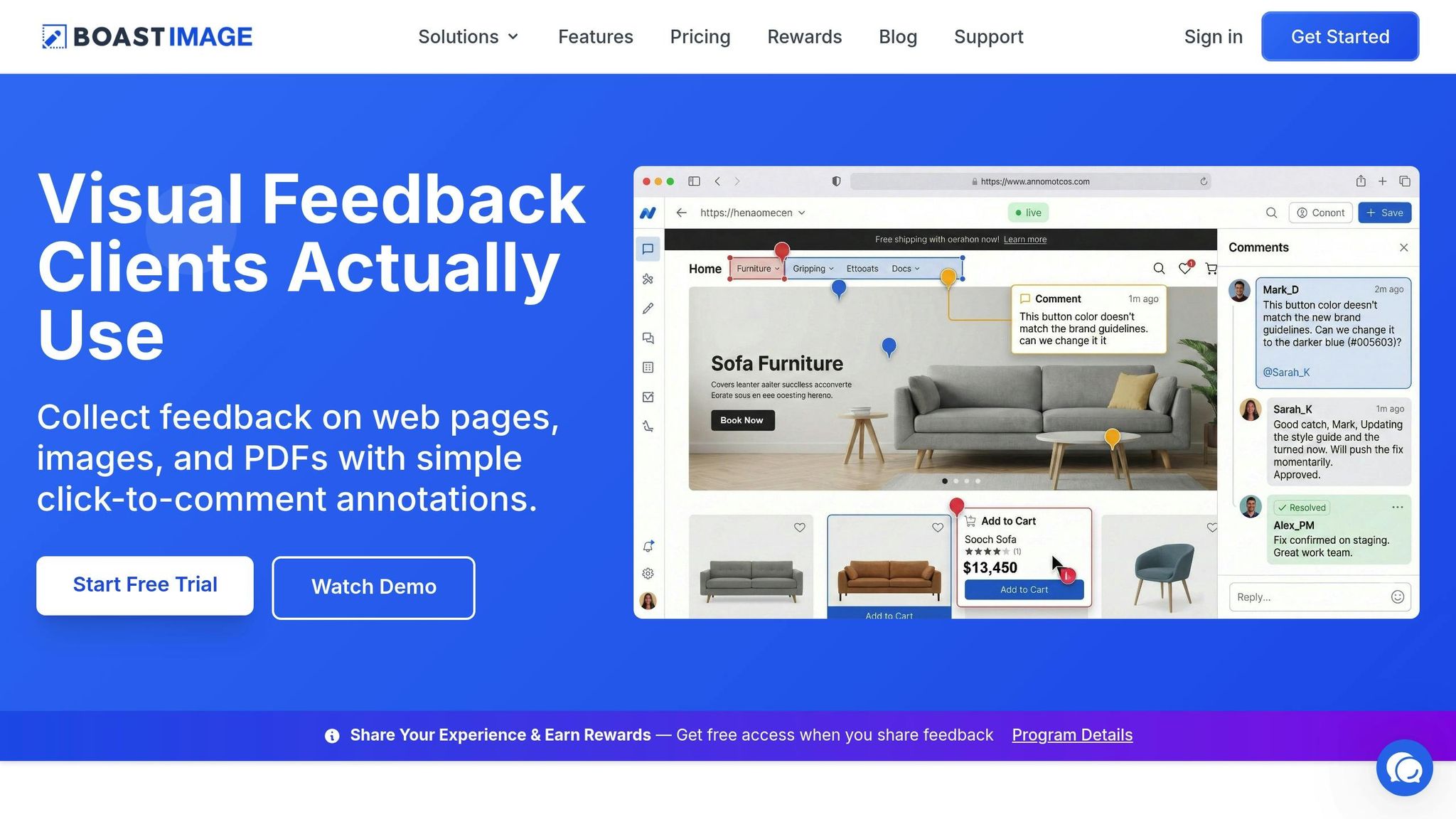
BoastImage takes the hassle out of collecting feedback by making the process straightforward for your clients. The biggest challenge with feedback tools is often getting clients to use them. BoastImage removes that roadblock by skipping sign-ups, logins, and lengthy onboarding.
Here’s how it works: clients simply click a link and start leaving comments directly on the design. They can use tools like pins, arrows, and boxes to highlight specific areas, making their feedback crystal clear. No more vague instructions or back-and-forth emails. Meanwhile, your team gains access to features like version control, task boards, and threaded discussions - tools that keep everything organized behind the scenes.
Why does this matter? For starters, the demand for content has doubled for 96% of marketers, all while deadlines keep getting tighter. With tools like BoastImage, clients can give precise feedback instantly, helping projects move faster. In fact, teams using centralized proofing systems have reported a 30% drop in the number of revisions needed to finalize designs.
Keep All Project Feedback in One Place
Scattered feedback wastes time and creates unnecessary headaches. By centralizing everything in one platform, you’ll ensure every comment stays tied to the exact file and version it references. This setup also shows who’s reviewed the work, who’s given feedback, and who still needs to respond. It’s a simple way to hold everyone accountable and avoid delays.
BoastImage makes this process even easier by offering unlimited external collaborators on all paid plans, starting at just $9.95/month. Whether you’re juggling five projects or fifty, all feedback stays neatly organized in one workspace - so nothing gets lost.
Track Changes with Version Control
Centralized feedback is great, but version control takes it a step further by keeping a detailed record of every revision. This ensures outdated comments don’t resurface and cuts down on repetitive tasks. In fact, it can reduce the need for lengthy review meetings by up to 50%.
Once a design is approved, you can lock the version to prevent any late-stage feedback from derailing the process. Plus, the threaded comment history preserves the full context of every decision. Even months later, you’ll know exactly what was discussed, who approved what, and why certain choices were made. It’s a simple way to keep everything running smoothly.
Conclusion
Stop wasting time on endless revision loops. By getting all decision-makers involved from the start, setting clear expectations, and organizing feedback into structured cycles, you can simplify the review process and speed up approvals. The key difference between a smooth workflow and a chaotic one often lies in how well you manage stakeholders and gather actionable feedback.
Adding the right tools to this approach can make a big difference. Visual feedback platforms like BoastImage remove common hurdles. Clients can easily click a link to leave comments directly on your work - no logins or complicated onboarding required. This encourages quicker, more precise responses. On the backend, your team can stay organized with features like version control, task management, and threaded discussions.
Here’s the impact: teams that implement a structured review system often see a 30% drop in the number of versions needed for approval and reduce review meetings by 50%. For teams juggling increased content demands and tighter deadlines, this can save hundreds of hours every week.
Start with clear revision limits, a well-defined project brief, and precise visual markup. When feedback is consolidated and roles are clearly outlined, projects move faster, and your team can focus on delivering standout work. These strategies require consistency, but the payoff is worth it. With a client-first mindset and a structured process, revisions become a tool for improvement - not a time sink.
FAQs
How do I choose the final decision-maker?
Establishing clear roles early on is key to selecting a final decision-maker and keeping things running smoothly. Decide upfront who will own the feedback and have the authority to approve changes - this is often a client stakeholder or the project lead. By defining this role from the start, you can consolidate feedback, cut down on conflicts, and avoid endless rounds of revisions. A structured review process with well-defined decision-making responsibilities also helps streamline approvals and reduces delays caused by clashing opinions.
What should I do when feedback conflicts?
When feedback clashes, it’s essential to handle disagreements methodically to prevent endless back-and-forth. Begin by ensuring everyone understands the project requirements from the start - this helps avoid confusion later. Use a centralized platform to collect and organize all feedback, making it easier to track comments, versions, and final decisions.
Encourage open discussions to understand the reasoning behind conflicting feedback. This can help stakeholders find common ground and move toward agreement. Assign clear decision-making roles to simplify the approval process, resolve disputes quickly, and keep the project moving forward without unnecessary delays.
How do I enforce a feedback freeze?
To maintain control over feedback and revisions, it’s crucial to establish clear boundaries and processes right from the start. Set a specific number of revision rounds and define what qualifies as a "revision" to avoid confusion. Communicate deadlines upfront so everyone is on the same page. Once the agreed limit is reached, any further feedback can either require prior approval or incur additional charges. Centralized feedback tools can be a game-changer here - they help streamline the process, track progress, and ensure the feedback freeze is honored, preventing endless back-and-forth.