How to Manage Stakeholder Feedback
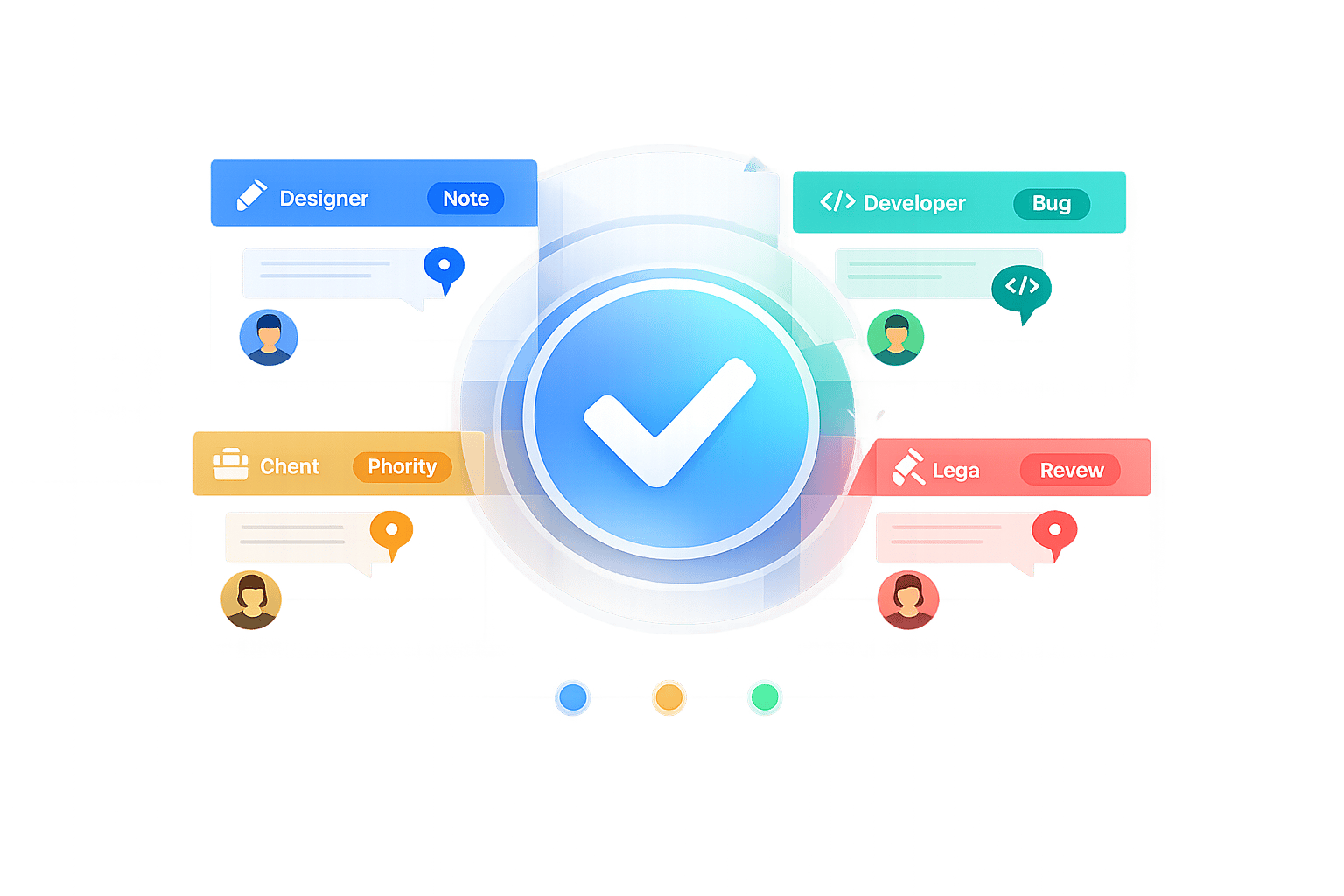
Managing stakeholder feedback can feel overwhelming, especially when input comes from multiple sources like emails, Slack, and meetings. Without a structured approach, you risk delays, missed deadlines, and conflicting stakeholder feedback. Here's how to simplify the process:
- Identify Stakeholders: Separate them into internal (e.g., project managers, designers) and external (e.g., clients, investors) groups. Understand their priorities and assign roles.
- Set Clear Expectations: Define deadlines, feedback formats, and focus areas for each stakeholder. Avoid vague comments by asking specific, goal-oriented questions.
- Use Tools to Centralize Feedback: Visual feedback tools allow stakeholders to comment directly on designs or documents, reducing confusion and saving time.
- Prioritize Input: Categorize feedback by urgency (e.g., compliance issues first) and address key points before minor suggestions.
- Follow Up: Close the loop by showing how feedback influenced the final outcome. This builds trust and encourages better collaboration.
How to Get Actionable Feedback from Your Stakeholders & SMEs
sbb-itb-32f6eb2
Identify Your Stakeholders and Their Roles
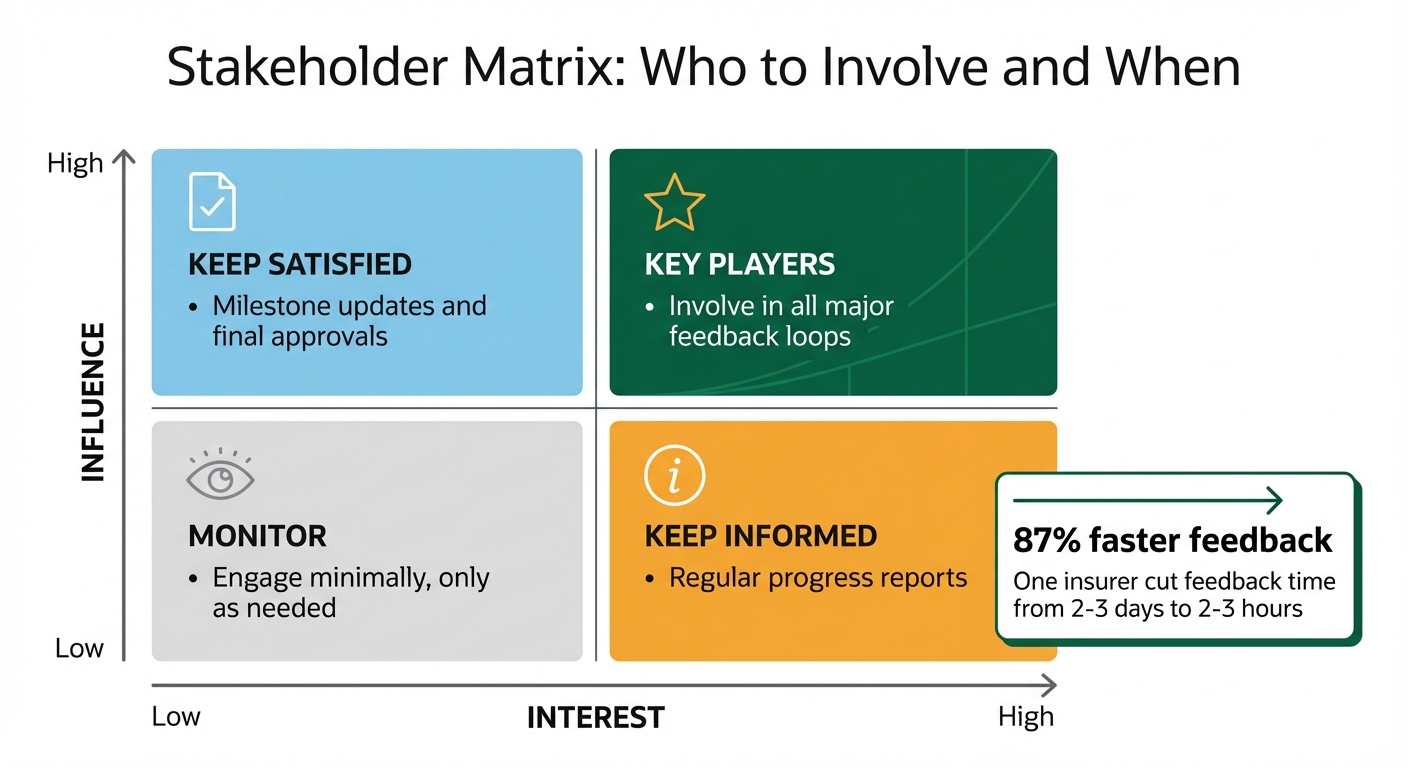
Stakeholder Matrix: Prioritizing Feedback by Influence and Interest
Divide your stakeholders into two main groups: internal and external. Internal stakeholders typically include project managers, designers, developers, copywriters, and department leads. On the other hand, external stakeholders consist of clients, end-users, investors, partners, and contractors. Each group brings unique priorities and levels of influence that can shape your project's outcome.
The trick lies in understanding what matters most to each stakeholder. For instance, your creative team will focus on visual quality and design standards, while marketing will prioritize content that converts and resonates with the target audience. Legal and compliance teams will concentrate on regulatory accuracy and risk management, and senior leadership will evaluate ROI and alignment with broader business strategies. By identifying these priorities, you can guide stakeholders to focus their input where it’s most relevant - avoiding the chaos of everyone weighing in on everything. Once roles and priorities are clear, define what contributions each stakeholder should provide.
Map Out What Each Stakeholder Needs
Keep feedback aligned with each stakeholder's area of expertise. For example, your legal team doesn’t need to weigh in on font choices, and designers don’t need to approve regulatory language. Set clear review criteria for each role. Ask the brand team to focus on tone of voice and visual consistency, compliance teams to review legal claims and regulations, and marketing to evaluate audience relevance and conversion potential.
A practical strategy is to assign a single spokesperson for each department or client organization. This person serves as the final decision-maker and represents their group’s interests. This approach prevents conflicting feedback and keeps timelines on track.
"To do this, we needed them to choose just one person to represent their company. This person would: Be the spokesperson during the feedback stages... Be not just the representative but the final decision-maker." – Suzanne Scacca, Former Project Manager and Web Design Agency Manager
Once roles and review criteria are in place, use a structured tool like a stakeholder matrix to streamline the process.
Build a Stakeholder Matrix
A stakeholder matrix helps you map out influence and interest, making it easier to identify who needs to be involved and when. Here’s how it works:
- High influence, high interest: These are your "key players." Involve them in all major feedback loops.
- High influence, low interest: Keep them satisfied with milestone updates and final approvals.
- Low influence, high interest: Keep them informed with regular progress reports.
- Low influence, low interest: Engage them minimally, only as needed.
For example, one insurer managed to cut feedback time from 2–3 days to just 2–3 hours, improving speed by 87%. The key? Knowing exactly who needed to provide input at each stage and equipping them with the right tools to do so efficiently.
You can also map stakeholders to specific project phases. Internal teams should review during the research phase to align on direction. Lead designers and developers focus on wireframes to refine layout and architecture. Client leads step in for mockups to assess UI and branding. By the prototype stage, feedback shifts to features and functionality, involving client leads and end-users. Finally, project managers oversee QA and ensure launch readiness. When roles are clearly defined and tied to project phases, feedback becomes a structured and efficient process.
Set Clear Expectations for Feedback
Once stakeholder roles are clearly defined, the next step is to standardize how feedback is given. After all, if you don’t establish when and how reviewers should provide input, you’ll end up chasing vague comments scattered across multiple channels. With tight timelines, efficient feedback isn’t just helpful - it’s absolutely necessary.
Set Deadlines and Specify Feedback Formats
Set firm deadlines for feedback, ideally within one to two business days for each review round. Longer review windows can lead to delays and off-topic input. Automated email reminders can help keep "forgetful" stakeholders on track, saving you from constant follow-ups.
Feedback format matters just as much as timing. Instead of asking broad questions like, "What do you think?", provide focused prompts tied to the project’s goals. For instance, ask your brand team, "Does this align with our brand guidelines?" or your compliance team, "Is this fact-checked and legally compliant?". This keeps feedback specific and actionable.
Using visual annotation tools like BoastImage or Ruttl, in-tool comments and loginless review, and clear "Approve" or "Request Changes" options can eliminate the chaos of vague email threads. These tools also capture timestamps, making it easier to track progress.
"Waiting on feedback is the number one issue slowing teams down." – State of Creative Collaboration report
By setting clear deadlines and feedback formats, you can help ensure that everyone stays aligned with the project’s objectives.
Align Everyone on Project Goals and Scope
Before diving into the first draft, make sure every stakeholder understands the problem you’re trying to solve. Andy Budd, a Design Founder and Coach, emphasizes the importance of framing the issue first:
"Instead of presenting a linear case study that will show every design revision, the first thing you need to do is frame the problem - essentially, to explain what's wrong with the current design and what problem you are attempting to solve with the new version."
This approach helps establish boundaries, so feedback stays focused on solving the right issues instead of veering off into unrelated critiques.
Be upfront about the kind of feedback you’re looking for at each stage. For example, when presenting wireframes, clarify that you’re seeking input on layout and structure - not visual style or colors. Similarly, when showing a prototype, explain that the focus should be on functionality and features, rather than the final polish of the UI. When stakeholders understand their specific role, they’re less likely to derail the process with irrelevant suggestions.
If feedback does go off track, follow up with questions to uncover the real concern and gently steer the conversation back to what matters most. This keeps everyone aligned and ensures the project progresses smoothly.
Use Visual Feedback Tools to Centralize Input
Why Visual Feedback Tools Matter
When feedback is scattered across emails, Slack messages, and meeting notes, chaos takes over. You end up wasting time piecing together input from various sources, and important suggestions can easily slip through the cracks. Visual feedback tools tackle this problem by consolidating all comments in one place - right next to the deliverable itself.
These tools allow for contextual annotations, meaning stakeholders can comment directly on the specific element they’re reviewing. For example, instead of writing something vague like “make the blue box bigger” in an email, they can click on the blue box and leave their comment right there. This eliminates confusion, reduces back-and-forth clarifications, and speeds up the entire process. With 96% of marketers reporting that content demand has doubled, finding ways to work more efficiently is no longer optional.
By centralizing feedback, these tools pave the way for smoother client approvals and better collaboration.
How Boast Simplifies Stakeholder Feedback
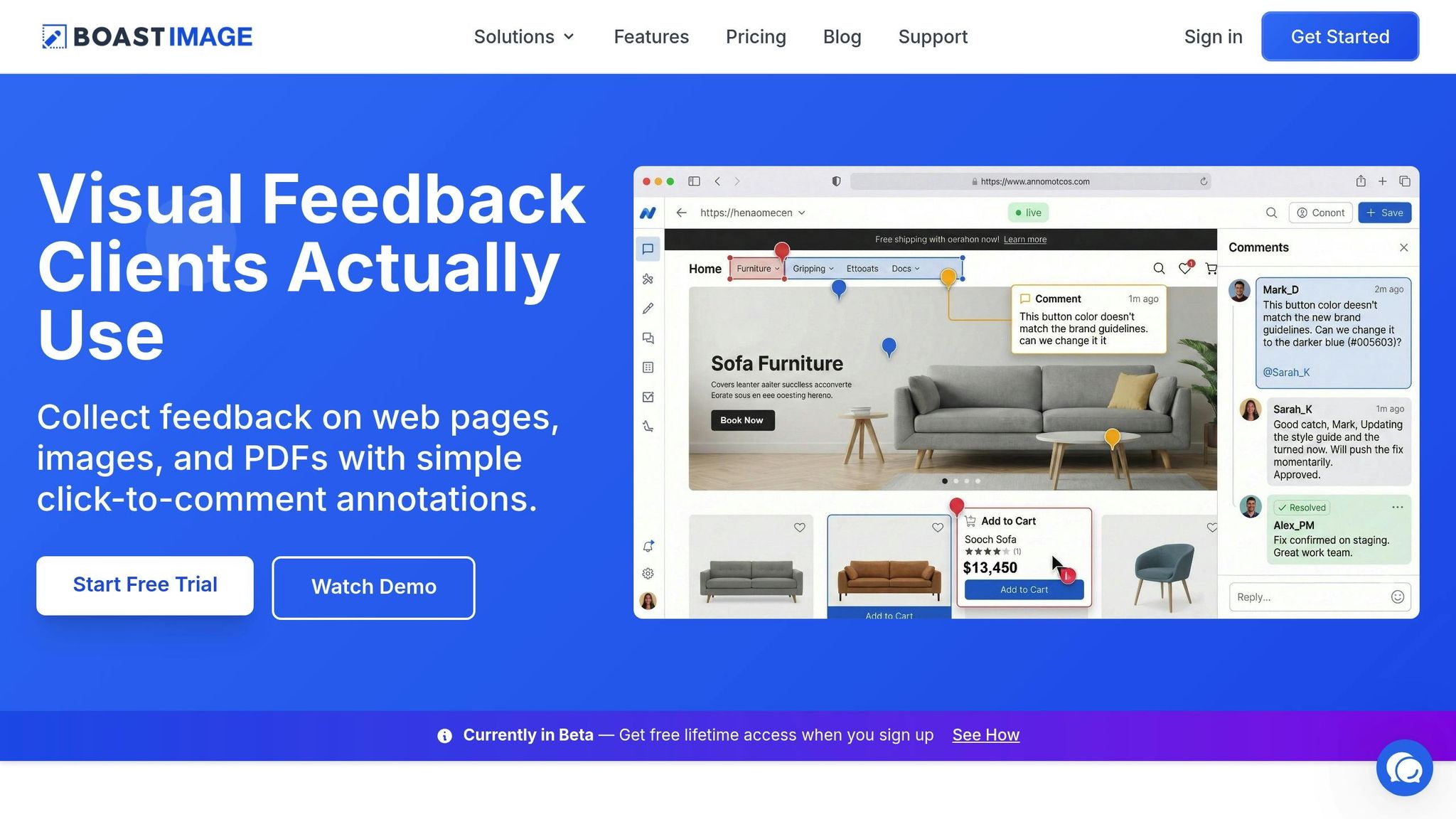
Boast takes the frustration out of managing feedback by focusing on the real challenge: getting clients to engage. Many tools require stakeholders to create accounts or go through onboarding, which often leads to ignored feedback requests or vague email responses.
With Boast, it’s different. External stakeholders simply click a link to comment directly on web pages, images, or PDFs. No accounts, no logins, no learning curve. The interface is clean and focused for clients, while your team gets access to powerful features like version control, task management, and Kanban boards - all working in the background. This separation ensures clients aren’t overwhelmed with unnecessary complexity.
Boast also offers automated version control, so stakeholders are always reviewing the latest draft. To avoid confusion, you can disable comments on outdated versions. Plus, incoming comments can be converted into tasks, making it easier to track progress. With plans starting at just $9.95 per month for the Solo plan, and unlimited external collaborators included, you can manage client feedback without worrying about extra costs.
Comparing Feedback Methods
Different feedback methods work better in different scenarios. Here’s how they compare:
| Method | Pros | Cons | Best Fit |
|---|---|---|---|
| Familiar; no new tools required | Feedback gets buried in threads; no version control | Quick updates with minimal stakeholders | |
| In-Person Meetings | Immediate communication; resolves conflicts quickly | Hard to schedule; time-intensive; lacks context | Complex projects requiring deep collaboration |
| Visual Feedback Tools | Centralized comments; precise annotations; version tracking | Requires initial tool adoption | Multi-stage approvals with multiple reviewers |
For projects with multiple approval rounds and numerous stakeholders, visual feedback tools are a game-changer. They eliminate the headache of consolidating scattered comments and provide a clear record of approvals. When questions arise later, you’ll know exactly who signed off and when.
Prioritize and Act on Feedback
Now that feedback is centralized and expectations are clear, the next step is figuring out which inputs demand immediate attention.
Sort Feedback by Category and Priority
When feedback starts pouring in, the real challenge lies in deciding what to tackle first. Compliance-related issues, for instance, should always take precedence over subjective opinions. Sorting feedback into categories based on urgency can simplify this process.
Begin by grouping feedback according to stakeholder roles. For example, input from the legal team should be flagged as compliance-related, while suggestions from the creative director may focus on design or quality. Instead of asking open-ended questions like, "What do you think?", steer stakeholders toward actionable insights with prompts like, "Does this align with our brand guidelines?" or "Is the technical information accurate?" This approach minimizes vague responses and ensures feedback is actionable.
For projects involving multiple reviewers, consider using a voting system to identify suggestions with widespread support versus isolated opinions. Assigning a single decision-maker for each department can further streamline the process, providing one consolidated perspective instead of conflicting feedback from multiple sources.
Here’s a simple way to prioritize feedback:
| Feedback Category | Focus Area | Typical Priority Level |
|---|---|---|
| Compliance/Legal | Regulatory issues, claims, safety | Critical/High |
| Brand/Identity | Tone, visual guidelines, logo usage | Medium/High |
| Creative/Quality | Copy flow, design aesthetics, UX | Medium |
| Minor Suggestions | Personal preferences, "nice-to-haves" | Low |
Learning how to simplify stakeholder input on design projects is key to keeping projects on track. Delays caused by unclear or slow feedback are often the biggest bottlenecks for creative teams, making prioritization essential to maintaining momentum.
Track Changes Across Multiple Rounds
To avoid confusion and inefficiencies, it’s important to track changes across all review rounds. Without a clear system, teams risk revisiting previously resolved issues, overlooking key updates, or reverting to outdated versions. Keeping an uneditable version history and an audit trail of approvals can ensure accountability and consistency throughout the process.
Using tools that enable side-by-side version comparisons can make this easier. Stakeholders can quickly confirm that their feedback has been addressed without questioning whether changes were implemented. Additionally, once a new version is released, disabling comments on earlier versions prevents outdated feedback from disrupting progress.
Follow Up and Build Trust
Once feedback has been prioritized and addressed, the next move is to follow up and establish trust with stakeholders. Gathering feedback is just the start - what really matters is closing the loop. When you follow through and show stakeholders how their input shaped the project, it strengthens relationships and encourages future collaboration. As Suzanne Scacca puts it, "If you want a client to be invested in the product you're building for them, they have to feel like they had a say in it".
Share Final Decisions and Updates
Being transparent is key to building trust. After making changes, present the final deliverable in a way that highlights how stakeholder feedback influenced the outcome. Restate the original goals and connect them to the revisions made based on their input.
If certain feedback couldn’t be implemented, explain why. Clear communication helps avoid unnecessary back-and-forth and demonstrates your expertise. The Moxo Team emphasizes, "Structured sign-offs lead to genuine mutual trust. The client sees their feedback taken seriously, and your team knows exactly what needs to change in each round".
Tools like real-time dashboards can simplify this process. They allow stakeholders to see the status of files, approvals, and pending tasks at a glance. Automated notifications further streamline updates, eliminating the need for endless email threads. This is especially useful in a fast-paced environment where 96% of marketers report a doubling in content demand, even as timelines shrink. Platforms like Boast take it a step further by automatically notifying stakeholders when new versions are ready and maintaining a centralized record of all comments, edits, and approvals. This kind of transparency not only wraps up the current project but also sets the foundation for smoother feedback cycles moving forward.
Collect Feedback on the Process
Once the project is complete, take time to evaluate how the feedback process unfolded. This isn’t just about reviewing the final deliverable - it’s about improving the collaboration itself. Ask stakeholders specific questions: Were the deadlines manageable? Was the review platform user-friendly? What challenges slowed things down? Avoid open-ended questions like "How did it go?" and instead focus on actionable ones like "What could make the next review round more efficient?".
Detailed feedback on the process can reveal opportunities for improvement. Treat the feedback cycle as just that - a cycle. Capture input, make adjustments, evaluate the results, and refine the approach for next time. When stakeholders see their suggestions for streamlining the process put into action, it reinforces their trust and leads to faster approvals and stronger working relationships in the future.
Conclusion
Managing stakeholder feedback doesn’t have to feel like herding cats. The strategies outlined here - like mapping roles, setting clear expectations, centralizing input, prioritizing feedback, and transparent follow-ups - provide a structured approach to keep projects on track. By defining who needs to contribute at each stage and sticking to firm deadlines, you can cut through the usual chaos that often slows creative work.
The numbers tell the story: content demand has doubled while deadlines continue to tighten. Companies using visual collaboration tools have seen feedback cycles shrink from days to mere hours - an 87% improvement in turnaround time. These stats highlight just how much a streamlined feedback process can boost efficiency.
Centralizing feedback with tools that allow visual annotations and version control eliminates confusion and speeds up approval workflows. Features like timestamped audit trails ensure a clear and organized review process, making approvals smoother and more predictable.
Boast takes this a step further by prioritizing simplicity for clients. Stakeholders can click a link and provide feedback directly - no logins or onboarding hassles required. Meanwhile, your team gains access to tools for version management, task tracking, and workflow organization. With unlimited external collaborators included in all paid plans starting at just $9.95/month, you can involve as many stakeholders as needed without worrying about the budget. By making feedback easy, Boast not only accelerates approvals but also builds trust with clients.
When stakeholders see their input clearly addressed in the final product, the entire process becomes more seamless. Faster approvals don’t just save time - they foster transparency and trust. When feedback is implemented thoughtfully, and stakeholders understand the reasoning behind decisions, they transition from roadblocks to collaborative partners. Consistently applying these strategies will turn feedback into a tool for stronger teamwork and better results.
FAQs
How do I handle conflicting stakeholder feedback?
Effectively managing conflicting stakeholder feedback requires a clear and organized strategy. Start by centralizing all feedback in one platform. This helps you keep track of inputs, avoid duplication, and minimize misunderstandings. It's also crucial to set clear roles and criteria from the beginning. This ensures that feedback remains relevant and aligned with the project's focus.
When disagreements arise, prioritize feedback by evaluating it against the project's main objectives. Open and transparent communication is key here - discuss differing viewpoints to find common ground. Visual tools, like diagrams or flowcharts, can help provide context and make complex ideas easier to grasp. Finally, establish a structured review process to consolidate feedback and address conflicts, ensuring the project stays on course.
Who should have final approval on feedback?
Final approval on stakeholder feedback needs to come from the designated decision-makers who ensure the work aligns with the project’s goals. Identifying these approvers early on can prevent delays and minimize confusion down the line. By establishing a structured process with clearly assigned roles, reviews become more efficient, unnecessary revisions are avoided, and accountability is maintained. Setting up formal workflows that outline who holds the final say helps keep projects running smoothly and ensures they meet the required quality standards.
What’s the fastest way to get clients to leave clear feedback?
The fastest way to get clear feedback from clients is by using visual annotation tools that allow them to comment directly on designs or assets. This method ensures feedback is precise and actionable, cutting down on vague remarks or unnecessary delays. Tools like BoastImage simplify the process by removing the hassle of logins or complicated setups, making it easy for clients to share their input without any friction.