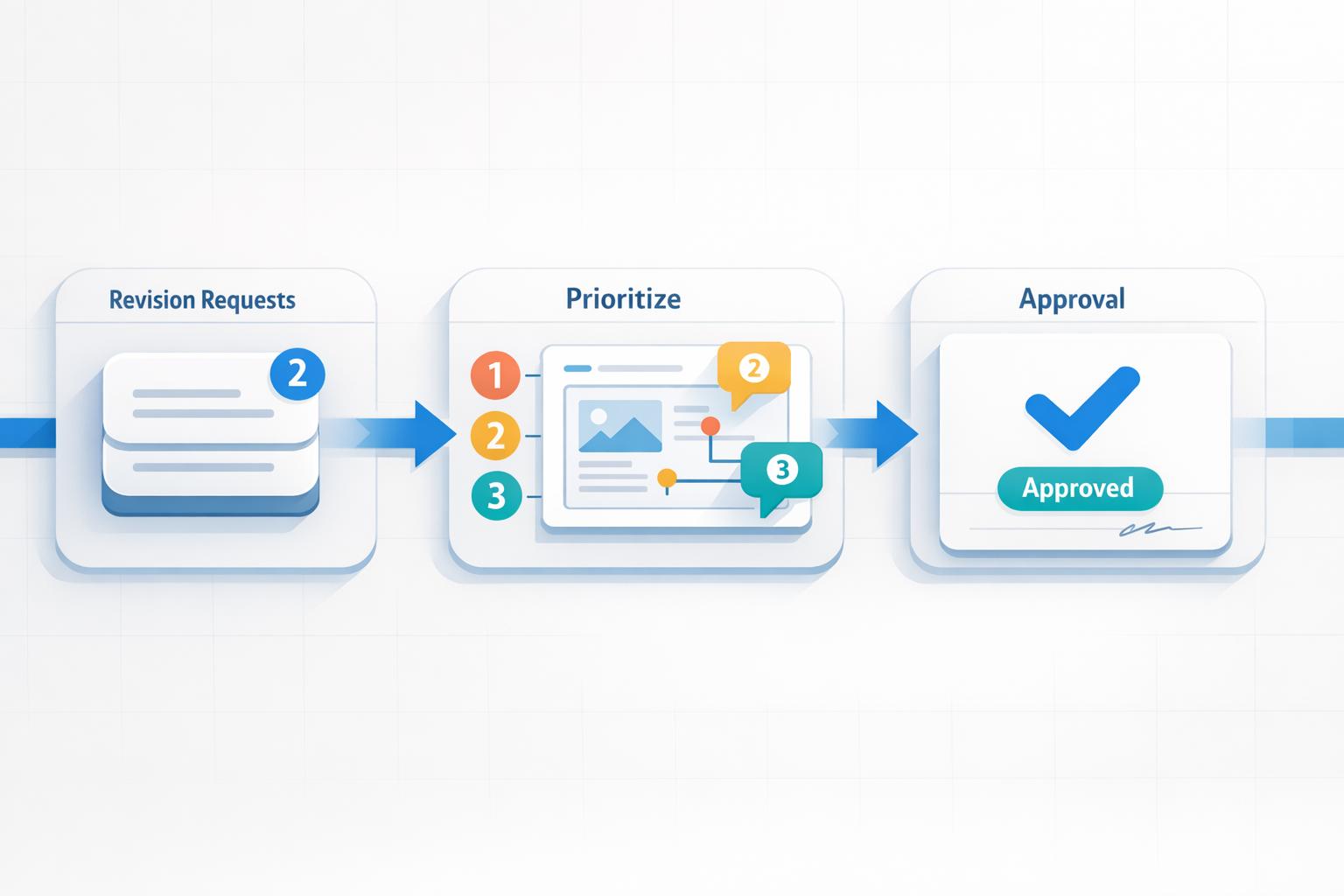
How to Manage Client Revisions Without Losing Time
Client revisions can often derail your workflow if not managed properly. To keep projects on track, you need to establish clear boundaries, streamline feedback collection, and prioritize tasks effectively. Here’s how you can handle revisions without wasting hours:
- Set Boundaries Early: Define the number of revision rounds in your contract (usually 2-3) and include fees for extra changes. This keeps clients focused and prevents endless tweaks.
- Align Expectations: Use discovery calls to clarify project goals and spot potential issues before starting.
- Centralize Feedback: Avoid scattered communication by using tools like BoastImage, where clients can comment directly on designs without extra steps.
- Prioritize Changes: Group feedback by importance - tackle big structural changes first, then minor edits.
- Track Progress: Use tools like Kanban boards to manage tasks and ensure no revisions are missed.
- Avoid Scope Creep: Stick to your contract and address out-of-scope requests professionally with additional fees or agreements.
- Secure Approvals: Always get written sign-offs for final deliverables to close the project smoothly.
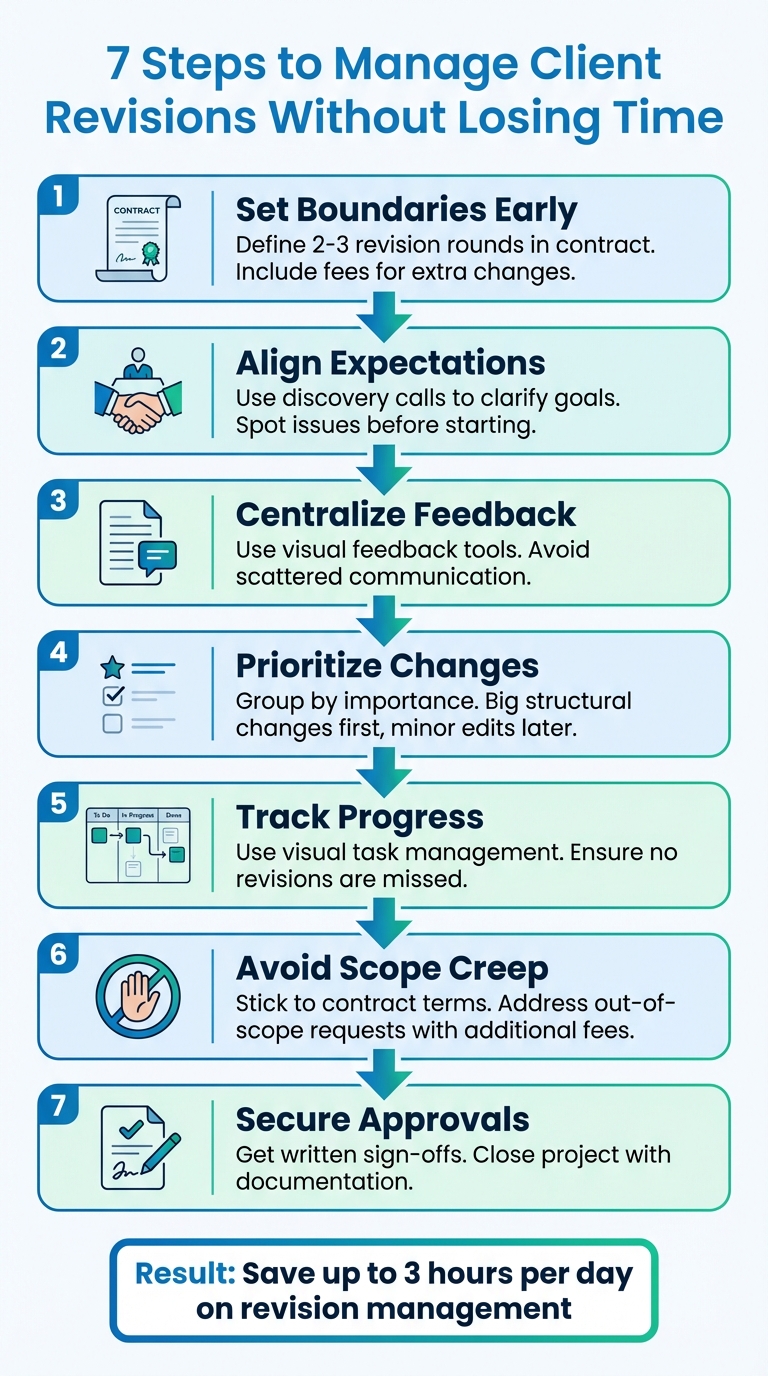
7-Step Process for Managing Client Revisions Efficiently
how to manage graphic design clients (revisions & boundaries)
Set Clear Expectations From the Start
The best way to avoid revision chaos is by setting clear boundaries right from the beginning. When clients understand the project scope, they’re more likely to consolidate their feedback and respect your time.
Define Revision Rounds in Contracts
Your contract should clearly outline the number of revision rounds included - usually 2 to 3 rounds for most creative projects. Be specific about what constitutes a "revision round", such as one complete set of consolidated feedback before a new version is delivered. This approach encourages clients to provide thorough input all at once, rather than sending piecemeal feedback through multiple emails over several days. When delivering drafts, remind clients of their remaining revision rounds with subject lines like "First revision of three", reinforcing that changes aren’t unlimited.
It’s also smart to include a revision fee clause in your contract. This clause details the costs for any additional work beyond the agreed rounds. Not only does this safeguard your timeline, but it also motivates clients to think carefully about their requests. Establishing these terms upfront helps ensure smoother project management later on.
"The project includes two rounds of revisions so we can fine-tune everything. If we go beyond that, I'll let you know before adding any extra time."
- Sandra Boicheva, Creative Agency Guide
Use Discovery Calls to Align on Vision
Once contract limits are set, use discovery calls to align expectations further. These calls position you as a proactive professional and help build trust in your expertise. They also prevent clients from micromanaging every detail. Use this time to move beyond vague goals like "we want more leads" and dig into specifics - such as identifying the target audience, reviewing past strategies, and clarifying any deal breakers. This process helps you create a creative brief that focuses on business objectives rather than subjective preferences.
Discovery calls are also a great way to spot red flags. Clients who struggle to articulate their needs, lack a clear budget, or have a history of poor working relationships may require extra care in managing expectations. This step is crucial, as managing client expectations is a common challenge - 23% of agencies and 41.1% of digital marketing professionals report difficulties in this area. Taking time upfront to address these issues can save you from headaches later.
"When you ask the right questions up front, you know who you're designing for and why."
- Colleen Gratzer, Design Domination
Provide Clear Deliverables and Deadlines
Establish specific timelines for both your deliverables and the client’s feedback. For instance, give clients 3–5 days to provide feedback for each round. This keeps the project on track and avoids delays caused by waiting for input.
Make sure to clarify any terminology that might lead to confusion later. For example, define what "final" means - explaining that "final copy" should be thoroughly proofread and ready for layout, not a rough draft. Additionally, assign a single point of contact on the client’s side to consolidate feedback from all stakeholders. This prevents conflicting instructions from multiple people from derailing progress. Centralizing these comments ensures no design feedback gets lost during the review process.
When it comes to project timelines, present delivery dates as ranges (e.g., "6–8 weeks") to allow for flexibility and reduce potential friction. By setting clear deliverables and deadlines, you create a structure that helps control revisions while protecting your time and effort.
Streamline Feedback Collection With Visual Tools
Once expectations are set, gathering feedback efficiently becomes crucial. The revision process often turns into a time sink - digging through emails, interpreting unclear instructions, and juggling conflicting edits can eat up nearly three hours of an eight-hour workday.
Visual feedback tools make this easier by consolidating all edits into one place. Instead of wading through "57 different threads of communication", these tools offer a single dashboard where clients can clearly outline the changes they need. This eliminates the guesswork and ensures no edits are overlooked in endless email chains or scattered instant messages . This kind of centralization creates a smoother, more efficient client experience.
Simplify Client Feedback With BoastImage
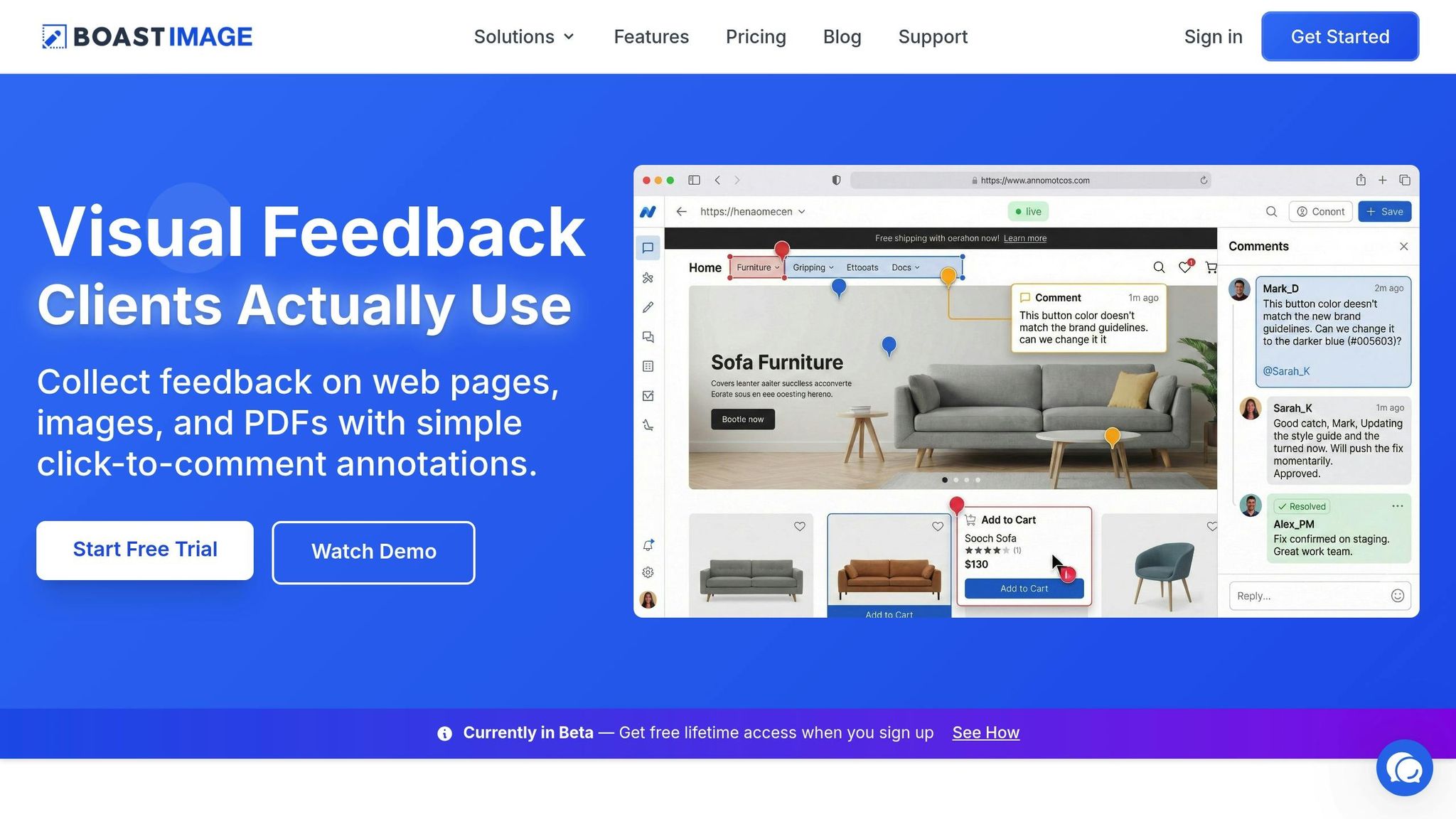
The biggest challenge isn't necessarily the tool itself - it’s getting clients to actually use it. Many platforms require reviewers to create accounts, navigate complex interfaces, and complete onboarding steps, which often drives clients back to messy email threads.
BoastImage changes the game. Clients just click a link, leave comments directly on the work, and they’re done. No accounts, no logins, no learning curve. This simplicity removes barriers, making it easy for clients to provide immediate feedback without technical frustrations.
"PDF not only makes it easy for clients to convey where an edit is needed, but it makes it easy for you to see where an edit needs to be made in the layout. A picture is worth a thousand words."
- Design Domination
Centralize Input for Team Efficiency
While clients enjoy a straightforward feedback process, your team can leverage robust workflow tools behind the scenes. Threaded comments keep feedback organized, and version tracking - like labeling proofs as "Round 1 of 3" - helps maintain accountability and manage revision limits. You can also filter tasks to view "unread" or "unresolved" comments, making it easy to identify what still needs attention.
Mark items as resolved only after updating your source file to ensure every client request is addressed. And if a comment is unclear, leave it unresolved as a visual reminder to follow up before moving forward. This approach keeps the process efficient and ensures no detail slips through the cracks.
Prioritize and Implement Revisions Effectively
Once you've gathered feedback, the next step is to prioritize and implement revisions without slowing down your project. Not all feedback carries the same weight - major structural changes take far more time than quick fixes. Start by sorting feedback based on its impact. Separate the changes that influence the project's overall direction from those that are minor and can wait.
Categorize Feedback by Priority
Breaking feedback into categories helps prevent feeling overwhelmed. Group comments into areas like Content Clarity and Accuracy (focusing on brand voice and fact-checking), Design and Visuals (covering elements like colors, typography, and layout), and Compliance and Legal (addressing disclaimers or regulatory requirements). This strategy ensures critical issues - like compliance concerns that could delay a launch - are handled first, while smaller design or stylistic tweaks can be grouped for later. To stay organized, track feedback status using labels such as "Read vs. Unread" or "Resolved vs. Unresolved".
Batch Revisions to Maintain Momentum
Handling feedback in a scattered way can derail your progress. Instead, ask clients to handle conflicting stakeholder feedback by consolidating input into a single batch, minimizing disruptions. A common industry practice is to offer 2 to 3 revision rounds. The first round focuses on addressing significant structural changes, while later rounds handle smaller refinements. When implementing changes, sort feedback by type - start with quick copy edits before moving on to more complex design updates. This method helps you maintain efficiency and stay in the zone.
"A revision round covers one complete set of feedback provided at once, after which updates are made and a new version is shared."
- Sandra Boicheva, ReallyGoodDesigns
Use Kanban Boards for Task Management
Turning feedback into actionable tasks is easier with visual tools like Kanban boards. For example, BoastImage uses these boards to organize client feedback into clear tasks, showing what's in progress, completed, or awaiting approval. Each revision round is documented as a timestamped card with client notes, creating a record that’s useful for resolving disputes or billing for extra work. If clients exceed their revision limit, you can pause the card until they approve additional paid rounds, typically charged at $75 to $90 per hour or $150 per extra round.
sbb-itb-32f6eb2
Minimize Scope Creep Through Clear Communication
Scope creep happens when a project extends beyond its original objectives, often due to unclear expectations. Interestingly, most challenging client situations arise from poor management rather than difficult clients themselves. The key to avoiding this is maintaining professionalism while being firm about project boundaries, pricing, and communication. Here’s how to keep things on track and prevent scope creep.
Designate a Single Point of Contact
Make sure there’s one client representative responsible for gathering internal feedback and managing approvals. When multiple people give input directly, it often leads to conflicting instructions, wasted time, and unnecessary confusion.
Hold Regular Check-Ins and Updates
Set up consistent updates to address potential issues early. Plan specific "big reveals" to limit client exposure to unfinished work, which can lead to unnecessary revision requests. Use these check-ins to refer back to your contract and scope of work - not just during disputes, but also to highlight progress and milestones. This ensures the contract serves as a roadmap for the project, keeping everyone aligned.
Identify and Address Issues Early
If a client gives vague feedback like "I don’t like this", dig deeper by asking targeted questions about their concerns and the impact on their audience. Position yourself as a consultant by explaining the rationale behind your design choices - this builds trust and reduces subjective changes. For requests that fall outside the agreed scope, suggest scheduling a separate meeting to discuss additional costs or a new agreement. This approach reinforces the structured revision process you’ve already established.
Tools like BoastImage can simplify feedback by allowing clients to comment directly without needing accounts. This prevents scattered communication and helps handle client feedback without losing context, supporting the streamlined processes outlined above.
Secure Approvals and Close the Project
Wrap up your project by formalizing revisions and approvals. This not only protects both parties but also ensures a clear record of what was delivered and agreed upon.
Finalize With Written Approvals
Always get written sign-offs. A casual "looks good" email won't cut it. Use tools like collaborative approval software to streamline the process. These platforms can manage deadlines, create approval chains, and keep everything centralized. Clearly label each proof by round (e.g., "Round 3 of 3") to show progress and set limits on revisions.
Before sending the final version, double-check everything using a thorough checklist. Once all edits are addressed, provide a concise summary for the client to review and sign off on. Some tools, like BoastImage, even allow clients to approve files without needing to log in, giving you visibility into when they’ve reviewed the document.
"I ask the client to let me know when they're done reviewing, and then I save the PDF with comments and I keep it for my records with the project and in case I need to refer to it later." – Colleen Gratzer, Principal, Gratzer Graphics LLC
Use review software to filter unresolved or unchecked comments to ensure no feedback slips through the cracks. If the client requests additional changes that fall outside the original contract, politely explain that these are out-of-scope and offer a solution, like an addendum or hourly billing, for the extra work.
Archive Versions and Feedback for Future Reference
Once you’ve received final written approvals, organize and archive all project-related materials.
Label and store all files systematically. Use clear naming conventions like "ProjectName_v01" to ensure easy reference later. Consolidate all feedback, annotations, and approvals in one searchable location rather than leaving them scattered across emails or platforms.
This creates a reliable audit trail, which is crucial for long-term accountability and resolving any disputes over what was approved. If your platform doesn’t save comments directly in files, take screenshots or screen recordings to preserve the feedback context before closing out the project.
Conduct Post-Project Reviews
After archiving, schedule a brief review session with the client to reflect on the collaboration and identify any challenges during the revision process. Walk them through the final deliverables, explaining how each decision aligns with their business goals. This reinforces your expertise and highlights the value you’ve provided.
Use this opportunity to guide clients on how to give more actionable feedback for future projects. Encourage them to focus on specifics rather than subjective opinions, which can save time and streamline workflows. Compare the number of revision rounds to what was outlined in the contract to see if adjustments to pricing or scope definitions are needed moving forward.
"Many times this situation [difficult collaborations] can be prevented by practicing the tips outlined in this article or by having a post-mortem meeting." – Madeleine Morley, Wix Studio
These post-project reviews help you evaluate whether the collaboration was productive enough to continue. They also allow you to set clearer boundaries and expectations for future projects, ensuring smoother engagements down the line. By following these steps, you close the project effectively and lay the groundwork for stronger future partnerships.
Conclusion
Handling client revisions doesn’t have to feel overwhelming. By using the strategies outlined here, you can create a streamlined process that safeguards your time and workflow.
Setting clear expectations from the beginning helps prevent scope creep and endless back-and-forth, keeping both deadlines and budgets intact. Tools like BoastImage simplify the feedback process with click-and-comment functionality, while features like version tracking and Kanban boards let you stay in control behind the scenes. This turns feedback into a collaborative experience that enhances client relationships instead of straining them.
On top of that, effective communication builds trust and showcases your professionalism. As Sandra Boicheva from Really Good Designs puts it, "Your revision policy is transparent and shows that you value open communication." When clients understand how the process works, they feel more at ease and confident in your abilities, which often leads to better results and future referrals.
These approaches don’t just protect efficiency; they also keep projects on track and ensure the final product aligns perfectly with business goals. In the end, clients benefit from well-defined budgets, faster turnarounds, and a finished product that truly meets their expectations.
FAQs
How can I manage client revisions to avoid project delays?
To keep projects on track and avoid delays from client revisions, it’s crucial to set clear expectations right from the start. Have an open discussion about their goals, explain your revision policy, and agree on how many revisions are included in the project scope. This way, everyone is on the same page, and you can minimize unnecessary back-and-forth.
A structured feedback tool like BoastImage can make the revision process smoother. With this tool, clients can leave comments directly on web pages, images, or PDFs - no accounts or complicated onboarding required. This streamlined process makes it easier for clients to provide feedback while reducing confusion, so the project can move forward efficiently.
Additionally, set clear deadlines for client feedback and consider implementing charges for revisions beyond the agreed limit. This approach encourages clients to provide more thoughtful input and helps you maintain control over the project timeline.
What are the best ways to streamline client feedback and revisions?
Streamlining client feedback and revisions begins with tools that simplify the process. Visual feedback platforms allow clients to leave comments directly on web pages, images, or PDFs, making their input clear and easy to act on. This helps cut down on miscommunication and avoids unnecessary back-and-forth.
Choose tools that are straightforward, especially those that let clients provide feedback without needing to create accounts or deal with complicated setups. Making the process easier for clients not only improves collaboration but also keeps projects moving smoothly and on schedule.
How can I professionally manage client requests that go beyond the project scope?
Managing out-of-scope requests starts with setting clear expectations right from the beginning. When kicking off a project, make sure to establish a detailed revision policy. This policy should clearly define what’s included in the scope and explain that anything outside of it will come with additional charges. That way, there’s no confusion when unexpected requests pop up.
If a client asks for something outside the agreed scope, handle it politely but firmly. Acknowledge their request, explain why it falls outside the original agreement, and present options. These could include adjusting the project agreement or applying extra fees to cover the additional work. Clear, respectful communication here can make all the difference in maintaining a good working relationship.
To prevent repeated out-of-scope requests, guide clients to focus their feedback on the agreed deliverables. Encourage them to consolidate all their revisions into a single list to avoid back-and-forth confusion. Tools like BoastImage can make this process even easier. BoastImage, for example, allows clients to comment directly on your work without needing accounts or logins. This keeps feedback organized and ensures revisions stay on track, saving time and keeping the project running smoothly for everyone involved.