Kanban for Agencies: Managing Client Feedback
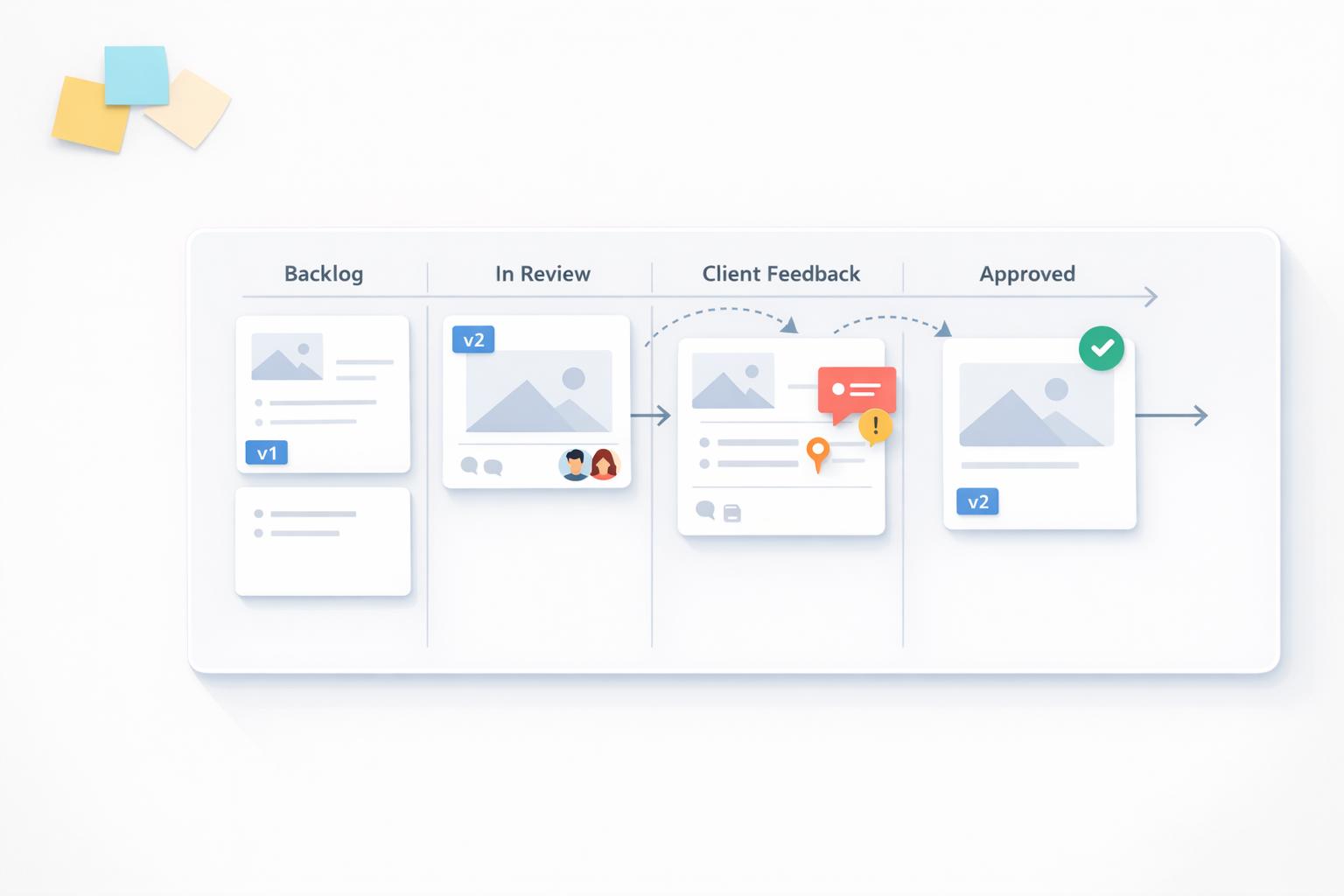
Tired of endless email threads and vague client requests? Kanban offers a clear, visual way to manage client feedback and revisions, cutting down revision cycles and saving hours per project. By organizing tasks into columns like "To Do", "In Progress", and "Client Approval", teams can track progress in real time and identify bottlenecks - like delayed client responses - before they derail timelines.
Key Takeaways:
- Save Time: Agencies report saving up to 8 hours per project by centralizing feedback.
- Fewer Revisions: Revision rounds drop from 5 to 2 on average.
- Faster Approvals: 90% of clients respond within 24 hours when using visual feedback tools.
- Improved Collaboration: Everyone knows who’s responsible for what, thanks to clear task assignments.
Kanban tools like BoastImage simplify this process by turning client comments into actionable tasks, complete with context like browser type and screen resolution. With features like version control, automated reminders, and customizable workflows, agencies can streamline their processes and focus on delivering results - not chasing feedback.
Kanban Tool - Use Case: Customer Journey Feedback - kanbantool.com
Benefits of Using Kanban for Client Feedback
Kanban vs Traditional Feedback Methods for Agencies
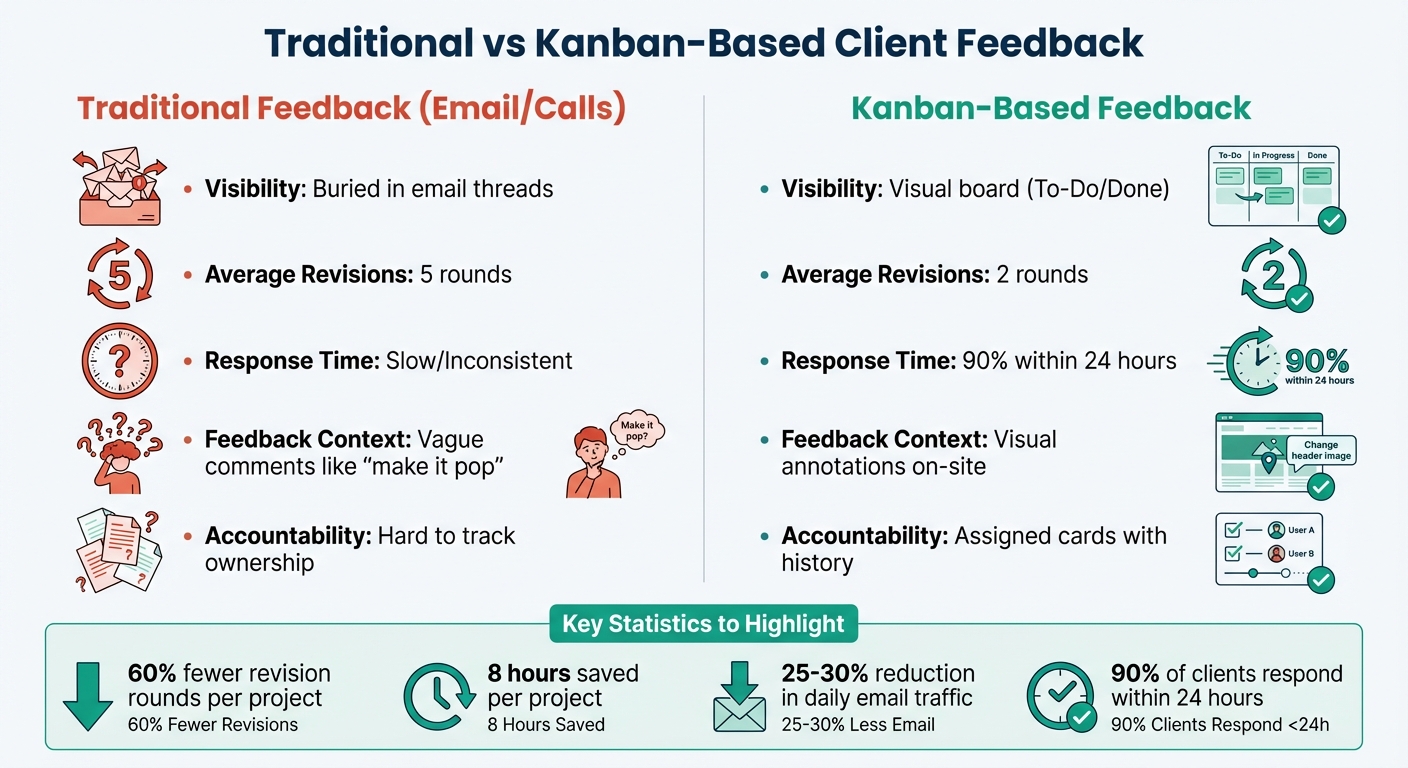
Switching to Kanban turns chaotic feedback into a well-organized visual system. Instead of digging through endless email threads or trying to interpret unclear comments, teams get a clear, structured way to track every piece of client feedback. Agencies using visual feedback tools combined with Kanban-style workflows report 60% fewer revision rounds per project and save an average of 8 hours per project by cutting out scattered communication. Let’s break down how centralizing feedback, improving collaboration, and speeding up approvals make this possible.
Centralized Feedback Management
Kanban boards bring all feedback into one place - comments, attachments, and discussions - so you no longer have to jump between multiple platforms. When a client leaves feedback, it appears as a card on the board, complete with all the necessary context. No more hunting through your inbox for that one critical note from weeks ago.
This streamlined approach saves teams a lot of time. Agencies have reported reducing email inbox traffic by 25–30% daily after switching to Kanban for feedback management. Some modern tools even take it a step further by converting client annotations directly into Kanban cards. These cards can capture technical details like browser versions and screen resolutions automatically. Tools like BoastImage make sure every piece of feedback is paired with the right context, eliminating extra steps for your team.
Better Collaboration and Accountability
With Kanban, everyone knows exactly who’s responsible for what. Each card clearly shows the assigned team member, stakeholders, due dates, and a full activity history, leaving no room for confusion.
"With Kanban, you won't find yourself having to chase down other members of the team to answer these questions [regarding client feedback status]." – Richard O'Brien, Head of Product, BugHerd
The visual layout also helps identify bottlenecks early. For example, if the "Client Approval" column keeps overflowing, it’s easy to spot that delays are coming from the client side rather than your team. This level of transparency helps teams stay ahead of potential issues.
Faster Approvals and Fewer Revision Cycles
Agencies that adopt Kanban systems have seen revision cycles drop from an average of 5 rounds to just 2, with 90% of clients providing feedback within 24 hours.
"We used to spend hours explaining mockups over Zoom. Now clients just click where they have questions. Our revision cycles dropped from 5 rounds to 2, and we've reclaimed almost a full day per project." – Jessica Martinez, Creative Director, Brandwave Studio
The key is eliminating ambiguity. When clients can leave direct, annotated feedback on assets, there’s no room for vague comments like "make it pop". This clarity ensures designers know exactly what needs to change, where to make the change, and why. Additionally, WIP (Work In Progress) limits keep teams focused on current revisions. By capping feedback rounds at three, you can avoid endless revisions and keep projects on track.
Here’s how Kanban compares to traditional feedback methods:
| Feature | Traditional Feedback (Email/Calls) | Kanban-Based Feedback |
|---|---|---|
| Visibility | Buried in threads | Visual board (To-Do/Done) |
| Revisions | 5 rounds average | 2 rounds average |
| Response Time | Slow/Inconsistent | 90% within 24 hours |
| Feedback Context | Vague ("make it pop") | Visual annotations on-site |
| Accountability | Hard to track ownership | Assigned cards with history |
Kanban doesn’t just organize - it transforms how teams and clients work together, making the entire feedback process smoother and more effective.
Setting Up a Kanban Workflow in BoastImage
Creating a Kanban Board in BoastImage
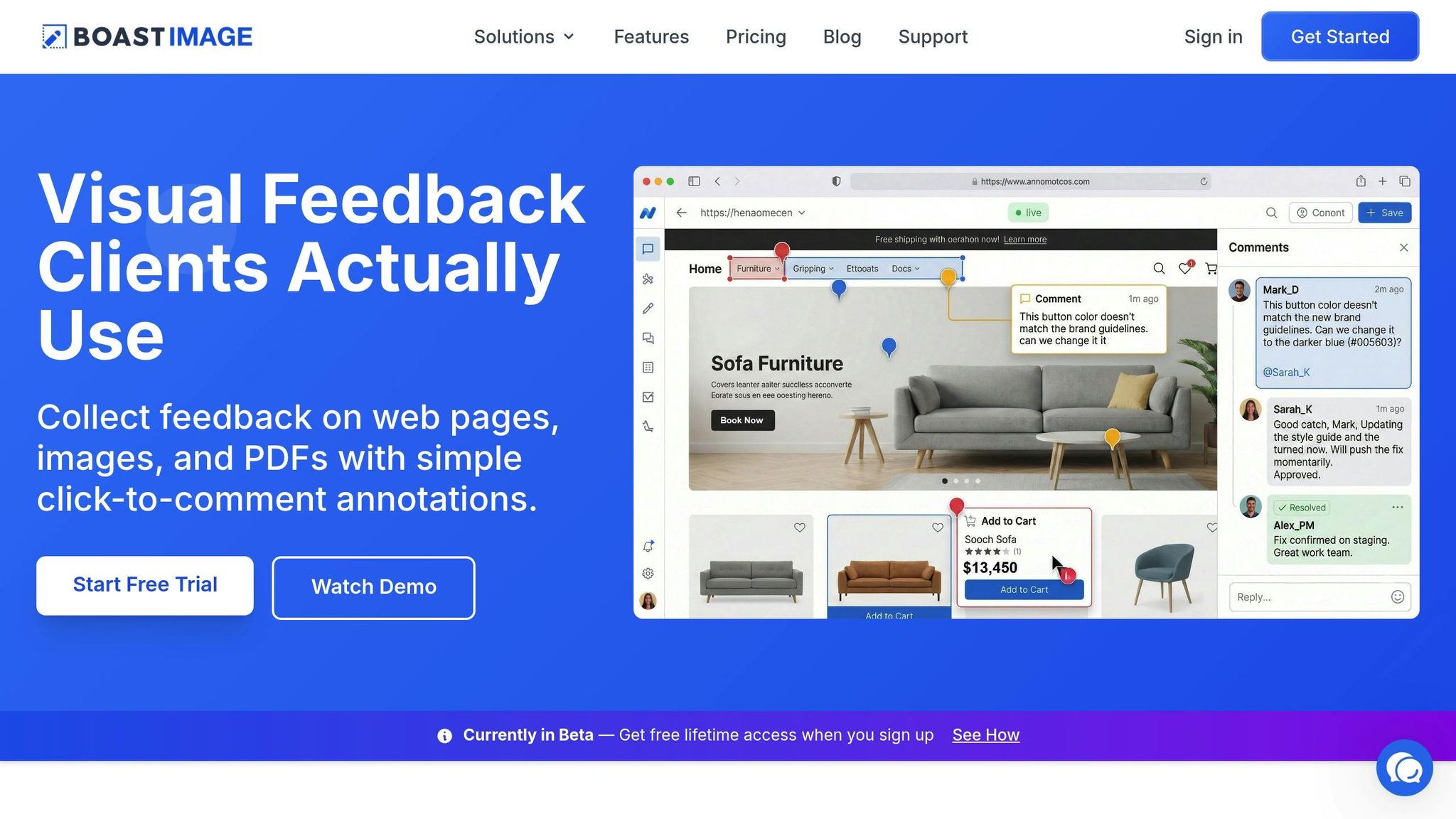
BoastImage simplifies the process of turning visual feedback into actionable tasks by automatically converting client comments into Kanban cards. When clients leave feedback on shared web pages, images, or PDFs, their input is instantly transformed into cards - eliminating the need for manual data entry.
It doesn’t stop there. BoastImage also captures technical details like browser type, operating system, and screen resolution, providing developers with the context they need to address feedback effectively.
"Implementing zipBoard into our development process has taken the team from using antiquated manual processes to an easy to use, globally accessible, online process"
This tool keeps the client experience straightforward - clients only need to click and comment. This makes it easier to get clear design feedback without overwhelming the user. Meanwhile, your team manages the feedback through a Kanban view, maintaining structure and efficiency behind the scenes. With these cards generated automatically, the next step is organizing and managing tasks for optimal workflow.
Key Columns for Agency Workflows
To streamline your process, consider setting up these essential columns:
- New Feedback: Collects all initial client comments and annotations.
- In Review: A space for project managers or creative leads to evaluate the feedback for feasibility and scope.
- Assigned to Designer: Tracks tasks currently being worked on by the design team.
- Client Re-Review: Holds revisions ready for the client’s final approval.
- Approved: Marks feedback that has been signed off and completed.
For teams that prioritize quality assurance, adding columns like Ready for Testing and Testing in Process can be helpful for organizing bug tracking before final delivery. Some agencies also include an Internal QA column to ensure internal reviews are completed before presenting the final product to the client.
Once your board is set up, you can refine it further by customizing task states and integrating automations to match your team’s workflow.
Customizing Task States and Automations
Work-in-progress (WIP) limits are a great way to identify bottlenecks in your workflow. For instance, setting a WIP limit on the "Assigned to Designer" column can highlight whether your team is overloaded or if too much feedback is coming in at once.
BoastImage also allows you to automate reminders, helping to keep projects on track. This feature can save teams up to 20% of their daily time by reducing back-and-forth emails.
You can take automation a step further by customizing how tasks move between states. For example, when a designer marks a task as complete, it can automatically shift to the "Client Re-Review" column and notify the client. These automations ensure tasks flow smoothly without manual updates, keeping the connection between client feedback and team workflows seamless.
Combining Visual Proofing with Kanban in BoastImage
Click-to-Comment Annotations for Client Feedback
One of the biggest challenges in managing client feedback is getting clients to actually use the tools provided. BoastImage addresses this by making the process as simple as possible: clients can click a link and comment directly on web pages, images, or PDFs - no sign-ups, no training, no hassle. It’s as intuitive as leaving a comment on a social media post.
When clients provide feedback, they essentially leave digital sticky notes exactly where they’re needed. These comments flow seamlessly into your Kanban board, turning feedback into actionable tasks. This integration ensures that your team can track and manage client input without breaking stride. Plus, the system automatically captures technical details like browser type, operating system, and screen resolution, which helps developers replicate and fix issues without endless back-and-forth communication.
This frictionless setup has a proven impact: eliminating barriers like account creation or complicated tools significantly boosts client response rates. By reducing delays caused by login requirements or overly complex systems, teams can focus on delivering results faster.
Once feedback is gathered, the next step is handling revisions with precision, and that’s where version control comes in.
Version Control and Task Management
BoastImage doesn’t just stop at collecting feedback - it ensures every piece of input is tied directly to your Kanban workflow through a robust version control system. Uploading a new version of a deliverable? It gets neatly stacked within the same task thread, letting you compare versions side-by-side. This makes it easy to confirm that all client feedback has been addressed before moving the task to "Client Re-Review".
Each annotation becomes a trackable task, complete with an assigned owner, priority level, and status. This creates a clear audit trail, showing who requested changes, when they were made, and who gave final approval. For internal collaboration, your team can also add private comments to refine work or resolve questions before presenting updates to the client.
The benefits of this approach are clear. Agencies using visual feedback tools integrated with Kanban have reported a 60% reduction in revision rounds per project. By linking precise, contextual feedback to version-controlled tasks, teams cut down on the typical five rounds of revisions to an average of just two. Why? Because the feedback is clear, actionable, and easy to track.
sbb-itb-32f6eb2
Managing Multiple Clients with Kanban
Organizing Multiple Projects in BoastImage
Running an agency means juggling multiple client projects, each with its own deliverables, deadlines, and approval processes. BoastImage's Kanban boards simplify this chaos by offering a clear view of your entire portfolio. You can dive into detailed tasks or get a high-level snapshot of all active accounts, making it easier to keep everything on track.
A good starting point? Use a standardized naming system like "Client-Project-Workstream" to keep everything organized. For recurring types of work - branding packages, website builds, or monthly retainers - project templates can save time and ensure consistency across tasks and reports.
BoastImage also lets you filter boards by client, phase, or team member, making it easy to pinpoint bottlenecks or see when someone's workload is too heavy. Plus, it supports internal and external views. This means your team can use private comments to refine work internally before sharing a polished, client-facing version of the board.
"The application is flexible in how projects are set up and managed... allowing multiple projects to be set up and managed uniquely."
- Beth Epperson, QA Manager at ELM Learning.
By centralizing feedback across projects, BoastImage helps streamline workflows and keeps everyone on the same page.
Once your projects are neatly organized, the next challenge is keeping deadlines front and center.
Tracking Deadlines Across Teams
Meeting deadlines is a critical part of managing client projects. BoastImage's Kanban boards make this easier with saved views that highlight tasks due within the next 24–48 hours. This gives you a heads-up on potential delays so you can act before things fall behind.
To keep workloads manageable, set Work-in-Progress (WIP) limits on columns like "In Revision" or "Client Review." If a column hits its limit, it triggers a discussion - should you push a deadline, bring in extra help, or shift priorities? This transparency helps keep projects moving without overwhelming your team.
Automated reminders for client feedback also help prevent delays. These tools not only speed up approvals but also reduce the number of revision cycles across your projects.
For long-term planning, review your Kanban boards every Monday morning to assess the next 2–8 weeks. If your team's utilization rate climbs above 90%, it’s a signal to adjust the scope or bring in additional resources. Tracking planned versus actual hours by project phase can also reveal where estimates are slipping, giving you the chance to fine-tune processes and protect project margins.
BoastImage Pricing for Agencies
Plans for Agencies of All Sizes
BoastImage has four pricing options designed to fit agencies at different stages of growth. The Free Plan lets you manage 1 active project with up to 5 items and 3 external collaborators. It’s perfect for testing the platform or managing a small project for a single client.
The Solo Plan, priced at $9.95/month, upgrades you to 5 active projects, unlimited items, and 10 external collaborators. This plan works well for freelancers or small agencies just starting to expand their client base.
For agencies handling multiple clients, the Team Plan at $19.95/user/month eliminates project limits and offers unlimited external collaborators. It also includes features like project-level permissions and custom branding to ensure a polished, professional look when working with clients.
At the top tier, the Business Plan costs $39.95/user/month and is built for agencies managing high-volume workflows. It includes unlimited storage, full white-label branding, audit logs, and access to a dedicated success manager. All paid plans come with essential tools like Kanban boards, version control, and visual annotation features, so you’ll have everything you need to streamline your work as your agency grows.
These pricing tiers are designed to align with BoastImage’s focus on helping agencies deliver seamless client experiences.
What Makes BoastImage Different
BoastImage’s pricing structure highlights its focus on simplifying client feedback management. Features like login-free access make it easy for clients to engage with your work, helping agencies maintain a 90% response rate within 24 hours. This eliminates the delays that often come with requiring clients to create accounts on new platforms.
"Rather than write up a small book I can quickly use the provided tools to visually capture the problem and point, encircle, and write a note connected to the needed changes."
- Nathan Williams, Marketing Director, Best Practice Medicine
Another standout feature is the inclusion of unlimited external reviewers in all paid plans. Whether you’re managing feedback for 5 clients or 50, your costs remain consistent. This predictable pricing, combined with an intuitive interface, ensures that even non-technical clients can participate in the feedback process without confusion. It’s a system designed to keep workflows clear and efficient while supporting your agency’s growth.
Conclusion
Managing client feedback doesn’t have to feel like an endless loop of email threads or unclear requests. With Kanban boards in BoastImage, feedback is centralized, click-to-comment annotations turn into actionable tasks, and progress blockers are easily identified. This streamlined process can cut revision rounds by 60% and save up to 8 hours per project.
What really sets BoastImage apart is how it simplifies the client experience. Clients just click a link, pinpoint what needs changing, and they’re done - no need for accounts, training, or extra steps. This effortless process leads to a 90% response rate within 24 hours, allowing your team to spend more time delivering results. Meanwhile, behind the scenes, tools like version control, task management, and Kanban boards keep your team organized and on track.
This workflow isn’t just easy for clients - it’s a game-changer for agencies juggling multiple clients and tight deadlines. By spotting bottlenecks in real time, setting Work-in-Progress (WIP) limits to manage workloads, and holding internal discussions before sharing updates with clients, teams can achieve faster approvals and fewer revision cycles. In fact, project timelines can be cut by as much as 50%.
BoastImage also keeps costs predictable while boosting efficiency. With unlimited external collaborators included in all paid plans, starting at just $9.95/month for the Solo Plan, freelancers and agencies alike can stay on budget while maintaining smooth workflows. The platform is designed to remove barriers for clients, ensuring their engagement is effortless - and when clients are fully involved, your team works better, faster, and smarter.
FAQs
How can Kanban help agencies manage client feedback more effectively?
Kanban makes handling client feedback much simpler by offering a clear, visual way to manage tasks throughout a project. Teams can lay out the entire workflow, ensuring that feedback is collected, revisions are tracked, and deadlines stay on track. This level of visibility reduces miscommunication and helps ensure no client comments slip through the cracks.
Using Kanban boards, agencies can gather all feedback in one place, making it easy for everyone to access and review. Clients can also check the progress of their input at a glance - no need for endless back-and-forth emails or extra meetings. By simplifying the feedback and revision process, Kanban helps teams work more efficiently, meet deadlines, and deliver a better experience for clients.
How does BoastImage support Kanban workflows for managing client feedback?
BoastImage simplifies Kanban workflows with an easy-to-use system that helps teams manage client feedback through tasks, versions, and customizable Kanban columns. This setup makes it simple to track progress, organize revisions, and hit deadlines - without adding unnecessary complexity for clients.
Clients can share feedback hassle-free - no need for accounts, logins, or training - while teams retain full control over their internal workflows. This approach ensures smooth collaboration, keeping projects organized while making the process effortless for clients.
How can Kanban help agencies streamline client feedback and reduce revision cycles?
Kanban simplifies the way agencies handle client feedback by creating a clear and organized workflow. Using a Kanban board to map out tasks and feedback allows teams to spot bottlenecks, prioritize changes, and ensure every detail is accounted for.
This visual system cuts down on unnecessary back-and-forth by keeping progress transparent for everyone. It helps teams respond to feedback quickly, avoid miscommunication, and save time - all while staying on track to meet deadlines efficiently.