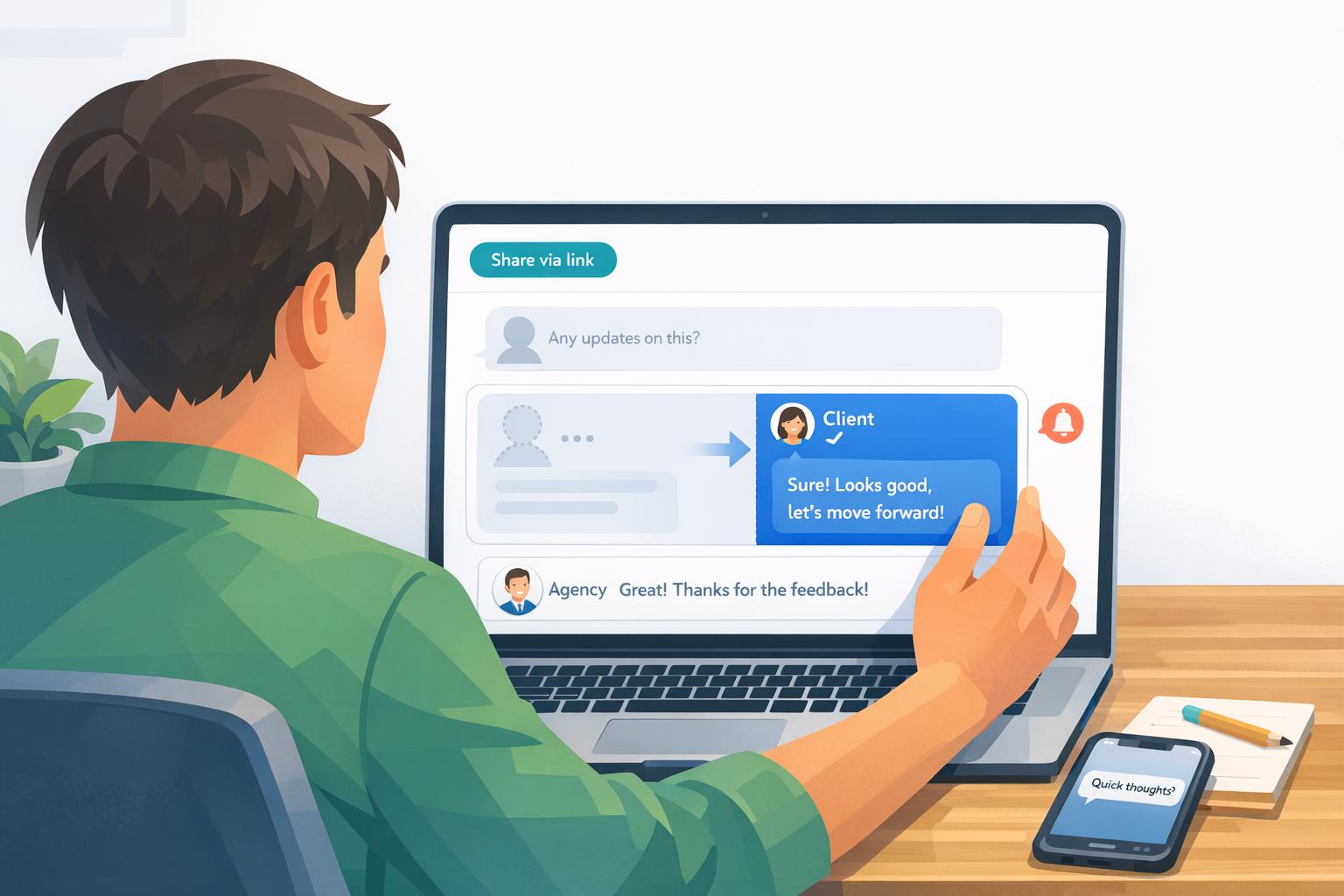
How To Handle Ghosting During Design Reviews
Ghosting during design reviews happens when clients stop responding, causing stalled projects, wasted time, and financial strain. The key to avoiding this is setting clear expectations, simplifying feedback, and using tools like BoastImage to streamline communication. If ghosting occurs, follow up strategically with empathetic yet firm messages to re-engage clients. For repeat issues, refine your approach by spotting warning signs early and adjusting your processes to protect your time and resources.
Key Takeaways:
- Prevent Ghosting: Include all decision-makers, set clear deadlines, and simplify feedback tools.
- Tools to Help: Use platforms like BoastImage for centralized, login-free client feedback.
- Follow-Up Tactics: Start with empathetic emails, then escalate urgency while offering easy ways to respond.
- Spot Risks: Watch for clients hesitant about budgets, contracts, or timelines to avoid future issues.
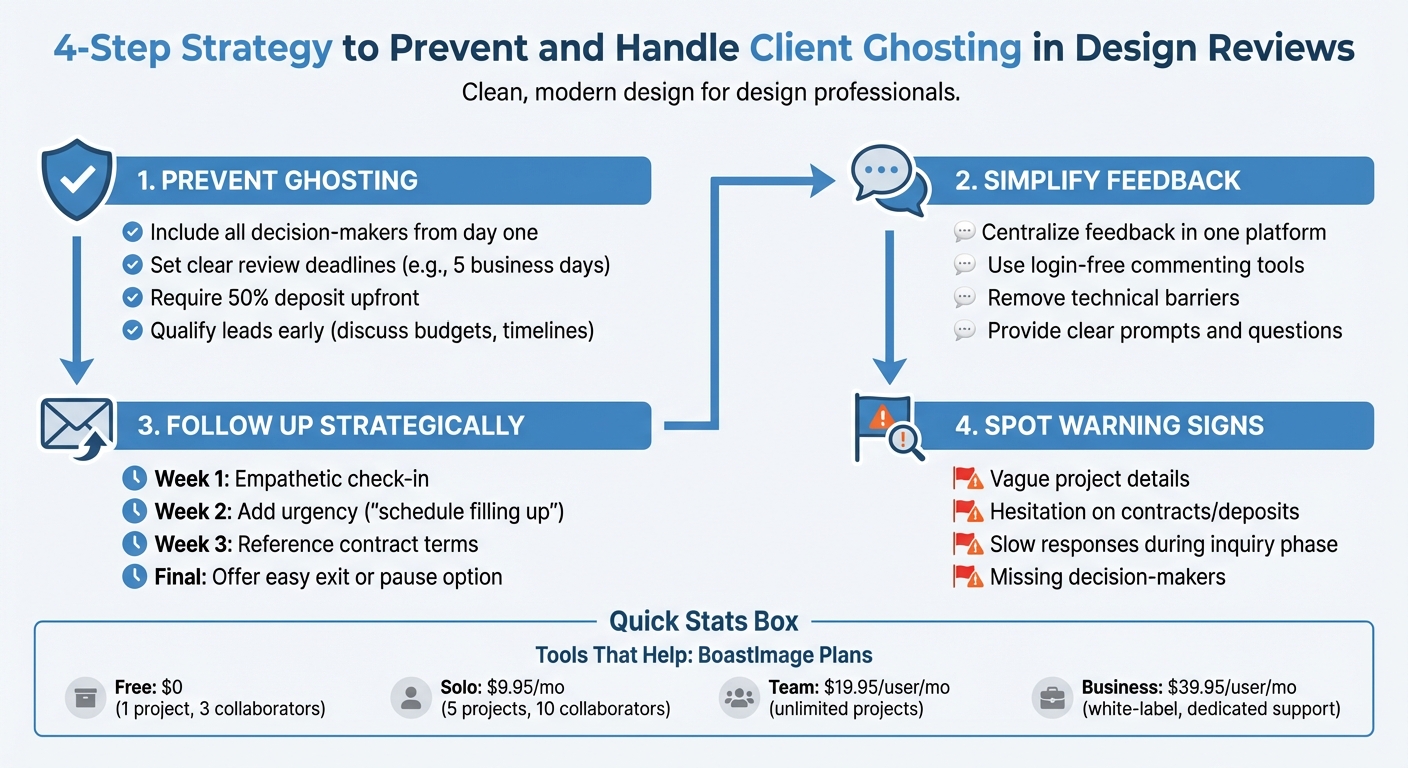
4-Step Strategy to Prevent and Handle Client Ghosting in Design Reviews
5 Reasons You're Getting Ghosted by Clients | And How to Fix Them
sbb-itb-32f6eb2
How to Prevent Client Ghosting
The easiest way to deal with ghosting is to stop it from happening in the first place. Most clients don’t vanish because they’re difficult - they often disappear when the feedback process feels unclear or overly complicated. By laying out clear expectations and making it easy for clients to provide input, you can greatly reduce the chances of them going silent.
Set Clear Expectations from the Start
Ghosting often stems from confusion or a lack of involvement from key decision-makers. Interior designer Renée Biery offers a straightforward solution:
Insisting that [all decision makers] are a part of all emails, meetings, etc., so that they are dialed in from the beginning... I truly recommend you implement this if you aren't already.
From the outset, include every stakeholder in the approval process. If a client mentions their business partner, spouse, or another key player needs to be involved, make sure they’re looped into all emails and meetings right away. This avoids situations where one person signs off on a project, only for someone else to reject it later.
It’s also smart to qualify leads early by discussing timelines, budgets, and decision-makers. UI/UX designer Matt Olpinski highlights a common pitfall:
If a freelance client is surprised by the cost of the project, it's because you didn't adequately discuss their budget or your pricing, and only included those details in the proposal.
To avoid delays, set clear review deadlines in your proposal. For instance, specify that clients have five business days to provide feedback or approve the next step. This creates a sense of urgency and keeps the project moving. Instead of ending conversations with vague phrases like "let me know what you think", try something more direct, like, "I'll follow up on Thursday to finalize the next phase."
Another effective strategy is requiring a 50% deposit before starting work. When clients have already invested financially, they’re much less likely to disappear.
Once expectations are clear, the next step is simplifying how clients give feedback.
Make the Feedback Process Simple for Clients
Even with clear expectations, a complicated feedback process can become a roadblock. When communication is scattered or feedback tools are overly technical, comments can get lost, and clients may disengage.
To solve this, centralize feedback in one easy-to-use platform where clients can provide input directly on designs. Tools like BoastImage are designed for this. Clients simply click a link and leave comments on specific design elements - no accounts, training, or confusing dashboards required.
Behind the scenes, BoastImage offers features like version control, task management, and Kanban boards to keep your team organized. But for the client, the process stays simple and intuitive. By removing technical barriers, you make it easier for clients to stay engaged and less likely for them to ghost.
Using BoastImage to Reduce Ghosting
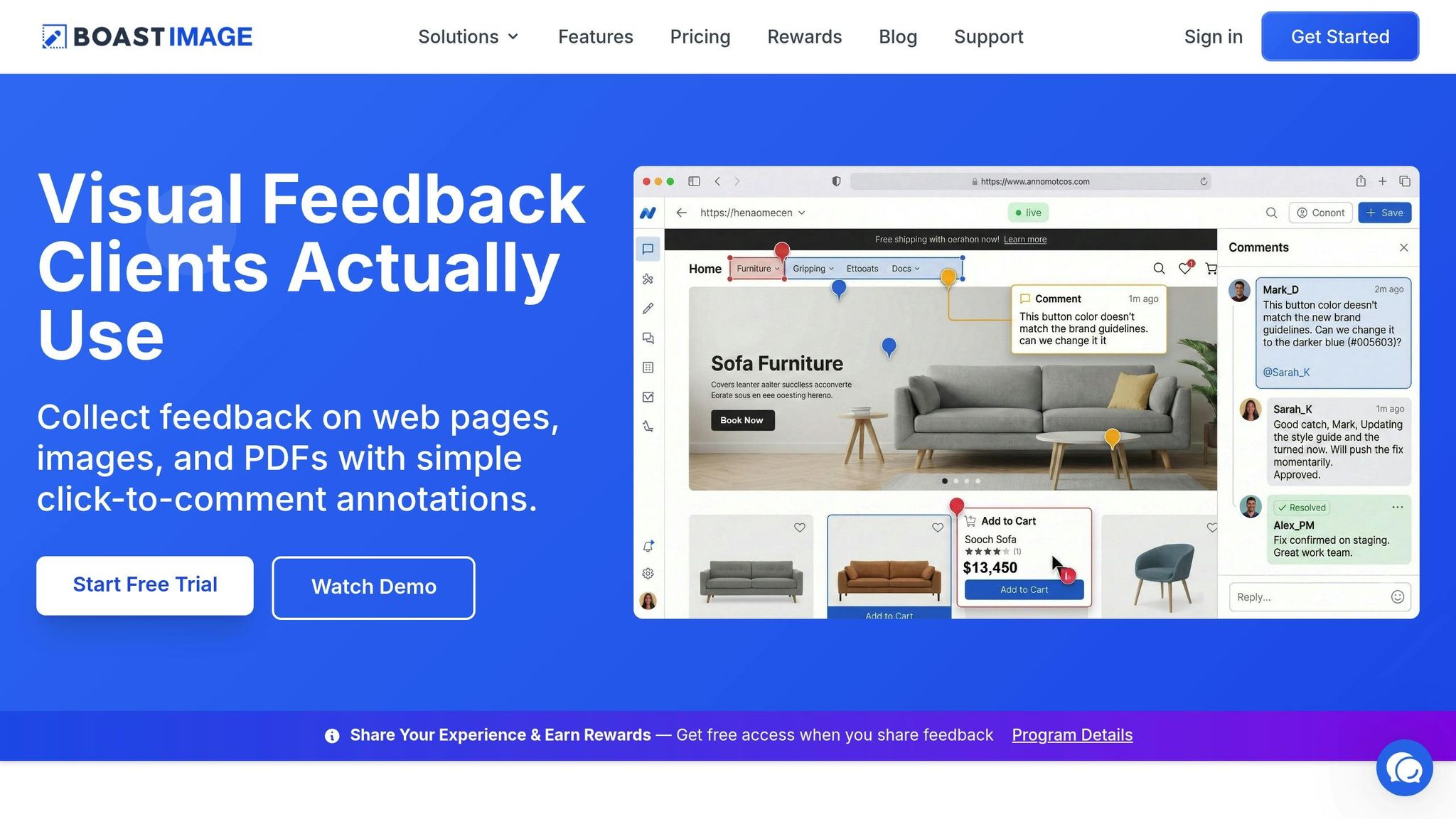
When clients go silent during design reviews, the feedback process can quickly become frustrating and inefficient. BoastImage tackles this problem by breaking down the barriers that often lead to clients dropping out.
Features That Simplify Client Feedback
One major hurdle for clients is the need to create yet another account. BoastImage solves this with its login-free commenting feature. Instead of requiring passwords or profiles, clients simply click a link, view your design, and leave comments directly on specific elements. It’s quick, easy, and eliminates the confusion that can come with more traditional review systems.
Public sharing links further simplify the process by centralizing all feedback in one place. This prevents important input from getting lost in scattered emails, chat threads, or phone calls.
Another standout feature is unlimited external collaborators on all paid plans. This allows you to bring in additional decision-makers without worrying about extra costs. By including all stakeholders early in the process, you reduce the risk of late-stage rejections caused by incomplete feedback.
Tools to Keep Teams Organized
While the client-facing side of BoastImage is designed for simplicity, the platform equips your team with powerful tools to manage feedback efficiently. Version control ensures everyone is working from the latest design iteration, avoiding confusion caused by outdated files.
For internal organization, features like Kanban boards and task management help track project progress and assign responsibilities. These tools create a clear audit trail of feedback and approvals, keeping projects transparent and on schedule. Together, these features align client convenience with team productivity.
Flexible Plans for Every Team Size
BoastImage offers plans tailored to a range of users - from solo freelancers to large agencies:
| Plan | Price | Best For | Key Features |
|---|---|---|---|
| Free | $0 | Testing and individuals | 1 active project, 5 items per project, 3 external collaborators, 5GB storage |
| Solo | $9.95/month | Freelancers | 5 active projects, unlimited items, 10 external collaborators, version control, Kanban view |
| Team | $19.95/user/month | Small agencies | Unlimited projects, unlimited collaborators, project permissions, custom branding |
| Business | $39.95/user/month | Large agencies | Unlimited storage, full white-label branding, audit logs, dedicated success manager |
All paid plans include unlimited external collaborators, meaning you can involve as many stakeholders as needed without impacting your budget.
How to Follow Up When Clients Ghost
When clients go silent, it’s essential to take the right steps to get things back on track. Even with clear expectations and feedback tools that prevent ghosting, silence can still happen. The key is to approach the situation thoughtfully. Start with a friendly check-in rather than a forceful reminder. Assume the client might be overwhelmed or caught up in other priorities instead of deliberately ignoring you. A gentle tone keeps the conversation open and professional.
Writing Effective Follow-Up Emails
Your follow-up emails should gradually increase in urgency. For instance, you might send one follow-up after a week, then another after two weeks. Each email should build urgency without being overbearing.
For the first email, focus on showing empathy. Brand strategist Jennifer Bourn suggests asking something like:
Are you okay? Has there been an emergency or unexpected tragedy? This behavior is unusual, and I hope everything is okay.
This kind of message can often encourage replies from clients who might feel embarrassed about their lack of communication or are simply overwhelmed.
If empathy doesn’t work, shift gears to emphasize urgency. Suzanne Ctvrtlik from Freelancing Labs recommends framing it like this:
My schedule is filling up for this quarter, and I'll only be able to take on one or two more clients. So please let me know if you're still interested.
This approach not only protects your time but also gives the client a clear reason to respond.
For clients with dormancy clauses in their contracts, a professional reminder can help. For example:
As of [DATE], your project will meet the dormancy terms of our contract. If that happens, your project will be archived and an additional [FEE AMOUNT] reactivation fee will be required to restart the project.
This type of message reminds clients of their contractual obligations while maintaining a professional tone.
Finally, always give clients an easy way out. Tom May, writing for Creative Boom, advises:
Priorities change, so if you need to pause or reschedule, just let me know. Otherwise, I'm ready to move forward whenever works for you.
This approach makes it easier for clients to be honest about their intentions, reducing unnecessary back-and-forth.
If all else fails, send a final email stating that the project will be put on hold unless you hear back. This allows you to move forward without compromising your professionalism.
Encouraging Faster Responses
To get quicker replies, streamline your communication process. Make it easy for clients to respond by ending each message with a specific action and deadline. For example, instead of saying, "Let me know what you think", try:
I'll follow up on Thursday to confirm your readiness to proceed.
If emails don’t work, switch to another platform. A phone call, voicemail, or even a text message might get a faster response.
Another helpful tactic is to provide clear prompts or questions to guide their feedback. Clients often delay responding because they’re unsure how to express their thoughts. By giving them a starting point, you make it easier for them to engage with you.
Dealing with Repeat Ghosting
When ghosting becomes a recurring issue, it’s time to rethink how you handle and prioritize client relationships. Some clients will vanish no matter how clear your communication is. If this happens often, focus on working with those who respect your time instead of chasing after unresponsive leads.
Spotting Clients Who Are Likely to Ghost
There are certain red flags that can help you identify clients who might disappear. For instance, vague project details are a major warning sign. Clients who avoid discussing budgets, timelines, or key objectives often lack the clarity needed to move forward. As Tom May points out:
The client who is vague about budgets, pushes back on basic terms or seems reluctant to commit to timelines is waving a warning flag.
Another clue is hesitation around signing contracts or making deposits. These clients often vanish when it’s time to provide feedback or make decisions. Similarly, if a client is slow to respond during the inquiry or proposal phase, you can expect delays during critical stages like reviews. Lastly, if key decision-makers aren’t involved from the start, the project is likely to hit roadblocks later on.
By recognizing these signs early, you can adjust your approach and avoid wasting time on unreliable clients.
Adjusting Your Approach
Once you’ve identified potential ghosters, tweak your process to reduce the impact. For starters, set expiration dates on proposals. This ensures that your offers or start dates remain valid for a limited time, encouraging clients to act quickly. To protect your finances, include milestone payments and "kill fees" in your contracts. These measures can help offset losses if a client disappears mid-project.
If a repeat ghoster comes back, don’t jump right back into work. Schedule a reactivation meeting to confirm their renewed commitment. Be clear that the project won’t simply resume where it left off. As Renée Biery explains:
You need to set clear expectations that there is going to be time spent reactivating this project... trades move on. And just because they've called and want to restart, that doesn't mean everybody is available.
Finally, consider using tools that track client engagement. When clients know their involvement is being monitored, they’re more likely to stay accountable and provide timely feedback. These small adjustments can make a big difference in managing repeat ghosting.
Conclusion
Client ghosting during design reviews doesn’t have to throw your projects off track. Start by setting clear expectations from the very beginning. Simplify the feedback process and use tools that make collaboration easy. Involve all key stakeholders, create a thorough project brief, and agree on revision limits upfront to avoid misunderstandings that might lead to clients disappearing.
The feedback process itself should be as smooth as possible. Complicated tools or scattered communication can make clients disengage. Tools like BoastImage and MarkUp.io simplify the experience - clients can click a link and comment directly on your work without needing an account or special training, while your team benefits from streamlined workflows behind the scenes.
If a client goes silent, follow up strategically. As Jennifer Bourn explains:
Creating your site is a partnership and with honest, open, clear communication, we can ensure that we're all on the same page, moving in the right direction, and working toward the same goal.
For recurring issues with ghosting, consider refining your approach. Spot early warning signs like vague project details, reluctance to commit to contracts, or missing decision-makers. Adjust your process by requiring upfront deposits, setting proposal expiration dates, and, when necessary, walking away from clients who repeatedly waste your time.
FAQs
What should my contract include to reduce ghosting?
To reduce the chances of ghosting, make sure your contract clearly spells out the details: how many revision rounds are included, what counts as a revision, and how additional revisions will be charged. Setting these boundaries upfront helps manage expectations and motivates clients to provide feedback on time.
When should I pause a project if a client won’t respond?
If a client remains unresponsive despite multiple follow-ups over a reasonable timeframe - usually about 1–2 weeks - it might be time to pause the project. This window gives them ample opportunity to respond before you take further action. Setting clear expectations and deadlines upfront can go a long way in avoiding miscommunication and unnecessary delays.
How can I get faster, clearer feedback from non-technical clients?
Simplify how you gather feedback by setting clear expectations from the start. Tools like BoastImage can make it easy for clients to comment directly on designs - no logins, no complicated steps. This reduces hassle and speeds up the process.
Be upfront about goals, the number of revision rounds, and any extra costs for additional changes. Consolidate all feedback in one place to avoid confusion. When you remove obstacles, clients are more likely to provide timely, detailed input, making the review process much smoother.