Checklist for Clear Feedback Requests
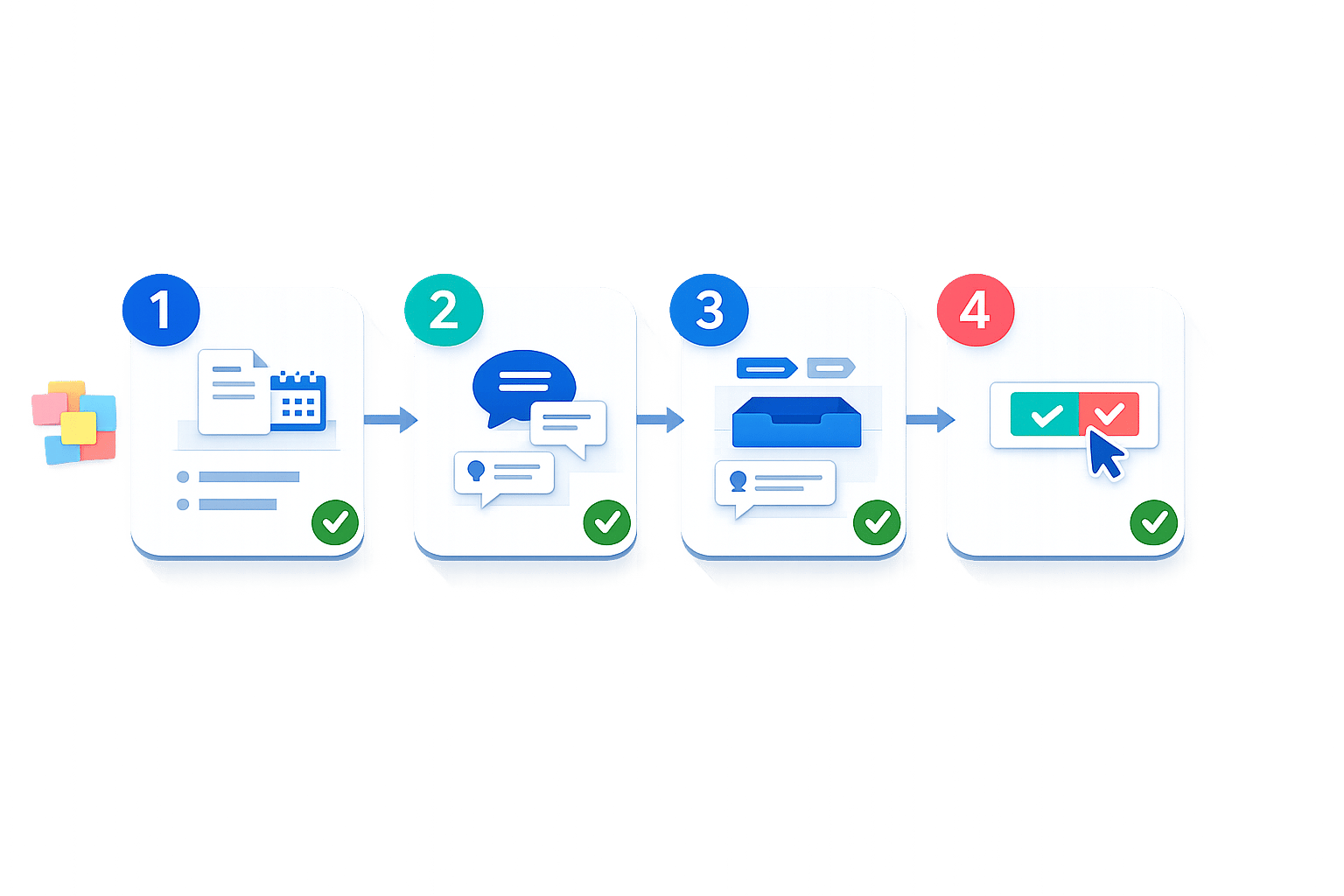
Vague feedback wastes time and leads to endless revisions. This article outlines a structured approach to requesting and managing feedback effectively, reducing confusion and revision cycles. Here's the gist:
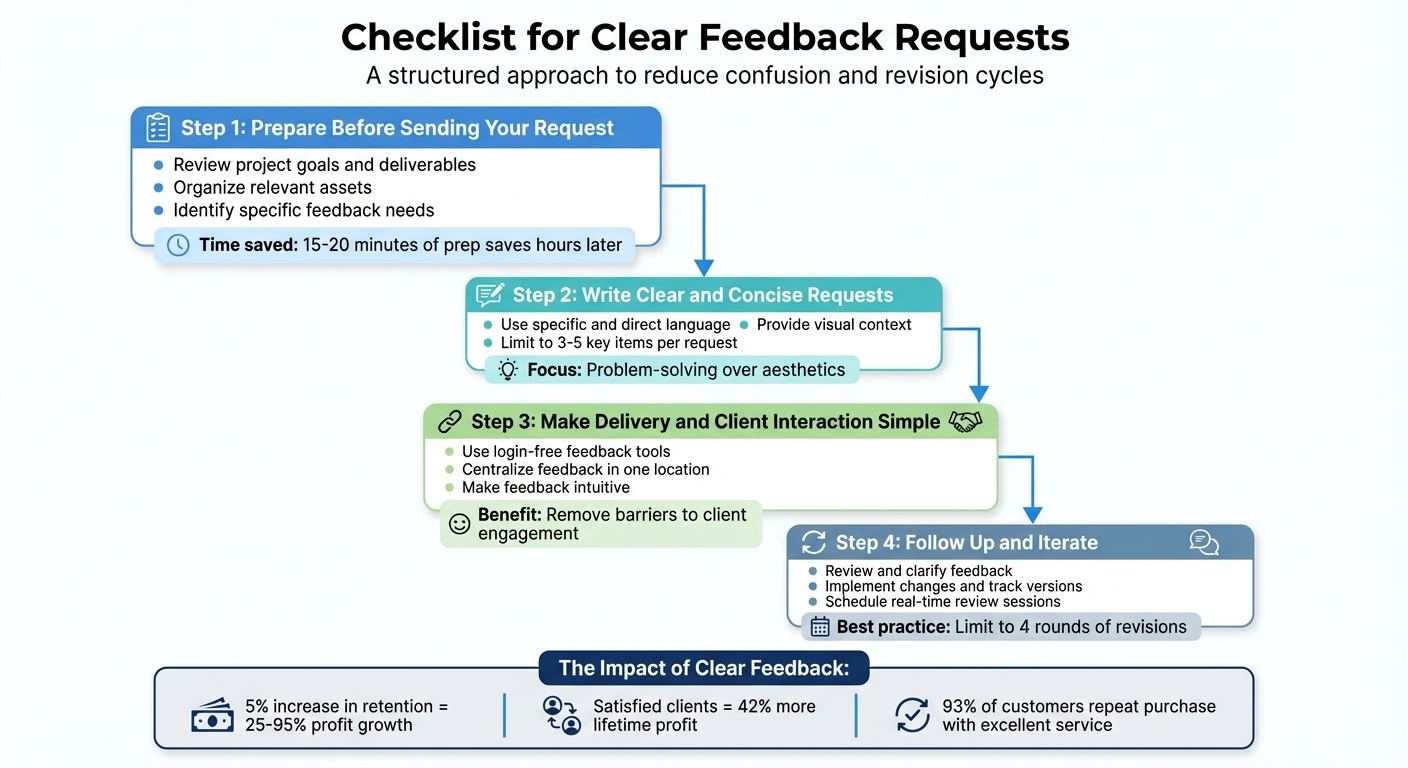
- Prepare Before Asking: Clarify project goals, organize assets, and specify what feedback you need.
- Write Clear Requests: Use direct language, provide visual context, and limit feedback to 3-5 key points.
- Simplify Client Interaction: Use login-free tools, centralize feedback, and make the process intuitive.
- Follow Up and Act: Review feedback carefully, track changes systematically, and set clear revision limits.
4-Step Process for Clear Feedback Requests
The 5 rules of great design feedback
sbb-itb-32f6eb2
Step 1: Prepare Before Sending Your Request
Taking the time to prepare before asking for feedback can mean the difference between receiving actionable insights or vague suggestions. Rachel Bastarache, Video Editor at Renegade Digital Post, puts it perfectly:
"The more you can discover what your client wants before beginning to work, the less you'll have to discover later through the revision process."
Spending just 15–20 minutes organizing your draft can save you hours of back-and-forth later.
Review Project Goals and Deliverables
Start by revisiting the key details of the project. Think about the target audience, the intended tone, and the main message. Make sure that elements like visual hierarchy, color choices, and tone align with these goals. To keep things crystal clear, include a brief summary of the project. This should cover the project name, objectives, and a link to the full creative brief. A quick reminder about sticking to the original goals can also help avoid scope creep.
Once the goals are clear, gather everything needed to support them.
Organize Relevant Assets
Collect all the materials your client will need to provide informed feedback. This includes the latest version of your work, brand guidelines, style guides, and any reference materials. If you've made updates based on earlier feedback, include previous versions or side-by-side comparisons to show what’s been implemented.
Keep everything in one place - whether it's a shared drive or a project management tool or MarkUp.io alternative - so it’s easy to access. For web-based projects, include technical details like the browser type, operating system, and device in case the client encounters issues. For video projects, ask clients to reference specific timecodes (in minute:second format) when giving feedback. This avoids confusion about what section they’re referring to.
Finally, define exactly what you need feedback on.
Identify Specific Feedback Needs
Be clear about what kind of feedback you’re looking for. Instead of asking for general opinions, focus on specific questions like, "Does the call to action stand out?" or "Does this color scheme feel professional?" Using the MAP framework (Matter, Attribute, Process) can help structure your request effectively.
Also, make it clear which parts of the project are finalized and which areas still need input. This way, clients can focus their feedback where it’s most needed.
Step 2: Write Clear and Concise Requests
Once your assets are organized and you’ve identified the feedback you need, the next step is creating clear, actionable requests. Instead of focusing on aesthetics, center your feedback on solving design challenges. As Andy Budd, Design Founder and Coach, puts it: "Design is meant to be about problem-solving rather than pretty pictures." Your requests should emphasize whether the design meets its intended purpose, not just its appearance. Pair clear wording with visual cues to guide clients on what to focus on.
Use Specific and Direct Language
Vague questions like "What do you think?" don’t lead to actionable feedback. Instead, ask targeted questions tied to the project’s goals. Avoid using unclear terms like "better" or "stronger." Be precise: for example, "Does this layout make the 'Sign Up' button stand out as intended?"
As ReviewStudio suggests, "Identify the problem, but not the solution." Encourage clients to describe what isn’t working without dictating how to fix it. For instance, instead of saying, "I don’t like this color", guide them to be specific: "This blue doesn’t match our brand; please use the hex code from our style guide."
Provide Visual Context
Words alone can be open to interpretation, especially when discussing visual elements. To avoid confusion, use annotated screenshots, highlighted areas, or side-by-side comparisons to show exactly what needs attention. As ReviewStudio notes, "It's really difficult to achieve clarity, without visual context."
Use tools to draw or add text directly onto the image, pinpointing the areas in question. For video projects, consider screen recordings with audio commentary to demonstrate interactions that static images can’t capture. Annotated before-and-after visuals are also a great way to highlight specific changes. This approach eliminates guesswork and ensures clients don’t have to search through the design to match your feedback with specific elements.
Limit Feedback Requests to 3-5 Key Items
Bombarding clients with too many questions can overwhelm them and lead to unhelpful responses. Rachel Bastarache, Video Editor at Renegade Digital Post, shares her strategy: "By directing them where to look, I help them think constructively about what they're seeing." When you guide their attention to just a few specific elements - like navigation flow or call-to-action placement - they’re more likely to provide thoughtful and actionable input.
Break your review process into smaller, manageable sections instead of asking for feedback on every detail at once. Since most clients aren’t design experts, a structured approach helps them feel confident and focused. Limiting each feedback request to 3-5 key points ensures their responses are detailed and each item gets the attention it deserves.
Step 3: Make Delivery and Client Interaction Simple
Getting timely feedback often has less to do with the quality of your work and more with how easy it is for clients to respond. Complex processes - like multiple logins or confusing interfaces - can slow things down or even stop feedback altogether. Simplifying the experience for your clients ensures smoother communication and faster progress.
Use Login-Free Feedback Tools
Asking clients to create accounts or remember passwords can be a roadblock. Instead, opt for tools that use link-based sharing. With these, clients can simply click a unique URL to view and comment on your work - no logins, no hassle. For example, platforms like Boast (boastimage.com) allow instant access with just one click, making it easier for clients to engage, especially those who aren’t tech-savvy. This removes a common barrier and keeps things moving efficiently.
Centralize Feedback in One Location
When feedback comes from multiple channels - like emails, Slack messages, or texts - it’s easy to lose track of details or accidentally act on outdated information. A centralized platform solves this problem by keeping all feedback in one place. This ensures version history is intact, discussions remain organized, and everyone works from the same set of updates. By consolidating feedback, you reduce confusion and maintain a clear path forward.
Make Feedback Intuitive
Clients shouldn’t need a tutorial to provide feedback. The best tools make the process simple and visual. Features like click-to-comment let clients mark exactly what needs attention, eliminating the need for long, unclear descriptions. For video projects, timecode-specific comments (e.g., "at 2:34") make it easy to pinpoint moments instead of vague references like "the part with the music." When the feedback process is straightforward and precise, clients are more likely to provide actionable input that helps you improve the final product.
Step 4: Follow Up and Iterate
Feedback is just the starting point - what really matters is how you act on it. Without a clear plan, revisions can spiral endlessly. The key is to analyze client feedback carefully and ensure it aligns with the project’s goals before diving into changes.
Review and Clarify Feedback
Once you’ve gathered feedback, use a design feedback checklist to review and clarify it. Vague comments like "make it pop" or "this looks odd" can be frustrating, but they’re also an opportunity to dig deeper. Translate these phrases into actionable steps. For example, does "make it pop" mean adjusting colors, increasing contrast, or reworking the layout? If a section "looks odd", ask whether the issue is with the spacing, the font size, or something else entirely.
Always compare feedback to your original project brief. As Infinum puts it:
While reviewing this proposal, please start by returning to the original goal to help filter the feedback. It will also help us avoid the scope creep.
This method keeps you focused on the project’s purpose and avoids unnecessary detours. For technical issues like bugs, be specific when asking for details. Request the exact steps the client took, along with information like their browser, operating system, and any error messages. This clarity saves time and reduces back-and-forth troubleshooting.
Implement Changes and Track Versions
Once the feedback is clear, start making changes - but do so systematically. Save each revision as a separate version to avoid confusion. Use tools that track version history and feedback in one place, ensuring everyone is working with the latest file. Platforms like BoastImage make this process seamless by maintaining a clear workflow behind the scenes while offering clients a straightforward, no-login-required experience.
Side-by-side comparisons are helpful to confirm all requested changes before sharing updates. To avoid endless revisions, set boundaries upfront. For instance, video editor Rachel Bastarache from Renegade Digital Post shares:
Personally, I like my feedback process to take no longer than four rounds of back and forth notes.
Clear limits encourage clients to consolidate their feedback instead of trickling in minor changes over time. If revisions stall or feedback remains unclear, it might be time for a direct conversation.
Schedule Real-Time Review Sessions
When feedback is complex or contradictory, real-time review sessions can be a game-changer. These live discussions are a great complement to the structured, asynchronous feedback process you’ve already established. They’re especially useful at key project milestones or when written communication isn’t cutting it.
Before the session, revisit the project’s goals and gather previous versions to show how the work has evolved. During the meeting, use the "Observation-Impact-Question" framework to guide the conversation. For example, instead of simply reacting to “the logo doesn’t work,” you could say, “The logo is in the top left corner. It’s getting lost against the dark background. How can we make this more prominent?”
This structured approach keeps the discussion focused on solving the problem while giving your team room to propose effective solutions.
Conclusion
Clear feedback requests are the cornerstone of strong client relationships. By preparing thoroughly, crafting precise communication, using easy-to-navigate tools, and following up consistently, you show respect for your clients' time while making collaboration smoother.
Consider this: increasing customer retention rates by just 5% can lead to profit growth of 25% to 95%. Satisfied clients generate 42% more lifetime profit, and 93% of customers are likely to make repeat purchases from businesses that deliver excellent service. These aren't just numbers - they reflect the tangible benefits of minimizing friction in the feedback process.
The importance of this approach is echoed by Dr. Bruce Pereira:
The onus for good feedback lays in the person giving feedback, not the person receiving it.
This checklist-driven strategy ensures that responsibility stays with you, the professional. By offering tools like login-free platforms such as BoastImage, providing visual context, or framing structured questions, you remove the hurdles that can slow down projects.
Feedback isn't just a task - it's an ongoing practice:
Feedback is a culture, not a one-time activity.
Every clear request and seamless revision cycle builds trust, teaching clients what effective feedback looks like through action, not instruction.
Try applying this checklist to just one project. Watch as clarity replaces confusion and momentum drives progress. Your creative work deserves a feedback process that matches its caliber, and your clients deserve a collaborative experience that values their time and expertise.
FAQs
What should I include in a feedback request?
When asking for feedback, clarity is key. Provide specific instructions on what you want reviewed - whether it’s the UX, UI, or the content - and explain how the feedback should align with the project’s goals. To avoid confusion, make sure all feedback is collected in a single location. Encourage reviewers to share actionable and constructive comments, and set clear deadlines to keep the process moving smoothly. This approach helps ensure the feedback you receive is both precise and useful, making revisions much easier.
How do I turn vague feedback into clear actions?
To transform vague feedback into something useful, make it clear, detailed, and to the point. Start by revisiting the project brief to ensure everyone is aligned on the goals. Then, organize your feedback in a logical manner, highlighting specific issues or areas that need attention. Use precise language to describe what’s working, what isn’t, and why. When you break your feedback into actionable steps, it becomes easier for collaborators to address concerns effectively and avoid misunderstandings.
How many revision rounds should we allow?
Allowing around three rounds of revisions is generally a good practice. Setting a firm limit like this helps keep feedback focused and actionable, prevents projects from dragging on, and ensures everything stays on schedule. Clear boundaries like these also help maintain momentum, making the entire process smoother for everyone involved.