Announce launch of BoastImage and why its different
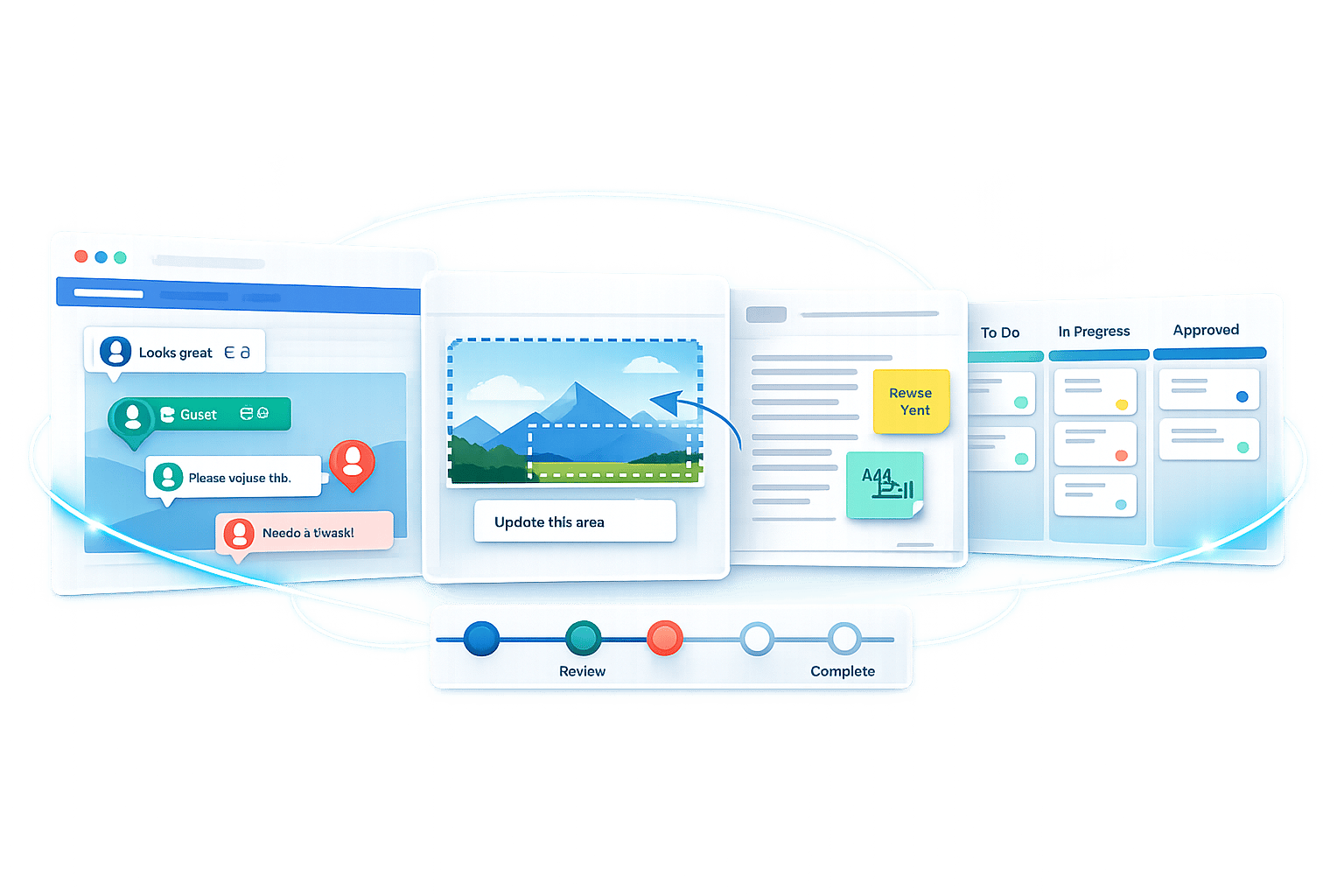
BoastImage is a new tool designed to simplify how agencies, freelancers, and teams gather feedback from clients on web pages, images, and PDFs. Unlike traditional tools that frustrate clients with logins, confusing setups, or complex dashboards, BoastImage offers a quick, no-login feedback process. Clients simply click a link, leave comments directly on the content, and submit their thoughts in seconds. Meanwhile, teams gain access to advanced tools like version control, Kanban boards, and task management to keep projects organized.
Key Features:
- No-login feedback for clients: Clients can leave comments instantly without creating accounts.
- Version control: Keeps all feedback tied to the correct project version.
- Centralized feedback: Eliminates scattered feedback across emails and chats.
- Unlimited external collaborators: Paid plans allow unlimited client reviewers without extra cost.
- Supports multiple formats: Works with web pages, images, and PDFs.
By removing barriers for clients and offering robust tools for teams, BoastImage helps reduce miscommunication, speed up approvals, and keep projects on track. Pricing starts at $0 for basic use, with advanced features available in paid plans. A 14-day free trial is also offered.
The Problems BoastImage Solves
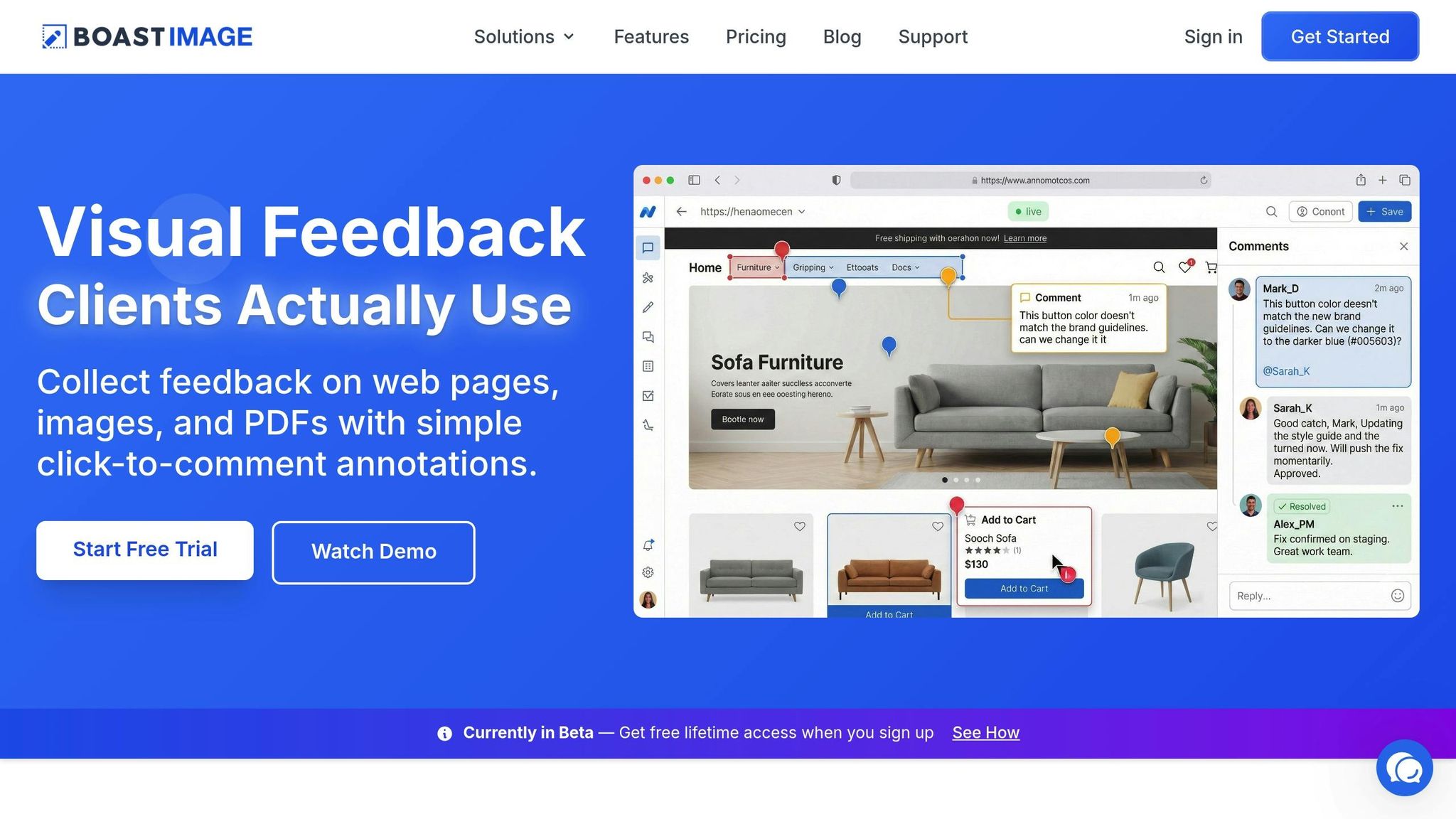
Miscommunication and disorganized feedback can bring creative projects to a standstill. Whether it's unclear client instructions like "make it pop" or confusion over which version of a file is being reviewed, these issues are all too common. Here's how BoastImage tackles these headaches and streamlines the feedback process.
Making Feedback Clearer
Roughly 38% of freelancers point to unclear client directions as one of their biggest challenges. It's not that clients don't care - they often struggle to articulate exactly what's wrong. For instance, saying "the logo feels off" leaves designers guessing: Is it the size? The color? The placement?
BoastImage solves this by letting clients pinpoint the exact spot on a design where they see an issue. They can click directly on the problem area, leave a comment explaining their concern, and submit it. This results in clear, actionable feedback instead of vague statements.
Keeping Versions Organized
Another major pain point is managing feedback across multiple versions of a project. When feedback is scattered across emails, chats, and random notes, it’s easy to lose track of what applies to which version. This chaos can lead to delays and frustration.
BoastImage simplifies this with centralized version control. Every version of a project and its associated feedback is stored in one place. When a new version is uploaded, clients automatically see the latest file through a shared link. This setup makes it easy for teams to match comments to the correct version and focus on moving the project forward.
Preventing Client Drop-Off
Sometimes, the biggest hurdle is just getting clients to engage. Complicated login processes or clunky interfaces can discourage them from providing feedback altogether.
BoastImage eliminates these obstacles by offering a frictionless experience. Clients don’t need to create an account or log in - they simply click a link and can leave their comments instantly from any device. This ease of use ensures clients stay involved and projects keep moving.
What Makes BoastImage Different
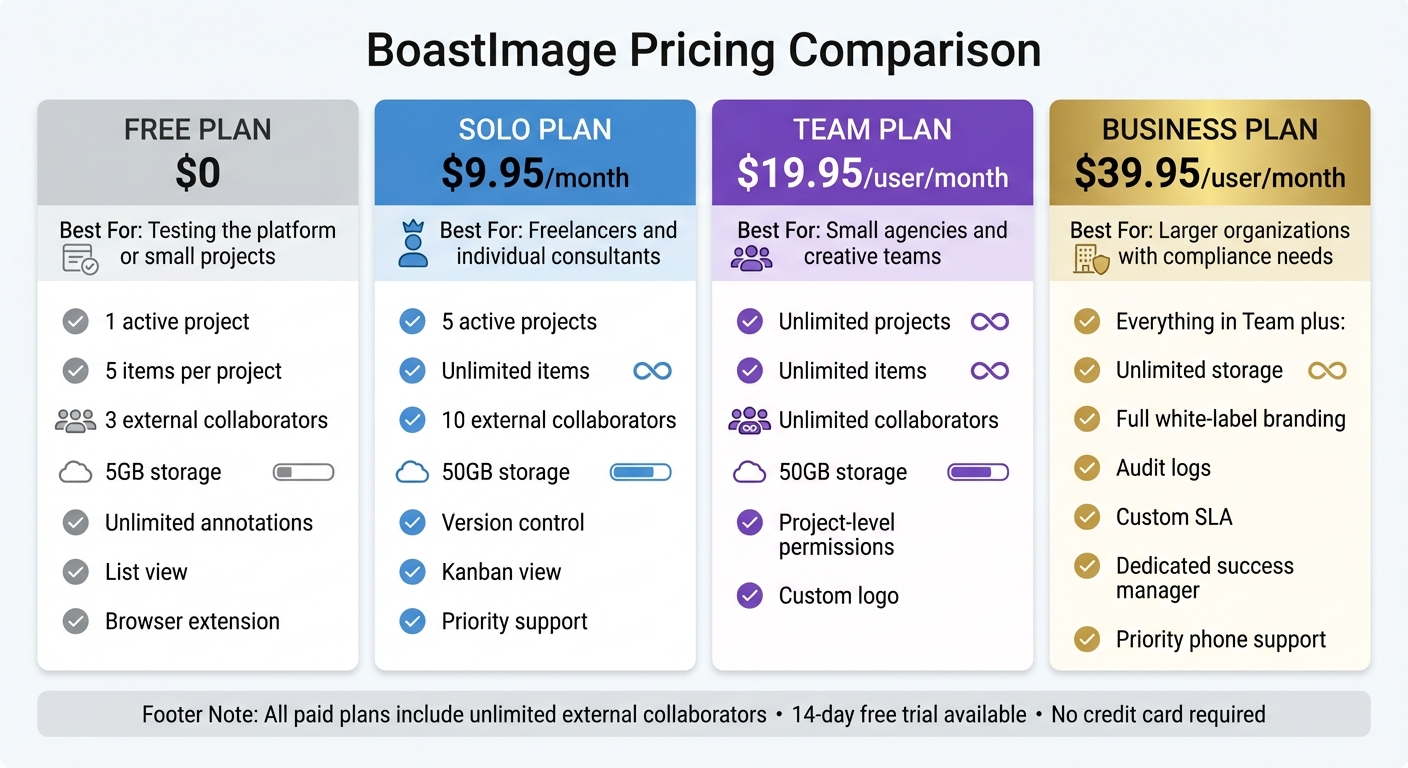
BoastImage Pricing Plans Comparison: Features and Costs
BoastImage sets itself apart by blending ease of use for clients with powerful tools for teams, all designed to simplify the feedback process.
No-Login Access for Clients
Clients can share their feedback immediately - no need to create accounts, remember passwords, or undergo any training. They just click a link, land on a hosted page or embedded form, and submit their comments directly. This intuitive process works seamlessly across devices - smartphones, tablets, or desktops. To ensure feedback requests aren't missed, automated email and SMS reminders are built into the system.
Advanced Tools for Internal Teams
While clients enjoy a straightforward interface, your team gets access to a robust suite of tools. Feedback is organized with Kanban boards, allowing you to categorize tasks into columns like "In Progress" or "Approved." Version control keeps all iterations and their associated comments in one place, so you’ll never lose track of which feedback applies to which version. Plus, multi-project management ensures that comments and files from different clients remain neatly separated.
Teams can also filter responses by tags, locations, or staff members, helping prioritize tasks and track sentiment effectively. Conditional logic further simplifies forms by tailoring follow-up questions based on client responses - for instance, prompting happy clients to share a testimonial while directing complaints to your support team.
Unlimited External Collaborators on Paid Plans
Every paid plan includes unlimited external reviewers. Whether it’s your client, their legal advisor, or their marketing lead, everyone can contribute without impacting your costs. Pricing is based on the number of internal team members, not on the number of clients.
Agencies benefit from the ability to manage multiple client accounts from a single login, making it easy to oversee various projects without hassle. This flexibility ensures smooth collaboration and efficient project management.
Compatibility with Web Pages, Images, and PDFs
BoastImage supports feedback on web pages, images, and PDFs with precision. Using a browser extension, you can capture live websites for review, while static files can be uploaded directly. Clients can annotate any format with pinpoint accuracy, and your team can manage everything from a centralized dashboard.
The platform also offers various rating formats - 5-star scales, Net Promoter Score (NPS), thumbs up/down, and more - allowing clients to provide feedback in ways that feel natural to them. All forms are mobile-friendly and responsive, ensuring a consistent experience across devices.
Pricing Plans and Features
| Plan | Price | What You Get | Best For |
|---|---|---|---|
| Free | $0 | 1 active project, 5 items per project, 3 external collaborators, 5GB storage, unlimited annotations, list view, browser extension | Testing the platform or small projects |
| Solo | $9.95/month | 5 active projects, unlimited items, 10 external collaborators, 50GB storage, version control, Kanban view, priority support | Freelancers and individual consultants |
| Team | $19.95/user/month | Unlimited projects, unlimited items, unlimited collaborators, 50GB storage, project-level permissions, custom logo | Small agencies and creative teams |
| Business | $39.95/user/month | Everything in Team plus unlimited storage, full white-label branding, audit logs, custom SLA, dedicated success manager, priority phone support | Larger organizations with compliance needs |
All paid plans include unlimited external collaborators, meaning external reviewers won’t count against your internal user limit. A 14-day free trial is available, and no credit card is required.
Next, discover how agencies and freelancers make the most of these features to achieve faster approvals and clearer communication.
sbb-itb-32f6eb2
How Agencies and Freelancers Use BoastImage
BoastImage offers tools that make collaboration between agencies, freelancers, and clients smoother and more efficient. Its practical features simplify workflows for creative professionals who rely on timely feedback to keep projects moving.
Getting Faster Client Approvals
With BoastImage, vague feedback emails are a thing of the past. Clients can click directly on specific design elements to leave annotations, making it clear what needs to be adjusted. This targeted feedback cuts down on endless back-and-forths. Both live and static file annotations help streamline the approval process. Did you know that 57% of creative teams go through 3–5 versions of a project before getting final approval? On top of that, 43% often get feedback on outdated versions. BoastImage’s version control keeps everything organized, so teams always work on the most up-to-date file. The result? Faster approvals and fewer communication hiccups.
Reducing Miscommunication
Instead of chasing scattered feedback across emails, chats, and notes, BoastImage centralizes it all in one place. Visual annotations act as a universal language, making it easier for technical teams and non-technical clients to stay on the same page. Automated email and SMS reminders gently nudge clients to respond without seeming pushy, reducing the chances of being ghosted. Plus, conditional logic personalizes follow-ups based on client responses - like asking happy clients for testimonials. By improving clarity and organization, BoastImage not only speeds up approvals but also makes the overall feedback process smoother for everyone involved.
Creating Professional Client Experiences
BoastImage helps agencies maintain a polished, professional image throughout the client journey. Custom branding allows agencies to add their logos and colors to forms and landing pages, ensuring consistency with their brand identity. The platform’s mobile-first design ensures clients can provide feedback quickly and easily, no matter what device they’re using. An ad-free experience, combined with GDPR/CCPA compliance, builds trust, while the login-free interface removes frustrating barriers that often lower response rates. These thoughtful touches make the feedback process seamless and professional, reflecting BoastImage’s dedication to improving client collaboration.
Why BoastImage Changes Client Feedback
BoastImage redefines client feedback by focusing on what truly matters: the client experience. Instead of creating a tool that works well for teams but feels cumbersome for clients, BoastImage flips the script. The result? Higher response rates, quicker approvals, and fewer projects stuck in limbo.
Gone are the usual hurdles - no logins, dashboards, or complicated instructions. Clients simply click a link and, within 30 seconds, leave their visual feedback. This design, which has already been embraced by over 10,000 organizations and used to collect more than 200,000 customer stories, speaks volumes about its effectiveness.
Behind this smooth client-facing experience lies a powerhouse of organizational tools for teams. Features like automated email and SMS reminders keep projects on track, while conditional logic ensures clients only see the most relevant questions.
What makes this even better? Clients never see the complexity. While agencies use tools like Kanban boards, version tracking, and task assignments to manage projects, clients are met with a simple, mobile-friendly interface. This balance between simplicity for clients and efficiency for teams is what sets BoastImage apart.
And the results back it up. For example, one organization used BoastImage's automated links to gather 30 high-quality video testimonials from 130 participants - no manual interviews required. By prioritizing the needs of feedback providers, BoastImage consistently boosts engagement and delivers results.
FAQs
How does BoastImage make collecting client feedback easier and more effective?
BoastImage makes collecting feedback a breeze by removing obstacles like account sign-ups and complicated portals. Clients can share their thoughts instantly using a simple, mobile-friendly link - no login needed. This hassle-free approach boosts response rates and cuts down on delays.
The platform is packed with features to make feedback more useful and actionable. Tools like conditional logic, multi-page forms, and the ability to upload videos or photos allow clients to provide detailed input. Automated email and SMS reminders ensure clients stay engaged and don’t miss their chance to respond. All submissions are stored in a single, version-controlled hub, so there’s no risk of confusion or outdated files.
By ditching outdated, clunky methods, BoastImage creates a smooth, efficient feedback process that delivers quicker and more meaningful insights.
What features of BoastImage make it a valuable tool for internal teams?
BoastImage makes gathering feedback for internal teams a breeze with its hassle-free, no-login system. Teams can design branded forms effortlessly using an intuitive drag-and-drop builder. This builder includes features like conditional logic, multi-page layouts, and pre-built survey templates such as NPS®, CSAT, and CES, ensuring the right questions are always asked. Plus, teams can collect rich media like videos and photos without the need for extra software.
To improve response rates, BoastImage offers automation tools like email and SMS reminders, while real-time notifications keep everyone in the loop about new submissions. Feedback is easy to manage with options to organize it by project or location and assign team members to specific accounts. A centralized dashboard simplifies the review, approval, and publishing process, cutting down on manual work and saving valuable time.
Once feedback is collected, post-collection tasks are streamlined too. Automatic video subtitles enhance accessibility, Zapier integration connects seamlessly with CRMs or marketing tools, and embeddable widgets make it simple to display testimonials on websites. These features not only boost completion rates but also help teams maximize the value of client feedback - all within one user-friendly platform.
What file formats does BoastImage support, and how does it ensure compatibility?
BoastImage supports a variety of file formats, making it simple to work on your projects without worrying about compatibility issues. The platform’s user-friendly system ensures clients can upload and review files effortlessly, streamlining the feedback process.
For detailed information on supported formats or if you need any help, check out BoastImage’s documentation or reach out to our support team for tailored assistance.