
Top 10 Visual Feedback Tools for Agencies 2026
Visual feedback tools are essential for agencies to manage client reviews efficiently. They let clients annotate directly on designs, websites, or documents, reducing confusion and streamlining approvals. Here's a quick look at the top tools for 2026, focusing on ease of use, features, and pricing:
- Boast: Login-free, simple for clients; starts at $9.95/month.
- Huddlekit: Mobile-friendly annotations; starts at $19/month.
- BugHerd: Point-and-click bug tracking; starts at $39/month.
- Marker.io: Detailed bug reporting with session replay; starts at $49/month.
- Zonka Feedback: On-page surveys for user feedback; starts at $79/month.
- Zipboard: Best for multilingual projects; starts at $29/month.
- GoVisually: Focused on design and video proofing; starts at $15/month.
- Mopinion: Advanced feedback analytics; starts at $299/month.
- BugSmash: Lightweight, easy-to-use tool; starts at $15/month.
- Hotjar: Behavioral analytics with heatmaps; free for up to 200K sessions.
Quick Comparison:
| Tool | Starting Price | Client Login Required | Best Use Case | Main Features |
|---|---|---|---|---|
| Boast | $9.95/month | No | Web pages, images, PDFs | Login-free, version control, Kanban boards |
| Huddlekit | $19/month | No | Responsive design testing | Mobile annotation, breakpoint switcher |
| BugHerd | $39/month | No | Bug tracking on websites | Point-and-click, task management |
| Marker.io | $49/month | No | Web apps and QA | Session replay, integrations |
| Zonka | $79/month | No | User feedback collection | Surveys, AI tagging, multilingual support |
| Zipboard | $29/month | Yes | Multilingual and localization projects | Annotation tools, task tracking |
| GoVisually | $15/month | No | Design proofing | Video commenting, version comparison |
| Mopinion | $299/month | No | High-traffic websites | Sentiment analysis, custom triggers |
| BugSmash | $15/month | No | Small teams | Multi-file support, email notifications |
| Hotjar | Free | No | Behavioral analytics | Heatmaps, session recordings, surveys |
Each tool caters to different needs, from bug tracking to user behavior analysis. Choose based on your agency's workflow, client preferences, and budget.
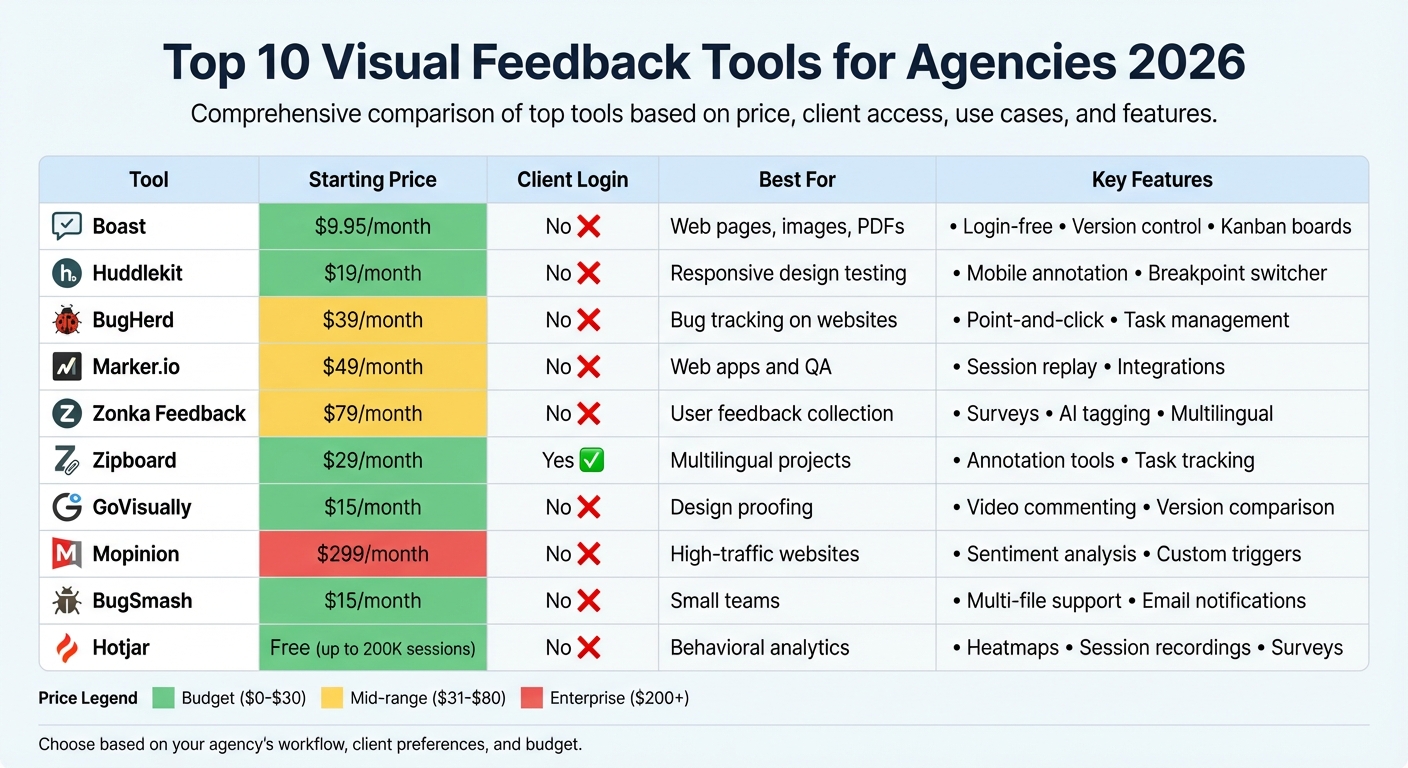
Visual Feedback Tools Comparison: Features, Pricing & Best Use Cases 2026
1. Boast
Client Usability
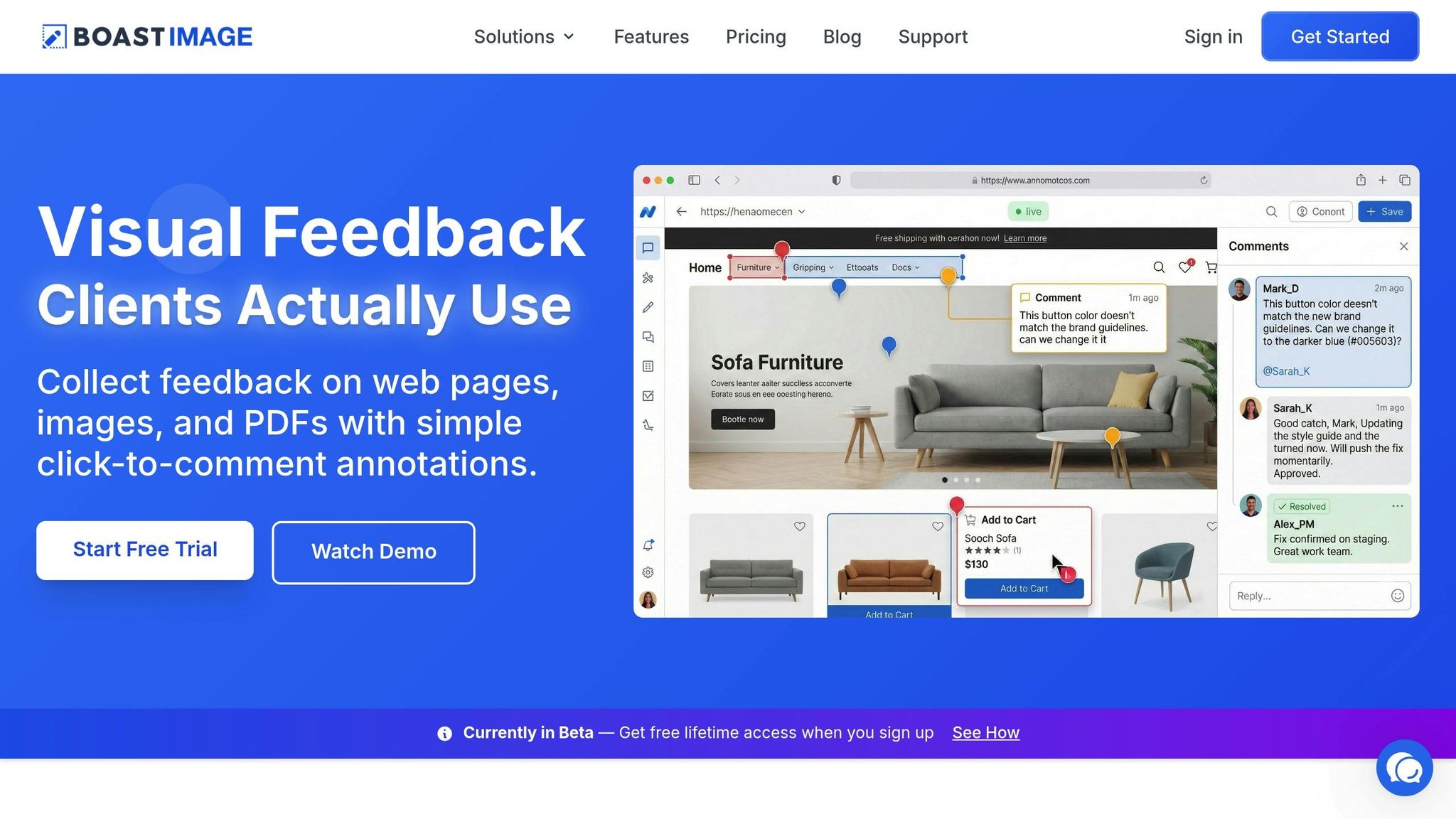
One of the biggest challenges in creative feedback workflows is getting clients to actively participate, especially when tools require extra steps like creating accounts or navigating complicated dashboards. Boast solves this problem by making the process as simple as possible. Clients don’t need to sign up, log in, or learn how to use the platform. All they do is click a shared link and comment directly on a webpage, image, or PDF. This no-login, no-hassle approach is a game-changer for agencies managing multiple projects, as it removes barriers for non-technical stakeholders to provide their input.
Key Features
While the client experience is refreshingly simple, Boast offers teams a suite of powerful tools to streamline project management. One standout feature is version control, which keeps track of design or webpage iterations, ensuring feedback stays organized across revisions. The built-in Kanban board transforms client comments into actionable tasks, moving them through customizable stages like "To Do", "In Progress", and "Done." Plus, threaded conversations link feedback directly to specific annotations, eliminating the chaos of scattered emails or messaging threads.
Another handy feature is the browser extension, which allows teams to capture and annotate web pages without needing to install anything extra. For agencies that need more customization, higher-tier plans include options like custom branding and audit logs, offering flexibility for white-label presentations and compliance needs.
Pricing and Scalability for Agencies
Boast uses a freemium pricing model with paid plans at $9.95, $19.95, and $39.95 per month. The Solo plan, designed for individual professionals, includes 5 projects, unlimited collaborators, and 50GB of storage. The Team plan, priced at $19.95 per user per month, offers unlimited projects and external collaborators. For larger organizations, the Business plan at $39.95 per user per month adds perks like unlimited storage, full white-label branding, and a dedicated success manager. This tiered structure ensures agencies can scale their usage without worrying about skyrocketing costs.
Best Use Case
Boast is ideal for agencies and freelancers who often deal with vague or unhelpful feedback that slows down progress. If you’ve ever received a comment like “make the homepage feel more modern” with no further explanation, Boast’s visual annotation tools can save the day. Its intuitive, client-first design makes it easy for anyone - even those without technical expertise - to give precise, actionable feedback. This means fewer delays and more productive collaboration.
2. Huddlekit
Client Usability
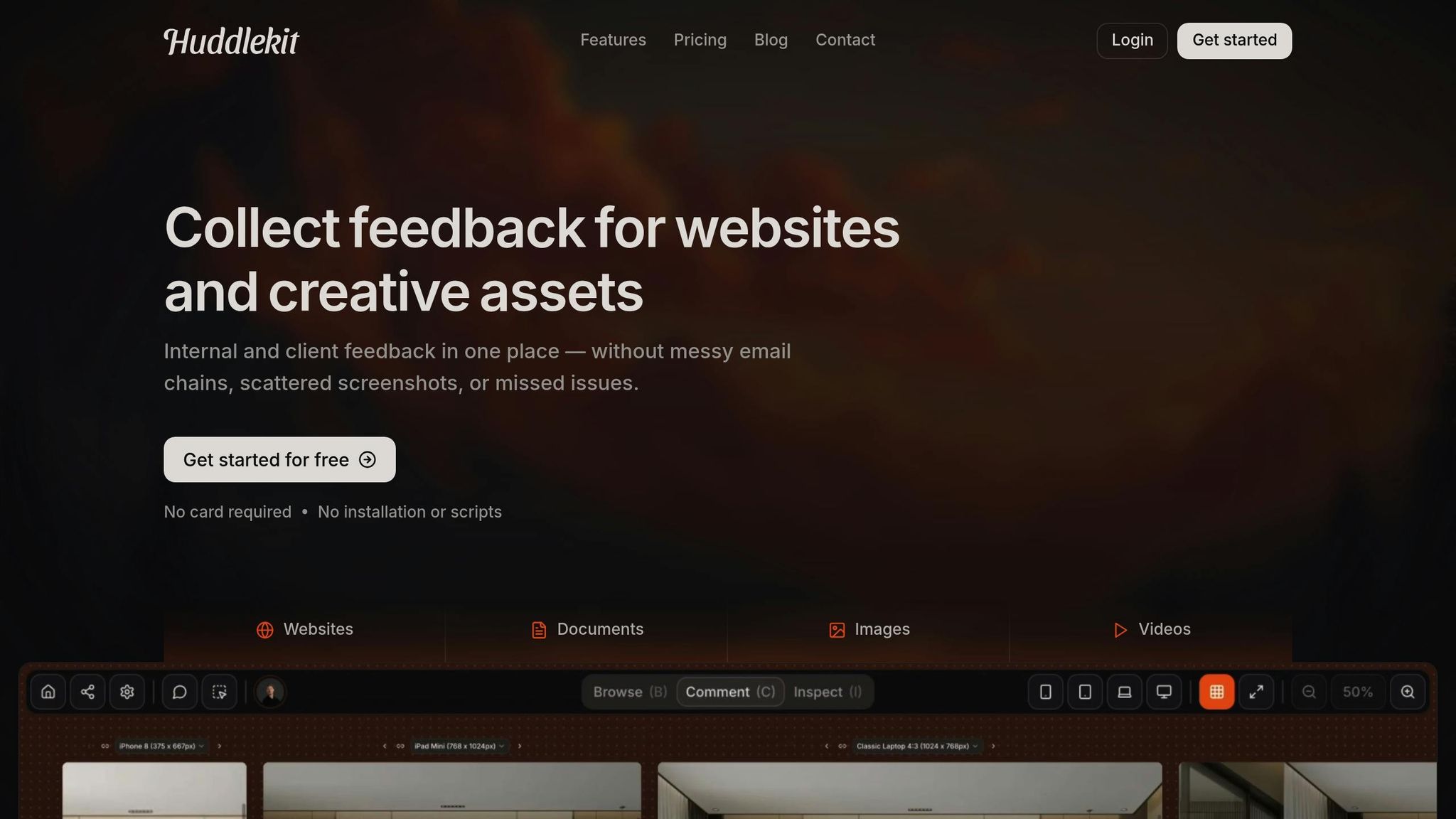
Huddlekit simplifies client feedback with its loginless guest access. Stakeholders can review websites, images, videos, and documents without needing to create accounts or download anything. This no-installation setup is perfect for non-technical clients who want a hassle-free experience without the friction of account creation.
Another standout feature is its true mobile device annotation. Reviewers can leave feedback directly from their mobile devices, eliminating the need for desktop emulation. By simply visiting the staging URL via a script-tag, clients can drop visual pins to highlight specific issues. There’s no need for managing separate dashboards or undergoing training, making the process intuitive and seamless for everyone involved.
Key Features
Huddlekit’s breakpoint switcher makes responsive design testing a breeze by allowing users to toggle between mobile, tablet, and desktop views without changing URLs. For teams that need additional technical insights, the built-in inspect mode provides an easy way to review HTML and CSS without opening browser developer tools.
The platform also offers two-way sync with project management tools like Linear and Slack. Resolve a task in your PM tool, and the status updates automatically in Huddlekit, keeping your workflow smooth and consistent. Beyond live websites, it supports feedback on a variety of assets, including creative files and documents, making it a versatile solution for agencies managing diverse projects.
All of these features come with pricing options that accommodate agencies of different sizes.
Pricing and Scalability for Agencies
Huddlekit uses a project-based pricing model that grows with your client workload. The Free plan includes one project with unlimited comments, while paid plans start at $19/month for up to 5 projects (Starter), $49/month for up to 25 projects (Pro), and $99/month for unlimited projects (Team). The $99/month Team plan offers unlimited projects, making it a cost-effective alternative to pricier enterprise tools.
Best Use Case
Huddlekit is an excellent choice for web agencies and freelancers focused on responsive design testing. It’s especially valuable for teams working with clients who provide vague feedback like "it looks weird on my iPhone." With Huddlekit’s native mobile annotation, clients can pinpoint exactly what they see on their devices, saving time and reducing miscommunication.
"It's a great selling tool also - prospects love when I demo that we have a tool they can use to submit things to us from their website and it lands straight into our support queue."
- Dave from TheAdminBar
3. BugHerd
Client Usability
BugHerd makes collecting client feedback incredibly simple with its point-and-click interface. Clients can click directly on any webpage element - like adding a virtual sticky note - to leave comments. At the same time, the tool automatically gathers technical details like browser type, operating system, screen resolution, and URL. This eliminates back-and-forth questions about user setups, streamlining communication.
For external stakeholders, BugHerd offers features like Client Guest Mode and an embedded guest portal. These tools, available with the Premium plan starting at $99/month, are designed to make client collaboration smooth and efficient, ensuring task management is handled with ease.
Key Features
BugHerd comes with a built-in Kanban board that automatically turns client feedback into actionable tasks. This allows agencies to manage bug tracking and assignments without needing additional tools. Developers also benefit from annotated screenshots and screen recordings, which provide clear visual context for each request. Installation is flexible - you can use a browser extension (compatible with Chrome, Safari, Firefox, and Edge) or a JavaScript snippet, even on password-protected staging environments.
Pricing and Scalability for Agencies
BugHerd’s pricing is based on the number of users and offers unlimited projects across all tiers, making it ideal for agencies managing multiple clients. The plans include:
- Standard (5 users): $39–$49/month
- Studio (10 users): $79/month
- Premium (25 users): $99–$149/month
- Deluxe (50+ users): $191–$199/month
Keep in mind that features like script tag installation and the embedded guest portal are typically included in the Premium plan.
Best Use Case
BugHerd is perfect for agencies handling multiple client projects, especially when working with non-technical stakeholders. Its easy-to-use interface makes it simple to collect and manage feedback, while its ability to convert that feedback into actionable tasks keeps developers on track. With high ratings on G2 (4.8/5) and Capterra (4.7/5), BugHerd is a reliable solution for turning client input into clear, actionable tasks for your team.
4. Marker.io
Client Usability
Marker.io makes it easy for clients to submit feedback without needing to log in. With customizable Guest Forms, clients can simply click a widget, fill out a short form, and create issues. Behind the scenes, Marker.io automatically gathers essential technical data, such as browser version, operating system, screen resolution, console logs, network requests, and local storage details. This eliminates the back-and-forth about the user’s setup. Plus, session replay captures the last 30 seconds of a user’s activity, giving developers the full context they need to tackle issues effectively. This automation simplifies troubleshooting and integrates seamlessly into Marker.io’s feedback workflow.
Key Features
Marker.io offers two distinct feedback forms - one for internal teams and another for clients. The internal form includes advanced options like task assignment, while the client form is stripped down for simplicity. Its visual annotation tools let users highlight issues directly on live websites. You can draw, add arrows, blur sensitive data, or pin comments, making feedback crystal clear.
The platform also syncs effortlessly with developer tools like Jira, GitHub, GitLab, Linear, Trello, and Asana. With two-way synchronization, task statuses update automatically - for example, marking a task as "Done" in Jira will change its status to "Resolved" in Marker.io. Installation is quick and flexible, either via a browser extension or a JavaScript snippet.
Pricing and Scalability for Agencies
Marker.io uses a per-user pricing model. The Starter plan is free and includes up to 100 reports per month. Paid plans start with the Professional tier at $49/month, which supports up to 5 users with unlimited reports. For larger teams, the Company plan costs $99/month for up to 15 users, while custom Enterprise pricing is available for even bigger operations. All plans include a 15-day free trial, and no credit card is required to get started. While the per-user pricing may require careful planning as your team grows, the unlimited reports and integrations with project management tools can help streamline workflows and reduce the need for additional software.
Best Use Case
Marker.io is a great fit for developer-focused agencies and SaaS teams. It shines in internal QA and user testing environments. With a G2 rating of 4.8 out of 5 stars, it’s especially useful for teams that need detailed technical data to reproduce and resolve bugs efficiently. Clients benefit from its straightforward reporting process, while developers appreciate the depth of insights it provides.
5. Zonka Feedback
Client Usability
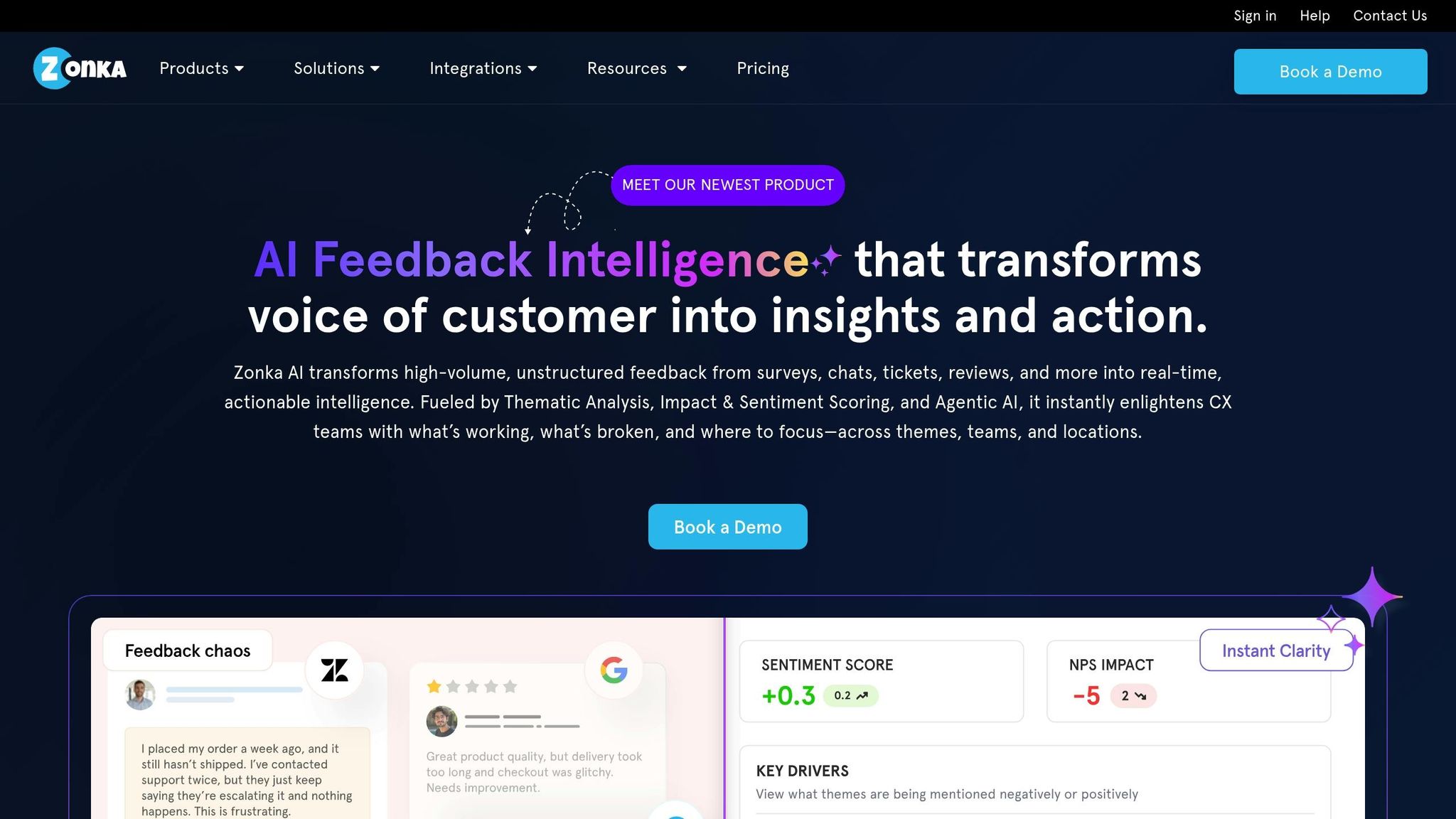
Zonka Feedback simplifies the process of gathering live input from website visitors through on-page surveys and widgets. These tools activate based on user behavior - like scrolling halfway through a blog post or lingering on a pricing page - without requiring users to log in. This setup ensures real-time, context-aware feedback, all while keeping the process seamless and integrated into the browsing experience.
Key Features
Zonka Feedback offers a range of survey options, including NPS (Net Promoter Score), CSAT (Customer Satisfaction), and CES (Customer Effort Score) surveys. Its advanced survey logic allows for personalized question branching, ensuring a tailored experience for respondents. Additionally, the platform leverages AI-driven tagging to automatically categorize and prioritize open-ended feedback, helping teams quickly spot the most important insights. Implementation is straightforward, requiring just a single line of code or plugins for platforms like Shopify and WordPress. Plus, Zonka supports multilingual surveys in over 30 languages, making it a versatile tool for diverse audiences.
Pricing and Scalability for Agencies
Zonka offers a free tier for basic testing, with paid plans starting at $79 per month for the Professional tier and $299 per month for the Growth plan. Pricing adjusts based on the number of responses and access to advanced features. For instance, SmartBuyGlasses saw a 30% increase in their Net Promoter Score after integrating Zonka Feedback into their processes.
"Zonka Feedback has been a game changer for us. We've managed to increase our NPS by 30%"
- SmartBuyGlasses
The platform boasts a solid G2 rating of 4.6 out of 5 stars, further underscoring its value for agencies looking to refine live user experiences.
Best Use Case
Zonka Feedback is particularly well-suited for agencies focused on post-launch optimization. Its behavior-triggered surveys excel in e-commerce and content-driven projects, where timely insights can significantly improve conversions. Research shows that 88% of users avoid returning after a poor experience, while 94% prioritize easy navigation. Zonka’s ability to capture and act on real-time feedback makes it a powerful tool for addressing these critical user expectations.
6. Zipboard
Client Usability
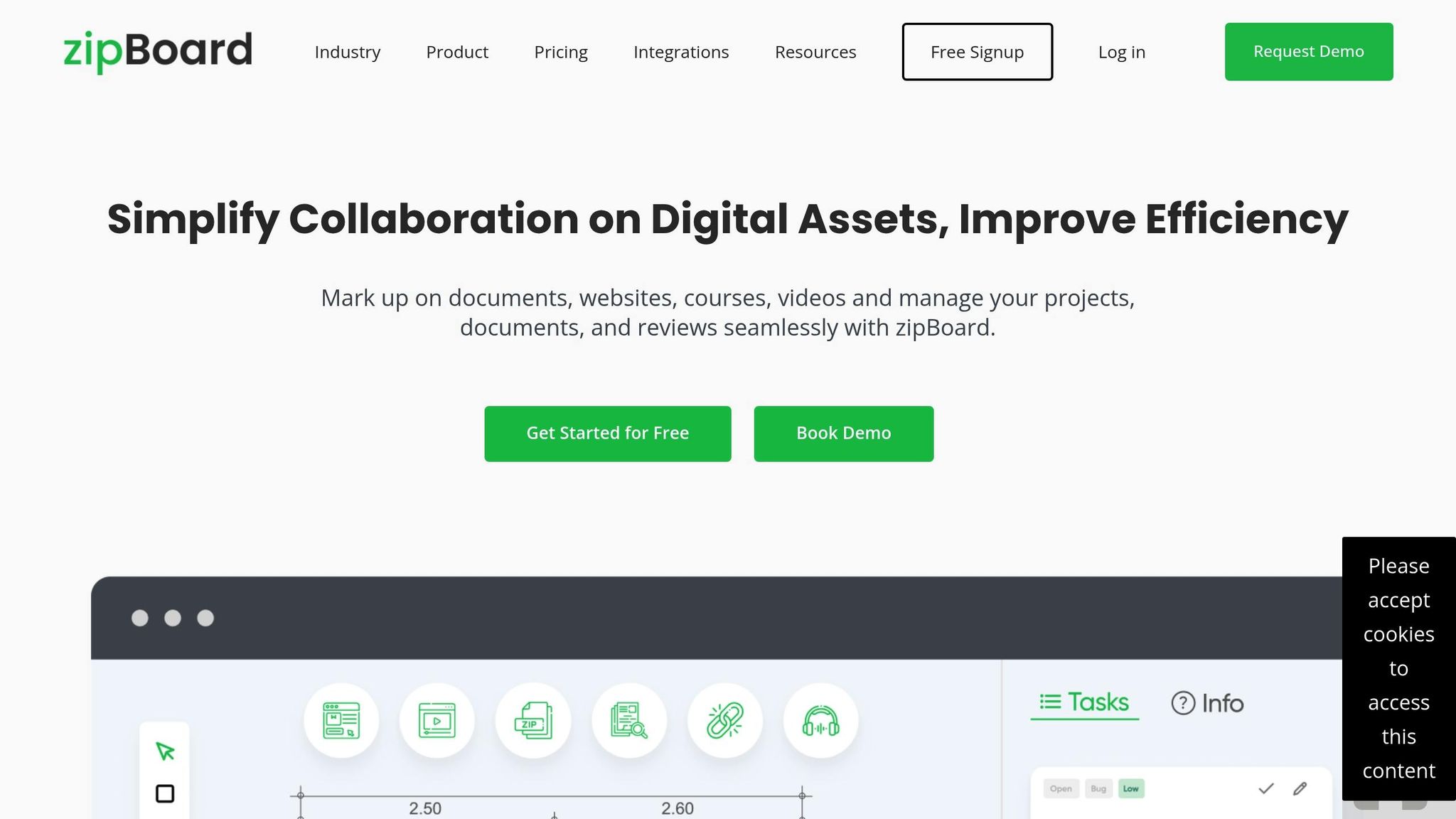
Using Zipboard involves a bit of a hurdle for clients, as they need to register and log in before accessing the platform. This extra step might feel like a hassle, especially for users who aren’t very tech-savvy. That said, for teams handling intricate workflows, the platform’s strong localization features can make the initial setup worth it. This trade-off works well for teams that prioritize advanced localization capabilities over immediate ease of use.
Key Features
Zipboard is designed with visual collaboration features to streamline localization and translation workflows, making it a go-to choice for agencies dealing with multilingual projects. Clients can easily capture screenshots and record videos of websites, web apps, or documents to provide feedback. A built-in task management system then tracks this feedback from submission to resolution. Plus, Zipboard integrates effortlessly with popular tools like Jira, Slack, Trello, and Asana, enhancing team collaboration and efficiency.
Pricing and Scalability for Agencies
Zipboard’s pricing reflects its advanced feature set. It offers a free Freelancer plan that supports up to 2 projects. For those needing more, the Startup plan costs $49 per month and includes 10 projects and 10 users, while the Business plan, priced at $149 per month, supports unlimited projects and up to 25 users. For large-scale needs, custom Enterprise pricing is also available. These options are well-suited for agencies managing multiple client accounts and large-scale projects.
Best Use Case
Zipboard shines in international projects that demand multilingual support and advanced localization workflows. It’s particularly helpful for agencies managing complex digital assets, like global e-commerce platforms or multilingual web apps. While it may take some onboarding for less tech-savvy users, its capabilities make it a strong choice for teams tackling global challenges.
7. GoVisually
Client Usability
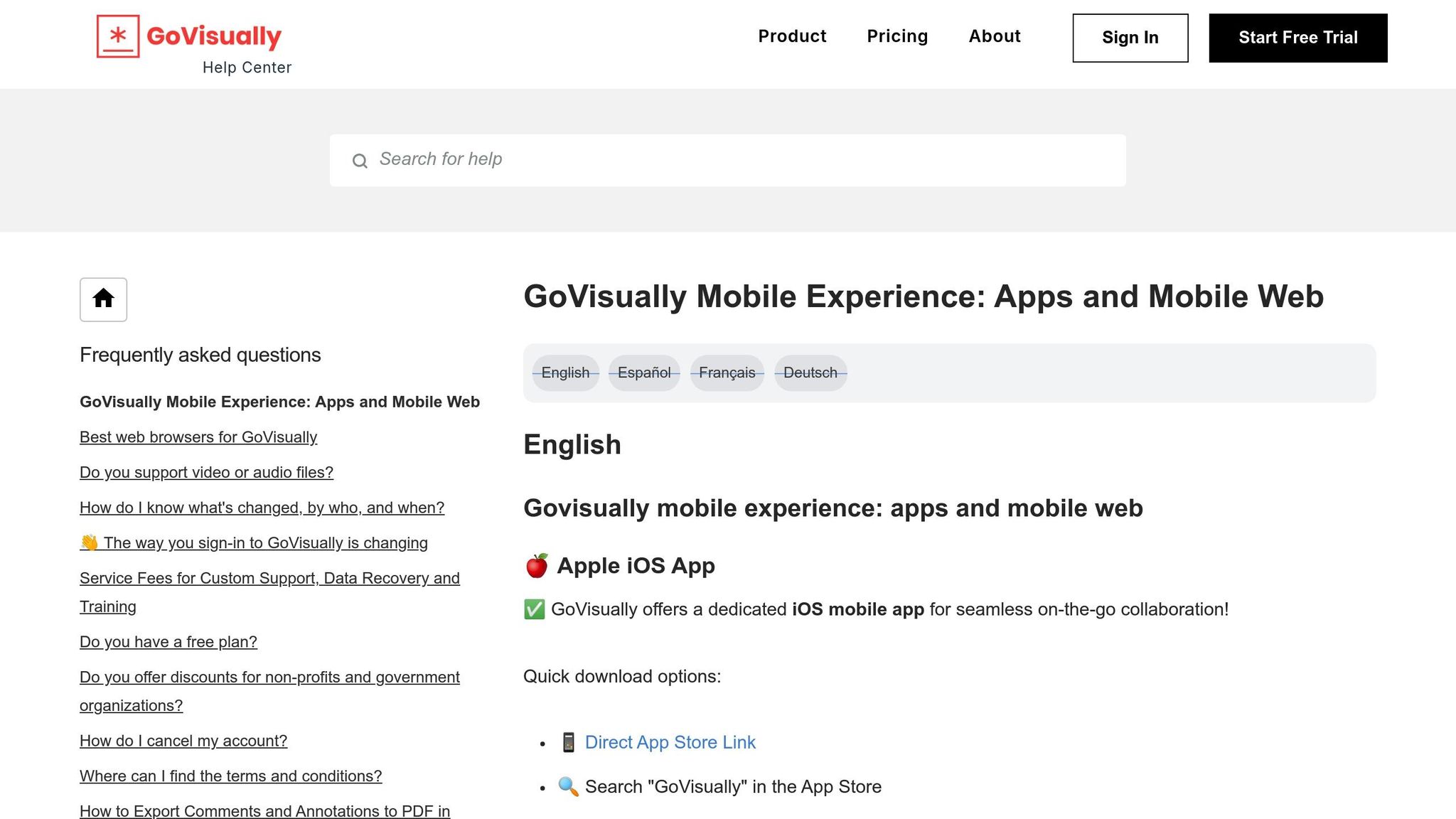
GoVisually makes client feedback a breeze. With a simple shareable link, clients can jump right in and start commenting on your creative work - no need for account creation or logging in. This guest access is perfect for non-technical stakeholders who might otherwise struggle with extra steps. The clean and intuitive interface allows clients to dive straight into providing feedback. This seamless experience sets the stage for users to explore its more advanced annotation and workflow tools.
Key Features
GoVisually supports images, PDFs, and video files, offering annotation tools that let reviewers highlight specific design elements or even individual video frames. Its version control feature enables side-by-side comparisons, ensuring everyone is on the same page with the latest updates. Structured approval workflows help guide projects through sign-off stages efficiently. Features like threaded discussions and reviewer tagging keep communication clear and organized, while integrations with Slack, Trello, and Zapier ensure the tool fits right into your existing processes. Serving over 50,000 creative professionals, GoVisually is tailored for static creative assets and video proofing but does not support live website annotation.
Pricing and Scalability for Agencies
GoVisually offers flexible pricing options to suit teams of all sizes:
- Solo Plan: Priced at $15–$16 per month, this plan is designed for freelancers or very small teams, allowing one user to manage up to 10 projects.
- Team Plan: At $30–$33 per user per month, this plan includes unlimited projects, making it a great choice for small to mid-sized agencies working on branding and graphic design.
- Enterprise Plan: Custom pricing is available for larger agencies requiring advanced features and scalability. Pricing adjusts based on team size and specific needs.
Best Use Case
GoVisually is an excellent choice for boutique creative agencies specializing in graphic design, branding, print materials, and video proofing. If your work revolves around static designs or video content rather than live websites, this tool fits the bill. Its frame-accurate video commenting feature is a standout, allowing clients to point to precise moments in a video. This makes it particularly useful for agencies producing motion graphics or video campaigns.
sbb-itb-32f6eb2
8. Mopinion
Client Usability
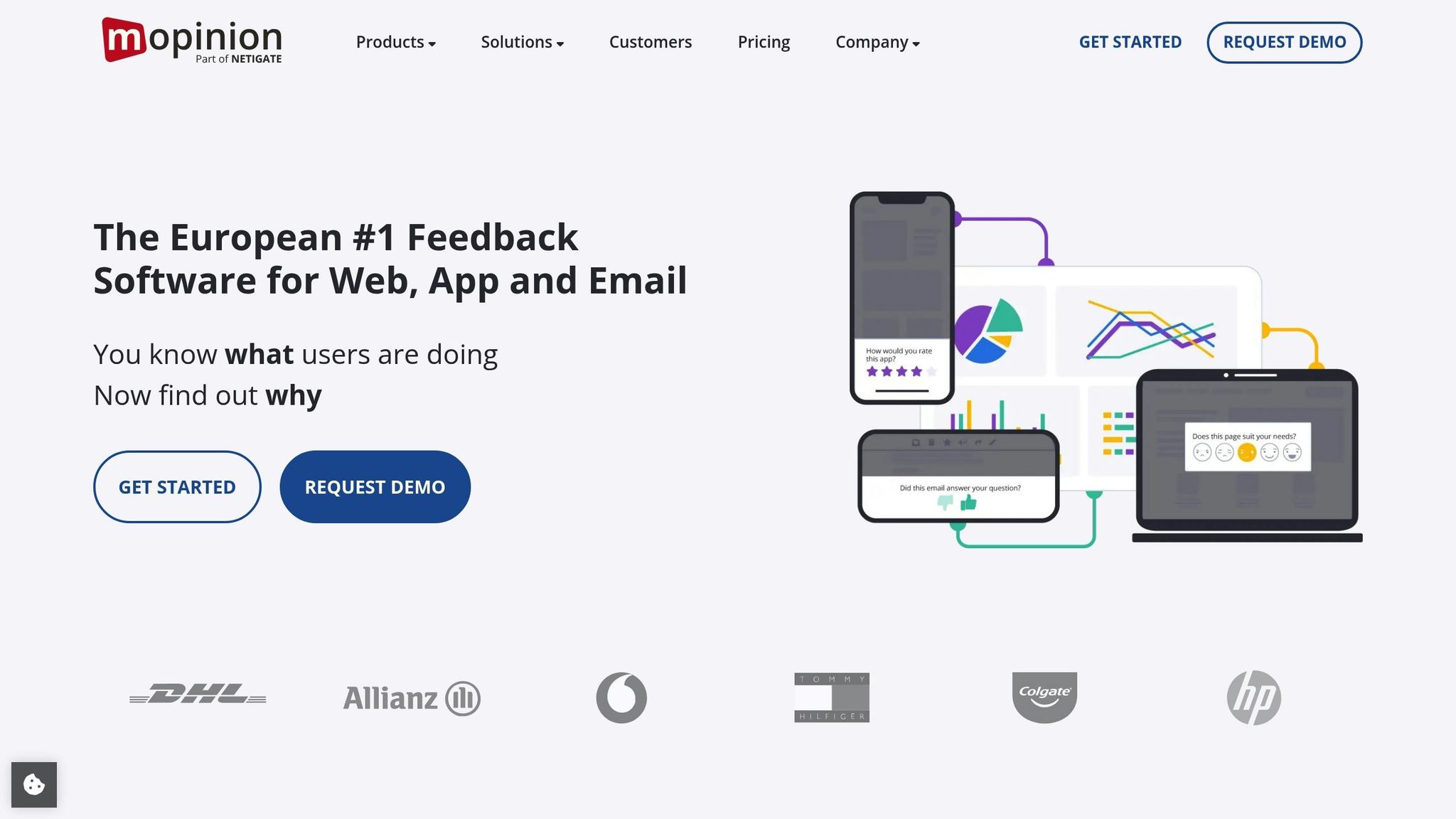
Mopinion takes a broader approach to feedback collection. Instead of sticking to basic website annotations, it’s designed to gather customer sentiment across your entire digital presence. Rather than leaving comments on design mockups, users interact with targeted feedback forms that pop up at just the right moments during their journey on your website or app. These forms are triggered by specific visitor behaviors and locations, thanks to advanced targeting features. While this method delivers clear, actionable design feedback, setting it up may demand some technical know-how. This strategic design makes Mopinion stand out from tools that rely purely on direct annotations.
Key Features
Mopinion’s features are tailored for in-depth feedback collection and analysis. It supports feedback gathering across multiple channels, including websites, mobile apps, and email. The platform includes a powerful survey builder with pre-designed templates and white-label customization for professional branding. Automated text and sentiment analysis turn qualitative feedback into actionable insights, while custom dashboards make client reporting straightforward. Implementation is simple, requiring just a script tag, and there are plugins available for platforms like WordPress and Shopify.
Pricing and Scalability for Agencies
Mopinion’s pricing reflects its focus on enterprise-level users. The Essential Plan starts at about $329 per month, covering one domain and up to 2,000,000 website views. The Turbo Plan, at $499 per month, supports up to 8,000,000 views. For larger organizations, the Enterprise Plan offers tailored pricing, unlimited views, and advanced features.
Best Use Case
Unlike tools that emphasize simplicity and direct annotation, Mopinion is built for extensive, multi-channel feedback management. It’s a great fit for large enterprises or global agencies handling complex feedback strategies across high-traffic websites and apps. If you’re managing large-scale user research, analyzing customer sentiment across multiple channels, or overseeing feedback for several high-traffic client websites, Mopinion offers the tools you need. However, for smaller teams or agencies that just need a basic tool for commenting on design mockups, it might be more than necessary.
9. BugSmash
Client Usability
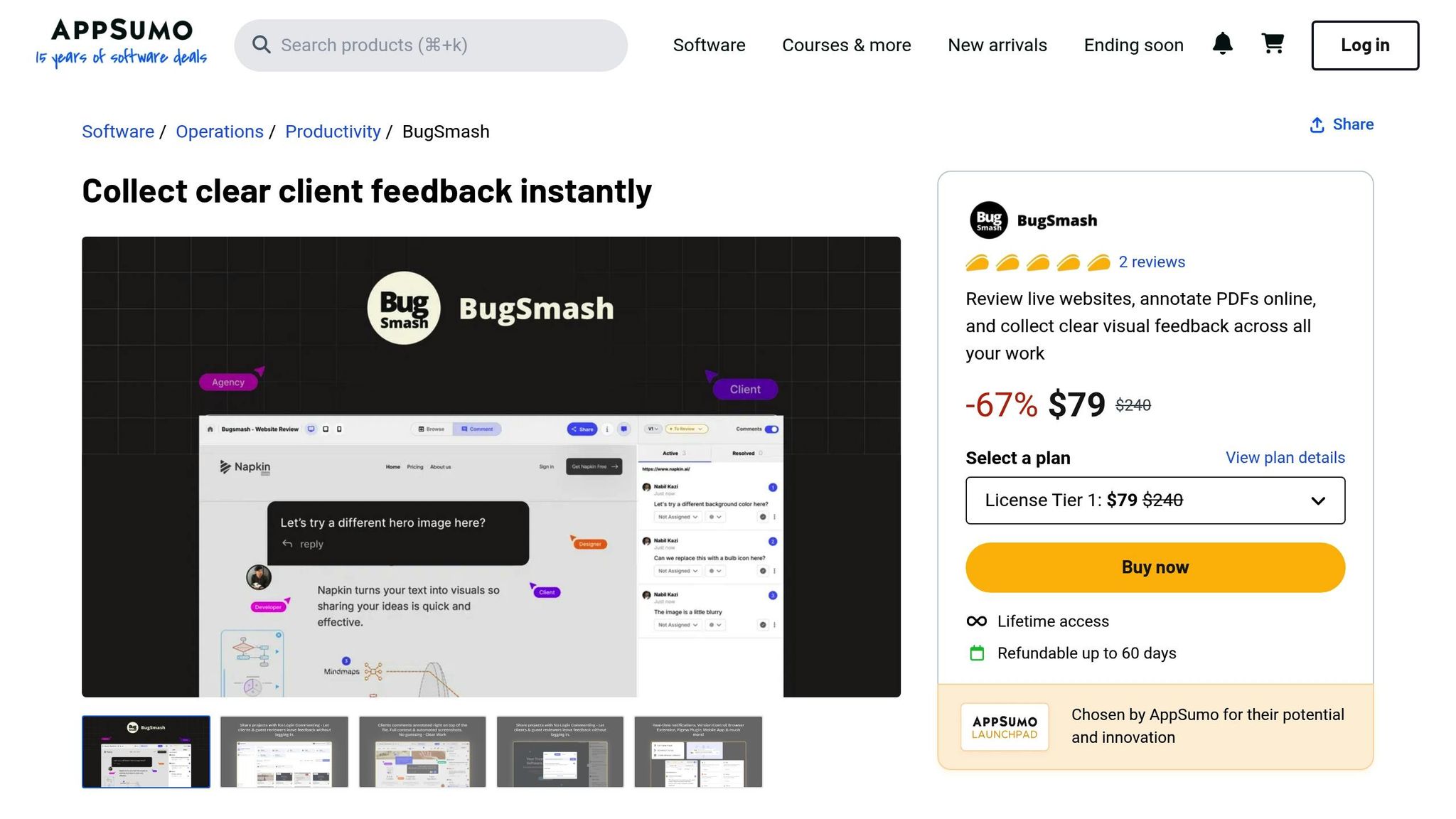
BugSmash makes it incredibly easy for clients to provide feedback. Reviewers don’t have to create accounts or log in - they simply click a link and start commenting directly on the asset. This hassle-free setup is a game-changer for agencies working with non-technical clients who might otherwise resort to unclear emails or skip giving feedback altogether. As the Fire Safe Council put it:
"We needed a way to collect public comments on a complex, markup-heavy PDF. BugSmash was the only tool that truly worked."
This straightforward access sets the stage for the tool’s powerful feature set.
Key Features
BugSmash handles everything from websites and mobile apps to videos, audio files, PDFs, and images - all within one interface. Clients can leave precise annotations right on specific elements. The platform also offers threaded discussions to keep feedback organized, version control to track changes over time, and integrations with popular tools like Jira, Slack, GitHub, and Trello, ensuring feedback syncs seamlessly with your existing workflows. For agencies managing a wide range of creative assets, BugSmash eliminates the need to juggle multiple tools.
Pricing and Scalability for Agencies
BugSmash offers a straightforward pricing model that scales with your needs. The Free Plan includes 2 projects, 2 members, 25 guests, and 5GB of storage. The Starter Plan, priced at $7/month (billed annually), allows unlimited projects and 2 members. For $49/month, the Team Plan unlocks unlimited members and projects. There’s also a Lifetime Access option for $249, perfect for teams that want to avoid ongoing subscription costs.
Best Use Case
With its simple interface and support for multiple file types, BugSmash is a solid choice for agencies handling a variety of creative workflows. Its no-login system and intuitive design make it especially useful for non-technical clients or small teams who struggle with complex tools or unclear email threads. BugSmash can streamline your feedback process and make client collaboration a breeze.
10. Hotjar
Client Usability
Hotjar simplifies the process of understanding user behavior by automatically capturing live visitor interactions. Instead of relying on manual annotations, it provides visual evidence through heatmaps and session recordings, highlighting areas where users face challenges. The platform also includes an in-page widget for real-time feedback, which doesn’t require account creation, making it easy to gather external input. This visual approach can be particularly compelling for agencies during client presentations, offering a clear view of user behavior. With its straightforward setup, Hotjar delivers a robust suite of behavioral analytics tools.
Key Features
Hotjar is built around two main modes: "Observe" and "Ask". The "Observe" mode tracks user behavior with features like heatmaps, which detail clicks, mouse movements, and scrolling patterns, as well as session recordings that follow real-time visitor navigation. On the "Ask" side, agencies can utilize tools like custom surveys and feedback polls to gather direct input and measure visitor sentiment. One standout feature is rageclick tracking, which flags areas where users repeatedly click out of frustration. Additionally, funnel analysis helps identify where users abandon the conversion process, offering actionable insights for improvement.
Pricing and Scalability for Agencies
Hotjar’s pricing adapts to traffic volume, making it scalable for agencies of all sizes. The free Experience Analytics plan supports up to 200,000 monthly sessions. Paid plans include the Experience Analytics Growth tier at $40 per month (billed annually) and the Voice of Customer Growth tier at $80 per month (billed annually), which includes 500 responses and AI-powered survey tools. For agencies managing high-traffic enterprise sites, Pro and Enterprise plans offer custom pricing tailored to specific needs.
Best Use Case
Hotjar is a go-to tool for agencies focused on improving live websites. It translates user behavior into actionable insights, helping clients better understand how visitors interact with their site. Whether it’s identifying conversion bottlenecks, uncovering UX issues, or providing visual proof of user struggles, Hotjar delivers clear and effective insights. Its AI tools summarize feedback and pinpoint friction areas, making it easier for clients to grasp problems quickly. While it shines in passive analytics and visitor sentiment tracking, it’s less suited for collaborative design annotations, making it ideal for agencies prioritizing behavior analysis over design feedback.
How to Use BugHerd for Website Feedback and Bug Tracking (Full Tutorial)
Comparison Table
When selecting a visual feedback tool, agencies should weigh factors like cost, whether clients need to log in, and key features. The table below lays out a side-by-side comparison of ten tools, making it easier to align options with your budget and client requirements.
Pay special attention to the Client Login Required column. Tools that demand account creation can discourage client involvement. For agencies working with less tech-savvy clients, opting for tools that don't require logins can make collaboration much smoother.
Pricing falls into three categories: budget ($15–$30/month), mid-range ($39–$60/month), and enterprise ($200–$300+/month). Some tools charge per user, while others allow unlimited external collaborators - this distinction can greatly affect your total costs as your client list grows. The table below highlights these details to help you make an informed choice.
| Tool | Starting Price | Client Login Required | Best Use Case | Main Features |
|---|---|---|---|---|
| Boast | $9.95/month | No | Client-first visual feedback on web pages, images, and PDFs | Login-free client access, unlimited external collaborators, version control, Kanban boards, threaded comments |
| Huddlekit | Custom pricing | Varies | Collaborative design reviews for creative teams | Real-time collaboration, asset management, approval workflows |
| BugHerd | $39/month | No (guest access) | Website bug tracking and QA testing | Point-and-click bug reporting, task management, browser extension |
| Marker.io | $59/month | No (guest access) | Visual bug reporting for web apps | Screenshot annotations, browser extension, integrations with Jira/Asana |
| Zonka Feedback | $49/month | No | Multi-channel customer feedback collection | Surveys, kiosk mode, offline feedback, analytics dashboard |
| Zipboard | $29/month | Yes | Visual review and approval for creative assets | Annotation tools, approval workflows, video review |
| GoVisually | $20/month | No (guest access) | Creative proofing for design files | Version comparison, approval routing, support for images, PDFs, and videos |
| Mopinion | $299/month | No | Advanced feedback analytics for websites | Form analytics, sentiment analysis, custom triggers, heatmaps |
| BugSmash | $15/month | No (guest access) | Lightweight bug tracking for small teams | Simple bug capture, screenshot annotations, email notifications |
| Hotjar | Free (up to 200K sessions) | No | Behavioral analytics and user feedback on live sites | Heatmaps, session recordings, surveys, rageclick tracking |
These tools range from free to $299/month, reflecting a broad range of capabilities. For instance, platforms like Hotjar excel in analyzing user behavior, while tools like Boast and BugHerd focus on fostering active collaboration. Your decision ultimately hinges on whether you need behavioral insights or hands-on feedback for design improvements.
Conclusion
Picking the right visual feedback tool boils down to three main factors: your client type, review process, and budget. If you're working with non-technical clients, tools that don’t require logins are a must. Otherwise, you risk pushing clients back to clunky email threads. In fact, research highlights that 78% of buyers prioritize a smooth experience when selecting a firm, and 68% value strong communication just as much as technical expertise.
Budget is another critical piece of the puzzle. Agencies aiming for growth need scalable pricing - especially plans that support unlimited external reviewers. Tools that charge per collaborator can quickly eat into your budget as your client base expands. For smaller or newer agencies, plans in the $10–$30/month range often balance affordability with essential features.
This is where Boast shines. It simplifies feedback with a login-free experience: clients just click a link, leave their comments, and they’re done. No accounts or training needed. Starting at $9.95/month, Boast offers unlimited external collaborators on all paid plans, along with features like version control, Kanban boards, and task management to keep teams organized. If client adoption has been a sticking point for you, give Boast a try and see how login-free feedback can transform your workflow.
As Kevin Larsson wisely puts it, "A simple tool that your team actually adopts beats a feature-rich platform that sits unused". Before committing to any tool, test the client experience. If your stakeholders won’t use it, even the best features won’t matter. Choose a tool that aligns with your agency’s specific needs and simplifies your feedback process.
FAQs
What should agencies look for when selecting a visual feedback tool?
When picking a visual feedback tool, agencies should focus on simplicity and client ease of use. A tool that lets clients share feedback without needing to create accounts or go through lengthy onboarding processes can save time and cut down on communication issues. Tools designed with a client-friendly approach make the feedback process smooth and straightforward.
It’s also essential to evaluate the tool’s capabilities and room for growth. Look for options that can handle various formats - like websites, images, and PDFs - and include helpful collaboration features such as task management and version tracking. A pricing model that’s clear and adaptable, offering flexibility for team sizes and allowing unlimited external collaborators, can help keep costs in check while maintaining productivity.
In the end, selecting a tool that combines ease of use, strong features, and cost-effectiveness will simplify workflows, boost client satisfaction, and enhance teamwork.
How can visual feedback tools enhance collaboration with clients?
Visual feedback tools make client collaboration much easier by allowing clients to give precise, context-specific input directly on designs, websites, or documents. Instead of dealing with unclear emails or scattered notes, clients can highlight exactly where changes are needed. This not only cuts down on misunderstandings but also speeds up the revision process.
Another big advantage is that these tools keep all feedback in one centralized location. No more juggling countless emails or messages - everything stays organized. Many tools also offer helpful features like version tracking and task management, so teams can stay on top of updates and maintain a clear history of changes. By making feedback clear and accessible, these tools improve communication, save time, and help wrap up projects faster - leaving clients happier with the results.
What is the best visual feedback tool for agencies working with non-technical clients?
BoastImage is a smart solution for agencies working with clients who aren't tech-savvy. It streamlines the feedback process by letting clients leave comments directly on web pages, images, and PDFs - no account creation or login required.
This user-friendly setup encourages more participation and removes typical roadblocks in creative workflows. Teams can quickly collect input, act on it, and keep projects on track without unnecessary delays.