Top 7 Tools for Faster Client Approvals in 2026
Client approval delays can derail projects, but the right tools can save time and reduce confusion. In 2026, the best solutions offer centralized feedback, no-login access for clients, and support for multiple file types. These tools simplify workflows, cut revision cycles by 50%, and keep projects on track.
Here are the top tools to speed up client approvals:
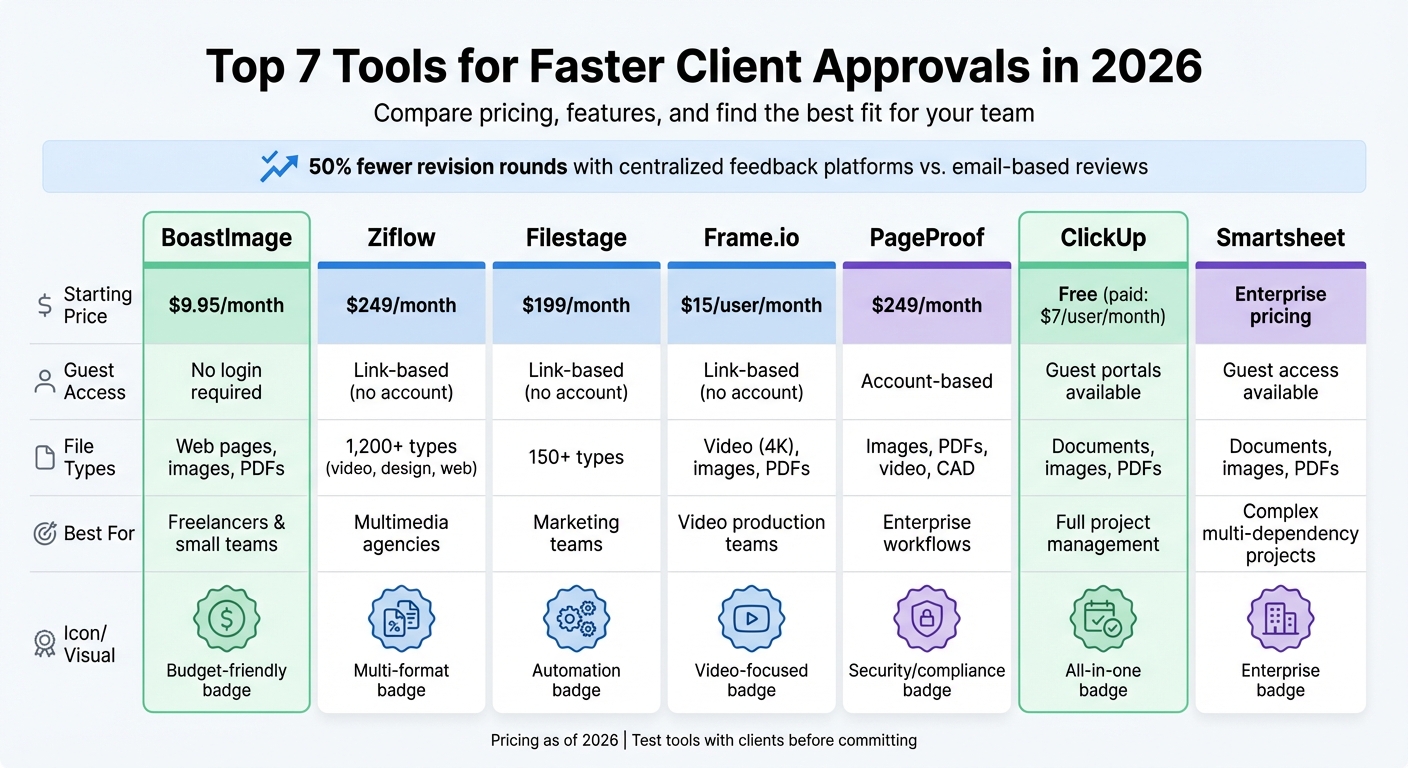
- BoastImage: Affordable ($9.95/month), no-login feedback, supports web pages, images, and PDFs. Ideal for freelancers and small teams.
- Ziflow: Handles 1,200+ file types, offers advanced version control, and starts at $249/month. Great for multimedia-heavy projects.
- Filestage: Simplifies feedback on 150+ file types with automated reminders. Starts at $199/month.
- Frame.io: Perfect for video teams with frame-specific feedback and editing tool integrations. Starts at $15/user/month.
- PageProof: Structured workflows and audit trails. Starts at $249/month, designed for larger teams.
- ClickUp: Combines project management and client approvals. Free plan available; paid plans start at $7/user/month.
- Smartsheet: Best for complex, multi-dependency projects. Enterprise pricing available.
Quick Tip: Test these tools with clients before committing to ensure they fit your workflow and are user-friendly for all stakeholders.
Client Approval Tools Comparison: Features, Pricing & Best Use Cases 2026
1. BoastImage
Client Adoption and Ease of Use
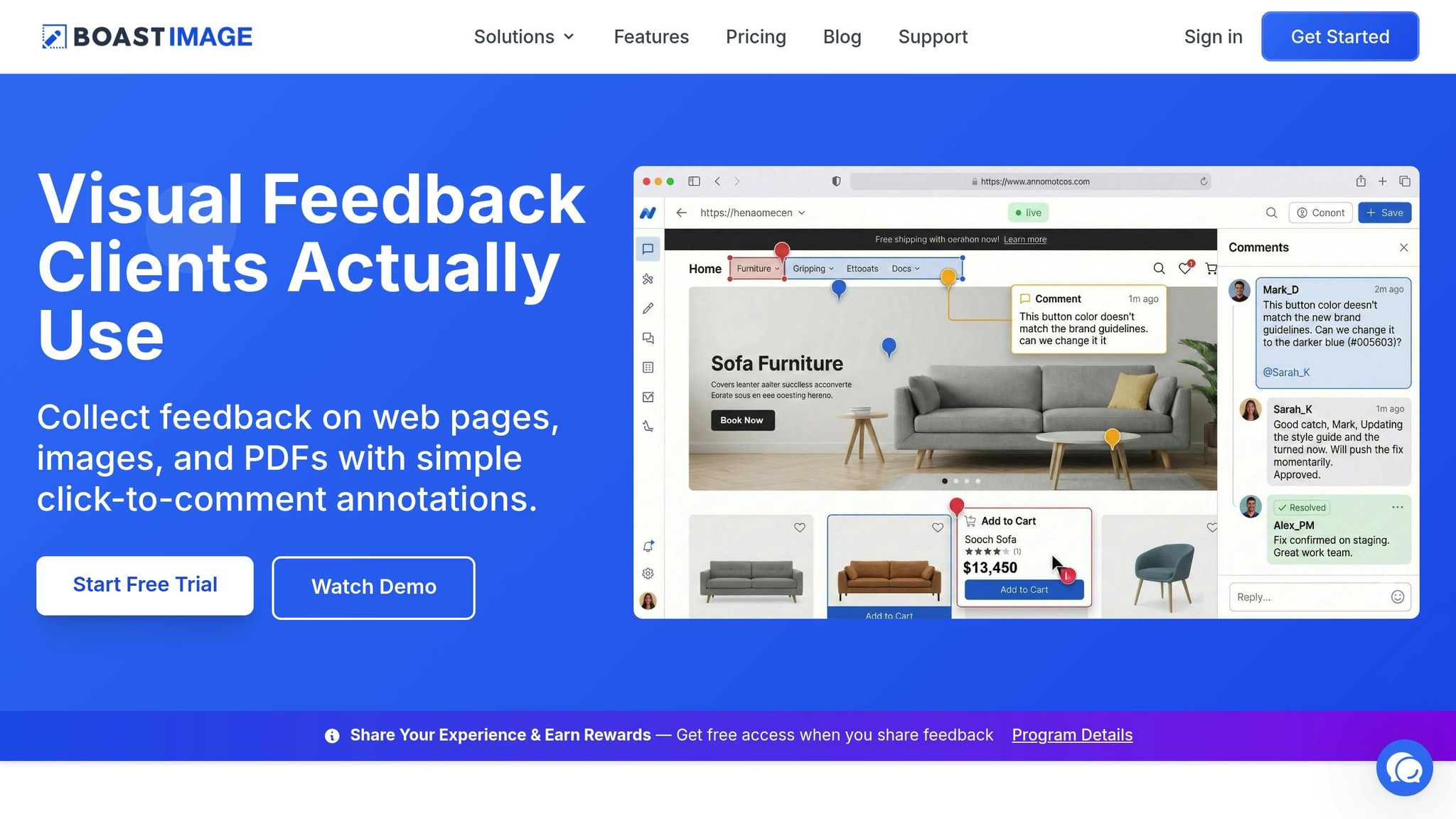
BoastImage tackles a common issue in approval workflows: clients often avoid using overly complicated tools. With BoastImage, there’s no need for account creation or long tutorials. Clients simply click a link and start commenting right away. This login-free approach ensures quick, centralized feedback. For internal teams, features like version control, task boards, and Kanban views help maintain order without overwhelming external reviewers. Clients only see what’s relevant to them, while teams stay organized behind the scenes. This straightforward setup lays the groundwork for effective managing of design feedback and revisions.
Support for Multi-Format Feedback
BoastImage enables precise feedback across web pages, images, and PDFs using click-to-comment annotations and threaded replies. Reviewers can leave context-specific notes directly on the content, making it easier for designers and developers to address feedback. Teams can also use a design feedback checklist to ensure every review is thorough. A browser extension simplifies capturing feedback on web pages, streamlining the process even further. With these capabilities in place, BoastImage also provides flexible pricing options to accommodate teams of all sizes.
Pricing and Scalability for Teams
BoastImage offers tiered pricing to fit different needs. Plans start at $9.95 per month for Solo users, $19.95 per user per month for Teams, and $39.95 per user per month for Business users. There’s also a free plan, which includes basic features, one active project, and up to five items. All paid tiers allow unlimited external collaborators, making it easy for agencies to manage multiple client projects without added costs. Storage ranges from 50GB on lower plans to unlimited on Business plans, with advanced features like white-label branding and audit logs available at higher tiers. This pricing flexibility, combined with integrated workflow tools, helps teams speed up client approvals.
Features to Streamline Approval Workflows
BoastImage is packed with features designed to simplify approval workflows. Version control ensures teams always work on the latest files, keeping feedback organized across revisions. A built-in Kanban board helps track comments, whether they need attention, are in progress, or have been resolved - all without exposing clients to the complexities of project management. Custom task states and project-level permissions provide flexibility for internal workflows while keeping the client experience straightforward. These tools directly address common bottlenecks, helping projects move quickly from start to finish.
sbb-itb-32f6eb2
2. Ziflow
Client Adoption and Ease of Use
Ziflow makes collaboration simple by allowing external reviewers to provide feedback as guests - no account needed. Its mobile-friendly and user-friendly interface minimizes the learning curve, consolidates feedback from scattered emails or messages, and ensures everyone stays updated in real time. Next, let’s see how Ziflow accommodates different file formats to refine the feedback process.
Support for Multi-Format Feedback
Ziflow handles over 1,200 file types, including images, videos, PDFs, live websites, 3D models, and Adobe formats. Reviewers can use tools like pin-style comments with @mentions, color-coded markups, and drawing features (arrows, boxes) directly on the files. Advanced version control options - such as pixel-level comparisons, overlay, and side-by-side views - help track changes easily. Plus, native Adobe Creative Cloud plugins allow designers to make updates without leaving their design environment.
Pricing and Scalability for Teams
Ziflow offers a free plan for up to 2 users. For larger teams, the Standard plan costs $249/month for up to 15 users, while the Pro plan is priced at $399/month. For enterprises, custom pricing is available. Ziflow has a strong reputation, boasting a 4.5/5 rating on G2, and adheres to SOC 2 Type II and ISO 27001 standards. Beyond its pricing options, Ziflow speeds up approvals with its automated workflow features.
Features to Streamline Approval Workflows
ZiflowAI simplifies the process by automating compliance checks and routing approvals, reducing the need for manual intervention. It supports unlimited workflow stages, whether in parallel or sequential routing, and sends automated reminders to keep projects on schedule. Batch reviews make it possible to approve entire campaigns in one go, and integrations with tools like Asana, monday.com, Jira, and Slack further streamline the workflow.
3. Filestage
Client Adoption and Ease of Use
Filestage makes it incredibly simple for clients to review assets - no account setup, logins, installations, or training required. Clients can access everything directly through their browser, hassle-free. To further elevate the experience, agencies can customize branded client portals, creating a polished and professional space for reviewers. Plus, with mobile-friendly functionality, approvals can happen anytime, anywhere.
According to Filestage research, 84% of account managers cite chasing approvals as a major delay. To tackle this, Filestage automates follow-ups with reminders sent directly to reviewers, keeping projects on track without the need for manual check-ins.
Support for Multi-Format Feedback
Filestage goes beyond easy access by supporting feedback across more than 150 file types. Reviewers can leave pinpoint comments, draw visual annotations, or add time-stamped notes directly on the asset. The platform also includes a version comparison tool, letting clients view files side-by-side to confirm that their earlier feedback has been addressed before giving final approval.
Pricing and Scalability for Teams
Filestage offers flexible pricing to suit different needs. There's a free plan available, while paid options start at $199 per month, providing unlimited projects, files, and reviewers (as of February 2026). The platform boasts a 4.6/5 rating on G2, with users frequently highlighting its ability to centralize feedback from various formats and its user-friendly design - perfect for non-technical stakeholders. For industries with strict compliance requirements, enterprise plans include features like verified approvals in line with FDA 21 CFR Part 11 standards and detailed audit logs.
Features to Streamline Approval Workflows
To simplify workflows, Filestage includes pre-built templates for reviews. These templates can be customized with options for serial or parallel approval processes, automated status tracking, and threaded discussions using @mentions for easy collaboration. The platform integrates seamlessly with creative tools like Adobe Premiere Pro, After Effects, InDesign, and Figma, as well as project management systems such as Asana, monday.com, Jira, and ClickUp. Additional features like automatic version numbering prevent confusion over file updates, while AES-256 encryption and ISO 27001 certification ensure high-level security for sensitive projects. These tools work together to eliminate bottlenecks, ensuring client approvals happen smoothly and efficiently.
Explore Project Approval Workflows in Smartsheet
4. Frame.io
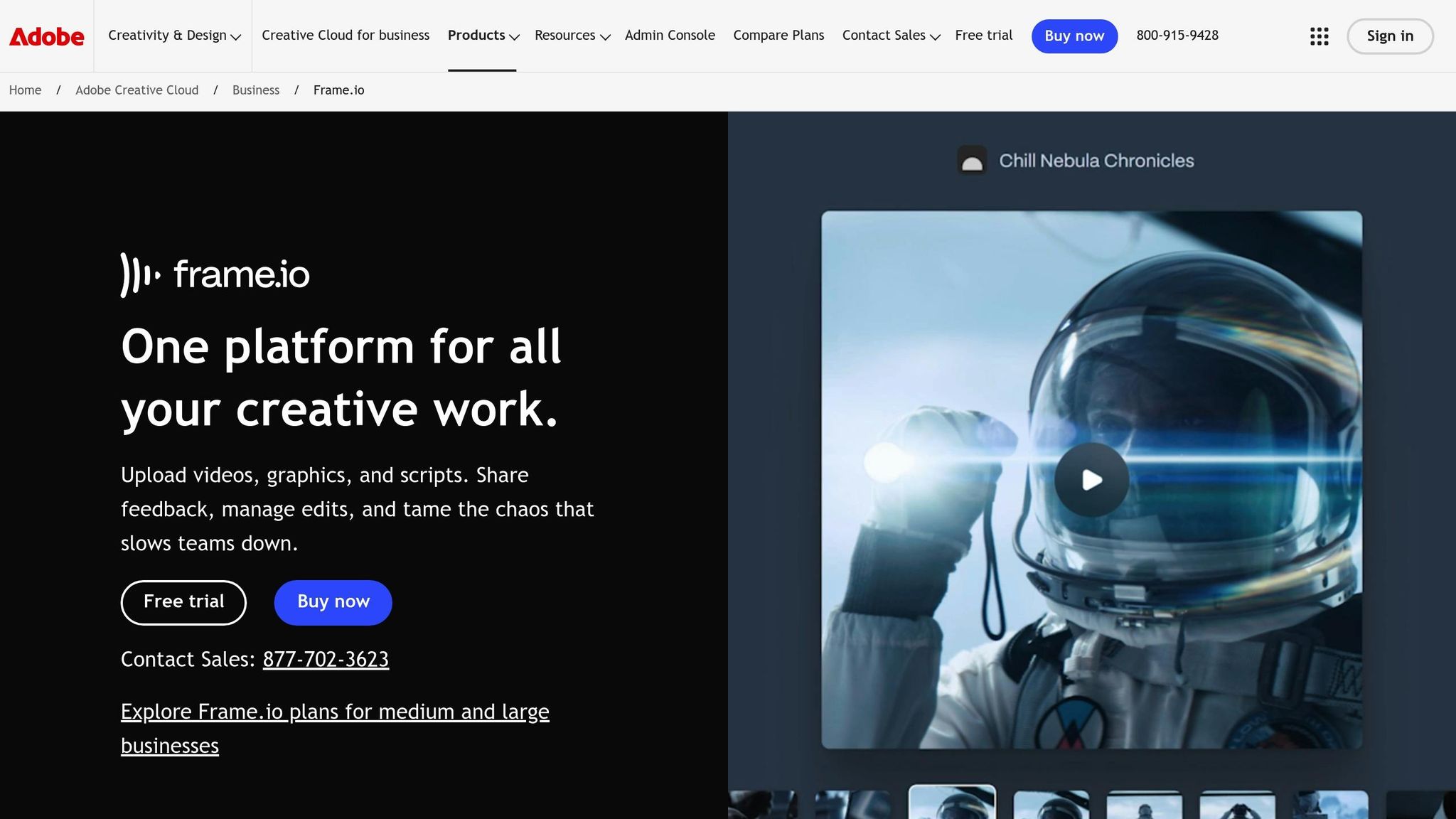
Frame.io has carved a niche for itself by simplifying video workflows and delivering precise, actionable feedback.
Client Adoption and Ease of Use
Frame.io makes it easy for clients to leave pinpointed feedback with timecode-specific comments. Instead of vague suggestions like "make it pop", reviewers can pause on a specific frame and leave clear, actionable notes that editors can address right away. Better yet, clients don’t need to sign up or download anything - just click a secure link to start reviewing directly in a browser or on mobile.
The platform integrates seamlessly with tools like Adobe Premiere Pro, Final Cut Pro, and DaVinci Resolve. Client feedback appears as markers directly on the editing timeline, saving editors from juggling between emails and editing software. For teams working on set, the Camera-to-Cloud feature uploads footage instantly, letting remote reviewers provide input even during filming.
Support for Multi-Format Feedback
Although Frame.io supports over 1,200 file types, including images and PDFs, its real strength lies in handling video workflows. The platform enables 4K playback with frame-accurate hover previews, making it a go-to choice for post-production teams and marketers managing high volumes of video content. Its contextual proofing tools are designed to cut revision cycles in half. For mixed-media projects, Frame.io offers visual markup tools like arrows, boxes, and freehand drawing, which work seamlessly across supported formats.
Pricing and Scalability for Teams
Frame.io provides a Free Forever Plan with limited storage, while paid plans start at $15 per member per month (Pro) and $25 per member per month (Team). For larger organizations, enterprise pricing includes advanced features like Single Sign-On and forensic watermarking. The platform is highly rated, holding a 4.5/5 score on G2, with users frequently highlighting frame-accurate commenting and Adobe integration as standout features. However, storage limits and costs can be a concern for teams managing large video projects.
Features to Streamline Approval Workflows
Frame.io offers powerful tools to keep production teams organized. It uses 33 built-in metadata fields (plus unlimited custom options) to manage assets efficiently. Reviewers can mark files as "Approved" or "Needs Work", which triggers automatic notifications to the project owner and moves the workflow forward. The Collections feature ensures clients always have access to the latest versions by grouping assets in real time. Additionally, pre-built templates for tasks like social media campaigns or branding projects help teams hit the ground running.
With features that speed up creative workflows by 2.9x and reduce review cycles by 2.7x, Frame.io helps teams cut down on revision churn by 31%. These tools keep projects moving efficiently, which is essential in today’s fast-paced production world.
5. PageProof
PageProof presents itself as a proofing platform designed for teams that need structured workflows with clear governance and accountability.
Client Adoption and Ease of Use
One standout feature of PageProof is its simplicity for clients - there’s no need for them to create an account or log in. They can leave feedback by clicking on a secure link, using an intuitive interface that’s easy to navigate. All paid plans come with unlimited reviewers, so you can involve as many stakeholders as needed without worrying about extra costs. Smart checklists guide reviewers to focus on essential criteria, helping you get clients to leave clear, actionable design feedback instead of vague comments like "make it better".
Support for Multi-Format Feedback
PageProof supports a variety of file types, including images, PDFs, videos, audio files, websites, and even CAD drawings. This makes it an excellent choice for teams managing diverse creative assets. The platform’s Smart Compare feature allows users to view file versions side-by-side or as overlays, making it easier to identify changes. Once a file is approved, approval locks ensure no further edits can be made.
Pricing and Scalability for Teams
PageProof’s pricing reflects its focus on enterprise teams. The Team plan starts at $249 per month, while the Team Plus plan is priced at $399 per month. Enterprise pricing is available upon request. Its high G2 rating of 4.8 out of 5 highlights its strong security features and seamless integration with Adobe Creative Cloud. However, the pricing might be a hurdle for smaller teams, and some users feel the workflow structure lacks flexibility during early design stages.
Features to Streamline Approval Workflows
PageProof automates the review process, helping teams move through approval stages more quickly. It integrates seamlessly with Adobe Creative Cloud and popular project management tools like monday.com, Asana, Airtable, ClickUp, and Trello. With clear audit trails and formal sign-off processes, it’s particularly valuable for industries with strict compliance requirements or brand-controlled reviews. These integrations and automation tools simplify feedback collection and speed up client approvals.
6. ClickUp
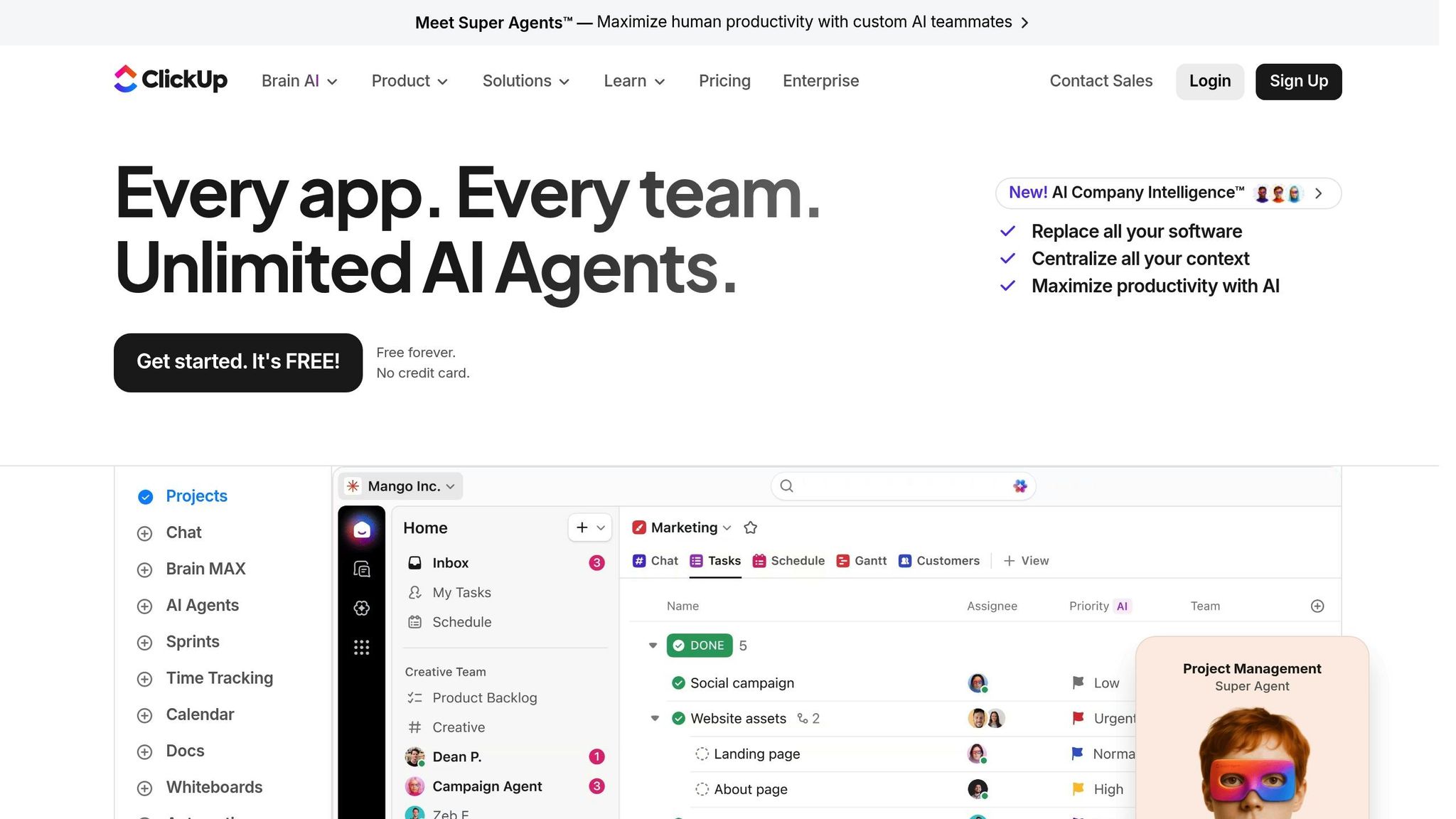
ClickUp is a versatile project management platform designed to tackle client approvals alongside broader workflow challenges. By automating tasks and centralizing feedback, ClickUp helps reduce bottlenecks and speeds up client approval processes.
Client Adoption and Ease of Use
ClickUp features guest portals that allow clients to view and comment on specific tasks without granting access to the entire workspace. While this is a helpful feature, the platform's interface can feel overwhelming for less tech-savvy clients. Onboarding can take some time - new users often need 2 to 4 weeks to get comfortable with its extensive customization options, which can be a hurdle for larger teams. To simplify client intake, ClickUp Forms collect essential details like goals and deadlines, cutting down on back-and-forth emails.
Support for Multi-Format Feedback
ClickUp excels at feedback collection by integrating with tools like BugHerd and Feedbucket. These integrations enable visual feedback tools on websites, PDFs, images, and even Figma files. Feedback captured externally - such as annotated screenshots, technical metadata, or video recordings - syncs seamlessly back into ClickUp. The platform’s Free Forever plan includes 100 proofing uses (for image and PDF annotations) and 100 automation executions, making it a robust choice for teams starting out.
Pricing and Scalability for Teams
ClickUp uses a per-member pricing model with five main tiers. The Unlimited plan starts at $7 per user per month (billed annually), while the Business plan costs $12 per user per month. Monthly billing adds a premium of 43% for the Unlimited plan and 58% for the Business plan. For AI-powered features through ClickUp Brain, an additional fee of $9 to $28 per user per month is required. Larger organizations, such as those with 200+ members, can expect annual costs exceeding $30,000. With a 4.7 out of 5 rating on G2, based on over 19,000 reviews, ClickUp has earned high praise for its ability to streamline workflows and approvals.
Features to Streamline Approval Workflows
ClickUp’s automation features are a game-changer for approval workflows. Conditional rules can automate task assignments, notify clients when deliverables are ready for review, or move tasks to new lists after internal approvals are completed. Task Dependencies ensure steps are completed in the right order - like holding a design task until the copywriting task is approved. Additionally, the Project Request and Approval Template ensures all necessary details, such as budget and impact, are captured upfront. For example, in 2025, STANLEY Security used these tools to cut report-building time by over 50%.
"Forms and approval processes are very easy to implement and make handling inter-departmental requests much easier saving time."
– Tyler Guthrie, Director of Revenue Operations, Home Care Pulse
7. Smartsheet
Smartsheet brings proofing and approvals into a single, organized work management platform. It's built for teams tackling complex projects that involve multiple dependencies and require collaboration across various regions. By consolidating feedback, tasks, and files into one shared space, Smartsheet ensures both internal teams and external clients can easily track project progress. This unified approach not only improves transparency but also makes it easier to integrate clients into the workflow, creating smoother approval processes.
Client Adoption and Ease of Use
As part of a broader work management system, Smartsheet includes proofing as one feature within a larger framework. This makes it particularly appealing to enterprise-level teams, organizations with widespread operations, and those dealing with intricate approval chains. It’s less tailored for freelancers or smaller agencies, who may not need such an extensive system.
Features to Streamline Approval Workflows
One of Smartsheet’s standout advantages is how it bridges the gap between gathering feedback and executing tasks. Teams can track approval statuses, assign follow-ups, and manage dependencies all within the same platform. This eliminates the need to juggle multiple tools, reducing delays and keeping everyone on the same page. Like other tools in its category, Smartsheet simplifies the feedback-to-completion process, speeding up client approvals.
Pricing and Scalability for Teams
Smartsheet’s design is geared toward larger organizations managing complex project portfolios. Its pricing and features are aligned with the needs of productized agencies and enterprises handling large-scale operations. While it’s an efficient solution for these teams, its structure may not be the best fit for individual freelancers or smaller creative groups.
Tool Comparison Table
Here's a quick look at how seven tools stack up based on essential features for streamlining client approvals:
| Tool | Starting Price | Guest Access | File Types Supported | Best For |
|---|---|---|---|---|
| BoastImage | $9.95/month | No login required – unlimited external collaborators on all paid plans | Web pages, images, PDFs | Freelancers and agencies prioritizing client-first feedback |
| Ziflow | $249/month | Link-based access without account creation | Video, design files, websites, images, PDFs | Creative agencies and in-house studios managing multimedia-heavy projects |
| Filestage | $129/month | Link-based access without account creation | Video, social media content, branded assets, PDFs, images, documents | Marketing teams handling large volumes of creative assets |
| Frame.io | $15/user/month | Link-based access without account creation | Video with frame-accurate feedback, images, PDFs | Video editors and production teams requiring integration with editing tools |
| PageProof | $249/month | Account-based access | Images, PDFs, video, web pages | Established agencies with structured approval workflows |
| ClickUp | Free (paid plans from $7/user/month) | Guest access available | Documents, images, PDFs (within broader project management) | Teams integrating approvals into full project workflows |
| Smartsheet | Enterprise pricing | Guest access available | Documents, images, PDFs (within work management platform) | Large organizations managing complex, multi-dependency projects |
For those seeking budget-friendly options, BoastImage and Frame.io stand out, while tools like Ziflow, PageProof, and Smartsheet cater to larger teams with more advanced needs. Each tool is designed to address specific workflows, ensuring efficient client feedback and approvals without losing context.
Conclusion
The right approval tool can streamline projects and cut down on unnecessary back-and-forth. Teams using feedback platforms report 50% fewer revision rounds compared to relying on email-based reviews. The key? Centralized feedback. When everyone comments on the same version in one place, projects progress faster and with less confusion. However, the design of the tool matters just as much as its features. Tools that require account creation, lengthy onboarding, or overly complex dashboards often push non-technical clients back to unclear email feedback. Keeping things simple encourages client participation.
Choosing the right tool depends on your specific needs. For freelancers, lightweight and affordable options like BoastImage (priced at $9.95/month with unlimited external collaborators) are a great fit. Agencies handling varied media types - like web pages, PDFs, and images - need tools that simplify collaboration without adding technical barriers. Meanwhile, large teams with intricate approval processes should look for features like automated workflows, audit trails, and enterprise-level security, with pricing starting around $249.
Before committing, test the tool in a real-world review session. Internal testing often misses the challenges non-technical stakeholders face, like trying to leave feedback on a mobile device during a commute. Even the best internal solutions can fall short if they confuse or frustrate external clients.
FAQs
How do I choose the right approval tool for my team size and file types?
When picking an approval tool, think about your team's size and the kinds of files you'll be working with. If you're a freelancer or part of a small team, tools like BoastImage make client feedback straightforward. They let external reviewers leave comments directly on images, PDFs, and web pages - no account needed. For larger teams or more involved projects, look for platforms that offer features like version tracking, detailed commenting options, and compatibility with various file types to keep collaboration smooth and efficient.
What features are most effective at reducing client approval delays?
When it comes to cutting down client approval delays, two features stand out:
- Visual, contextual feedback tools: These allow clients to comment directly on specific design elements. No more deciphering vague notes or sifting through endless email threads - feedback becomes clear and actionable.
- Approval workflows: These track review statuses and highlight pending actions, keeping the process organized and ensuring feedback arrives on time.
Together, these tools simplify communication and make approvals smoother for everyone involved.
How can I test a tool with real clients before committing?
You can try out tools with actual clients by utilizing free trials or demo versions. This approach helps you collect feedback and ensure the tool integrates well with your workflow. Many platforms reviewed in 2023 provide trial options to help you assess their compatibility.