BoastImage and GoVisually are worlds apart. One is your perfect, affordable, zero-friction, client feedback collection tool; the other is a powerhouse for detailed design feedback and internal team workspaces.
GoVisually streamlines creative processes, while BoastImage refines client-facing review cycles. The latter is meant for freelancers, agencies, and every type of team, while GoVisually is designed for pure design-focused teams.
Choosing one or the other depends on who you are and what you do. Here's a sneak peek to help you decide:
- BoastImage Is Great For: Growing agencies and marketing teams that need to stay organized without the "per-seat" tax. With built-in Kanban task management and unlimited canvases for just $9.95/month, it offers roughly 18x the value per project compared to the competition.
- GoVisually Is Great For: High-volume creative departments that center their workflow on high-fidelity assets like video, PDFs, and multi-page design proofs. It's the ideal fit for teams that require frame-accurate video markup and have the budget for tiered pricing (starting around $20/user/month).
Should You Choose BoastImage or GoVisually?
Choose BoastImage if you need a minimalistic, client-centric tool designed to eliminate friction during the feedback process. It is ideal for teams that want a built-in project management system to assign tasks directly within the tool, ensuring maximum impact with minimal setup.
Choose GoVisually if you are managing diverse creative projects like video, PDFs, and high-resolution designs. GoVisually is better suited for teams that require deep integrations with the Adobe Creative Cloud and a version-control system that allows for side-by-side comparisons of different iterations.
Quick Verdict: BoastImage is the perfect choice for agencies who want a "zero-friction" experience and integrated task management. GoVisually is the professional standard for creative-heavy teams who need specialized support for video proofing and extensive third-party app connectivity.
Quick Overview of BoastImage vs GoVisually
We know time is of the essence, so here's your quick overview of both tools:
| Feature / Detail | BoastImage | GoVisually |
|---|---|---|
| Best Fit | Agencies and marketing teams who need integrated task management and a "one-stop shop" for feedback and action. | Creative teams in design, packaging, and video who need high-fidelity proofing and robust version control. |
| External Reviewer Access | Share a link; clients can comment without an account. Includes private internal-only comments. | Share a link; clients comment without signup. Known for a high-end, client-facing portal experience. |
| Client Friction | Very Low. Clean, modern interface designed to look professional for high-end clients. | Minimal. Designed for "point-and-click" simplicity; no training required for clients to start marking up assets. |
| Supported Asset Types | Websites (via extension), Images, PDFs, and Videos. | Deep Multi-Media. Images, PDFs, PSDs, and frame-accurate Video/GIF proofing. |
| Website Feedback | Capture-based. High-fidelity snapshots of the site at a specific moment to ensure "version lock." | Live Extension. Users can record and review live websites via a Chrome extension for real-time feedback. |
| Workflow Complexity | Integrated PM. Built for teams who want their feedback to live inside a Kanban board or task list natively. | Workflow-Driven. Features "Approval Checklists" and "Sections" to move assets through strict internal/external stages. |
| Tasks & Accountability | Advanced. Features built-in status (In Progress, Done), assignees, and a task-first dashboard. | Review-Focused. Focuses on "Approve/Needs Changes" status; relies on integrations for deep PM tracking. |
| Versioning | Handles "before and after" well with clear history logs for images and PDFs. | Visual Compare. Features a "Smart Compare" mode to see visual differences between revisions side-by-side. |
| Integrations | Streamlined internal workflow with Slack and email-to-task notifications. | Deep Ecosystem. Native integrations with Adobe Creative Cloud, Slack, Asana, and 3,000+ apps via Zapier. |
| Pricing Posture | Value-Focused. ~$9.95/Month for unlimited canvases. Ideal for scaling without "per-seat" bloat. | User-Based. Plans typically start around $20/user/month (Lite) to $40/user/month (Pro) for advanced features. |
BoastImage is the only client-facing markup tool that offers a simplified review and approval process. GoVisually is more of an online proofing software for creative work feedback and changes.
BoastImage vs GoVisually Features Explained
| Feature / Outcome | BoastImage | GoVisually |
|---|---|---|
| Clients leave feedback without an account | ✅ | ✅ |
| Pinned, contextual comments | ✅ | ✅ |
| Integrated Kanban Task Board (Built-in PM) | ✅ | ✕ |
| Review Images, PDFs, and Video | ✅ | ✅ |
| Capture-based Review (Version Lock) | ✅ | ✕ |
| Live Website Overlay | ✕ | ✅ |
| No-Code / Zero Learning Curve for Clients | ✅ | ✕ |
| Unlimited Canvases on Base Plan | ✅ | ✕ |
| Custom Branding / White Labeling | ✅ | ✕ |
| Responsive Screen Testing (Custom Sizes) | ✅ | ✕ |
Boast Image offers the right features with the best UI for client collaboration. Want to test it out? Please do. Boast Image offers a free trial for a sneak peek of our paid plan. The plan auto-switches to the free plan if you don't subscribe to a paid plan.
Live Website Viewing
GoVisually is a great internal design proofing platform, but doesn't offer a live website grab or annotation. The closest thing you can do is to:
- Manually grab a screenshot
- Import it to the app
- Then annotate it
Unfortunately, that makes things harder for external reviewers. The workflow isn't streamlined and clients are prone to bouncing. With BoastImage's client-facing features and extension for live website grabs, there is no additional friction.
File Support of BoastImage vs GoVisually
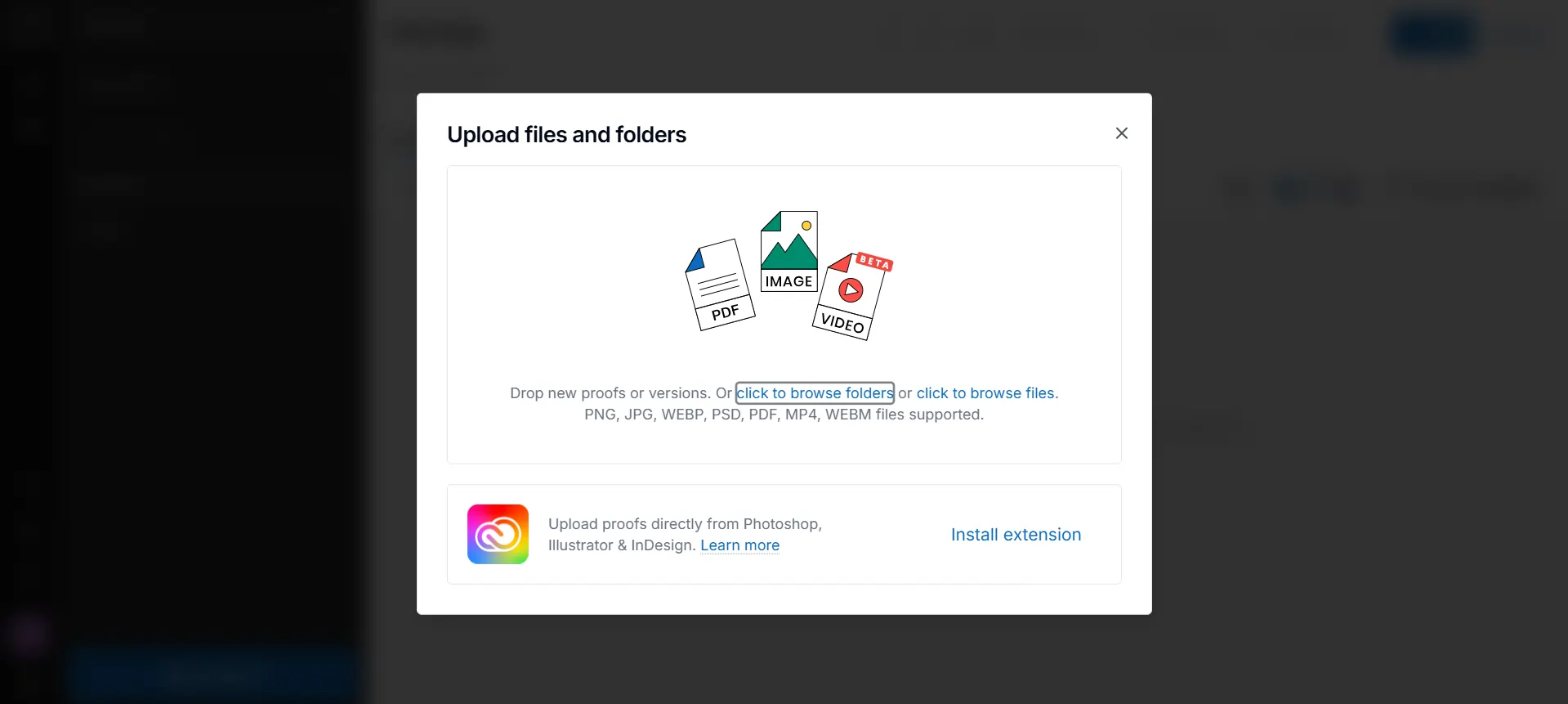
GoVisually is a powerhouse for internal design review and approval workflows. The web app allows you to upload multiple types of video, PDF, and image files, including:
- JPG
- PNG
- WebP
- PSD
- MP4
- WebM
You can also upload files directly from Photoshop, Illustrator, or InDesign through their extension. It's perfect for creative agencies and design teams who want to centralize their design workflows.
BoastImage only supports image and PDF file formats because the tool is designed for external collaboration. Boast Image grabs simple real-time previews and give you the ability to annotate them as you see fit.
Workflow Differences and Features
All your annotation, management, and review processes stay within the BoastImage app. You can invite and collaborate with one simple click. The built-in management tool automates, improves, and refines the workflow.
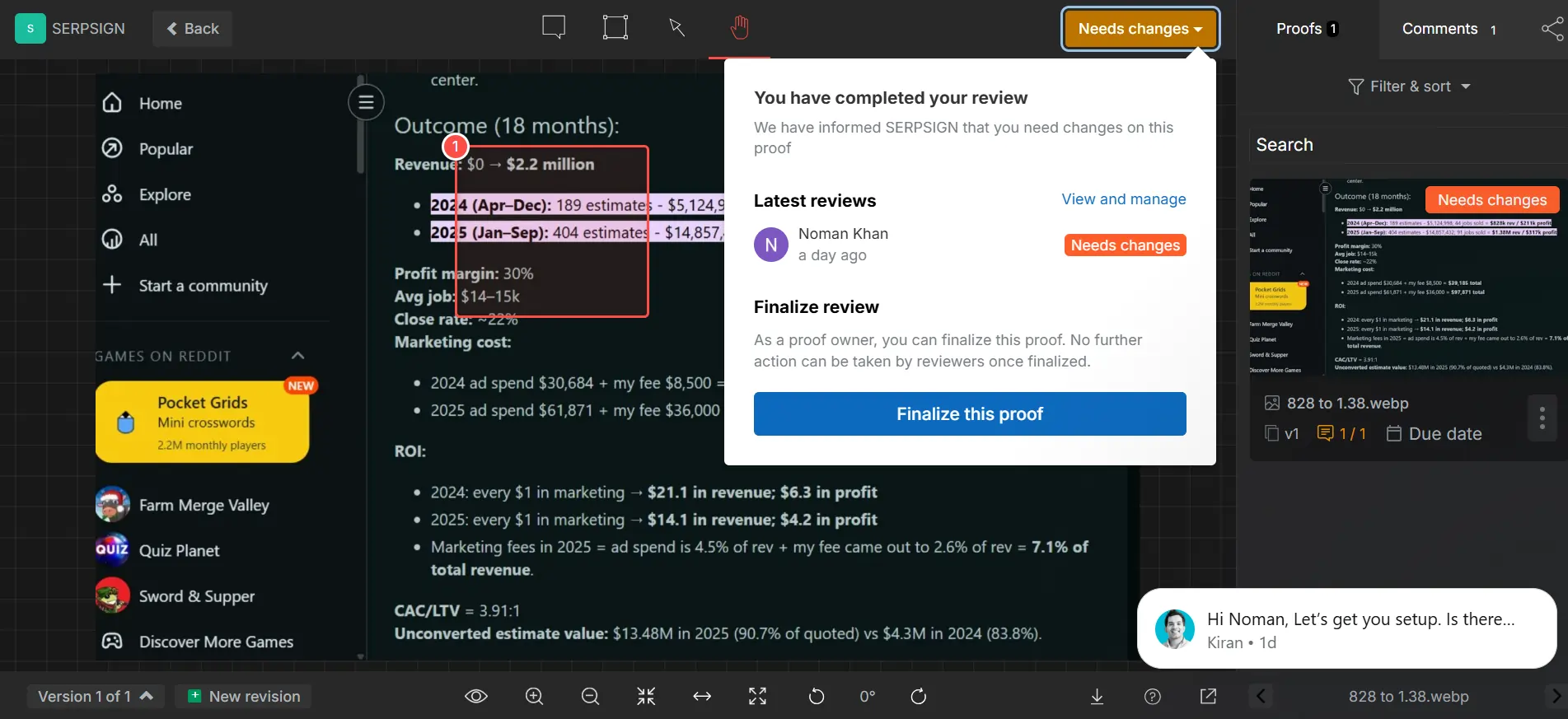
GoVisually has a detailed review and approval process, which feels a bit convoluted. You add the media, annotate it, then finalize proof (removes editing access), implement changes, and send it back for review as necessary.
Version Control and History
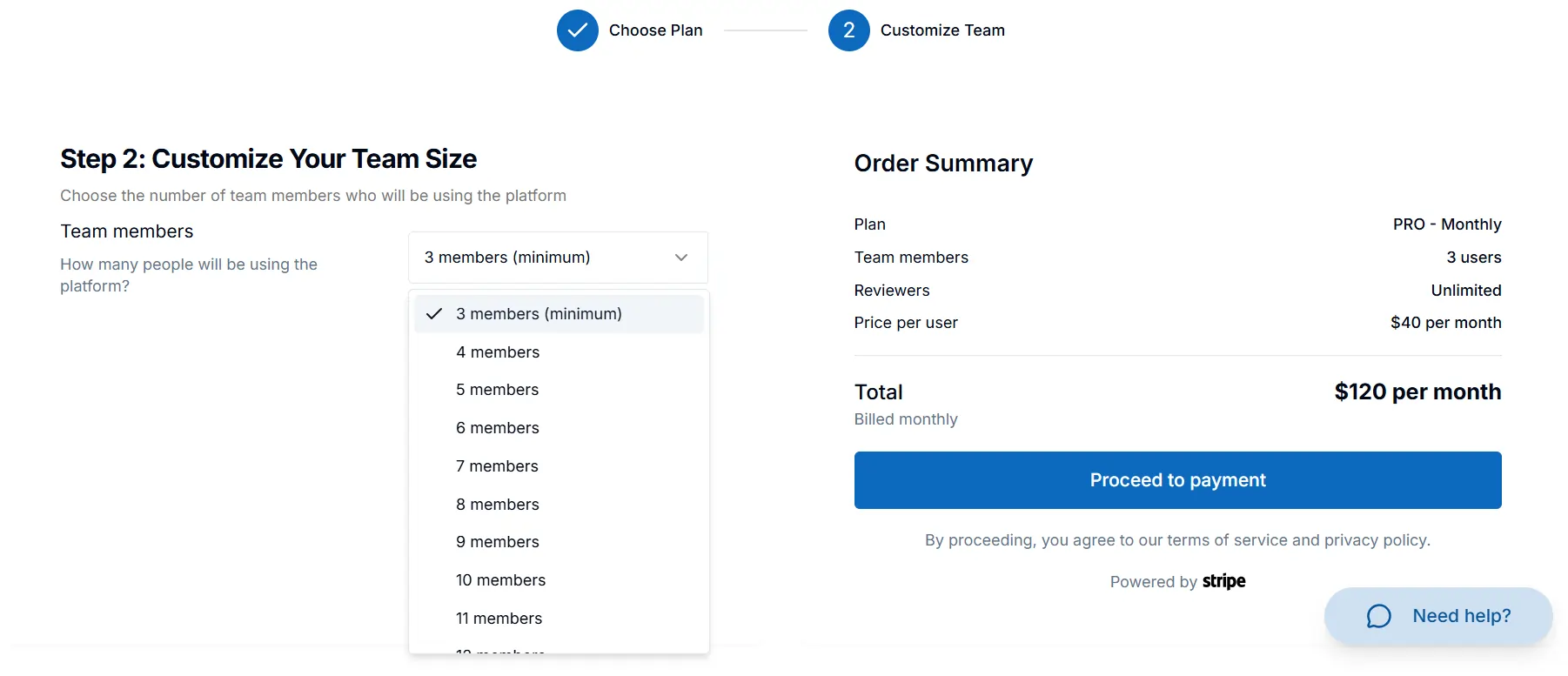
Both BoastImage and GoVisually give you version control and archives. However, GoVisually only gives you version history with the Pro or Enterprise Plans. What makes the ordeal even more tedious is that you'll need at least three users for the Pro Plan.
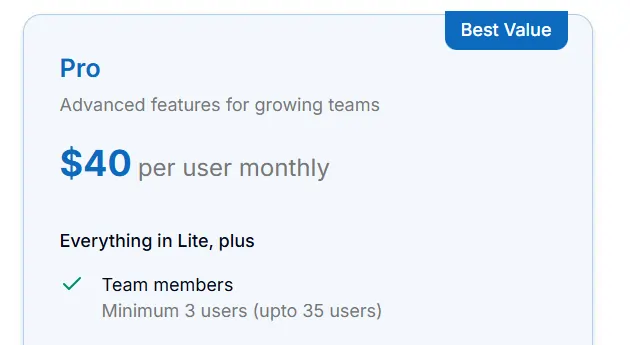
Some quick calculations:
- $40 Per User Per Month (Pro Plan)
- 3 Minimum Users For Pro Plan
- Minimum Signup Cost $120 Per Month
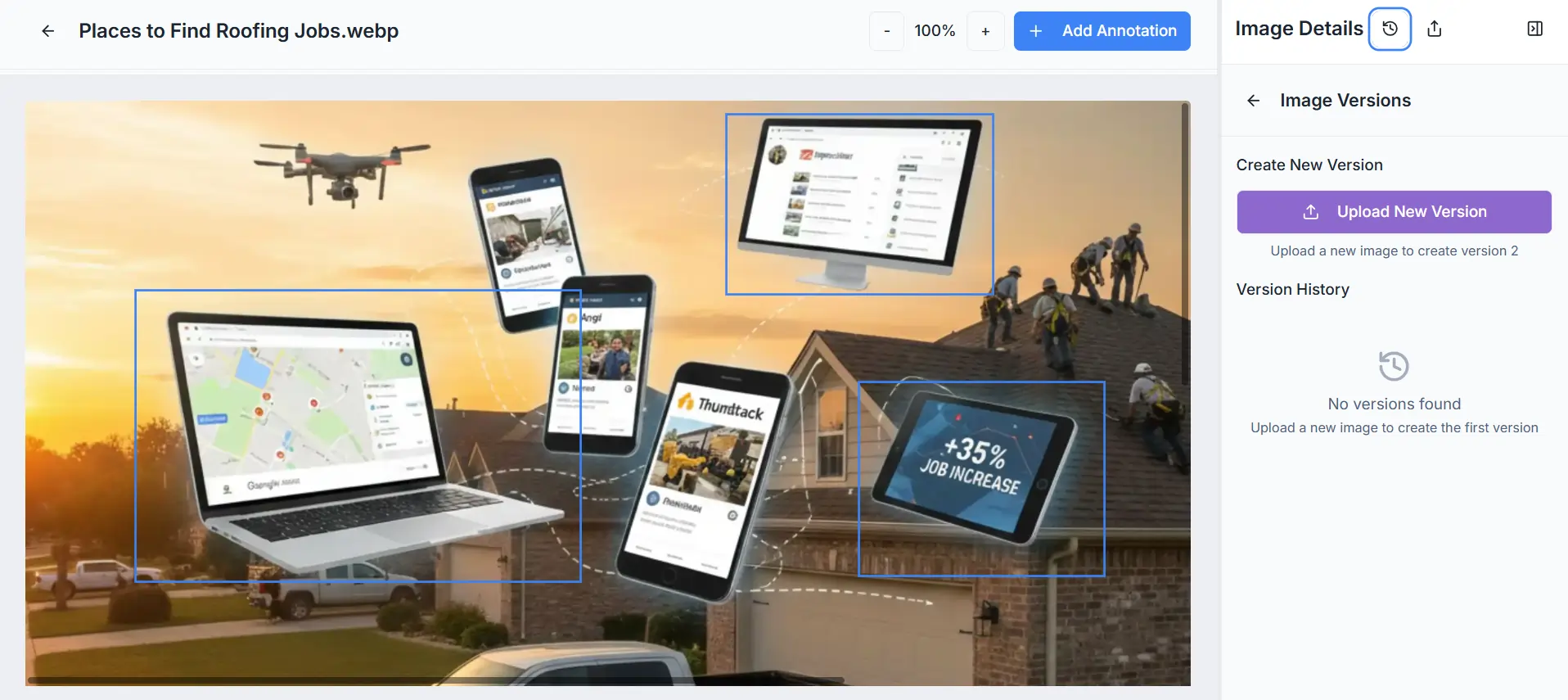
BoastImage gives you version control with every plan, including the free one. Upload the second version after updates to keep everything neat and controlled.
Usability of GoVisually and BoastImage
BoastImage is simple because clients love simple things. They want something that's intuitive and easy to use. With BoastImage, your client won't need training wheels to tune into the creative workflow.
Boast Image's dashboard is self-explanatory, and every function stays within your view. Adding visual feedback is easier than ever, and managing comments is even simpler. The best part is that we don't slam you with random error messages. Visually doesn't do that either, unless you sign up with Google!
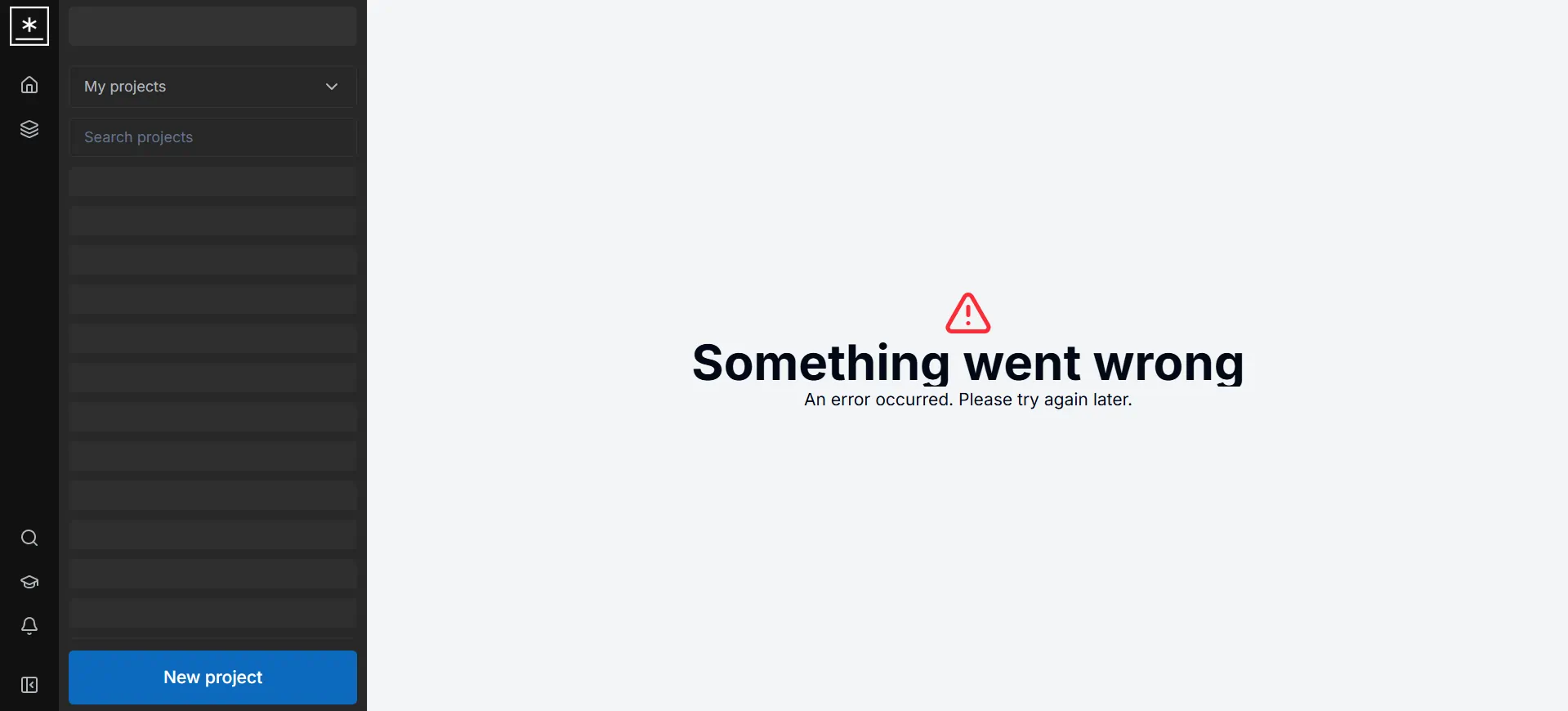
Would a first-time client appreciate the hurdle? No, they'll probably bail on the review and switch to classic emails. GoVisually is also one of the most visually complicated tools we've used. How?
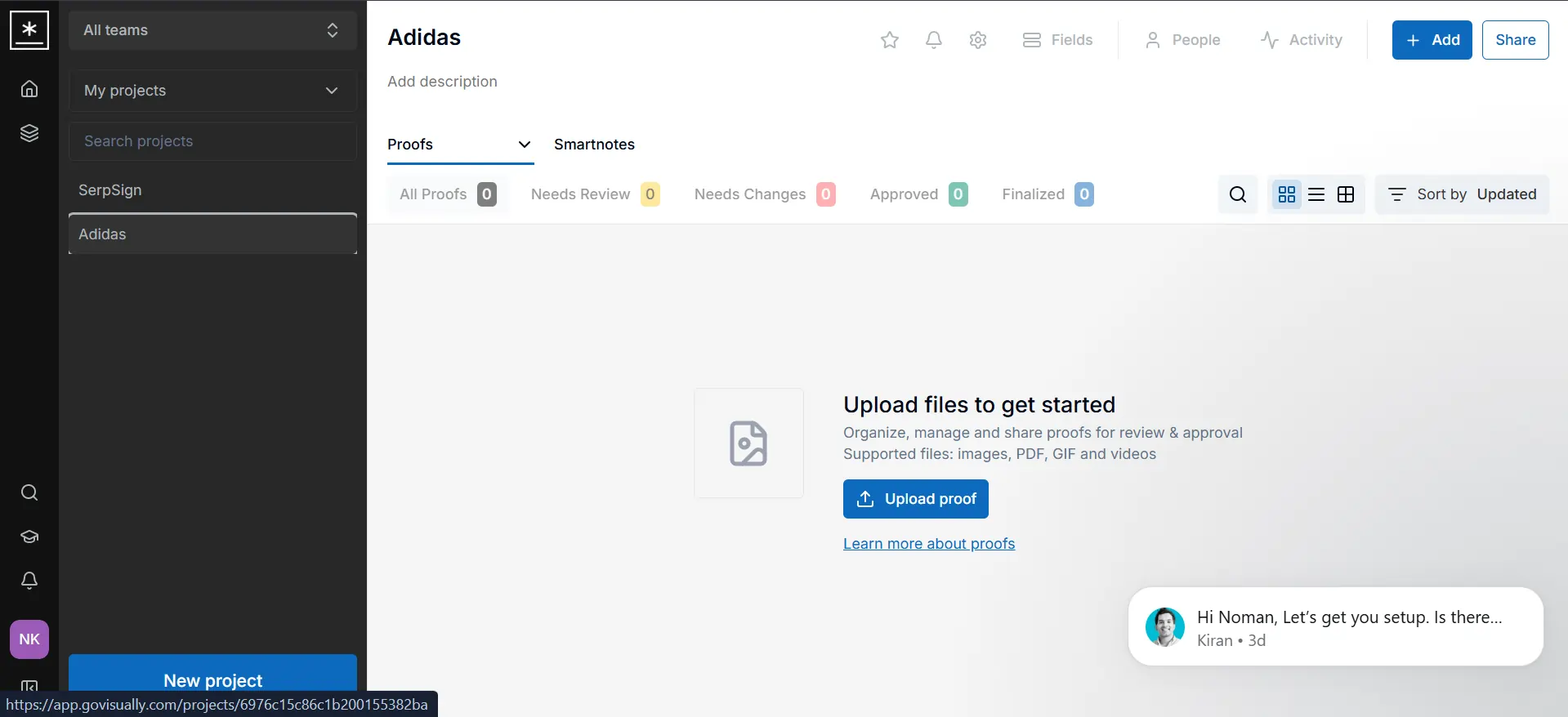
- Proofs: Yes, they call everything Proofs instead of Uploads, which is a part of their "online proofing tool" branding.
- Links Don't Work: The link on their main dashboard that explains the proof concept doesn't work. It just refreshes the page.
Finally, their annotation dashboard is a bit chaotic. You have to manually switch to the annotation mode after every successful comment because it defaults to the grab icon. What is the grab icon? It moves the whole image across the canvas.
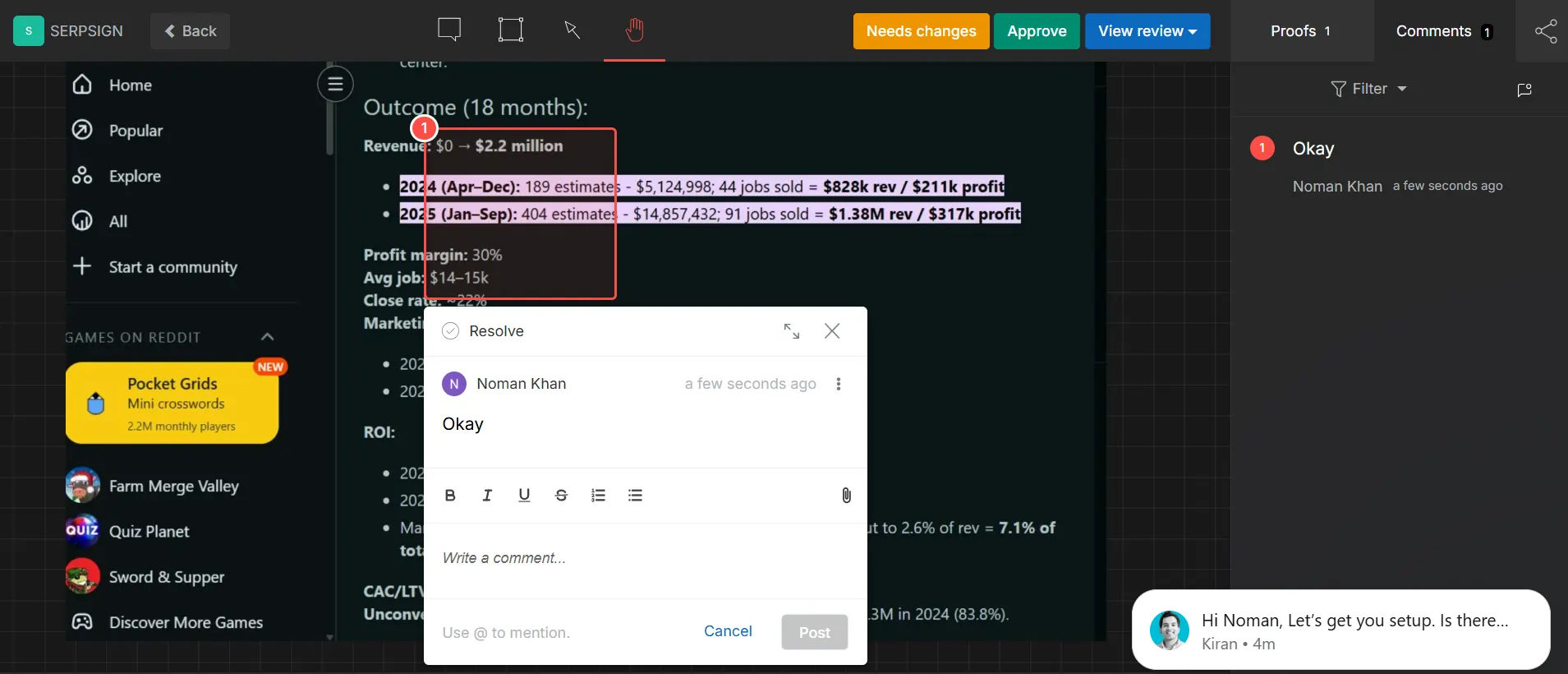
A simple image lock feature would make the canvas 100x better. Switching to the commenting arrow tool every time is tiresome. Unfortunately, the UI is chaotic at the present moment with constant switches and accidental clicks.
GoVisually vs BoastImage Pricing
BoastImage is the most affordable annotation and client feedback tool on the market. Boast Image offers a free plan that allows unlimited external collaborators. Our base plan at $9.95 per month gives you all the necessary management, annotation, and proofing tools.
With BoastImage, you also save on potential third-party integrations like Asana and ClickUp. Why pay for unnecessary project management tools when you get them for free? GoVisually offers great detailed features, but unfortunately it is expensive.
The base plan starts at $20 Per Month Per User, which is twice as expensive as BoastImage. Unfortunately, this plan also limits your projects to 15, with 3 sections (canvases) per project.
When Should You Choose GoVisually or BoastImage?
BoastImage is built for the agency that wants to bridge the gap between feedback and action without juggling five different subscriptions. GoVisually is built for the high-volume creative team that needs a centralized command center for diverse assets like video, PDF, and design.
| Scenario | Ideal Fit & Rationale |
|---|---|
| High-Volume Client Approval | BoastImage: Optimized for zero-friction. It uses high-fidelity captures to ensure clients see a stable version of the site, preventing confusion caused by elements shifting while they try to comment. |
| Complex Creative Campaigns | GoVisually: Best for teams managing more than just websites. Its ability to proof videos frame-by-frame and handle PDFs or PSDs makes it the superior choice for full-service creative agencies. |
| End-to-End Task Management | BoastImage: Ideal if you want to skip the "exporting" phase. Comments are automatically treated as tasks in a built-in Kanban board, removing the need for third-party project management subscriptions. |
| Strict Brand Compliance | GoVisually: Excellent for industries with rigid standards. Features like AI-powered compliance checks and "Approval Checklists" ensure that reviewers verify specific brand requirements before hitting "Approve." |
| Budget-Conscious Scaling | BoastImage: At $9.95/month for unlimited canvases and built-in PM tools, it offers significantly more value for freelancers and small agencies compared to GoVisually’s per-user pricing model. |
FAQs on BoastImage vs GoVisually
Is BoastImage better than GoVisually for website annotation?
BoastImage is better than GoVisually for website annotation because it offers live website captures. While GoVisually offers advanced proofing features, these are designed for creative teams working with various image/pdf designs and videos.
How do I get started with GoVisually?
Get started with GoVisually by creating an account, inviting your team or clients, and uploading your first design file. GoVisually is a visual collaboration platform that lets you collect clear, in-context feedback on designs, videos, and websites. Users comment directly on files, assign tasks, and track revisions in one centralized dashboard.
What is a good online annotation tool for students?
BoastImage is a great multi-purpose annotation tool for students because of its simplistic interface and markups. The web app offers a free plan for students and individual freelancers who need a few canvases for limited projects.
BoastImage Is The Ultimate Alternative to GoVisually
Boast Image isn't just the best alternative to GoVisually, we're an improvement. GoVisually focuses on extensive design feedback by compromising on simplicity. Boast Image brings that simplicity back with real-time collaboration and zero-friction onboarding.
Your next client doesn't need to spend hours learning basic functions. And you don't need to spend hundreds of dollars for annotations. BoastImage offers everything you need at an affordable price. Try out BoastImage today!
Also compare:
Ready to streamline your feedback workflow?
Try Boast free for 14 days. No credit card required.
Start Free Trial